Host, Application, and Other Indicators
Not sure you’re ready?
Take the ~3-minute readiness diagnostic and see where you stand.
A compromised operating system does not operate in silence. It leaves a microscopic wake of computational disturbances—anomalous processes spawning in the wrong directories, subtle registry modifications, unexpected network calls, and application logs littered with malformed input. For a Security Operations Center (SOC) analyst, the endpoint is a crime scene where the laws of physics are the rules of the operating system. When an adversary breaches a system, they must establish persistence, escalate privileges, execute payloads, and evade detection. Each of these actions fundamentally alters the state of the host.
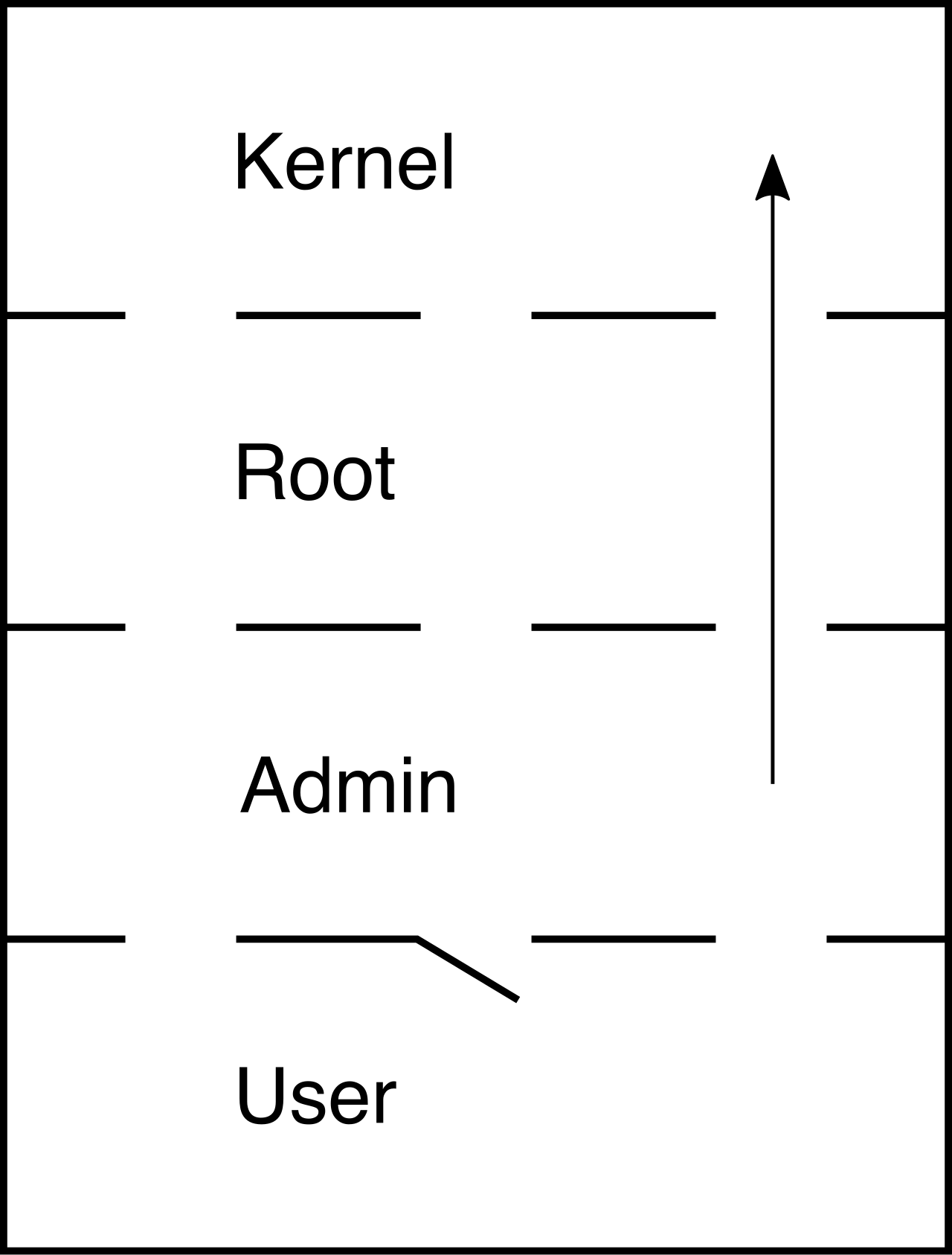
To detect these intrusions, we cannot simply rely on antivirus signatures. We must understand the baseline rhythm of a healthy machine. By intimately knowing how legitimate processes behave, how applications interact with memory, and how human users communicate, we can spot the minute deviations that signal an attack.
A running operating system is a highly regimented environment. Every process has a specific parent that invoked it, a specific directory it belongs in, and specific system resources it requires. When malware executes, it often violates these fundamental rules.
Process Lineage and Masquerading
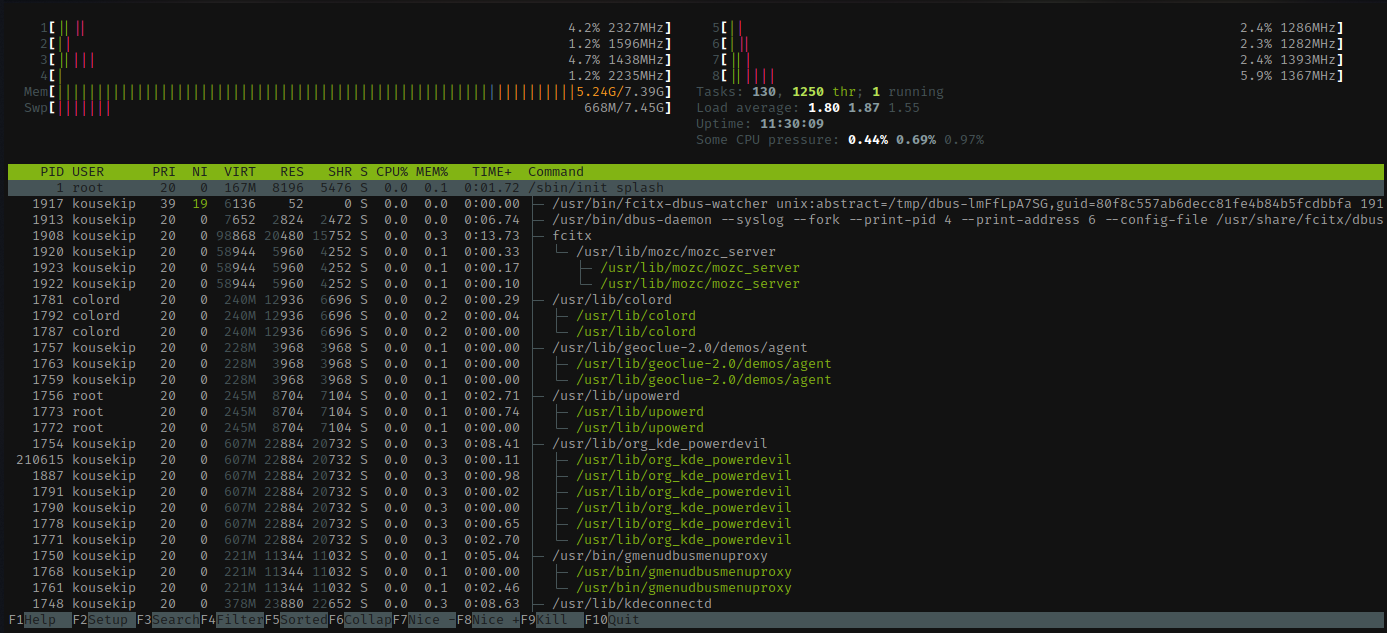
Operating systems track the genealogy of running applications. When a user clicks a browser icon, explorer.exe (the Windows shell) spawns chrome.exe. This parent-child relationship is predictable. Therefore, abnormal parent-child process relationships serve as strong indicators of operating system host compromise.
Consider the fundamental Windows process svchost.exe (Service Host). Because Windows runs many of its internal services from dynamically linked libraries (DLLs) rather than independent executables, it uses svchost.exe to host them.
- The Parent: The legitimate Windows process
svchost.exealways executes as a child of theservices.exeprocess. If you observesvchost.exespawned by Microsoft Word (winword.exe) or PowerShell (powershell.exe), the system is compromised. - The Path: Legitimate
svchost.exeprocesses only execute from theSystem32orSysWOW64operating system directories. If it runs fromC:\Users\PublicorC:\Temp, it is a malicious impostor.
Adversaries rely heavily on process masquerading, which involves renaming a malicious executable to match a legitimate operating system process name (e.g., naming a keylogger svchost.exe or explorer.exe). By analyzing process lineage and execution paths in your Endpoint Detection and Response (EDR) platform, you strip away this camouflage.
Furthermore, watch the CPU and memory consumption. Unusually high resource utilization by unfamiliar host processes frequently indicates unauthorized cryptojacking activity. If a masqueraded notepad.exe is consuming 99% of a server's CPU, the adversary has hijacked your computational resources to mine cryptocurrency.
Memory Exploitation and Credential Theft
Once an adversary has execution on a host, their immediate priority is lateral movement. To move, they need credentials.
In Windows, the Local Security Authority Subsystem Service manages authentication and security policies. Credential dumping attacks frequently target the Local Security Authority Subsystem Service (lsass.exe) process memory. Because lsass.exe handles active user sessions, its memory space holds password hashes and, depending on the OS configuration, plaintext passwords.
The Analyst's Toolkit: Mimikatz is an open-source post-exploitation tool primarily used for credential extraction from the
lsass.exeprocess. When your EDR alerts on anomalous read-access tolsass.exememory, it is highly probable that Mimikatz, or a variant using its techniques, is attempting to scrape credentials to achieve lateral movement.
To bypass disk-based antivirus scans entirely, modern adversaries utilize memory-resident techniques. Fileless malware leverages legitimate system tools like PowerShell to execute malicious code directly in memory. Because the malicious payload is injected straight into RAM, no traditional executable is ever written to the hard drive.
To detect this, SOC analysts must monitor the behavior of system scripting engines (like PowerShell, VBScript, or WMI). Unexpected outbound network connections originating from scripting engines indicate potential command and control (C2) communication. PowerShell.exe should not be initiating arbitrary HTTP GET requests to unknown foreign IP addresses at 2:00 AM.
The Mechanics of Persistence
If an attacker reboots a compromised machine and loses access, their campaign has failed. They must ensure their code survives a restart by establishing persistence.
The Windows Registry is the central nervous system of a Windows host, making it the primary target for persistence mechanisms. Adversaries frequently use Windows Registry run keys to achieve malicious payload persistence across system reboots.
The Windows Registry path HKEY_LOCAL_MACHINE\Software\Microsoft\Windows\CurrentVersion\Run is a primary location monitored for malware persistence. Any executable path placed in this key will automatically execute with system privileges the moment the machine boots.
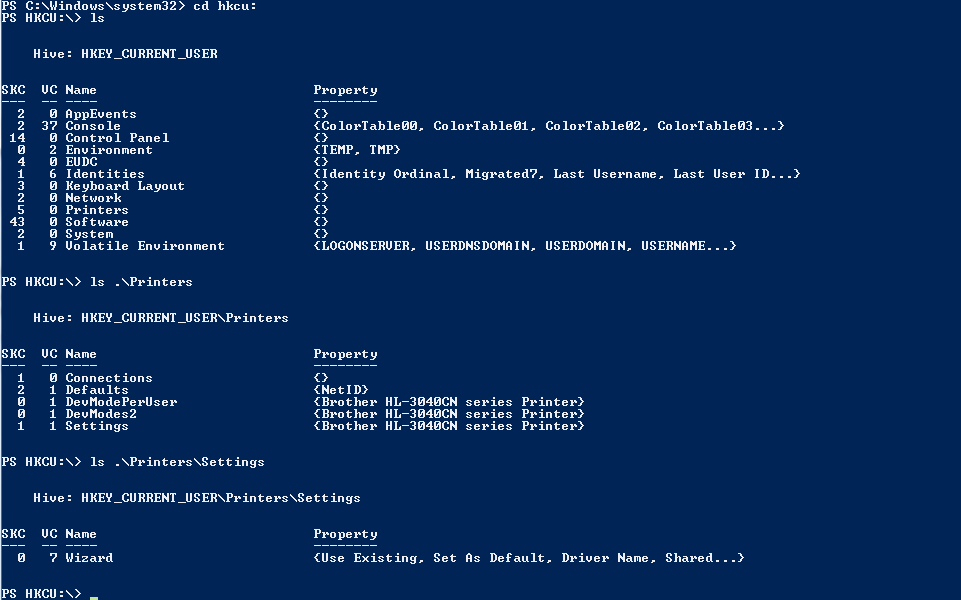
The Registry is also weaponized to blind defenders. Adversaries modify Windows Registry keys to intentionally disable native security solutions like Windows Defender. A sudden registry event modifying DisableAntiSpyware to a value of 1 is a glaring indicator that malware is attempting to tear down the host's defensive perimeter. Furthermore, unexpected changes to file extension associations in the Windows Registry indicate potential malware persistence techniques. By altering the registry to associate .txt files with a malicious executable rather than Notepad, the attacker ensures their payload runs every time a user simply tries to read a text document.
If an attacker prefers living-off-the-land techniques, they will utilize built-in task schedulers rather than the registry. Scheduled tasks created by unknown user accounts indicate potential host-level persistence mechanisms. Specifically, the schtasks command-line utility is frequently abused by threat actors to schedule malicious task execution on Windows systems.
Subverting Ground Truth: The Hosts File
When a computer needs to communicate with google.com, it queries a DNS server for an IP address. However, before it checks DNS, the operating system checks its local hosts file. The hosts file acts as an absolute local override for DNS routing.
The legitimate Windows hosts file is located at the absolute path %SystemRoot%\System32\drivers\etc\hosts.
Unexpected modifications to the local hosts file indicate an attempt to redirect system network traffic to malicious infrastructure. If an adversary appends 192.168.1.50 update.microsoft.com to the hosts file, the compromised machine will bypass legitimate Microsoft servers and request updates directly from the adversary's C2 server, enabling the delivery of secondary payloads.
Applications are the interactive boundary between the user and the data. When applications are targeted, the forensic evidence is left within application crash logs, web server access logs, and authentication records.
Authentication and Access Logs
The most direct way into an application is through the front door. Adversaries will continuously test combinations of usernames and passwords. Repeated failed authentication attempts in application logs indicate a potential password spraying or brute-force attack.
- Brute-Force: Targeting one account with thousands of passwords.
- Password Spraying: Targeting thousands of accounts with one common password (e.g.,
Spring2026!) to avoid account lockout thresholds.
Once inside, attackers attempt to expand their reach. Application logs showing unauthorized privilege escalation indicate a successful bypass of application access controls. For instance, if a standard user session suddenly invokes administrative API endpoints or alters global tenant settings, the application's authorization logic has been compromised.
Memory Exploitation in Applications
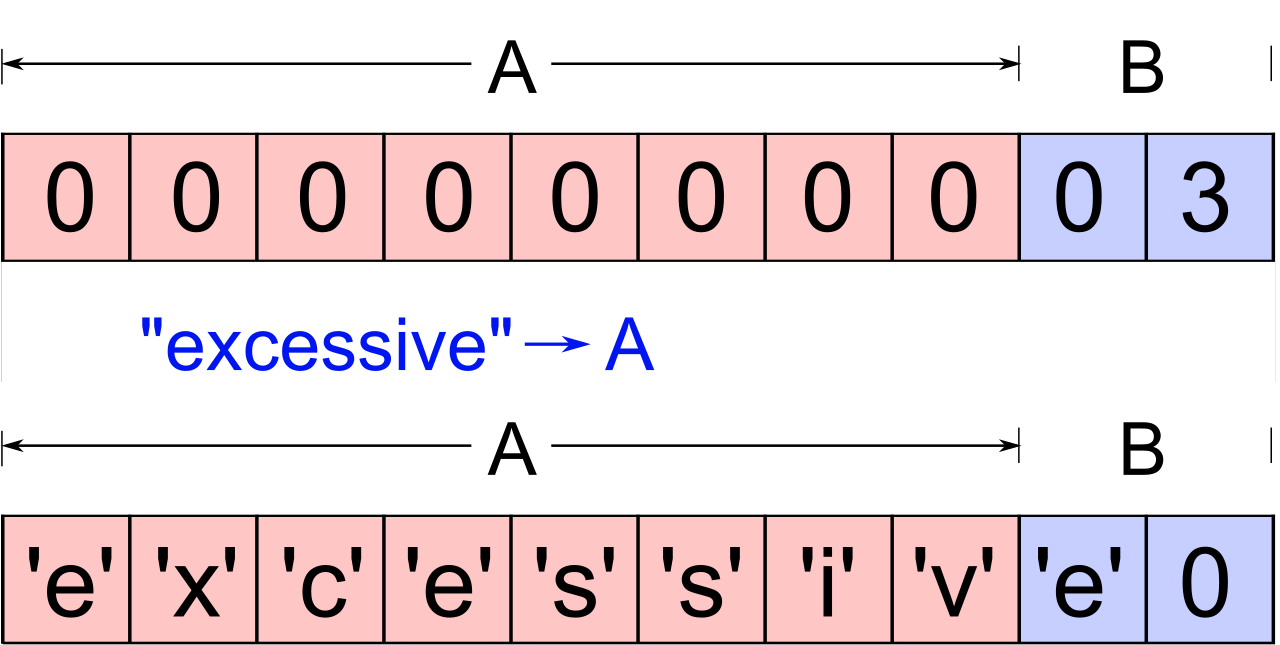
When software is poorly written—specifically in memory-unsafe languages like C or C++—it may fail to properly validate the size of input data. If an application expects 50 bytes of data but receives 500, the excess data overflows into adjacent memory spaces.
Application crash logs containing unexpected buffer overflows often indicate an active memory exploitation attempt. When you see an application log detailing an Access Violation (0xC0000005) where the instruction pointer (EIP/RIP) was overwritten by a repeating string of hexadecimal 0x41 (the ASCII character 'A'), you are looking at the foundational mechanics of a buffer overflow attack attempting to hijack the execution flow of the application.
Web Application Vulnerabilities
Web application logs (like Apache, NGINX, or IIS logs) capture the raw HTTP requests generated by attackers. By understanding the syntax of common web vulnerabilities, analysts can spot attacks in progress.
| Vulnerability Type | Log Indicator | Explanation |
|---|---|---|
| SQL Injection (SQLi) | Web application logs containing excessive single quotes indicate potential SQL injection attempts. | The single quote (') is used to artificially terminate a developer's SQL string, allowing the attacker to inject their own database commands. |
| SQLi (Definitive) | The presence of UNION SELECT statements in web application logs is a definitive indicator of SQL injection activity. | UNION SELECT forces the database to combine the results of the legitimate query with the results of the attacker's injected query, exfiltrating hidden data. |
| Cross-Site Scripting (XSS) | Cross-Site Scripting (XSS) attacks generate application logs containing unexpected HTML script tags. | An attacker attempts to inject <script>alert(1)</script> into search bars or comment fields. If the application reflects this unescaped tag back to users, their browsers will execute the malicious JavaScript. |
| Directory Traversal | Directory traversal attacks generate application access logs containing repeated dot-dot-slash character sequences. | An attacker manipulating URL parameters with ../../../etc/passwd or ..\..\..\Windows\System32\cmd.exe is attempting to break out of the web root directory to access sensitive OS files. |
Technical controls can only protect a network up to the point where a human user voluntarily circumvents them. Social engineering attacks exploit human psychology rather than technical vulnerabilities to breach security boundaries. Instead of spending weeks attempting to reverse-engineer a firewall appliance, an adversary simply asks an employee to open the door.
Phishing Methodologies
Email remains the most lucrative attack vector for initial access. Phishing campaigns rely on spoofed sender addresses to deceive victims into trusting malicious communications. By altering the SMTP header's From: field, an attacker can make an email appear to originate from an internal IT department or a trusted vendor.
While generic phishing attacks cast a wide net, sophisticated threat actors take the time to study their targets. Spear-phishing attacks utilize customized open-source intelligence (OSINT) to target specific individuals within an organization. The attacker might review a target's LinkedIn profile to reference a recent promotion or a vendor conference, lending devastating credibility to the lure.
The payload of these emails is rarely a raw executable. Instead, attackers weaponize productivity tools. Malicious Office document macros serve as common payload delivery mechanisms in initial access phishing vectors. When the user opens the attached Excel spreadsheet and clicks "Enable Content," Visual Basic for Applications (VBA) code executes silently in the background, reaching out to the internet to download a backdoor.
A highly specialized, financially motivated variant of spear-phishing is Business Email Compromise. Business Email Compromise (BEC) attacks focus on impersonating executives to authorize fraudulent financial transactions. A BEC attack does not necessarily involve malware. It relies purely on the psychological pressure of a "CEO" emailing the accounts payable department, demanding an urgent wire transfer to a new vendor.
Telephony and Authentication Bypass
Social engineering is not restricted to email; it spans across various communication protocols.
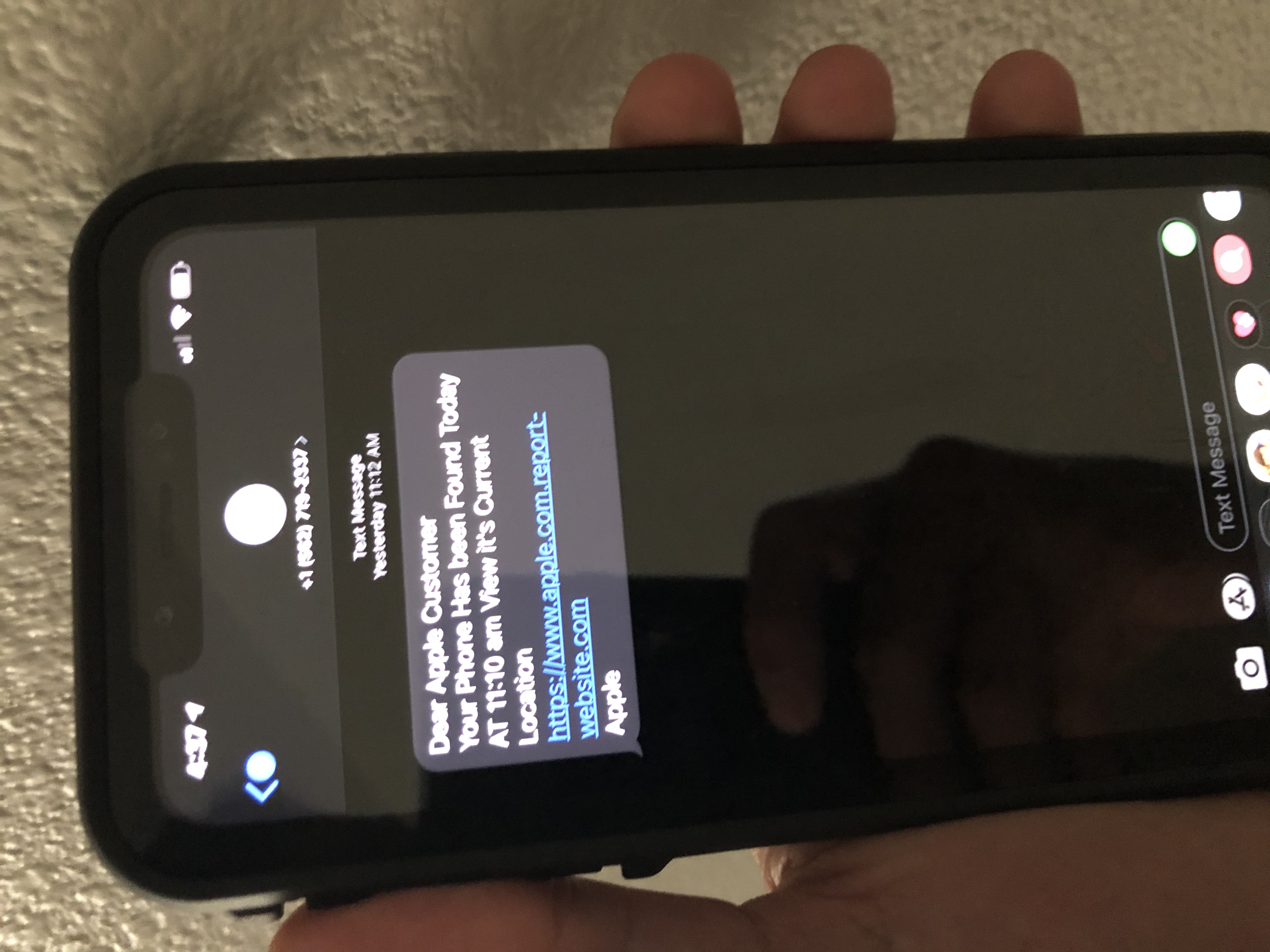
- Smishing: Smishing attacks utilize SMS text messaging protocols to deliver social engineering lures to mobile devices. Because users implicitly trust their mobile devices more than corporate email inboxes, a text message claiming "Your package delivery failed, click here to update billing" frequently results in compromised credentials.
- Vishing: Vishing attacks employ Voice over IP (VoIP) or traditional telephone calls to manipulate victims into divulging sensitive data. By spoofing caller ID to match the corporate help desk, an attacker simply asks an employee to verify their password over the phone.
Even when an organization successfully implements Multi-Factor Authentication (MFA), human fatigue remains a vulnerability. Multi-factor authentication (MFA) fatigue attacks involve flooding a user with approval requests to bypass authentication controls. The attacker repeatedly attempts to log in late at night, triggering dozens of push notifications to the victim's phone. Frustrated, sleep-deprived, and wanting the phone to stop buzzing, the user clicks "Approve." The adversary is instantly granted access.
As a SOC analyst, your mandate is to translate isolated anomalies into a coherent narrative of adversary behavior. The registry keys, process trees, malformed web requests, and deceptive emails we have examined are not theoretical concepts; they are the exact telemetric signals you will encounter during an active breach. By mastering these host, application, and human indicators, you transition from simply reacting to security alerts to proactively hunting the threats lurking within your environment.