Authentication, Passwords, and Privileged Access
Not sure you’re ready?
Take the ~3-minute readiness diagnostic and see where you stand.
In any secure computing environment, the fundamental problem of identity verification boils down to resolving physical uncertainty across a digital boundary. When a request arrives at a network gateway asking for administrative access to a database, the server cannot see the human sitting at the keyboard; it sees only a stream of packets. Resolving this uncertainty requires layered, mathematically sound verification mechanisms. If an organization fails to authenticate identity properly, the surrounding cryptography, firewalls, and intrusion detection systems are functionally irrelevant—the attacker simply bypasses the armor by walking through the front door using a stolen key.
To build certainty about a user's identity, we rely on specific categories of evidence. Authentication factors are categorized into knowledge, possession, inherence, location, and action. A robust multifactor authentication (MFA) strategy demands the combination of at least two different categories from this list. Stacking two of the same category (like a password and a PIN) does not provide true MFA, because both share the same fundamental vulnerabilities.
Let us examine the mechanics of each:
-
The "something you know" authentication factor relies on secret information like passwords or PINs. Its security depends entirely on the secrecy of the data. If the secret is guessed, intercepted, or shared, the factor is compromised.
-
The "something you have" authentication factor requires physical possession of an item like a smart card or hardware token. This shifts the verification from memory to physical reality; an attacker cannot log in from across the globe unless they also physically steal the object from your pocket.
-
The "something you are" authentication factor utilizes biometric characteristics for user verification. This relies on unique anatomical structures, such as the ridges of a fingerprint or the vascular patterns in a retina.
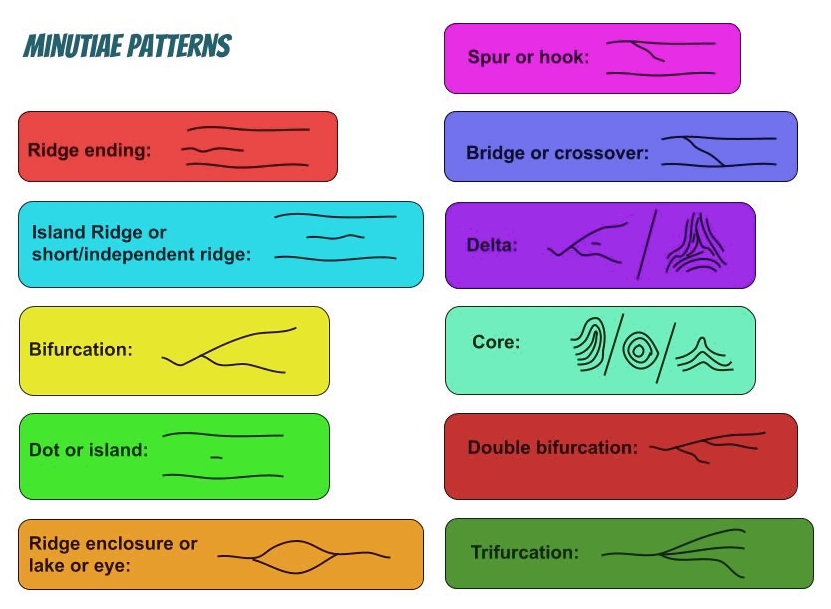
Fingerprint authentication relies on extracting and matching unique anatomical features, such as ridge endings and bifurcations, to mathematically verify a user's identity. Source: Fingerprints Minutiae Patterns Representation by Inaki Rom, CC BY-SA 4.0. -
The "somewhere you are" authentication factor restricts access based on geographic location or IP address. An administrator logging into an internal switch from the corporate office is expected; the same administrator's credentials attempting a login from a foreign nation at 3:00 AM violates expected location parameters and can be automatically blocked.
-
The "something you do" authentication factor analyzes behavioral patterns like typing speed or mouse movements. This is a fascinating, continuous form of authentication. Even if an attacker steals a password, they will not perfectly mimic the specific cadence and pressure with which the legitimate user strikes the keyboard.
When we implement the "something you have" factor, we typically rely on temporary codes that are mathematically impossible to predict. We generate these using either physical or digital engines.
Hardware tokens are physical devices that generate one-time passwords for authentication. Think of them as dedicated cryptographic calculators isolated from any network, immune to remote malware. Conversely, software tokens are applications installed on a device that generate one-time passwords. They provide the same mathematical function but utilize the hardware of a user's smartphone (e.g., Google Authenticator or Microsoft Authenticator).

The underlying mathematics of these tokens usually falls into two algorithms:
- A Time-based One-Time Password (TOTP) algorithm generates a temporary code that expires after a specific time interval. Both the authentication server and the token share a secret "seed" value and a synchronized clock. Every 30 or 60 seconds, they run the seed and the current timestamp through a cryptographic hash to independently arrive at the exact same six-digit number.
- An HMAC-based One-Time Password (HOTP) algorithm generates a temporary code based on a mathematical counter. Instead of a clock, the token and the server increment a digital tally every time a button is pressed to generate a code.
The Delivery Mechanism Matters
How you transmit an authentication request is just as vital as the request itself. For years, the industry relied on text messages to deliver temporary codes. We now know that SMS-based authentication is highly vulnerable to SIM swapping attacks. In these attacks, a malicious actor uses social engineering to trick a telecom provider into porting a victim's phone number to a device the attacker controls. Suddenly, the attacker receives all the victim's SMS authentication codes.
To bypass the vulnerable cellular network entirely, modern architectures use a different approach: Push notifications send an authentication approval request directly to an authenticator application on a user's mobile device. Because this communication relies on an encrypted, out-of-band internet connection bound specifically to the hardware of the phone, it effectively neutralizes the SIM swapping threat.
When we attempt to verify "something you are," we encounter a physics problem. A password is a binary match—it is either exactly right or exactly wrong. But biometrics measure physical reality, which is analog and fluctuating. A fingerprint scanner must account for a finger that is slightly sweaty, cut, or pressed at a strange angle. Therefore, biometric systems must allow for a calculated margin of error, governed by two critical metrics:
- The False Acceptance Rate (FAR) measures the percentage of times a biometric system incorrectly authenticates an unauthorized user. This is a catastrophic security failure.
- The False Rejection Rate (FRR) measures the percentage of times a biometric system incorrectly rejects an authorized user. This is a frustrating operational failure.
There is a fundamental tension here. If you tighten the sensor's sensitivity to drop the FAR to absolute zero, the system becomes so rigid that the FRR skyrockets—legitimate users will be locked out constantly. If we plot these two rates on a graph as we adjust the system's sensitivity, the two curves will eventually intersect.
The Crossover Error Rate (CER) is the exact point where the False Acceptance Rate and False Rejection Rate are equal.
The CER is the ultimate benchmark for biometric hardware. A lower Crossover Error Rate (CER) indicates a more accurate biometric authentication system. If you are comparing a cheap optical scanner and a high-end ultrasonic scanner, the one with the lower CER is mathematically superior at balancing security with usability.
Despite advances in MFA and biometrics, the "something you know" factor remains a foundational pillar of enterprise security. However, our approach to passwords has evolved dramatically as we have learned more about human psychology and cryptographic entropy.
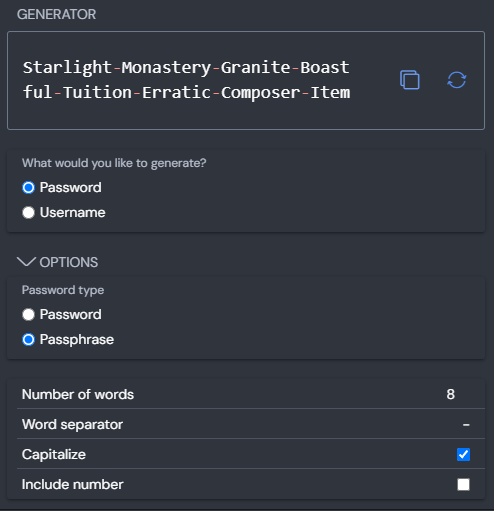
For decades, IT administrators assumed that a password like p@$$w0rd! was highly secure because it used complex characters. But the mathematics of brute-force attacks tell a different story. Password length is generally considered more effective against brute-force attacks than password complexity. A 16-character passphrase made of simple words (e.g., correcthorsebatterystaple) takes exponentially longer for a computer to crack than a short, complex string. Recognizing this, the National Institute of Standards and Technology (NIST) recommends a minimum password length of eight characters.
Furthermore, we must account for human behavior. Historically, systems forced users to change their passwords every 30 or 60 days. What happened? Users simply appended a "1" to the end of their password, then a "2" the next month. This predictable behavior made passwords less secure. Because of this, NIST guidelines advise against requiring arbitrary periodic password resets. Instead of arbitrary rotation, NIST guidelines recommend forcing a password reset only if there is evidence of a security breach.
Constructing the Defensive Perimeter
When a user creates a new password, the system must aggressively enforce quality:
- Organizations should check new user passwords against a dictionary of known compromised passwords during account creation. If an employee tries to use a password that was exposed in a major public data breach, the system must immediately reject it, regardless of its length or complexity.
- To prevent users from reverting to their favorite passwords after a legitimate reset, password history policies prevent users from reusing recently utilized passwords (for example, remembering the last 10 passwords used).
- However, users are clever. If a history policy remembers 10 passwords, a user might sit at their desk and change their password 11 times in two minutes to cycle back to their original choice. To stop this, we use the dimension of time: Minimum password age policies prevent users from rapidly cycling through password changes to bypass history restrictions. By enforcing a rule that a password must be kept for at least 24 hours before being changed again, we defeat the bypass attempt.
Standard user accounts are one thing, but how do we handle Domain Administrators, root accounts, or service accounts? These accounts possess the raw power to reconfigure firewalls, delete databases, and alter the very fabric of the network. We cannot treat them like normal users.
To isolate and protect these critical assets, enterprises deploy specialized infrastructure. Privileged Access Management (PAM) tools secure and control access to accounts with elevated administrative permissions. PAM is not a single tool; it is a philosophy of containment.
Within a PAM framework, human administrators do not actually know the passwords to the systems they manage. Instead, password vaulting systems securely store administrative credentials in a centralized encrypted database. When an administrator needs to configure a router, they log into the PAM vault, which then acts as a proxy, logging into the router on their behalf.
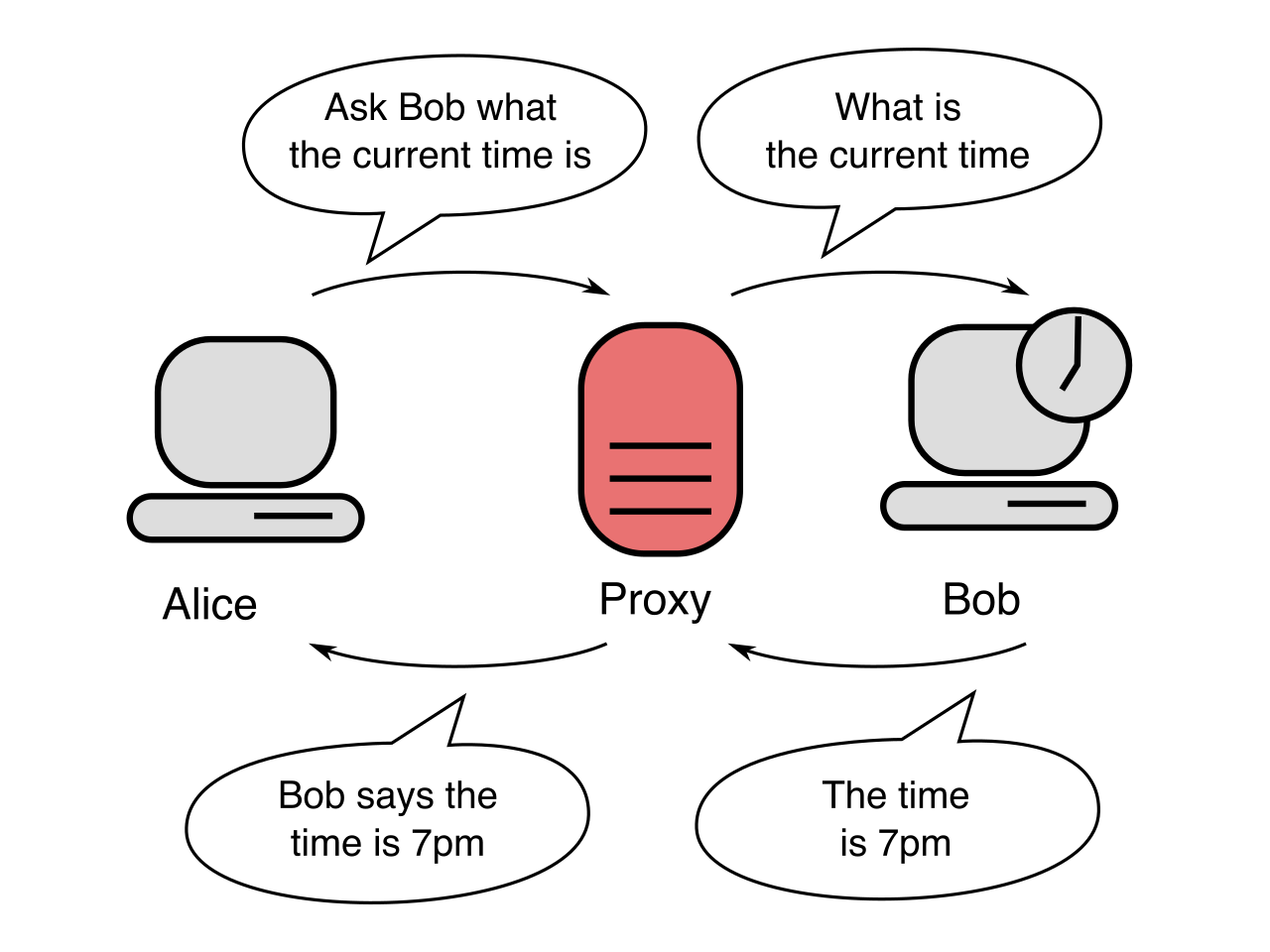
Because the human never sees the actual password, the vault can continuously randomize it. Password vaulting tools can automatically rotate administrative passwords at regular intervals without user intervention. The vault might change the Domain Admin password every four hours to a random 64-character string, rendering credential theft nearly impossible.
Time Limits and Oversight
Even with vaulting, an administrator should not walk around with a permanent, standing "god mode" capability. Just-in-Time (JIT) access grants elevated privileges to a user only for the specific duration required to complete a task. The administrator submits a ticket to update a server. The PAM system grants them the exact permissions needed for exactly 60 minutes. At minute 61, the privileges vanish.
While that 60-minute window is open, trust is not assumed. Privileged session management tools record administrative screen activity and keystrokes for auditing and compliance purposes. If a server goes offline mysteriously during a maintenance window, security analysts can play back a high-definition video of the administrator's exact session to see precisely which commands were executed.
The Emergency Protocol: Break-Glass Accounts
A robust PAM architecture creates a highly restricted, centralized bottleneck. But what happens if the PAM system itself crashes, or the central authentication servers are taken offline by a ransomware attack? You cannot allow the security controls meant to protect the network to permanently lock you out of it. You need a contingency—the digital equivalent of a fire axe in a glass case.
A break-glass account is a highly privileged emergency access account used only during critical system failures. This account intentionally bypasses the standard PAM vaulting, MFA requirements, and centralized Identity Providers. Its credentials are often split physically, stored in separate fireproof safes.
Because it possesses ultimate power and bypasses standard defenses, a break-glass account must be heavily monitored to detect unauthorized emergency access attempts. The very instant this account logs into any system, alarms should immediately trigger in the Security Operations Center. It is the absolute last resort, designed to ensure that no matter how catastrophic the failure, the organization always retains the ability to reclaim its digital infrastructure.