Cryptographic Concepts and Tools
Not sure you’re ready?
Take the ~3-minute readiness diagnostic and see where you stand.
Imagine a server hard drive sitting on a desk. Physically, it is just a stack of magnetic platters or a grid of flash memory cells, completely indifferent to whether the bits it holds represent highly classified network architecture, a database of customer passwords, or random noise. The physical medium cannot protect itself. If an unauthorized individual walks out of the data center with that drive, the data is entirely at their mercy unless we sever the link between physical possession and logical access. This is the fundamental premise of cryptography in systems administration: applying mathematical transformations and dedicated hardware to ensure that possessing the medium does not equate to possessing the information. To secure modern infrastructure, we must understand exactly where and how these cryptographic locks are placed—whether across the entire disk, within isolated files, anchored in silicon chips, or woven into one-way algorithms that prove data integrity without revealing the data itself.
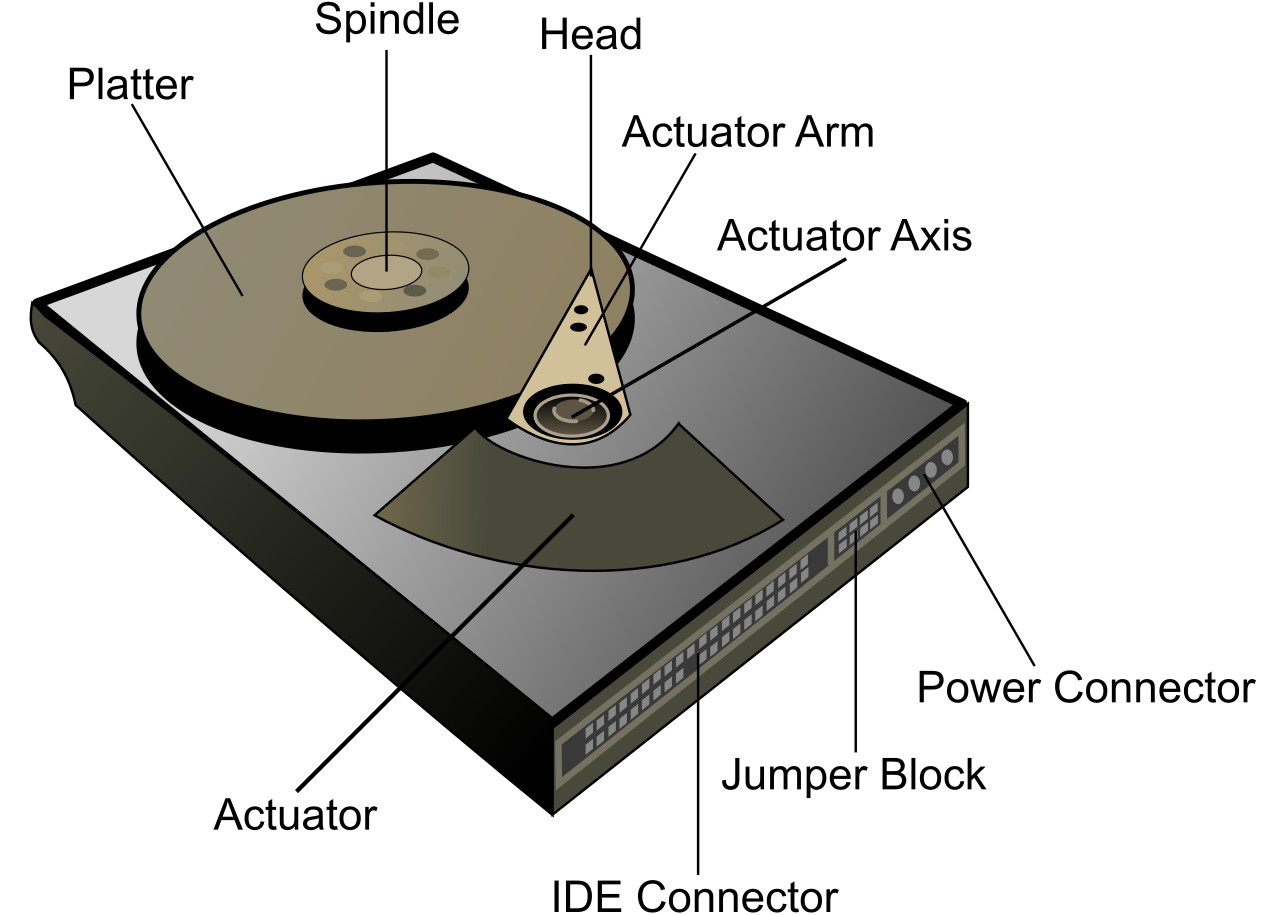
When an IT administrator configures encryption, the first question is one of scope: At what layer of the storage stack do we mathematically scramble the data? The choice between full-disk, partition, and file-level encryption dictates not just security, but operational overhead and vulnerability windows.
Full-Disk Encryption (FDE)
Full-disk encryption protects data at rest by encrypting every bit of data on a storage medium. It treats the entire drive as a single, opaque block of ciphertext. From a security perspective, full-disk encryption prevents unauthorized data access if a physical device is stolen. Whether a laptop is left in a taxi or a hard drive is yanked from a server rack, the thief acquires nothing but mathematical gibberish.
The power of FDE lies in its absolute coverage. Full-disk encryption encrypts the operating system files, meaning an attacker cannot tamper with system binaries offline to bypass security controls. Furthermore, full-disk encryption encrypts temporary files and swap spaces on the storage drive. This is critical; operating systems constantly write fragments of system memory (which might contain decrypted passwords or sensitive documents) to the hard drive's page file. FDE blindfolds the storage medium completely.
Because the entire disk is encrypted, the operating system itself cannot start without the decryption key. Consequently, a system utilizing full-disk encryption requires user authentication before the operating system boots.
Real-World Implementation: BitLocker is a Microsoft Windows tool used to provide full-disk encryption, natively integrated into modern Windows environments. Conversely, FileVault is an Apple macOS tool used to provide full-disk encryption.
Partition Encryption
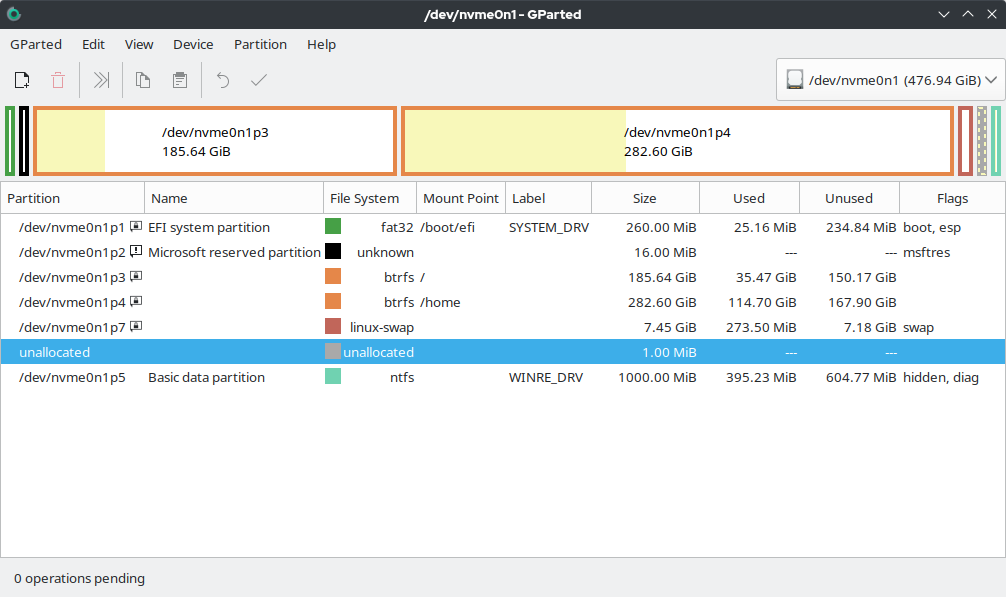
Sometimes, encrypting the entire drive introduces unnecessary operational complexity, particularly on legacy systems or specialized servers. Partition encryption applies cryptographic protection to a specific logical division of a hard drive.
Rather than treating the physical disk as a monolith, administrators map out distinct volumes. Partition encryption allows an operating system to reside on an unencrypted volume while sensitive data resides on a separate encrypted volume. This means the server can boot, run system diagnostics, and load foundational services autonomously, but the database containing protected health information (PHI) remains sealed on an encrypted partition until an administrator mounts it.
File-Level Encryption
Moving further up the logical stack, we reach the file system. File-level encryption applies cryptographic protection to individual files or folders.
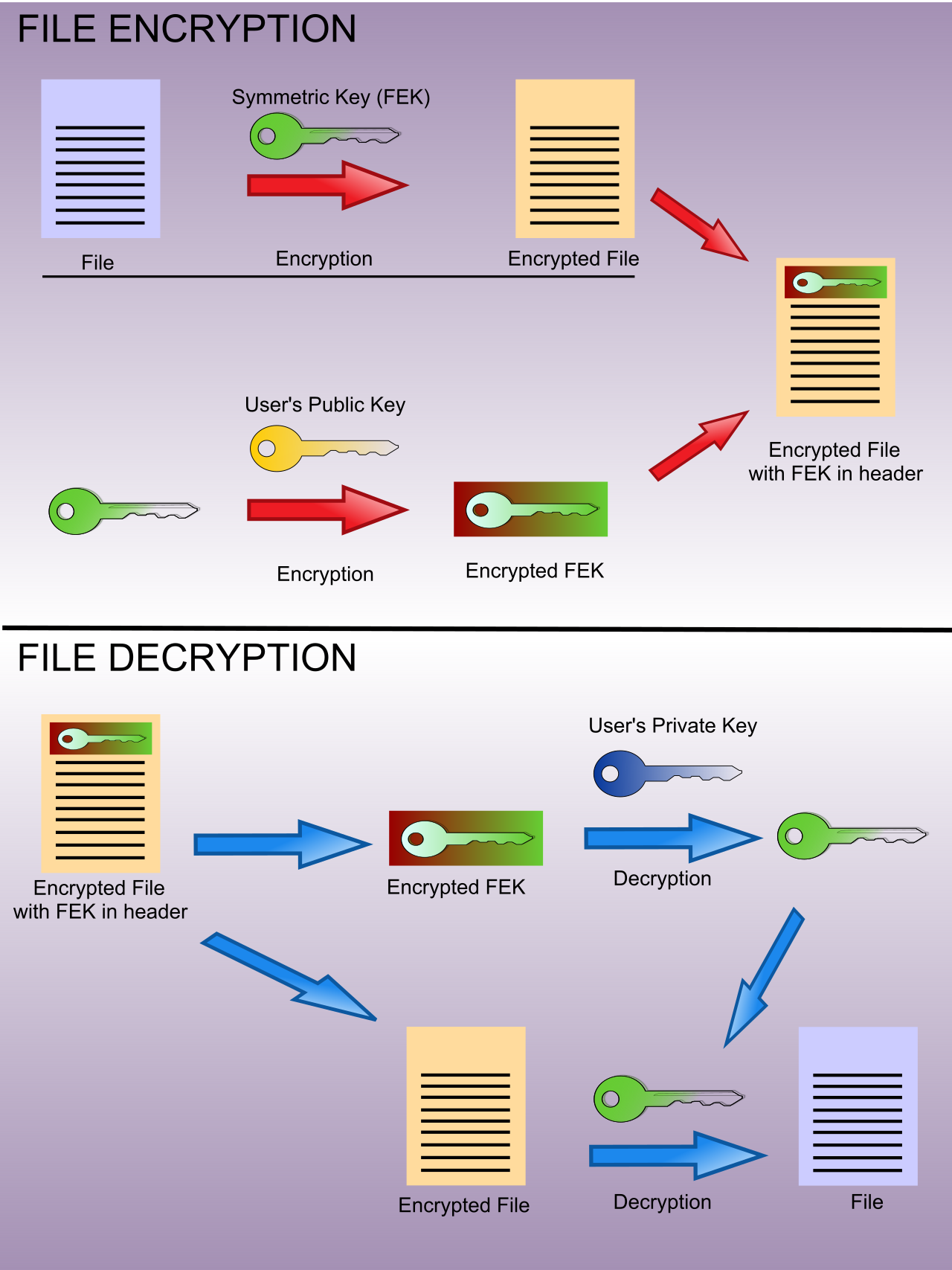
This granular approach provides profound flexibility. File-level encryption allows an administrator to apply different encryption keys to different files on the same system. You could have ten different users sharing a single workstation, each with their files securely encrypted by their own cryptographic keys. Because the encryption happens at the file system layer, file-level encryption operates independently of the underlying disk architecture. If you copy an encrypted file from a hard drive to a USB flash drive, the encryption travels with the file, whereas FDE is strictly bound to the physical disk it encrypts.
However, this granularity comes with a dangerous blind spot that administrators frequently misunderstand. When a user opens an encrypted file, the application (like Microsoft Word) often creates a temporary working copy of that file on the disk in plaintext. File-level encryption does not automatically encrypt temporary files created by applications. If the system abruptly loses power, that unencrypted temp file might remain stranded on the drive, fully exposing the sensitive data.
Real-World Implementation: The Encrypting File System (EFS) is a file-level encryption feature available in Microsoft Windows. While highly effective for granular access control, it must be paired with careful management of system temp files.
Encryption Scope Comparison
| Feature | Full-Disk Encryption (FDE) | Partition Encryption | File-Level Encryption |
|---|---|---|---|
| Scope | Every bit on the physical drive. | Specific logical volumes. | Individual files/directories. |
| OS Coverage | Encrypts OS files natively. | OS can remain unencrypted. | OS remains unencrypted. |
| Temp/Swap Files | Completely protected. | Protected only if temp directory is on the encrypted partition. | Not automatically protected. |
| Key Management | One master volume key. | One key per partition. | Granular keys per user/file. |
Cryptography relies on keys, and this introduces a paradox: if your operating system holds the key to decrypt your hard drive, where does the operating system safely store the key while it is turned off? Storing the key on the very hard drive it is meant to unlock is akin to leaving the combination to a safe written on a sticky note attached to its dial. To resolve this, we must anchor our trust in physical hardware.
The Trusted Platform Module (TPM)
Look closely at any enterprise-grade computer, and you will find a dedicated microchip. A Trusted Platform Module is a hardware chip embedded directly on a computer motherboard.
The TPM acts as the cryptographic brain of the endpoint. A Trusted Platform Module provides secure generation of cryptographic keys, utilizing a true hardware random number generator rather than relying on predictable software algorithms. Once generated, a Trusted Platform Module provides secure hardware storage of cryptographic keys, ensuring they cannot be directly extracted or copied by the operating system or malicious software.
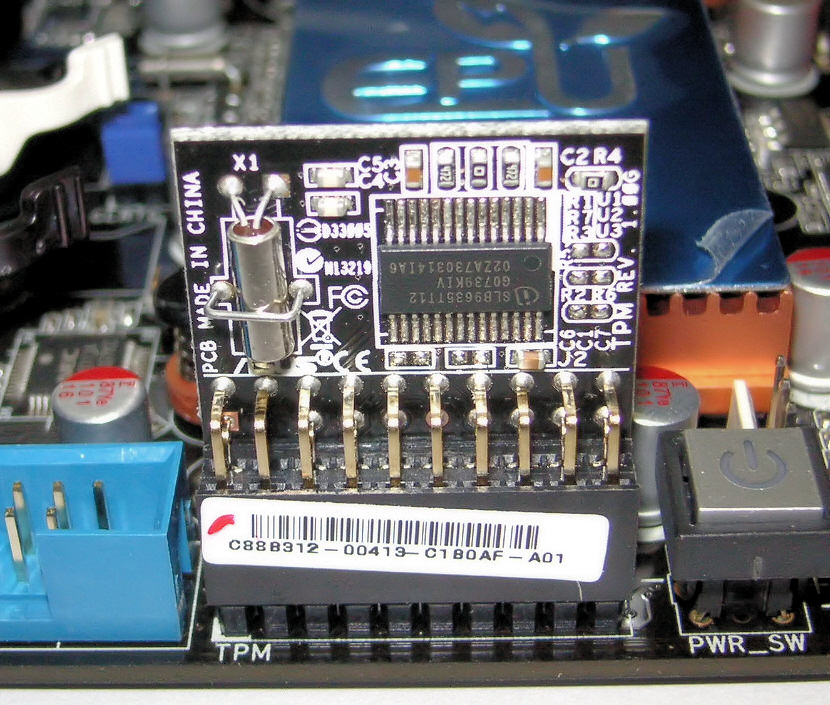
Crucially, the TPM observes the computer as it wakes up. A Trusted Platform Module verifies hardware and software integrity during the computer boot sequence. It measures the BIOS/UEFI firmware, the bootloader, and the core OS files. If an attacker has tampered with the boot sequence (perhaps by installing a rootkit), the TPM detects the anomaly and refuses to release its keys.
Because of this profound level of hardware trust, full-disk encryption systems frequently rely on a Trusted Platform Module to securely store the volume master key. BitLocker, for instance, uses the TPM to ensure the drive is only decrypted if it is physically installed in the correct, untampered machine.
The Hardware Security Module (HSM)
If a TPM is a locked safe inside a single laptop, an HSM is a multi-story bank vault defending an enterprise. A Hardware Security Module is a dedicated physical device used to safeguard digital keys.
While TPMs are built for individual endpoint security, HSMs are built for massive scale, performance, and uncompromising security. Processing thousands of cryptographic transactions a second (like encrypting web traffic for a massive e-commerce site) requires tremendous computational overhead. A Hardware Security Module offloads cryptographic processing from a host system to improve overall system performance.
Large enterprise environments use Hardware Security Modules to securely manage Public Key Infrastructure (PKI) root keys. The root keys of a Certificate Authority (CA) are the ultimate source of trust for an entire network; if they are compromised, the attacker can forge digital certificates and impersonate any server. To protect this, Hardware Security Modules are typically deployed as external network appliances or internal PCIe expansion cards, completely isolating the keys from general-purpose operating systems.
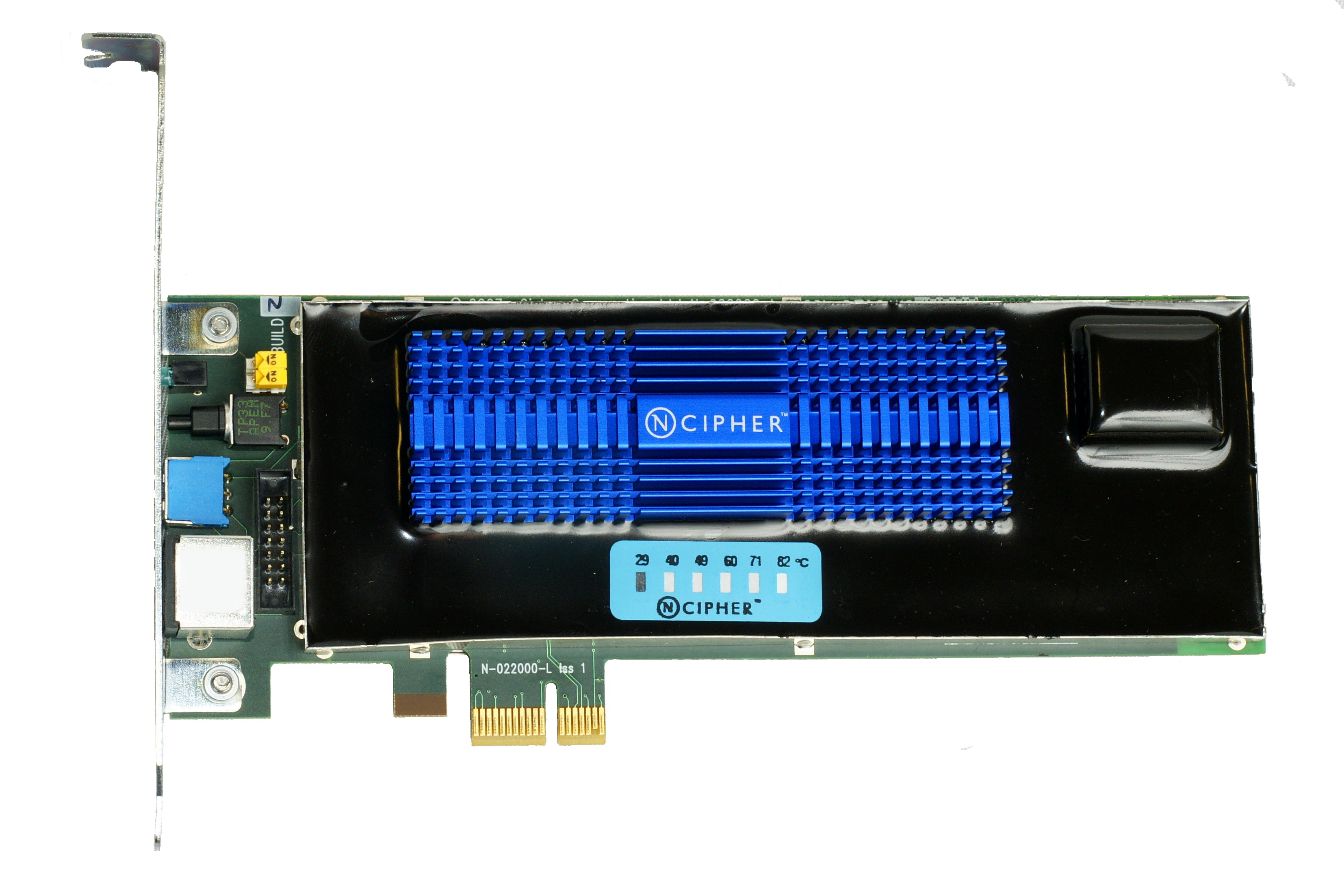
HSMs are engineered with paranoia as a core design principle. Hardware Security Modules provide tamper-evident physical enclosures for cryptographic keys, ensuring any attempt to drill, freeze, or pry open the chassis leaves obvious physical evidence. More importantly, Hardware Security Modules provide tamper-resistant physical enclosures designed to erase keys if physical access is attempted. If sensors detect a change in temperature, voltage, or physical integrity, the device initiates a "zeroization" protocol, instantly wiping the silicon memory and rendering the stored keys permanently destroyed.
In the realm of security, there is a strict divide between mathematical proof and psychological trickery.
Obfuscation is the process of intentionally making code or data difficult for humans and analysis tools to understand. You might rename variables in a script to arbitrary characters, strip out comments, or scramble the logic flow. However, obfuscation does not provide true cryptographic confidentiality. Without a mathematical key, anyone with enough time, patience, or automated analysis tools can eventually untangle obfuscated data back to its original state.
Despite this, obfuscation has valid use cases on both sides of the cybersecurity battlefield:
- Software developers use obfuscation to protect intellectual property from reverse engineering attempts. If a company writes a proprietary algorithm in JavaScript or C#, obfuscating the code makes it financially and temporally unviable for competitors to steal the logic.
- Conversely, malware authors use obfuscation techniques to evade detection by signature-based antivirus software. By packing and scrambling malicious code, the malware looks like random noise rather than a known threat, allowing it to bypass superficial perimeter defenses.
A fascinating subset of this concept is steganography. Steganography is a form of obfuscation that hides data within another file format. By altering the least significant bits of an image file, an attacker can encode a secret text document inside a photograph of a cat. The image looks entirely normal to the human eye, but specialized software can extract the hidden data. Like all obfuscation, it relies on the observer not realizing a secret is there, rather than computationally preventing them from reading it.
Cryptography is not only about hiding data; it is equally about proving data has not been altered. To achieve this, we use a concept fundamentally different from two-way encryption.
Hashing is a one-way mathematical function that converts input data of any size into a fixed-size output string. Whether you input a single character, a three-page essay, or an entire 50-gigabyte operating system image, the hash function mathematically digests it into a string of a specific length (for example, 256 bits).
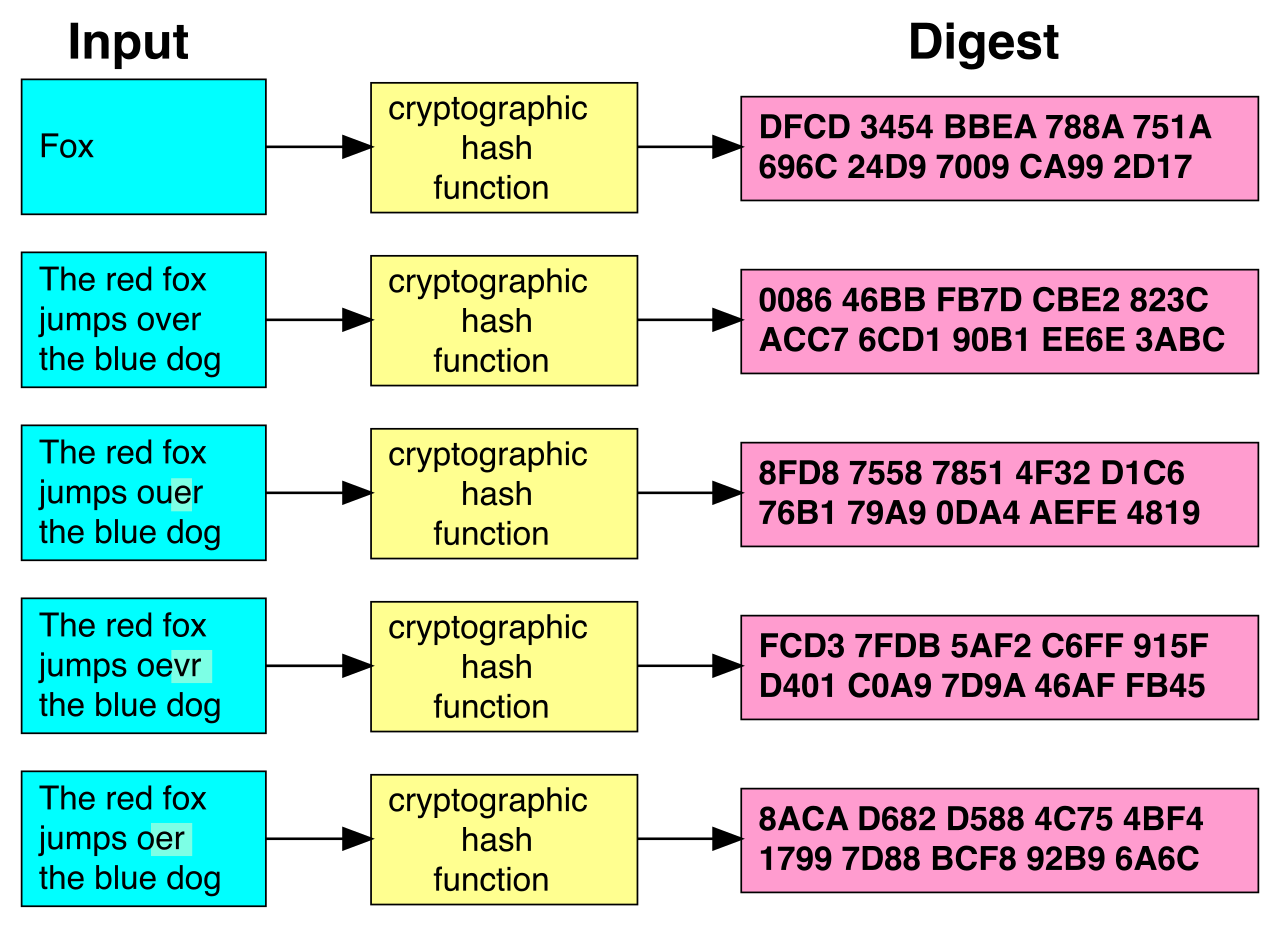
Crucially, hashing provides a cryptographic method to verify data integrity. If a single comma is changed in that 50-gigabyte file, the resulting hash will change entirely. This property is why a digital signature relies on hashing to prove that a message has not been altered in transit. The sender hashes the message and encrypts the hash; the receiver hashes the received message and compares the two. If they match, the message is perfectly intact.
Collisions and Vulnerabilities
For hashing to work as a digital fingerprint, a secure cryptographic hash function must produce a unique output for every unique input.
If the math fails, a catastrophic vulnerability occurs: a hash collision occurs when two different inputs produce the exact same hash output. If an attacker can mathematically craft a malicious file that produces the exact same hash as a legitimate software update, they can trick systems into accepting malware.
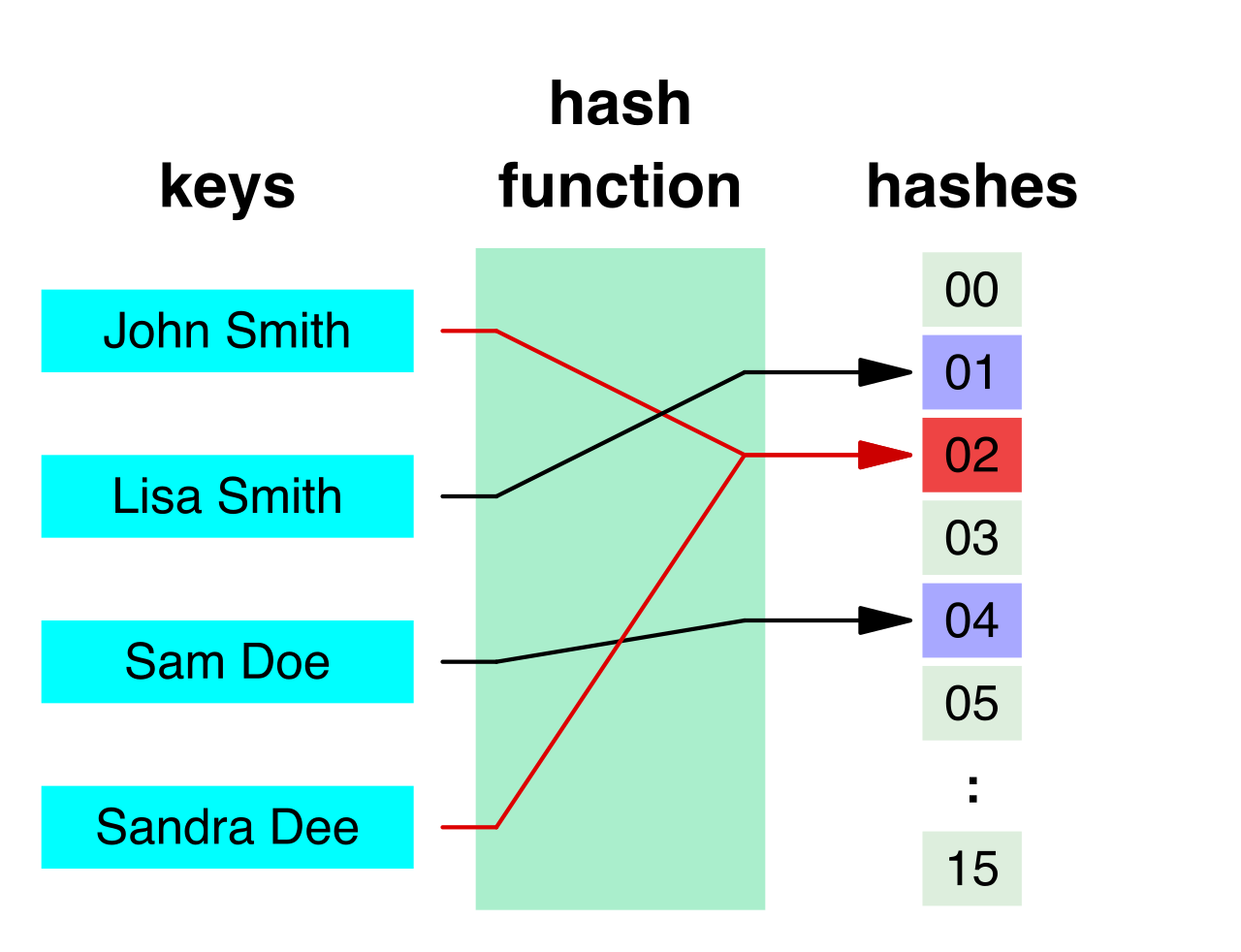
Because computational power constantly increases, older hashing algorithms inevitably fall. Message Digest 5 (MD5) is an obsolete hashing algorithm due to mathematically proven collision vulnerabilities. It should never be used in modern environments. Instead, modern infrastructure relies on stronger math; Secure Hash Algorithm 256 (SHA-256) is an example of a widely used hashing algorithm that currently resists collision attacks.
Hashing is the foundation of identity management. Authentication systems use hashing to securely store passwords instead of storing plaintext passwords. When you create an account, the server hashes your password and stores the hash. When you log in, it hashes the password you type and checks if the hashes match. If the database is breached, the attacker only steals one-way hashes, not the passwords themselves.
However, a raw hash has a critical weakness: if two users happen to choose the exact same password (e.g., Password123!), their resulting hashes will be identical. Attackers exploit this using rainbow tables—massive, precomputed databases of every possible common password and its corresponding hash. If an attacker breaches a database and sees a hash they already have in their rainbow table, they instantly know the plaintext password.
To destroy the effectiveness of rainbow tables, administrators use a technique called salting. Salting involves appending random data to a plaintext input before applying a hash function.
When a user creates a password, the system generates a random string of characters (the salt). It glues this salt to the password, and hashes the combined string. Salting ensures that identical plaintext passwords produce entirely different hash outputs. Even if thousands of users choose the password Password123!, their hashes will all look completely different.
By forcing the math to be entirely unique for every user, salting mitigates the effectiveness of precomputed rainbow table attacks against password databases. The attacker's precomputed tables are rendered completely useless because they did not account for your specific, random salt.
To maintain this security, two rules must be followed:
- A unique cryptographic salt must be generated for each individual user password. You cannot reuse the same salt for everyone, or the identical-password problem returns.
- Because the system needs the salt to verify the password during the next login, the salt value is typically stored in plaintext alongside the hashed password in an authentication database.
Storing the salt in plaintext often confuses newcomers, but remember: the salt is not a secret key. It is a modifier. Its sole purpose is to change the starting point of the mathematical function, ensuring that attackers cannot rely on precomputed shortcuts and are forced to try guessing passwords one grueling, computationally expensive attempt at a time. Through this combination of one-way math and randomized seasoning, administrators transform vulnerable databases into computational fortresses.