Enterprise Infrastructure Security Principles
Not sure you’re ready?
Take the ~3-minute readiness diagnostic and see where you stand.
Consider the design of a modern municipal water system. You do not pump untreated water directly from a river into the drinking fountains of an office building. You route it through distinct filtration zones, monitor the pressure at strategic chokepoints, and engineer the valves so that if a pipe bursts, the system reacts predictably to prevent a catastrophic flood. Designing an enterprise IT infrastructure requires the exact same structural logic. We must control how data flows, dictate where it is inspected, and rigorously engineer how the underlying infrastructure responds when components inevitably fail.
In enterprise security, geography is destiny. Where you place a device determines what it can see, what it can stop, and how severely it might bottleneck your operations. This guide establishes the canonical principles of network device placement, security zoning, attack surface reduction, and the architecture of system failure.
To secure a network, you must first divide it. A monolithic network where every device can communicate freely with every other device is a disaster waiting to happen; a single compromised workstation would grant an attacker unimpeded access to your core databases.
We structure enterprise networks into distinct zones based on trust and function.
At the heart of the organization is the intranet, a private network designed exclusively for internal employees. It houses proprietary data, internal communication tools, and core business systems. Conversely, an enterprise rarely operates in isolation; it must interact with suppliers and partners. We accommodate this with an extranet, a segmented network zone designed to grant restricted access to trusted third parties like business vendors, keeping them isolated from the deeper, more sensitive intranet.
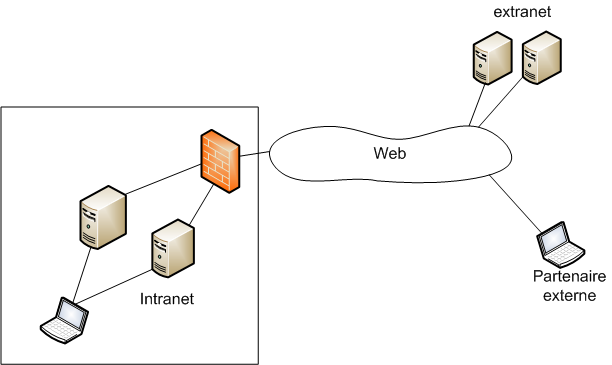
When we deploy services that must be accessible to the public internet—like web servers or email gateways—we place them in a screened subnet. A screened subnet isolates public-facing services from the internal private network, ensuring that if a public web server is compromised, the attacker does not automatically gain access to the internal intranet.
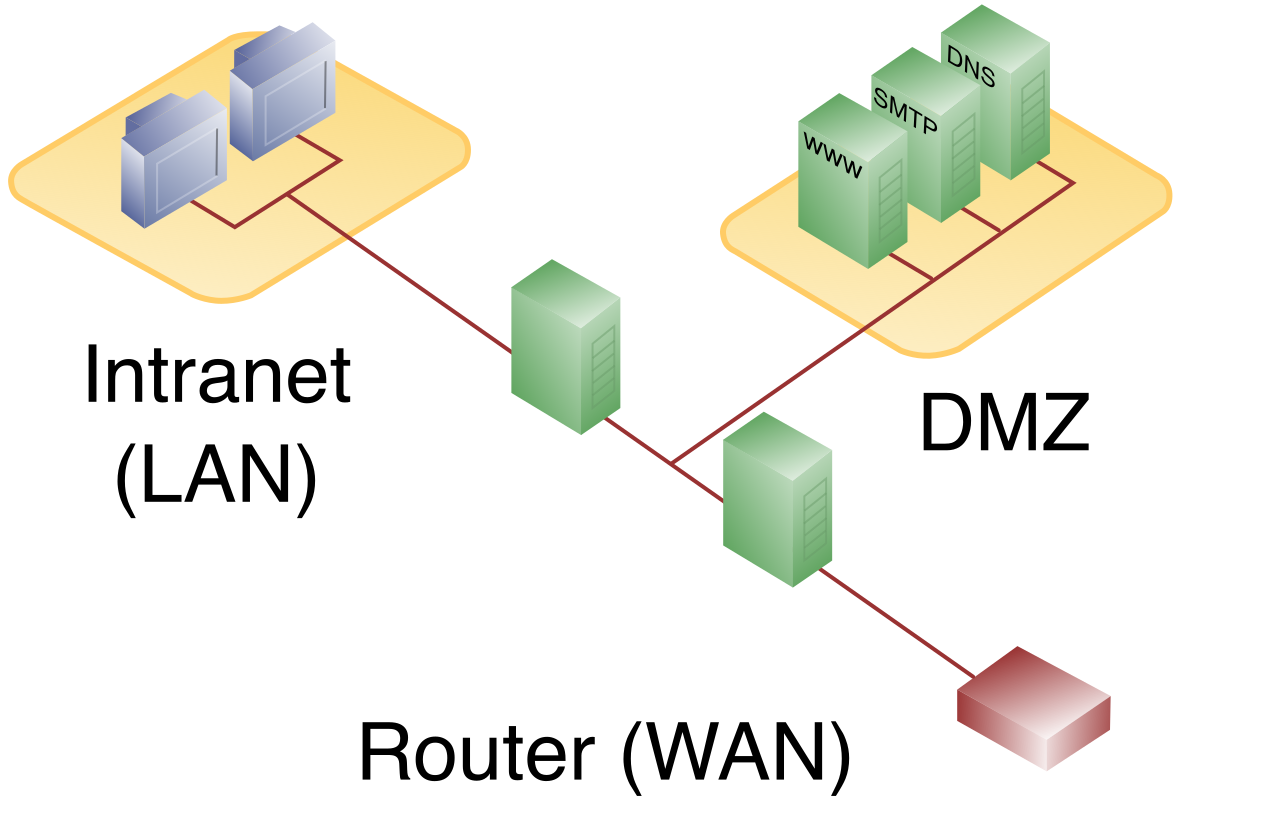
Exam Note: The CompTIA Security+ (SY0-701) curriculum uses the term screened subnet to refer to what was historically called a Demilitarized Zone (DMZ).
Directional Data: North-South vs. East-West
Understanding where traffic is moving is just as critical as understanding what the traffic is. Network engineers classify data flow along two distinct axes:
- North-south traffic refers to data moving in and out of an enterprise network edge. Think of a remote user downloading a file from the corporate server, or an internal employee browsing the public internet.
- East-west traffic refers to data moving laterally between servers within an enterprise data center. When a web server queries a backend database server, that flow is east-west.
Historically, organizations spent a fortune securing the perimeter (north-south) while leaving the interior completely open. Modern threat actors exploit this. Once they breach the perimeter, they move laterally (east-west) to find the most valuable data.
To combat this lateral movement, we rely on segmentation. At the foundational level, a Virtual Local Area Network (VLAN) logically segments broadcast domains on a single physical switch. Instead of buying separate physical switches for the Accounting and Engineering departments, a VLAN uses logical tagging to keep their traffic isolated on the same physical hardware.
However, VLANs are often too broad for modern data centers. To truly stop lateral movement, we utilize microsegmentation, which divides a network down to the individual workload level to apply granular security policies. If you have two web servers sitting side-by-side on the same rack, microsegmentation ensures they cannot communicate with each other unless explicitly explicitly permitted by a centralized policy.
The Zero Trust Architecture
This rigorous approach to segmentation culminates in a modern paradigm: the Zero Trust security model.
The Zero Trust security model assumes that no user or device is trusted by default regardless of network location.
Being physically plugged into an intranet port in the corporate headquarters grants you zero inherent privileges. To implement this model, an organization must deploy a Zero Trust architecture, which requires continuous authentication and authorization for every single access request. Every packet, every file transfer, and every API call must cryptographically prove its identity and right to access the target resource, every single time.
Before placing defensive appliances, the most effective security measure is to ensure the adversary has fewer doors to knock on.
A network attack surface represents all the possible endpoints and interfaces where an unauthorized user can attempt to enter data.
Reducing this surface area happens in two distinct domains: physical and logical.
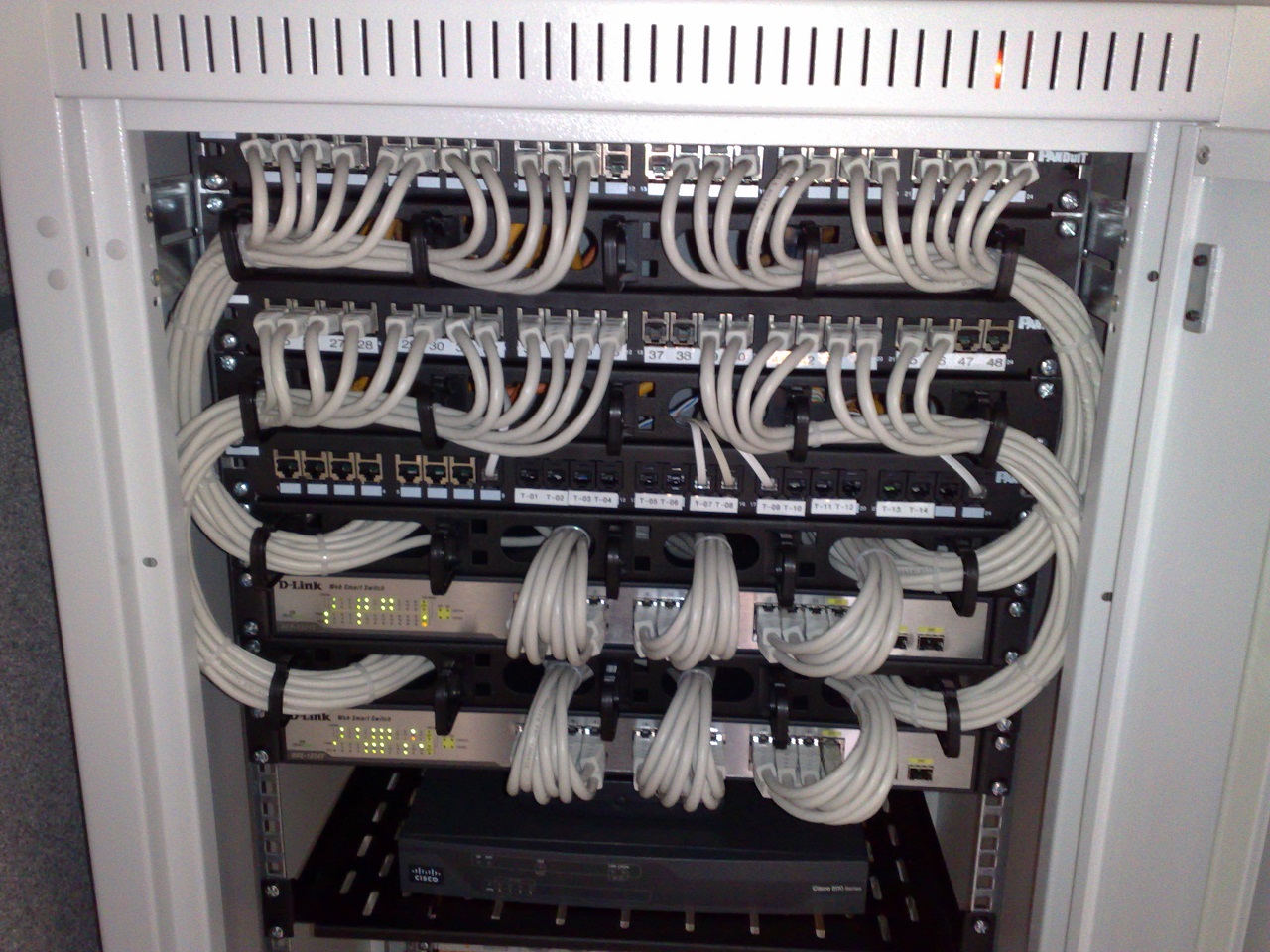
In the physical realm, data centers and wiring closets are inherently vulnerable. Disabling unused network switch ports directly reduces the physical attack surface by preventing unauthorized cable connections. If an attacker breaches the lobby and plugs a laptop into a wall jack, a disabled port yields them nothing.
In the logical and software realm, every piece of code running on a machine is a potential vulnerability. Uninstalling unnecessary services from an operating system reduces the software attack surface by eliminating potential exploitation vectors. If a file server does not need to run an Apache web server, remove the web service entirely. You cannot exploit a service that does not exist.
With the network segmented and the attack surface minimized, we must strategically position our security devices. Placement dictates visibility and capability.
Proxies and Gateways
When managing how internal users reach the outside world, we deploy a forward proxy. A forward proxy sits between internal users and the internet to filter and cache outbound web traffic. If an employee tries to visit a known malware-distribution site, the forward proxy intercepts the request and blocks it.
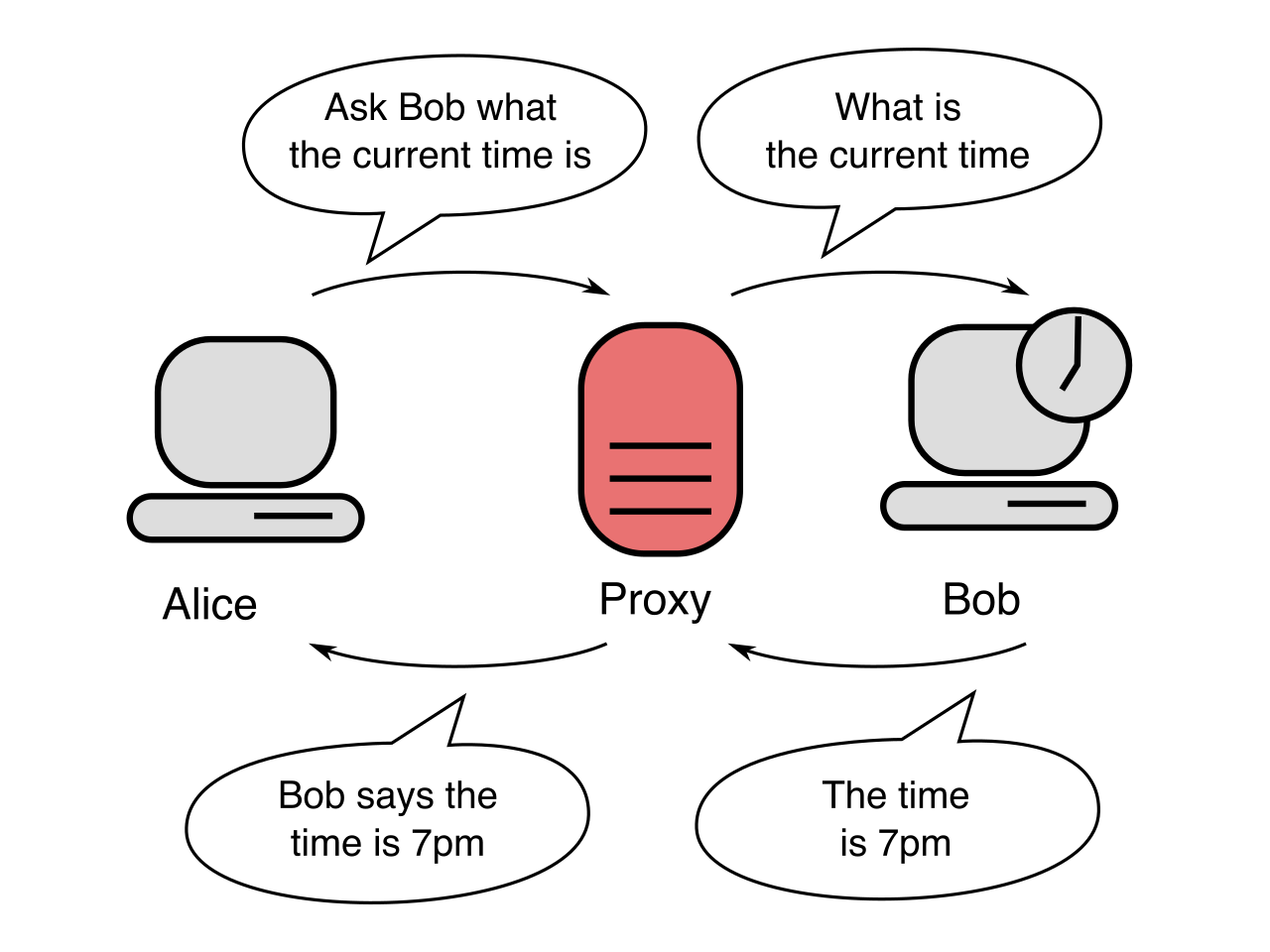
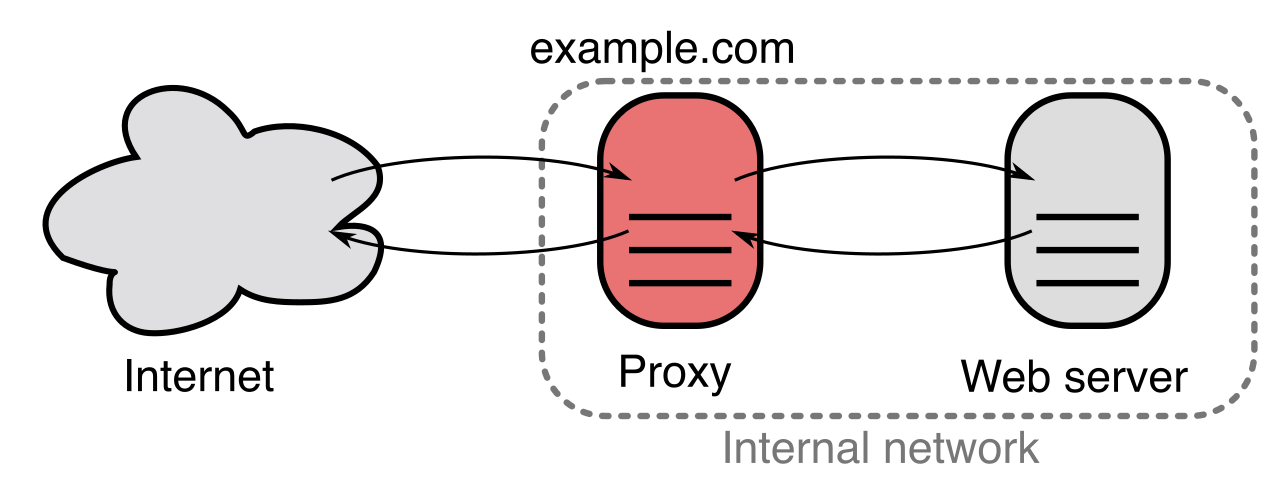
Conversely, when managing how the outside world reaches our internal servers, we use a reverse proxy. A reverse proxy sits in front of backend web servers to inspect and route inbound client requests. It shields the identities of the backend servers and can seamlessly distribute traffic.
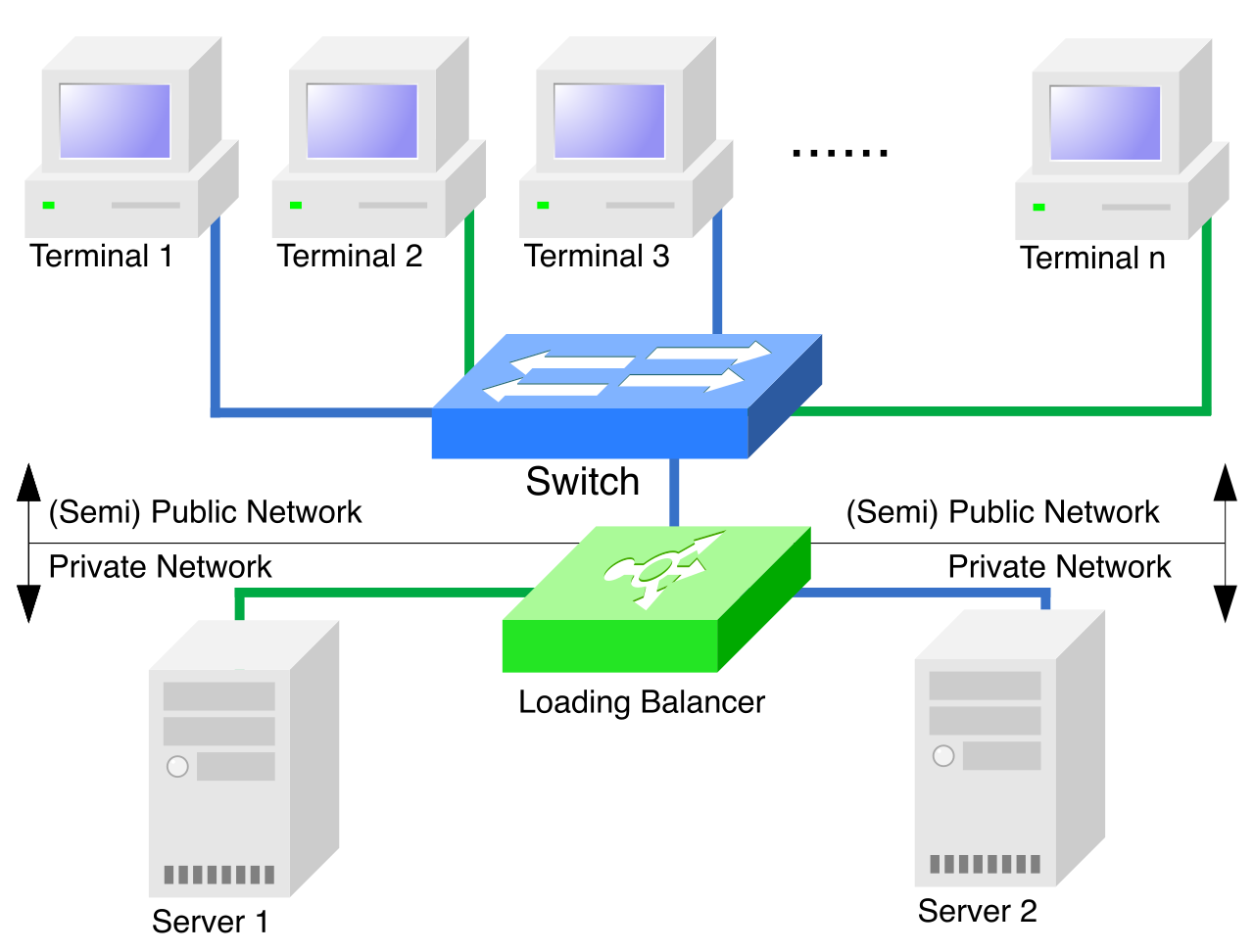
Speaking of distributing traffic, modern web applications cannot rely on a single piece of hardware. A load balancer distributes incoming network traffic across multiple servers to prevent individual resource exhaustion. Placed at the edge of a server cluster, it monitors the health of the servers and routes incoming north-south traffic to the node with the lowest current workload.
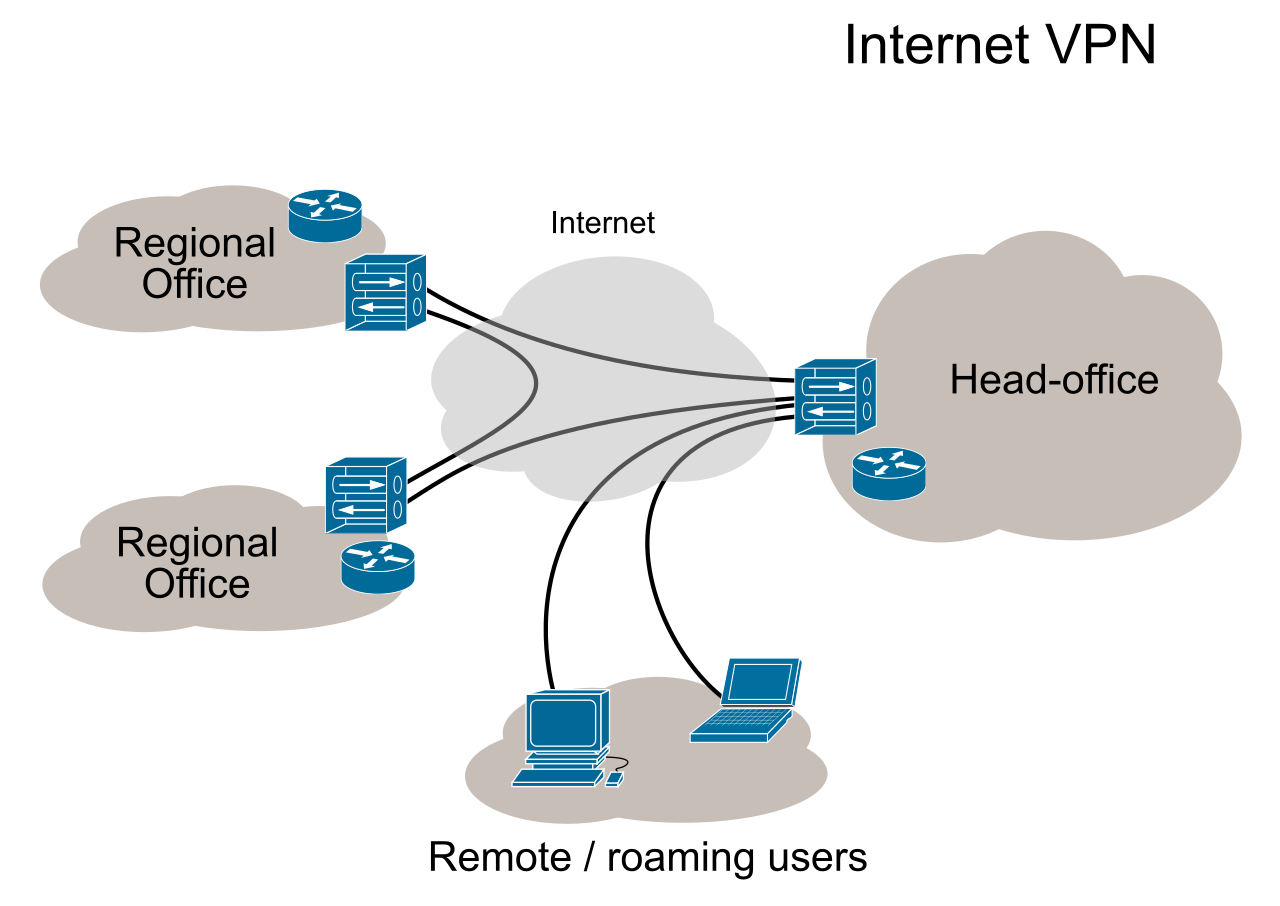
To securely bring external remote workers into the internal environment, we deploy a Virtual Private Network (VPN) concentrator. This specialized appliance aggregates hundreds of remote client encrypted connections into a single secure network gateway, decrypting the traffic and passing it into the corporate network.
Deep Inspection: WAFs, IDSs, and IPSs
Standard firewalls look at IP addresses and port numbers (OSI Layers 3 and 4). But modern attacks are often disguised as legitimate HTTP web traffic. To counter this, a Web Application Firewall (WAF) is optimally placed inline before a web server to inspect Layer 7 HTTP traffic for malicious payloads, such as SQL injection or Cross-Site Scripting (XSS) attempts.
We must also look for anomalous behavior across the broader network using intrusion systems. The core difference between these systems is their physical placement:
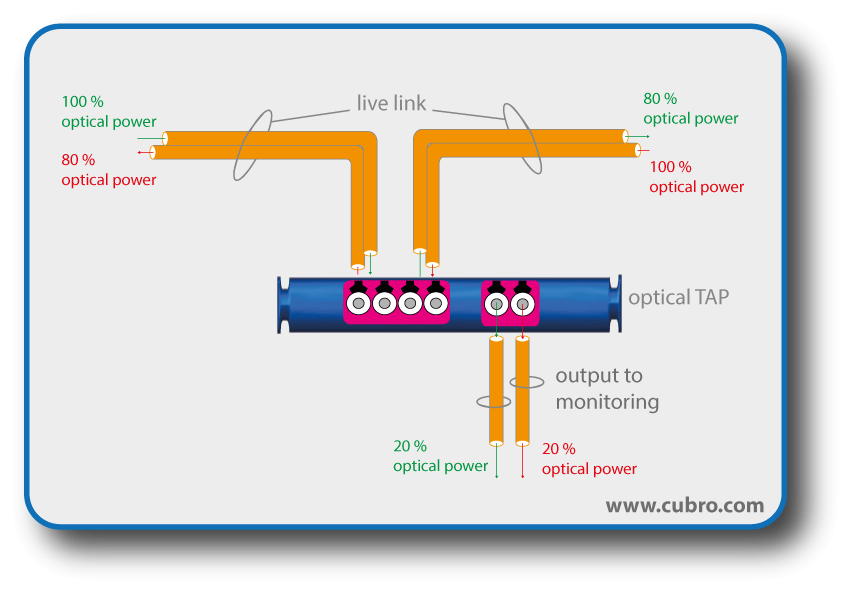
- Intrusion Detection System (IDS): An IDS is placed out-of-band to monitor traffic copies without disrupting the live network flow. Because it receives a copy of the traffic (often via a SPAN port or network tap), it can analyze packets for malware signatures or behavioral anomalies. If it finds something, it triggers an alert. However, because it is out-of-band, it cannot actually drop the malicious packet.
- Intrusion Prevention System (IPS): An IPS is placed inline with network traffic to proactively block detected malicious packets. Every packet must physically flow through the IPS. If it detects a malicious payload, it drops the packet immediately, acting as an active shield.
Internal Visibility and Control
Visibility requires capturing data where traffic naturally converges. Network monitoring sensors are optimally placed at network chokepoints—such as the core routing switches connecting the intranet to the screened subnet—to capture traffic logs for centralized security analysis.
Finally, to manage these sensitive internal devices without exposing them to the wider network, engineers use a jump server. A jump server provides a highly secure and audited transition point for administrators to remotely access critical internal systems. An admin cannot SSH directly from their laptop to the core database; they must first authenticate into the heavily monitored jump server, and initiate the connection to the database from there.
Sometimes, the best defense is to let the attacker believe they have succeeded.
A honeypot is an intentionally vulnerable decoy system designed to attract attackers and monitor malicious activity. By placing a fake server with seemingly valuable, unencrypted data in a screened subnet, security teams can observe an attacker's tactics, techniques, and procedures (TTPs) in real-time without risking actual production data. Any interaction with a honeypot is immediately flagged as highly suspicious, as legitimate users have no reason to access it.
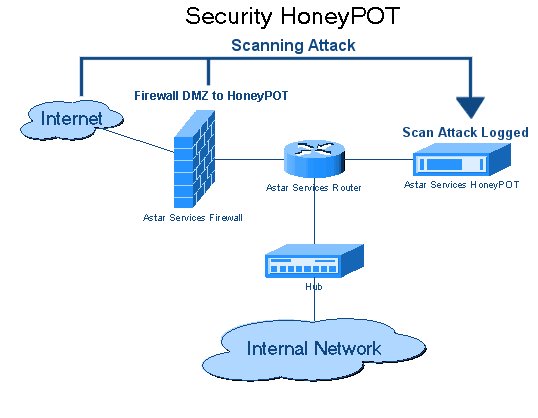
To study more sophisticated adversaries, organizations deploy a honeynet. A honeynet is a simulated network of multiple honeypots designed to study complex attacker behavior on a larger scale. By watching how an attacker attempts to move laterally from a fake web server to a fake database server within the honeynet, threat intelligence teams can map out an entire attack chain.
Every mechanical and logical component in an IT infrastructure will eventually fail. Processors overheat, software panics, and power grids collapse. How a system behaves at the exact moment of failure is an architectural choice that pits system availability directly against system security.
Logical Failure: Fail-Open vs. Fail-Closed
When a security appliance's processing engine crashes, it must decide what to do with the network traffic it is currently handling.
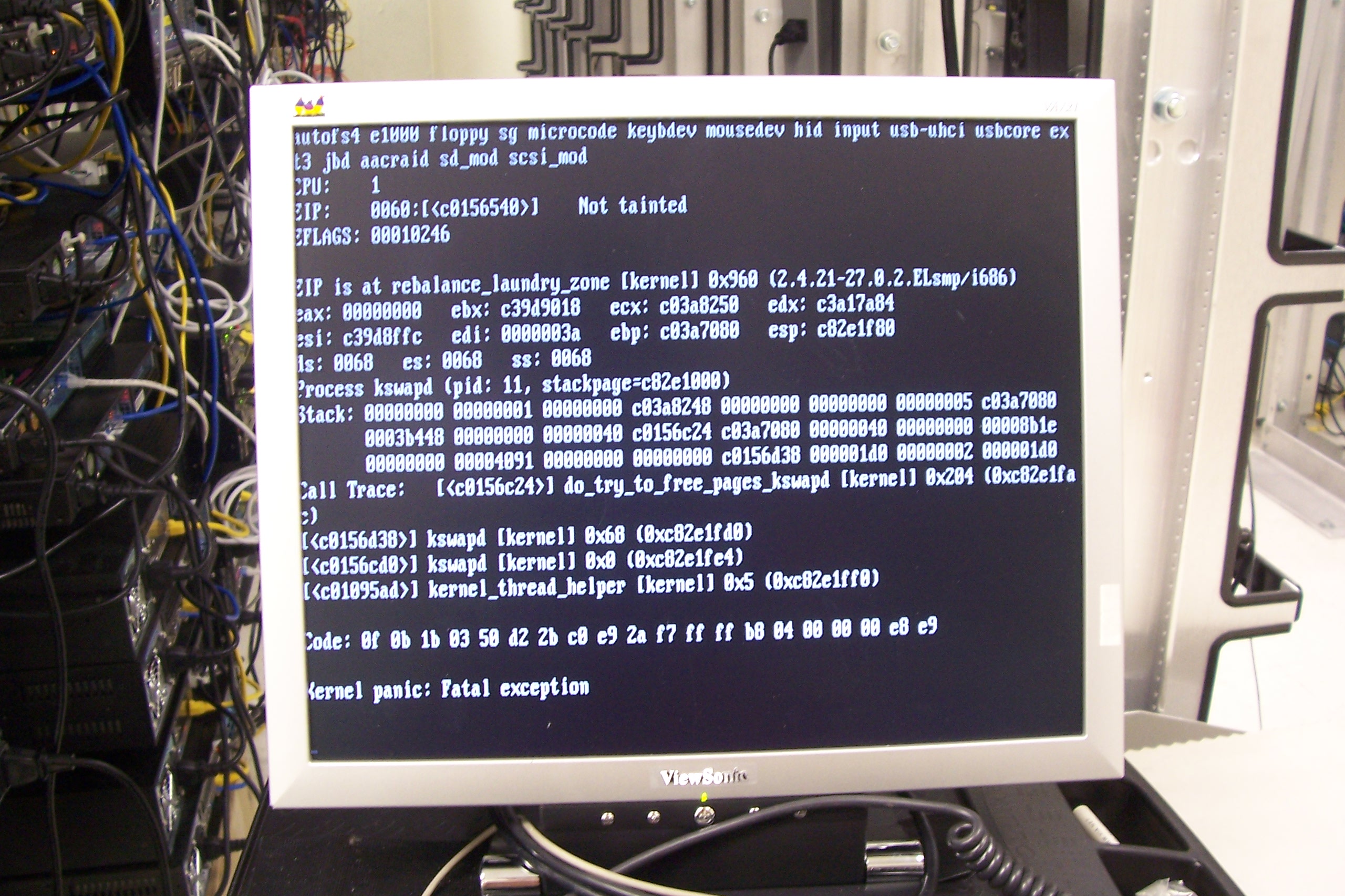
Fail-open is a system failure mode that defaults to allowing all access or traffic upon encountering a critical processing error. The fail-open failure mode prioritizes continuous system availability over strict system security.
- Example: A network intrusion prevention system (IPS) configured to fail-open will pass traffic without security inspection if the inspection engine crashes. The logic is simple: it is better for the hospital network to keep passing critical patient data (even without IPS filtering) than for the entire network to go dark because a security appliance rebooted.
Fail-closed is a system failure mode that defaults to blocking all access or traffic upon encountering a critical processing error. The fail-closed failure mode prioritizes system security and confidentiality over continuous system availability.
- Example: A network firewall configured to fail-closed will proactively drop all network packets if the firewall processing module fails. For a high-security intelligence database, it is far better for the system to become entirely unavailable than to accidentally route untrusted traffic into the secure enclave.
Physical Failure: Fail-Safe vs. Fail-Secure
In the physical world, power failures trigger a different set of design principles, where human life and physical asset protection are at odds.
Fail-safe is an engineering design principle ensuring that a system failure does not cause harm to human life or safety.
- Example: Electronic magnetic doors tied to a building fire alarm system typically fail-open during a power loss to allow safe human evacuation. If the building loses power during a fire, the magnetic locks disengage, prioritizing human survival over physical security.
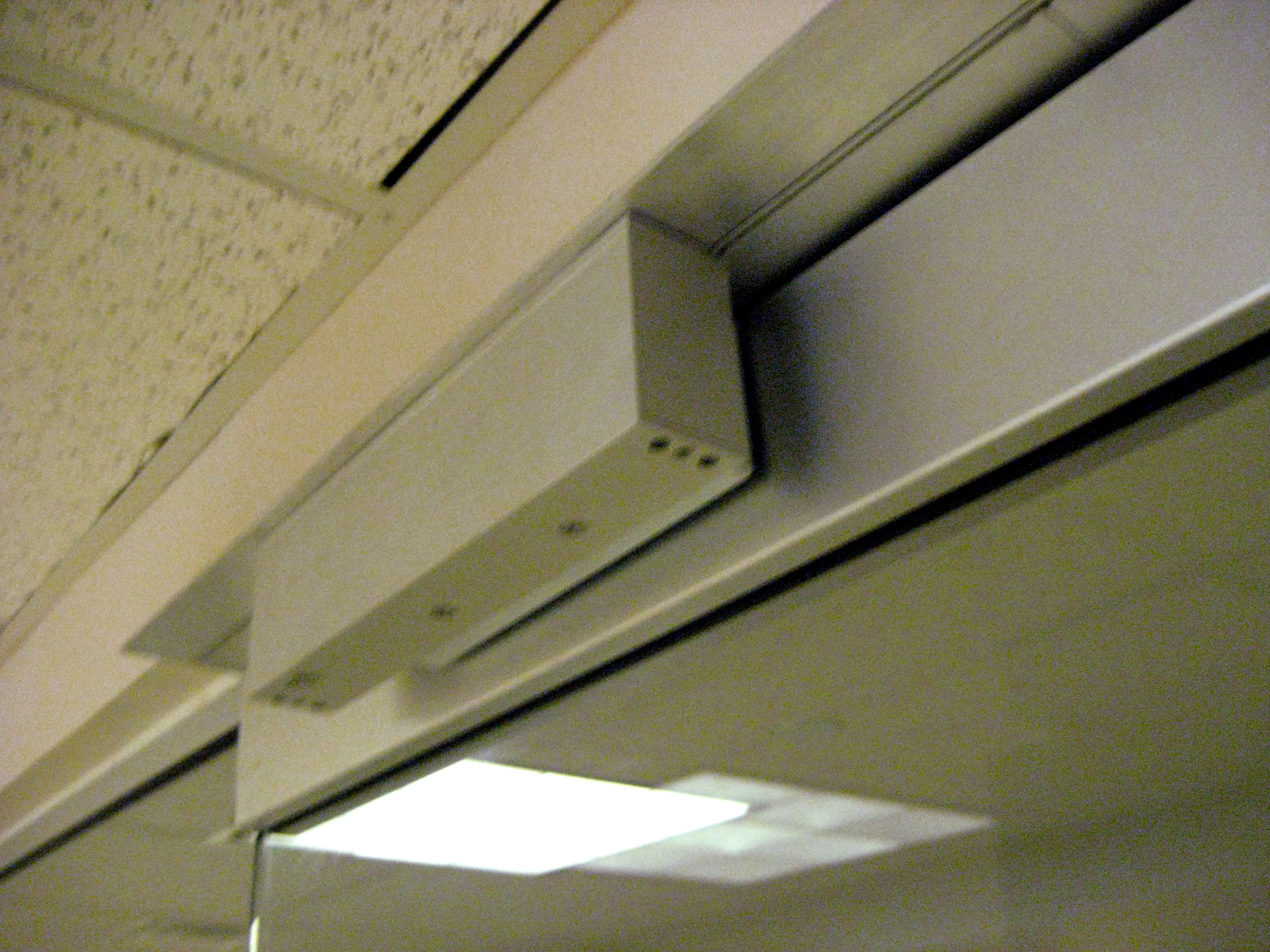
Fail-secure is an engineering design principle ensuring that a physical or logical system remains locked or protected during a power failure.
- Example: High-security data center doors typically fail-secure during a power loss to prevent unauthorized physical access to critical servers. In the event of a power outage, the mechanical deadbolts remain engaged. You do not want a localized power grid failure to suddenly pop open the doors to the room housing the enterprise's cryptographic key servers.
Conclusion
Mastering enterprise infrastructure security means understanding trade-offs. The decision to place an IPS inline rather than out-of-band introduces a point of failure, necessitating a fail-open or fail-closed strategy. The decision to restrict east-west traffic requires the deployment of microsegmentation and Zero Trust validation. Secure infrastructure is not an accident of good software; it is the deliberate application of physics, geometry, and rigorous architectural intent.