Secure Communication and Access Controls
Not sure you’re ready?
Take the ~3-minute readiness diagnostic and see where you stand.
Imagine a medieval fortress where every merchant, envoy, and peasant must be inspected at the gate. If the guards only verify the color of a traveler's cloak and their declared destination, clever infiltrators will effortlessly slip through carrying contraband. In modern network architecture, controlling these gates and protecting the vulnerable couriers traveling between outposts is the fundamental basis of digital survival. As an IT administrator, your job is not merely to block the bad—it is to mathematically guarantee the integrity, confidentiality, and performance of legitimate business operations across an inherently hostile medium: the open internet.
To secure a network, you must first understand how traffic is evaluated. Early firewalls were remarkably fast, but incredibly naive.
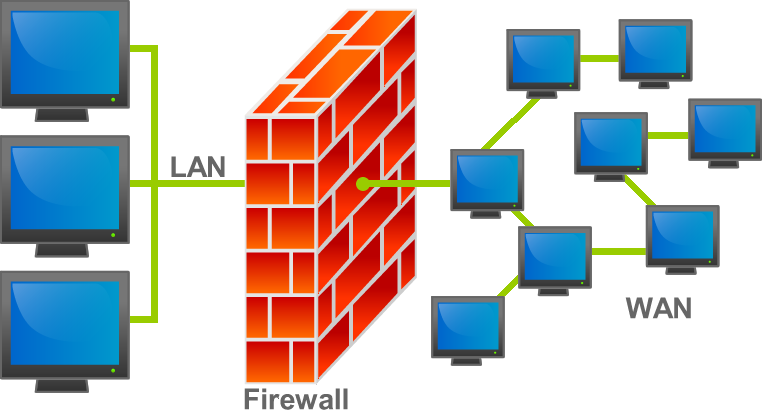
A traditional stateless firewall filters packets based solely on IP addresses and port numbers. Think of it as a bouncer with profound amnesia. The bouncer checks a patron's ID (the source IP) and their ticket (the destination port). If the patron walks outside to take a phone call, they must show their ID and ticket all over again to re-enter. The stateless firewall has no memory of past interactions.
This amnesia creates massive security gaps. If you request a webpage, the web server replies. A stateless firewall forces you to open a permanent inbound hole for that server's reply, which attackers can exploit.
The solution is the implementation of state. A stateful firewall maintains a table of active network connections. By keeping a ledger of exactly who went outside, a stateful firewall allows inbound traffic only upon matching an established outgoing connection. If an internal user initiates a connection to a web server, the firewall records the session state and dynamically permits the return traffic. If an unsolicited packet arrives claiming to be part of a conversation that never started, the firewall simply drops it.
Regardless of whether a firewall is stateful or stateless, its logic relies on an Access Control List (ACL) processed top-to-bottom. If a packet does not match any of the permitted rules, what happens? It hits the bedrock principle of access control: an implicit deny rule blocks any traffic not explicitly permitted by previous firewall rules. Because rules are processed sequentially, an implicit deny rule is placed at the very bottom of a firewall access control list. If you aren't on the guest list, you do not get inside.
As networks grew, attackers stopped trying to break down the front gate and instead began hiding poison inside legitimate deliveries. The standard stateful firewall, which only looks at the envelope (IPs and Ports), could not see the poison inside the letter. We had to build specialized inspectors.
The Web Application Firewall (WAF)
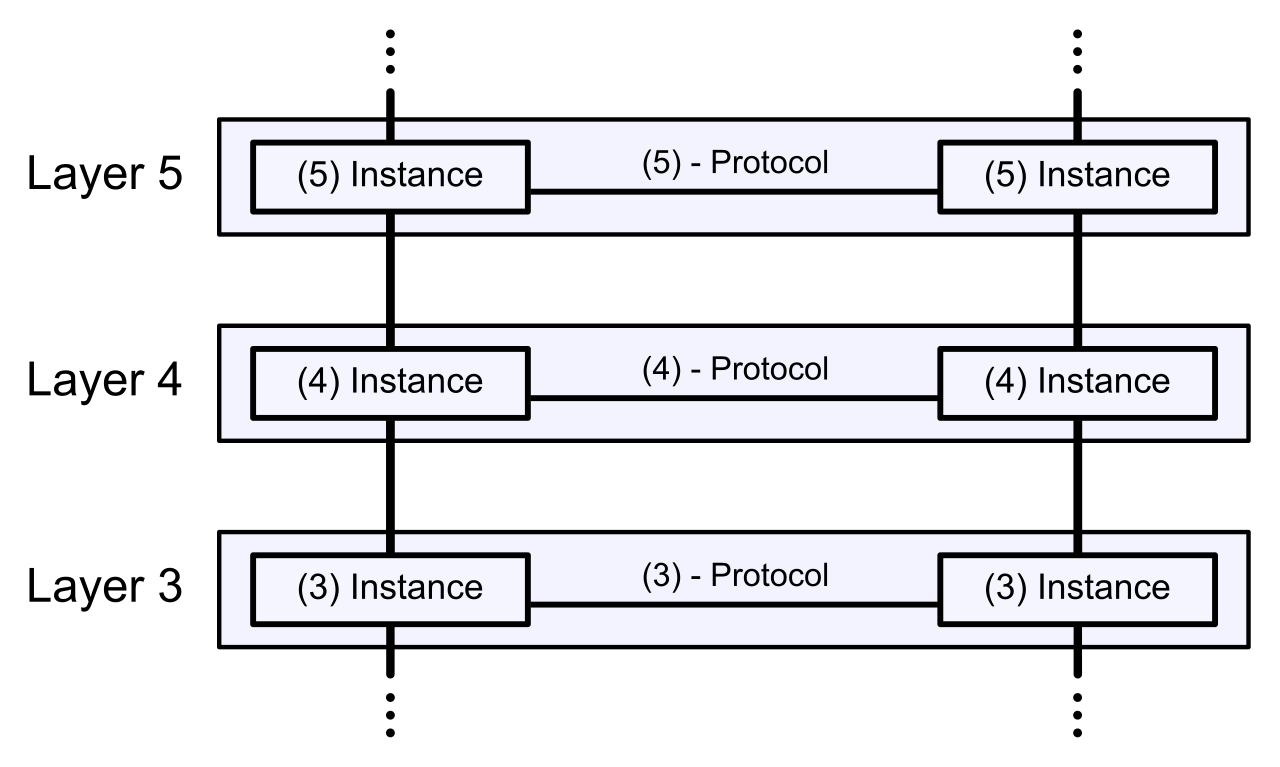
If you host a web application, standard firewalls are virtually blind to the attacks targeting it. A Web Application Firewall (WAF) operates at Layer 7 of the OSI model, meaning it actually understands the language of web applications.
A Web Application Firewall (WAF) filters HTTP traffic to a web application, and, crucially, it also filters HTTPS traffic by terminating the encryption to inspect the payload. Because it understands web protocols natively, a Web Application Firewall (WAF) blocks application-layer attacks like SQL injection (where an attacker tries to manipulate your database via a web form) and blocks application-layer attacks like cross-site scripting (XSS). A WAF does not protect your whole network; it stands exclusively in front of your web servers as a specialized bodyguard.
Unified Threat Management (UTM)
For smaller branch offices, buying a dedicated firewall, a dedicated intrusion prevention system, and a dedicated proxy is cost-prohibitive. Unified Threat Management (UTM) consolidates multiple security functions into a single appliance.
A true UTM is a "Swiss Army Knife" of security. A Unified Threat Management (UTM) appliance integrates traditional stateful firewall capabilities, while also integrating network antivirus capabilities to strip malware out of downloads in transit, and incorporating intrusion prevention systems (IPS) to detect and block malicious traffic patterns.
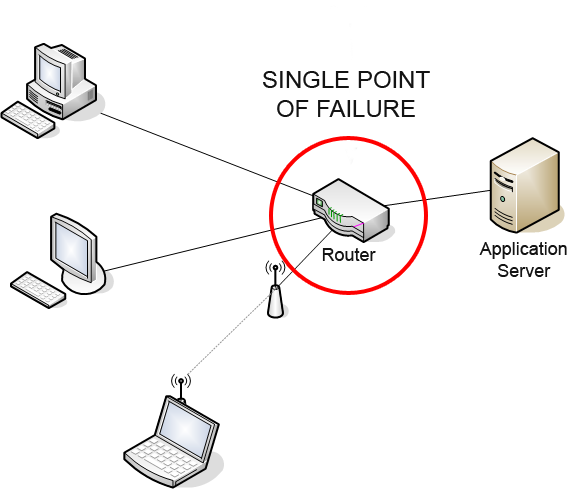
However, convenience has a cost. By placing all your defensive tools in one box, a Unified Threat Management (UTM) architecture creates a single point of failure for network security. If the UTM appliance loses power or its processor becomes overwhelmed, the entire branch goes dark.
Next-Generation Firewalls (NGFW)
In enterprise environments, the boundaries between applications have blurred. Is a user uploading a proprietary document to SharePoint (approved) or to a personal Dropbox (unapproved)? Both use HTTPS on Port 443. A stateful firewall cannot tell the difference.
A Next-Generation Firewall (NGFW) performs deep packet inspection at the application level. Instead of relying on ports, a Next-Generation Firewall (NGFW) blocks traffic based on the specific application generating the traffic. You can write a rule that says "Allow Facebook chat, but block Facebook games."
Furthermore, modern networks move too fast for manual rule updates. Therefore, a Next-Generation Firewall (NGFW) natively integrates threat intelligence feeds, allowing it to dynamically update traffic blocklists using external threat intelligence. If a security vendor discovers a new malicious command-and-control server in Russia, your NGFW automatically downloads that intelligence and blocks outbound connections to it within minutes, without human intervention.
Now we must look beyond the fortress. How do you securely connect your traveling workforce, or your distant branch offices, over the wild, untrusted internet?
A Virtual Private Network (VPN) creates an encrypted tunnel over an untrusted network. It is an armored pipeline that shields your data from eavesdropping and tampering.
Architecture Types
We classify VPNs largely by what they connect:
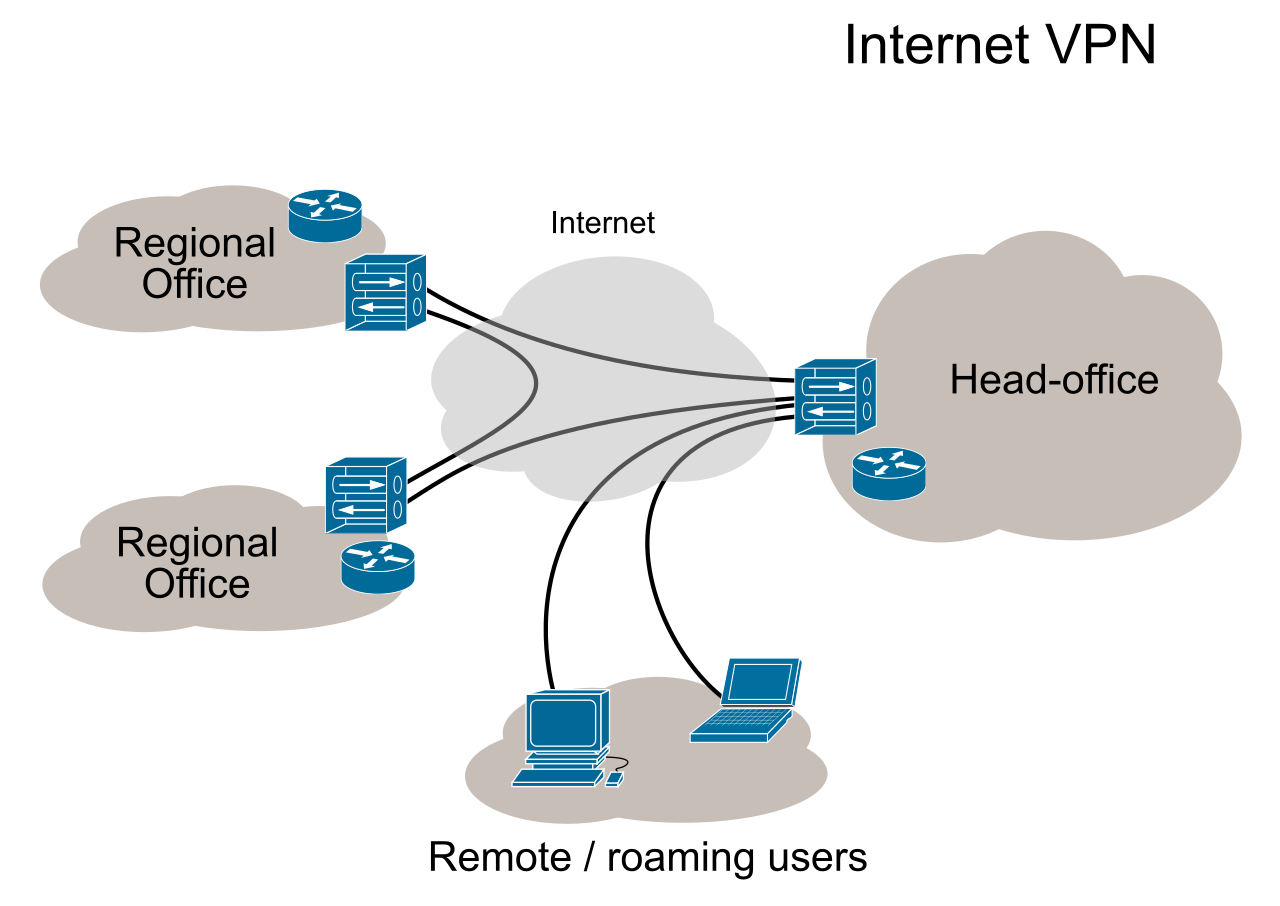
- A site-to-site VPN connects two distinct physical network locations over the internet. This is infrastructure-to-infrastructure. The routers at both locations handle the encryption transparently. The end-user in Branch A has no idea they are using a VPN to talk to the servers in Branch B; the network handles the heavy lifting.
- A remote access VPN connects an individual user device to a central corporate network. This is the classic "work from home" scenario, bridging a single laptop to the mothership.
Tunneling Strategies
When a remote user connects to the corporate network, you must decide how to handle their internet traffic.
| Tunnel Type | Description | Operational Impact |
|---|---|---|
| Full Tunnel | A full tunnel VPN routes all user network traffic through an encrypted connection. | Maximum security, but consumes massive corporate bandwidth. If a user watches a 4K Netflix video, that video routes to the corporate office, then down the VPN to the user. |
| Split Tunnel | A split tunnel VPN routes only targeted corporate network traffic through an encrypted connection, while it allows internet-bound traffic to bypass the corporate network completely. | High efficiency. Access to internal servers goes through the encrypted tunnel, while YouTube and regular web browsing go straight out the user's local Wi-Fi. |
Access Mechanisms
To ensure seamless security, many organizations deploy an always-on VPN, which automatically establishes a secure connection upon device startup. The user is authenticated and protected before they even log into their desktop environment.
Alternatively, sometimes you need to grant secure access to a contractor or a user on an unmanaged device where you cannot install software. An SSL/TLS VPN allows users to connect securely to a remote network using a standard web browser. Because it relies on the cryptographic engines already built into browsers like Chrome or Edge, an SSL/TLS VPN typically operates without requiring dedicated client software installation.
When building robust site-to-site VPNs, the gold standard is IPsec. Internet Protocol Security (IPsec) is a suite of protocols used to secure IP communications. Note the word suite—it is not one protocol, but a framework of multiple moving parts.
Crucially, Internet Protocol Security (IPsec) operates at the Network Layer (Layer 3) of the OSI model. This means it secures traffic regardless of what application is running on top of it.
IPsec achieves two primary goals: Internet Protocol Security (IPsec) provides origin authentication for IP packets (proving the sender is who they claim to be and that the packet wasn't tampered with) and encrypts the payload of IP packets (hiding the data). It does this using two distinct protocols:
Authentication Header (AH): Think of AH as a tamper-evident wax seal on an envelope. The IPsec Authentication Header (AH) protocol provides data origin authentication and provides data integrity. However, it is vital to remember that the IPsec Authentication Header (AH) protocol does not provide data confidentiality. Anyone can still read the letter; they just can't alter it without breaking the seal.
Encapsulating Security Payload (ESP): Think of ESP as a titanium lockbox. The IPsec Encapsulating Security Payload (ESP) protocol provides data confidentiality through encryption. If you want to hide your data, you must use ESP.
Transport vs. Tunnel Mode
How IPsec encapsulates the data depends on its operating mode:
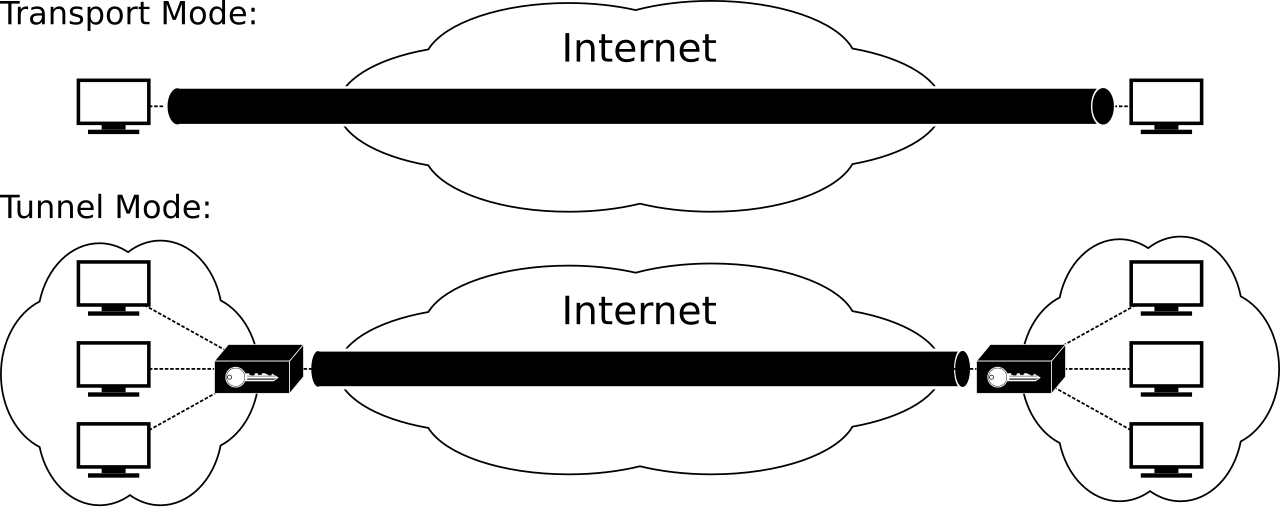
- IPsec Transport Mode encrypts only the payload of the IP packet. The original IP header (the source and destination IP addresses) remains intact and visible. This is highly efficient and is typically used for client-to-client communication where routing is already established.
- IPsec Tunnel Mode encrypts both the payload and the original IP header. It takes the entire original packet, encrypts it, and slaps a brand new, outer IP header on it. This hides the internal network topology entirely and is the standard method for site-to-site VPNs crossing the open internet.
IKE: Establishing the Trust
Before any encrypted data can flow, the two routers must agree on how to encrypt it. IPsec Internet Key Exchange (IKE) negotiates security associations between communicating entities. IKE is the diplomatic envoy that agrees on the encryption algorithms, the hashing methods, and the keys. To ensure firewall rules don't block this negotiation, remember that IPsec Internet Key Exchange (IKE) uses UDP port 500 by default.
The traditional network model—where everything routes back to a central corporate data center—is dying. Today, organizations use multiple cloud providers (AWS, Azure) and SaaS applications (Salesforce, Microsoft 365). Forcing remote branches to route all their traffic back to a central headquarters just to access a cloud application creates massive bottlenecks.
SD-WAN: The Smart Router
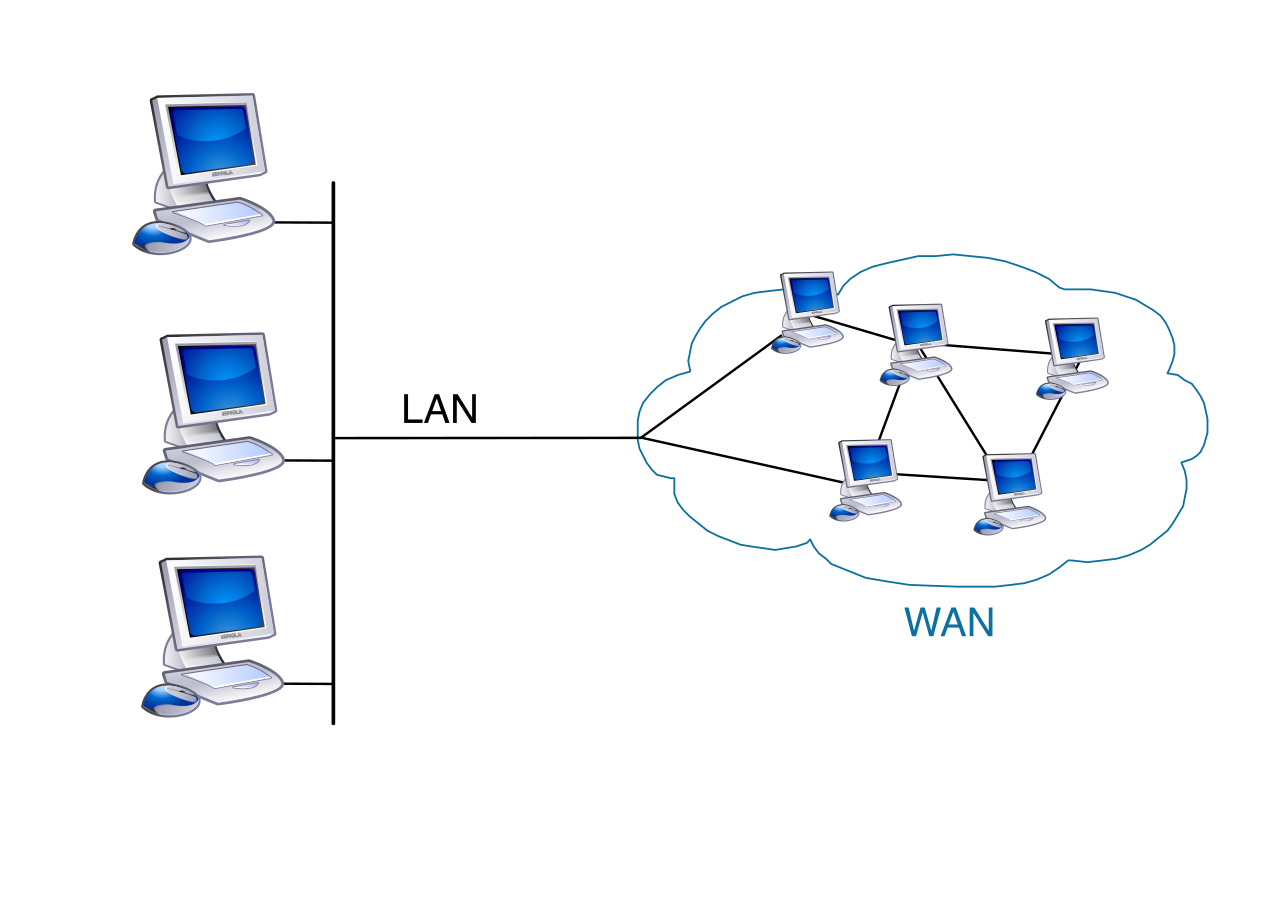
To solve branch office routing, we use SD-WAN. Software-Defined Wide Area Network (SD-WAN) decouples the network control plane from the underlying hardware infrastructure. Instead of manually configuring routers at 50 different branch offices, Software-Defined Wide Area Network (SD-WAN) centralizes the management of wide area network connections.
SD-WAN is highly intelligent. An SD-WAN architecture dynamically routes traffic across multiple WAN connections based on real-time performance. If an expensive MPLS line is congested, the SD-WAN controller instantly shifts less-critical traffic to a cheaper broadband connection. Because it often utilizes the open web, an SD-WAN implementation typically uses IPsec tunnels to secure data transmitted over public internet links.
SASE: Security Meets the Edge
SD-WAN solves the routing problem, but what about the security problem? If branches and remote users are accessing cloud apps directly, they bypass the central corporate NGFW. We can't put a heavy, expensive NGFW in every employee's home office. The solution is SASE (pronounced "sassy").
Secure Access Service Edge (SASE) is a cloud-native network architecture that takes the entire enterprise security stack and moves it into the cloud. Secure Access Service Edge (SASE) integrates wide-area networking with comprehensive security services.
Instead of routing traffic to a corporate data center for inspection, Secure Access Service Edge (SASE) inspects network traffic at distributed cloud-based points of presence (PoPs). When a user in London wants to access a cloud database, their traffic goes to a nearby SASE PoP in London, gets inspected, and is forwarded to the database.
SASE shifts the security perimeter from the network to the user. Secure Access Service Edge (SASE) enforces access controls based on user identity, device health, and context, rather than what IP address they happen to have.
To achieve this, a Secure Access Service Edge (SASE) framework includes:
- Zero Trust Network Access (ZTNA): Replaces legacy VPNs by granting application-specific access based on identity, never placing the user "on the network" by default.
- Cloud Access Security Broker (CASB): Functionality that monitors and controls data moving between users and external cloud applications, preventing data leaks.
- Firewall as a Service (FWaaS): Delivering NGFW capabilities (deep packet inspection, threat intel) entirely from the cloud.
- Secure Web Gateway (SWG): Capabilities that filter web traffic, enforcing acceptable use policies and blocking malicious URLs before they reach the user's browser.
By understanding these mechanisms—from the rigid logic of a stateful firewall to the dynamic, identity-based architecture of SASE—you are equipped not just to pass the Security+ exam, but to architect the resilient networks of tomorrow.