Enterprise Mitigation Techniques
Not sure you’re ready?
Take the ~3-minute readiness diagnostic and see where you stand.
If a submarine’s hull is breached and the interior consists of a single hollow tube, the entire vessel sinks. To survive, naval engineers build bulkheads—watertight compartments that isolate the flood to a single section. For decades, enterprise IT administrators built flat networks: single, hollow tubes where one compromised receptionist's workstation meant a direct, unobstructed path to the domain controller and the organization's most sensitive databases. Today, securing an enterprise requires architectural bulkheads, hardened surfaces, and vigilant sensors. We do not just build a thicker outer hull; we engineer the inside of the systems to assume a breach will inevitably occur.
_(cropped).jpg)
A flat network is an attacker's playground. Once an initial foothold is established, the adversary will attempt to move laterally, hopping from system to system to escalate privileges and find valuable data. To stop this, we must deliberately engineer friction into the environment.
Network Segmentation and Isolation
The foundational defense against lateral movement is network segmentation, which divides a larger network into smaller subnetworks to limit the lateral movement of attackers. If an attacker compromises a machine in the HR subnet, segmentation ensures they do not automatically have line-of-sight to the server hosting the engineering source code.
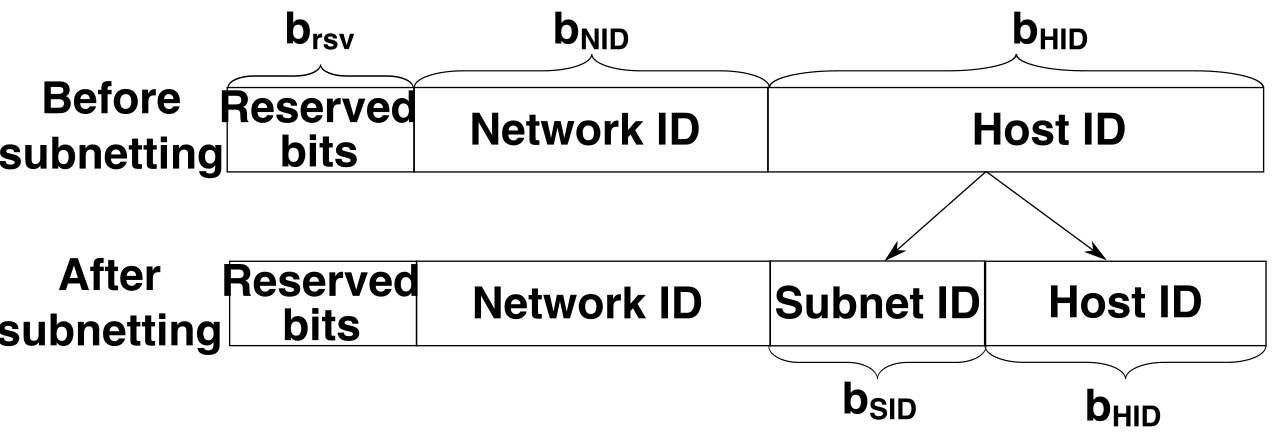
At the physical and data link layers, we achieve this without needing a separate physical switch for every single department. IEEE 802.1Q is the networking standard that defines Virtual Local Area Networks on an Ethernet network. By appending a tag to Ethernet frames, a Virtual Local Area Network logically separates broadcast domains on a physical network switch. This means a broadcast packet (like an ARP request) sent by a compromised machine in VLAN 10 will simply never be forwarded by the switch to machines in VLAN 20.
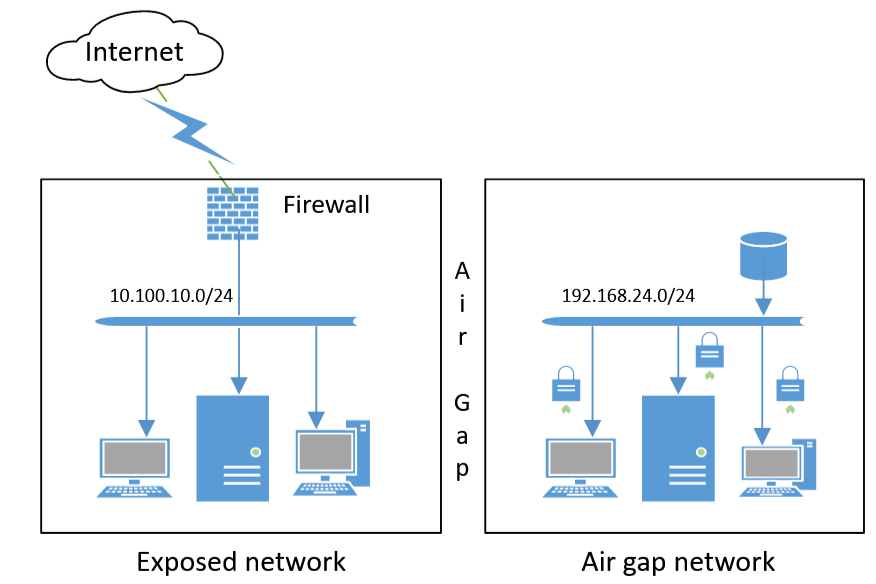
However, some assets are too critical to trust to logical software tags. When absolute separation is required, we use network isolation, which places sensitive devices on dedicated networks with no routing to other internal networks. The most extreme form of this is an air gap, a physical security measure that completely isolates a network from external connections. If you manage the control systems for a nuclear centrifuge, those systems should not be physically connected by any cable or wireless frequency to a network that touches the internet.
The Perimeter and the Workload
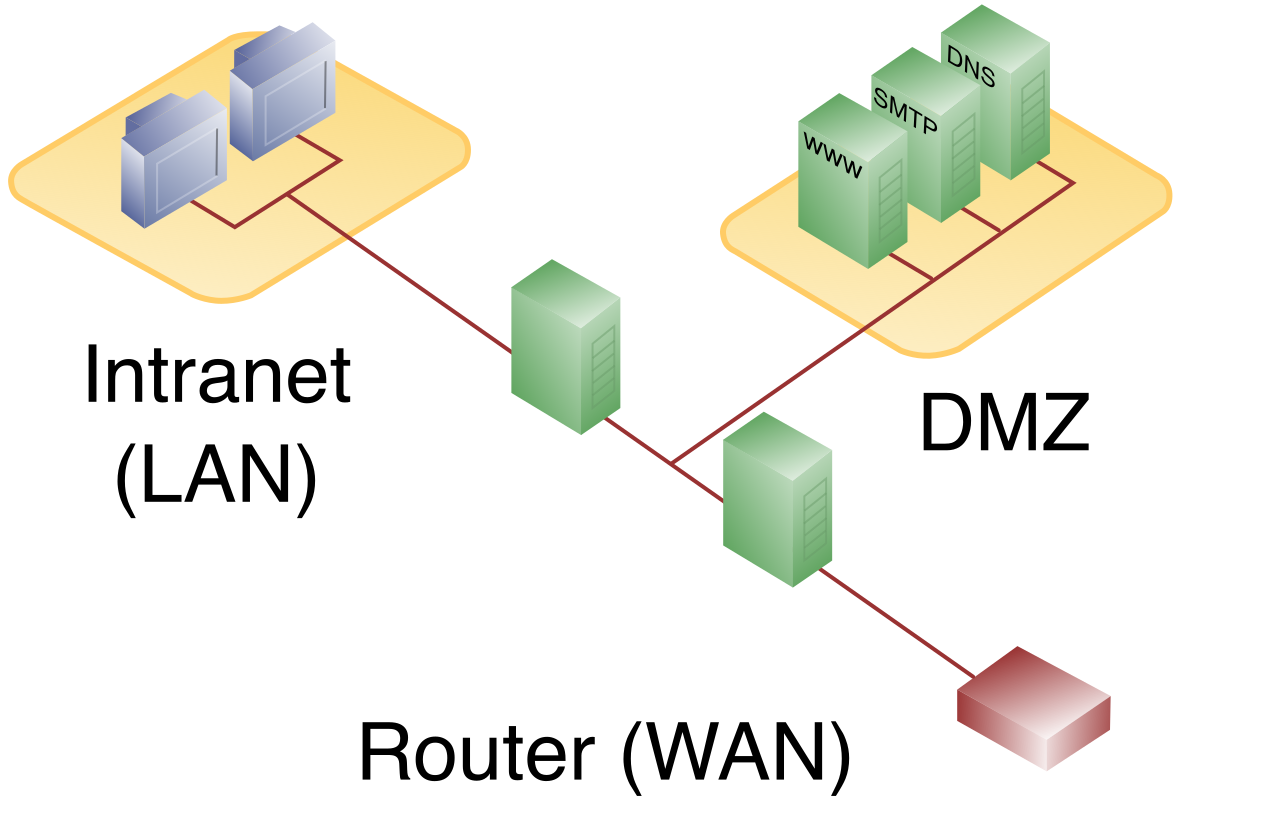
Not everything can be hidden away. An enterprise must do business with the outside world. A Demilitarized Zone (DMZ) is a perimeter network that exposes external-facing services (like web servers or email gateways) to an untrusted network (the internet). The DMZ acts as a buffer; if a web server in the DMZ is compromised, the attacker still faces an internal firewall before reaching the private enterprise network.
As enterprise architectures have moved to the cloud and containerized environments, traditional VLANs and DMZs have proven too coarse. Enter microsegmentation, which applies fine-grained security policies to individual workloads rather than entire network segments. Instead of saying "the database subnet can talk to the web subnet," microsegmentation enforces rules down to the individual server or container, ensuring that a specific web server can only query a specific database on a specific port, and nothing else.
Once our networks are compartmentalized, we must rigorously define the rules for traversing those compartments and interacting with the data inside them.
Access Control Models
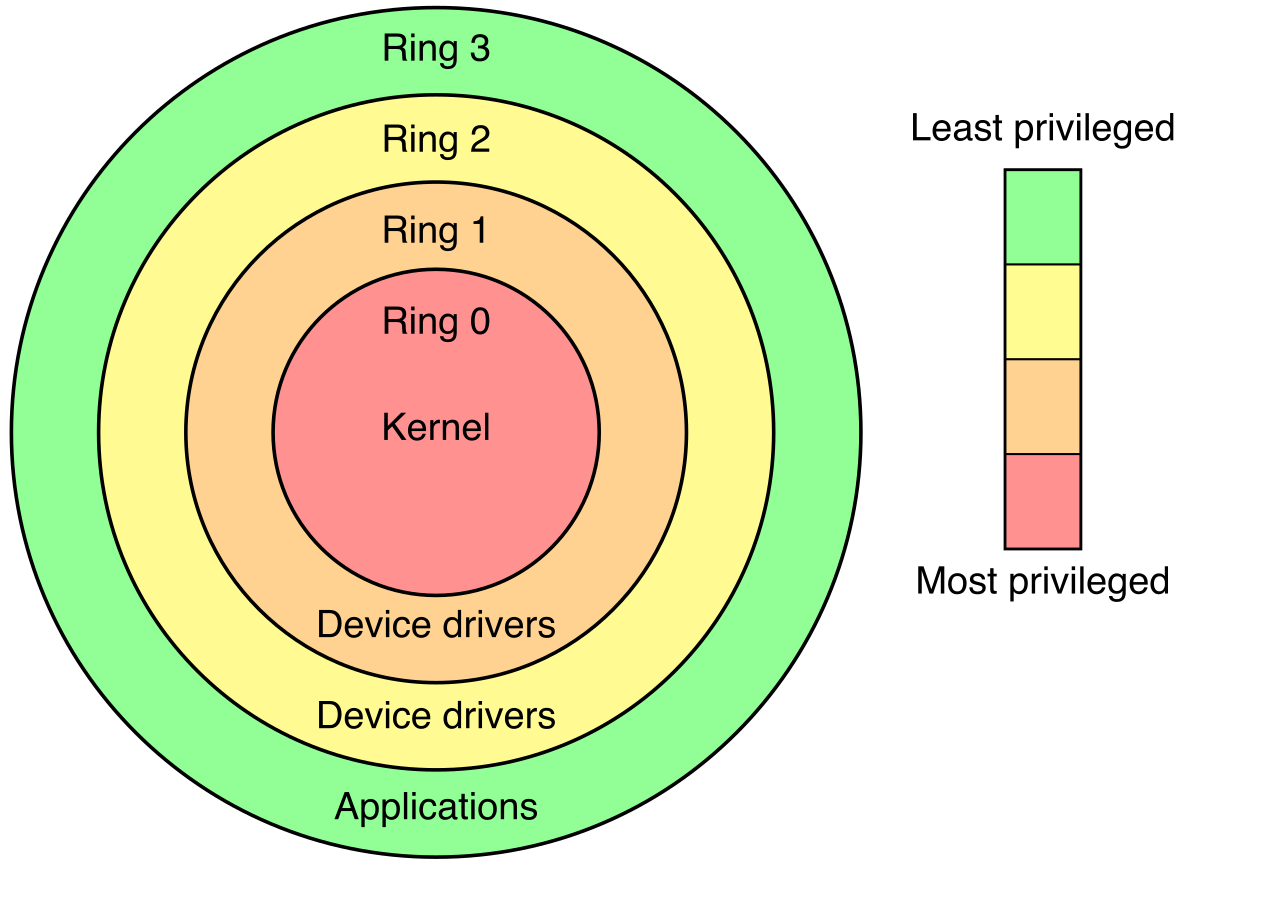
To implement these rules, we rely on Access Control Lists (ACLs), which define specific rules regarding which users or system processes are granted access to objects (like files, folders, or network ports). The philosophical anchor for every ACL you will ever write is the principle of least privilege: restricting users to the minimum access levels required to perform their job functions.
When you manage a small office, you might manually assign permissions to individual users. In an enterprise of 10,000 employees, this is impossible. We use structured models to scale this enforcement:
| Access Control Model | How it Works | Practical Example |
|---|---|---|
| Role-Based Access Control (RBAC) | Assigns permissions based on an assigned job function within an organization. | "Accountants" get read/write access to financial ledgers. When Bob transfers to HR, his role changes, and his access automatically updates. |
| Attribute-Based Access Control (ABAC) | Evaluates policies incorporating user, resource, and environmental characteristics to determine access. | An accountant can only access the ledger if they are connecting from a corporate IP address, on a company-owned device, during standard business hours. |
Application Execution Policies
Restricting who can access a system is only half the battle. We must also restrict what can run on that system.
For years, the standard approach was an antivirus-style blacklist. Application deny listing permits all software to run except for specifically identified prohibited executables. This is a losing game; attackers generate thousands of new malware variants daily, and maintaining an exhaustive list of every bad file in the world is mathematically impossible.
The modern, vastly superior approach is application allow listing, which permits only approved software executables to run on a system. (Note: Application allow lists were formerly referred to in industry standards as whitelists). Instead of trying to block the infinite universe of bad software, you define a finite list of known, trusted software. If an executable is not on the list, it is blocked by default.
Real-World Tool: Microsoft AppLocker is an enterprise software feature used to implement application allow listing on Windows operating systems. By configuring AppLocker via Group Policy, an administrator can stipulate that only executables signed by Microsoft and the company's internal development team are permitted to execute, neutralizing entirely unknown ransomware variants.
For deep, OS-level mandatory access control, enterprise Linux environments often rely on Security-Enhanced Linux (SELinux). Originally developed by the NSA, SELinux is a mandatory access control architecture built into the Linux kernel. It confines user programs and system services to the minimum amount of privilege they require, ensuring that even if a web server daemon is exploited, the attacker cannot leverage that daemon to read the /etc/shadow password file.
Every operating system, out of the box, is designed to be maximally compatible and easy to use. Services are left running, default accounts are enabled, and ports are wide open. From a security perspective, this is a massive liability.
System hardening reduces the attack surface by disabling unnecessary services, ports, and protocols. If a server is only acting as a file server, it should not be running an HTTP daemon. If a machine does not need Remote Desktop Protocol (RDP), port 3389 should be closed.
The immediate first step in any hardening process is disabling default administrative accounts. Accounts like admin or Administrator are the first usernames an attacker will try. Disabling them eliminates a primary vector for brute-force access attacks.
Administrators do not need to guess what constitutes a "hardened" system. The Center for Internet Security publishes widely adopted configuration baselines known as CIS Benchmarks. These are meticulously researched, consensus-driven guidelines that provide step-by-step instructions for locking down everything from Windows 11 to Docker containers.
Patch Management
Hardening is not a one-time event. Software has bugs, and those bugs become vulnerabilities. Patch management is the systematic process of identifying, testing, and deploying software updates.
A careless administrator deploys patches the moment they are released directly to the production environment. A professional administrator understands that patches can alter system behavior and crash mission-critical applications. Testing patches in a staging environment prevents unexpected software conflicts on production systems. You deploy to a replica of your environment first, observe the results, and only then roll out to production.
However, for endpoints that frequently detach from the corporate network (like traveling employee laptops), waiting for staged rollouts can leave them vulnerable to zero-day exploits. In these scenarios, automatic update configurations ensure devices receive critical security patches immediately upon vendor release.
Firmware and Boot Integrity
Hardening must extend below the operating system. If an attacker can compromise the hardware's boot sequence, they can load a rootkit before the OS even starts, rendering your antivirus blind.
- A Basic Input Output System (BIOS) password prevents unauthorized users from altering hardware boot settings (such as forcing the machine to boot from a malicious USB drive).
- Secure Boot is a Unified Extensible Firmware Interface (UEFI) feature that ensures only digitally signed operating systems can boot. It cryptographically verifies the bootloader, stopping bootkits dead in their tracks.
Once the system is running, how do you know if an attacker has secretly modified your critical binaries? File Integrity Monitoring (FIM) software verifies that critical system files have not been unexpectedly altered by continuously hashing the files and alerting administrators if the cryptographic hashes change.
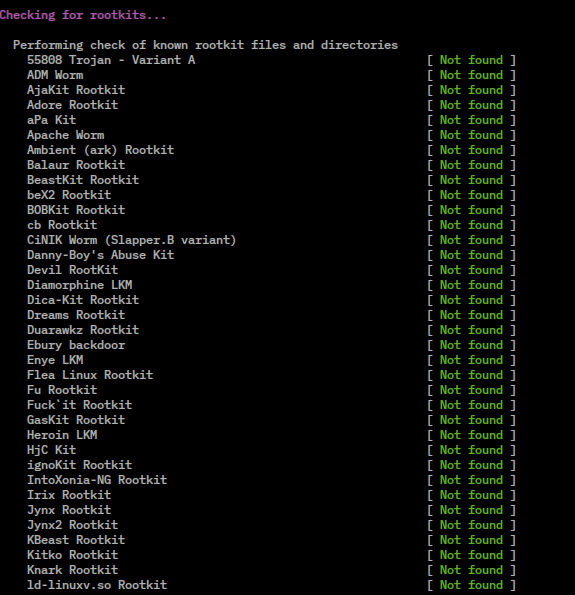
Historically, security focused entirely on the network perimeter. Today, the laptop sitting at a coffee shop is the perimeter. Endpoint protection is the array of tools we deploy directly to the host to protect its data and execution environment.
Data Security and Containment
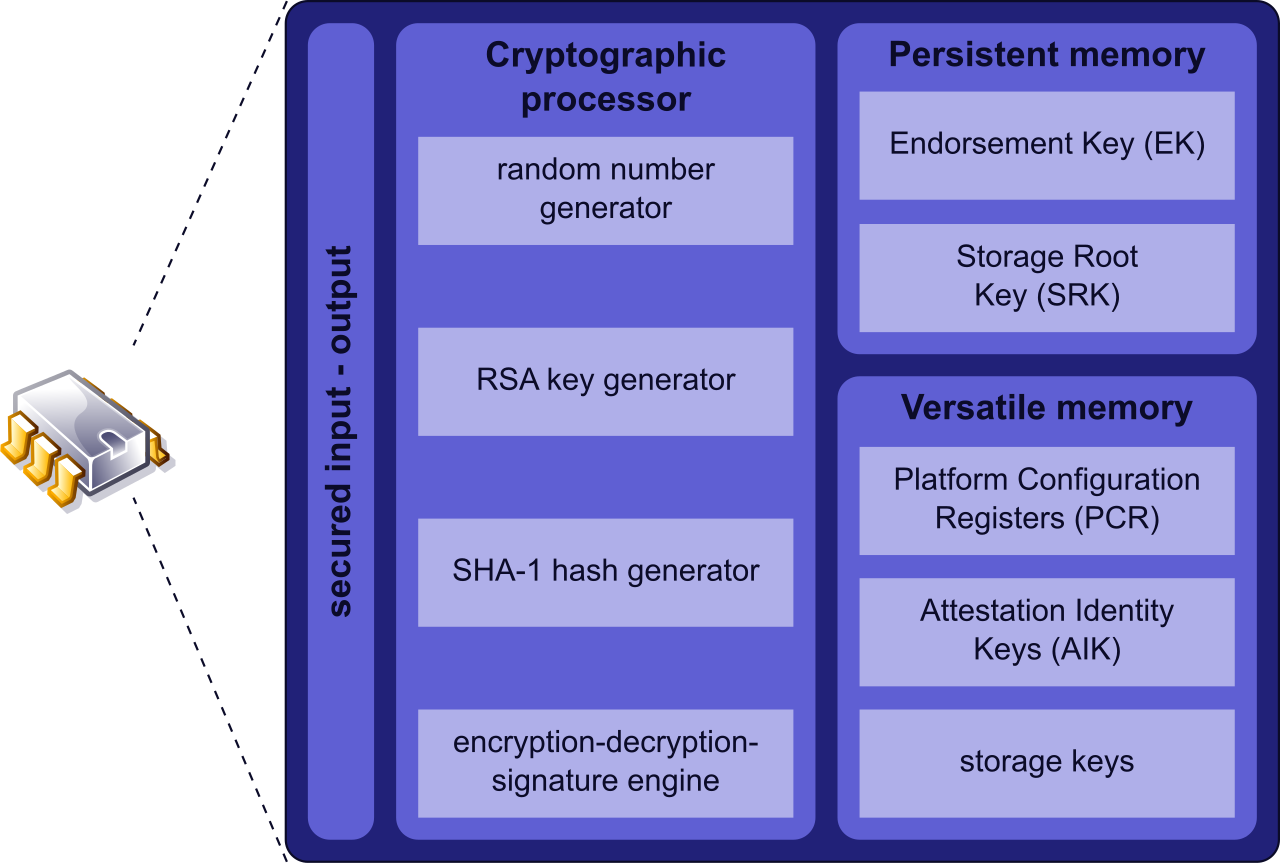
If a laptop is stolen from the back of a taxi, network security cannot help you. Full Disk Encryption (FDE) protects all data stored on a hard drive from unauthorized access. Without the decryption key (often tied to the user's login and a TPM chip), the physical hard drive is mathematically useless to the thief.
Conversely, to stop data from walking out the front door in an employee's pocket, administrators deploy Endpoint Data Loss Prevention (DLP) software. Endpoint DLP prevents sensitive information (like credit card numbers or intellectual property) from being copied to unauthorized removable storage devices, such as personal USB thumb drives.
To safely analyze potentially malicious files without risking the actual operating system, we use sandboxing, which isolates executing software in a restricted, virtualized environment to observe its behavior without risking the host system.
Traffic and Execution Monitoring
We must also monitor the traffic entering and leaving the individual host. While the perimeter firewall guards the enterprise, host-based firewalls restrict incoming and outgoing network traffic at the individual operating system level. If a laptop connects to untrusted airport Wi-Fi, the host-based firewall drops inbound SMB traffic, shielding the device.
To actively fight back against network-borne attacks at the host level, a Host-Based Intrusion Prevention System (HIPS) actively blocks malicious network traffic originating from or targeting a specific computer. Unlike a firewall that just looks at ports and IPs, a HIPS looks at the content and behavior of the traffic.
The Evolution of Detection: EDR and XDR
Traditional antivirus software relies on signatures—it looks for files that match a known database of malware. But modern adversaries use "fileless" malware, leveraging built-in tools like PowerShell to execute attacks. Signatures cannot catch this.
Endpoint Detection and Response (EDR) solutions continuously monitor host endpoints to detect and investigate suspicious activities. Instead of looking for a bad file, EDR looks for bad behavior. Why is Microsoft Word suddenly opening a command prompt and attempting to download a payload from a foreign IP address? EDR detects this anomaly, records the telemetry, and can automatically isolate the infected host from the network.
Extended Detection and Response (XDR) is the next evolution. XDR integrates data from endpoints, networks, and cloud environments to identify complex threats. While EDR only sees what happens on the laptop, XDR stitches together the laptop's behavior, the firewall logs, and the cloud authentication logs to reveal the entire lifecycle of a sophisticated attack.
Managing the Fleet
Securing one endpoint is easy. Securing fifty thousand mobile devices, tablets, and laptops across a global workforce requires centralized orchestration.
- Mobile Device Management (MDM) solutions enforce security policies on employee mobile devices. If an employee loses their corporate smartphone, the IT administrator can use the MDM to remotely wipe the device, enforce a minimum PIN length, or prevent the installation of unapproved apps.
- Because administrators do not want one console for phones and a completely different console for laptops, the industry has shifted toward Unified Endpoint Management (UEM). UEM centralizes the management of mobile devices, laptops, and desktop computers into a single platform, applying uniform security policies regardless of the hardware form factor.
Security is not achieved by buying a single, expensive appliance. It is an architecture. By segmenting the network, enforcing strict access controls, hardening the underlying systems, and deploying vigilant endpoint sensors, you build an environment where an attacker's initial breach is merely the beginning of a very difficult, ultimately unsuccessful journey.