OS Security and Endpoint Capabilities
Not sure you’re ready?
Take the ~3-minute readiness diagnostic and see where you stand.
Imagine an enterprise network as a sprawling, decentralized metropolis. Historically, security architects built massive perimeter walls—firewalls and gateways—expecting them to keep adversaries out.
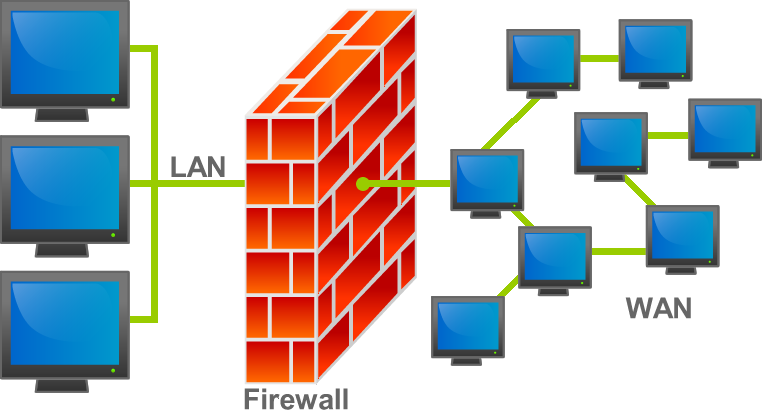
Modern infrastructure, however, operates on a different reality. The perimeter has dissolved. Employees access sensitive data from coffee shops, branch offices, and home networks, meaning the modern battlefield is the endpoint itself and the communication protocols binding these disparate nodes together.
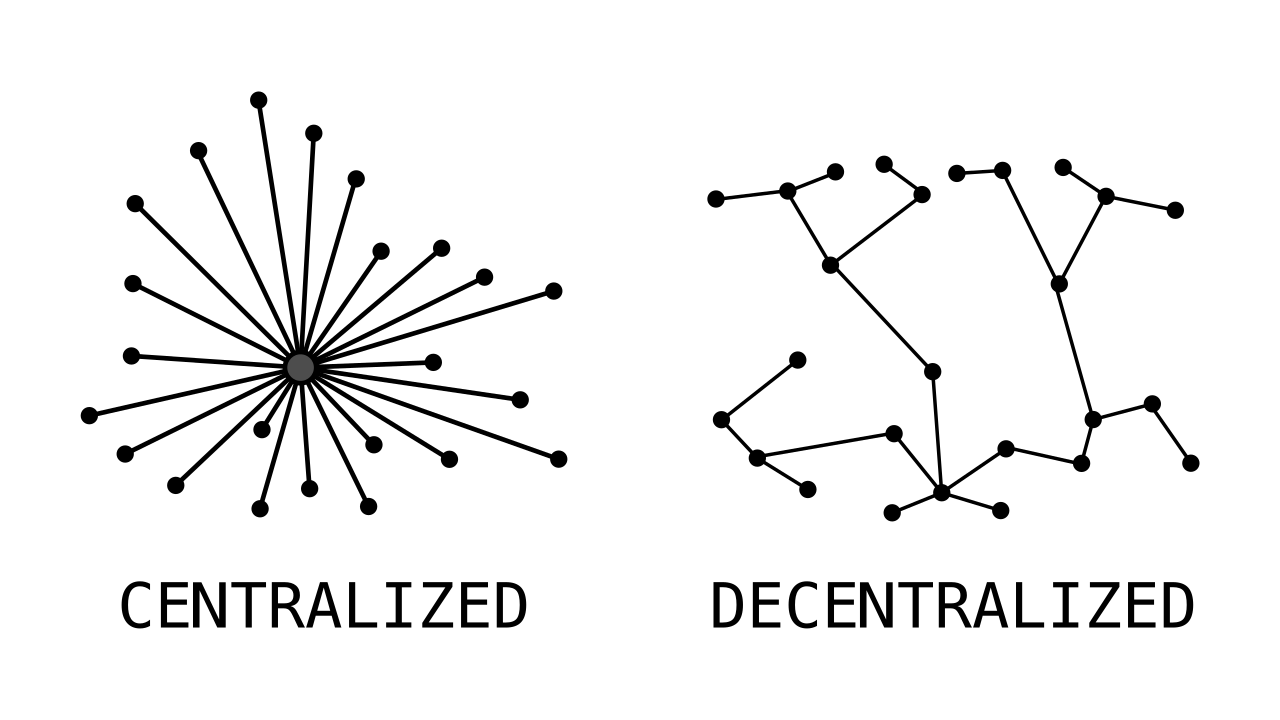
Securing this environment requires shifting our focus from the network perimeter to the operating systems, the endpoints, and the primary vector of business communication: email.
If an operating system is a machine, its configuration dictates whether the machine operates safely or predictably destroys itself. In enterprise environments, relying on individual users to securely configure their machines is a statistical guarantee of failure. We solve this through centralized, enforced baselines.
The Windows Ecosystem: Group Policy
In large-scale Microsoft networks, the engine of enforcement is Group Policy. Group Policy is a Microsoft Windows feature used to manage and configure operating systems, applications, and user settings in an Active Directory environment.
When an IT administrator needs to ensure that 5,000 workstations are secure, they do not visit each desk. Instead, administrators use Group Policy Objects (GPOs) to enforce security settings across multiple Windows computers simultaneously. Because Group Policy updates are pushed automatically to client machines within an Active Directory domain, administrators can guarantee consistent security baselines across the entire organization.
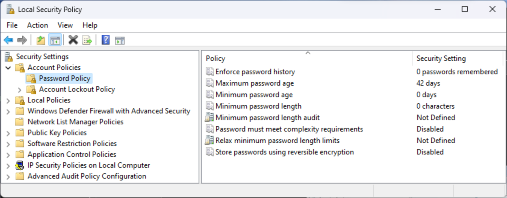
Practical Application: Group Policy can be used to disable unused ports, enforce strict password complexity rules, and restrict unauthorized software execution on Windows systems. If an employee brings a compromised USB drive into the office, a well-configured GPO will prevent the malicious executable from ever launching.
The Linux Architecture: Mandatory Access Control
Linux security operates under a different philosophy. By default, Linux uses Discretionary Access Control (DAC), meaning a user has the "discretion" to change permissions on their own files. If a user is tricked into running malware, that malware inherits the user's ability to read or destroy those files. To survive in a hostile environment, Linux systems rely on a stricter framework.
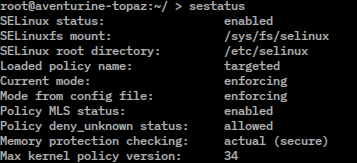
SELinux stands for Security-Enhanced Linux. It is a Linux kernel security module that provides a mechanism for supporting access control security policies.
The brilliance of SELinux lies in its architecture: it implements Mandatory Access Control (MAC) to strictly restrict the actions of processes and users on a Linux system. In this architecture, Mandatory Access Control in SELinux overrides standard Linux Discretionary Access Control permissions. Even if a user grants a malicious script read/write access to a critical directory, the kernel will block the action if it violates the central security policy.
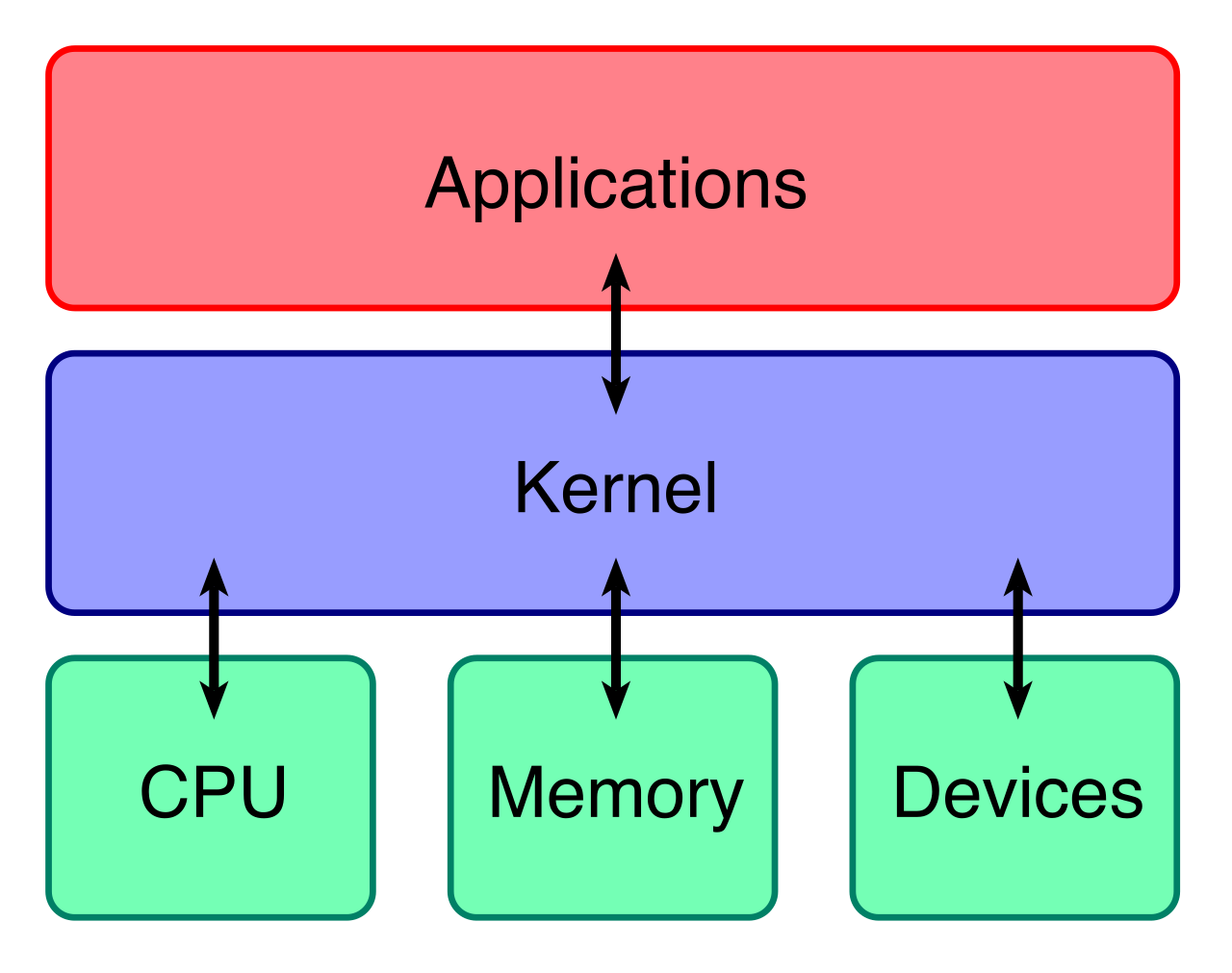
How does it keep track of everything? SELinux uses security contexts assigned to files, processes, and users to determine access permissions based on predefined central policies. Think of security contexts as permanent nametags. If a web server process (tagged httpd_t) attempts to access a database file (tagged db_data_t), SELinux checks the central policy. If there is no explicit rule allowing httpd_t to touch db_data_t, the action is denied at the kernel level.
A highly regarded alternative to SELinux is AppArmor. AppArmor is a Linux kernel security module similar to SELinux that allows system administrators to restrict program capabilities with per-program profiles, rather than relying on the broader, file-centric context labeling of SELinux.
By design, the original SMTP (Simple Mail Transfer Protocol) is incredibly trusting. Sending an email is like mailing a postcard: anyone can write whatever return address they want on the back. Consequently, attackers frequently forge return addresses.
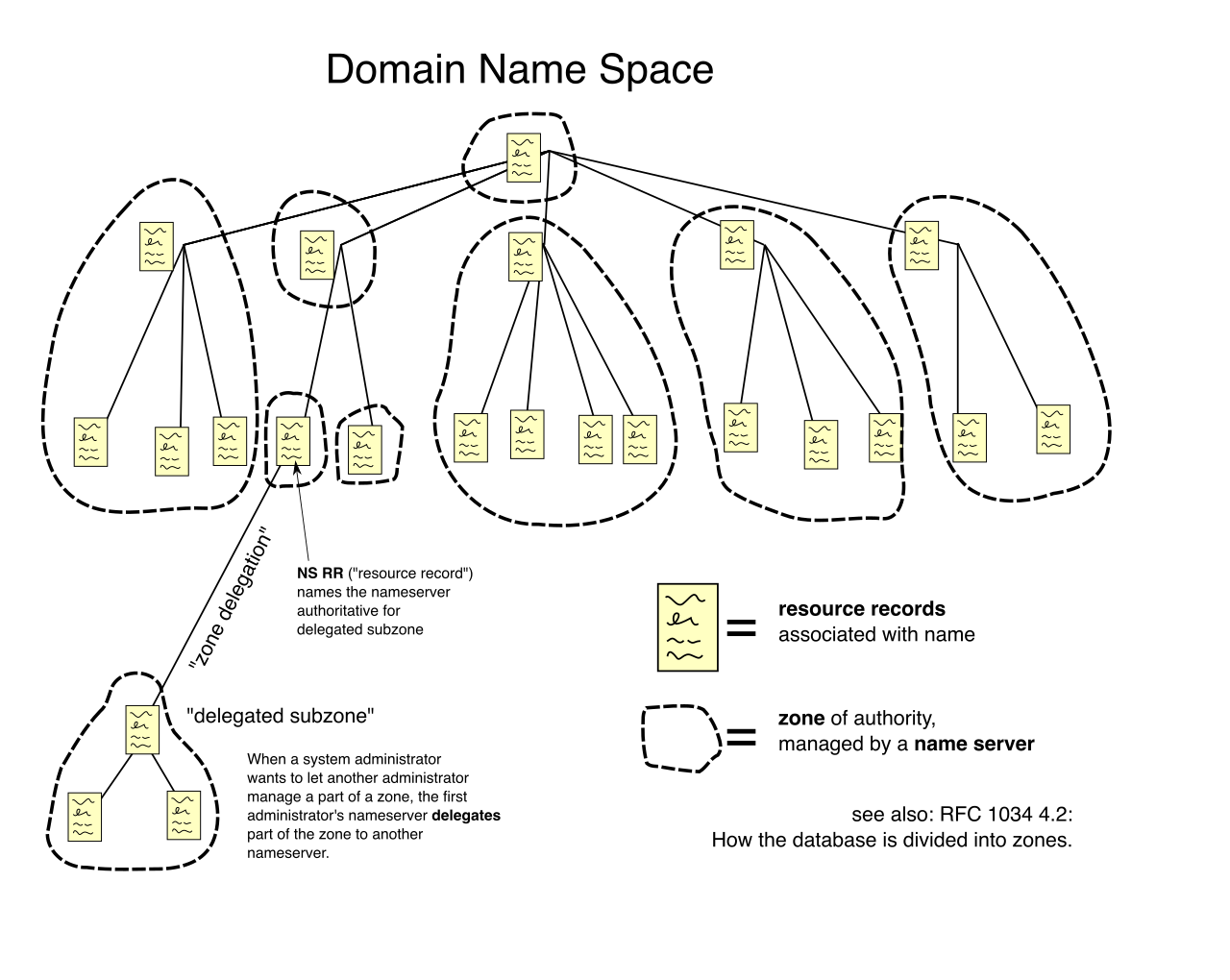
Modern email security protocols prevent attackers from spoofing legitimate domains to send phishing or spam emails. The triumvirate of email security—SPF, DKIM, and DMARC—achieves this by relying on publicly accessible Domain Name System (DNS) records to function. DNS serves as the ultimate source of truth for internet domains.
Sender Policy Framework (SPF)
SPF stands for Sender Policy Framework. It acts as a cryptographic guest list for a domain.
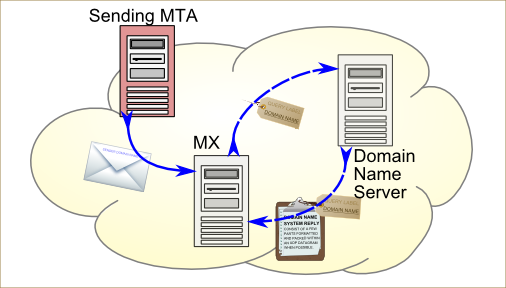
Sender Policy Framework allows a domain owner to specify which mail servers are authorized to send email on behalf of that specific domain. When an email arrives, receiving mail servers check the Sender Policy Framework DNS record of the sender domain to verify the legitimacy of the sender IP address.
If an email originates from an IP address not listed in the Sender Policy Framework DNS record, the receiving server knows it is an imposter and may mark the email as spam.
DomainKeys Identified Mail (DKIM)
DKIM stands for DomainKeys Identified Mail. While SPF checks where the email came from, DKIM acts as a tamper-evident wax seal on the message itself.
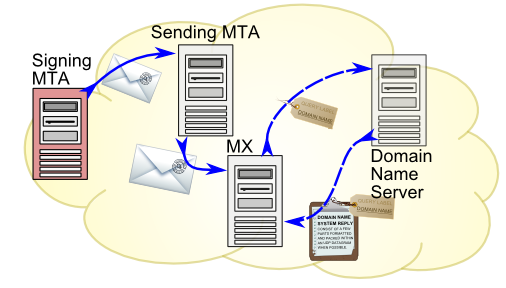
DomainKeys Identified Mail adds a cryptographic digital signature to emails to verify that the email was genuinely sent from the claimed domain. Crucially, DomainKeys Identified Mail provides integrity by ensuring the email content and headers were not altered in transit.
When the message arrives, the receiving mail server uses the sender public key published in DNS to decrypt and verify the DomainKeys Identified Mail signature. If the math checks out, the message is authentic.
DMARC: The Policy Enforcer
DMARC stands for Domain-based Message Authentication, Reporting, and Conformance. DMARC solves a critical problem: what should a receiving mail server do if an email fails the SPF or DKIM checks?
DMARC builds upon Sender Policy Framework and DomainKeys Identified Mail to provide explicit instructions to the receiving mail server on how to handle authentication failures. A DMARC policy can instruct a receiving server to reject, quarantine, or pass emails that fail Sender Policy Framework or DomainKeys Identified Mail checks.
Furthermore, DMARC provides reporting capabilities that allow domain owners to monitor email authentication failures and identify domain spoofing attempts in real-time, offering vital intelligence on exactly who is trying to impersonate their business.
| Protocol | Primary Function | Analogy |
|---|---|---|
| SPF | Validates the sending server's IP address. | The Bouncer's Guest List |
| DKIM | Cryptographically signs the message to ensure integrity. | The Tamper-Proof Wax Seal |
| DMARC | Dictates enforcement actions and provides forensic reporting. | The Manager's Rulebook |
Decades ago, installing Antivirus software was sufficient. Today, adversaries use "fileless" malware, stolen credentials, and native system tools to carry out attacks. The defense industry has evolved in stages to meet this reality.
The Prevention Layer: EPP and HIPS
An Endpoint Protection Platform (EPP) primarily focuses on preventing known threats from compromising an endpoint. EPPs block the malware signatures we already know about.
To augment this, administrators historically deployed Host-based Intrusion Prevention Systems (HIPS). These systems monitor system activity and actively block suspicious actions such as unauthorized registry changes or attempts to modify core system files.
The Assumed Breach Layer: EDR
What happens when a new, highly sophisticated attack bypasses the EPP and HIPS? This is where EDR takes over. EDR stands for Endpoint Detection and Response.
The fundamental philosophy here is critical: Endpoint Detection and Response assumes a breach has already occurred and focuses on identifying and containing active threats. Instead of merely scanning for known bad files, Endpoint Detection and Response solutions continuously monitor endpoint telemetry data to identify and respond to suspicious or malicious behavior.
- Behavioral Analysis: Endpoint Detection and Response uses behavioral analysis to detect advanced persistent threats (APTs) that evade traditional signature-based antivirus. If Microsoft Word suddenly spawns a PowerShell script that attempts to contact an unknown foreign IP, EDR flags the behavior, regardless of whether the file itself looks benign.
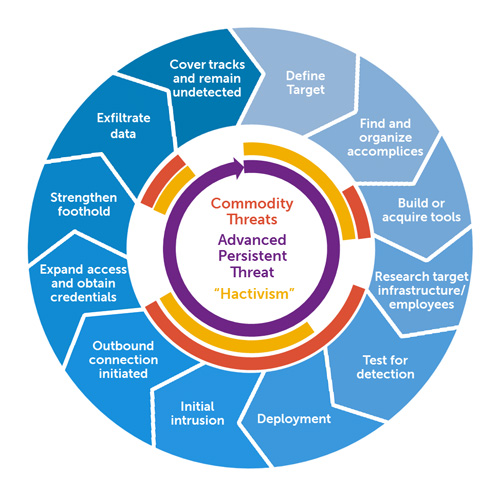
- Threat Hunting: Endpoint Detection and Response provides security teams with deep visibility into endpoint process execution to aid in threat hunting. Analysts can query exactly what processes were spawned and what network connections were made in the seconds leading up to an alert.
- Rapid Containment: When a threat is confirmed, speed is vital. Endpoint Detection and Response tools can automatically isolate an infected host from the network to prevent lateral movement by malware, effectively quarantining the machine while still allowing security teams remote access to investigate.
The Holistic Vision: XDR
An isolated endpoint tells only part of the story. If a laptop is compromised, how did the attacker get in? Did they move to the cloud? Did they traverse the corporate firewall?
XDR stands for Extended Detection and Response. Extended Detection and Response aggregates and correlates security data from multiple layers including endpoints, networks, and cloud environments.
By pulling all this data into a centralized nervous system, Extended Detection and Response provides a more holistic view of security threats compared to standalone Endpoint Detection and Response solutions. In modern Security Operations Centers (SOCs), analysts are frequently overwhelmed by thousands of disconnected alerts. By analyzing telemetry from diverse sources, Extended Detection and Response reduces alert fatigue and improves automated incident response accuracy, allowing human defenders to focus their intellect on the anomalies that truly matter.