Physical Security and Deception Technologies
Not sure you’re ready?
Take the ~3-minute readiness diagnostic and see where you stand.
An organization can spend millions of dollars deploying advanced cryptographic protocols, next-generation firewalls, and behavioral analytics, only to have an attacker bypass it all by walking through an unlocked server room door and walking out with the physical hard drives. The foundation of all cybersecurity is physical security. If a malicious actor can physically touch your hardware, it is no longer your hardware. The most sophisticated digital access controls in the world are utterly useless if an adversary can bypass the logical perimeter by stepping over the physical one. We must construct a comprehensive defensive architecture that begins in the physical world—where copper, concrete, and human psychology dictate the rules of engagement—and extends into the digital realm through specialized traps and misdirection.
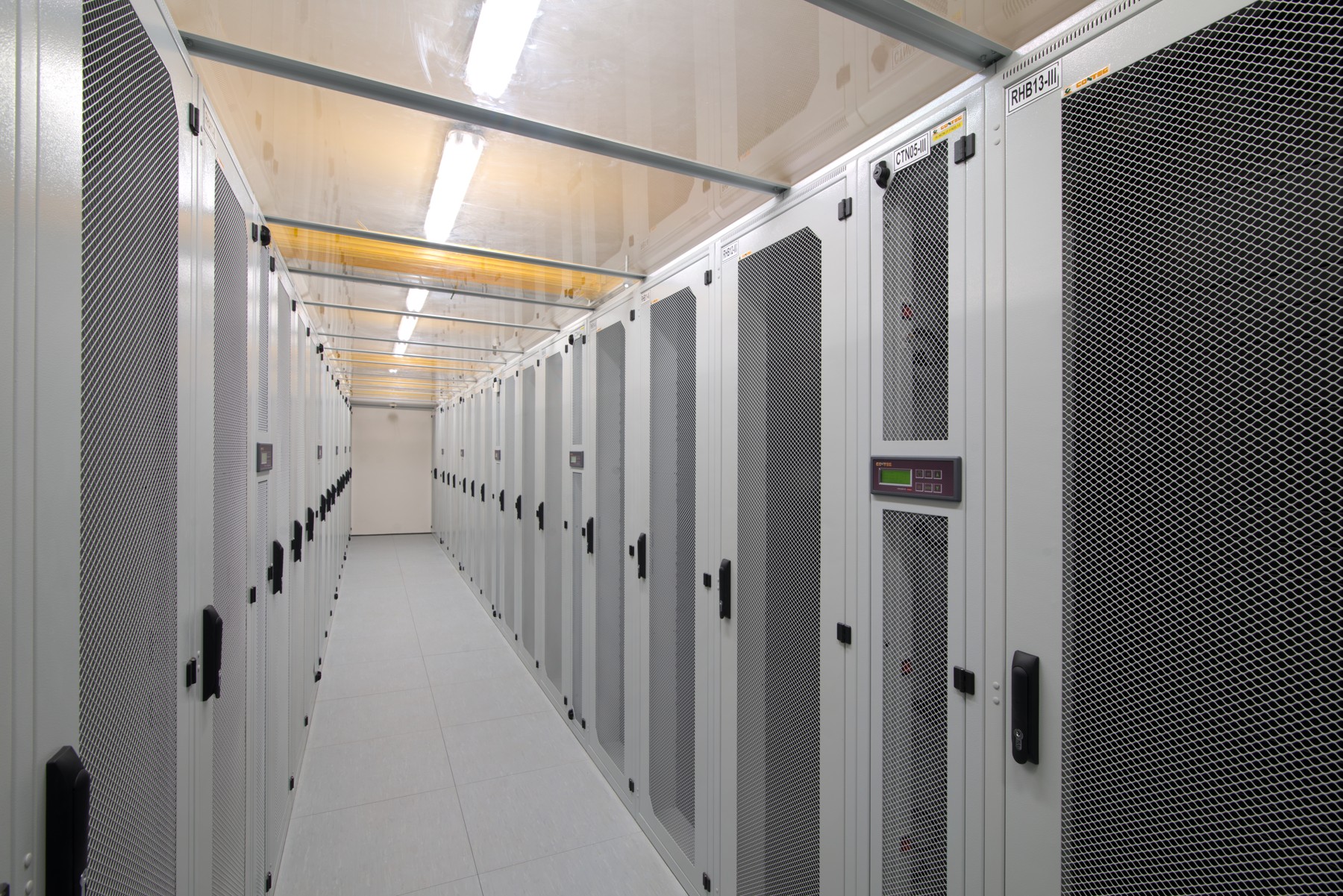
Physical security controls are the tangible mechanisms implemented to protect physical access to facilities, hardware, and personnel. To understand how to deploy them, we must think in concentric circles, starting from the outermost edge of an organization's property and moving inward to the core data center.
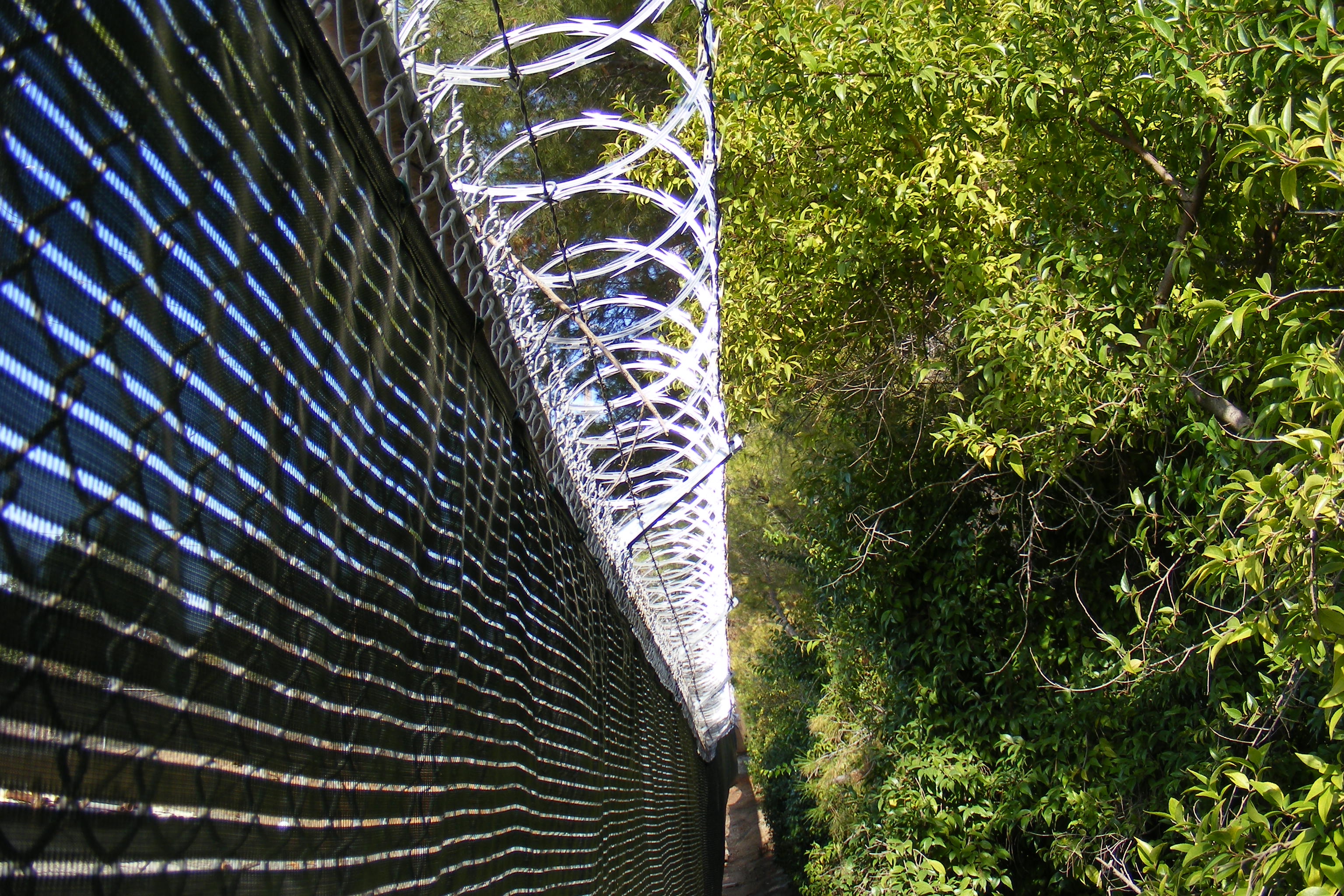
The absolute outermost boundary of a secure facility is established by perimeter fencing. Fencing clearly defines the property line and acts as an immediate physical delay. To prevent adversaries from simply going over this boundary, engineers utilize anti-climb materials—such as rotating spikes, razor wire, or specialized slippery coatings—placed on top of perimeter fencing to actively deter individuals from scaling the barrier.
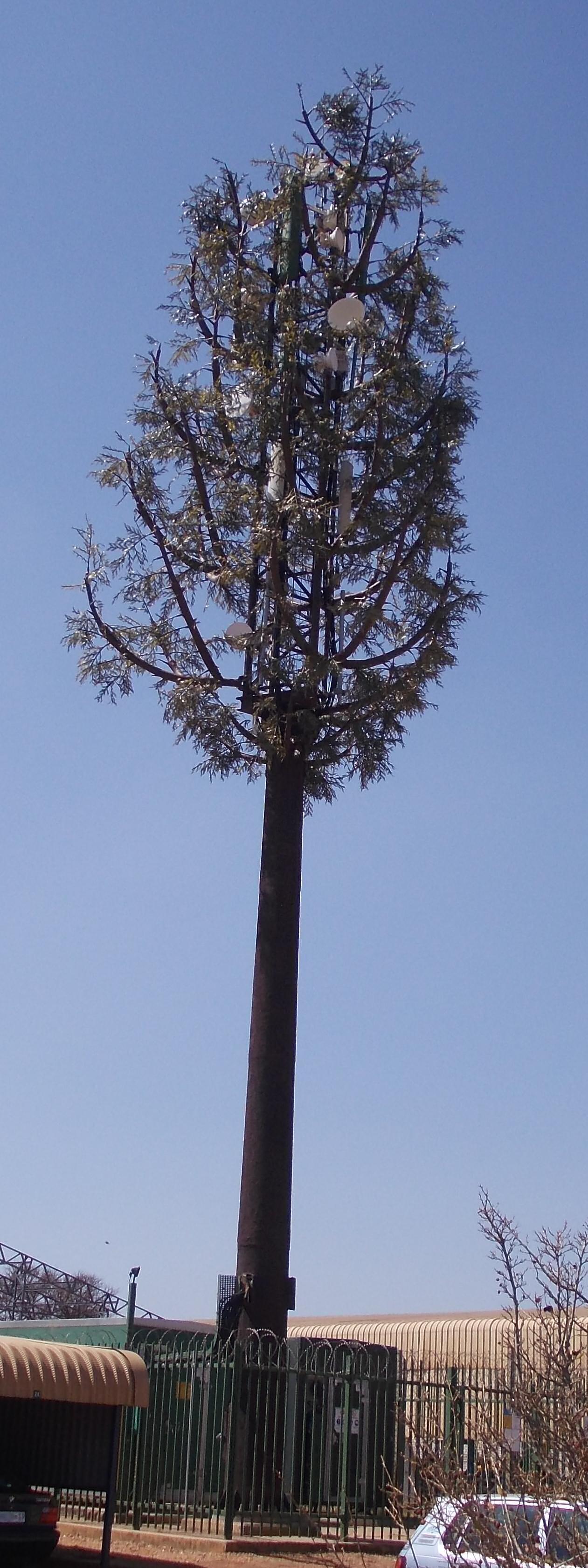
However, sometimes the best defense is not to look like a fortress at all. Industrial camouflage conceals a secure facility so it blends perfectly into the surrounding natural or urban environment. A multi-million-dollar data center might look exactly like an abandoned warehouse or a mundane suburban office building. If the attacker does not know the target is there, they cannot formulate an attack plan against it.
For facilities that must be publicly accessible, controlling vehicular approaches is paramount. Facility administrators install bollards—sturdy, short vertical posts anchored deeply into the ground—to prevent vehicles from physically breaching a building or secure perimeter. If an adversary attempts to ram a truck through the lobby doors, a reinforced steel bollard immediately arrests the vehicle's momentum.
Around this perimeter, proper facility lighting serves dual purposes. First, it acts as a primary visual deterrent to unauthorized physical access; humans possess an innate psychological aversion to committing illicit acts in well-lit areas. Second, proper facility lighting eliminates dark blind spots for surveillance camera coverage. Closed-circuit television (CCTV) cameras serve as a primary detective physical security control, recording events for post-incident forensics and allowing real-time monitoring.
Yet, cameras only observe. Security guards provide a dynamic physical security control capable of real-time human judgment. Unlike a fence or a camera, a trained guard can assess context, interrogate suspicious behavior, and physically intervene.
When personnel move from the perimeter to the interior, we must control the flow of human traffic. We do this through physical choke points.
Turnstiles restrict human traffic flow by allowing only a single person to pass at a time. They enforce order and prevent crowds from rushing an entrance. However, for highly sensitive areas like server rooms or research labs, turnstiles are insufficient. Here, we deploy access control vestibules (traditionally known as mantraps).

Access control vestibules use a sequence of interlocking doors. Their operational rule is strict: in an access control vestibule, the initial door must close completely before the inner door can open. These systems are designed specifically to prevent one of the most common physical security vulnerabilities: tailgating.
The Psychology of Tailgating vs. Piggybacking
- Tailgating occurs when an unauthorized person closely follows an authorized person into a secure area without their consent. The attacker exploits the brief moment a door remains open.
- Piggybacking occurs when an authorized person intentionally (and often through misplaced politeness) allows an unauthorized person to follow them into a secure area, completely circumventing access controls.

To open these doors, identity must be proven. Identification badges provide a baseline visual verification of a person's authorization to be in a facility, typically worn visibly on a lanyard. But visual verification is easily spoofed. For actual access, we rely on smart cards, which contain embedded microchips to provide cryptographic authentication for physical door access. To elevate security further, we introduce biometric locks, which authenticate users based on unique physical characteristics like fingerprints or retinal patterns—something the user is, rather than something they merely carry.

Once inside, we cannot rely solely on guards to watch every corridor. We implement an invisible web of sensors. When deploying sensors, we rely on fundamental laws of physics to detect anomalies.
| Sensor Type | Operational Physics & Use Case |
|---|---|
| Motion Sensors | Detect physical movement within a predefined coverage area. Usually rely on optical or passive thermal changes across a grid. |
| Infrared Sensors | Detect changes in thermal radiation to identify the presence of personnel. Because the human body radiates heat, these sensors can track movement even in absolute darkness. |
| Microwave Sensors | Emit continuous microwave pulses to detect physical movement via the Doppler effect. If an object moves toward or away from the sensor, the frequency of the returning wave shifts, triggering an alarm. |
| Acoustic Sensors | Monitor environments for sound anomalies. They are specifically tuned to the acoustic frequencies of destructive events, such as breaking glass. |
| Pressure Sensors | Placed under flooring or mats, these trigger alarms based on the detected weight of an intruder stepping on a specific surface. |
| Contact Sensors | Installed on doors and windows. They utilize a simple magnetic circuit; when the door opens, the electrical circuit is broken, immediately triggering an alarm. |
Beyond human intruders, physical environments themselves can turn hostile to IT equipment. Hardware requires precise atmospheric conditions. Environmental temperature sensors continually monitor server rooms to detect overheating hardware or HVAC failures, preventing catastrophic thermal shutdowns. Concurrently, moisture sensors are placed beneath raised floors to trigger alarms when water leaks are detected in data centers, saving equipment from electrical shorts.
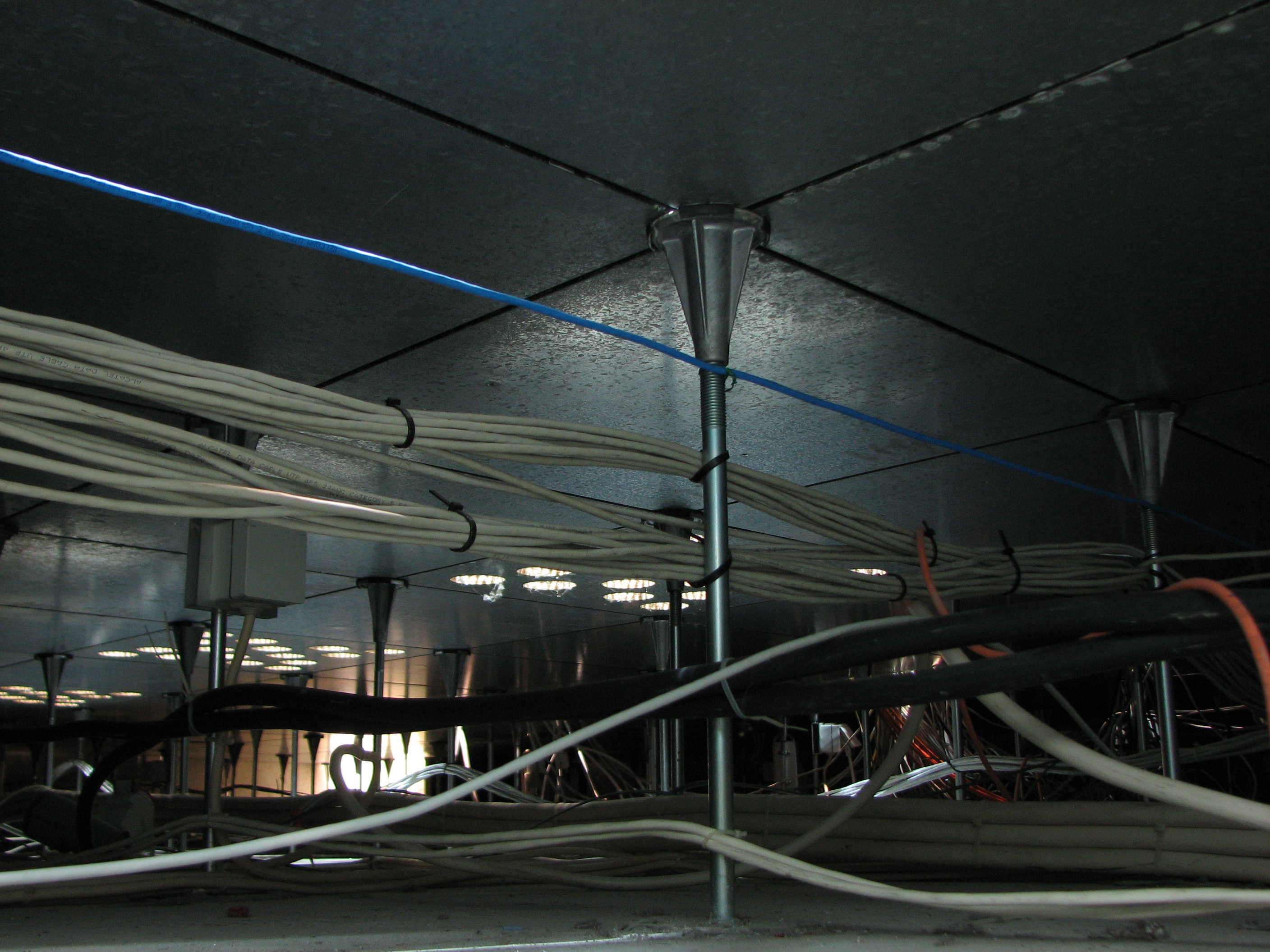
Physical security is not limited to humans and doors; it applies directly to the transmission of data itself.
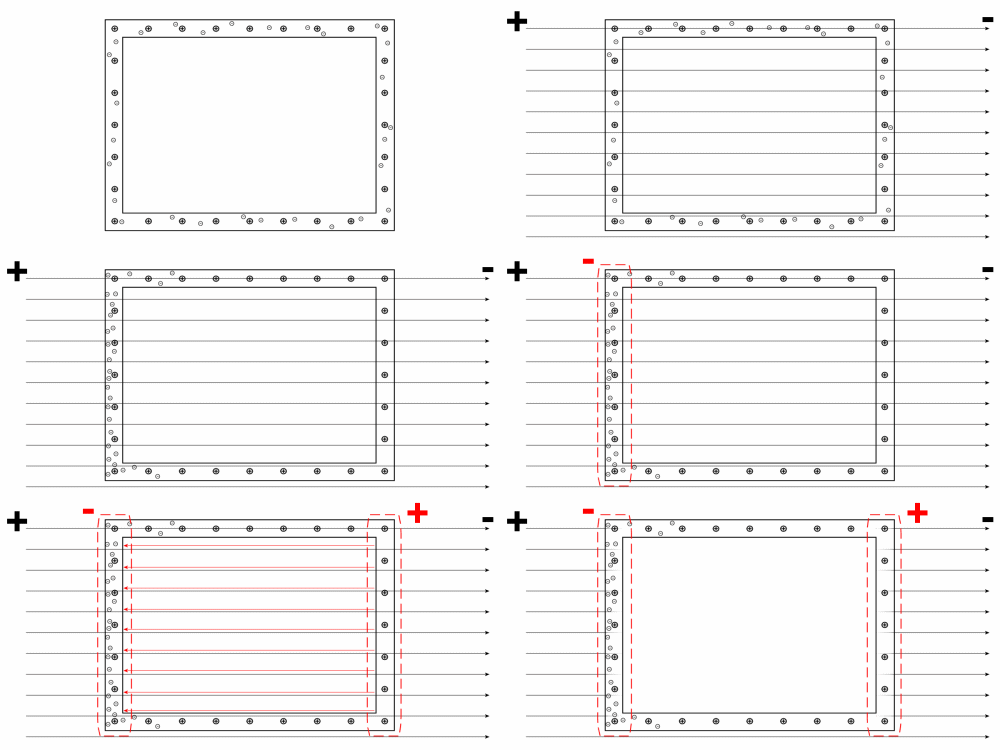
If you have highly classified data, you cannot allow the electromagnetic emissions from your servers to leak into the parking lot where an adversary might be waiting with an antenna. Security engineers use a Faraday cage to prevent wireless signals from entering or exiting a secure room. A Faraday cage is a structural enclosure of conductive material that essentially blocks external and internal electromagnetic fields.
Similarly, network cables traversing a building are vulnerable to physical tapping. We protect them using Protected Distribution Systems (PDS). These systems consist of secure, tamper-evident physical conduits (like hardened, pressurized pipes). Protected Distribution Systems prevent unauthorized physical access or wiretapping of network cabling.
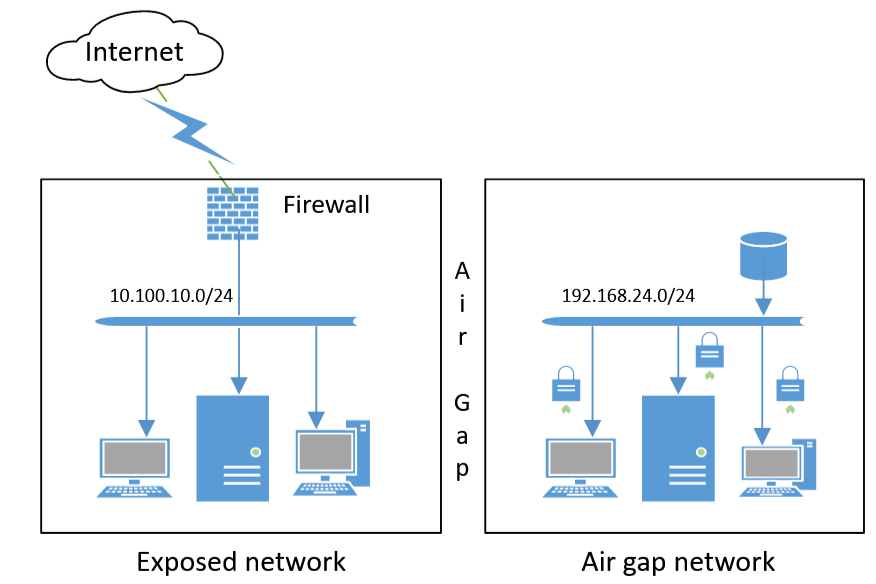
If a system is so critical that no network connection can be trusted, we utilize an air gap. An air gap is a physical isolation method where a secure network has no direct physical or wireless connection to any unsecured network (including the internet). To move data onto an air-gapped network, a human must physically carry a storage medium across the room.
Defending the Endpoint
At the level of the individual workstation or user, physical security becomes intimately tied to daily habits.
- Cable locks physically secure laptop computers and small hardware devices to immobile fixtures, preventing rapid grab-and-go thefts in open offices.
- USB data blockers act as hardware firewalls for mobile devices. They strip out the data-transfer pins on a USB connection, allowing only power to flow. They are essential to prevent unauthorized data transfer when charging a device from an untrusted USB port (like those found in airports or hotel lobbies).
- Screen filters are physical overlays placed on monitors that dramatically limit the viewing angle of a computer monitor. Their purpose is to prevent shoulder surfing—the act of covertly observing a user's screen or keyboard to steal sensitive information like passwords or proprietary data.

Physical controls attempt to stop attackers from gaining access. Deception technologies assume the attacker is already in your environment, but flips the psychological advantage back to the defender. Deception technologies mislead attackers by presenting fake targets.
Why do we do this? Time and information. By presenting lucrative-looking but entirely fabricated targets, deception technologies waste an attacker's time by engaging the attacker in non-production environments. While the attacker believes they are successfully exploiting your infrastructure, security teams use deception technologies to gather intelligence on an attacker's tactics and tools.
Honeypots and Honeynets
A honeypot is a single decoy computer system designed to look exactly like a legitimate production server. System administrators intentionally leave honeypots vulnerable to attract malicious actors.
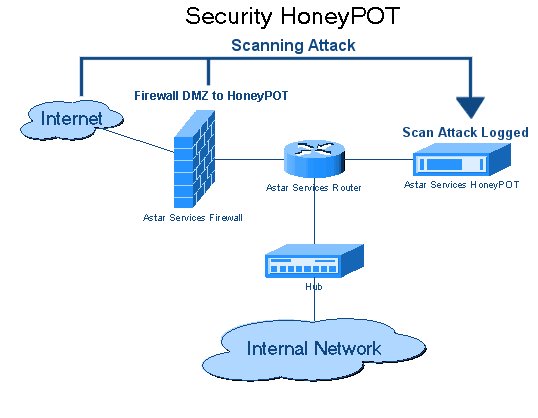
The mathematical beauty of a honeypot lies in its signal-to-noise ratio. In a standard production environment, finding an attacker is like finding a needle in a haystack of legitimate user traffic. But a honeypot is fundamentally different: legitimate users have no operational reason to access a honeypot. Therefore, any interaction with a honeypot generates a high-fidelity security alert. If someone touches it, they are either an attacker or an unauthorized employee snooping where they shouldn't be.
When you scale this concept up, you create a honeynet. A honeynet is a simulated network infrastructure consisting of multiple interconnected honeypots. Security analysts use honeynets to observe an attacker's lateral movement techniques across a network. We want to see how they pivot from machine to machine, mapping their methodology in a safe sandbox.
Honeyfiles and Honeytokens
Deception can be highly granular. A honeyfile is a decoy document placed on a network file share. It is populated with fabricated information designed to appear highly valuable to a malicious actor—perhaps a spreadsheet named Q4_Executive_Bonuses_and_Passwords.xlsx. Because it is a decoy, any unauthorized access to a honeyfile instantly triggers an administrative security alert.
Taking granularity even further, we have honeytokens. A honeytoken is a fabricated data element embedded within legitimate code or databases. Unlike a honeyfile (which is an entire document), a honeytoken is just a tiny string of data. The rule remains the same: querying a honeytoken generates an immediate security alert for administrators.
Security engineers weave these throughout the environment:
- Fake APIs: A fake API key embedded in source code functions as a honeytoken. If an attacker steals your code repository and attempts to use that API key, the alert fires.
- Fake Credentials: A fabricated user credential left in a system functions as a honeytoken. If an attacker scrapes the memory of a server and tries to log in with that fake username, you have caught them.
- Fake Data: A bogus database record injected into a table functions as a honeytoken. If an attacker runs a SQL injection to dump your customer database and attempts to interact with that specific bogus record, you know your database has been breached.
The DNS Sinkhole
Finally, when an attacker compromises a host, that host usually attempts to "call home" to the attacker's infrastructure. We can disrupt this using a DNS sinkhole.
A DNS sinkhole intercepts Domain Name System queries for known malicious domain names. Instead of resolving the malicious domain to the attacker's actual IP address, a DNS sinkhole redirects queries for malicious domains to a safe, controlled IP address managed by the defenders.
Network administrators use DNS sinkholes to prevent internal hosts from communicating with external command and control (C2) servers. When the malware tries to fetch its next set of instructions, it is silently routed into the sinkhole, neutralizing the threat while simultaneously alerting the security team to the exact internal machine that has been compromised.
By combining robust physical controls—from perimeter fencing and vestibules down to hardware cable locks—with an intricate web of digital deception, you create an environment that is profoundly difficult to breach, and even more difficult for an attacker to successfully navigate once inside. Understanding the interplay between these physical boundaries and deceptive tripwires is the hallmark of an elite security professional.