Implementing Security Awareness Practices
Not sure you’re ready?
Take the ~3-minute readiness diagnostic and see where you stand.
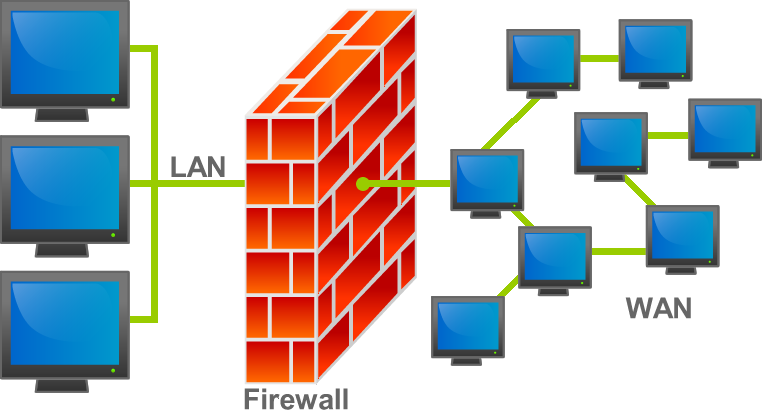
A network's perimeter is not defined by its firewalls, its intrusion detection systems, or the complexity of its cryptographic algorithms; it is defined by the psychological susceptibility of its users. You can engineer an architecture so mathematically dense that it would take a supercomputer millennia to brute-force, yet an entire enterprise can be compromised in seconds because a well-meaning accountant clicked a malicious invoice. The human mind is an operating system with deeply embedded behavioral APIs. Attackers do not need to exploit a zero-day vulnerability in your software if they can exploit the biological wetware of your workforce. Developing security awareness is the fundamental process of patching these human vulnerabilities.
Every IT administrator eventually learns a painful truth: systems do exactly what they are told. If an authenticated user requests a file deletion, the system complies. The attacker's goal, therefore, is rarely to break the machine; it is to break the person controlling the machine.
Social engineering is the psychological manipulation of people into performing actions or divulging confidential information.
Instead of writing code to bypass a firewall, social engineers use language and psychology to bypass human skepticism. They achieve this by leveraging core principles of human behavior—essentially triggering pre-programmed responses in our brains:
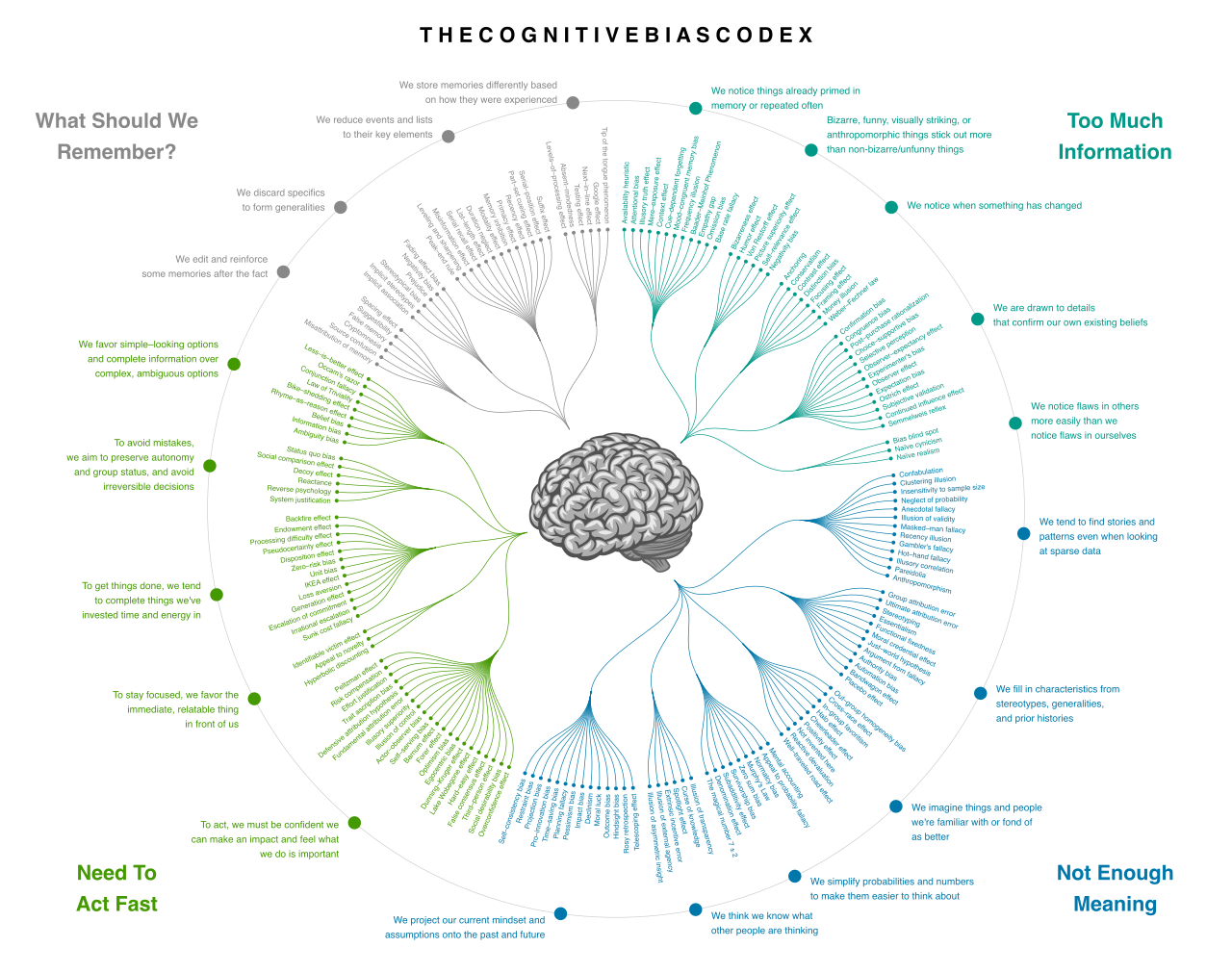
- The Principle of Authority: We are conditioned from childhood to obey authority figures. Social engineers use the principle of authority to exploit a victim's natural inclination to obey figures of power, perhaps by impersonating the CEO or the Director of IT.
- The Principle of Urgency: Time pressure degrades critical thinking. Social engineers use the principle of urgency to rush victims into skipping standard security verifications, often claiming an account will be locked or a massive financial penalty will occur if action isn't taken immediately.
- The Principle of Scarcity: Fear of missing out is a powerful motivator. Social engineers use the principle of scarcity to create a false sense of limited availability for an item or service, prompting a rapid, thoughtless response.
- The Principle of Familiarity: We trust what we know. Social engineers use the principle of familiarity to leverage existing relationships and lower the victim's guard. If an email appears to come from a vendor you email every Tuesday, you are less likely to scrutinize it.
To manipulate these psychological triggers, attackers require a delivery mechanism. As a security professional, you must train your users to recognize these various vectors.
| Attack Vector | Definition & Mechanism |
|---|---|
| Phishing | Broad, automated email campaigns designed to trick users into clicking malicious links or submitting credentials. |
| Spear Phishing | A highly targeted phishing attack aimed at specific individuals or departments. The attacker does their homework, referencing specific projects or colleagues. |
| Whaling | A specific type of spear phishing attack that exclusively targets high-level executives. The payloads here are often tailored toward wire transfers or intellectual property theft. |
| Vishing | Voice-based attacks. Vishing uses voice calls over telephones or VoIP systems to conduct social engineering attacks, often spoofing caller ID. |
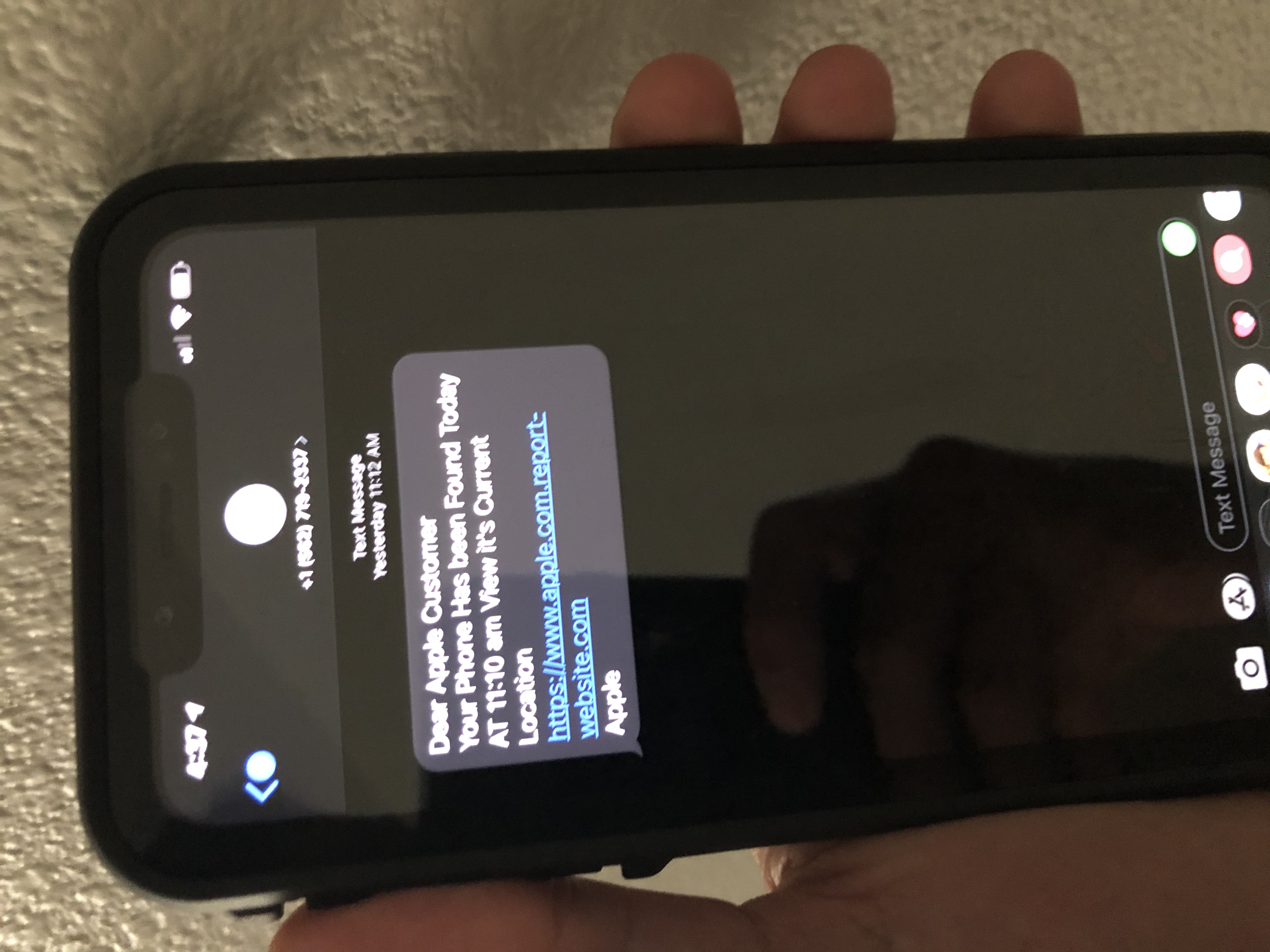
| Smishing | Mobile-centric attacks. Smishing uses SMS text messages or mobile messaging apps to conduct social engineering attacks, exploiting the fact that users inherently trust texts more than emails. |
Sometimes, the attacker doesn't reach out to the victim at all. Instead, they poison the well. A watering hole attack infects specific third-party websites that members of a targeted organization are known to visit frequently. If an attacker wants to compromise an aerospace manufacturer, they might infect a niche industry forum frequented by its engineers.
Once the vector is chosen, the attacker deploys a specific tactic to extract the desired outcome. CompTIA requires you to know the subtle differences between these methods:
- Pretexting: This is the foundation of many complex scams. Pretexting uses a fabricated story or scenario to gain a victim's trust during a social engineering attack. It involves building a character and a situation—such as an external auditor needing specific financial records to "verify compliance."
- Baiting: This targets human greed and curiosity. Baiting exploits a victim's curiosity or greed by offering a physical or digital reward to trigger malware execution. The classic example is leaving an infected USB drive labeled "Executive Salary Adjustments 2026" in the company parking lot. The victim plugs it in to see the data, and the malware executes.
- Quid Pro Quo: Meaning "something for something." Quid pro quo attacks offer a specific service or benefit in direct exchange for sensitive information or access. An attacker might call an employee pretending to be IT support, offering to "fix their slow internet connection" if the employee hands over their password.
How do we build a resilient human firewall? Security awareness training is a formal process for educating employees about computer security policies and threats. But theoretical knowledge is not enough. You must stress-test your users.
Simulated phishing campaigns expose employees to safe, artificial attacks to test threat recognition skills. These campaigns allow security teams to safely measure who is clicking on dangerous links and who is successfully reporting them.
When conducting these campaigns, you are actively teaching users to spot critical indicators:
-
Mismatched sender domains are a primary indicator of a spoofed email address in a phishing attack. If the display name says "Microsoft Support" but the email address is
admin@cheap-shoes-online.net, the user must spot the discrepancy.
Understanding the anatomical structure of a domain name is a critical skill for users to accurately identify email spoofing and mismatched subdomains. -
Hovering over a hyperlink reveals the actual destination URL to help users identify deceptive links. A button might say "Reset Your Password," but hovering over it reveals it points to an IP address in a foreign country.

Hovering a cursor over a hyperlink reveals the underlying destination URL, allowing users to visually verify if the link matches the sender's claimed identity before clicking. Source: Hyperlink example by Belbury , cursor by Dub, CC BY 4.0. -
Unexpected requests for financial transactions from known contacts strongly indicate a compromised account or impersonation attempt. Even if the email comes from a legitimate, familiar address, a sudden demand to wire $50,000 to a new vendor should immediately trigger secondary verification.
Furthermore, training extends beyond email. Anomalous behavior recognition involves training users to identify unusual or unexpected activities on corporate systems. Both users and administrators must recognize when system behavior deviates from the baseline. For example, logging into a corporate network at an abnormal hour is an anomalous behavior. Similarly, logging in from a geographically impossible location within a short timeframe is an anomalous behavior (e.g., a user logging in from New York at 9:00 AM and from Tokyo at 10:15 AM).
Not all threats originate from masked hackers in distant countries. The most devastating attacks often come from inside the house. An insider threat is a security risk that originates from authorized users within the targeted organization. Because insiders already possess legitimate access, they bypass perimeter defenses entirely.
Insider threats bifurcate into two distinct psychological profiles:
- The Malicious Insider: This individual deliberately steals data or disrupts systems for personal gain or revenge. They know exactly what they are doing.
- The Negligent Insider: This user accidentally causes a security breach through poor security practices or ignorance. They don't intend harm, but by uploading sensitive data to an unsecured public cloud bucket, they cause equivalent damage.
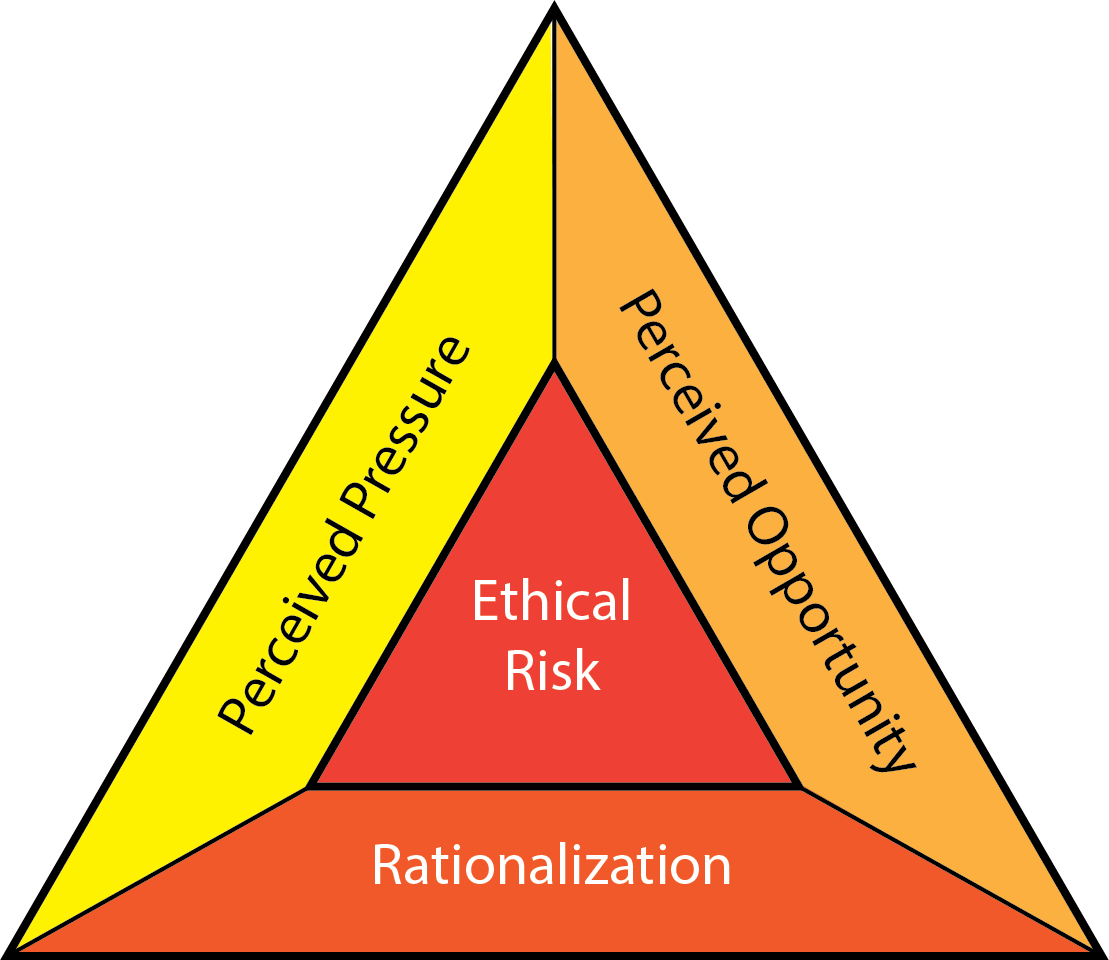
To defend against insiders, you must train management and security teams to monitor for specific indicators:
- Behavioral warning signs of insider threats include sudden unexplained financial gain or sudden negative changes in workplace attitude. If an employee who was recently passed over for a promotion suddenly begins buying luxury cars while expressing deep resentment toward the company, the risk profile elevates.
- Technical warning signs of insider threats include unauthorized attempts to access restricted files outside of normal job duties. If an engineer suddenly begins running bulk database queries on the HR payroll server—a system completely unrelated to their job—it is a glaring technical anomaly.
Information security is deeply tied to physical reality. A locked-down operating system is useless if physical access is entirely uncontrolled.
You must protect against visual data theft. Shoulder surfing involves directly observing a user entering credentials or viewing sensitive data on a physical screen. This can happen in a coffee shop, an airport lounge, or even an open-plan office.
You must also protect the physical entryways. Consider the difference between these two access breaches:
- Tailgating is the act of covertly following an authorized person into a restricted physical area without presenting credentials. The authorized user is unaware they are being followed.
- Piggybacking occurs when an authorized person intentionally allows an unauthorized person to enter a restricted area alongside them. This is often born out of politeness—holding the door for someone carrying heavy boxes. The attacker leverages the psychological principle of familiarity or basic human courtesy to bypass access controls.

To combat these risks, organizations use acceptable use policies to define the approved behaviors for employees utilizing corporate IT assets. Furthermore, standardizing workspace hygiene is critical. A clean desk policy mandates that employees secure all sensitive physical documents before leaving their workspaces unattended, ensuring no lingering paperwork can be stolen. In the digital realm, a clear screen policy requires users to lock their computer terminals when stepping away from their desks, preventing a passerby from executing commands under the absent user's active session.
Let us discuss the keys to the kingdom: passwords. The mathematics of cryptography dictate the reality of password security.
For years, users were told to use complex passwords with symbols and numbers, resulting in unmemorable strings like P@ssw0rd!. However, mathematically, password length provides a significantly stronger defense against brute-force attacks than password complexity alone. A 16-character phrase using only lowercase letters is exponentially harder for a computer to crack than an 8-character password utilizing every symbol on the keyboard. Length expands the possible search space vastly more than complexity does.
But length does not solve human memory limits. When faced with memorizing long passwords for fifty different applications, humans take shortcuts. Password reuse allows attackers to use credentials compromised in one breach to access completely different services. If a user's local gym forum is breached, the attacker will take that email and password combination and immediately try it on corporate VPNs, Office 365, and banking portals.
The solution is structural. A password manager securely encrypts and stores user credentials in a centralized software vault. Users only need to memorize one massively secure master passphrase, allowing the software to generate and autofill unique, 20-character random passwords for every single service.
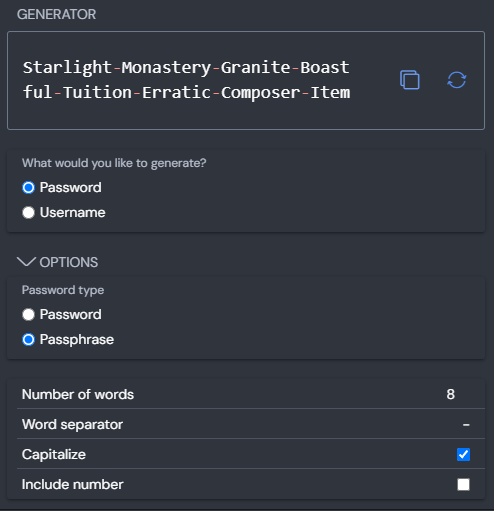
Even with strong passwords, credentials can be phished. Because human error is inevitable, organizations mandate multi-factor authentication to mitigate the risks of compromised user passwords. MFA ensures that even if an attacker successfully executes a spear-phishing attack and obtains a password, they cannot authenticate without the second factor (such as a time-based token or a push notification to a secure device).

You cannot simply hand an employee a handbook on their first day and expect them to remain secure. Security awareness training must be conducted continuously to keep personnel updated on evolving threat landscapes. The tactics attackers use today will pivot next month.
Furthermore, generic training is widely ignored. The most effective programs utilize role-based security awareness training, which provides customized instruction based on the specific access levels and risks of different job functions. An HR representative needs intensive training on handling PII and spotting malicious resumes. A systems administrator requires training on securing SSH keys and recognizing advanced persistent threat anomalies.
To keep users engaged rather than bored, implement gamification, which applies point scoring and competition to security training to increase employee engagement. When departments compete to see who can spot the most phishing simulations, security transforms from a chore into a culture.
Finally, you cannot manage what you do not measure. Training completion rates and phishing simulation click rates are key metrics for evaluating security awareness programs. If your click rate on phishing simulations drops from 15% to 2% over six months, your human firewall is thickening. If completion rates are lagging, you know exactly where the organization's behavioral vulnerabilities reside.
In cybersecurity, technology sets the boundary, but humans hold the line. Teach them well.