Workstation and Mobile OS Types
Not sure you’re ready?
Take the ~3-minute readiness diagnostic and see where you stand.
Consider the physical silicon of a computer motherboard: it understands only variations in electrical voltage. A user’s word processor, however, understands high-level logic, keystrokes, and file formatting. Without a mediator, the software is entirely blind to the hardware. An operating system serves as the foundational software interface between computer hardware and user applications. It allocates memory, schedules processor time, and provides a structured environment where programs can safely execute. For an IT support professional, the operating system is the primary theater of operations. When a user reports that an application crashes, a printer refuses to print, or a network drive will not mount, the operating system is the mechanism through which you will diagnose, isolate, and resolve the failure.
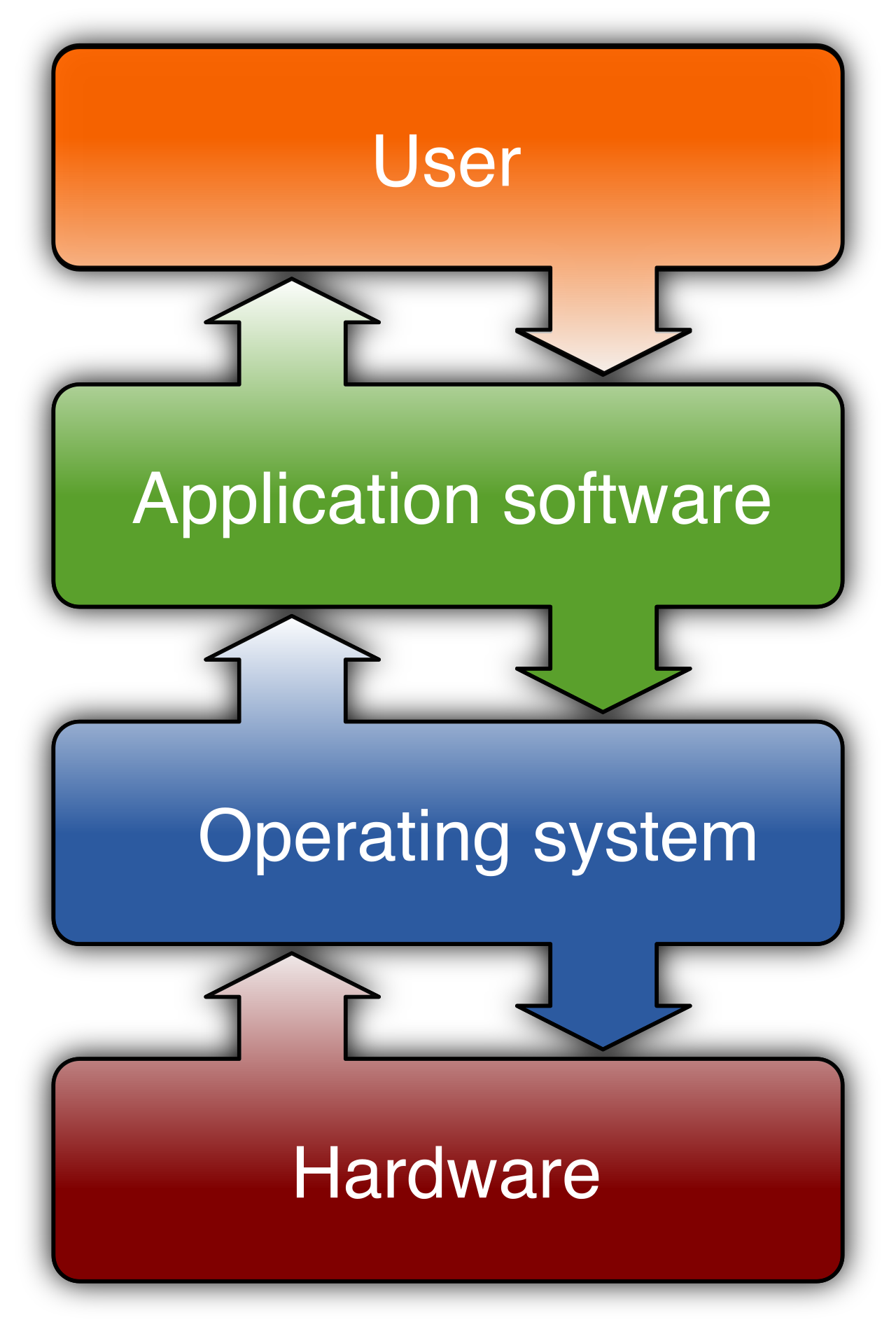
Before examining specific brands and distributions, we must dissect the structural characteristics that define how an operating system behaves, how it utilizes hardware, and how users interact with it.
User Interfaces
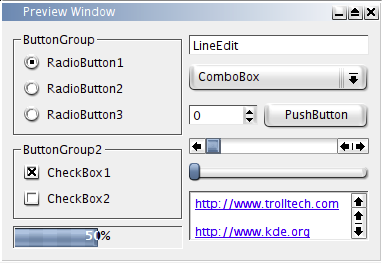
We interact with the operating system through an interface. For the vast majority of end-users, this takes the form of a Graphical User Interface (GUI), which provides visual elements like icons and windows to allow user interaction with an operating system. A GUI makes a system intuitive, mapping complex background processes to simple mouse clicks.
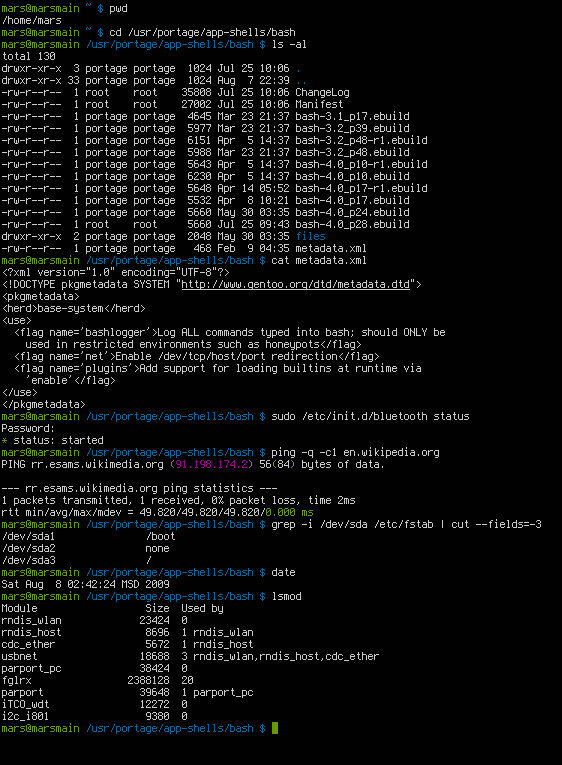
However, as an IT professional, you will frequently bypass the GUI in favor of a Command-Line Interface (CLI). A CLI requires users to type specific text commands to interact with an operating system. While less intuitive for a novice, the CLI is significantly faster, requires fewer system resources, and allows you to automate repetitive troubleshooting workflows through scripting.
Software Licensing and Modification
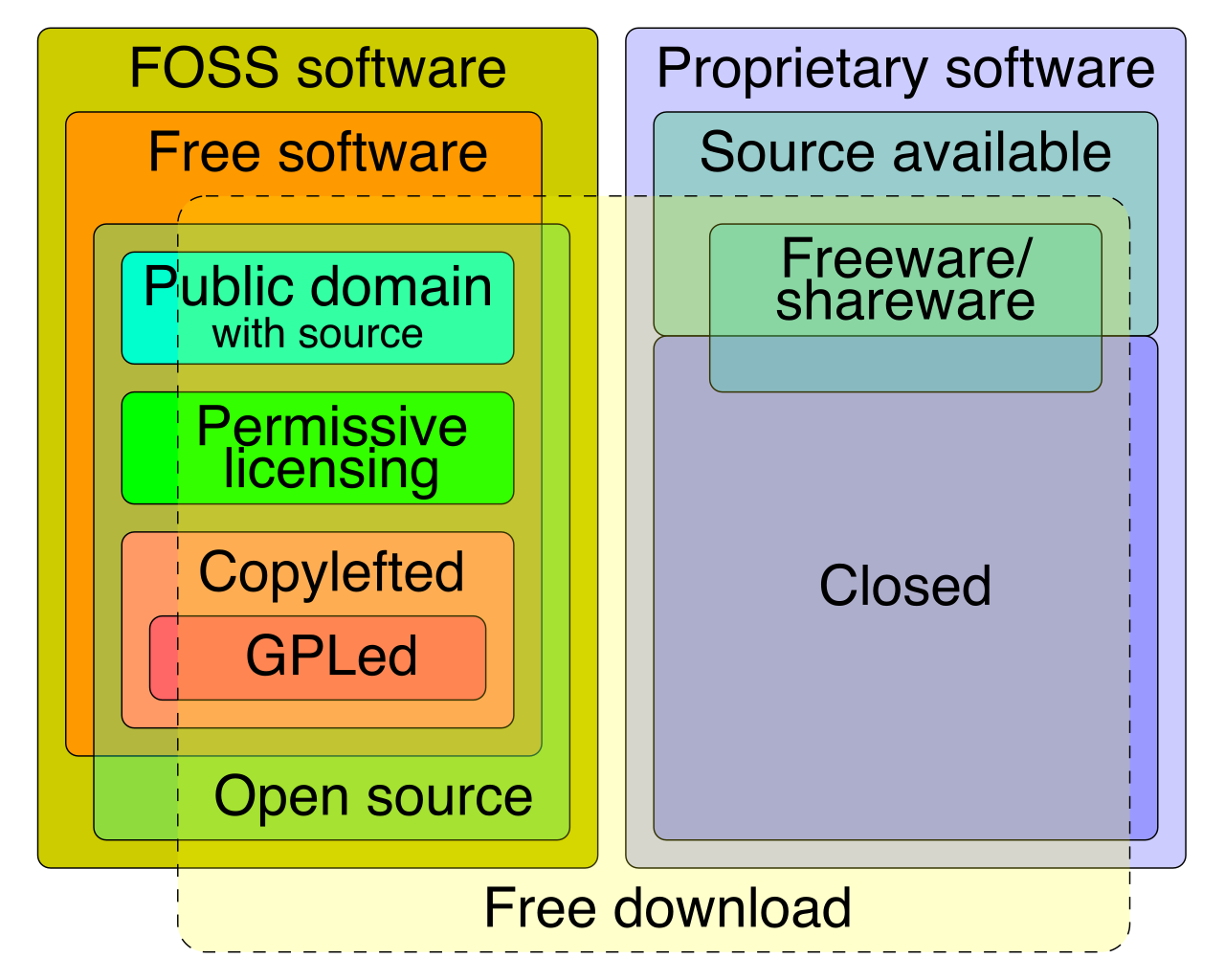
Operating systems are fundamentally categorized by their source code availability:
- Closed-source (or proprietary) operating systems restrict users from accessing or modifying the underlying source code. You are purchasing a license to use the software exactly as the vendor designed it. If there is a bug, you must wait for the vendor to release a patch.
- Open-source operating systems allow public access to view and modify the underlying source code. This collaborative model means an entire global community of developers can audit the code for security flaws, customize its behavior, and distribute new variations.
Hardware Architecture: Memory and Processors
An operating system must be written to understand the specific mathematical architecture of the hardware it runs on.
Historically, desktops relied on a 32-bit operating system architecture, which is mathematically limited to addressing a maximum of 4 gigabytes of random access memory (RAM). Even if you physically installed 16 GB of RAM into a 32-bit machine, the operating system could only "see" and use 4 GB of it. Because modern computing requires vast amounts of memory, the industry shifted to a 64-bit operating system architecture, which can utilize significantly more random access memory than a 32-bit operating system (technically up to 16 exabytes).
Architectural Note: While desktops use x86 or x64 processor instructions, mobile operating systems like iOS and Android are optimized for ARM processor architectures. ARM architectures emphasize high efficiency and low power consumption, making them ideal for devices running on battery power.
The Software Lifecycle
No operating system lasts forever. Every OS eventually reaches an End-of-life (EOL) status, which indicates that an operating system will no longer receive security patches from the software vendor. Operating systems running past EOL are massive security vulnerabilities in corporate networks, and migrating endpoints away from EOL systems will be a routine part of your career.
A workstation operating system is designed to handle the daily productivity workloads of a desktop or laptop user.
Microsoft Windows
Microsoft Windows is a proprietary workstation operating system and the undisputed standard in corporate IT. If you work in enterprise support, Windows will account for the vast majority of your tickets.
Microsoft Windows dominates the corporate desktop environment market share for a specific architectural reason: centralized control. Specifically, Microsoft Windows provides native integration with Microsoft Active Directory for centralized enterprise endpoint management. Through Active Directory, a single system administrator can instantly deploy a security policy, install software, or revoke login access across thousands of computers simultaneously.
When supporting Windows, architecture matters:
- Windows 10 is available in both 32-bit and 64-bit installation versions, meaning you may still encounter legacy 32-bit limits in older deployments.
- Windows 11 requires a 64-bit processor architecture for installation, fully deprecating the 32-bit legacy constraints.
Apple macOS
Apple macOS is a proprietary workstation operating system, but it operates on a fundamentally different philosophy than Windows. Primarily, Apple macOS is designed exclusively to operate on hardware manufactured by Apple. This tight integration between hardware and software generally results in high stability, as the OS never has to account for unpredictable third-party motherboards or sound cards.
Beneath its sleek GUI, Apple macOS is built upon a UNIX-based foundational architecture. This makes it incredibly powerful for developers and system administrators who require a robust command-line environment. In corporate deployments, Apple macOS is frequently chosen in enterprise environments for media editing and creative production roles due to its historically strong handling of high-fidelity audio, video rendering, and color-accurate workflows.
Linux
Unlike Windows or macOS, Linux is an open-source workstation and server operating system kernel. A "kernel" is just the core engine of the OS; it handles memory and CPU allocation, but it lacks a graphical interface or basic applications.
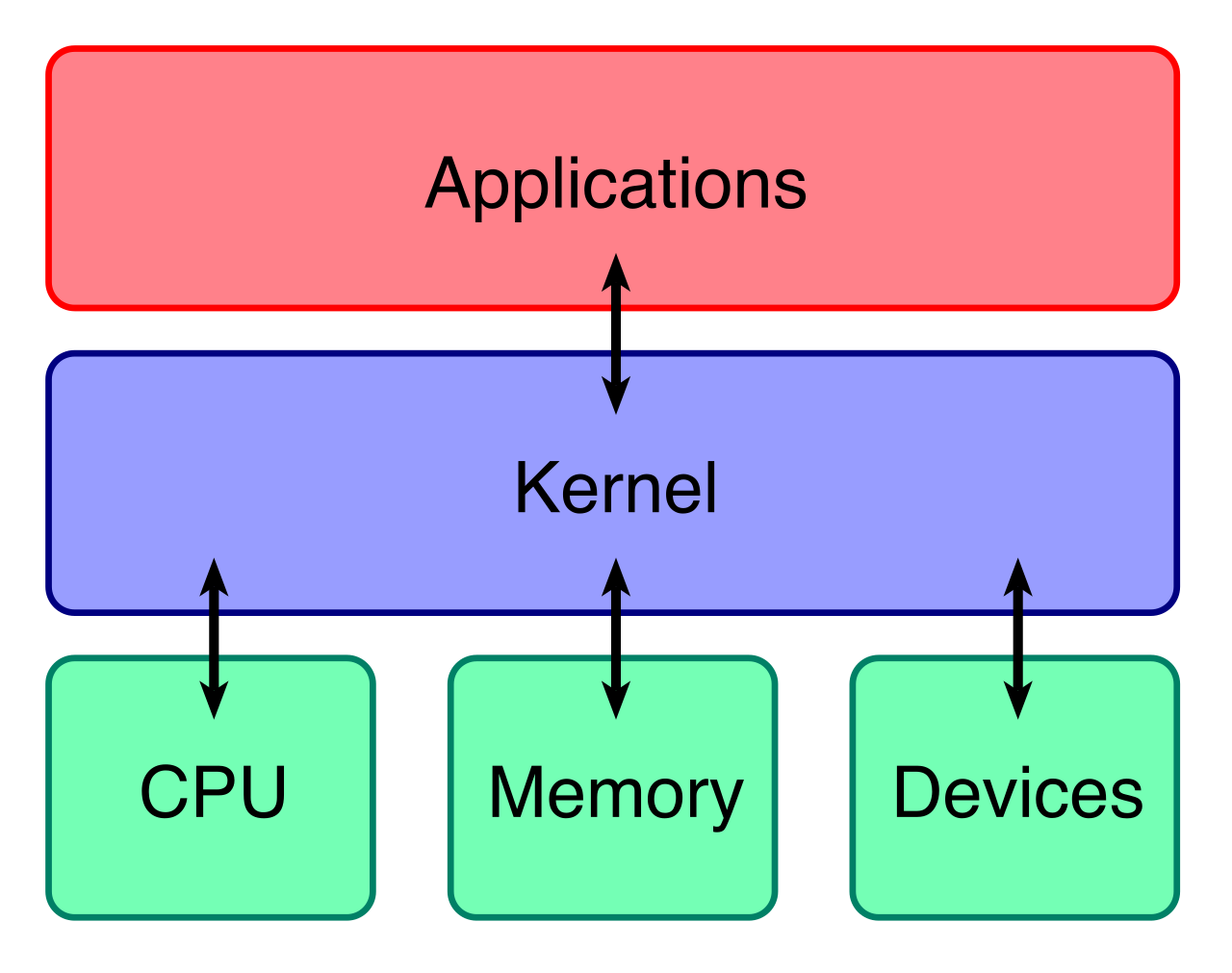
To make Linux usable for a standard user, organizations create Linux distributions, which bundle the open-source kernel with various software packages to create a complete operating system.
- Ubuntu is an example of a popular Linux operating system distribution, frequently used by software developers and preferred for its user-friendly GUI.
- Red Hat Enterprise Linux (RHEL) is a commercially supported Linux distribution utilized heavily in corporate environments, particularly for powering backend servers, databases, and critical infrastructure.
Chrome OS
Google approached the workstation operating system differently. Chrome OS is a proprietary operating system developed by Google that essentially turns the web browser into the entire desktop environment.
Chrome OS primarily utilizes web-based applications accessed through the Google Chrome internet browser. Because it lacks native, heavy desktop software, it requires minimal processing power. Consequently, Chrome OS relies heavily on continuous internet connectivity to function optimally and defaults to saving user data in cloud storage infrastructure rather than on local hardware drives.
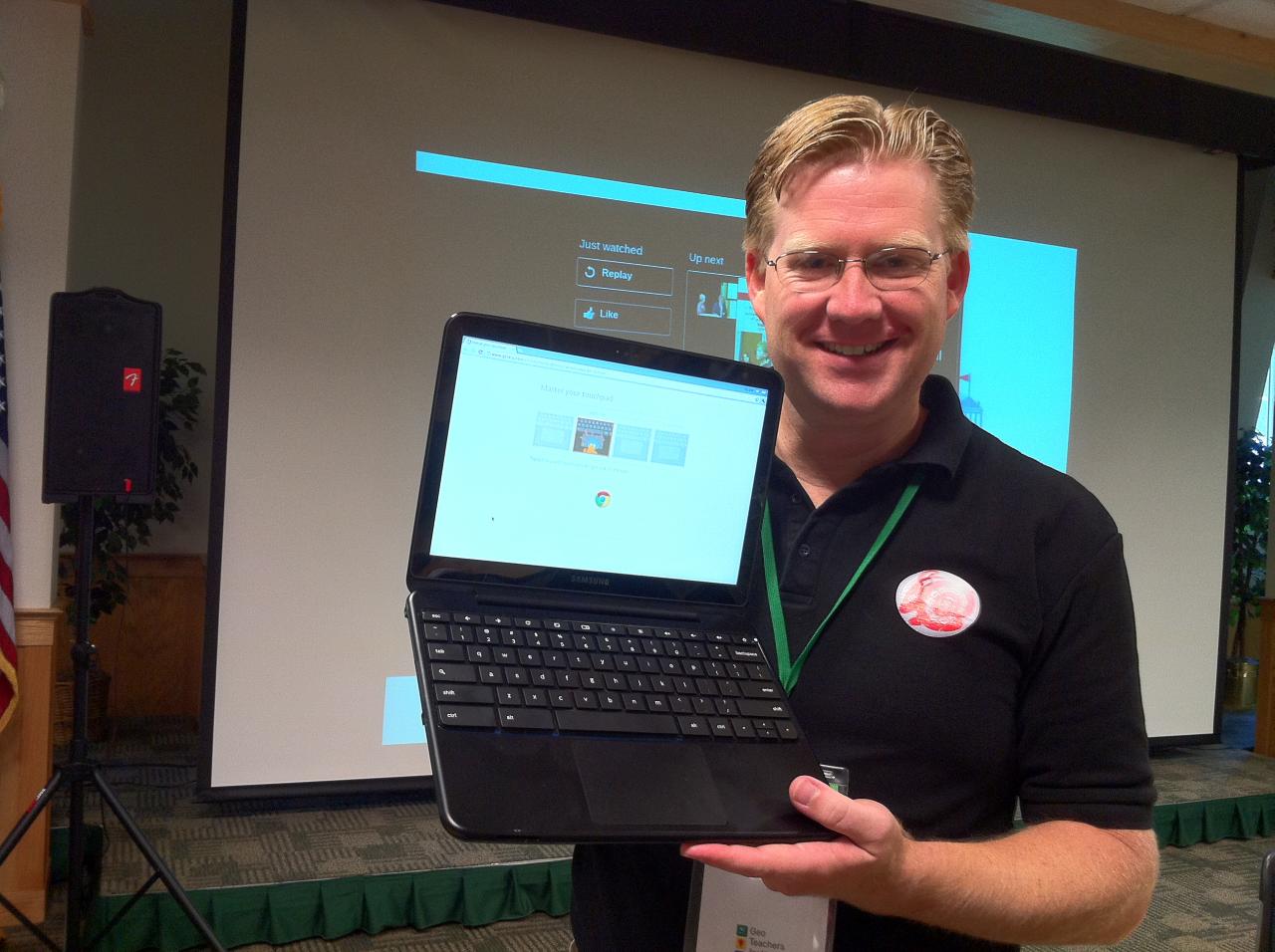
Because user profiles and data live in the cloud, if a user's physical laptop breaks, you can hand them a brand-new device, they sign in, and their entire workspace instantly reappears. For this reason, Chrome OS is widely adopted in educational institutions due to streamlined centralized management capabilities.
Mobile devices (smartphones and tablets) rely on specialized operating systems designed for touch-interfaces, cellular connectivity, and ARM processor efficiency. The mobile landscape is an effective duopoly between Google and Apple.
Android
Android is an open-source mobile operating system maintained primarily by Google. Unlike Apple's approach, Android operates on mobile devices manufactured by multiple distinct hardware vendors (such as Samsung, Motorola, and Google itself).
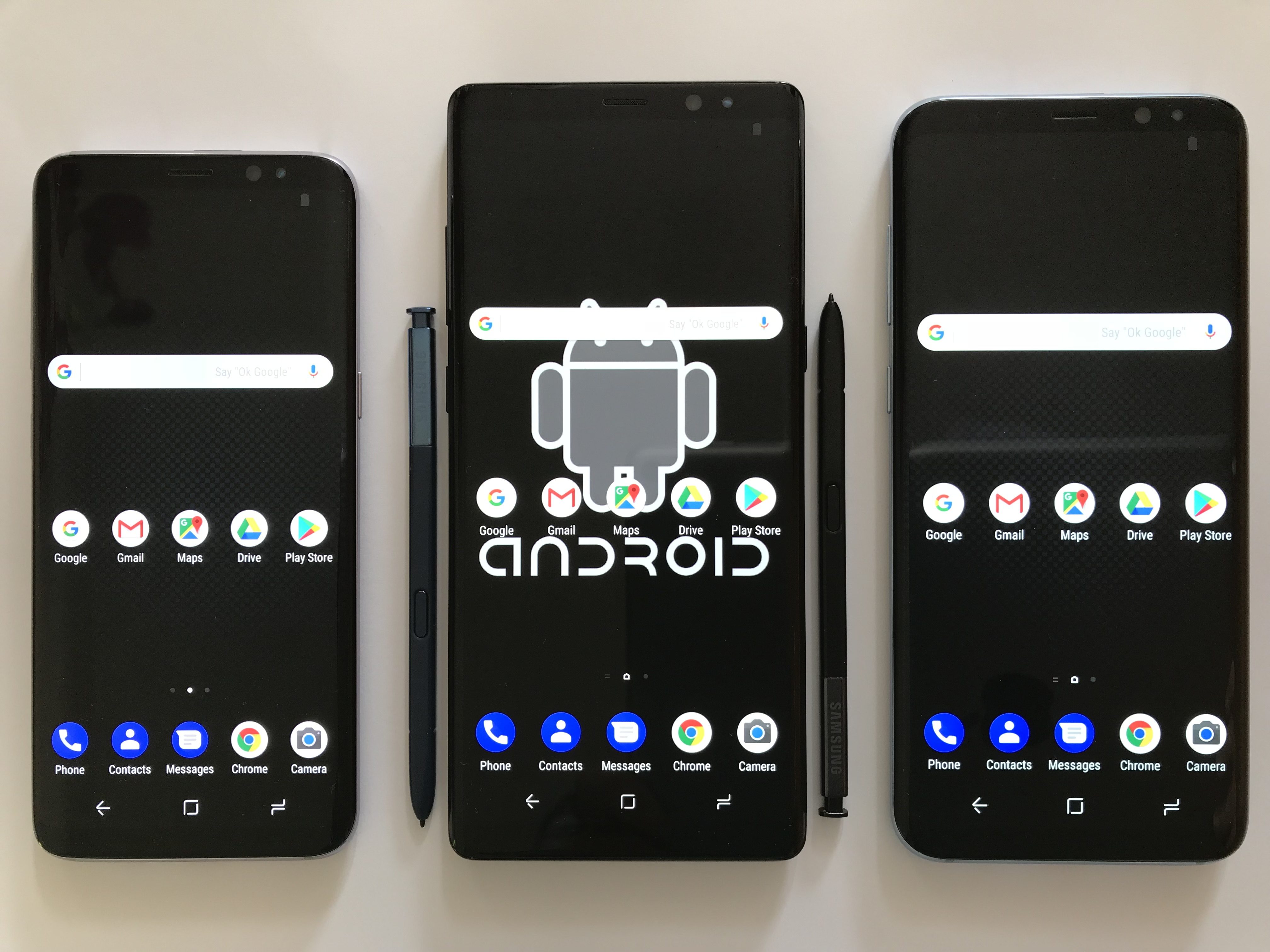
Because Android is open-source, the Android operating system permits hardware vendors to apply heavy custom modifications to the graphical user interface. A Samsung Android phone will look and behave differently than a Google Pixel Android phone, even if they are running the same underlying OS version.
By default, Android applications are distributed officially through the Google Play Store. However, Android offers a unique capability for developers and power-users known as sideloading.
Sideloading is the practice of installing software applications from unofficial third-party sources outside of official application stores.
Android operating systems allow users to perform application sideloading by toggling specific system security settings. While this grants immense freedom, it is a frequent source of malware infections in enterprise environments, which is why Mobile Device Management (MDM) platforms are used to disable this toggle on company-owned phones.
Apple iOS and iPadOS
On the other side of the spectrum is Apple. Apple iOS is a proprietary mobile operating system developed exclusively for the Apple iPhone.
Apple’s security and management philosophy prioritizes intense control. Apple iOS maintains a strictly closed software ecosystem with rigid controls over application approvals. Consequently, Apple iOS applications are distributed exclusively through the Apple App Store, and the operating system strictly prohibits end-users from sideloading third-party applications by default. This creates a "walled garden" that severely limits user customization but significantly reduces the risk of malicious software entering an enterprise environment.
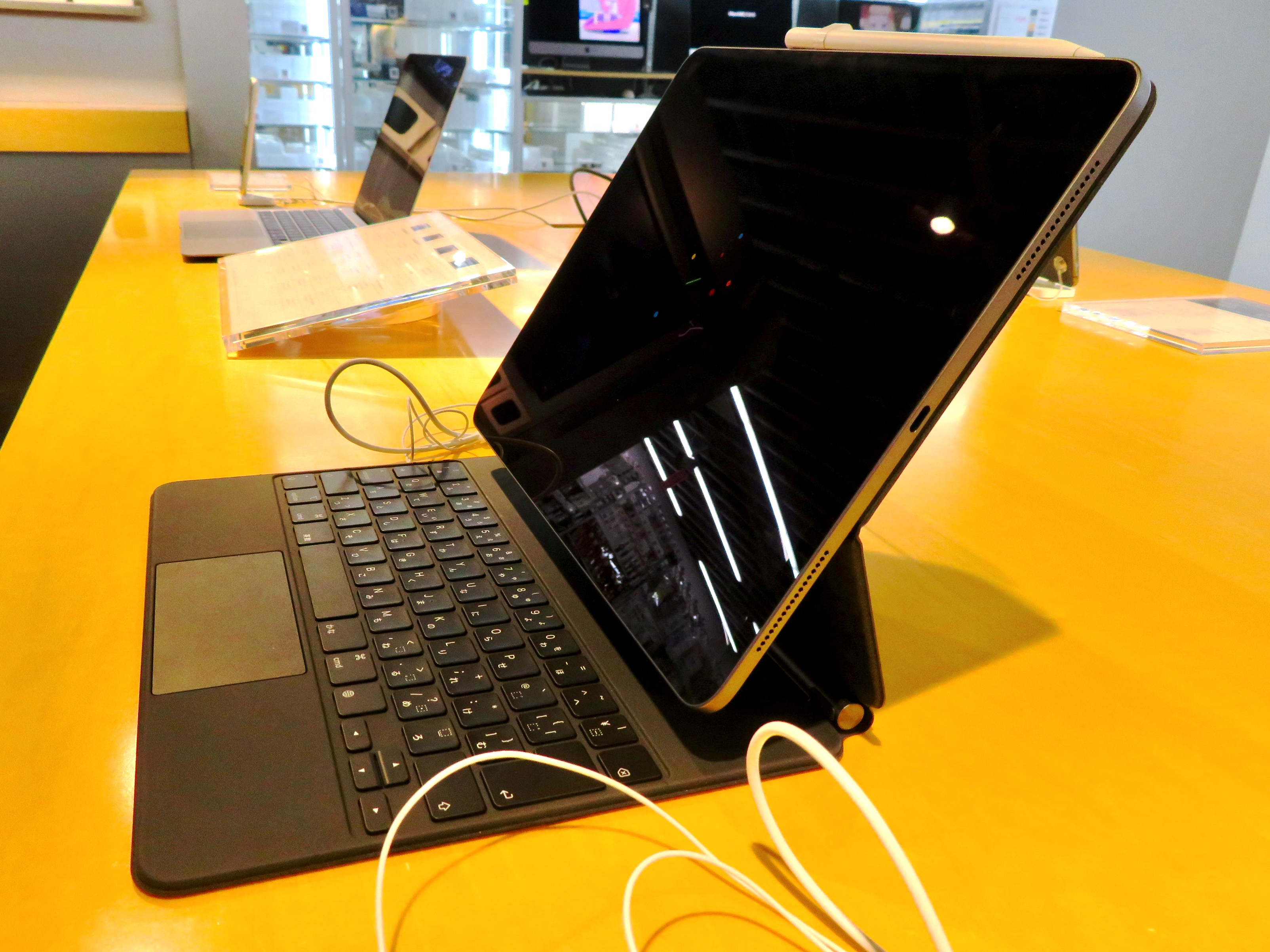
While iOS powers the iPhone, Apple created a distinct branch for its tablets. Apple iPadOS is a proprietary mobile operating system designed specifically for Apple iPad tablet devices. While Apple iPadOS shares a foundational software code base with the Apple iOS platform, it is visually and functionally distinct. Most notably, Apple iPadOS features specialized multi-tasking capabilities tailored for larger screen hardware, such as split-screen application views, robust external keyboard support, and advanced cursor integration, allowing the iPad to function as a lightweight workstation replacement.
Workstation and Mobile OS Summary Reference
| Operating System | Source Model | Hardware Ecosystem | Primary Use Cases / Defining Traits |
|---|---|---|---|
| Windows | Proprietary | Multi-Vendor | Corporate environments; native Active Directory integration. |
| macOS | Proprietary | Apple Exclusive | Media editing, creative roles; UNIX-based architecture. |
| Linux | Open-Source | Multi-Vendor | Server infrastructure, developer workflows; utilizes "Distributions" (Ubuntu, RHEL). |
| Chrome OS | Proprietary | Multi-Vendor | Educational environments; web-based apps, relies on continuous internet and cloud storage. |
| Android | Open-Source | Multi-Vendor | Mobile devices; heavily modified GUI by vendors, permits sideloading. |
| iOS | Proprietary | Apple iPhone | Mobile devices; strict closed ecosystem, rigid App Store approvals, no sideloading. |
| iPadOS | Proprietary | Apple iPad | Tablets; shares iOS code base but adds specialized multi-tasking for larger screens. |