Routing Technologies
Not sure you’re ready?
Take the ~3-minute readiness diagnostic and see where you stand.
Imagine you are standing in a vast, interconnected rail yard, tasked with directing millions of individual train cars to destinations spanning the globe. You cannot possibly memorize the planetary rail network. Instead, you rely on a local ledger—a routing table—that tells you exactly which local switch to throw to move each car one step closer to its final terminal. In a computer network, routers perform exactly this function. They do not magically transport packets to their destination; rather, they independently evaluate every incoming packet, consult their internal logic, and make a localized forwarding decision. This continuous, hop-by-hop evaluation relies on precise mathematical rules to select the optimal route among competing options, dynamic protocols to discover paths, and translation mechanisms to preserve a scarce pool of global addresses.
Understanding routing is not about memorizing commands; it is about understanding how a piece of silicon decides where to send a pulse of electricity next.
When a router receives an IP packet, it looks at the destination IP address and consults its routing table. Often, a router will have multiple potential paths to get to the same destination. To resolve this conflict, routers follow a strict hierarchy of rules: Prefix Length, Administrative Distance, and Routing Metrics.
1. The Longest Prefix Match Rule
The absolute first rule a router consults is the longest prefix match rule to determine where to forward a packet. This rule dictates that the route with the most specific subnet mask will be selected over less specific routes.
Think of it like delivering physical mail. If one rule says "Mail for North America goes to Gateway A," but another says "Mail for Chicago goes to Gateway B," a letter addressed to Chicago goes to Gateway B because it is a more specific match.
In networking terms, a route with a /26 prefix length will be selected over a route with a /24 prefix length for a destination IP address that falls within both subnets. The /26 provides 26 bits of exact matching, making it mathematically more specific than the 24 bits of a /24.
2. Administrative Distance (AD)
If a router learns about the exact same destination network (with the exact same prefix length) from two different sources, it needs a tie-breaker. This is where Administrative Distance comes into play.
Administrative distance is a value used by routers to rate the trustworthiness of a routing information source. Because it acts as a tie-breaker when a router learns about the exact same destination network from two different routing protocols, you can think of it as a priority ranking.
Routers prefer routing sources with a lower administrative distance value over routing sources with a higher administrative distance value. If a human administrator tells the router a path, the router trusts the human more than an automated protocol. If an internal routing protocol suggests a path, it generally trusts that over an external one.
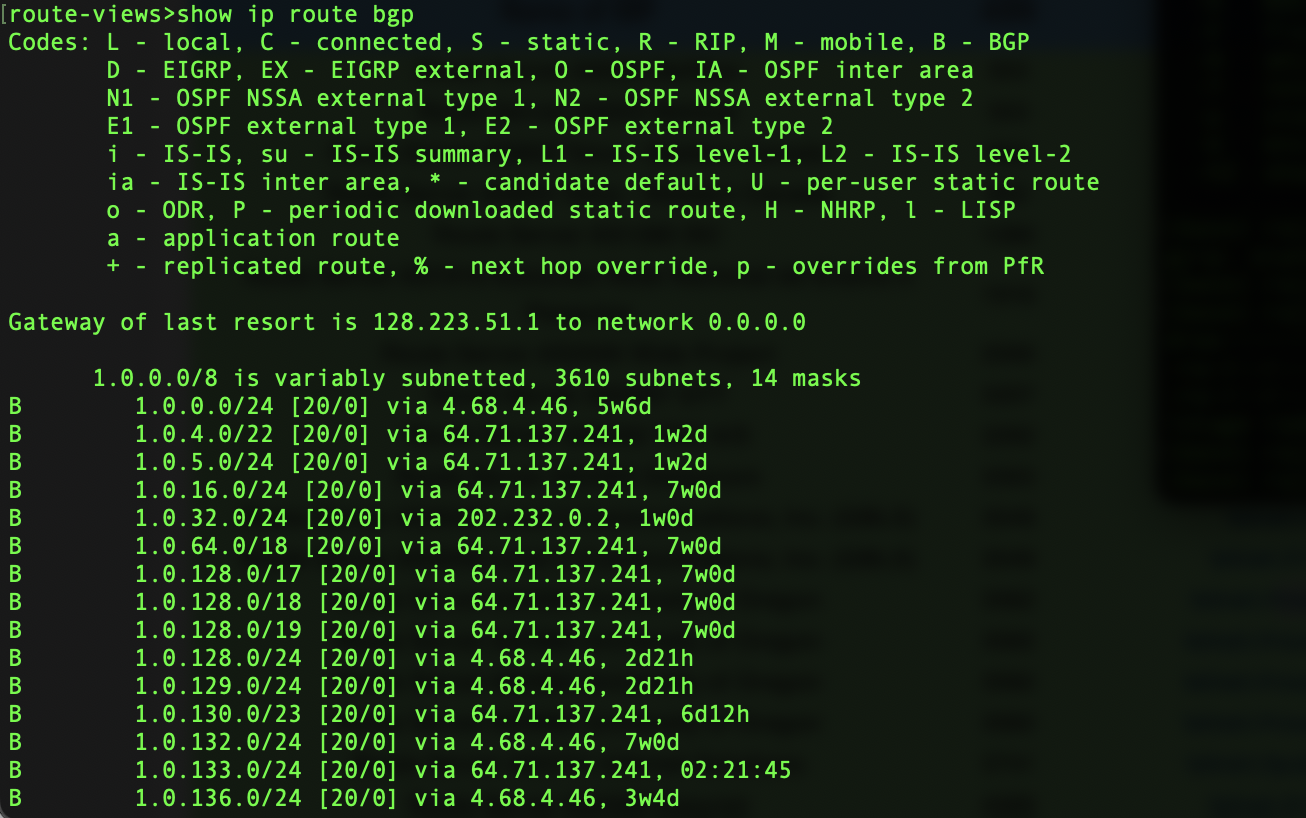
Here are the default Administrative Distances on Cisco routers that you must know:
| Routing Source | Default Administrative Distance | Trust Level |
|---|---|---|
| Directly connected networks | 0 | Highest (Absolute certainty) |
| Manually configured static routes | 1 | Very High (Administrator override) |
| External Border Gateway Protocol (eBGP) routes | 20 | High |
| Enhanced Interior Gateway Routing Protocol (EIGRP) internal routes | 90 | Medium-High |
| Open Shortest Path First (OSPF) routes | 110 | Medium |
3. Routing Metric
What happens if a router learns about multiple paths to the same destination from the exact same routing protocol? In this scenario, Administrative Distance cannot break the tie because the source protocol is the same. Instead, the router uses a metric.
A routing metric is a calculated value used to determine the best path when multiple paths exist from the exact same routing protocol.
Just like administrative distance, routers prefer paths with a lower routing metric value over paths with a higher routing metric value. However, different protocols calculate their metrics entirely differently. Some count the number of router "hops" in the way; others calculate the raw speed (bandwidth) of the path.
Before routing protocols can fight over which path is best, the router actually needs to learn the paths. It does this in two ways: statically or dynamically.
Static Routing
Static routing requires a network administrator to manually configure the exact path a packet must take to reach a destination.
Because there is no algorithm constantly running and recalculating paths, static routes consume less CPU and memory on a router than dynamic routing protocols. However, this efficiency comes at a cost: if a link goes down, a static route will blindly continue to send traffic into a black hole until a human logs in and fixes it.
The Default Route: A default route is a special type of static route used when a specific path to a destination is not known. It is the "gateway of last resort." If a packet's destination does not match anything in the routing table, it goes to the default route.
Dynamic Routing
In any network larger than a small office, manual configuration is impossible. Dynamic routing allows routers to automatically discover network destinations and, crucially, dynamic routing allows routers to automatically adapt to network topology changes. If a fiber optic cable is severed by a backhoe, dynamic routing protocols notice the failure and instantly calculate a detour.
To understand dynamic routing, we must first divide the world into Autonomous Systems (AS). An Autonomous System is a collection of IP networks under the control of a single organization (like an ISP, a large university, or a major corporation).
- Interior Gateway Protocols (IGP) manage routing within a single Autonomous System.
- Exterior Gateway Protocols (EGP) manage routing between multiple distinct Autonomous Systems.
Interior Gateway Protocols (IGPs)
IGPs are the engines running inside your corporate network. We categorize them by how they view the network map: Distance-Vector or Link-State.
Routing Information Protocol (RIP)
RIP is the oldest and simplest IGP. It is a distance-vector routing protocol that uses hop count as its sole routing metric. A "hop" is simply passing through one router. If Path A goes through two routers, and Path B goes through four routers, RIP chooses Path A. It does not care if Path A is a slow dial-up modem and Path B is a blazing-fast fiber link. Because it was designed for early, small networks, RIP considers any destination network beyond 15 hops to be unreachable.
Open Shortest Path First (OSPF)
Open Shortest Path First (OSPF) is categorized as an Interior Gateway Protocol. It was built to solve the limitations of RIP and is the most widely used enterprise protocol today.
OSPF uses a link-state routing algorithm. Unlike distance-vector protocols (which just rely on rumors from their neighbors), link-state routing protocols require every participating router to maintain a complete map of the network topology. Because every router has the exact same map, OSPF calculates the shortest path using Dijkstra's algorithm, a complex mathematical formula that finds the absolute most efficient route through a graph.

To prevent the map from getting too large and overwhelming the router's memory, OSPF uses a strict hierarchy. Open Shortest Path First (OSPF) requires all network areas to connect to a central backbone area, and this backbone area is always designated as Area 0.
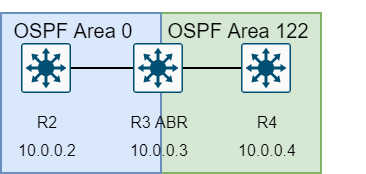
Instead of counting hops, OSPF uses a metric called cost to evaluate the best path to a destination, and this cost metric is primarily based on the bandwidth of the network links. A 10 Gbps fiber link will have a much lower (better) cost than a 100 Mbps copper link.
Enhanced Interior Gateway Routing Protocol (EIGRP)
Enhanced Interior Gateway Routing Protocol (EIGRP) is categorized as an Interior Gateway Protocol, originally created as a Cisco proprietary protocol.
EIGRP is an advanced distance-vector routing protocol. It combines the simplicity of distance-vector with the speed and intelligence of link-state. It uses the Diffusing Update Algorithm (DUAL) to calculate routing paths, guaranteeing loop-free routing and instantaneous backup paths.
Unlike OSPF's single-minded focus on bandwidth, EIGRP calculates its default routing metric using a combination of link bandwidth and link delay. This makes EIGRP highly sensitive to both the size of the pipe and the latency across it.
Exterior Gateway Protocols (EGPs)
While IGPs route inside your company, EGPs route the global Internet.
Border Gateway Protocol (BGP)
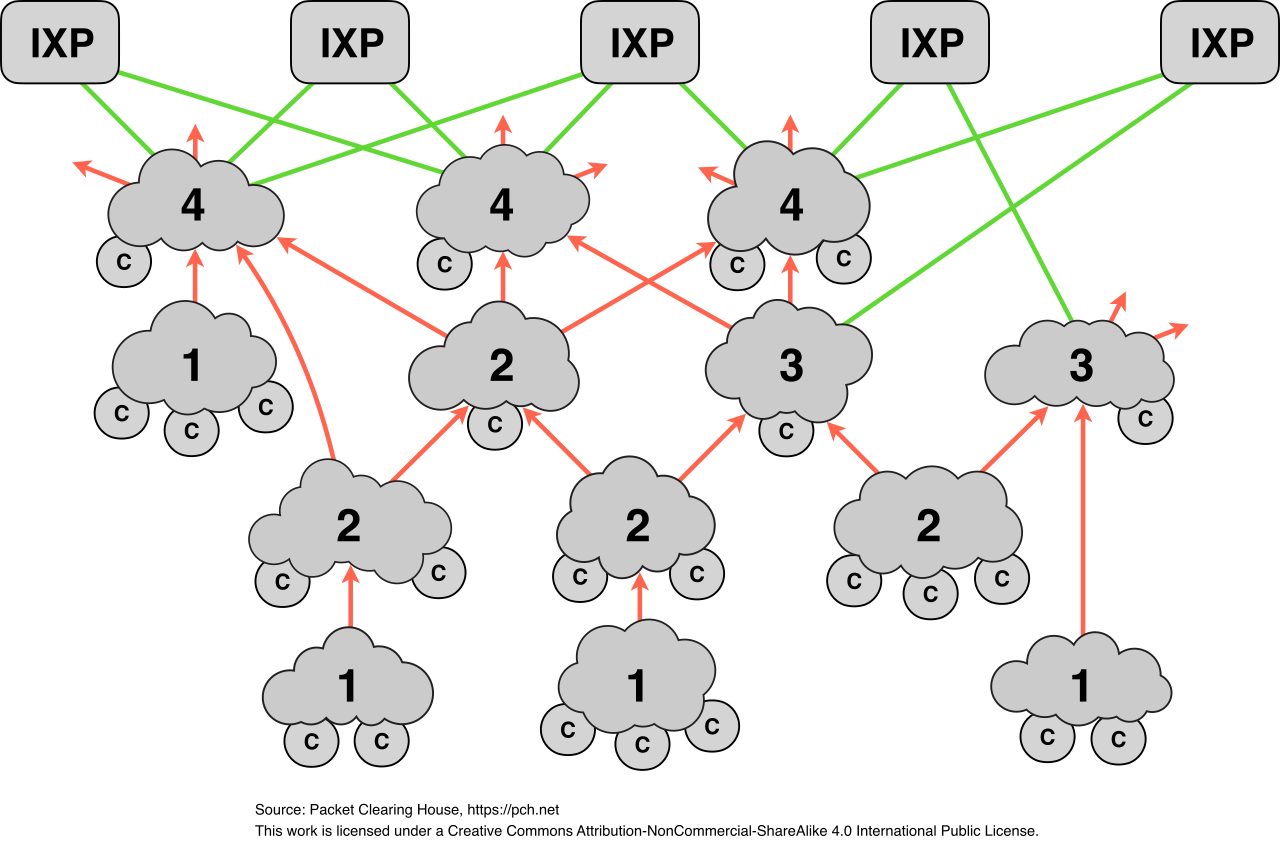
Border Gateway Protocol (BGP) is categorized as an Exterior Gateway Protocol. It is the protocol that makes the internet work. Border Gateway Protocol (BGP) is used to route traffic between different Autonomous Systems on the Internet.
BGP does not care about your internal network speeds. It uses a path-vector routing mechanism, keeping track of the specific Autonomous Systems a path traverses to prevent routing loops on a global scale.
Because ISPs need to negotiate peering agreements, charge each other for transit, and route traffic around hostile nations, Border Gateway Protocol (BGP) selects paths based on network policies and rules, rather than just raw speed. It is a protocol of business and politics as much as it is a protocol of engineering.
We have discussed how routers move packets based on IP addresses, but we face a mathematical reality: there are only 4.3 billion IPv4 addresses, and there are far more than 4.3 billion devices on Earth.
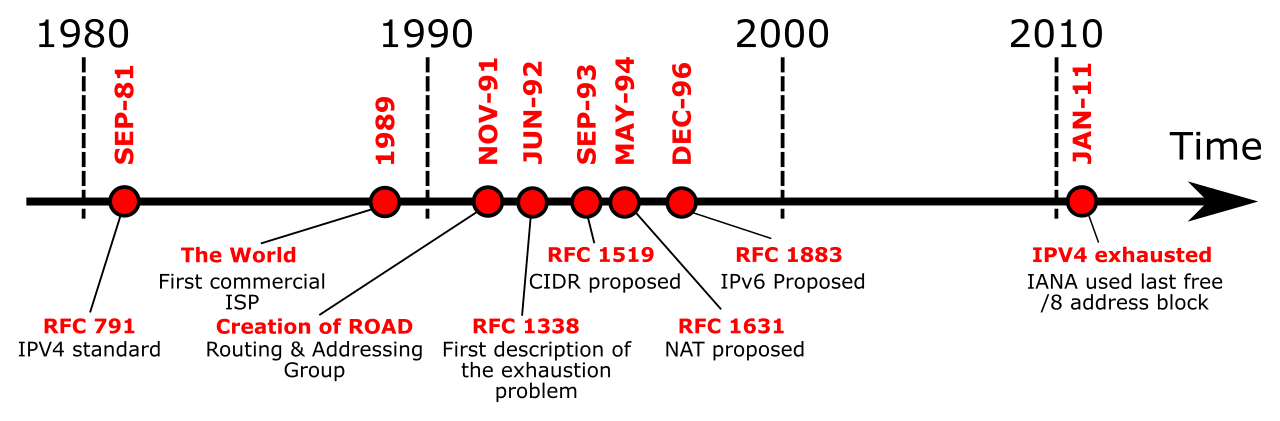
To solve this, we use private IP addressing inside our networks. But private IP addresses are non-routable on the internet. Network Address Translation (NAT) translates private IP addresses to public IP addresses for internet routing.
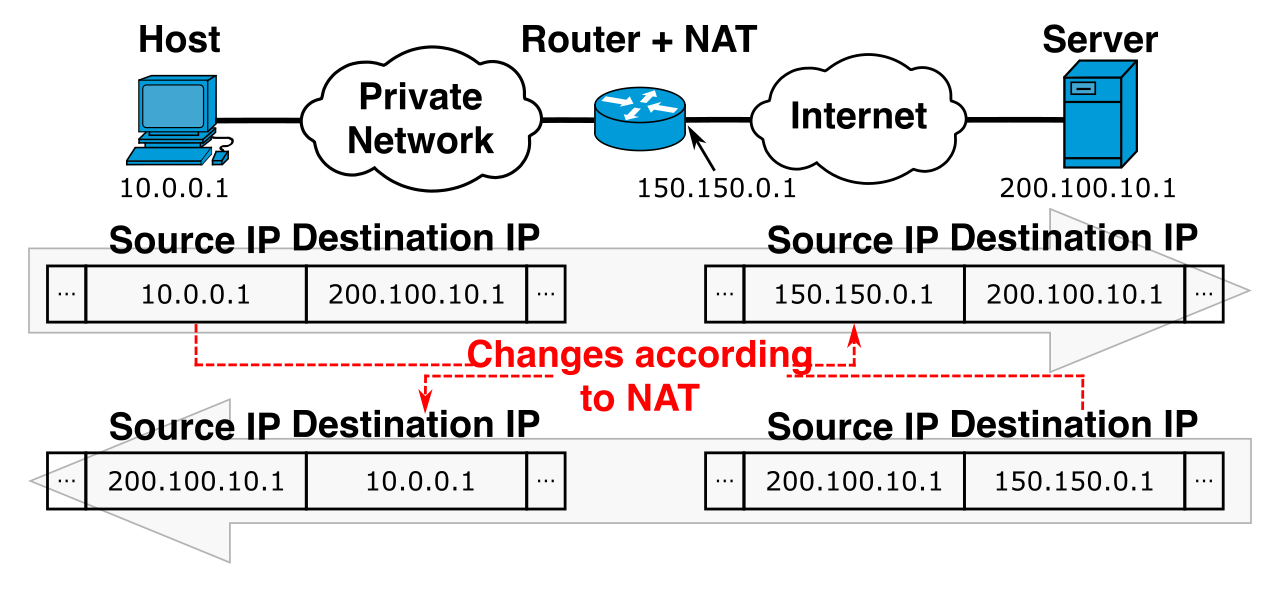
NAT manipulates the IP headers on packets as they pass through the router. It comes in several variations:
1. Static NAT
Static Network Address Translation maps a single private IP address to a single public IP address on a one-to-one basis. If you have a web server on a private IP that needs to be permanently reachable from the outside world, you assign it a static public IP.
2. Dynamic NAT
Dynamic Network Address Translation maps an internal private IP address to an available public IP address from a configured pool. If a company buys a block of 50 public IPs, Dynamic NAT hands them out to internal users on a first-come, first-served basis. If 51 people try to get online, the last person is blocked.
3. Port Address Translation (PAT) / NAT Overload
Neither Static nor Dynamic NAT solves the IP exhaustion problem, because they both still require one public IP for every active private IP.
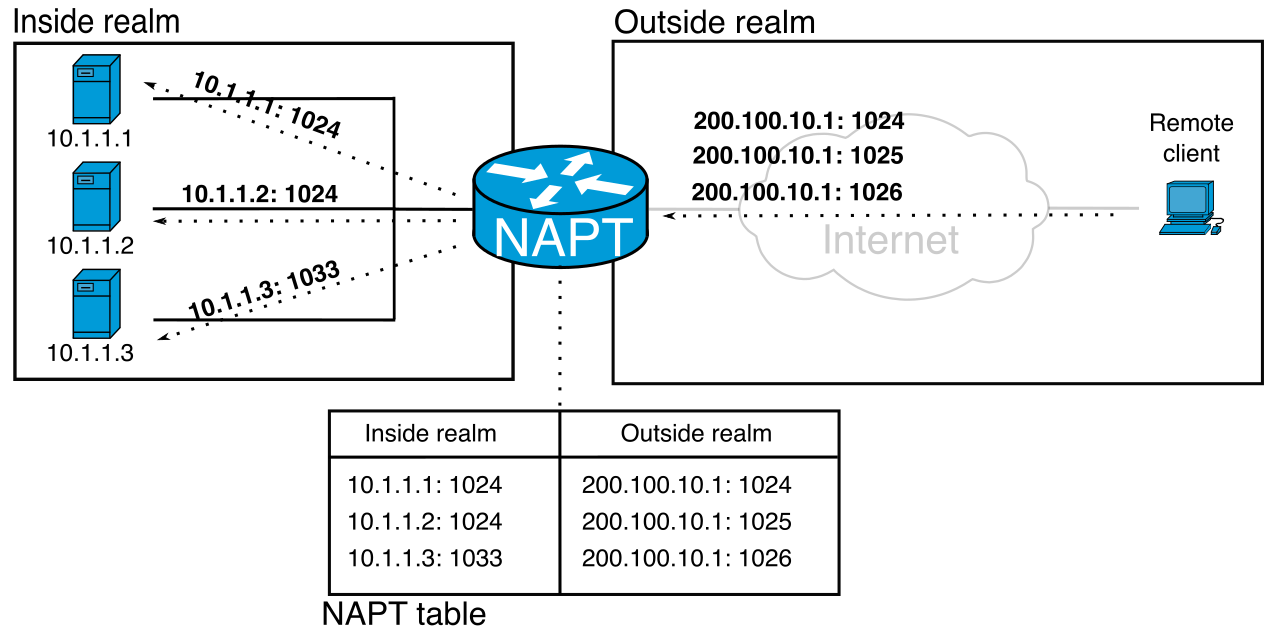
The real savior of the IPv4 internet is PAT. Port Address Translation (PAT) allows multiple internal private IP addresses to share a single public IP address. Because of this massive multiplexing capability, Port Address Translation (PAT) is frequently referred to as NAT Overload.
How does a router keep track of fifty different internal laptops using the exact same external IP? Port Address Translation (PAT) uses unique source port numbers to distinguish between different internal sessions sharing the same public IP address. When Laptop A requests a webpage, the router translates its IP and assigns it external source port 50001. When Laptop B requests a webpage, it gets translated to the same IP, but external source port 50002. When the replies come back, the router reads the destination port to know exactly which laptop to send the data to.
The Directionality of NAT
NAT is also defined by the direction the traffic is moving and which IP is being altered:
- Source Network Address Translation (SNAT): This changes the source IP address of a packet as the packet leaves the internal network. This is what your home router uses. Your laptop's private IP (the source) is rewritten to the router's public IP as traffic leaves for the internet.
- Destination Network Address Translation (DNAT): This changes the destination IP address of an inbound packet before routing the packet to an internal server. If traffic hits your router's public IP, the router rewrites the destination header to a private IP and forwards it inside.
- Port Forwarding: You likely use this in your day-to-day operations or home gaming setups. Port forwarding is a specific implementation of Destination Network Address Translation (DNAT). It looks for inbound traffic arriving on a specific port and dynamically routes it to a specific internal device.