AWS Database Services
Not sure you’re ready?
Take the ~3-minute readiness diagnostic and see where you stand.
When a business asks a computer system to remember a piece of information, that data must be physically recorded in a way that perfectly aligns with how it will be retrieved in the future. A global financial institution recording a transfer of funds requires rigid, mathematically precise ledgers where an error is catastrophic.

A social media platform tracking millions of live interactions, however, requires explosive speed and flexibility, where the sheer volume of data would instantly crush a traditional ledger. The architecture of a database dictates the limits of the business it supports. In cloud computing, understanding databases is not merely an engineering exercise; it is about choosing the right mechanical foundation to support the operational goals, financial constraints, and scalability requirements of your organization.
Before we explore how different databases organize information, we must address the fundamental operational question of how to host them. In AWS, you face a critical decision: build it yourself or pay AWS to manage it for you.
Imagine you need a vehicle for your business. You can either lease an empty truck chassis and build the engine, transmission, and cargo hold yourself, or you can rent a fully serviced delivery van.

Running a database directly on an Amazon Elastic Compute Cloud (Amazon EC2) instance is the "build it yourself" approach. Because EC2 provides virtual servers, deploying a database here provides full administrative control over the database software and the underlying operating system. You are the mechanic. However, under the AWS Shared Responsibility Model, this immense control comes with a heavy operational tax. Running a database directly on an Amazon Elastic Compute Cloud instance requires the customer to manually perform operating system updates, database patching, and backups.
Why would anyone choose this burden? Because sometimes, you have no other choice. Hosting a database on an Amazon Elastic Compute Cloud instance is necessary when a customer requires an unsupported legacy database engine that AWS does not offer as a pre-packaged service.
For the vast majority of modern applications, organizations opt for the "fully serviced van." AWS managed database services automate time-consuming administrative tasks such as hardware provisioning, database setup, software patching, and automated backups. By offloading these routine maintenance tasks, choosing an AWS managed database service reduces the operational burden on the customer compared to hosting a database on an Amazon Elastic Compute Cloud instance, allowing business teams to focus entirely on optimizing their data and applications.
If your organization processes payments, manages inventory, or tracks customer accounts, accuracy is non-negotiable. For these tasks, we use relational databases, which organize data into structured tables consisting of rows and columns, much like a highly advanced spreadsheet.
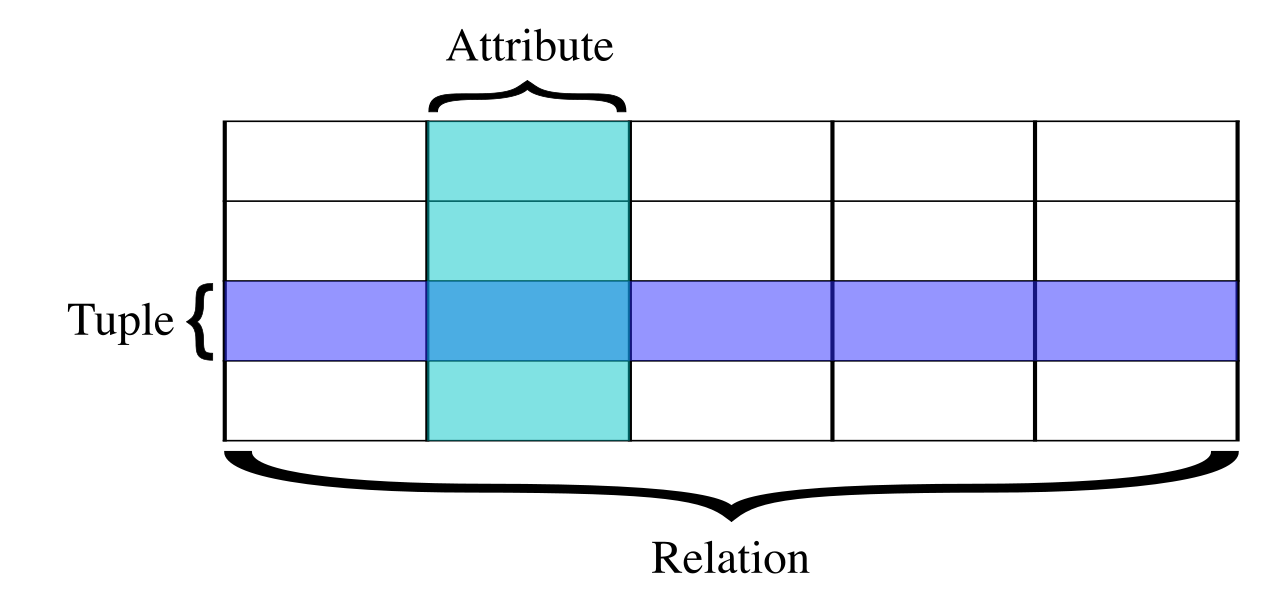
Because of this rigid structure, relational databases are designed to support complex queries and strict transactional consistency. If a customer transfers $500 from their savings account to their checking account, the database must guarantee that the deduction and the addition happen simultaneously, or not at all.
To support these workloads without the burden of managing EC2 servers, AWS offers Amazon Relational Database Service (Amazon RDS).
Amazon Relational Database Service is a managed cloud service designed to set up, operate, and scale relational databases.
Amazon Relational Database Service is primarily designed for Online Transaction Processing (OLTP) workloads. Think of OLTP as the cash register of your business—it handles thousands of small, rapid, day-to-day data insertions and updates. To accommodate diverse business needs, Amazon Relational Database Service supports multiple commercial and open-source database engines including MySQL, PostgreSQL, MariaDB, Oracle, and Microsoft SQL Server.
The Cloud-Native Powerhouse: Amazon Aurora
While traditional relational engines like MySQL and PostgreSQL are fantastic, they were originally engineered decades ago for single, on-premises servers. AWS recognized that if they rebuilt the fundamental mechanics of a relational database specifically for the cloud, they could unlock massive efficiencies.
The result is Amazon Aurora, a fully managed AWS proprietary relational database engine compatible with MySQL and PostgreSQL.
Amazon Aurora provides the performance and availability of commercial-grade databases at a significantly lower cost. It achieves this by rethinking how data is stored. Behind the scenes, Amazon Aurora automatically replicates data across multiple Availability Zones to ensure high availability and durability. Even if entire data centers lose power, your enterprise database remains operational and your data remains intact without you having to manually configure complex backup systems.
What happens when your application goes viral, and suddenly millions of users are logging in simultaneously? Relational databases, with their rigid tables, can become a bottleneck because constantly enforcing strict relationships between massive tables requires heavy computing power.
Enter the NoSQL database. Unlike their relational counterparts, NoSQL databases use flexible data models instead of rigid relational tables. By stripping away the complex overhead of tracking relationships, NoSQL databases are optimized for rapid scaling and handling applications with massive data volumes or unpredictable traffic.
In the AWS ecosystem, the premier NoSQL offering is Amazon DynamoDB, a fully managed, serverless NoSQL database service.
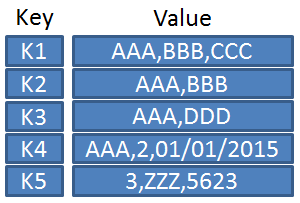
- How it works: Amazon DynamoDB stores data primarily as key-value pairs or JSON documents. Think of this like a massive coat check: you hand the database a ticket (the key), and it immediately hands you back your coat (the value), without needing to cross-reference a master spreadsheet of who manufactured the coat.
- The Business Value: Because of this streamlined architecture, Amazon DynamoDB provides single-digit millisecond performance at any scale. Whether your application has ten users or ten million, the database retrieves information with near-instantaneous speed.
Sometimes, even milliseconds are too slow. For high-frequency trading platforms, real-time gaming leaderboards, or session management for global e-commerce sites, you need data retrieval to be effectively instantaneous.
Traditional databases, even fast ones, must ultimately retrieve information from a physical or solid-state disk drive. In-memory databases store data in the main memory of a server rather than on a physical disk drive.
Because RAM (main memory) is significantly faster than physical storage drives, storing data in main memory enables microsecond response times by eliminating disk access delays.

To provide this capability, AWS offers Amazon ElastiCache, a managed in-memory caching service. Amazon ElastiCache is compatible with the highly popular open-source Redis and Memcached caching engines.
In practice, developers use Amazon ElastiCache to improve application performance by temporarily caching the results of frequent database queries. If a thousand users request the same product catalog page simultaneously, the database doesn't need to compute the query a thousand times; ElastiCache holds the answer in memory and hands it out in microseconds, dramatically reducing the load on your primary database.
Not all data problems fit neatly into tables, flexible key-values, or memory caches. AWS provides purpose-built engines for specific business use cases:
Amazon Redshift: The End-of-Year Auditor
While Amazon RDS (OLTP) is the fast cash register, Amazon Redshift is the back-office analytics department. Amazon Redshift is a fully managed cloud data warehouse service. Instead of processing single transactions quickly, Amazon Redshift is specifically optimized for complex Online Analytical Processing (OLAP) workloads. When a finance executive needs to run a complex query analyzing ten years of sales data across multiple global regions to generate a business intelligence report, they use Redshift.
Amazon DocumentDB: The Content Manager
Many developers build applications using MongoDB, a popular document-based database. Amazon DocumentDB is a fully managed document database service designed to support MongoDB workloads, allowing teams to use the tools they already know while letting AWS handle the infrastructure management.
Amazon Neptune: The Relationship Tracker
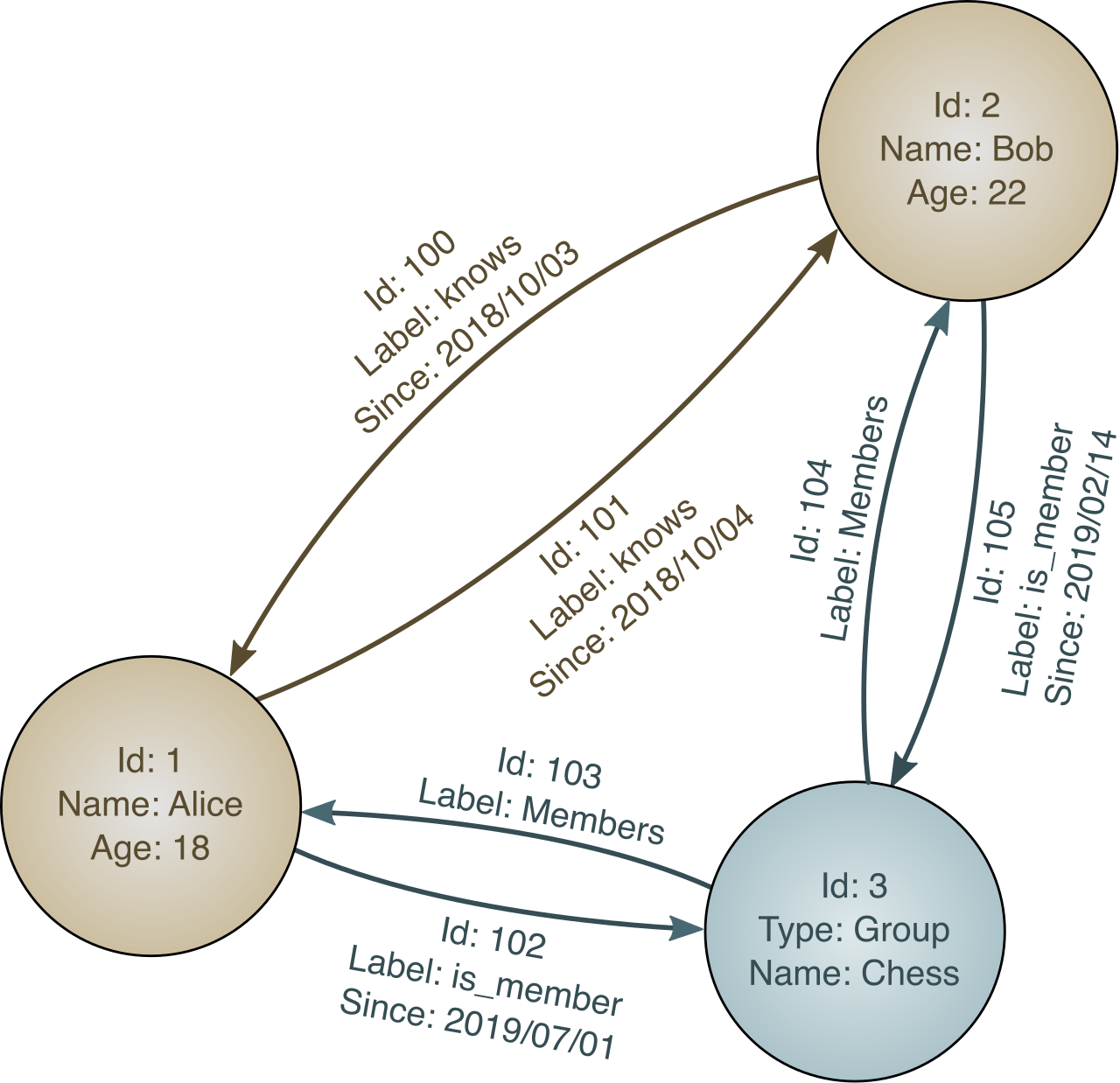
If you are building a social network ("Users who know User A also know User B") or a fraud detection system tracking complex rings of financial transactions, you care less about the data points themselves and more about the connections between them. Amazon Neptune is a fully managed graph database service built for applications that rely on navigating highly connected datasets.
Transitioning from an aging, on-premises data center into the AWS Cloud is a daunting prospect. Businesses cannot afford to shut down their critical databases for days while data transfers over the internet.
To solve this, AWS provides the AWS Database Migration Service (DMS), a tool used to migrate data from on-premises databases or other clouds to AWS securely.
The true magic of DMS lies in its operational continuity: the source database remains fully operational during an AWS Database Migration Service migration to minimize application downtime. DMS continuously replicates data changes that occur during the migration process, allowing businesses to "flip the switch" to the cloud only when the target database is perfectly synced.
When planning a migration, architects categorize the move into two types:
| Migration Type | Description | Complexity |
|---|---|---|
| Homogeneous | Homogeneous database migrations use the exact same database engine for both the source database and the target database (e.g., migrating an on-premises Oracle database to Amazon RDS for Oracle). | Low. The rules and structures are identical. |
| Heterogeneous | Heterogeneous database migrations use a different database engine for the target database than the one used in the source database (e.g., migrating from an expensive on-premises Oracle license to the cost-effective, cloud-native Amazon Aurora). | High. The database schema (the structural blueprint) and custom code must be translated. |
Because heterogeneous migrations involve fundamentally changing the database's structural language, DMS alone is not enough. You cannot simply pour data structured for Oracle directly into Amazon Aurora.
To bridge this gap, AWS offers the AWS Schema Conversion Tool (SCT). The AWS Schema Conversion Tool automatically converts the source database schema and custom code to a format compatible with a different target database engine. Therefore, using the AWS Schema Conversion Tool is a required preparatory step before performing heterogeneous database migrations with the AWS Database Migration Service. You use SCT to rebuild the shelves, and then you use DMS to move the books.