AWS Compute Services
Not sure you’re ready?
Take the ~3-minute readiness diagnostic and see where you stand.
At the heart of every digital transaction, financial simulation, and mobile application lies a fundamental physical process: a computer processor executing instructions. In the traditional IT model, an organization had to forecast its maximum possible demand and physically purchase, rack, power, and maintain enough servers to meet that speculative peak. If the forecast was too high, capital was wasted on idle machines; if too low, systems crashed under customer demand. Amazon Web Services (AWS) transformed this model by turning compute power into a flexible utility. Instead of buying hardware, organizations now request processing power exactly when they need it, in the exact size required, and return it the moment the job is done.

Understanding how AWS delivers this compute power—whether through virtual machines, standardized containers, or event-driven serverless code—is the foundational step in mastering cloud literacy.
If you want the most control over your cloud environment, you start with Amazon Elastic Compute Cloud (Amazon EC2). Amazon EC2 provides resizable compute capacity in the AWS Cloud. Instead of buying physical hardware, Amazon EC2 allows users to rent virtual machines known as instances.
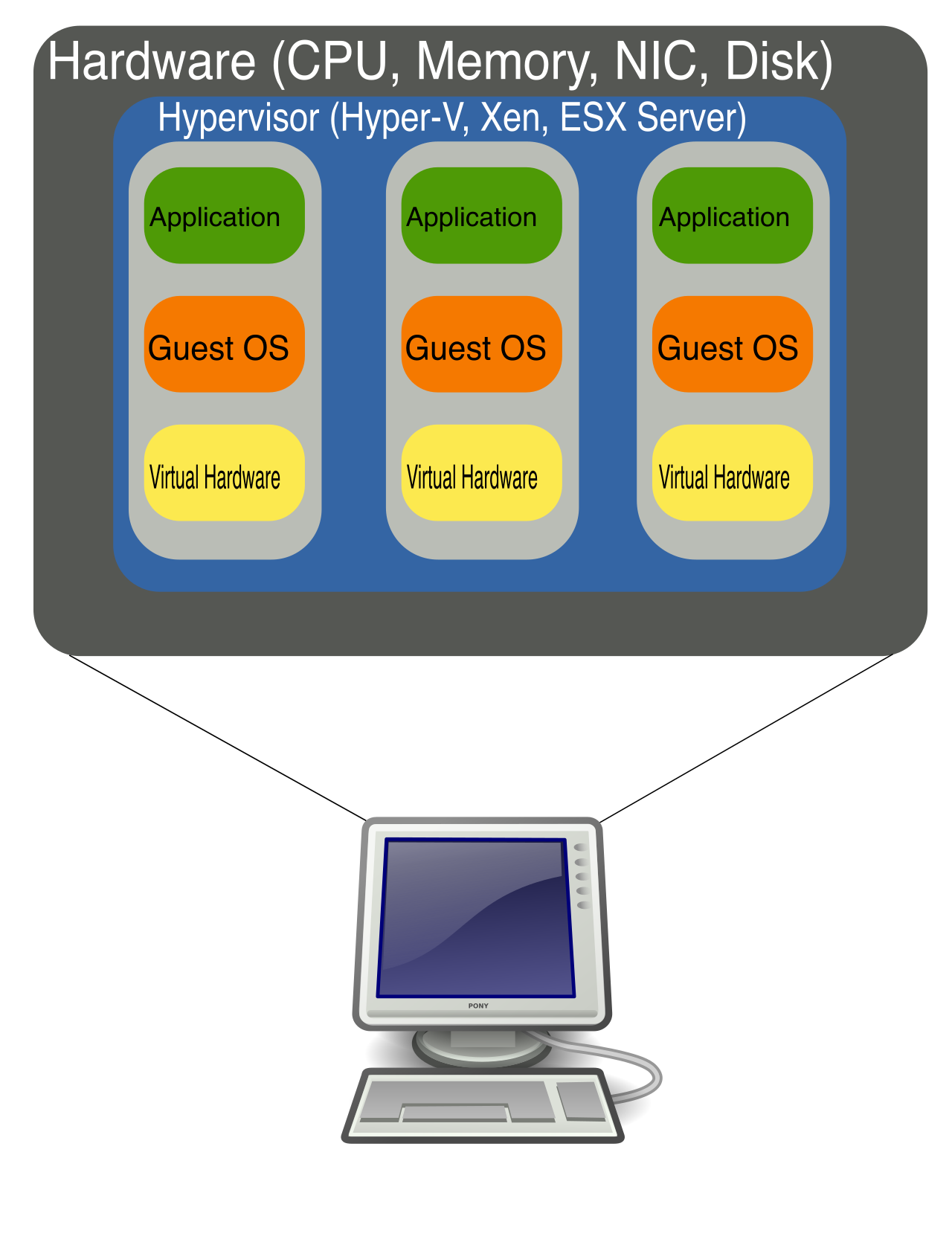
Think of renting an EC2 instance like renting a vehicle for a business trip. You would not rent a massive freight truck to commute to a single meeting, nor would you rent a two-seat sports car to haul fifty boxes of inventory. In the same way, AWS offers different "families" of EC2 instances tailored to specific workloads. Selecting the right instance type ensures your applications run efficiently while minimizing unnecessary costs.
EC2 Instance Types
To match hardware to your specific business needs, EC2 instances are categorized into five primary families:
| Instance Family | Core Purpose & Characteristics | Common Real-World Use Cases |
|---|---|---|
| General Purpose | Provide a balance of compute, memory, and networking resources. | Ideal for diverse workloads like web servers and code repositories. |
| Compute Optimized | Deliver cost-effective high performance for compute-intensive workloads. | Suitable for batch processing and media transcoding (e.g., converting raw video into streaming formats). |
| Memory Optimized | Deliver fast performance for workloads that process large datasets in memory. | Well-suited for high-performance relational databases where rapid data retrieval is critical. |
| Accelerated Computing | Use hardware accelerators (like GPUs) to perform functions more efficiently than software running on standard CPUs. | Typically used for machine learning models and heavy graphics processing. |
| Storage Optimized | Designed for workloads requiring high sequential read and write access to very large datasets on local storage. | Ideal for data warehousing and distributed file systems. |
Why this matters to your business: Choosing the wrong instance family is a common source of wasted IT spend. By aligning the instance type to the application's true bottleneck (e.g., memory vs. raw processing), organizations optimize both performance and cost.
Imagine a retail website on Black Friday. Traffic spikes drastically at midnight and dwindles by the following evening. If you provisioned enough EC2 instances to handle the midnight rush permanently, you would be paying for idle capacity the other 364 days of the year.
AWS solves this through two closely integrated services: Amazon EC2 Auto Scaling and Elastic Load Balancing (ELB).
Amazon EC2 Auto Scaling
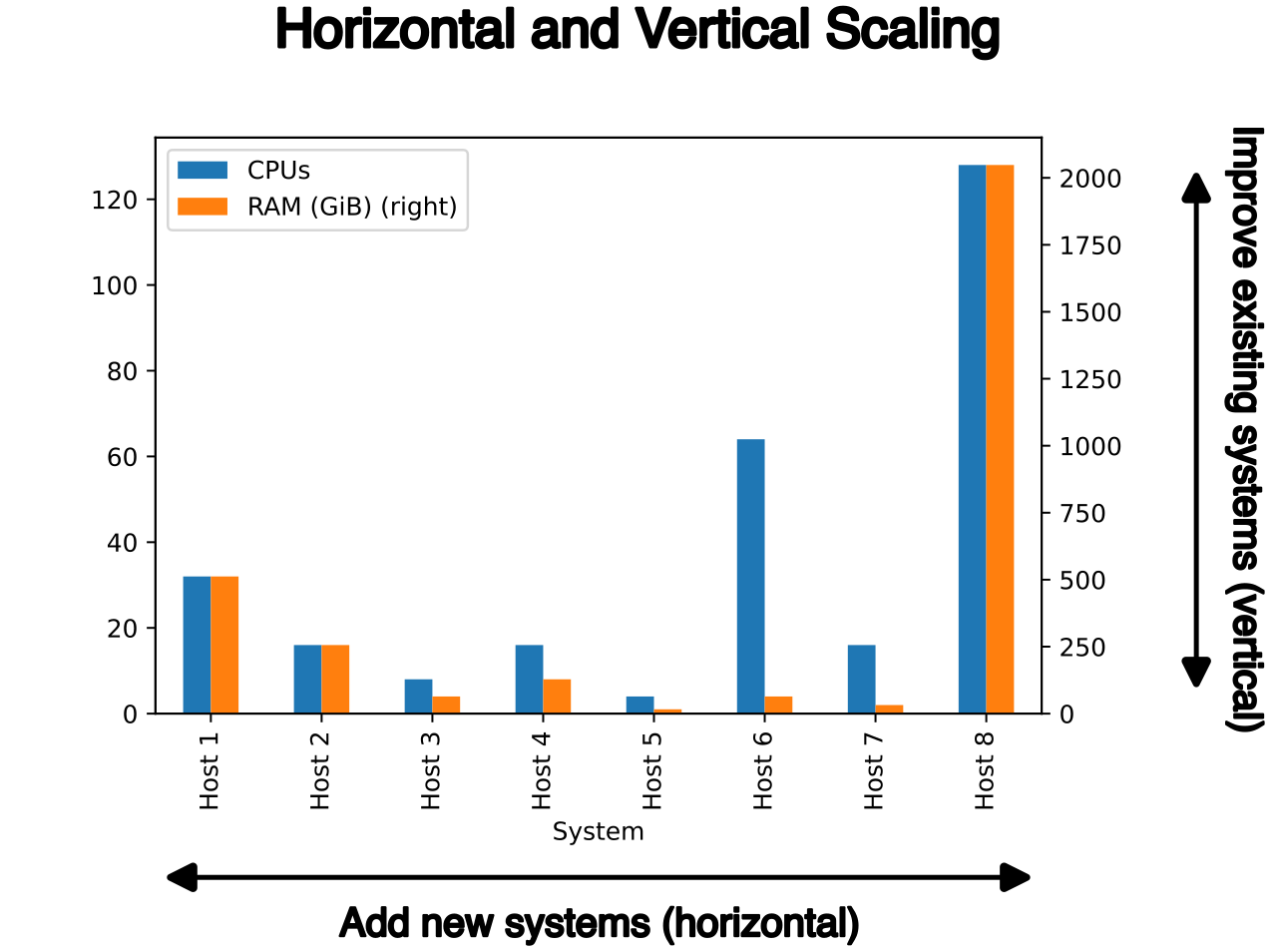
Amazon EC2 Auto Scaling automatically adds or removes Amazon EC2 instances according to user-defined conditions. It operates on two primary mechanisms:
- Scaling out: This refers to launching new Amazon EC2 instances to handle increased demand. When the system detects a surge in traffic, it automatically spins up additional virtual machines.
- Scaling in: This refers to terminating Amazon EC2 instances to save costs when demand decreases.
Beyond cost control, Amazon EC2 Auto Scaling helps maintain application availability by ensuring a desired minimum number of instances are always running. If a virtual machine crashes, Auto Scaling detects the deficit and automatically launches a replacement.
Elastic Load Balancing (ELB)
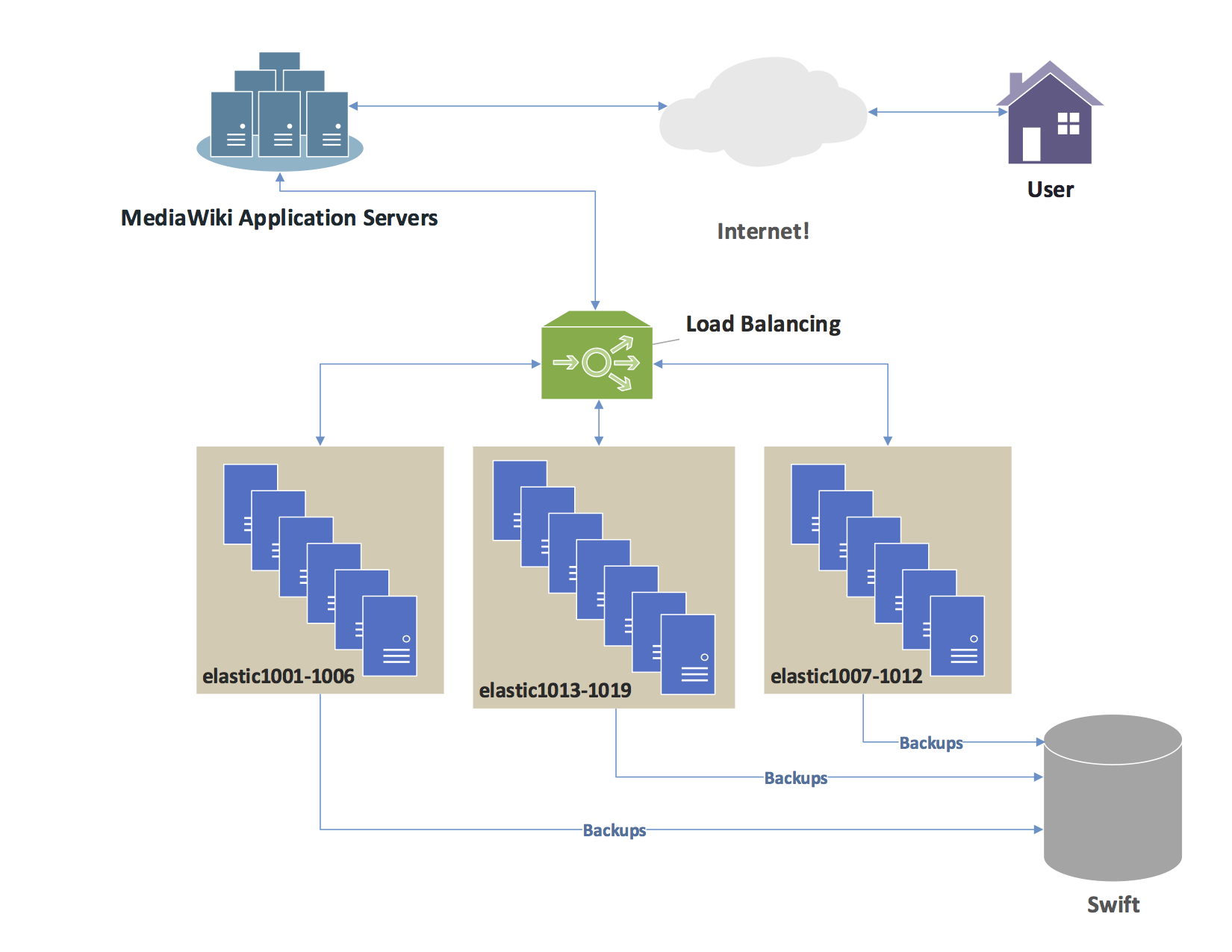
If Auto Scaling is responsible for creating new virtual machines, ELB is the traffic director that guides users to them. Elastic Load Balancing (ELB) automatically distributes incoming application traffic across multiple targets.
ELB targets can include Amazon EC2 instances, containers, IP addresses, and AWS Lambda functions.
ELB is fundamentally about reliability. It increases the overall availability and fault tolerance of applications because it automatically detects unhealthy targets and routes traffic only to healthy targets. Furthermore, ELB integrates with Amazon EC2 Auto Scaling to automatically route traffic to newly launched instances the moment they are ready to receive customers.
While EC2 instances are powerful, managing operating systems for dozens of virtual machines can be operationally heavy. Modern software development relies heavily on containers.
Before standardized shipping containers were invented, loading a cargo ship was a manual, chaotic process of packing different-sized barrels, crates, and sacks. Standardized steel shipping containers changed the global economy because they could be seamlessly moved from ship to train to truck without unpacking. Software containers do the exact same thing for code.
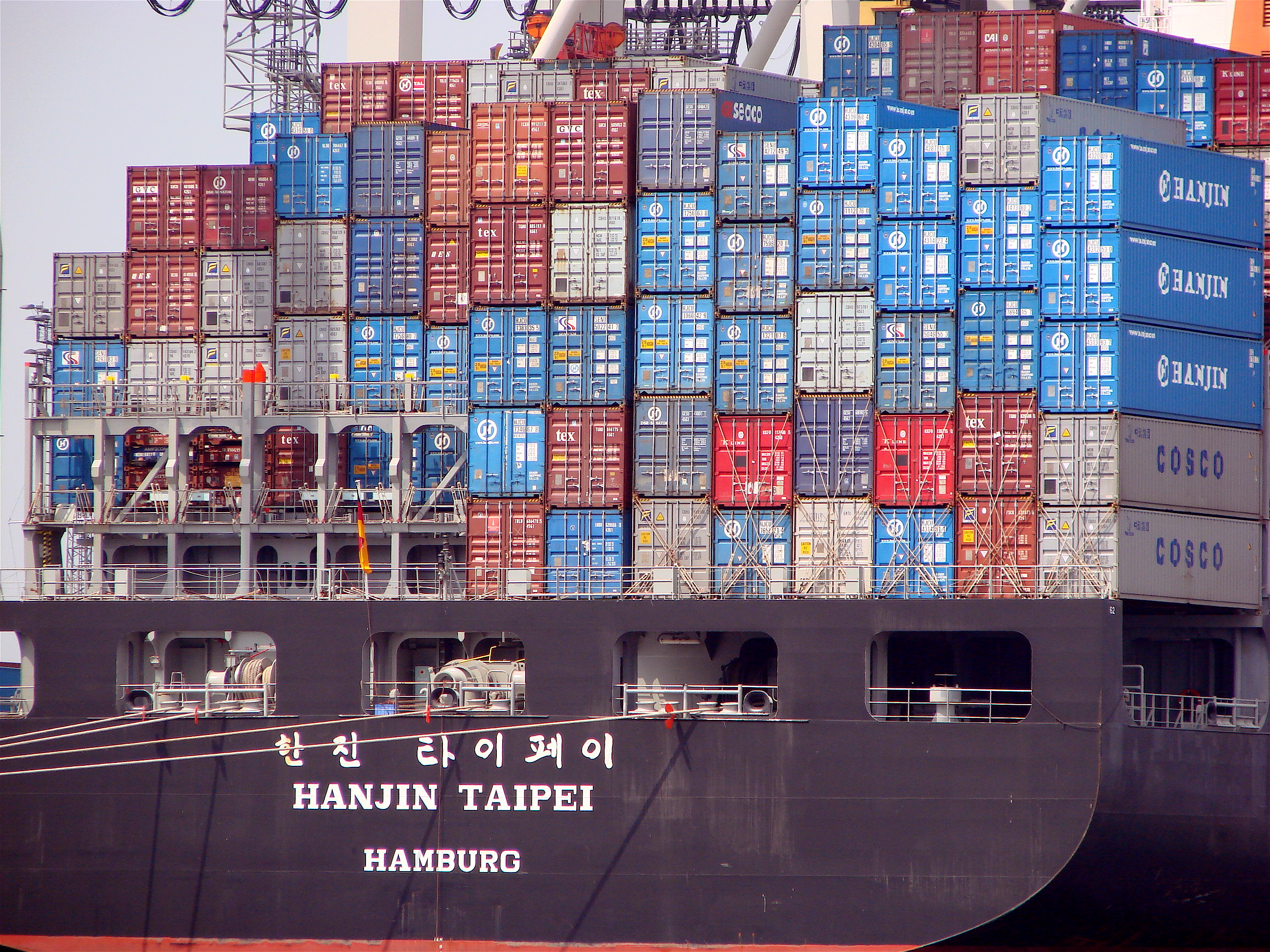
Containers provide a standard way to package application code, configurations, and dependencies into a single object. This guarantees that an application will run exactly the same way on a developer's laptop as it does in the AWS cloud.
Because enterprises often run thousands of containers simultaneously, they need tools to orchestrate them (starting, stopping, and tracking them). AWS provides two primary services for this:
- Amazon Elastic Container Service (Amazon ECS): An AWS-native highly scalable container orchestration service. It is deeply integrated with the rest of the AWS ecosystem and is often the simplest choice for teams already entirely on AWS.
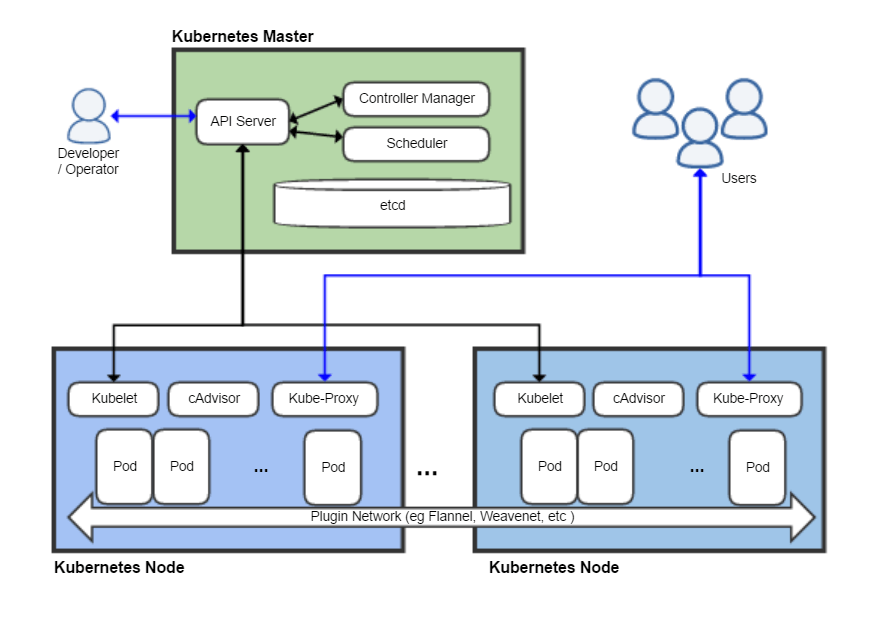
- Amazon Elastic Kubernetes Service (Amazon EKS): A managed service used to run open-source Kubernetes on AWS. Kubernetes is the industry-standard open-source system for container orchestration, making EKS the ideal choice for companies utilizing hybrid clouds or wanting to avoid vendor lock-in.
The final and most abstracted layer of cloud compute is serverless computing.
Serverless computing allows developers to build and run applications without managing the underlying server infrastructure. It is critical to understand that servers do still exist physically in an AWS data center, but the responsibility for patching, provisioning, scaling, and maintaining them is entirely shifted to AWS. You simply provide the code, and AWS handles the rest.
AWS Lambda
The flagship serverless service is AWS Lambda. AWS Lambda is a serverless event-driven compute service. It runs code for virtually any type of application or backend service without requiring users to provision or manage servers.
Lambda flips the economic model of computing upside down. With an EC2 instance, you pay by the hour or second for the virtual machine, whether it is actively processing data or sitting idle. Conversely, AWS Lambda billing is based entirely on the compute time consumed and the number of requests. If your code does not run, you pay literally $0.00.
Because Lambda is designed for highly efficient, event-driven tasks (like resizing an image the moment a user uploads it), AWS Lambda charges are calculated in milliseconds of compute time.
AWS Fargate
What if you want the standardization of containers, but you don't want to manage the underlying EC2 servers required to run them? You use AWS Fargate.
AWS Fargate is a serverless compute engine specifically designed for containers. By using Fargate, AWS Fargate eliminates the need to provision and manage Amazon EC2 instances to run containers. You simply specify how much CPU and memory your container requires, and AWS provides it on demand.
AWS Fargate integrates perfectly into the container orchestration services we discussed earlier; it can be used as the serverless compute engine for both Amazon ECS and Amazon EKS.
Summary for the Cloud Practitioner
To synthesize your understanding of AWS Compute for the exam and your daily operations, remember this progression of abstraction:
- If you need total control over the operating system, you rent Amazon EC2 instances. You use Auto Scaling to dynamically scale in and out based on demand, and ELB to route traffic to healthy instances.
- If you want to package your applications into portable, standardized units, you use containers, orchestrating them natively with Amazon ECS or with open-source Kubernetes via Amazon EKS.
- If you want to strip away server management entirely and pay purely by the millisecond of execution, you adopt a serverless model. You use AWS Lambda for event-driven code execution, or AWS Fargate to run your containers serverlessly.