Database Caching and Scaling
Not sure you’re ready?
Take the ~3-minute readiness diagnostic and see where you stand.
Imagine a world-class reference library that holds the only copy of an encyclopedia. Every time someone needs to read a passage, they must walk to the center desk, ask the librarian to fetch the volume, wait, read it, and return it. If ten people need the same page, a line forms. If a thousand people need it, the system collapses. The librarian’s time is finite, the desk space is limited, and the sheer physics of retrieving the physical book becomes an insurmountable bottleneck.

In cloud architecture, a single read-write relational database instance suffers from the exact same physical constraints. Every query consumes CPU cycles, memory, and disk I/O. When an application gains traction, read requests vastly outnumber write requests, creating a queue that slows down the entire system. Solving this requires changing the geometry of how data is retrieved: duplicating the data to distribute the load, pulling the most frequent answers into volatile memory to bypass disk entirely, and meticulously managing the pathways applications use to ask questions in the first place.
Here, we will dissect exactly how to enhance database efficiency by manipulating these three levers: Read Replication, In-Memory Caching, and Connection Proxying.
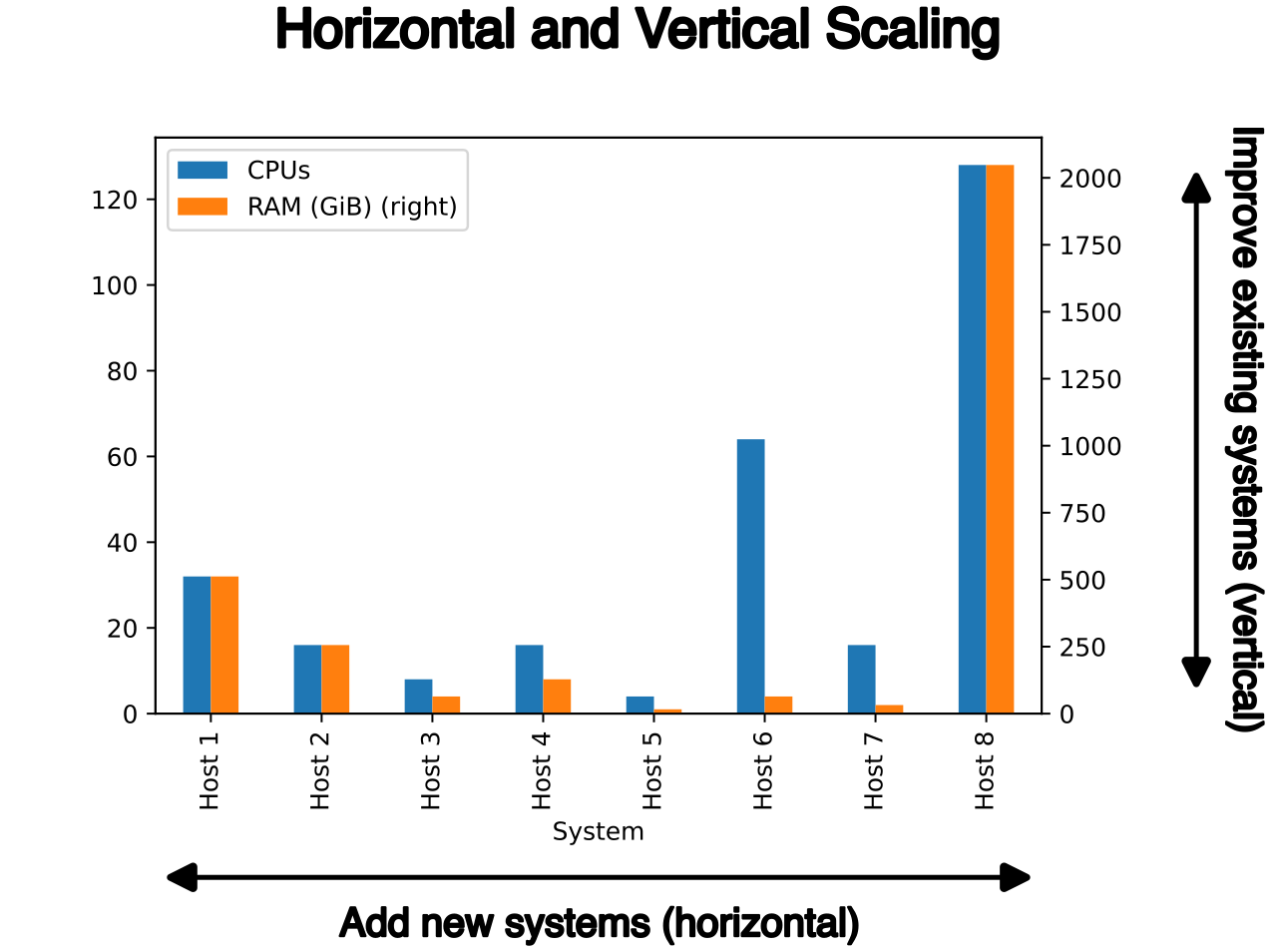
When a single database instance is overwhelmed by reads, the most immediate physical solution is to make copies of the data available elsewhere. Amazon RDS Read Replicas allow applications to scale out beyond the capacity constraints of a single read-write database instance. By directing SELECT statements to these replicas, routing read queries to an Amazon RDS Read Replica reduces the load on the primary source database instance, freeing it up to handle critical transactional writes.
The Mechanics of Standard RDS Replication
How does this data actually get copied? Amazon RDS Read Replicas use the built-in asynchronous replication functionality of database engines (like PostgreSQL, MySQL, or MariaDB). Because the replication is asynchronous, a transaction is committed on the primary instance and acknowledged to the user before the replica finishes updating. There is a slight replication lag, but the tradeoff is vastly higher throughput.
Before you can instantiate a replica, you must have a baseline to copy from. Therefore, creating an Amazon RDS Read Replica requires enabling automatic backups on the source database instance. The replica is initially seeded from a snapshot, and then the asynchronous transaction logs catch it up to the present moment.
To harness this in your architecture, your code must change. Applications must use the specific endpoint of an Amazon RDS Read Replica to route read traffic to that replica. The primary database retains its own endpoint for writes.
Architectural Constraint: Standard Amazon RDS supports up to five read replicas per source database instance.
These replicas do not have to live next to the primary database. Amazon RDS allows creating cross-Region Read Replicas to serve read traffic closer to users in different geographical locations. If your primary database is in Virginia but your users are in Tokyo, placing a read replica in the ap-northeast-1 region drastically reduces network latency.
Furthermore, these replicas are not just read-only clones forever. In a disaster recovery scenario, or if you want to split a database into two distinct environments (sharding), an Amazon RDS Read Replica can be promoted to become a standalone read-write database instance. However, be aware of the physics of this action: promoting an Amazon RDS Read Replica breaks the replication link between the replica and the original primary instance. They become separate, diverging timelines.
The Aurora Paradigm Shift
If you are using Amazon Aurora, the rules of physics change. Instead of copying blocks of data over the network to separate storage volumes, Amazon Aurora Replicas share the same underlying storage volume as the primary instance. The storage layer spans multiple Availability Zones and replicates itself at the disk level. The "Replica" in Aurora is simply a compute node that reads from that exact same shared disk.
Because the compute nodes don't have to duplicate the storage heavy-lifting, the scale increases dramatically: Amazon Aurora supports up to fifteen continuous read replicas per cluster.
Furthermore, you don't need to manage individual endpoints for all fifteen nodes in your application code. Amazon Aurora provides a Reader Endpoint to automatically load balance connections across all available Aurora Replicas.
Even with fifteen read replicas, retrieving data from a relational database involves parsing SQL, executing a query plan, and reading from storage. Why do all that work if the answer hasn't changed since the last time you asked?
In-memory caching reduces database load by serving frequently accessed data directly from random access memory. Reading from RAM operates in microseconds, compared to the milliseconds required to read from solid-state drives. AWS provides this capability via Amazon ElastiCache, which supports three primary caching engines.

Choosing Your Engine
| Feature | Memcached | Redis OSS / Valkey |
|---|---|---|
| Complexity | Simple, flat key-value pairs | Advanced data structures (sorted sets, hashes) |
| Architecture | Multithreaded | Single-threaded (historically) |
| Durability | Ephemeral only | Persistent |
| High Availability | No Multi-AZ failover | Multi-AZ with automatic failover |
- Memcached: Amazon ElastiCache supports the Memcached engine for simple caching workloads. It is incredibly efficient because Amazon ElastiCache for Memcached supports a multithreaded architecture, allowing it to utilize multiple cores effortlessly. However, it is designed to be purely volatile. Amazon ElastiCache for Memcached does not support data persistence and does not support multi-AZ failover. If a node dies, the cache is gone, and the database will take the hit while the cache repopulates.
- Redis OSS: Amazon ElastiCache supports the Redis OSS engine for advanced caching workloads. If you need a gaming leaderboard, a session store, or geospatial tracking, Redis is your tool because Amazon ElastiCache for Redis supports complex data structures like sorted sets and hashes. It is built for mission-critical architectures: Amazon ElastiCache for Redis supports Multi-AZ deployments with automatic failover. To protect against data loss, it supports data persistence and supports manual and automatic backup operations.
- Valkey: In response to recent open-source licensing changes, Amazon ElastiCache supports the Valkey engine for advanced caching workloads. Valkey is an open-source fork of Redis offering a high-performance, fully compatible alternative to Redis OSS with the same advanced feature set.
Caching Strategies: Managing the Flow of Information
A cache is only as good as the logic populating it. You must program your application to orchestrate data between the cache and the database.
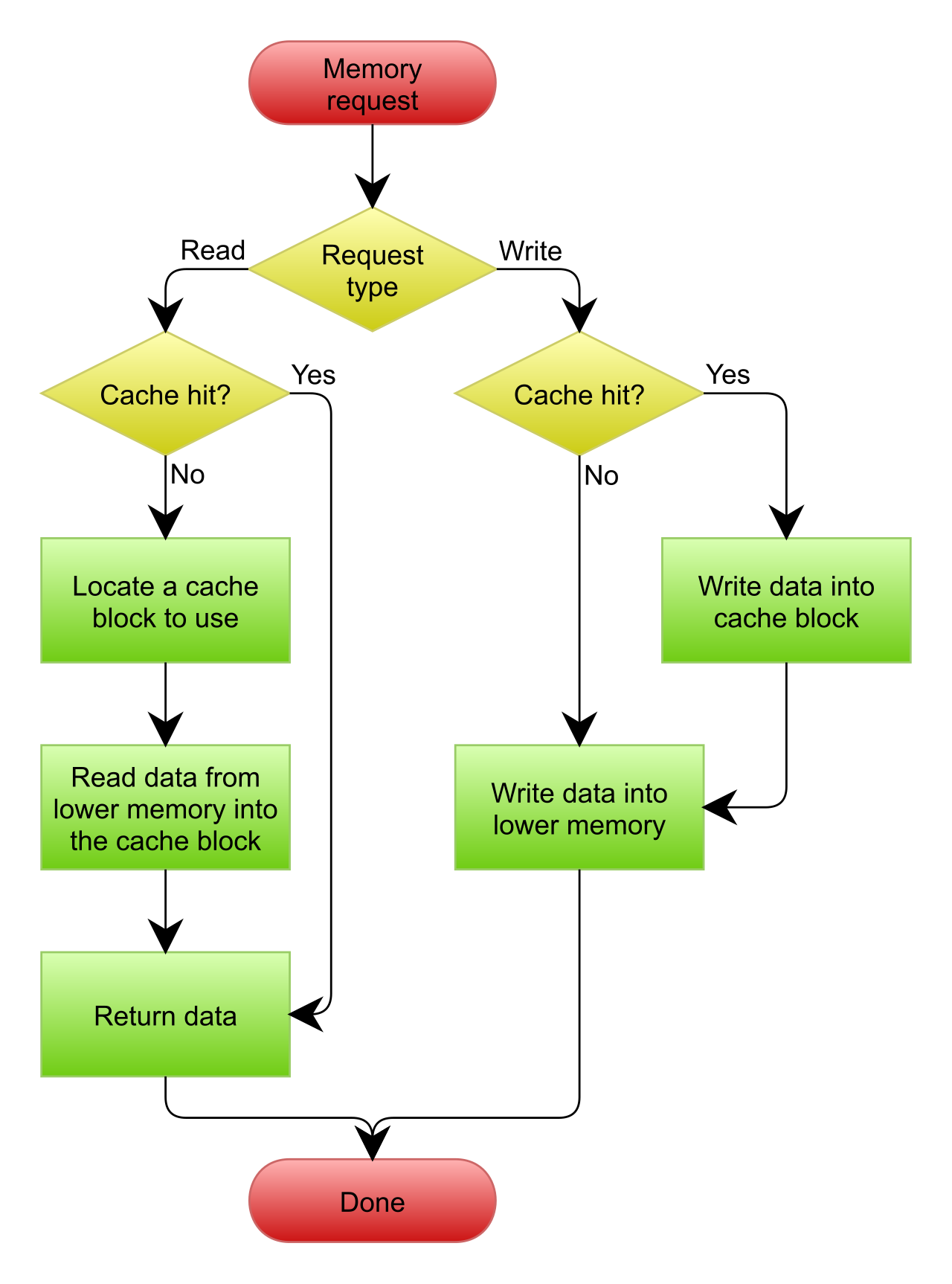
- Lazy Loading: The lazy loading caching strategy only writes data to the cache when an application encounters a cache miss. The application asks the cache for data; if it's not there, it queries the database, returns the result to the user, and then writes it to the cache for the next person. It is highly efficient for memory, but incurs a latency penalty on the first read.
- Write-Through: The write-through caching strategy updates the cache whenever data is written to the primary database. There is no cache miss penalty because the data is proactively placed in RAM. However, this uses up expensive memory for data that might never be read.
Crucial Concept: Regardless of the strategy, data in a database changes. If a user updates their profile in the database but the cache still holds the old data, your application is serving lies. Implementing a Time To Live value on cached items prevents stale data by automatically expiring old cache records. Once the TTL expires, the next read triggers a cache miss, forcing a fresh fetch from the database.
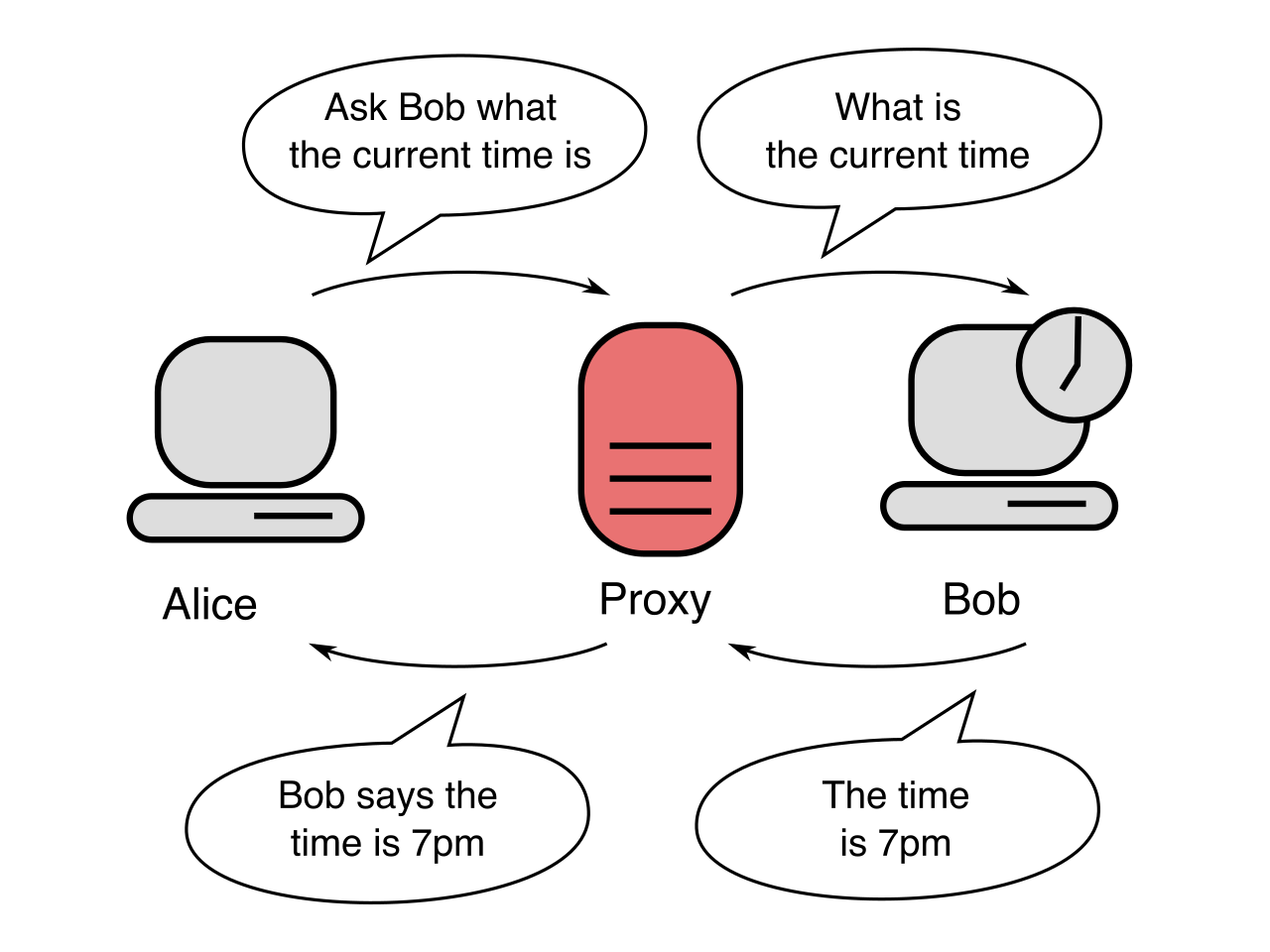
Now, let's look at the pathway between your application and the database. Every time an application talks to a database, it must establish a network connection. This involves a TCP handshake, authentication, and the database engine allocating a block of its own precious RAM to maintain that connection. This overhead is heavy. If thousands of users hit your application and it opens thousands of individual database connections, the database engine will spend all its CPU and memory just saying "hello," leaving no resources to actually execute queries.
To solve this, we introduce a middleman: Amazon RDS Proxy is a fully managed database proxy for Amazon RDS and Amazon Aurora.
Connection Pooling
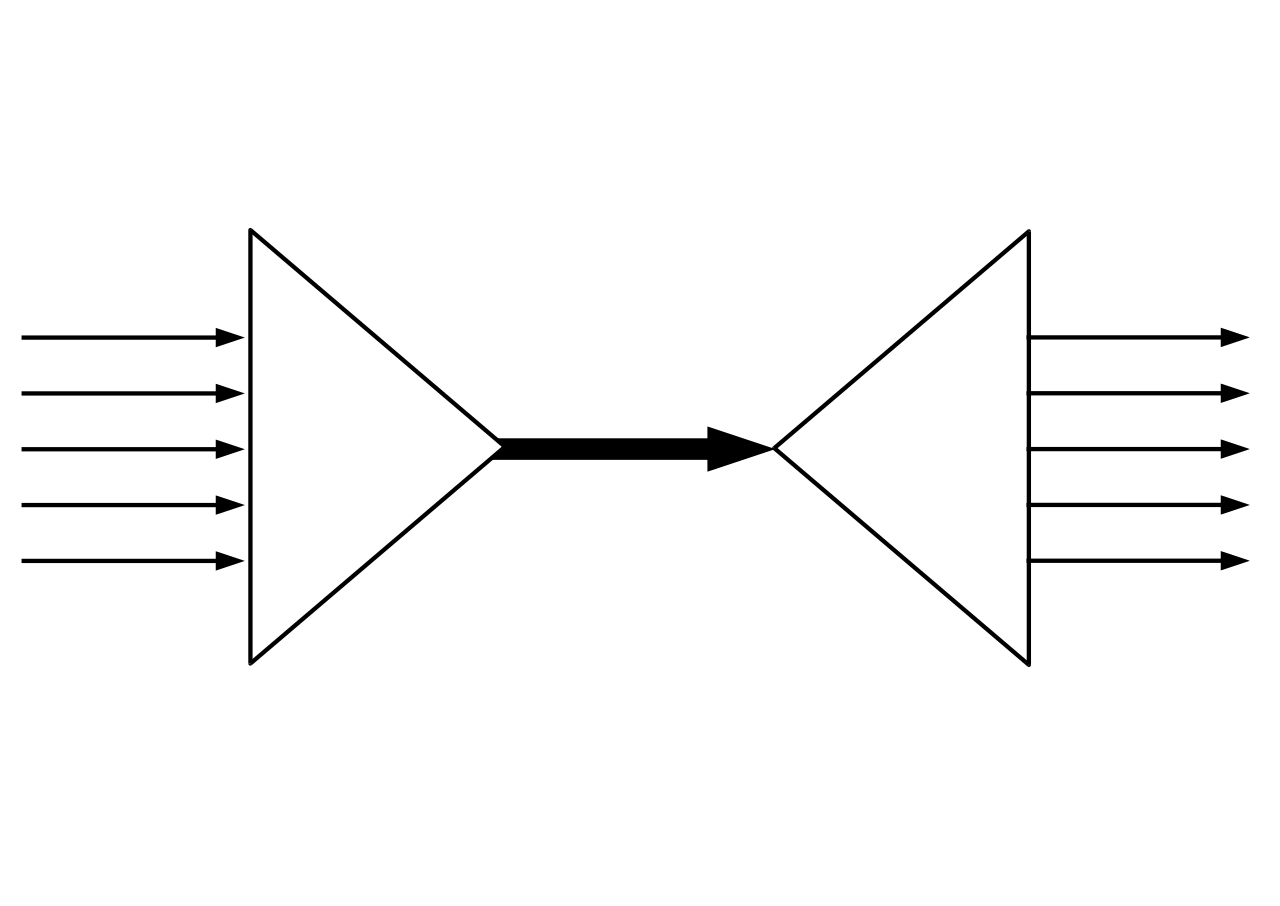
Instead of letting the application open thousands of connections directly to the database, the application connects to the proxy. The proxy maintains a warm, steady pool of a few dozen connections to the backend database. Amazon RDS Proxy pools database connections to share them among multiple application instances.
By multiplexing requests through a small number of established channels, connection pooling with Amazon RDS Proxy reduces the memory and CPU overhead of opening and closing database connections.
This is absolutely vital for serverless architectures. AWS Lambda scales out by instantly spinning up hundreds or thousands of execution environments. If each function opens a new database connection, your database will crash almost instantly under a "connection storm." Therefore, AWS Lambda functions querying relational databases use Amazon RDS Proxy to avoid exhausting database connection limits.
Failover Resiliency and Security
To use the proxy, you change where your application points. Amazon RDS Proxy provides a custom endpoint that applications use instead of the primary database endpoint.
Because the proxy sits between the application and the database, it acts as a massive shock absorber during database outages. If your primary database crashes and a Multi-AZ failover is triggered, the proxy notices. Instead of terminating the connections to your application, Amazon RDS Proxy routing prevents dropping application connections during a database failover. It simply pauses the incoming queries, waits for the new database node to come online, and then Amazon RDS Proxy routes traffic to a new database instance automatically during a failover event.
Because the proxy abstracts away the lengthy DNS propagation delays usually associated with failovers, it vastly speeds up system recovery. In fact, Amazon RDS Proxy reduces client recovery time after database failover by up to sixty-six percent.
Finally, the proxy dramatically hardens your security posture. Instead of hardcoding database passwords in your application code, Amazon RDS Proxy retrieves database credentials securely from AWS Secrets Manager. It acts as the bouncer. You can entirely remove password management from your code because the proxy can enforce AWS Identity and Access Management authentication for database access, allowing your Lambda functions or EC2 instances to authenticate using IAM roles. Furthermore, it ensures data in transit is protected, as it supports Transport Layer Security encryption for all connections between the application and the proxy.
The Complete Picture
Designing for scale is about understanding where the friction lies. If the database engine is choking on read I/O, you spin up Read Replicas to divide the labor. If disk latency is too slow for your read traffic, you place ElastiCache in front to serve data from memory. If the sheer volume of application instances is overwhelming the database's ability to maintain network connections, you insert RDS Proxy to multiplex the traffic. Master these three levers, and you can build relational data tiers capable of handling virtually limitless demand.