Hybrid Network Security
Not sure you’re ready?
Take the ~3-minute readiness diagnostic and see where you stand.
A data center is a fortress of silicon and copper, anchored to the physical earth, while the AWS Cloud often seems like an ethereal abstraction. Yet, data must flow between the two. When an enterprise decides to stretch its internal network into AWS, the boundary between "on-premises" and "cloud" vanishes. The architect's task is to build a bridge across this divide—one that is secure, reliable, and invisible to the applications relying upon it. This is the domain of Hybrid Network Security.
To build these bridges, we rely on fundamental principles of networking and cryptography. We are not just plugging in cables; we are bending routing protocols and encryption standards to merge distinct environments into a single, cohesive fabric.
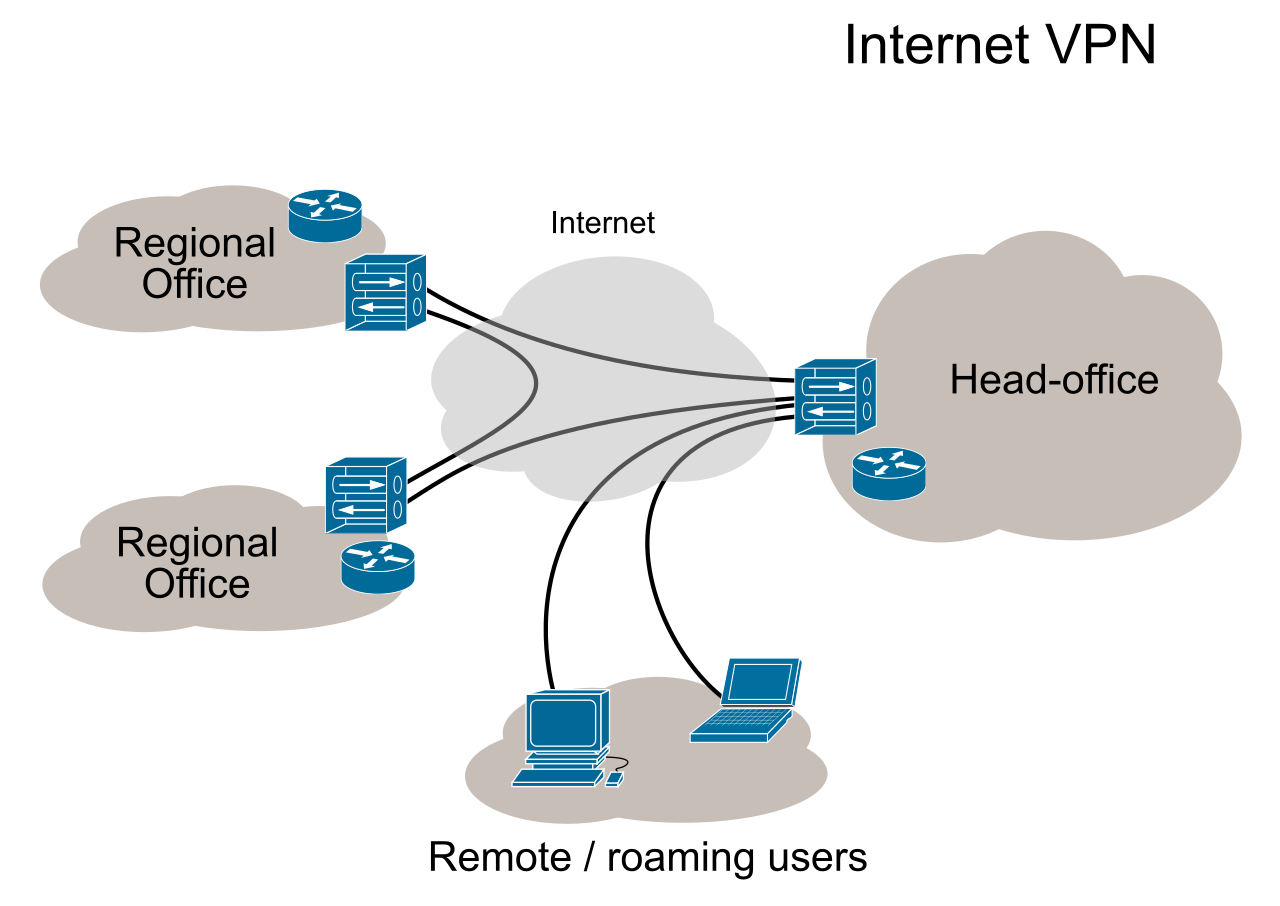
If you must send sensitive data across a chaotic, public medium—like the internet—you put it inside a mathematical vault. This is the essence of an AWS Site-to-Site VPN, which uses IPsec to establish secure encrypted connections over the public internet between an on-premises network and an Amazon Virtual Private Cloud (VPC).
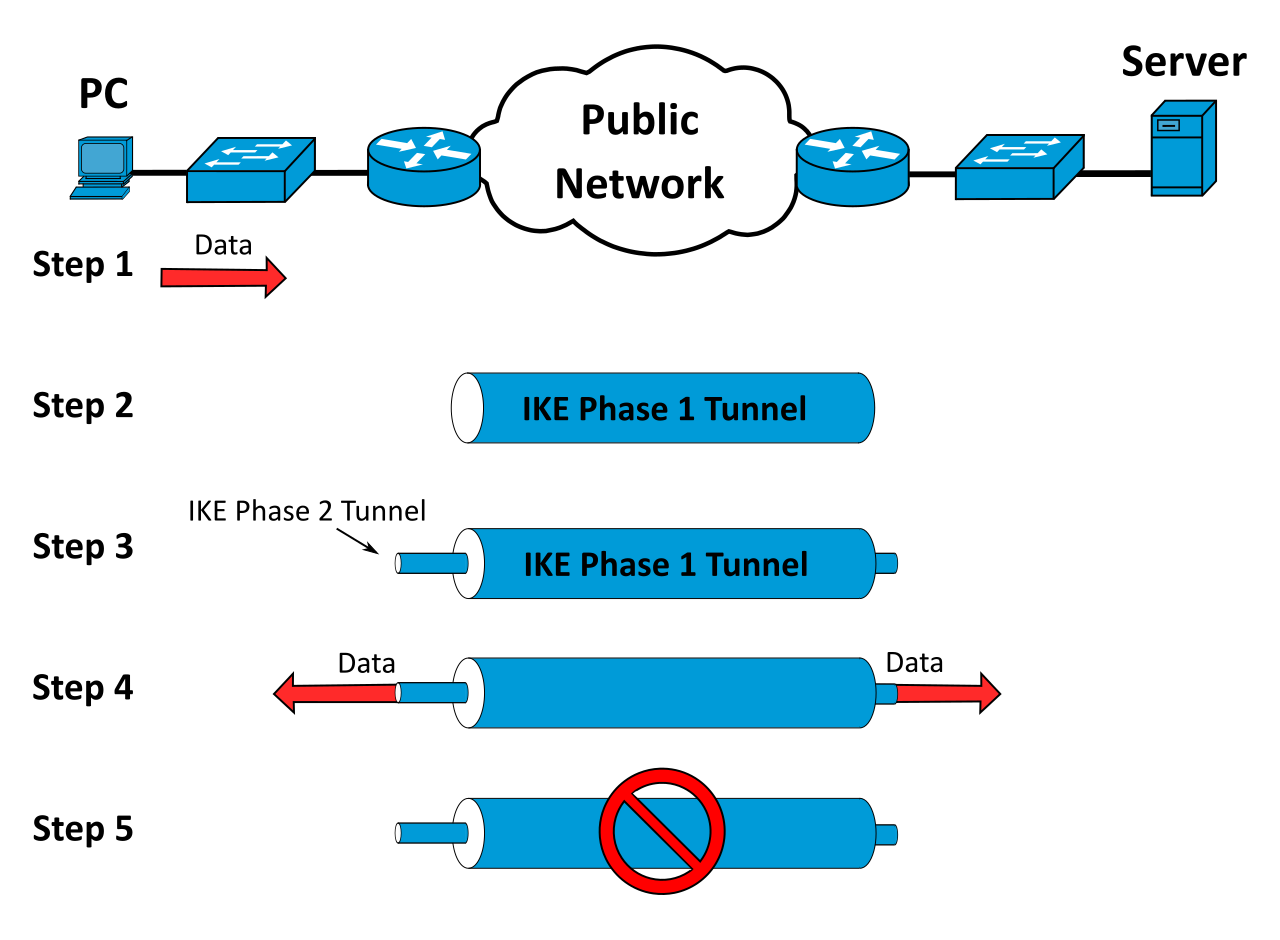
To build this bridge, you need two anchors.
On the AWS side, the connection must be attached to either an AWS Virtual Private Gateway or an AWS Transit Gateway.
On your data center's side, you configure a Customer Gateway resource. Notice the word resource. It is not a physical device shipped by AWS; rather, it is a logical object you create in the AWS Console to define the IP address and routing configuration of the physical on-premises appliance.
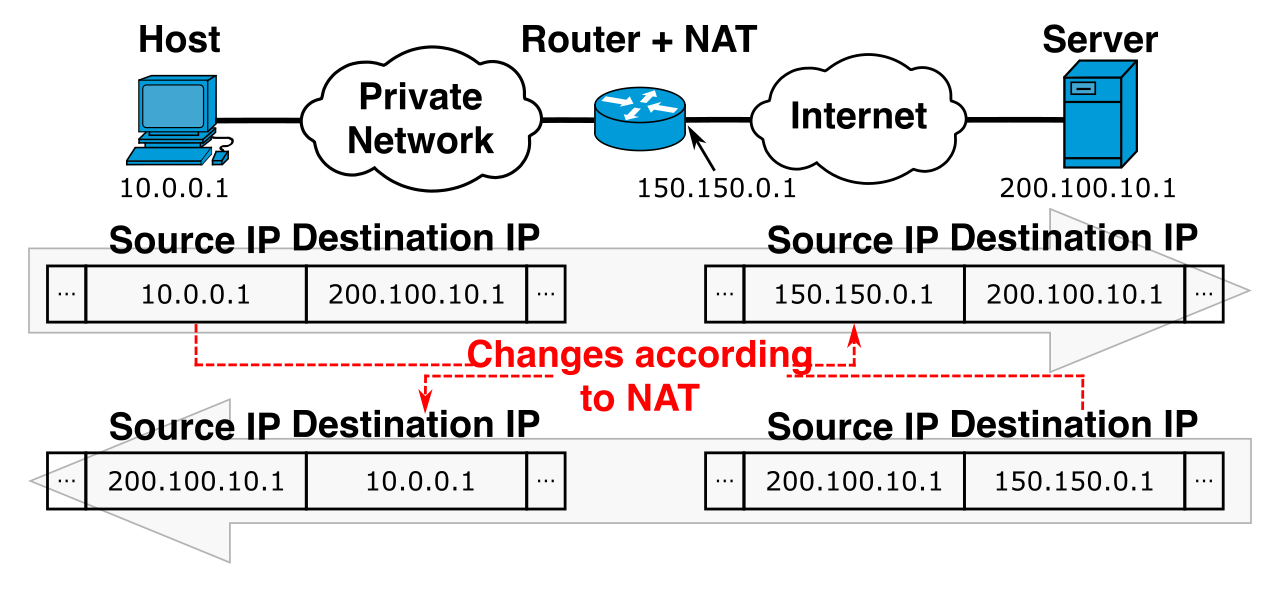
Crucial Requirement: A Customer Gateway device requires a static, public IPv4 address to establish an AWS Site-to-Site VPN connection. However, if your Customer Gateway device is located behind a Network Address Translation (NAT) boundary, it can use the public IP of the Network Address Translation device to establish the VPN.
Resilience and Routing
Networks fail. Cables are cut, routers panic, and power is lost. Because of this, an AWS Site-to-Site VPN connection inherently includes two distinct IPsec tunnels for high availability.
How do packets know which tunnel to take? AWS Site-to-Site VPN supports both static routing and dynamic routing. For dynamic routing, AWS Site-to-Site VPN uses the Border Gateway Protocol (BGP), the same protocol that governs the global internet.
When both tunnels are up and running (an active/active configuration), how does AWS choose the path? By default, AWS routes traffic to the on-premises network using the specific IPsec tunnel that was established first.
But what if you, the architect, want strict control? What if you want an active/passive setup where one tunnel is strictly a backup? You speak the language of BGP. Administrators can use BGP AS PATH prepending—artificially lengthening the routing path advertisement on the backup tunnel—to influence AWS routing decisions and force an active/passive AWS Site-to-Site VPN tunnel setup.
Bypassing Internet Weather
The public internet is unpredictable. If your users in London are connecting to an AWS region in Sydney, the packets suffer through dozens of public hops. AWS Accelerated Site-to-Site VPN solves this by routing traffic through the closest AWS edge location using AWS Global Accelerator to improve network performance. The packets enter the highly optimized global AWS backbone almost immediately, rather than braving the public internet for the entire journey.

What if encryption over the public internet is not enough? What if your database replication requires massive, guaranteed throughput with zero internet exposure? You bypass the internet entirely.
AWS Direct Connect provides a dedicated physical network link between an on-premises facility and an AWS edge location. AWS Direct Connect traffic does not traverse the public internet. It is a private, physical wire.
There are two ways to obtain this wire:
- AWS Direct Connect Dedicated Connections: These are provisioned directly by AWS. You are allocated your own physical port with speeds of 1 Gbps, 10 Gbps, or 100 Gbps.
- AWS Direct Connect Hosted Connections: If you require lower bandwidth or do not have equipment in a direct peering location, these are provisioned by an AWS Direct Connect Partner who carves out a slice of their existing dedicated connection for you.

Dividing the Wire: Virtual Interfaces (VIFs)
A single physical Direct Connect wire is practically useless until you logically divide it into 802.1Q VLANs, which AWS calls Virtual Interfaces (VIFs). You must choose the right VIF for the destination you are trying to reach:
- Private Virtual Interface: Allows an AWS Direct Connect connection to access resources utilizing private IP addresses inside an Amazon Virtual Private Cloud.
- Public Virtual Interface: Allows an AWS Direct Connect connection to route traffic directly to public AWS endpoints like Amazon S3 or Amazon DynamoDB. This traffic remains on the AWS network and bypasses the public internet.
- Transit Virtual Interface: Strictly required to connect an AWS Direct Connect connection to an AWS Transit Gateway.
Securing the Dedicated Line
Here is a common, dangerous assumption: Because Direct Connect is a private physical cable, it is automatically encrypted. False.
AWS Direct Connect connections do not encrypt traffic by default. If your compliance standards demand encryption, you have two mechanisms to secure the line:
- Layer 2 Encryption (MACsec): MACsec provides point-to-point hardware-level Layer 2 encryption for AWS Direct Connect links. It operates at line rate, securing the physical hops.
- Layer 3 Encryption (IPsec): Combining AWS Site-to-Site VPN with AWS Direct Connect provides end-to-end IPsec encryption over a dedicated, highly reliable physical network connection. You are essentially building the IPsec VPN tunnel on top of the private Direct Connect line.
For maximum resilience without doubling your physical infrastructure costs, configuring an AWS Site-to-Site VPN (over the internet) as a backup to an AWS Direct Connect connection provides a highly available network architecture with a cost-effective failover path.
Connecting one data center to one VPC is trivial. Connecting dozens of data centers to hundreds of VPCs across multiple regions requires specialized gateways.
Let us look at the evolution of hybrid routing:
| Gateway Type | Function and Limitations |
|---|---|
| AWS Virtual Private Gateway (VGW) | The original anchor. An AWS Virtual Private Gateway can only connect an on-premises network to a single Amazon Virtual Private Cloud. It does not scale to multi-VPC architectures. |
| AWS Direct Connect Gateway | Allows a single AWS Direct Connect link to communicate with multiple Amazon Virtual Private Clouds distributed across different AWS Regions. Crucial Limitation: An AWS Direct Connect Gateway cannot natively route traffic directly between two different Amazon Virtual Private Clouds. It is purely a bridge between AWS and on-premises. |
| AWS Transit Gateway (TGW) | The modern standard. An AWS Transit Gateway functions as a centralized routing hub for connecting multiple Amazon Virtual Private Clouds and on-premises networks together. It supports transitive routing across your entire infrastructure. |
The Exception: AWS Outposts
What happens when you bring AWS hardware physically into your own data center? AWS Outposts extends AWS infrastructure locally. Because the traffic does not need to cross a regional boundary to reach your local network, traffic between an on-premises network and AWS Outposts relies on a Local Gateway rather than a Virtual Private Gateway.
Until now, we have discussed connecting physical buildings (site-to-site). But modern users are nomadic. They work from cafes, airports, and living rooms.
For individual users, we turn to AWS Client VPN. This is a managed, client-based VPN service that uses TLS (not IPsec) to securely connect individual remote users to AWS resources or on-premises networks.
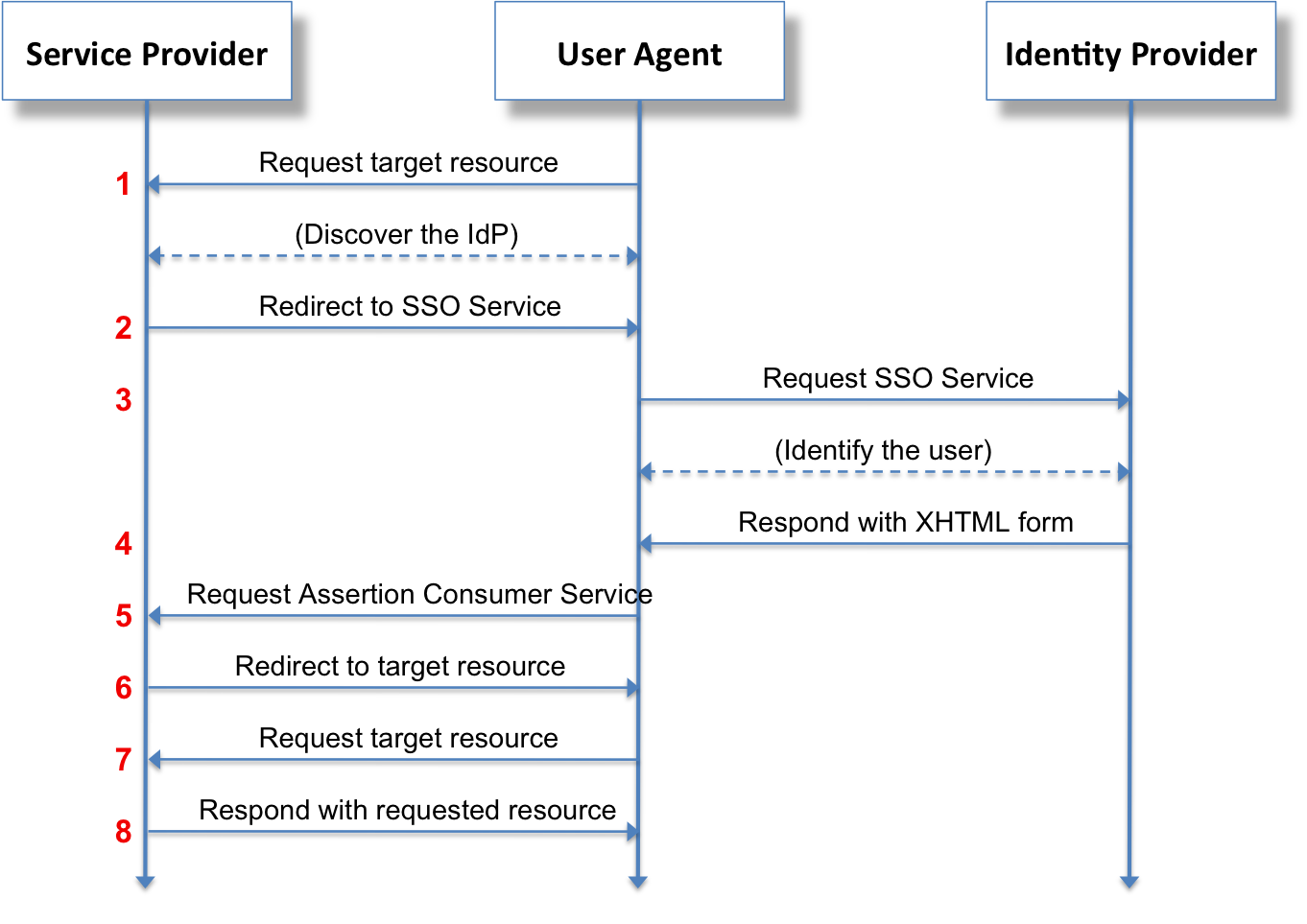
Because it operates at the client level, AWS Client VPN uses OpenVPN-compatible clients to establish secure TLS connections for remote end-users. It seamlessly integrates with identity providers (like Active Directory or SAML) so that you can control exactly which developer has access to which database, no matter where they happen to open their laptop.