Azure Governance: Purview, Policy, and Locks
Not sure you’re ready?
Take the ~3-minute readiness diagnostic and see where you stand.
A sprawling, unregulated metropolis inevitably collapses under its own weight. In the realm of cloud computing, an organization's digital footprint can rapidly expand into a chaotic sprawl of servers, databases, and third-party services. Without structural governance, financial stakeholders lose visibility into spending, compliance officers cannot trace sensitive customer data, and engineers risk accidentally deleting production databases with a single errant keystroke. Azure Governance provides the foundational architecture to prevent this chaos. It relies on three distinct but complementary mechanisms: Microsoft Purview for mapping and understanding the data itself, Azure Policy for establishing and enforcing the rules of the environment, and Resource Locks for applying immutable safeguards against human error. Together, these tools translate abstract corporate compliance standards into rigid, automated cloud reality.

Before you can secure or govern your data, you must first know that it exists. In a modern enterprise, data does not sit neatly in a single Azure database. It lives in on-premises SQL servers, in Amazon Web Services (AWS), and inside software-as-a-service (SaaS) applications like Salesforce or Microsoft 365.
For a compliance officer or a project manager, this fragmentation is a nightmare. If a new privacy regulation passes, how do you know where your customers' credit card numbers are stored?
This is the exact problem solved by Microsoft Purview. Microsoft Purview provides a unified data governance solution to manage data across on-premises, multicloud, and software-as-a-service environments. Instead of manually auditing every server, Purview acts as an automated cartographer. Through automated data discovery, Microsoft Purview creates a holistic map of an organizational data landscape.
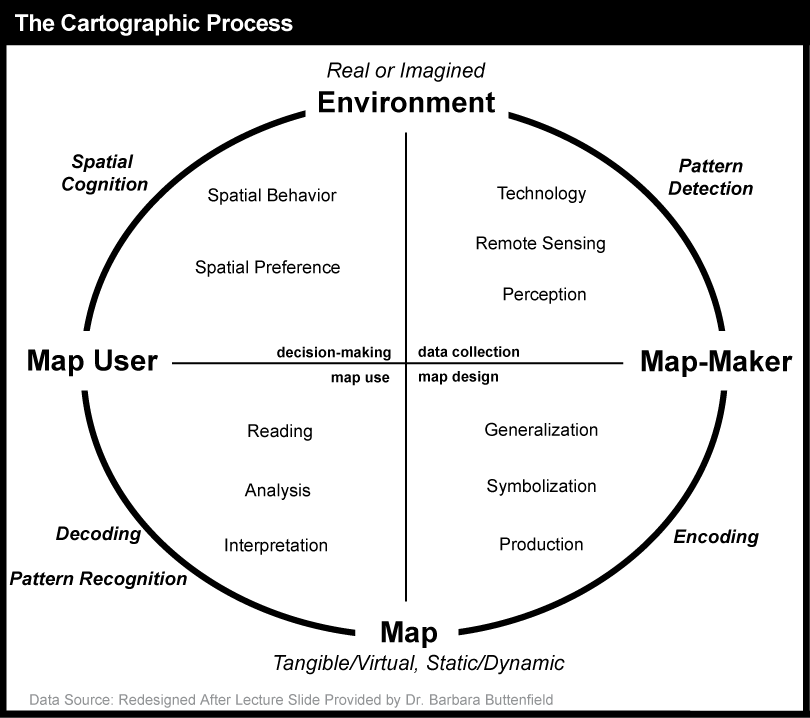
Making Sense of the Map
Once Purview builds this map, it performs several critical functions that bridge the gap between technical infrastructure and business value:
- Classification of Sensitive Information: Microsoft Purview identifies and classifies sensitive data across different connected data storage sources. It scans your files and databases, automatically tagging things like Social Security numbers, bank routing numbers, or proprietary source code.
- End-to-End Data Lineage: Data is rarely static. A customer's address might enter through a web portal, move to a raw storage account, get transformed by an analytics engine, and finally appear in an executive dashboard. Microsoft Purview provides end-to-end data lineage to track how data moves and transforms across an organization. If a sales executive notices an anomaly in a quarterly report, data lineage allows them to trace that exact metric backward through the system to find the root cause.
- The Data Catalog: For data scientists, financial analysts, and project managers, finding the right dataset is often half the battle. The Microsoft Purview Data Catalog allows users to search and discover existing data assets within an organization using a simple, web-based search interface, much like searching a public library's inventory.
Key Takeaway for the Exam: When you see keywords like data discovery, data lineage, classification, or mapping across multicloud/on-premises, the answer is Microsoft Purview.
If Microsoft Purview is the map of your data, Azure Policy represents the zoning laws of your infrastructure.

Imagine a junior developer is tasked with testing a new application. Wanting it to run quickly, they provision a massive, high-performance virtual machine that costs $5,000 a month, deploying it in a European datacenter, even though your company only operates in the United States. Without governance, the business only discovers this mistake weeks later when the finance team receives the Azure bill.
Azure Policy exists to prevent this entirely. Azure Policy enforces organizational standards and assesses compliance at scale across Azure resources. It does not simply log mistakes; it evaluates the state of Azure resources against defined business rules to identify non-compliant resources.
How Azure Policy Operates
At its core, Azure Policy is a set of rules. Under the hood, Azure Policy definitions are written using JavaScript Object Notation (JSON) format. While IT engineers will be the ones writing these JSON scripts, business stakeholders need to understand the powerful effects these policies can trigger.
Azure Policy supports various evaluation effects, the most critical being:
- Audit: Logs a warning if a resource breaks a rule, but still allows the resource to be created.
- Deny: Acts as a hard guardrail. Azure Policy can block the deployment of new Azure resources that do not comply with organizational rules (e.g., explicitly denying the creation of virtual machines outside the "East US" region).
- Append & DeployIfNotExists: These represent the self-healing power of Azure. Instead of just complaining that a resource is non-compliant, Azure Policy can automatically apply remediations to bring existing non-compliant resources into full compliance (e.g., automatically installing an anti-virus extension onto a newly booted server).
Structuring Governance: Initiatives, Assignments, and Exemptions
A single policy rule (like "Require tags on resources") is useful, but major regulatory standards—like HIPAA for healthcare or ISO 27001—require hundreds of rules. To manage this complexity, Azure uses a specific hierarchy:
| Component | Definition | Real-World Analogy |
|---|---|---|
| Policy Definition | A single rule written in JSON. | A specific law (e.g., "Speed limit is 65 MPH"). |
| Policy Initiative | An Azure Policy initiative is a collection of multiple policy definitions grouped together to achieve a specific regulatory or compliance goal. | A comprehensive legal code (e.g., "The Complete Highway Safety Act"). |
| Policy Assignment | Azure Policy assignments determine the specific subscription or resource group scope where a defined policy is enforced. | Deciding where the law applies (e.g., "This code applies to the state of California"). |
| Policy Exemption | Azure Policy exemptions explicitly exclude specific resources or resource groups from being evaluated by an assigned policy. | A special permit (e.g., "Ambulances are exempt from the speed limit"). |
Why this matters to non-technical stakeholders: Azure Policy translates your corporate governance playbook into automated cloud reality. It ensures the finance team isn't surprised by exorbitant bills, and the legal team can confidently audit the environment knowing guardrails are mathematically enforced.
Even with the best maps (Purview) and the strictest zoning laws (Policy), human error remains a profound threat.
Consider an IT administrator who possesses the highest level of permissions in your Azure environment (Owner role). They have the authority to create, modify, and delete anything. Late on a Friday night, while trying to delete a temporary test database, they accidentally select the company's primary production database and click "Delete." Because they are a highly privileged authorized user, Azure obeys the command. The database is gone.
To prevent catastrophic mistakes by people who are otherwise allowed to make them, we use Azure resource locks.
Azure resource locks prevent the accidental deletion or modification of critical Azure resources by authorized users. It is crucial to understand that a resource lock is not an identity or permission tool. A resource lock takes absolute precedence over user permissions granted through Azure role-based access control (RBAC). It does not matter if you are the global CEO or the top database administrator; resource locks apply a strict restriction across all users and roles regardless of individual permissions.
Think of a resource lock like the clear plastic cover over a missile launch button. The cover doesn't care if you have the clearance to launch the missile; its only job is to force you to stop, lift the cover, and confirm your intent before proceeding. An Azure administrator must explicitly remove an existing resource lock before performing restricted actions on the locked resource.
Types of Resource Locks
Azure provides two distinct types of resource locks, named exactly for what they do: CanNotDelete and ReadOnly.
- The CanNotDelete Lock: This lock allows authorized users to read and modify a resource while strictly preventing resource deletion.
- Real-world scenario: Applied to a virtual machine. Your IT team can still restart the machine, update its software, and change its IP address (modifications), but the "Delete" button is grayed out.
- The ReadOnly Lock: This lock allows authorized users to read a resource while strictly preventing both modification and deletion.
- Real-world scenario: Applied to an archived storage account containing financial records from 2018. The finance team can read the data, but no one can alter or delete the files.
The Power of Inheritance
You do not have to manually apply a lock to every single resource in your cloud. Azure utilizes a top-down inheritance model. Resource locks are automatically inherited by child resources from their parent resources.
Because of this, a resource lock applied to an Azure resource group automatically secures all individual resources contained within that resource group. If you place a CanNotDelete lock on the "Production-Billing-App" resource group, every database, web server, and network interface inside that group immediately receives the same protective padlock.
For the AZ-900 exam, and for your career in cloud computing, you must understand how these tools work in concert. They do not compete; they stack.
You use Microsoft Purview to peer into your vast, multicloud landscape to find and map where your sensitive data resides. You use Azure Policy to enforce the rules, ensuring that new resources hosting that data are deployed only in compliant regions and with the correct security configurations. Finally, you apply Azure Resource Locks to your most critical, mission-essential infrastructure, ensuring that a simple slip of the mouse never brings down the business.
Mastering these three pillars ensures that a cloud environment remains structured, secure, and aligned with the absolute realities of business operations.