Azure Portal, Cloud Shell, and Azure Arc
Not sure you’re ready?
Take the ~3-minute readiness diagnostic and see where you stand.
Managing a sprawling global enterprise requires a centralized control room, a place where vast, distributed complexities are distilled into actionable intelligence. In the realm of cloud computing, Microsoft Azure operates millions of servers across dozens of global regions, yet it presents this immense power through a series of highly refined management interfaces. We will examine three distinct lenses through which this control room operates: the Azure portal, a graphical interface designed for immediate visual comprehension; Azure Cloud Shell, a command-line environment built for speed, scripting, and repeatability; and Azure Arc, a universal bridge that extends Azure's governance model across hybrid and multi-cloud boundaries. Understanding these tools is not merely an IT exercise; it is fundamental to how sales teams pitch cloud governance, how finance monitors global IT spend, and how engineers deploy infrastructure securely.
When a non-technical stakeholder—a project manager checking deployment status or a finance director reviewing monthly consumption—needs to understand what is happening in the cloud, they do not write a script. They log into the Azure portal.
Definition: The Azure portal provides a web-based graphical user interface to manage Azure resources. It acts as the primary visual front-end for the Microsoft cloud.
The genius of the Azure portal lies in its accessibility. The Azure portal requires only a modern web browser for access; the Azure portal does not require any local software installation on the client device. You can log in from a corporate workstation, a hotel lobby computer, or a newly unboxed laptop and immediately securely access your organization's entire digital estate.
Within this single interface, users can build, manage, and monitor cloud deployments directly within the Azure portal. If you need to spin up a new database, adjust the firewall rules on a virtual network, or review the billing metrics to ensure you remain under a $10,000 monthly budget, you can accomplish all of it through point-and-click operations.
Customization and Reliability
Because different roles care about different metrics, the Azure portal allows administrators to create personalized dashboards for resource monitoring. A security auditor's dashboard might heavily feature compliance scores and firewall traffic charts, while a financial controller's dashboard prominently displays real-time cost analysis and budget burn down.
Furthermore, you are never relying on a single point of failure. The Azure portal provides continuous availability by maintaining a presence in every Azure datacenter. If a catastrophic event takes down a specific region, the portal itself remains operational, routed automatically through another global datacenter, allowing you to orchestrate your disaster recovery plans.
Management on the Move
Business does not stop when you step away from your keyboard. For moments when an executive or administrator is in transit, the Azure mobile app provides a graphical interface to monitor resource health and execute basic management tasks from a mobile device. If an critical alert fires during a commute, an engineer can use the app to restart a stalled web application or verify system health without ever opening a laptop.
Graphical interfaces are excellent for discovery and visual analysis, but they inherently limit speed. If an administrator needs to create one virtual machine, clicking through the Azure portal takes a few minutes. If they need to create fifty virtual machines identically across three continents, clicking becomes an unacceptable bottleneck. They need automation. They need a command line.
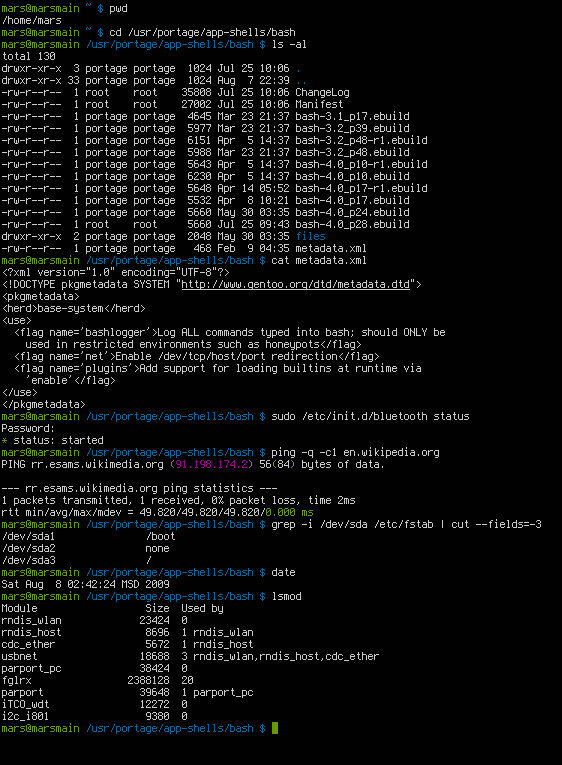
Definition: Azure Cloud Shell is an interactive, authenticated, browser-accessible terminal for managing Azure resources.
Cloud Shell bridges the gap between the convenience of the web browser and the power of the command line. When you click the small terminal icon at the top of the Azure portal, a command-line pane slides up from the bottom of your browser window.
This browser-based terminal offers several profound architectural advantages:
- Zero Configuration: Azure Cloud Shell comes pre-installed with popular cloud command-line tools. There is no need to worry about installing the correct version of Python, downloading dependencies, or updating toolkits. It is ready the second it opens.
- Instant Access: Because you are already logged into the portal, Azure Cloud Shell automatically authenticates the active Azure portal user for instant access to Azure resources. You bypass complex login scripts entirely.
- Environment Choice: Azure Cloud Shell allows users to select between a Bash environment (popular among Linux administrators) and a PowerShell environment (favored by Windows administrators).
Storage and Session Persistence
Because Cloud Shell runs in a temporary container in the background, the compute environment is ephemeral. To ensure your scripts and files survive from one login to the next, Azure Cloud Shell requires an Azure storage account to persist files across sessions.
To make this seamless, Azure Cloud Shell automatically provisions an Azure Files share upon initial launch to store user data. Any script you write and save in your Cloud Shell directory today will be waiting for you tomorrow.
Finally, for security and resource efficiency, an active Azure Cloud Shell session times out after twenty minutes of user inactivity, ensuring idle terminals do not consume unnecessary cloud resources or leave authenticated sessions exposed.
Within the realm of command-line management, Microsoft provides two primary dialects for conversing with the cloud. Choosing between them is largely a matter of an administrator's background and operating system preference, though both are equally capable.
Azure Command-Line Interface (CLI)
The Azure Command-Line Interface (CLI) is a cross-platform tool used to execute administrative commands on Azure resources. While it is natively available and pre-configured within the Azure Cloud Shell Bash environment, Azure CLI is also available for local installation on Windows, macOS, and Linux operating systems.
Azure CLI is famous for its brevity and intuitive structure. All Azure CLI commands typically begin with the az keyword, followed by the resource type and the action.
Example: az vm create
Azure PowerShell
Azure PowerShell is a set of cmdlets used to manage Azure resources directly from a PowerShell command line. Like the CLI, Azure PowerShell is a cross-platform tool available for Windows, macOS, and Linux environments. It is natively available and pre-configured within the Azure Cloud Shell PowerShell environment.
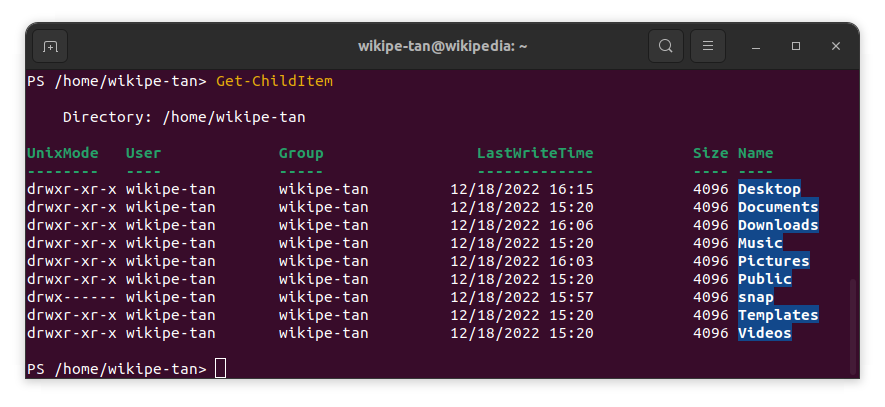
PowerShell relies heavily on a strict, predictable syntax. Azure PowerShell commands follow a standard verb-noun naming convention. This makes commands highly readable, even for non-programmers.
Example: An example of an Azure PowerShell command is New-AzVM to create a new virtual machine.
Comparing the Toolkits
| Feature | Azure CLI | Azure PowerShell |
|---|---|---|
| Origin / Syntax | Bash/Linux style | Windows PowerShell style |
| Command Structure | Begins with az | Verb-Noun (e.g., Get-Az, New-Az) |
| Cross-Platform Install? | Yes (Windows, macOS, Linux) | Yes (Windows, macOS, Linux) |
| Cloud Shell Default | Native in Bash environment | Native in PowerShell environment |
Up to this point, our management tools—the Portal, Cloud Shell, CLI, and PowerShell—have been focused strictly on resources living inside Microsoft Azure. However, the reality of modern enterprise IT is messy.
Organizations rarely operate in a single cloud. A company might have legacy physical servers in a basement datacenter in London, a fleet of virtual machines in Amazon Web Services (AWS), and a cluster of containers running in Google Cloud. Historically, governing this fragmented ecosystem required five different portals, five different security teams, and five different compliance audits.
Azure Arc was engineered to solve this exact problem.
Definition: Azure Arc is a management service that extends Azure management and security capabilities to any infrastructure.
Azure Arc allows organizations to manage hybrid and multi-cloud environments from a single control plane. Instead of logging into different systems, a Chief Information Security Officer (CISO) can look at the Azure portal and see their entire global infrastructure—regardless of who owns the underlying hardware.
How Azure Arc Works: Projection
To understand why Arc is revolutionary, you must understand how it operates under the hood. At the core of Azure is a system called Azure Resource Manager (ARM), the routing engine that creates and tracks every asset in the Azure cloud.
Azure Arc projects non-Azure resources into Azure Resource Manager. By installing a lightweight software agent on a server sitting in AWS or in your local office, that server registers with ARM. As a result, servers managed by Azure Arc appear as native resources within the Azure portal. To the Azure management interface, a server sitting in an on-premises datacenter in Chicago looks identical to a native Azure virtual machine sitting in a Microsoft datacenter in Virginia.
Broad Capabilities Across Infrastructures
Azure Arc's reach extends far beyond simple virtual machines. Its capabilities are vast:
- Broad Infrastructure Support: Azure Arc can manage physical servers and virtual machines hosted outside of the Microsoft Azure cloud.
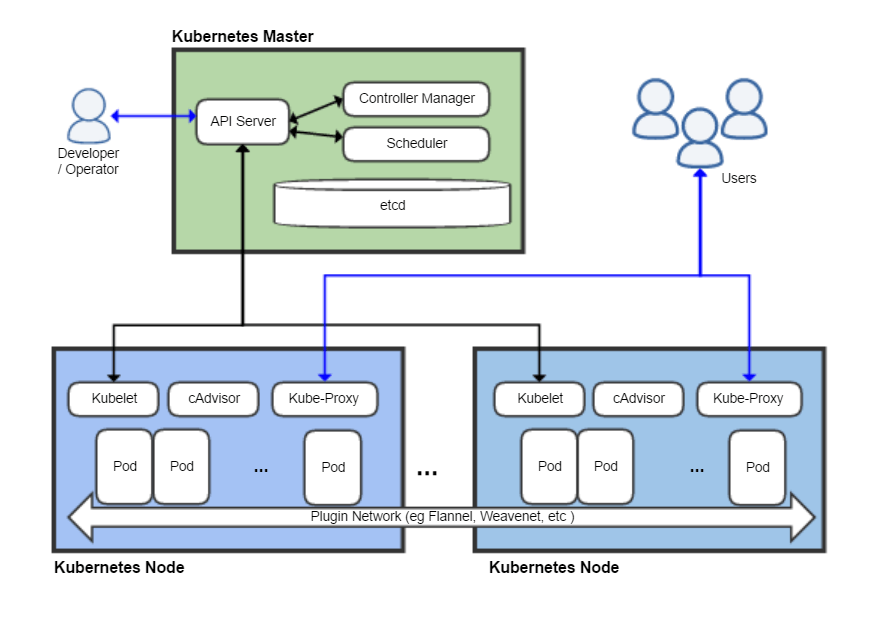
- Modern Application Environments: It is not limited to legacy servers. Azure Arc can manage Kubernetes clusters running in non-Azure environments, bringing order to distributed, containerized applications.
- Data Services Everywhere: If your organization requires strict data sovereignty and cannot move a database to the public cloud, Azure Arc enables the deployment of specific Azure data services to on-premises environments. You get the cloud-native, auto-updating features of Azure SQL, but running securely on your own local hardware.
Governance and Security Without Borders
For non-technical stakeholders in finance, legal, and compliance, Azure Arc is perhaps the most vital tool in the cloud architect's belt. When resources are scattered across different clouds, applying a unified corporate policy is a nightmare. Arc standardizes this.
Because Arc projects external resources into Azure Resource Manager, all of Azure's native governance tools suddenly apply globally. Azure Arc enables the application of Azure Policy to resources located in on-premises datacenters or other public clouds. If corporate compliance dictates that all servers must have password rotation enforced and specific monitoring agents installed, a single Azure Policy can enforce that rule across Azure, AWS, and local datacenters simultaneously.
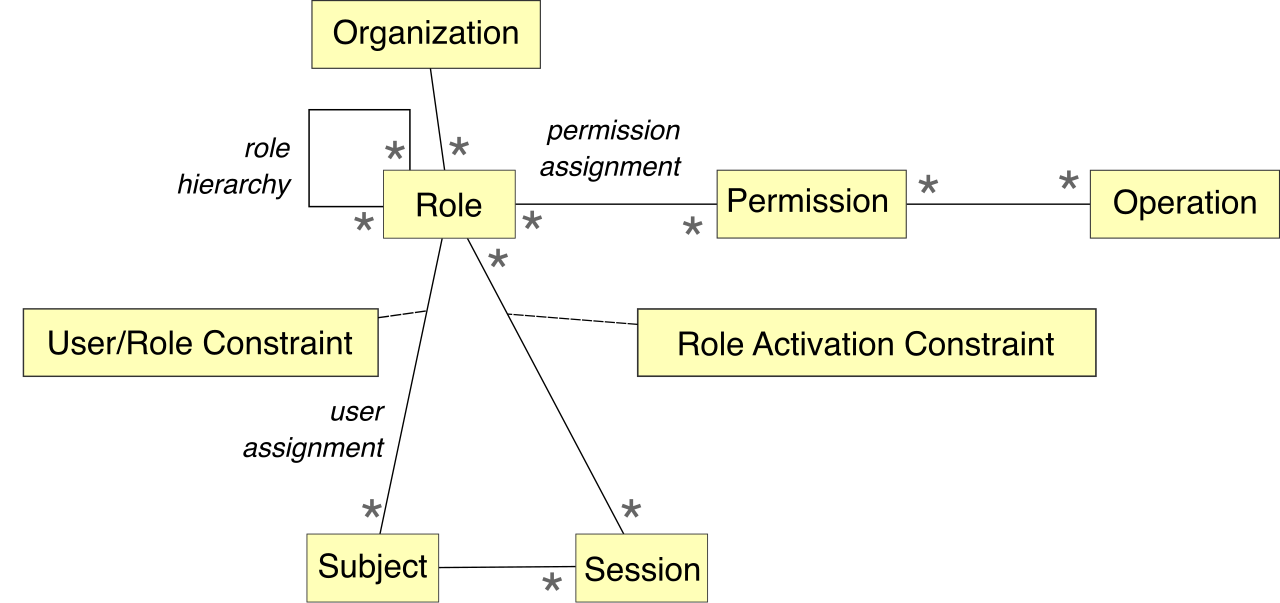
Furthermore, identity security is standardized. Azure Arc allows administrators to enforce Azure role-based access control (RBAC) on external infrastructure. Instead of creating local administrator accounts on a server in a remote office, IT uses Azure Active Directory (Entra ID) to grant permissions. If an employee leaves the company, revoking their Azure identity immediately strips their access not just to cloud resources, but to the Azure Arc-managed physical servers in the local datacenter as well.
By mastering the visual accessibility of the Azure portal, the rapid automation of Cloud Shell, and the borderless governance of Azure Arc, modern organizations can bring absolute order to the inherent chaos of global IT infrastructure.