Post-Incident Activities and Forensics
Not sure you’re ready?
Take the ~3-minute readiness diagnostic and see where you stand.
An extinguished fire leaves behind more than ash; it leaves a thermal fingerprint of how it ignited, what fuel it consumed, and why the structural defenses failed to contain it. In the realm of cybersecurity, the aftermath of a breach is a rich, evidentiary landscape. When an organization successfully contains and eradicates a threat, the work of the Security Operations Center (SOC) is not over. It simply shifts from a state of emergency response to one of rigorous scientific inquiry.
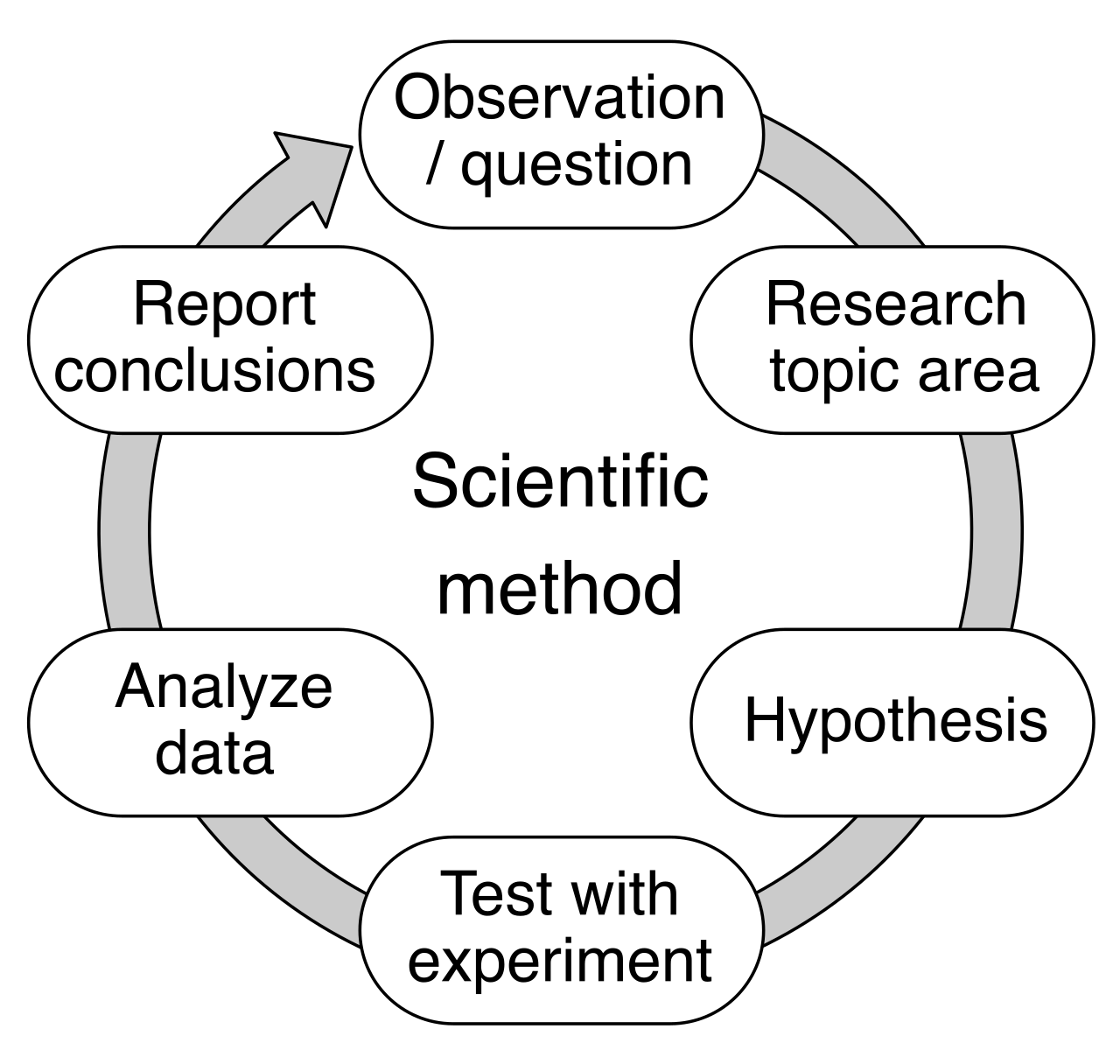
This phase is where abstract security theories meet the empirical reality of how systems actually fail. We are not just cleaning up; we are dissecting the adversary's methodology to inoculate the network against future intrusions.
The post-incident activity phase is the final phase of the NIST SP 800-61 incident response life cycle. Rather than simply closing the ticket and moving on, this phase demands a deep retrospective. The primary goal of the post-incident activity phase is to improve future incident response operations based on past experiences. If an adversary manages to bypass your defenses once, it is a tragedy; if they use the exact same technique to bypass them a second time, it is a systemic failure.
To formalize this process, analysts must generate incident reports. Far from being mere administrative overhead, incident reports provide a chronological summary of a security event and critically document the actions taken by the incident response team. This documentation serves as the historical record of the event, ensuring that the nuances of the attack are preserved.
Crucially, this phase is where intelligence is operationalized. Post-incident indicator of compromise generation helps update security monitoring tools to prevent future similar attacks. By extracting the specific IPs, file hashes, and domain names used by the attacker, SOC analysts can feed this data back into the SIEM and firewalls, transforming a past vulnerability into a future shield.
The Lessons Learned Meeting
You cannot improve a process without candidly evaluating its execution. A lessons learned meeting evaluates the effectiveness of the incident response process during a specific event. This is not a venue for assigning blame; it is a clinical dissection of what worked, what failed, and what was missing. Did the EDR catch the lateral movement fast enough? Were the communication channels secure when the primary email server was compromised?
Time is the enemy of memory. Therefore, NIST recommends holding a lessons learned meeting within a few days of the end of an incident, ensuring that the technical minutiae and operational bottlenecks are fresh in the minds of the responders.
Treating a symptom is not the same as curing the disease. Root cause analysis is the process of identifying the fundamental underlying reason a security incident occurred. If an analyst only remediates a compromised server by restoring from a backup without understanding how the attacker gained access, the server will inevitably be compromised again. We must trace the execution path back to its absolute origin.
There are several formalized frameworks to achieve this:
- The Five Whys: This technique is beautifully simple but devastatingly effective. The Five Whys technique identifies a root cause by repeatedly asking why a problem occurred to drill down into the underlying system failure.
- Why did the server crash? Because of a ransomware payload.
- Why was the payload executed? Because a user clicked a malicious link.
- Why did the link bypass the filter? Because the email filter rules were outdated.
- Why were the rules outdated? Because the subscription lapsed.
- Why did it lapse? Because the automated billing failed. (The root cause is an administrative failure, not just a technical one).
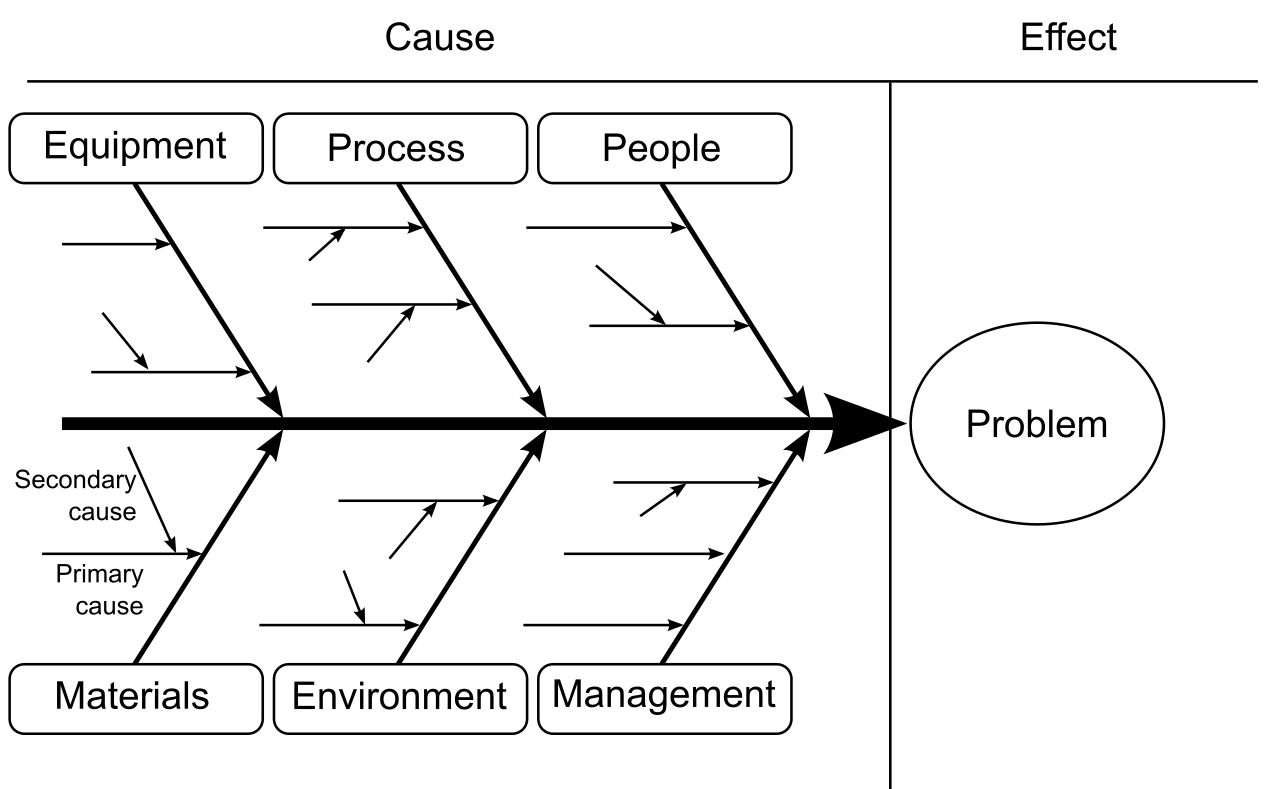
- Ishikawa Diagrams: When incidents are complex and multi-faceted, analysts need a visual approach. An Ishikawa diagram visually maps potential causes of an incident into distinct categories to find the root cause (e.g., Personnel, Equipment, Process, Technology). Because of its distinctive skeletal shape, an Ishikawa diagram is also known as a fishbone diagram.
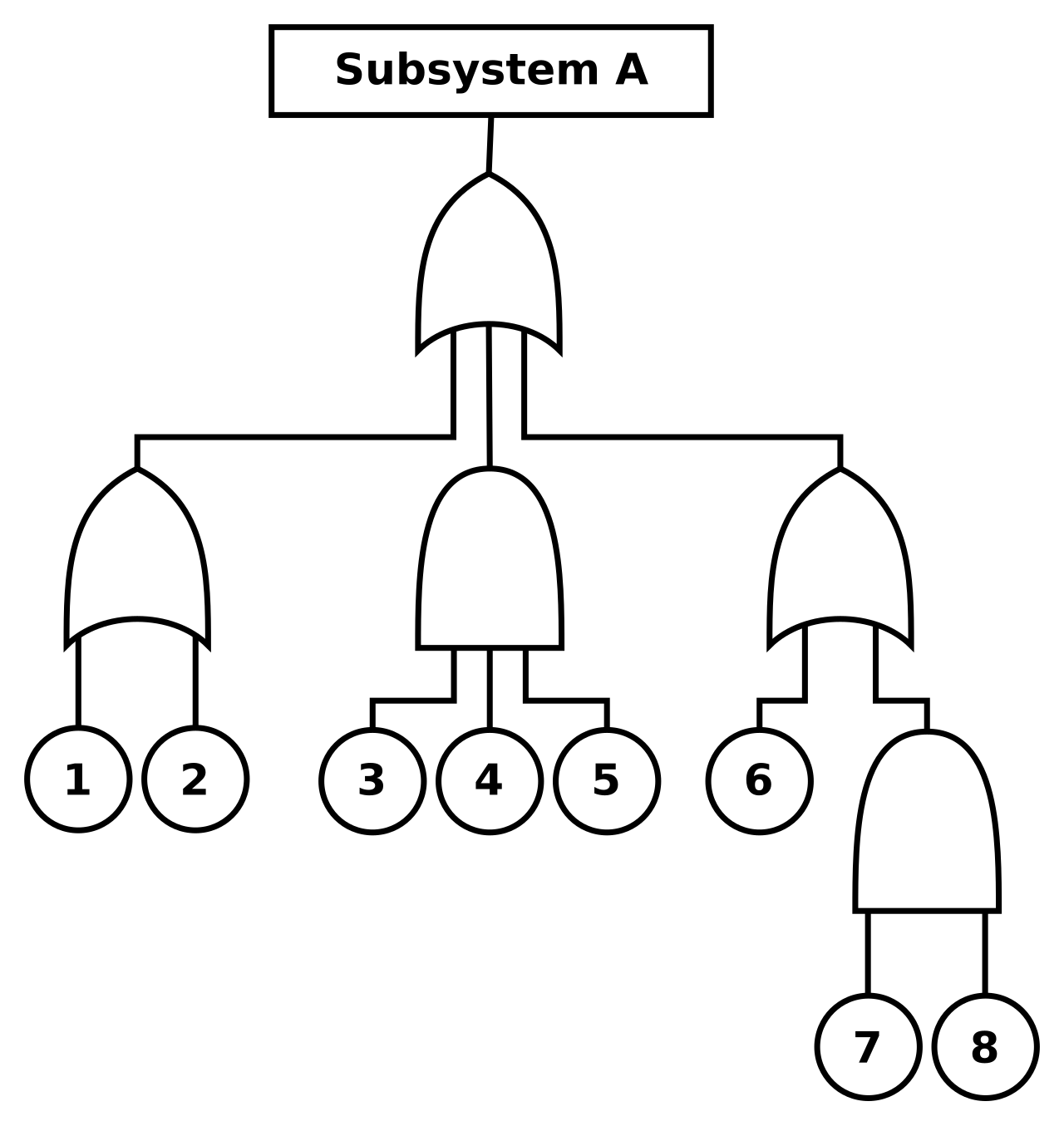
- Fault Tree Analysis: For highly deterministic environments, analysts turn to formal logic. Fault Tree Analysis uses Boolean logic to diagram the state of a system that led to an incident. By mapping dependencies using "AND" and "OR" gates, analysts can calculate exactly which combination of failures (e.g., Firewall rule misconfigured AND EDR sensor offline) allowed the intrusion.
If root cause analysis is the diagnostic framework, forensics provides the empirical data. Forensic analysis is the application of scientific investigation techniques to digital crimes and attacks. In this domain, data is treated as physical evidence, subject to stringent rules of handling, preservation, and mathematical verification.
The Order of Volatility
When an incident responder walks into a digital crime scene, they face a ticking clock. Information is constantly evaporating. The order of volatility dictates that forensic investigators must capture the most easily lost data first. If you pull the power cord on a compromised server to stop an attack, you instantly destroy the most critical forensic artifacts.
| Rank | Evidence Type | Volatility Rationale |
|---|---|---|
| 1 (Highest) | CPU Cache and Registers | Data is overwritten millions of times per second. CPU cache and register data represent the most volatile forms of digital evidence. |
| 2 | Network Data | Information mapping the system's immediate connections vanishes quickly. Routing tables and ARP caches are highly volatile network data points. |
| 3 | System RAM | System memory is more volatile than a local hard disk drive. It requires constant power to maintain its state. |
| 4 | Disk Storage | Traditional HDDs and SSDs retain data without power, allowing for slower, deliberate acquisition. |
| 5 (Lowest) | Archival Media | Tapes and offline backups. Archival backup media represents the least volatile form of digital evidence. |
Preserving the Evidence
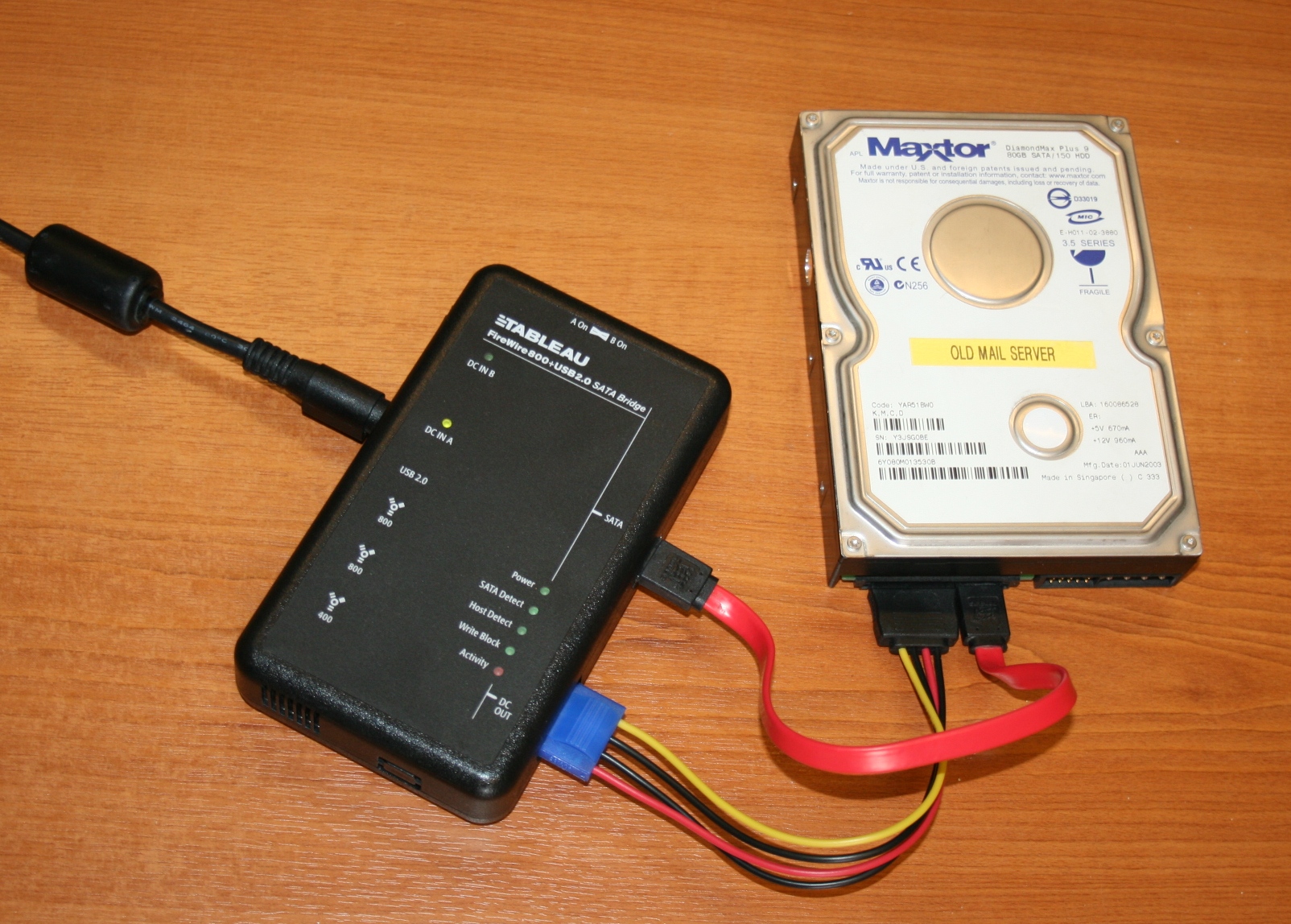
When capturing data from a target drive, the very act of mounting the drive can alter its contents (e.g., the operating system updating "last accessed" timestamps). To prevent this, investigators use write blockers. Write blockers prevent forensic tools from accidentally modifying data on a target storage device during acquisition. Depending on the scenario, a write blocker can be implemented as either a hardware device or a software utility.
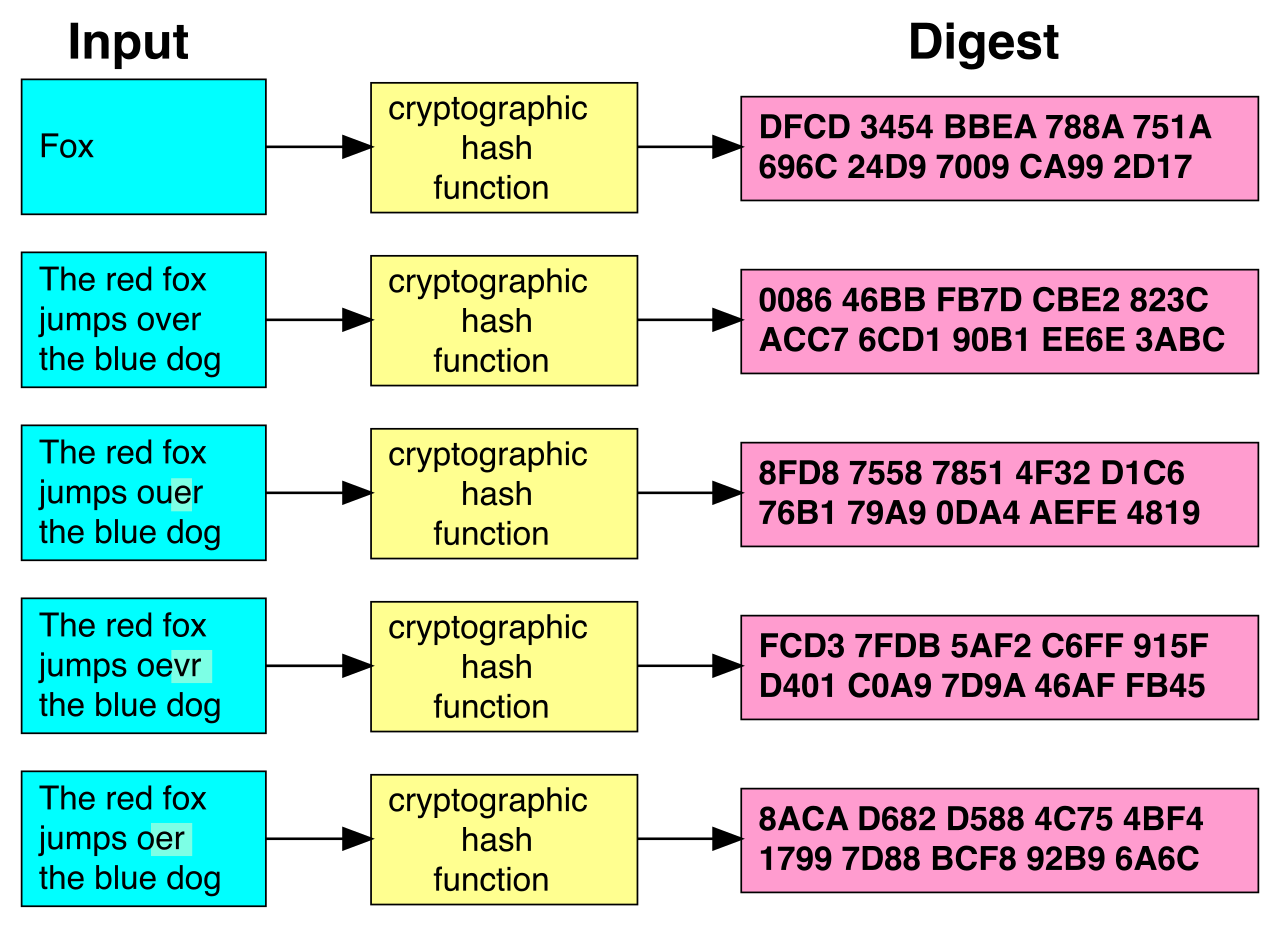
Once the image is acquired, investigators must mathematically prove that the copy has not been tampered with. Forensic investigators use cryptographic hashing to prove the integrity of a disk image. Think of this as the digital DNA of the evidence. A forensic image must have an identical cryptographic hash to the original media to be considered an exact copy. In modern forensics, SHA-256 is a widely used cryptographic hashing algorithm for validating forensic evidence.
Custody and Legal Scrutiny
Forensic work is frequently subjected to the hostile environment of a courtroom. A mathematically perfect disk image is useless if you cannot prove who had access to it. A chain of custody document records the chronological history of evidence handling. To be valid, a chain of custody document must include the name of every individual who possessed the evidence.
Critical Warning: Any break in the chain of custody can render digital evidence inadmissible in a court of law. If the evidence sat unlogged in an open cubicle for three hours, the opposing counsel will successfully argue it could have been tampered with.
Organizations are also legally bound to retain this data. Evidence retention policies dictate how long an organization must store incident-related data. Analysts cannot arbitrarily delete old forensic images, because regulatory requirements often define the minimum evidence retention period for security incidents (such as HIPAA or SOX mandates).
Furthermore, when civil litigation arises, a court may issue an immediate order. A legal hold mandates the preservation of all digital evidence and communications relevant to a pending legal investigation. This triggers E-discovery, which is the formal process of identifying, collecting, and producing electronically stored information in response to a request for production in a lawsuit.
With the evidence safely acquired and hashed, the analysis begins. The analyst's job is to translate raw binary into a coherent narrative.
Timelines and Windows Artifacts
The most powerful tool in the analyst's arsenal is chronological mapping. Timeline analysis reconstructs a chronological sequence of events using system timestamps and log entries. By aligning firewall logs, system events, and file modifications into a single timeline, the adversary's lateral movement becomes visible.
When investigating Windows systems, specific artifacts act as forensic goldmines:
- The NTFS Master File Table (MFT): The MFT is the master index of a Windows filesystem. An NTFS Master File Table contains metadata that helps investigators establish a timeline of file creation and modification on Windows systems. Even if an attacker renames a file, the MFT retains the true historical timestamps.
- The Windows Registry: This is the central nervous system of Windows configurations. The Windows Registry contains forensic artifacts regarding recently executed programs and connected USB devices. (For example, the
USERASSISTkeys can prove a specific malicious executable was run by a specific user). - Prefetch Files: Designed to speed up application load times, these files inadvertently serve as the perfect tracking mechanism. Prefetch files provide forensic evidence that a specific application was executed on a Windows operating system, even if the attacker subsequently deleted the executable itself.
Specialized Forensic Domains
Adversaries continually evolve, designing attacks that bypass traditional disk forensics. SOC analysts must leverage specialized domains to hunt them down.
If the attacker never dropped a payload to the hard drive, traditional file analysis will yield nothing. In these "fileless" attacks, memory forensics can reveal malicious processes running exclusively in RAM without leaving files on the hard drive. By dumping and analyzing the volatile memory, analysts can extract decrypted passwords, hidden rootkits, and active network connections.
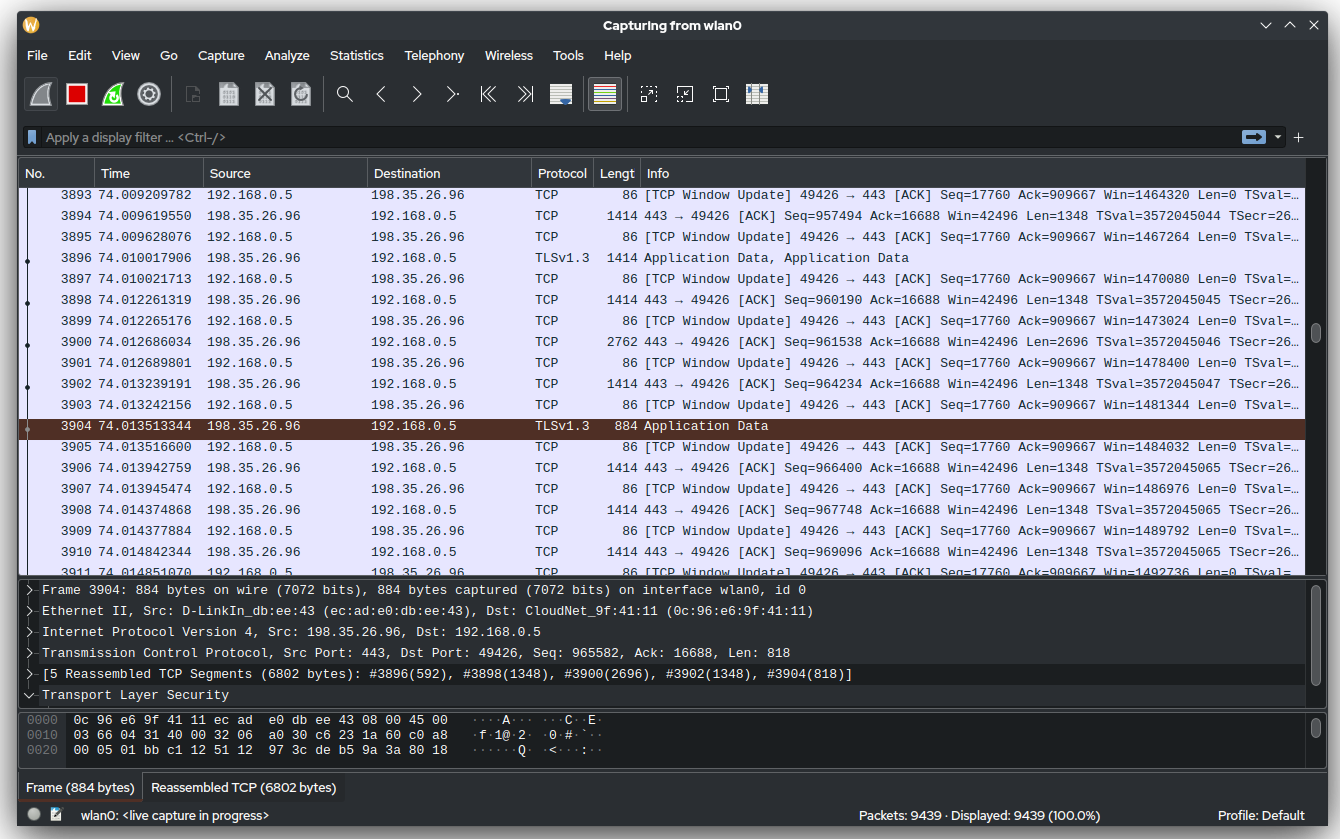
To understand how the attacker entered and what they stole, analysts look to the network layer. Network forensics involves capturing and analyzing network traffic to trace the source and impact of a cyber attack. While NetFlow data provides the high-level metadata (the "who" and "when"), packet captures provide full-payload network evidence for forensic analysis (the "what").
Finally, what happens when the attacker systematically deletes their tools and covers their tracks? When data is deleted, the operating system simply marks the space as available; the 1s and 0s often remain on the disk platter. File carving is a forensic technique used to recover deleted files from unallocated disk space by searching for specific file signatures. These signatures are distinct hexadecimal headers that identify the file type (e.g., FF D8 FF E0 for a JPEG). Because of their unique, identifier properties, file signatures used in file carving are also known as magic numbers. By scanning the raw disk image for these magic numbers, an analyst can resurrect the exact tools the adversary thought they had destroyed.