Backups, Recovery, and Power
Not sure you’re ready?
Take the ~3-minute readiness diagnostic and see where you stand.
When the utility grid fails and the datacenter plunges into silence, the abstract theories of cybersecurity instantly distill into a harsh reality of physics and mathematics. The survival of an organization in that moment does not depend on its firewalls, its intrusion detection algorithms, or its zero-trust architecture. It depends entirely on whether there are electrons available to spin the disks, and whether there are mathematically pristine, uncorrupted copies of the data ready to be restored. System administrators and security professionals spend their careers building resilient digital perimeters, but the ultimate fail-safe is the architecture of continuity: power redundancy, immutable backups, and fiercely validated recovery protocols.
To master security is to master the inevitability of failure. Hardware will degrade, malicious actors will breach perimeters, and nature will interrupt the power supply. The true measure of an IT environment is not merely how it operates under ideal conditions, but how gracefully it recovers when everything goes wrong.
Data is not static; it is a living, breathing entity that changes every millisecond. If we want to capture its state so we can rewind time after a disaster, we must decide how to capture it. The method we choose dictates not only how much storage space we consume, but more importantly, how quickly we can rebuild the system.
At the foundation of all data preservation is the full backup. Quite simply, a full backup copies all selected data regardless of when the data was last modified. Think of it as photocopying an entire encyclopedia. It is incredibly comprehensive, but it is slow, resource-heavy, and consumes massive amounts of storage. Because we cannot practically run a full backup every hour without bringing the network to a crawl, we rely on delta-based strategies to capture the changes between our full backups.
We have two primary ways to capture these changes: incremental and differential backups.
An incremental backup copies only the data that has changed since the last backup of any type. If you run a full backup on Sunday, Monday's incremental backup captures only Monday's changes. Tuesday's incremental backup captures only Tuesday's changes. It is incredibly fast to execute, saving immense storage space. However, the trade-off comes during recovery. Incremental backups require the last full backup and all subsequent incremental backups to perform a full restoration. If Wednesday's incremental tape is corrupted, you cannot restore Thursday's data.
Conversely, a differential backup copies all data that has changed since the last full backup. If you run a full backup on Sunday, Monday's differential captures Monday's changes. Tuesday's differential captures Monday and Tuesday's changes. By Wednesday, the backup file is growing quite large. Why do this? Because differential backups require only the last full backup and the most recent differential backup to perform a full restoration. You only ever need two files to rebuild the system, drastically reducing the time and complexity of your recovery.
The Backup Speed Trade-Off
- Incremental: Fast to back up, slow to restore (requires many files).
- Differential: Slower to back up, fast to restore (requires only two files).
Engineers, recognizing the pain points of both methods, developed a mathematical shortcut: the synthetic full backup. A synthetic full backup consolidates an existing full backup with subsequent incremental backups to create a new full backup without reading the original data source. The backup server's processor simply stitches the existing full and the recent incrementals together to forge a fresh, updated full backup right on the storage array. This spares the production network the heavy lifting of transmitting all that data again.
Time Travel at the Block Level: Storage Snapshots
Traditional backups operate at the file level. They read files, compress them, and send them to a storage repository. But what if a server gets infected with ransomware and you need it back online in exactly three minutes?
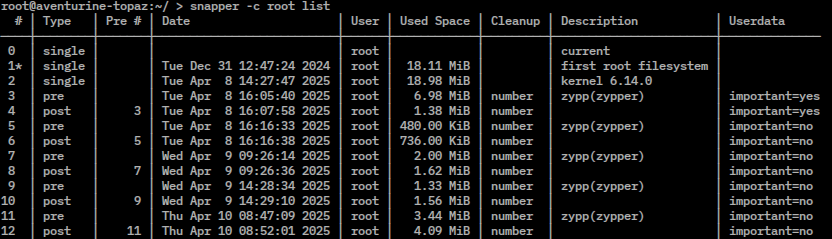
For this, we use a storage snapshot. A storage snapshot captures the exact state of a system or storage volume at a specific point in time. It does not copy the data file-by-file; rather, it takes a momentary picture of the storage blocks as they exist. Snapshots allow for rapid recovery of a system to a previous state without restoring from traditional tape or disk backup media. If an administrator makes a catastrophic error during a database upgrade, they can instantly revert to the snapshot taken five minutes prior.
A backup is only valuable if it survives the disaster that destroyed the primary data. This brings us to the geometric and physical distribution of our data.
The industry standard framework for data survivability is the 3-2-1 backup rule. The 3-2-1 backup rule dictates keeping three copies of data, on two different media types, with one copy stored offsite.
- Three copies: The primary production data, plus two backups.
- Two different media types: For example, spinning hard drives and magnetic tape. If a firmware bug destroys the hard drives, the tape remains viable.
- One copy offsite: Physical distance is the only defense against physical destruction.

Offsite storage involves keeping backup copies in a physical location separate from the primary data center. By ensuring geographical separation, offsite storage protects backup data against localized disasters affecting the primary facility, such as a building fire, a flood, or a regional power grid failure.
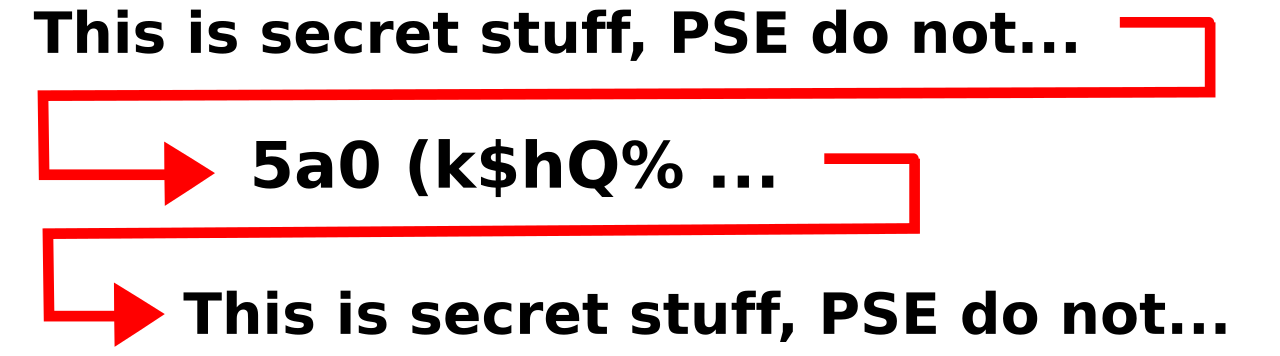
But the moment we move data outside our fortress, it becomes vulnerable to interception. Therefore, we must deploy backup encryption. Backup encryption secures data at rest to prevent unauthorized access if the backup media is stolen or compromised. If an armored truck carrying your backup tapes is hijacked, the thieves possess nothing but mathematically scrambled noise.
The Ransomware Defense: Air Gaps and Immutability
Modern ransomware does not just encrypt your primary servers; it specifically seeks out your backup repositories to destroy your ability to recover. To defend against this, we use two highly specific techniques.
First is the air gap. An air gap physically or logically disconnects backup media from the production network to prevent network-based attacks from reaching the backups. If a tape is sitting on a shelf in a vault, it is physically air-gapped. A hacker cannot send a malicious payload across an Ethernet cable to a tape cartridge that isn't plugged in.
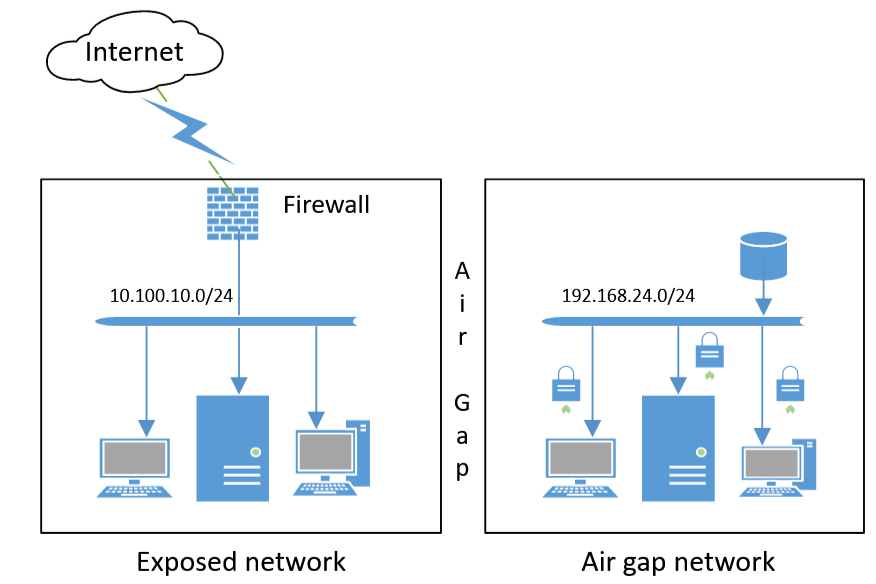
Second, we utilize immutable backups. Immutable backups cannot be altered, deleted, or encrypted by ransomware during a specified retention period. Implemented at the storage architecture level (often called Write-Once, Read-Many or WORM), even an administrator with root access cannot delete an immutable backup until the time-lock expires. If a threat actor breaches the network and commands the storage array to format the backup drives, the array simply refuses the command.
In science, a hypothesis is merely a guess until it is subjected to a rigorous experiment. In IT, a disaster recovery plan is merely a document until it is tested. An untested backup is not a backup; it is a wish. We test our recovery capabilities through a spectrum of exercises, balancing realism against the risk of business disruption.
| Test Type | Description | Realism | Risk Level |
|---|---|---|---|
| Tabletop Exercise | A tabletop exercise is a discussion-based session where team members review their roles in disaster recovery scenarios without deploying actual resources. | Low | None |
| Walkthrough Exercise | A walkthrough exercise involves team members performing their disaster recovery duties step-by-step in a non-disruptive environment. | Moderate | Very Low |
| Simulation Exercise | A simulation exercise tests disaster recovery procedures by creating a mock disaster scenario requiring actual system configurations in an isolated environment. | High | Low |
| Parallel Processing | Parallel processing involves running the recovery site simultaneously with the primary site to verify functionality without interrupting primary operations. | Very High | Moderate |
| Full Interruption Test | A full interruption test shuts down the primary site completely to ensure the organization can operate entirely from the disaster recovery site. | Absolute | Extreme |
Notice the progression. We start in a conference room with a tabletop exercise to ensure everyone understands the theoretical playbook. We move to a walkthrough exercise where administrators sit at their terminals and verify they have the right login credentials and can access the necessary consoles, though they don't change anything.
When we are ready to test the technology, we build a sandbox. A simulation exercise tests our procedures in an isolated environment—we actually restore the servers, but we do it on a quarantined network so the real business is unaffected.
To ensure the backup datacenter can handle the true production load, we use parallel processing. We run the primary site, but we mirror the data and user requests to the recovery site simultaneously, proving the recovery site can handle the computational weight without ever taking down the primary site.
Finally, the ultimate crucible: the full interruption test. By deliberately severing the connection to the primary site, we force the entire business to run on the recovery site. Understand the severity of this action: a full interruption test carries the highest risk of disruption to business operations compared to all other disaster recovery testing methods. If the recovery site fails to initialize during a full interruption test, you have just intentionally caused a catastrophic outage.
None of the data preservation or recovery orchestration we have discussed matters if the servers cannot draw electricity. Power continuity is an exercise in building localized, redundant energy grids.
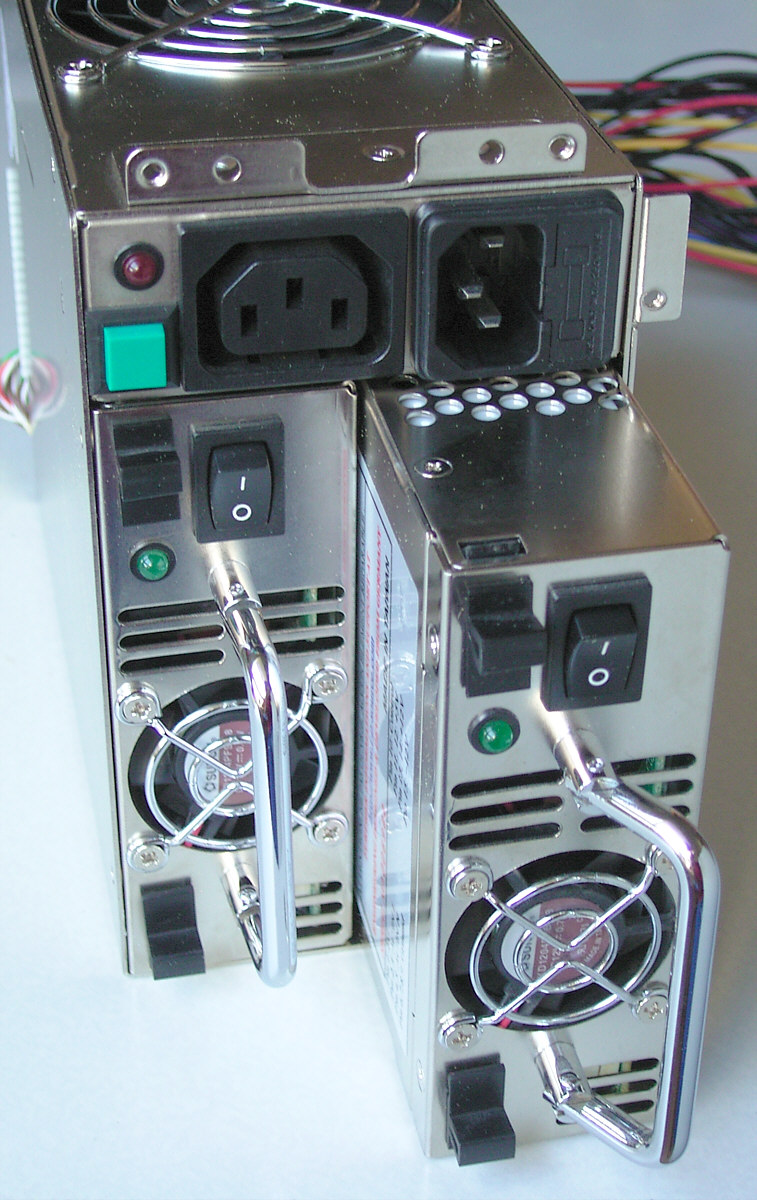
The strategy begins directly inside the server chassis with dual power supplies. Dual power supplies allow a single piece of equipment to draw power from two independent power circuits simultaneously. A server will have two power cables plugged into its back. Because of this, dual power supplies prevent equipment failure if one power circuit or one power supply unit fails. If a circuit breaker trips on Rack Line A, the server instantly pulls its full load from Rack Line B without dropping a single packet.
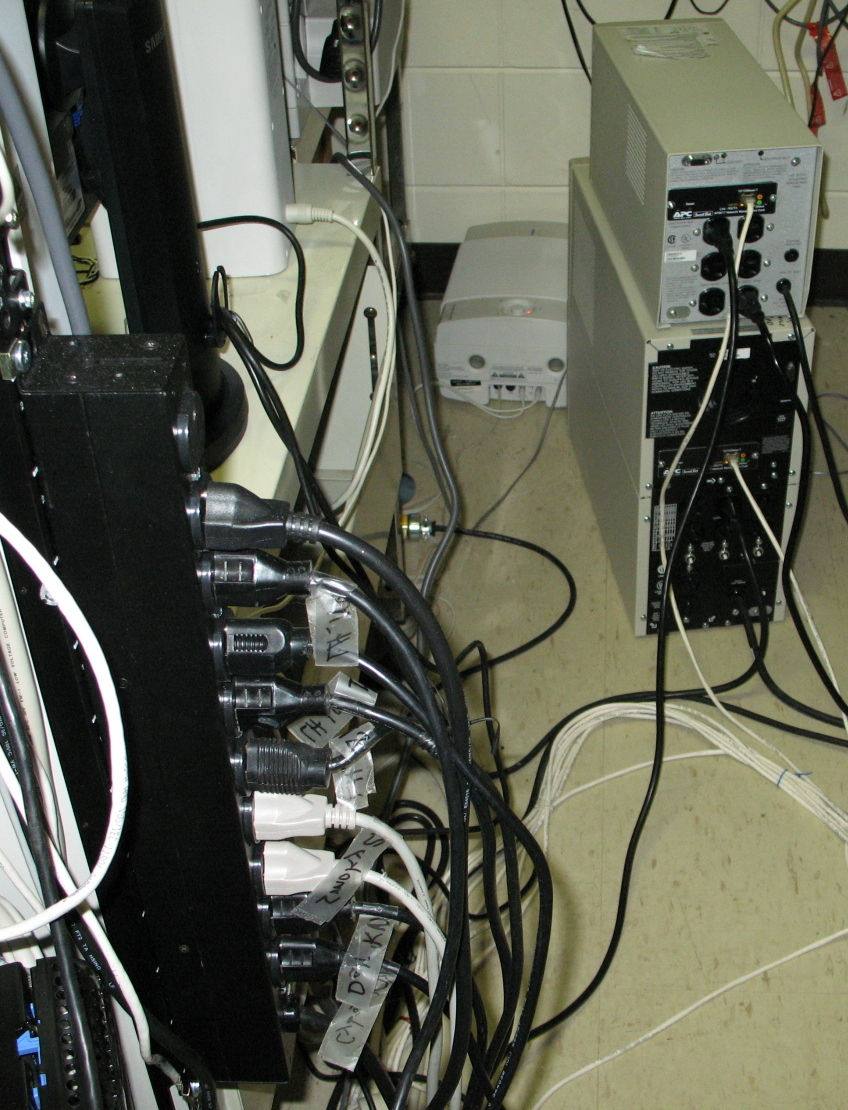
Those power cables do not plug into the wall; they plug into Managed Power Distribution Units (PDUs). Managed Power Distribution Units (PDUs) allow administrators to remotely monitor and control the electrical power distributed to individual networking devices. If a critical router completely freezes and will not accept network commands, an administrator sitting on another continent can access the Managed PDU interface and physically cut, then restore, the electricity to that specific router outlet to force a hard reboot.
Bridging the Outage: The UPS and the Generator
When the city utility grid fails, a highly choreographed sequence of events must occur perfectly, and within milliseconds, to save the datacenter.
The immediate savior is the Uninterruptible Power Supply (UPS). An Uninterruptible Power Supply (UPS) provides immediate, short-term battery power to equipment during a main power failure. The moment the voltage from the wall drops to zero, the chemical batteries in the UPS instantaneously discharge to keep the servers running.
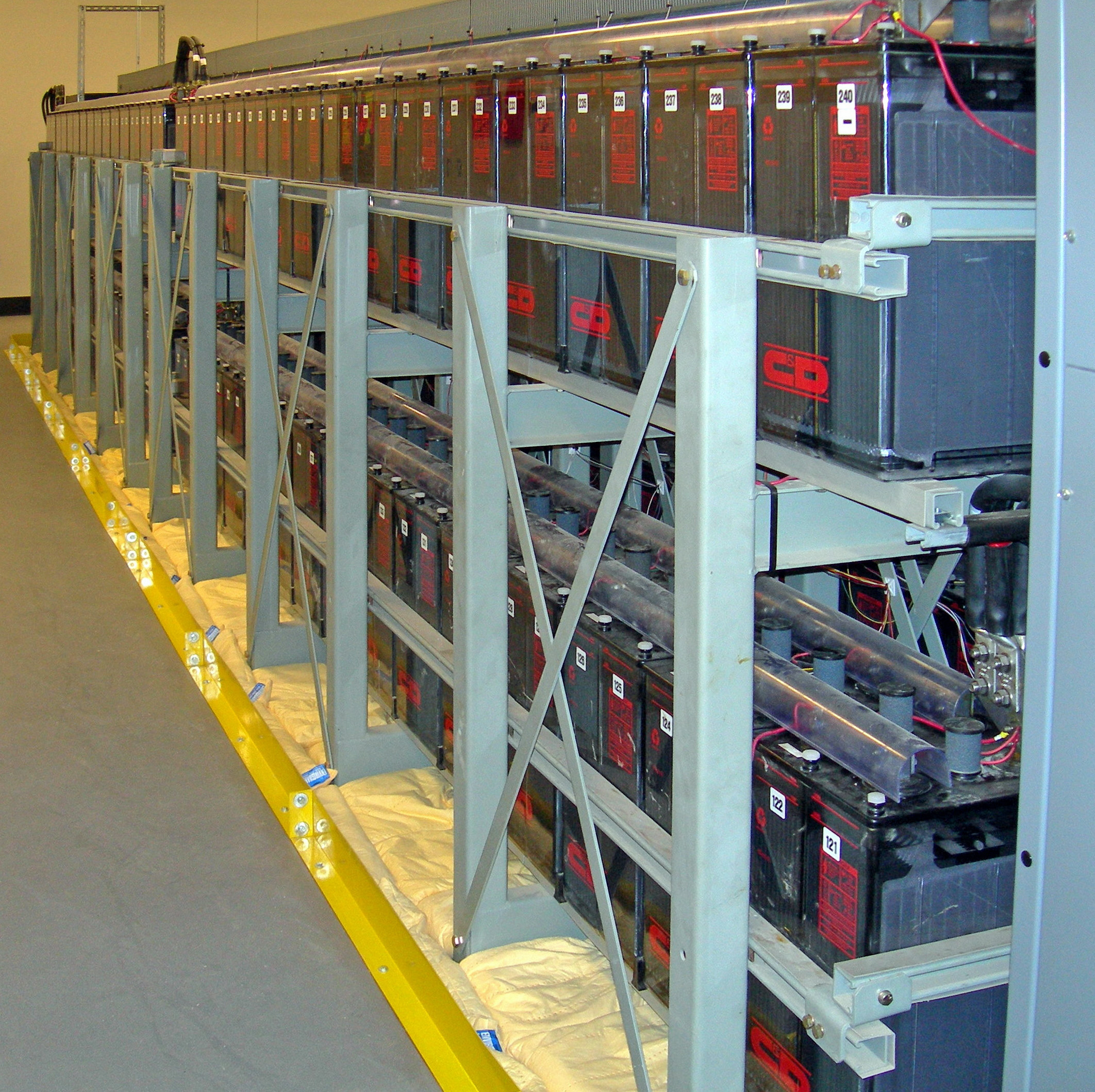
But a UPS is not designed to run a datacenter for hours; it is a temporary bridge. Specifically, an Uninterruptible Power Supply (UPS) bridges the power gap between a main power outage and the activation of a secondary power generator.
As the UPS kicks in to keep the servers alive, a specialized sensor called an Automatic Transfer Switch (ATS) takes action. An Automatic Transfer Switch (ATS) automatically shifts the electrical load from the primary utility power to a backup generator when a power failure is detected. It commands the generator to start its engine. Once the generator has reached the correct RPMs and is producing stable, clean electricity, the ATS physically flips the circuit, disconnecting the datacenter from the dead city grid and connecting it to the roaring generator.
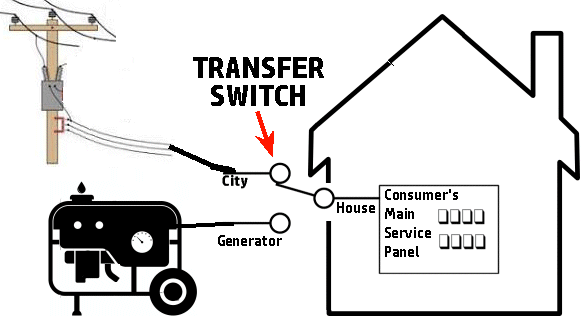
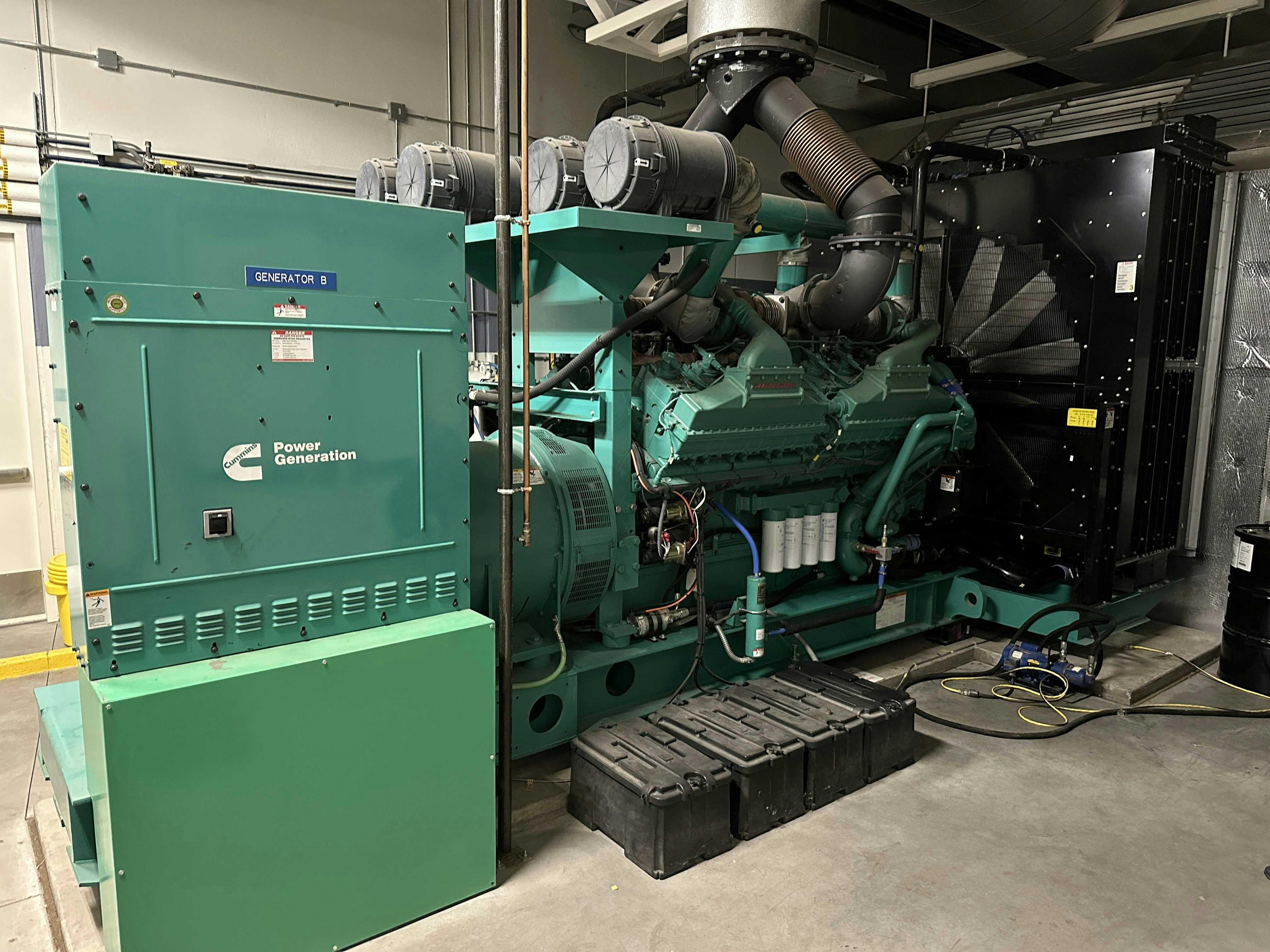
This brings us to the ultimate backstop. A backup generator provides long-term emergency electrical power during extended utility outages. It converts chemical energy into kinetic energy, spinning an alternator to create electricity. However, it is bound by the laws of thermodynamics: backup generators require a continuous external fuel supply such as diesel, natural gas, or propane to operate. So long as fuel trucks can physically reach the facility to refill the tanks, the datacenter will remain alive, the servers will hum, and the immutable backups will stand ready to execute a flawlessly simulated recovery.