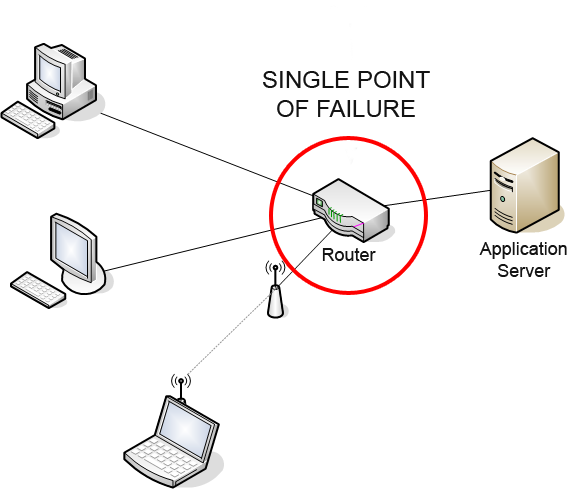
A network diagram demonstrating how a single router can act as a critical bottleneck. If this node fails, all connected systems lose communication, highlighting the necessity of redundant hardware for high availability.
When we evaluate the success of this architecture, we measure it in "nines."
The Ultimate Metric: Five Nines
An availability rating of 99.999 percent—often referred to as "five nines" in the industry—guarantees less than six minutes of total system downtime per year. Achieving this requires rigorous redundancy, rapid failover mechanisms, and comprehensive disaster recovery planning.
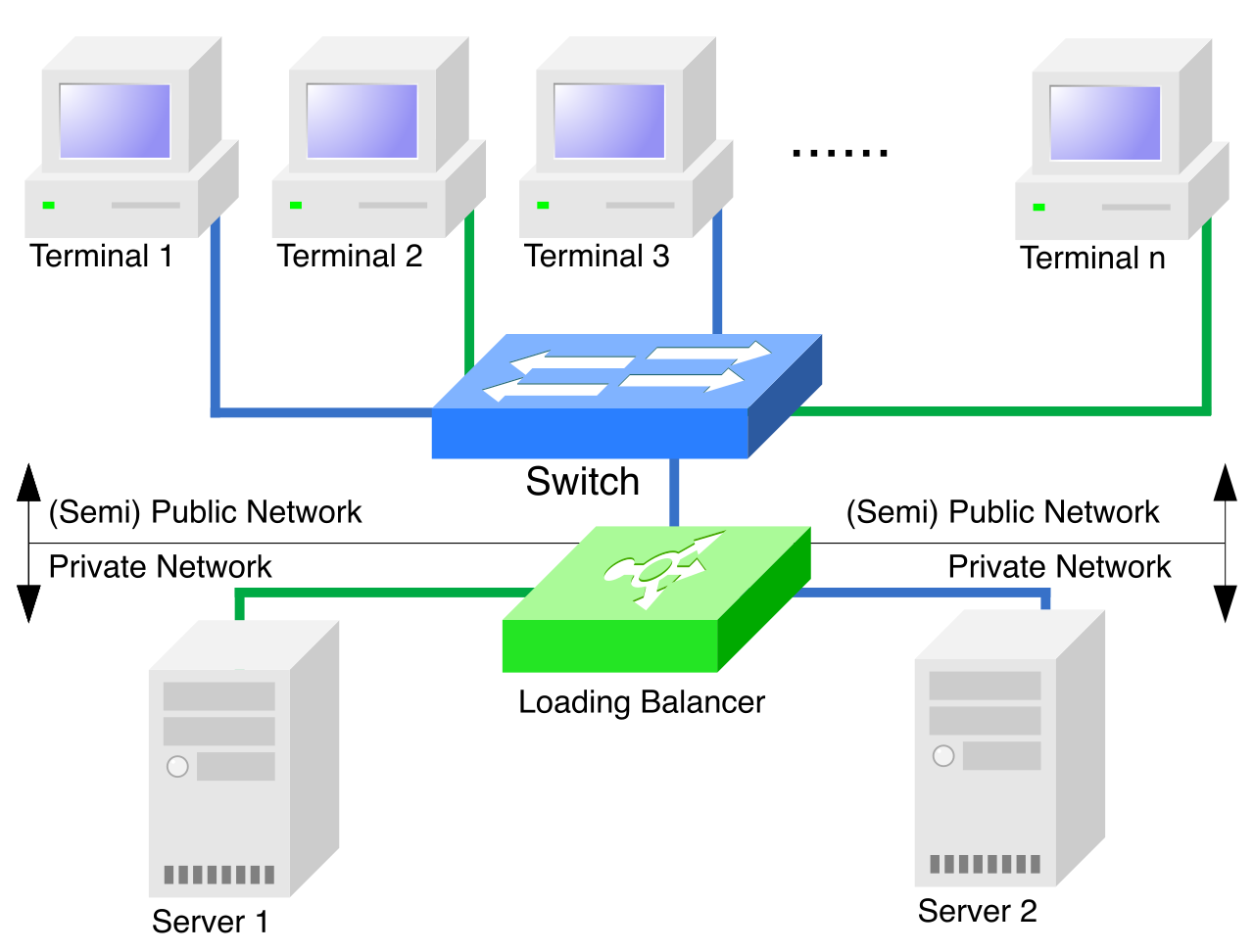
To the outside world, this complexity is entirely hidden. A virtual IP address allows a load balancer to act as a single client contact point for a server cluster. The client queries the virtual IP, and the load balancer decides which backend server will actually handle the request.
A logical diagram of a load balancing cluster. Multiple client requests are routed through a single ingress point, which then distributes the network traffic across parallel backend servers to prevent overload.
How does the load balancer choose where to send a packet? It depends on the mathematical algorithm driving the traffic routing:
Round-robin load balancing: This is the simplest approach. It distributes network traffic sequentially to each server in a predetermined list. Server A gets request 1, Server B gets request 2, Server C gets request 3, and then back to A. It is predictable but blind to the actual workload of each server.
Least connection scheduling: For more dynamic environments, this method directs new network traffic to the server with the fewest active sessions. If Server A is bogged down with a complex database query, the load balancer intelligently routes the next user to idle Server B.
Maintaining Application State
Because the HTTP protocol is inherently stateless, bouncing a user between different servers can cause critical logic failures. Imagine logging into an application on Server A, but your subsequent request to view your profile is routed to Server B. Server B has no record of your login, so it kicks you out.
To solve this, we use session affinity (often called "sticky sessions"). Session affinity routes all sequential requests from a specific client to the same backend server. By locking a user to a specific node for the duration of their visit, session affinity prevents the loss of user application state across multiple independent HTTP requests.
Redundancy Models: Active vs. Passive
Load balancers can be deployed in different operational states to balance cost, performance, and readiness:
Keeps redundant server nodes on standby until the primary node fails.
Provides dedicated failover hardware without the complexity of balancing active data collisions.
While load balancing directs traffic to independent servers, clustering connects multiple independent computer systems to operate as a single logical entity. A cluster acts as a hive mind. If a node within the cluster begins to smoke and sputter, the rest of the cluster adapts instantaneously.
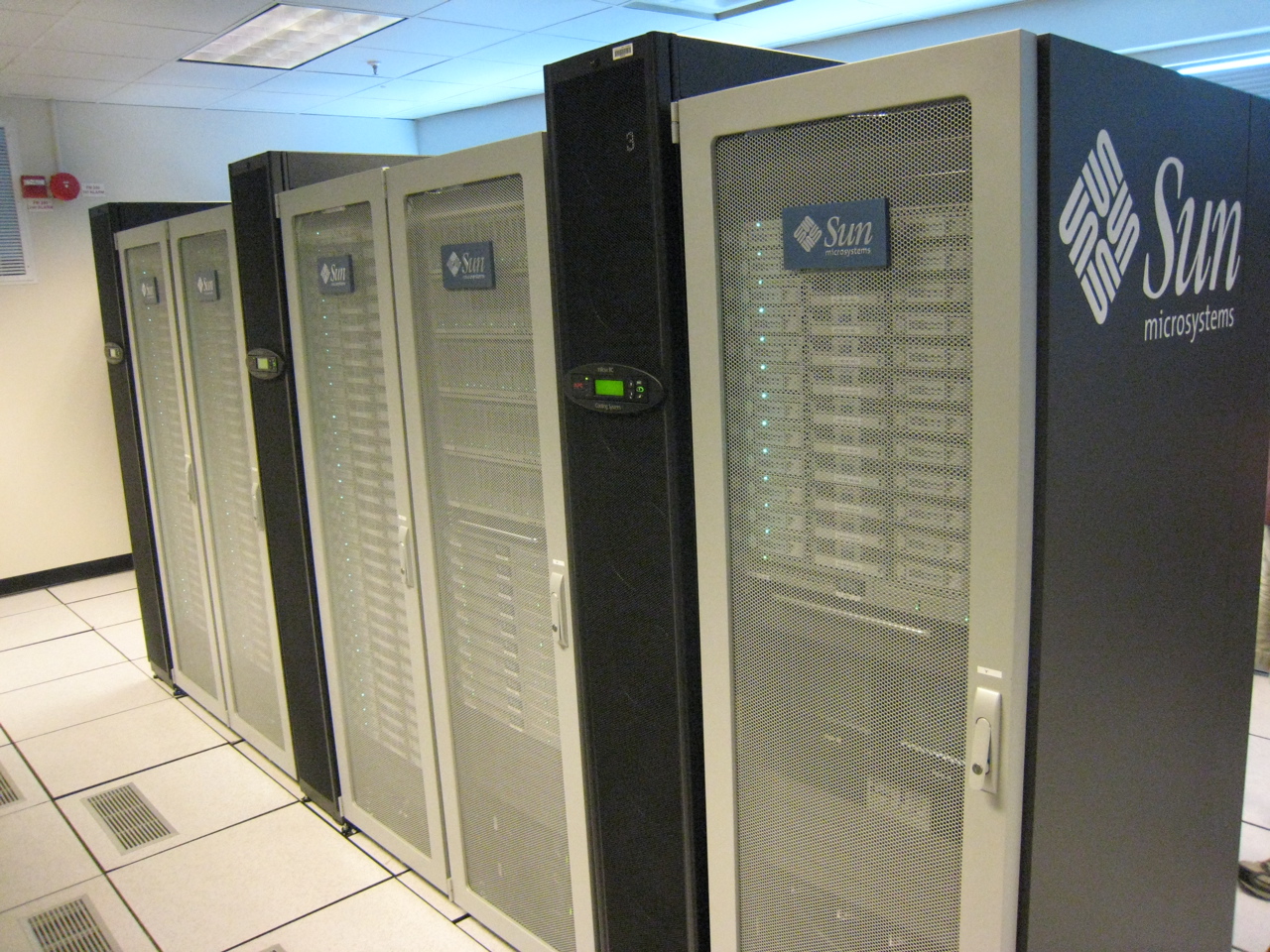
A physical computer cluster consisting of multiple independent server nodes. Through continuous network communication, these separate machines operate as a single logical entity capable of instantly absorbing individual hardware failures.
This adaptability relies on constant communication. High availability clusters monitor the operational status of individual nodes using continuous heartbeat network signals. Much like a medical pulse, these are tiny, rhythmic network packets that simply say, "I am alive."
If a server’s heartbeat stops, a failover cluster automatically transfers computational workloads to a healthy node during a hardware failure. Because the servers are clustered as a logical unit, the transfer happens transparently. The end user simply experiences a fraction of a second of latency while the healthy node picks up the dropped thread.
Business continuity planning ensures critical organizational functions remain available during major physical disruptions. When the primary facility is compromised, organizations must shift their operations to an alternate processing site—a secondary physical location built explicitly for disaster recovery.
The strategy behind selecting an alternate site is an exercise in balancing financial expenditure against the Recovery Time Objective (RTO). The RTO dictates exactly how long your organization can survive an outage before sustaining irreparable financial or reputational damage.
Hot, Warm, and Cold Sites
Alternate facilities fall into three primary categories based on their readiness:
1. Cold Sites
A cold site provides a physical building structure without any pre-installed computing hardware. It is essentially an empty shell that provides baseline facility infrastructure such as electrical power and HVAC systems. Because it lacks servers or data, disaster recovery personnel must physically transport computing hardware to a cold site before resuming business operations.
The Trade-off: A cold site is the least financially expensivedisaster recovery facility to lease. However, because you must buy, ship, install, and configure hardware from scratch, a cold site yields the longestRecovery Time Objective metric among disaster recovery facilities. It could take weeks to come online.
2. Warm Sites
A warm site contains pre-installed computing hardware without continuous data synchronization. The racks are built, the servers are plugged in, and the network is ready. However, the data sitting on those servers is stale. Activating a warm site requires system administrators to restore operational data from external backups before the doors can "open" for business. This dramatically reduces the RTO compared to a cold site, usually bringing recovery time down to hours or days.
3. Hot Sites
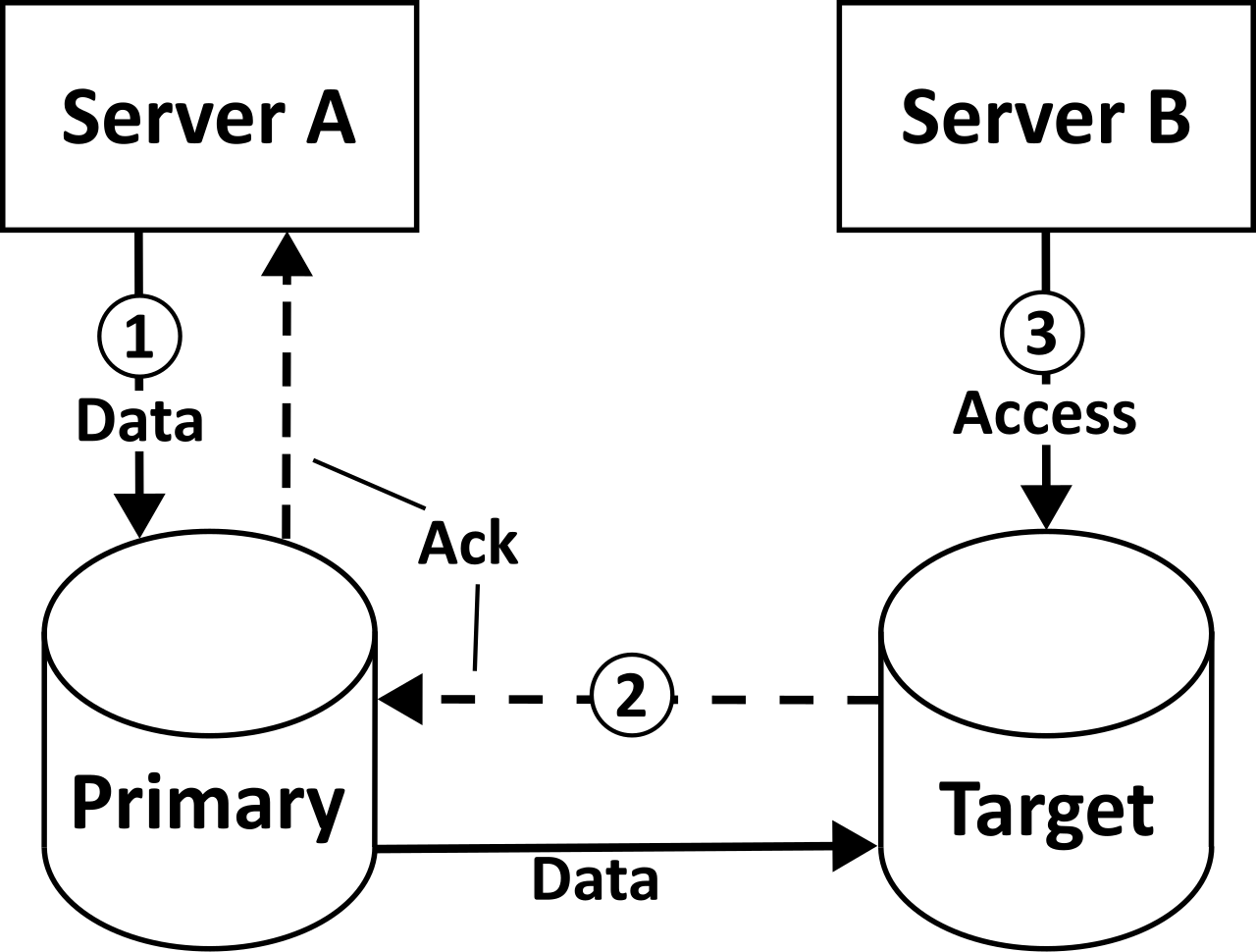
For mission-critical applications that demand five nines of availability, only a hot site will suffice. A hot site includes all necessary computing hardware for the immediate resumption of business operations. Crucially, a hot site requires real-time data replication from the primary data center. When a transaction happens in the primary site, it is instantly written to the hot site.
A diagram illustrating storage replication. To maintain a functional hot site, transactional data must be continuously synchronized from the primary facility to the backup location in real-time.
The Trade-off: Because it is essentially a fully staffed, fully powered clone of your primary network, a hot site minimizes the Recovery Time Objective metric for an organization—failover can happen in minutes or even seconds. Consequently, a hot site is the most financially expensive disaster recovery facility option to maintain.
Site Comparison Summary
Cold: Power and cooling only. Bring your own hardware. Longest RTO. Cheapest.
Warm: Hardware ready. Bring your own data backups. Medium RTO. Moderate cost.
Finally, true resilience requires us to look at the map and look at the code.
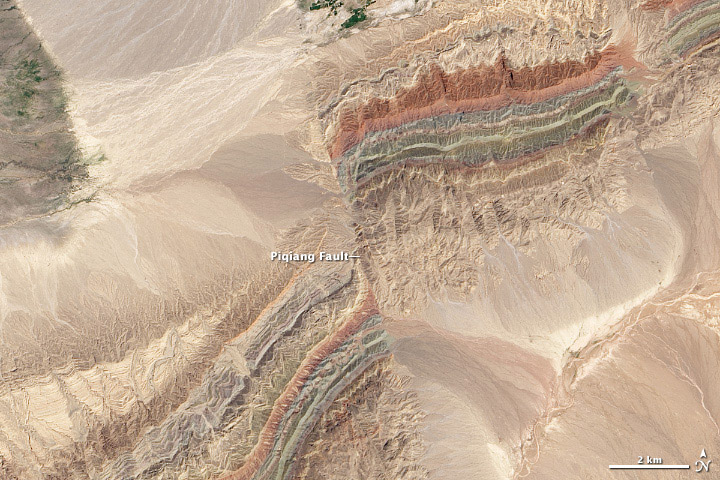
If your primary data center and your hot site are both located in the same floodplain or on the same tectonic fault line, you have fundamentally failed your continuity planning. Geographic dispersal places alternate recovery sites in separate geographic regions to protect against localized physical disasters.
A satellite view of a tectonic fault line splitting a landscape. Geographic dispersal ensures that a single localized event—such as an earthquake along a fault or a regional flood—cannot simultaneously destroy both the primary and backup facilities.
Just as physical geography matters, technological geography matters. Imagine deploying a flawless high availability cluster where every single node runs the exact same version of a specific operating system. If a malicious threat actor drops a zero-day exploit targeting that specific OS version, your entire cluster will collapse simultaneously.
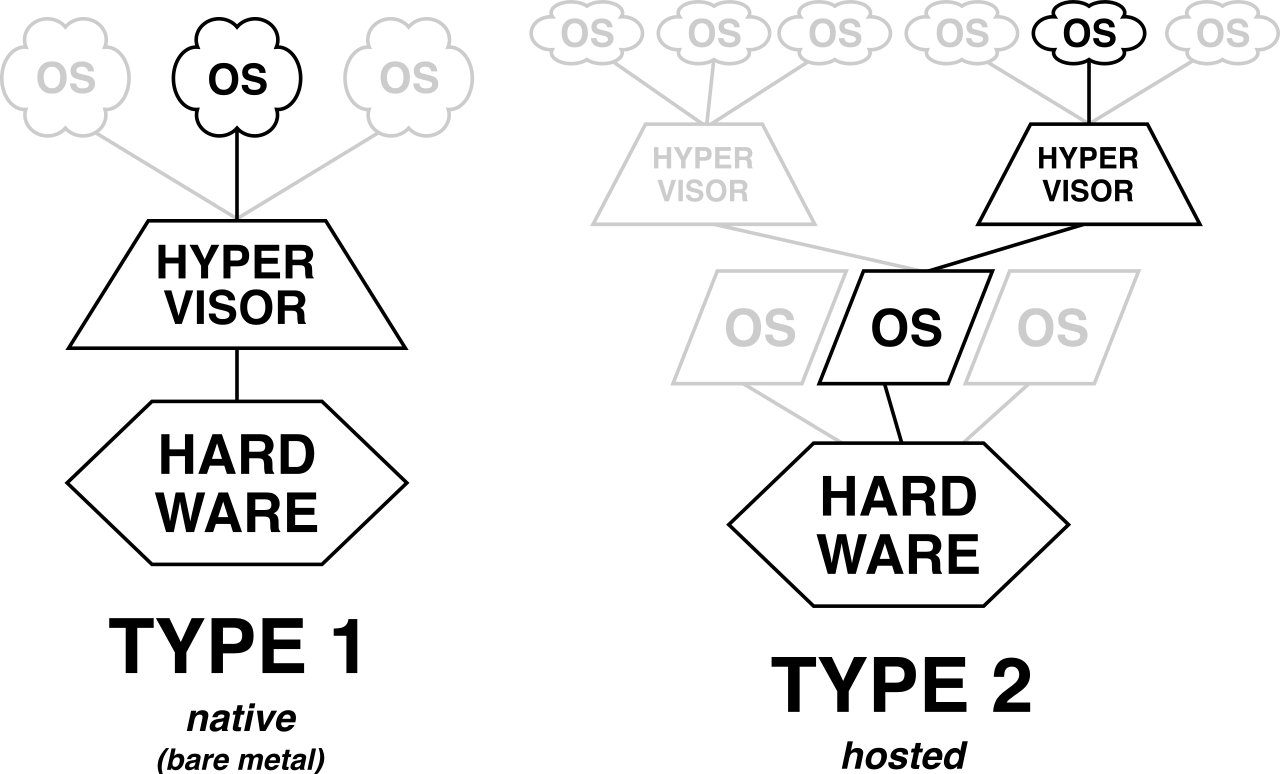
To counteract this, mature enterprises practice technological heterogeneity. Implementing diverse technological platforms prevents a single software vulnerability from simultaneously compromising primary and backup systems. By mixing operating systems, hypervisors, and vendor architectures between primary and alternate sites, you build a fortress that no single point of failure—hardware, environmental, or software—can breach.
An architectural comparison of Type-1 and Type-2 hypervisors. Utilizing different virtualization architectures and operating systems across recovery sites prevents a single zero-day vulnerability from causing a total systemic collapse.