Wireless, Mobile, and Application Security
Not sure you’re ready?
Take the ~3-minute readiness diagnostic and see where you stand.
A modern enterprise network is not a static fortress with a single drawbridge; it is a highly fluid environment, resembling a bustling international airport. Data, the lifeblood of the organization, is constantly in transit across invisible radio waves, carried outward on devices traveling across the globe, and processed internally by complex software engines. Securing this environment requires us to master three distinct but overlapping domains: the invisible perimeter of wireless networks, the shifting endpoints of mobile devices, and the core operational logic of applications. If we fail to secure the airwaves, an attacker can siphon our data from the parking lot. If we fail to secure the mobile devices, a lost phone becomes a skeleton key to our internal infrastructure. If we fail to secure the applications, we essentially invite the attacker to use our own computational power against us.
Wireless security is fundamentally the problem of establishing trust through the air. Because radio waves do not stop at the physical walls of a building, anyone with an antenna can listen to your network traffic or attempt to inject their own.
The Evolution of WPA
For years, the standard for securing these airwaves was Wi-Fi Protected Access 2 (WPA2). WPA2 encryption relies on the Advanced Encryption Standard (AES) algorithm, specifically implementing it in a way that uses Counter Mode Cipher Block Chaining Message Authentication Code Protocol (CCMP) for encryption.
However, WPA2 possessed a critical flaw in how it handled passwords via its Pre-Shared Key (PSK) exchange. If an attacker passively captured the brief "four-way handshake" when a legitimate user connected to the Wi-Fi, they could take that captured file home and run high-speed password guessing algorithms against it. This is an offline dictionary attack, and the access point would be completely unaware it was happening.
To eliminate this vulnerability, the industry developed Wi-Fi Protected Access 3. WPA3 is the most recent standard for Wi-Fi security.
Simultaneous Authentication of Equals (SAE) WPA3 fundamentally changes the cryptographic handshake. Simultaneous Authentication of Equals replaces the Pre-Shared Key exchange method used in earlier Wi-Fi Protected Access versions.
The brilliance of SAE is that it mathematically prevents offline guessing. Simultaneous Authentication of Equals resists offline dictionary attacks by requiring interaction with the access point for each guessed password. If an attacker wants to guess a million passwords, they must transmit a million requests to the router, making the attack agonizingly slow and incredibly noisy.
In addition to SAE, WPA3 upgrades the data encryption mechanism itself; WPA3 uses the Galois/Counter Mode Protocol (GCMP) for encryption, offering superior performance and cryptographic strength over CCMP.
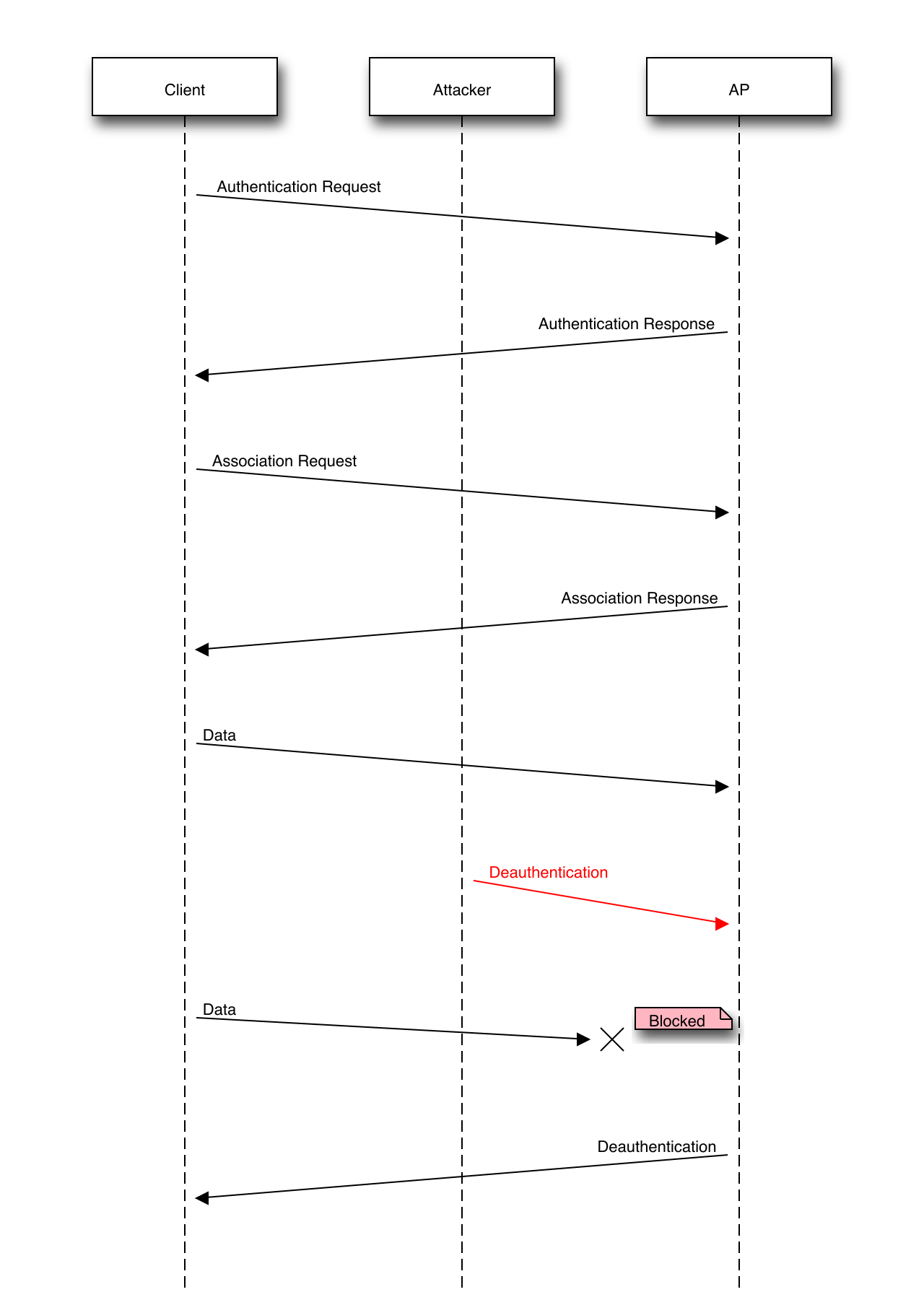
Furthermore, WPA3 mandates the use of Protected Management Frames. In earlier Wi-Fi standards, administrative commands (like telling a device to disconnect) were sent in plaintext. Attackers exploited this to forge "deauth" packets, kicking users off the network at will. Protected Management Frames prevent deauthentication attacks by encrypting management action frames.
The Coffee Shop Problem: Open Networks
What about public Wi-Fi where there is no password at all? Historically, traffic on open networks was entirely unencrypted. Today, Opportunistic Wireless Encryption (OWE) provides unauthenticated encryption for open Wi-Fi networks. When your device connects to an OWE-enabled open network, it silently negotiates unique encryption keys with the router. You still do not need a password to connect (unauthenticated), but an eavesdropper sitting at the next table can no longer read your traffic (encrypted).
Enterprise Authentication: Moving Beyond Passwords
In corporate environments, having everyone share a single Wi-Fi password is an administrative nightmare. Instead, we use an architecture built around IEEE 802.1X, which is an IEEE standard for port-based network access control.
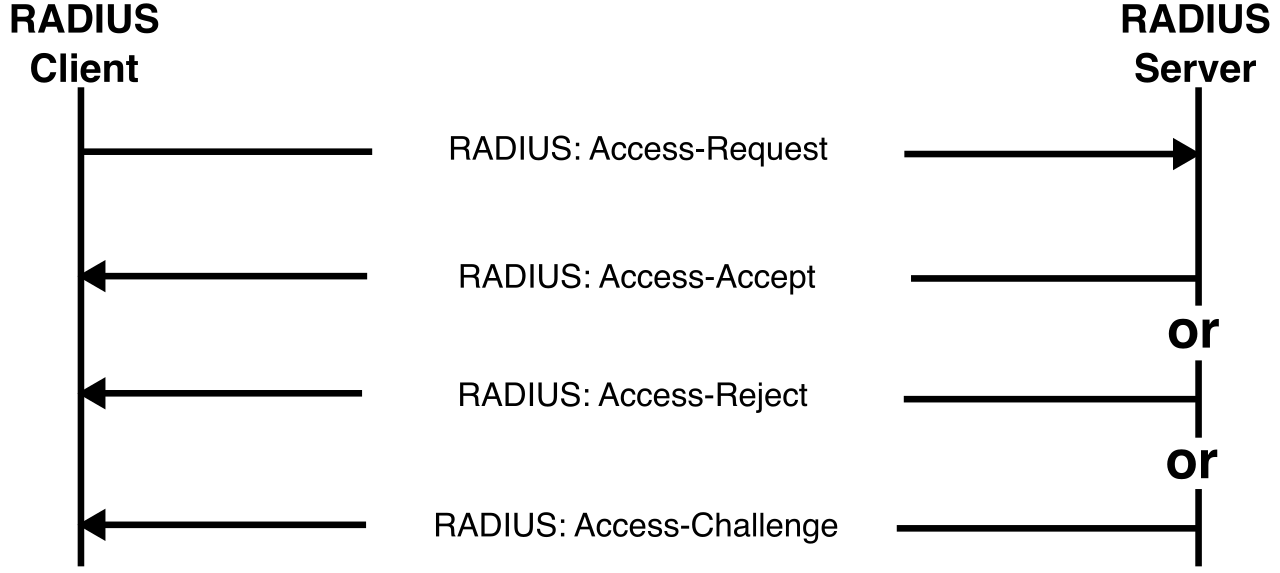
In an 802.1X wireless setup, the wireless access point acts as a gatekeeper. An 802.1X authenticator relays user credentials from the client device to a backend RADIUS server.
- RADIUS is a networking protocol providing centralized authentication, authorization, and accounting. It acts as the central brain, checking the provided credentials against the corporate directory.
- RADIUS typically uses UDP ports 1812 and 1813 (1812 for authentication, 1813 for accounting).
The common language spoken between the user's laptop and the RADIUS server is EAP. Extensible Authentication Protocol provides an overarching framework for multiple authentication methods in wireless networks. The specific "flavor" of EAP you choose dictates your security posture:
| EAP Protocol | Authentication Mechanism | Security Implications |
|---|---|---|
| EAP-TLS | EAP-TLS requires both client and server digital certificates for mutual authentication. | The gold standard. Highly secure, but requires managing a Public Key Infrastructure (PKI) to issue certificates to every client device. |
| PEAP | Protected Extensible Authentication Protocol creates an encrypted TLS tunnel to encapsulate subsequent authentication traffic. | The server proves its identity with a certificate, establishing a secure tunnel. The client can then safely transmit a standard username and password inside that tunnel. |
| EAP-TTLS | EAP-TTLS securely tunnels client password authentication within a TLS record. | Functionally similar to PEAP, allowing older legacy authentication protocols to safely traverse the encrypted tunnel. |
Once a device leaves the corporate wireless network, it enters hostile territory. Our administrative reach must extend to the device itself. The foundation of this strategy depends heavily on corporate policy.
- Bring Your Own Device (BYOD) policies allow employees to use personal mobile devices for official work tasks. This reduces hardware costs but introduces massive complexity in securing personal devices over which the company has limited authority.
- Corporate-Owned, Personally Enabled (COPE) policies provide employees with company-purchased devices for both work and personal use. The organization retains legal ownership and absolute administrative control, while granting the employee personal convenience.
The Management Hierarchy
To enforce security, administrators utilize specialized platforms.
Mobile Device Management (MDM) software enforces security policies on smartphones and tablets. This includes mandating lock screens, enforcing encryption, or disabling hardware like the camera. If an organization wishes to streamline their administrative overhead, they upgrade to UEM. Unified Endpoint Management provides a single interface to manage mobile devices, desktop computers, and Internet of Things devices.
Sometimes, particularly in BYOD scenarios, employees balk at granting the IT department full control of their personal phone. The solution is MAM. Mobile Application Management focuses on securing specific business applications rather than managing the entire mobile device.
Key Mobile Controls
Whether using MDM or MAM, IT administrators rely on several critical capabilities to protect data in the wild:
- Containerization isolates corporate data and applications from personal user data on a single mobile device. If an employee downloads a malicious game on their personal profile, the cryptographic container prevents the game from reading corporate emails.
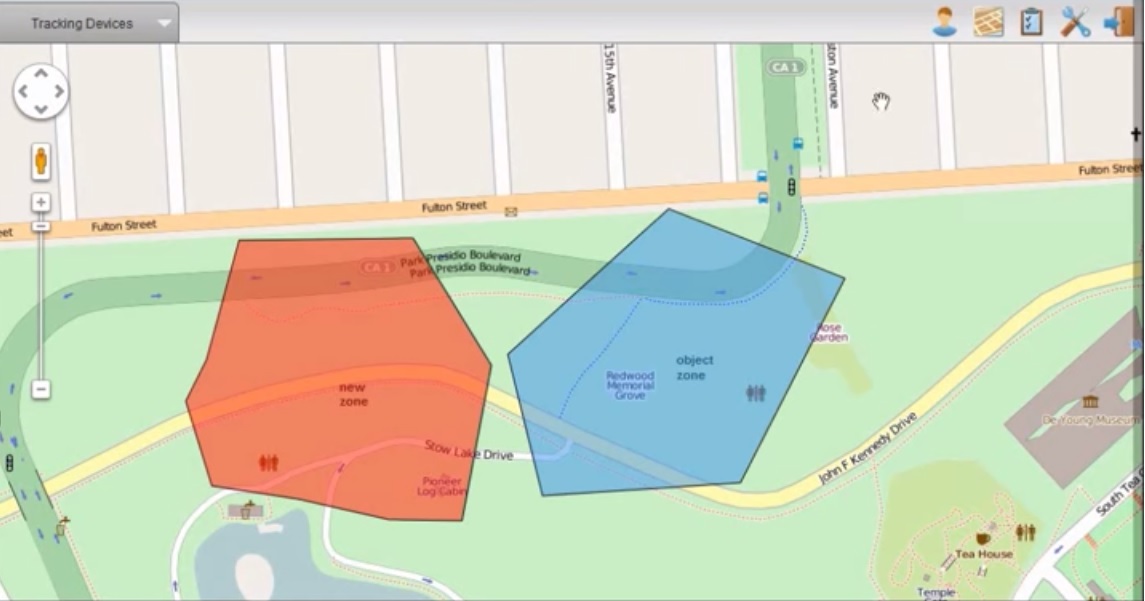
- Geofencing triggers alerts or restricts device functionality when a mobile device enters or exits a predefined geographic area. For example, a tablet used in a secure research lab may automatically lock or disable its camera if removed from the building.
- Remote wipe allows a security administrator to delete all data on a lost or stolen mobile device over the network. This is the ultimate failsafe against hardware theft.
Threats to Device Integrity
Security controls are only effective if the underlying operating system remains intact. Users frequently attempt to bypass manufacturer restrictions, heavily compromising security baselines:
- Sideloading is the installation of a software application from outside the official operating system application store. This bypasses the stringent security reviews conducted by Apple and Google, often introducing malware.
- Jailbreaking removes manufacturer restrictions on Apple iOS devices.
- Rooting provides administrative privileges to the user on an Android operating system. Both jailbreaking and rooting shatter the application sandbox, allowing malware to access the deepest levels of the operating system.
Networks and devices exist ultimately to serve applications. If an application's source code is inherently flawed, the strongest Wi-Fi encryption and strictest MDM policies are useless. Application security is an exercise in rigorous paranoia—specifically, the paranoia of handling user data.
The Golden Rule: Never Trust User Input
The vast majority of application compromises stem from a failure to validate what the user types into the system.
Input validation ensures that data provided by a user meets expected criteria before processing occurs. If an application asks for a zip code, input validation ensures the user only submitted numbers, not a string of database commands. Consequently, input validation mitigates injection attacks like SQL injection and cross-site scripting.
Attackers, however, are clever. They will encode their malicious commands in hexadecimal or Unicode to sneak past simple validation filters. To prevent this, applications must use normalization. Data normalization converts input into a standard format to prevent attackers from bypassing input validation rules. By forcing all input into a common baseline (like standard UTF-8) before inspecting it, security filters can catch obfuscated attacks.
Defending the Database and the Browser
When user input reaches the database, it must be neutralized. Parameterized queries strictly separate executable database code from user-supplied data. Imagine a parameterized query as a standardized contract with an unalterable structure; the user's input is treated strictly as text filling in a blank line, never as part of the contract's legal clauses. Therefore, parameterized queries prevent malicious actors from altering intended SQL statements.
When an application takes user input and reflects it back to a web browser, we encounter a different threat.
- Cross-Site Scripting (XSS) vulnerabilities occur when an application includes untrusted data in a web page without proper validation or escaping. An attacker can inject malicious JavaScript into a comment section; when other users view the comments, their browsers execute the attacker's script.
- To stop XSS, developers rely on encoding. Output encoding neutralizes user input before rendering the input within a web browser. It converts dangerous characters (like
<and>) into safe HTML entities (like<and>), ensuring the browser displays the text rather than executing it as code.
Note: Do not confuse XSS with CSRF. While XSS injects malicious scripts, Cross-Site Request Forgery (CSRF) forces an authenticated user to execute unwanted actions on a vulnerable web application. CSRF exploits the trust a web application has in an authenticated user's browser, tricking the user into unknowingly submitting a state-changing request (like a fund transfer).
Preparing for Failure: Error Handling
Applications will inevitably encounter errors. How they handle these crashes is a vital security concern.
Proper error handling prevents the display of detailed system information or architecture details to end users. When an application crashes and displays raw, unhandled debugging data on the screen, it provides a roadmap for an attacker. Specifically, stack traces exposed in application errors reveal internal application logic to potential attackers.
When a critical failure happens, the system must degrade safely. A fail-secure application defaults to a locked or restrictive access state when an error or system crash occurs. If the electronic lock on a server room door loses power, it should fail-secure (remain locked), rather than failing open and granting access to everyone.
Testing and Delivering Secure Code
Security cannot be bolted onto an application at the end; it must be proven throughout the development lifecycle using robust testing methodologies:
- Static Application Security Testing (SAST) analyzes source code for vulnerabilities without executing the underlying program. SAST is like proofreading a manuscript for grammatical errors before it is published.
- Dynamic Application Security Testing (DAST) evaluates a running application for vulnerabilities by simulating external attacks. DAST is like hiring a lockpicker to test the security of a finished building.
- Fuzzing involves sending invalid or random data to an application to trigger crashes or unexpected behavior. It forcefully uncovers hidden buffer overflows and edge-case memory leaks that standard testing misses.
Once the code is tested and ready to deploy, we must protect the final product. We use obfuscation to hide our intellectual property and logic. Code obfuscation transforms source code into a format that is highly difficult for humans to read, which intentionally hinders reverse engineering efforts by malicious actors.
Finally, to guarantee the software reaches the user unmodified, developers apply cryptographic signatures. Code signing uses digital signatures to verify the author and ensure the integrity of a software executable. If an attacker injects a backdoor into the compiled application while it sits on a download server, the digital signature will break, alerting the operating system to reject the installation.