Mobile Security Issues
Not sure you’re ready?
Take the ~3-minute readiness diagnostic and see where you stand.
The modern smartphone is an exercise in exquisite control. Unlike a traditional desktop computer where the user enjoys vast administrative autonomy, a mobile operating system is a heavily fortified, sealed environment. Every application operates within an isolated cryptographic cell, permitted to communicate with the outside world only through strictly moderated channels. When a user hands a mobile device across the IT support desk, complaining of inexplicable data overages, burning hot chassis, or hijacked accounts, you are not merely looking at a broken piece of hardware. You are looking at a fortress whose walls have been breached.
Understanding how these breaches occur, the physiological symptoms they produce in the device hardware, and the mechanisms we use to re-establish control is fundamental to the work of an IT support professional. As an analyst, your job is not just to fix the phone, but to forensically reconstruct how the integrity of the operating system was compromised.
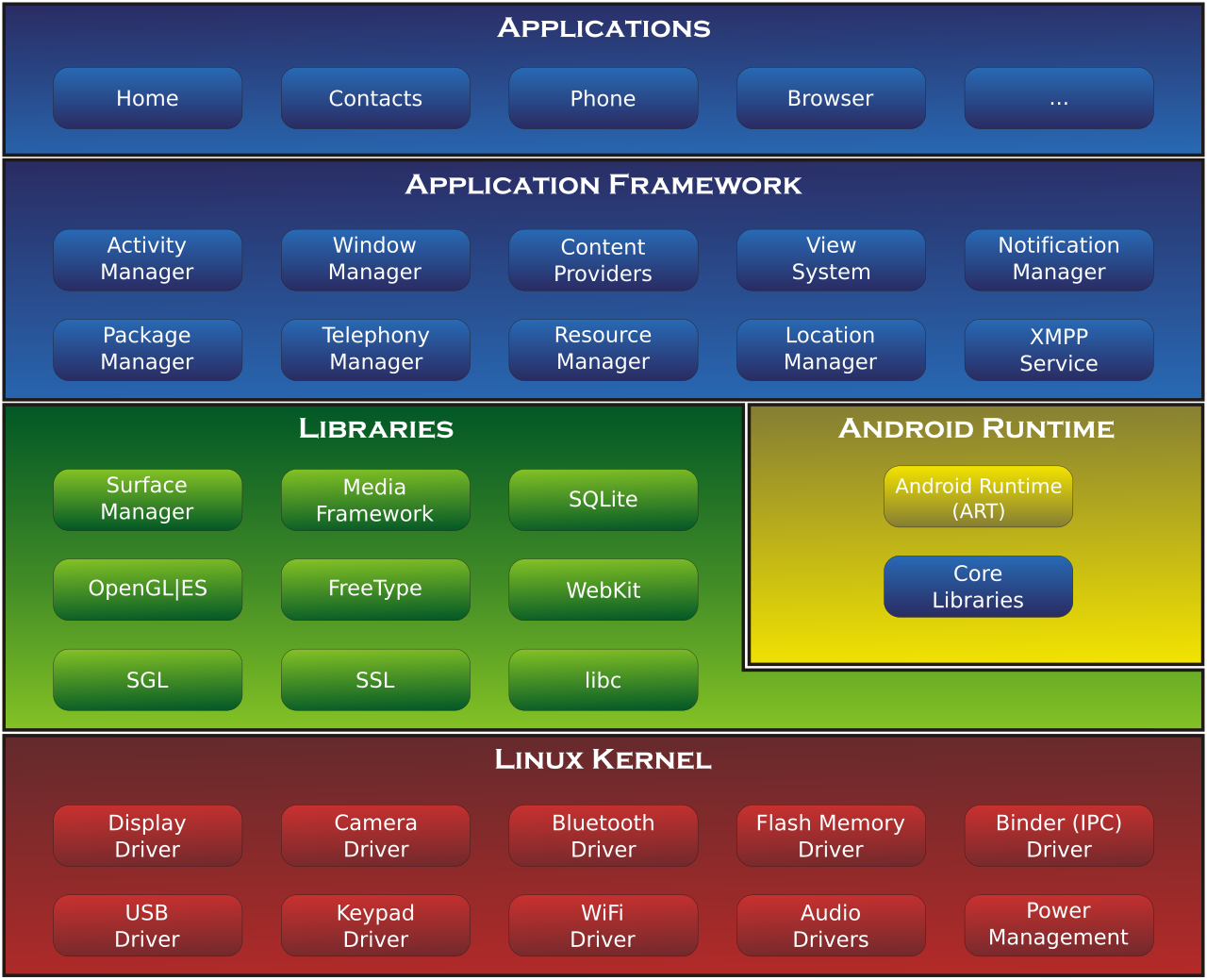
To understand how a mobile device becomes infected, we must first understand the invisible walls built by Apple and Google to prevent infection. Both iOS and Android rely heavily on sandboxing—a security architecture where each application is executed in a restricted environment, entirely unaware of and unable to interact with the memory or files of other applications unless explicitly permitted.
Tearing Down the Walls: Rooting and Jailbreaking
When a user wishes to bypass the manufacturer's carefully designed limitations, they engage in privilege escalation.
Unauthorized privilege escalation occurs when a mobile application—or a user—gains higher access levels than originally granted by the operating system, seizing control over core system functions.
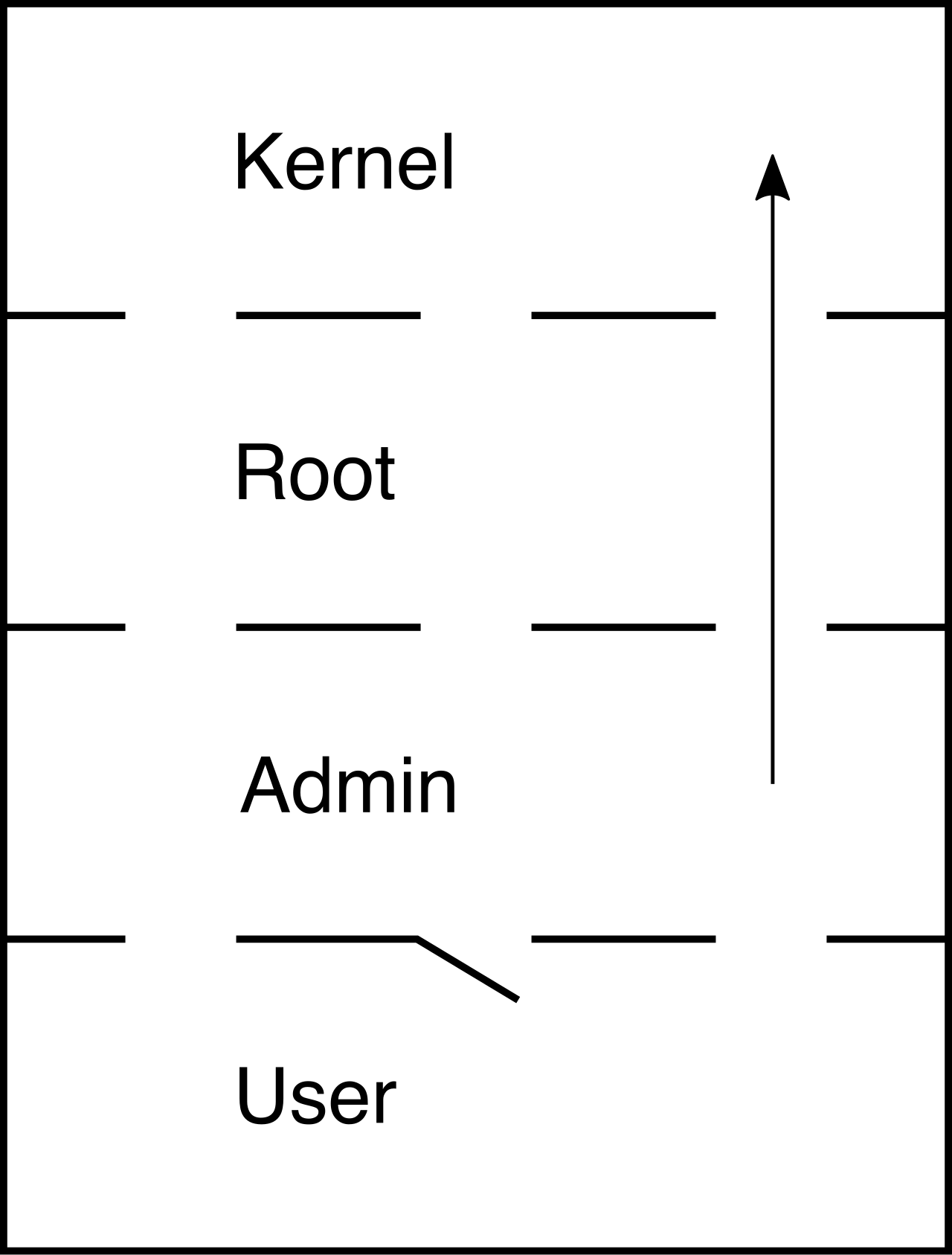
In the Android ecosystem, this is known as rooting. Rooting grants users administrative access to the root file system of an Android device. By doing this, the user deliberately shatters the walls of the fortress. Rooting an Android device bypasses built-in operating system application sandboxing mechanisms, meaning a compromised application can now reach across the system to read the private data of your banking app or corporate email client.
In the Apple ecosystem, the equivalent process is jailbreaking. Jailbreaking removes manufacturer-imposed software restrictions on Apple iOS devices. Both processes achieve the same terrifying result for an IT administrator: the device can no longer be trusted to isolate malicious code.
The Diagnostic Backdoor: Developer Mode
Operating systems provide legitimate backdoors for software creators. Developer mode on a mobile device grants advanced diagnostic access and enables features like USB debugging, allowing external computers to push code directly into the device's memory. While vital for programmers, an unauthorized enabled developer mode indicates a potential attempt to install unverified applications. If you receive a ticket from a non-technical employee whose device has developer mode enabled, treat it as a glaring red flag. Malicious actors or unauthorized scripts often toggle this setting to circumvent standard security protocols.
If the operating system walls are intact, how does malware get inside? It relies on the user carrying it through the front gates.
The Dangers of Sideloading
Official application stores (like the Google Play Store or Apple App Store) utilize automated security vetting processes to filter out malicious software before it reaches the public.
Sideloading is the practice of installing mobile applications from sources other than official application stores. By stepping outside the official ecosystem, sideloading bypasses the automated security vetting processes of official mobile application stores.
- Android devices support sideloading applications via APK (Android Package) files. A user simply needs to toggle a setting allowing installations from unknown sources, and they can download and execute any APK from the internet.
- The Apple ecosystem is far more restrictive. iOS devices generally require jailbreaking or enterprise provisioning profiles to sideload unofficial applications. Enterprise provisioning profiles are designed for corporations to distribute internal apps to their employees, but threat actors frequently abuse them to bypass Apple's App Store restrictions.
Social Engineering and Deception
Users rarely intend to install malware. They are tricked into it.
- Application Spoofing: This involves malicious software masquerading as legitimate applications to steal user credentials. To ensure the deception works, spoofed applications frequently utilize icons and names nearly identical to popular trusted applications. A user believes they are downloading a popular game or a banking update, but they are installing a malicious clone.
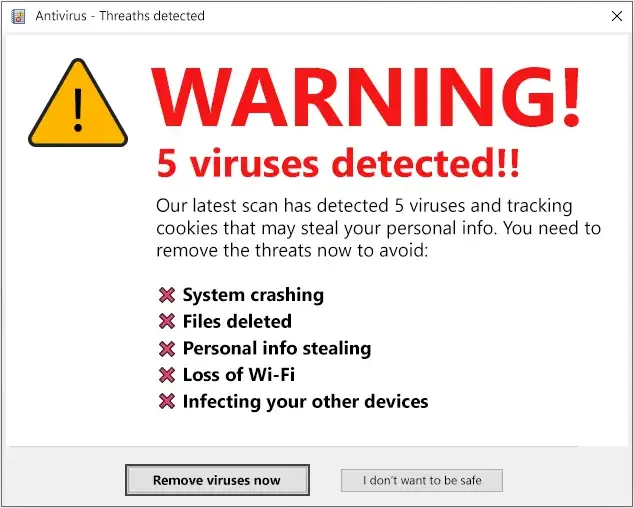
- Fake Security Warnings: You will frequently encounter users panicked by pop-ups claiming their phone is heavily infected with viruses. Fake security warnings on mobile devices are social engineering tactics designed to trick users into downloading malware. The warning itself is harmless HTML; the "antivirus" app the user is pressured to download is the actual payload.
When a compromised device reaches your desk, the malware rarely announces itself. Instead, it leaves a trail of physical and behavioral anomalies. Computation requires energy, and network communication requires bandwidth. Malware cannot hide the laws of physics.
Performance and Physical Symptoms
When a user complains about terrible device performance, look for these indicators:
- Thermal Anomalies: A smartphone should only generate noticeable heat when playing intense 3D games, recording high-definition video, or navigating via GPS. A mobile device exhibiting an unusually warm physical temperature while idle may be running hidden malicious processes. The processor is working overtime on tasks the user did not authorize.
- Battery Exhaustion: Because the processor is being secretly taxed, unexplained rapid battery drain is a primary symptom of a compromised mobile device executing hidden malicious tasks.
- Ghost Slowdowns: A compromised mobile device may exhibit slow performance even when no user-facing applications are actively open. This occurs because malicious background processes consuming system resources cause sudden degraded response times on mobile devices. The CPU is bottlenecked, starving the operating system of the cycles it needs to draw the user interface or register touch inputs.
Network and Connectivity Telltales
Malware must communicate with its creators to be useful. It needs to exfiltrate stolen data or receive new instructions.
- Data Utilization: If a user receives a text message from their carrier stating they have exceeded their monthly data limit, and they haven't been streaming video, investigate immediately. Unexpected data-usage limit notifications suggest unauthorized background data transfers by a malicious mobile application.
- Traffic Anomalies: Unexplained high network traffic on a mobile device often indicates malware communicating with external command and control (C2) servers.
- Connectivity Sabotage: Sometimes, malware purposefully breaks the connection. Malware interfering with mobile network settings can cause unexpectedly dropped or limited internet connectivity. This is often done to route the user's traffic through a malicious proxy or to prevent the device from downloading legitimate operating system security updates.
Behavioral Anomalies
Finally, observe the user interface. A mobile application launching or closing without user interaction is a strong indicator of a malware infection. This often happens when malware is attempting to force a click on an invisible advertisement (ad fraud) or briefly opening a process to execute a script before forcefully crashing.
Symptom and Vector Troubleshooting Matrix
| Presenting Symptom | Underlying Mechanism | Technician Investigation Step |
|---|---|---|
| Warm chassis while idle | Hidden background processes maxing out CPU cycles. | Check battery usage statistics for hidden or unnamed apps drawing power. |
| Sudden data overages | High network traffic communicating with C2 servers. | Review cellular data usage per app; look for sideloaded apps consuming gigabytes. |
| Banking credentials stolen | Application spoofing. | Verify the publisher of the installed application; check for identical icons with slight name misspellings. |
| Phone randomly reboots/lags | Bypassed sandboxing / Privilege escalation conflicts. | Check if Developer Mode is enabled; scan for root management apps (e.g., Magisk). |
Once the malware has embedded itself within the device, it begins its objective. The impacts on the user and the enterprise can be devastating.
Leaked personal data from a mobile device often results from granting overly permissive permissions to unverified applications. When a user casually grants a malicious flashlight app access to their contacts, camera, and local storage, the app quietly bundles that data and transmits it to a remote server.
More advanced payloads attack the core of enterprise security. Many organizations rely on SMS-based multi-factor authentication (MFA). Mobile malware can silently intercept SMS messages to bypass multi-factor authentication codes. The user attempts to log in, the attacker triggers the MFA text, the malware reads the text, forwards the code to the attacker, and deletes the message from the user's inbox before they even know it arrived.
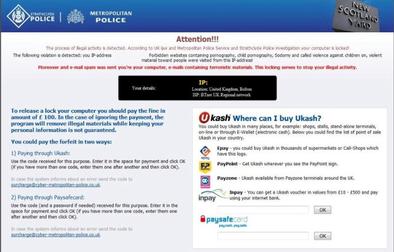
In the most aggressive scenarios, data theft is bypassed entirely in favor of extortion. Mobile ransomware can lock a device screen and demand payment to restore user access. Because mobile devices are so central to modern life, attackers know users will panic when confronted with a permanently locked screen threatening to delete their family photos or corporate documents.
As an IT professional, diagnosing the problem is only the first half of the workflow. The second half is remediation and prevention.
The Enterprise Shield: Mobile Device Management (MDM)
In a corporate environment, you do not rely on users to secure their own devices. You manage them centrally.
Mobile Device Management (MDM) solutions can detect unauthorized rooting or jailbreaking on enrolled corporate devices. If a user attempts to jailbreak their company-issued iPhone to install an unauthorized game, the MDM will instantly flag the compliance violation and can automatically sever the device's access to corporate email and VPNs.
Furthermore, MDMs prevent the vectors of compromise from being utilized in the first place. Mobile Device Management solutions can enforce security policies to prevent the installation of applications from unofficial stores. By locking down the ability to install enterprise provisioning profiles or execute APKs, the MDM effectively seals the gates to the fortress.
The Nuclear Option: Factory Resets
When a device is deeply compromised—particularly if it has been rooted, or if it is afflicted with ransomware—attempting to surgically remove the malware is a fool's errand. You can never be certain you have found every malicious script or reversed every unauthorized privilege escalation.
Therefore, resetting a mobile device to factory defaults is a common remediation step for severe malware infections.
Warning: A factory reset removes all user data and user-installed applications from a mobile device.
Before initiating a factory reset, you must ensure the user has backed up essential, uncompromised data (like photos and contacts) to a secure cloud environment. Once the reset is triggered, the operating system wipes the encrypted storage keys, completely obliterating the file system and returning the software to the pristine, secure state in which it left the manufacturer's assembly line.
By understanding the architecture of mobile operating systems, recognizing the physiological and behavioral symptoms of unauthorized code, and mastering enterprise management tools, you transform mobile troubleshooting from a guessing game into a rigorous, scientific process. You are no longer just closing tickets; you are securing the perimeter.