Imagine attempting to repair a complex mechanical watch while sitting in a different building from your workbench. You cannot see the gears, you cannot feel the tension of the mainspring, and you cannot physically hold your tools. In the physical realm, this constraint renders the work impossible. In the discipline of modern IT infrastructure, this is simply Tuesday.
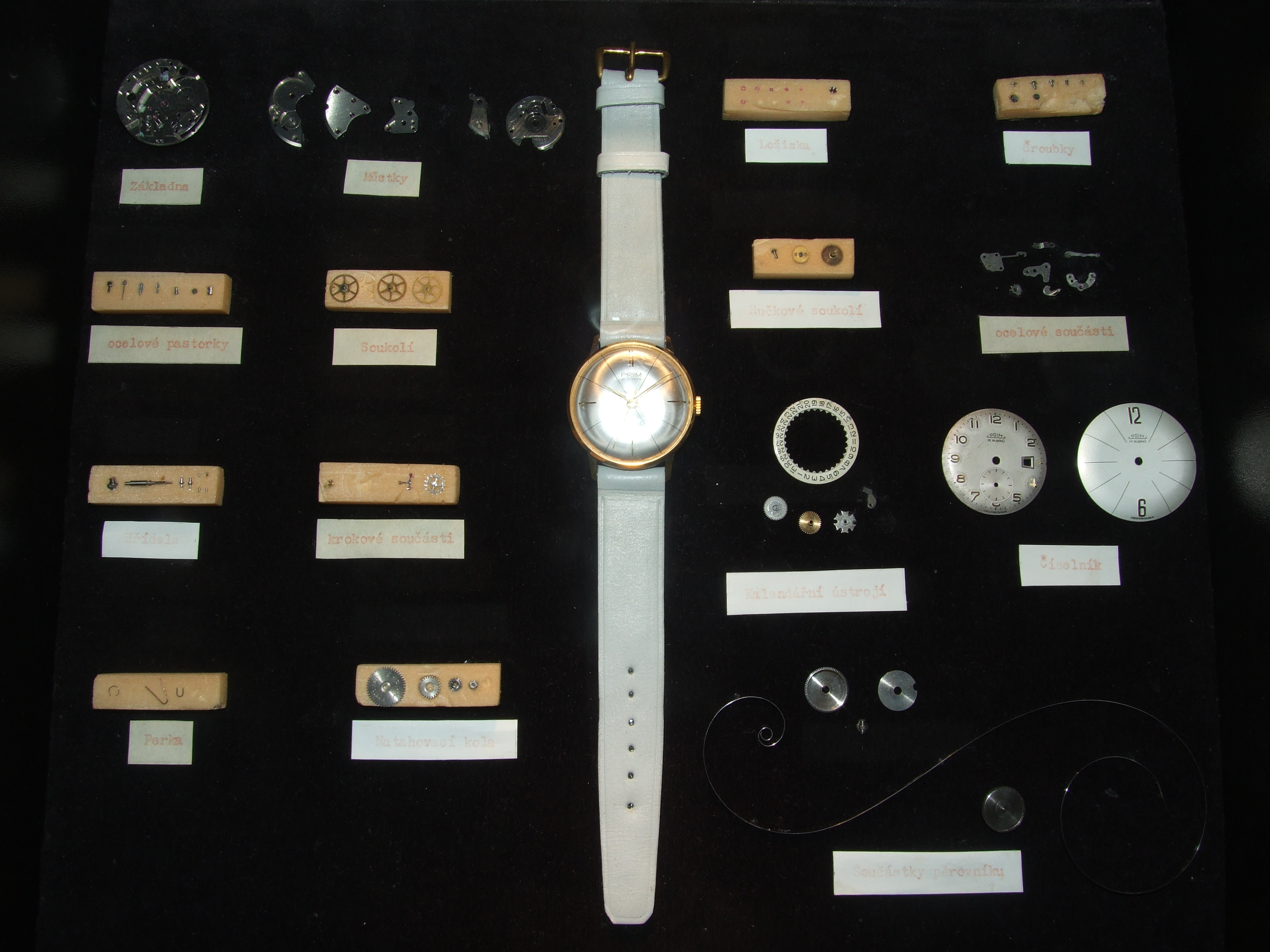
A disassembled mechanical watch illustrates the physical complexity that makes remote mechanical repair impossible—a constraint that IT infrastructure fundamentally overcomes.
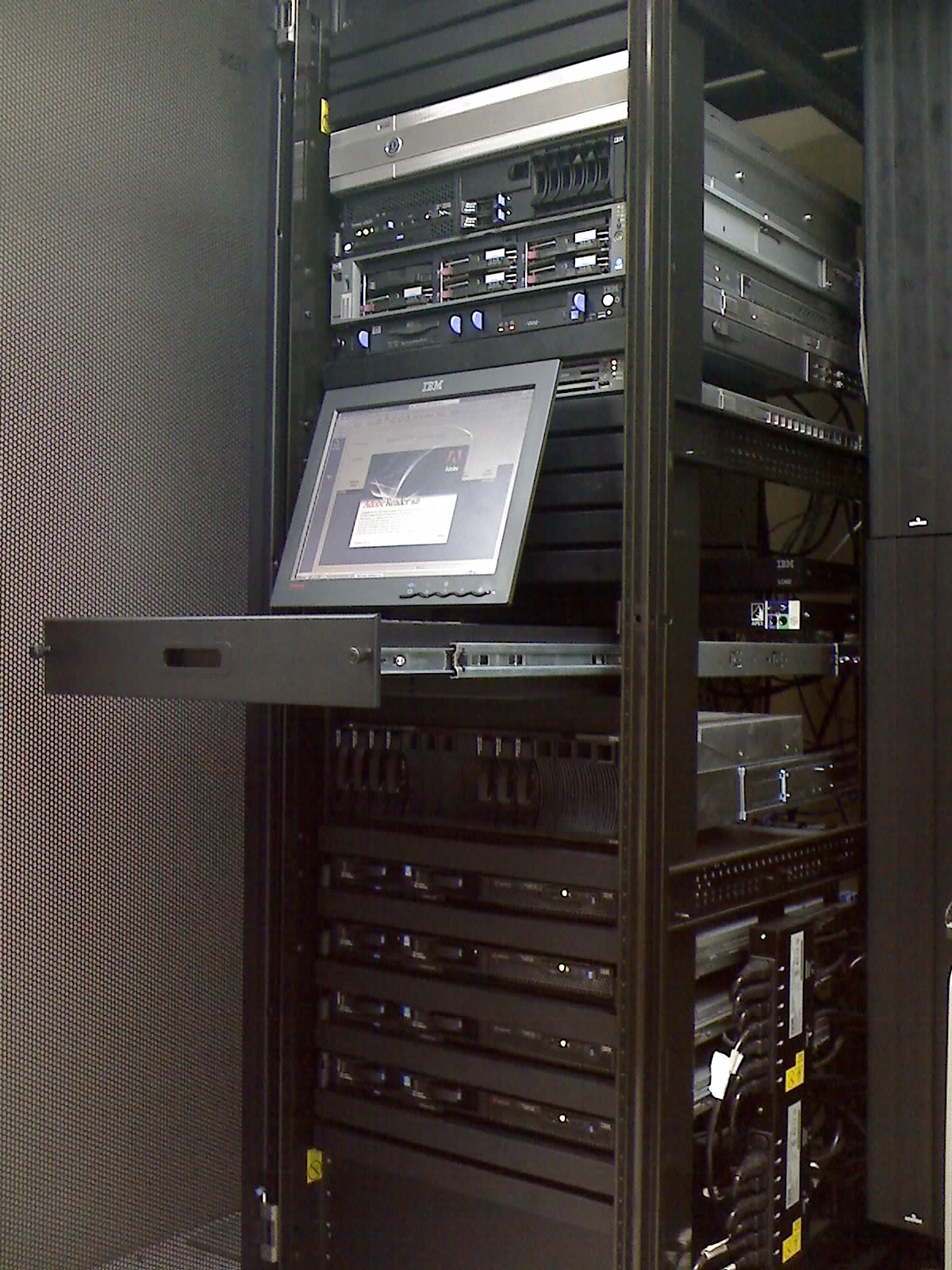
Server racks in a data center represent the hardened physical infrastructure that IT professionals must diagnose, secure, and manage entirely through remote access protocols.
To master remote access for the CompTIA A+ exam, we must look at how these protocols function at the network level, how help desk workflows depend on them, and how we harden them against inevitable attack.
When an end-user needs you to "take over their screen" to show you an error, or when an administrator needs a visual interface to configure a server, we rely on graphical remote access protocols.
However, Microsoft Windows does not allow just anyone to establish these sessions. By default, Windows requires a user to belong to the Remote Desktop Users group or have explicit administrative rights to establish an inbound Remote Desktop connection.
VNC typically uses TCP port 5900. But here is the critical distinction an IT professional must remember: unlike modern RDP, VNC typically transmits unencryptedkeystrokes and screen updates over the network by default. Passing administrative passwords over a standard VNC connection on a public network is mathematically equivalent to shouting them across a crowded room.
Graphical interfaces are resource-heavy. When administrators need to interact with underlying infrastructure, they utilize lean, highly secure command-line or specialized protocols.
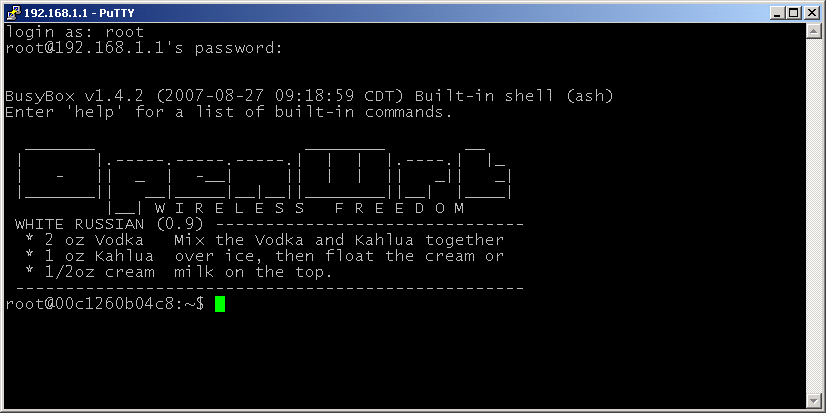
The PuTTY terminal emulator is frequently used by technicians to establish secure, command-line SSH sessions to remote networking equipment and servers.
In enterprise Windows environments, administrators need a way to manage fleets of machines via command line (often PowerShell). Windows Remote Management (WinRM) is a Microsoft implementation of the WS-Management Protocol. WinRM allows administrators to execute commands remotely across a network of Windows computers.
WinRM uses TCP port 5985 for unencrypted HTTP connections.
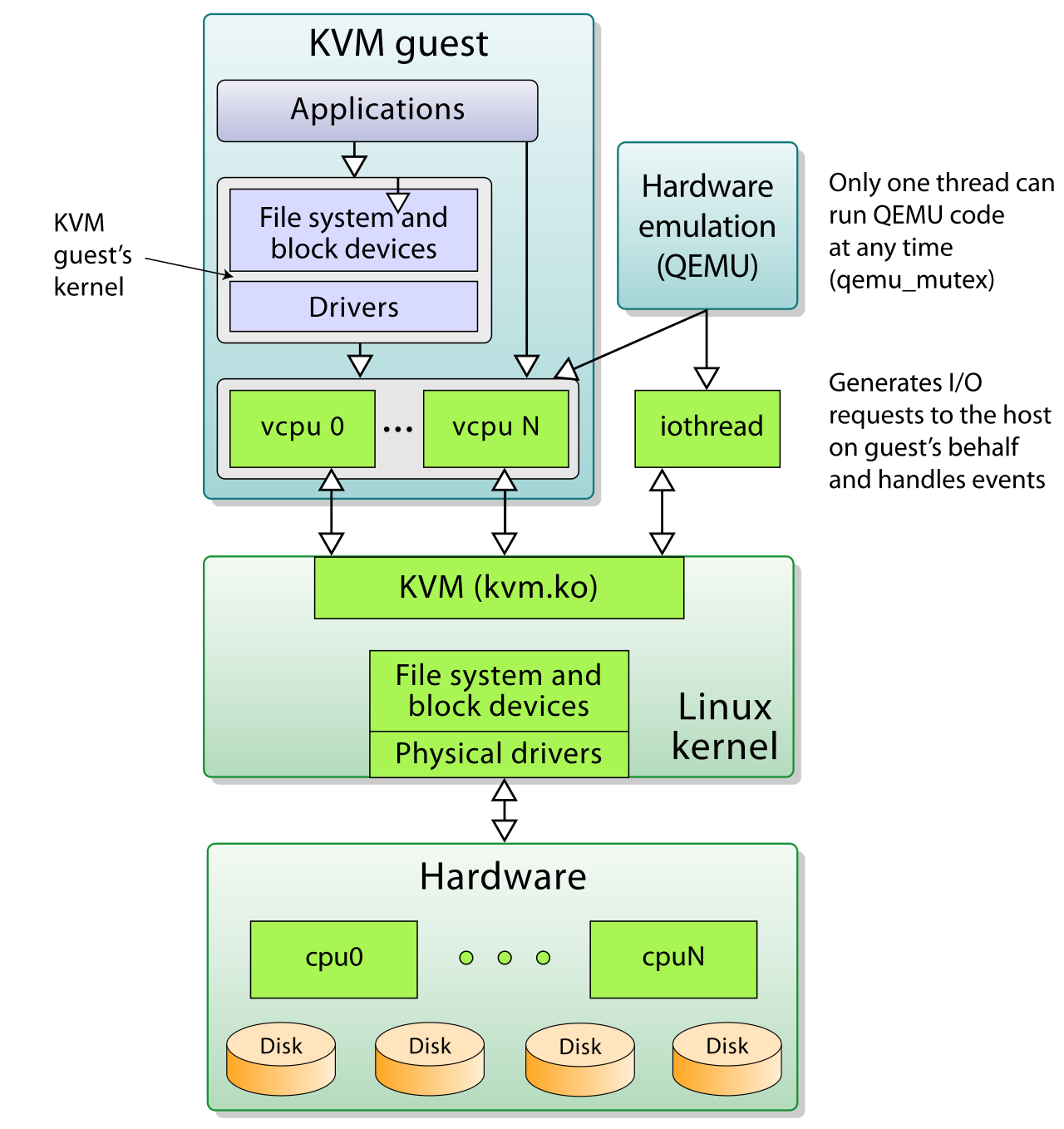
What happens when the machine you need to access isn't physical at all? SPICE (Simple Protocol for Independent Computing Environments) is a remote display protocol designed specifically for virtualized environments. SPICE is commonly used by administrators to interact with virtual machines managed by open-sourcehypervisors like KVM and QEMU, providing high-performance graphic, audio, and USB redirection.
A high-level architectural overview of a KVM/QEMU virtualization environment, which relies on protocols like SPICE to securely transmit display and USB peripheral data to remote administrators.
We have established that exposing internal services directly to the wild internet is dangerous. Exposing Remote Desktop Protocol (RDP) directly to the public internet creates a severe security vulnerability, frequently resulting in rapid ransomware deployment by automated scanning bots.
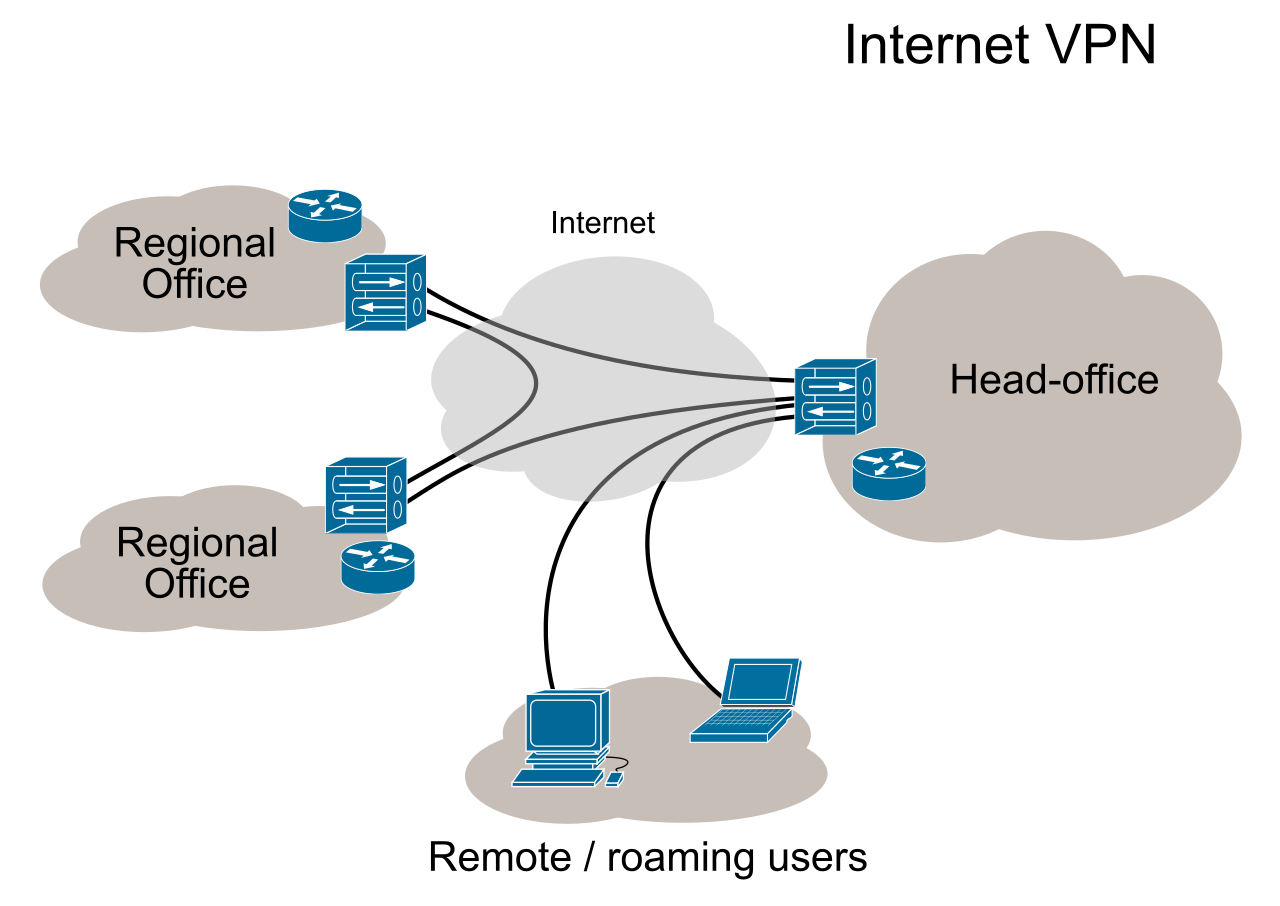
A Virtual Private Network creates an encrypted tunnel between a remote device and a secure internal network over a public internet connection. By leveraging robust cryptography, a VPN allows remote workers to access internal corporate network resources securely. Under the hood, VPNs frequently use IPsec or SSL/TLS protocols to secure data transmitted across public networks.
A Virtual Private Network (VPN) establishes a secure, encrypted tunnel across the public internet, protecting remote access traffic from interception.
However, piping all of a remote user's web traffic through corporate servers can overwhelm network bandwidth. To solve this, administrators configure split tunneling, a VPN configuration that routes only corporate traffic through the encrypted tunnel. Split tunneling allows standard internet traffic (like streaming a training video or checking personal email) to bypass the VPN and travel directly to the local internet service provider.
Alternatively, administrators can implement a Remote Desktop Gateway. This specialized server encapsulates Remote Desktop Protocol (RDP) traffic inside an encrypted HTTPS tunnel to provide secure external access to internal corporate servers without requiring a full VPN client.
Imagine receiving a frantic call from an end-user. Their system is broken. You need to see their screen now. You cannot ask a financially stressed accountant to configure their home router'sfirewall to allow inbound Port 3389 traffic.
Screen-Sharing Software
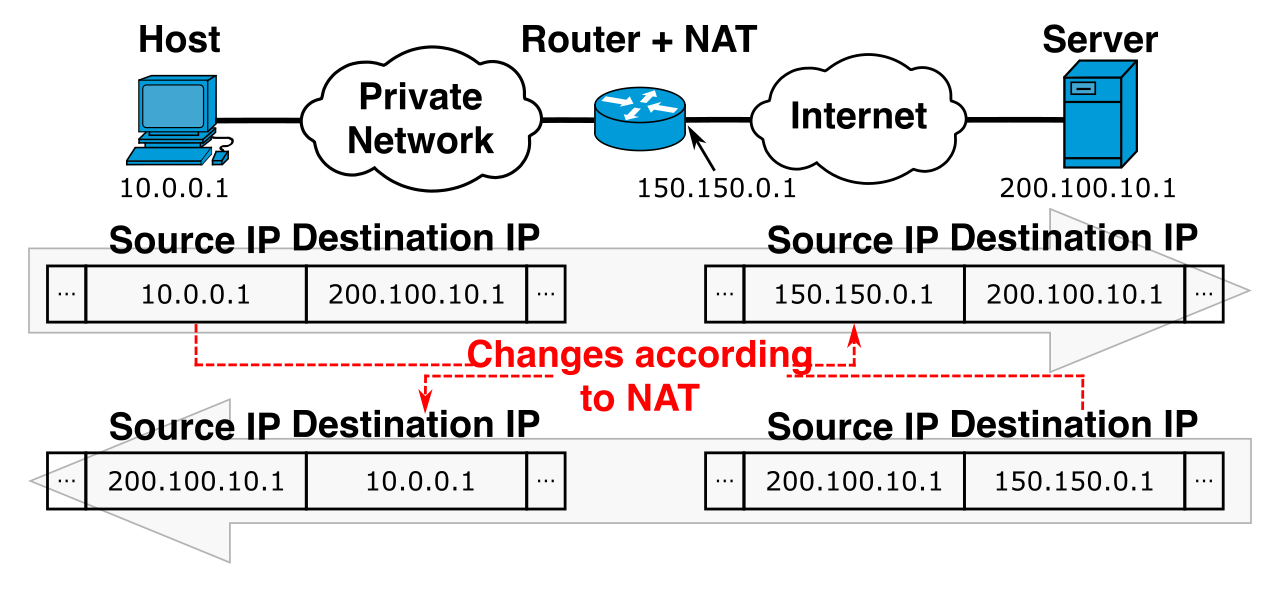
To solve this, third-party screen-sharing tools typically operate through cloud-based relay servers to establish connections between a support technician and a client. Because both the technician and the client reach out to the centralized cloud server, these cloud-based screen-sharing tools allow help desk technicians to bypass complex endpoint firewall and NAT (Network Address Translation) configurations during remote support sessions.
Network Address Translation (NAT) separates private local networks from the public internet, creating a strict connectivity barrier that cloud-hosted screen-sharing tools are designed to easily bypass.
For security and privacy, screen-sharing software often requires the end-user to explicitly grant permission or provide a session PIN to the remote technician before a remote session begins. If you are supporting modern Windows environments exclusively, Microsoft Quick Assist is a built-in Windows 10 and Windows 11 application that accomplishes exactly this, allowing a technician to view or control a remote computer for troubleshooting natively.
RMM and Desktop Management
Help desk efficiency is about preventing fires before they start. Remote Monitoring and Management (RMM) software is a specialized application used by IT service providers to proactively maintain client endpoints and networks.
Desktop management solutions often utilize a locally installed software agent that continuously reports system health metrics back to a centralized server. If a hard drive is failing, the RMM knows before the user does. Furthermore, RMM tools allow technicians to deploy software patches in the background without interrupting the end-user, ensuring security compliance is maintained invisibly.
Out-of-Band Management
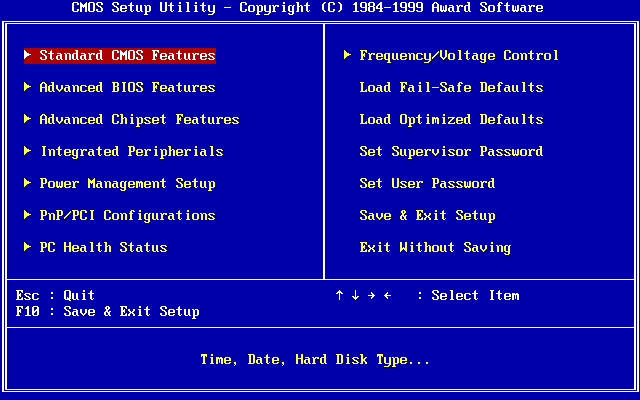
What do you do when the system is so broken that the operating system won't boot at all? You rely on an out-of-band management interface. Operating completely independently of the main CPU and OS, an out-of-band management interface allows IT personnel to remotely access a computer even when the primary operating system is entirely unresponsive, giving the technician BIOS-level control to power-cycle or rebuild the machine remotely.
Out-of-band management interfaces grant technicians low-level remote access to system firmware, such as this BIOS setup utility, allowing them to troubleshoot systems even when the primary operating system has completely failed.
Remote access is a set of master keys to the digital kingdom. If an adversary steals those keys, they have unrestricted lateral movement within your network. Therefore, strict security configurations are non-negotiable.
Network Level Authentication (NLA): Historically, when a client initiated an RDP connection, the server would immediately spin up a graphical session, reserving RAM and CPU power before the user even typed their password. Attackers abused this to crash servers by spamming fake requests. Network Level Authentication (NLA) requires the connecting user to authenticate themselves before establishing a full Remote Desktop Protocol (RDP) session. NLA helps protect against denial-of-service attacks by requiring authentication before allocating server resources to a remote connection.
Account Lockout Policies: Attackers will relentlessly try to guess passwords via automated scripts. Implementing account lockout policies mitigates the risk of brute-force password attacks against remote access interfaces by freezing the account after a specified number of failed attempts.
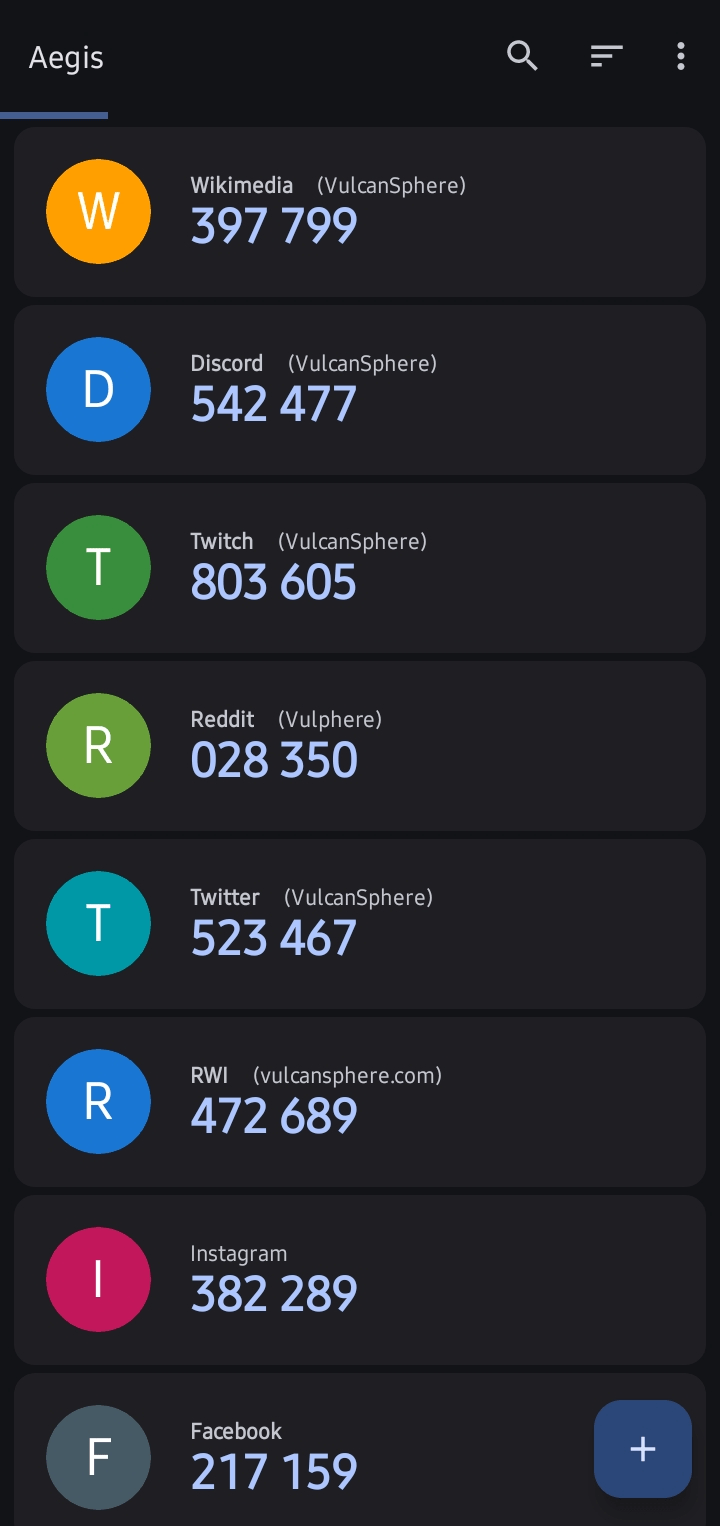
Multi-Factor Authentication (MFA): Passwords alone are insufficient. Multi-Factor Authentication (MFA) is a critical security control that must be enforced on all remote access technologies to prevent unauthorized access. Even if an attacker steals a valid password, they cannot proceed without the secondary time-based token or biometric prompt.
Mobile authenticator applications generate time-based one-time passwords (TOTP), providing a critical second layer of authentication necessary for securing remote access points.
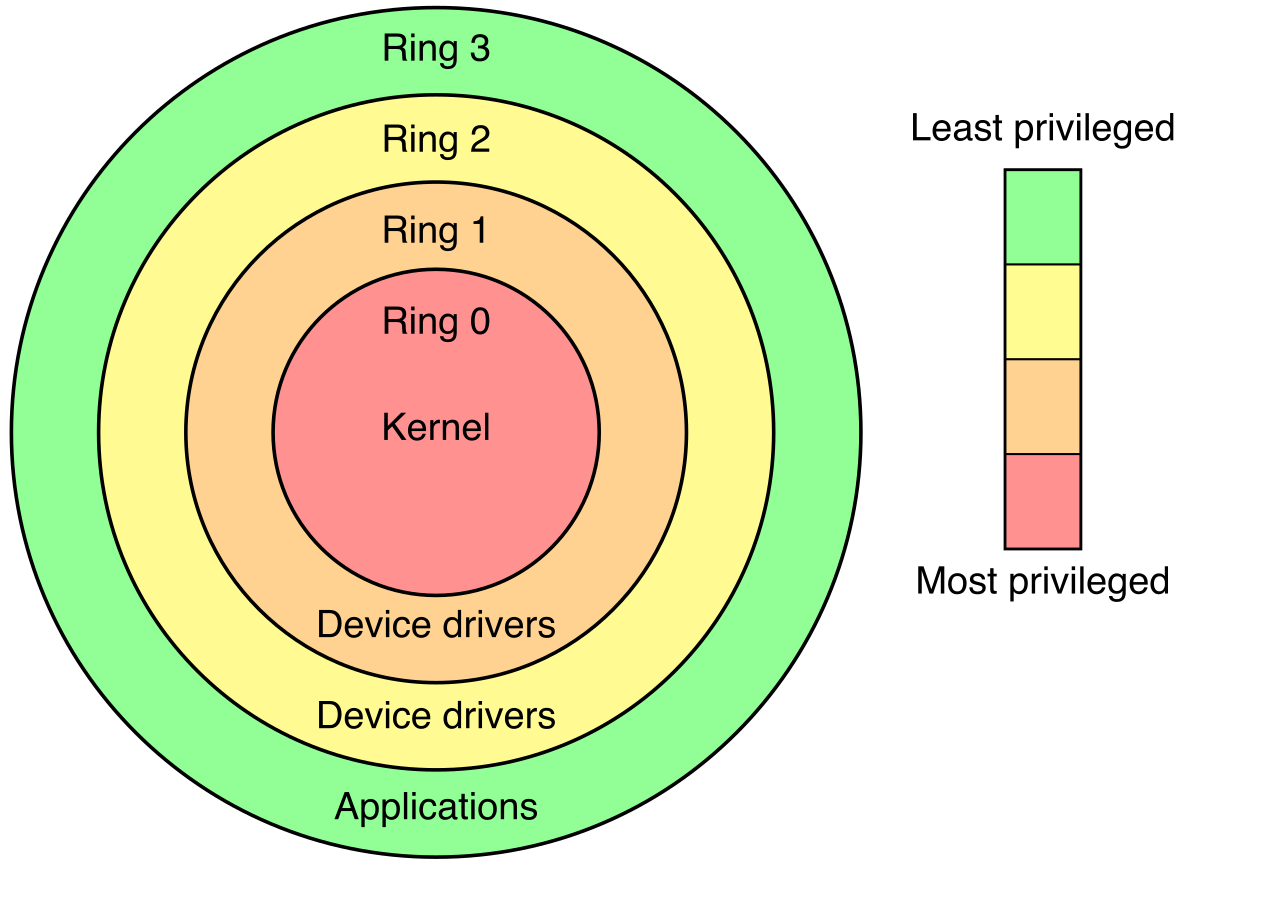
Principle of Least Privilege: Finally, limit the attack surface. Administrators use the Principle of Least Privilege to restrict remote access permissions exclusively to users who require remote access to perform their designated job functions.
Privilege rings visually demonstrate the hierarchical separation of access rights, a core mechanism for enforcing the Principle of Least Privilege in system architecture.
By understanding how these protocols communicate, how to leverage the right tool for the right troubleshooting scenario, and how to rigorously lock down the network perimeter, you transition from simply fixing computers to architecting resilient, professional IT environments.