Social Engineering and Network Vulnerabilities
Not sure you’re ready?
Take the ~3-minute readiness diagnostic and see where you stand.
The strongest cryptographic walls in an enterprise are entirely useless if an employee voluntarily hands over the keys, a back door is left unhinged, or an adversary builds a replica of the front gate to trick the guards. Enterprise security is not a static mathematical absolute; it is an ongoing negotiation between human behavior, network architecture, and baseline configurations. When a modern organization suffers a catastrophic data breach, it rarely involves a cinematic hacking montage where an outsider furiously types code to break a firewall. Instead, an employee simply opens an invoice that isn't real, an outdated server silently processes an unauthorized command, or a personal smartphone connects to corporate Wi-Fi while carrying a dormant payload. Understanding the mechanics of how these systems fail is the first, mandatory step to ensuring they survive.
Technology obeys rules. Humans, however, are wired for trust, urgency, and helpfulness. Social engineering relies on psychological manipulation to trick individuals into compromising security. Attackers know that bypassing a multi-million-dollar firewall is exceedingly difficult, but tricking a stressed accountant into bypassing that firewall for them is remarkably easy.
As an IT support specialist, you will encounter the fallout of social engineering on a daily basis. Your job is not just to fix the machine, but to recognize the specific vector of the attack.
The Phishing Spectrum
At its core, phishing is a social engineering attack that tricks users into revealing sensitive information, such as login credentials or financial data. However, modern attackers have specialized this technique into distinct, highly effective variants based on the medium and the target:
| Attack Type | Delivery Method | Description |
|---|---|---|
| Phishing | Email (Broad) | A mass-blast attack attempting to trick users into revealing sensitive information. |
| Spear Phishing | Email (Targeted) | A targeted social engineering attack directed at a specific individual or organization, often referencing real internal details. |
| Whaling | Email (Executive) | A highly targeted spear phishing attack. Whaling attacks specifically target senior executives or other high-profile individuals, such as a CEO or CFO, because their accounts hold immense administrative or financial authority. |
| Vishing | Voice Calls | Vishing utilizes voice telephone calls to conduct social engineering attacks. To appear credible, caller ID spoofing is frequently used in vishing attacks to mimic legitimate organizations (like your own IT Help Desk). |
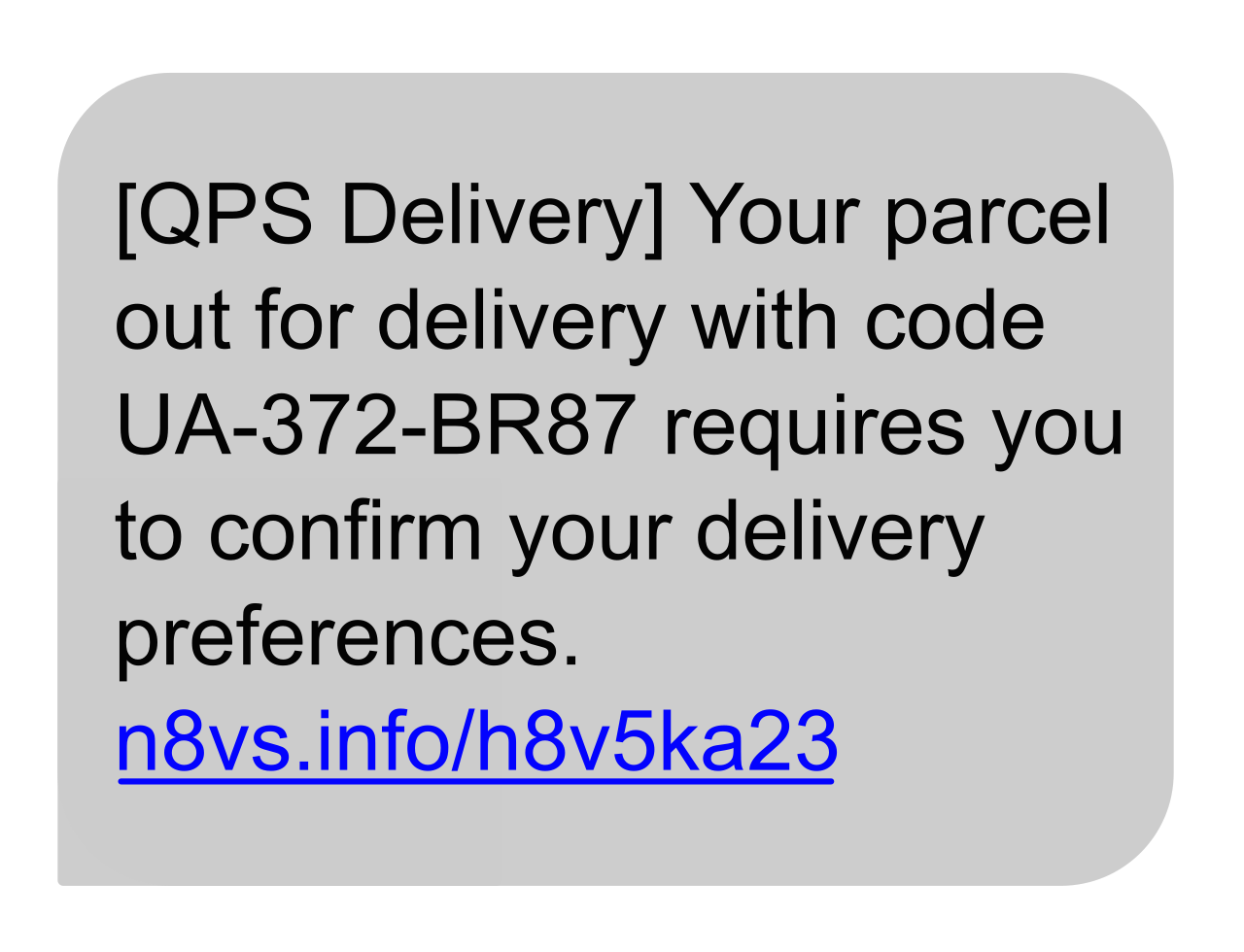
| Smishing | Text Messages | Smishing utilizes SMS text messages to conduct social engineering attacks. These often rely on urgency, such as "Your package is delayed" or "Your multi-factor authentication code is expiring." |
A relatively new and highly evasive variant is the exploitation of the physical environment using digital tools. We naturally trust physical infrastructure. Therefore, QR code phishing uses malicious quick response codes to disguise fraudulent URLs. An attacker might place a sticker over a legitimate parking meter's QR code. When scanned, the user is taken to a fake payment portal. Within the industry, the term Quishing is an abbreviation for QR code phishing.
Physical Exploitation
Social engineering does not only happen over digital channels. If an attacker wants access to a secured server room, the easiest method is to simply walk in behind someone who already has access.
Tailgating occurs when an unauthorized person physically follows an authorized individual into a secure facility. It exploits human politeness—an employee swipes their badge and holds the door open for the person carrying a heavy box behind them. In security terminology, tailgating is also referred to as piggybacking.
The Architectural Defense: You cannot patch human politeness with software. Therefore, physical security must intervene. Mantrap physical security mechanisms prevent tailgating by restricting passage to one person at a time. A mantrap is a set of interlocking doors; the first door must close and lock before the second door will open, making piggybacking physically impossible.

If social engineering is about tricking the human, network and access threats are about tricking—or overwhelming—the infrastructure. As a technician, when a user reports that "the network is slow" or "I'm locked out of my account," you must be able to distinguish between a routine malfunction and an active technical assault.
Interception and Deception
Wireless networks operate by broadcasting radio waves in all directions. If you sit in a coffee shop, your device is constantly shouting its traffic into the open air. Attackers exploit this behavior by introducing rogue hardware.
An Evil Twin is a rogue wireless access point. To deceive users, an Evil Twin access point is configured with the same network name as a legitimate wireless network. If the corporate network is named "Corp_Guest", the attacker broadcasts their own "Corp_Guest" from a laptop or hidden router. Devices automatically connect to the strongest signal with a familiar name. Consequently, attackers use Evil Twin access points to covertly intercept wireless user data.
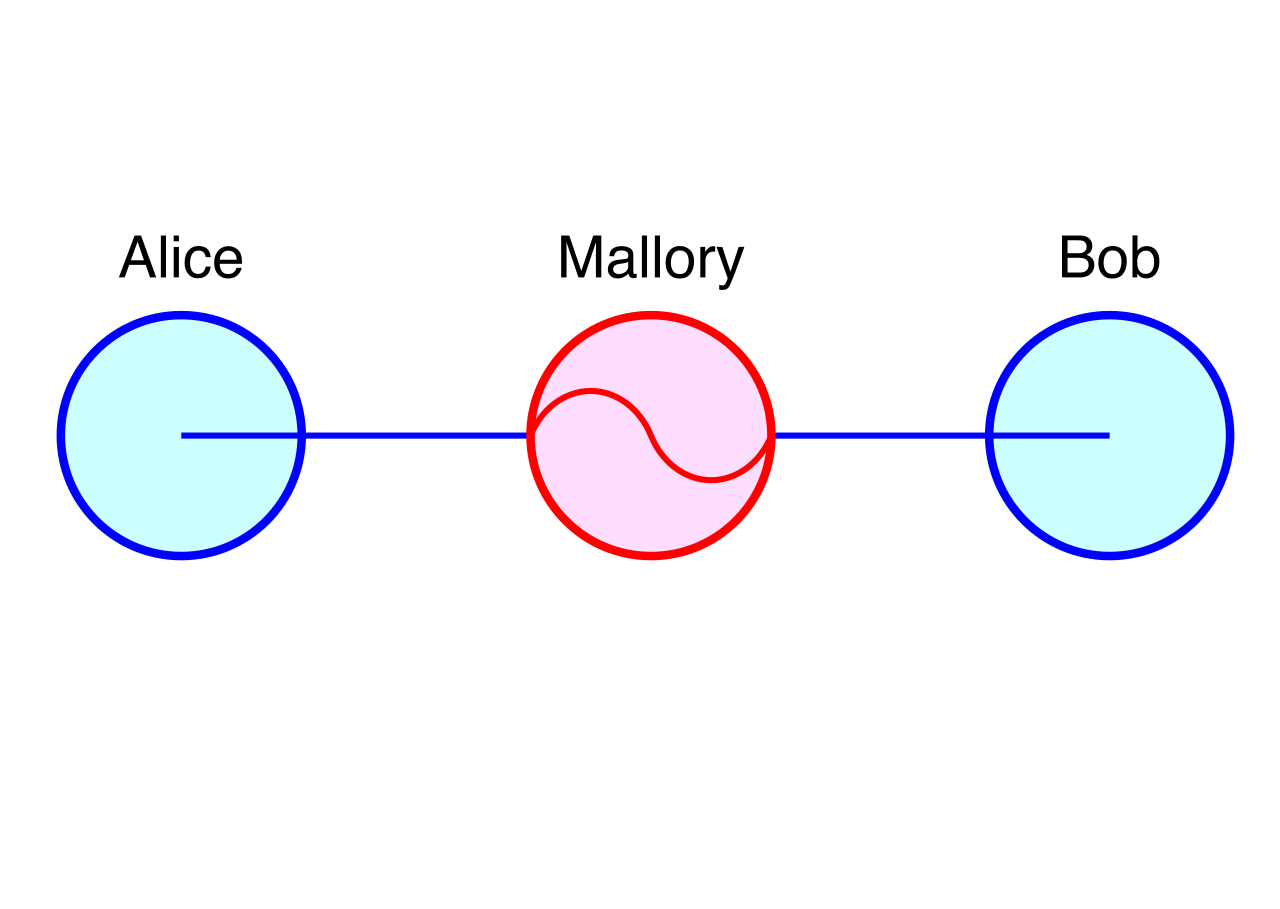
Once an attacker has inserted themselves into the flow of traffic, they can execute more sophisticated interceptions. On-path attacks covertly intercept communications between two unaware parties. Think of this like a corrupt postal worker intercepting your mail, reading it, and then delivering it so you never know it was compromised. Furthermore, on-path attackers can alter intercepted network traffic before forwarding the traffic to the intended destination—perhaps changing the destination bank account number on an invoice from the company's to the attacker's. Because the attacker sits directly in the middle of the communication stream, on-path attacks were previously referred to as Man-in-the-Middle attacks.
Overwhelming the System (DoS and DDoS)
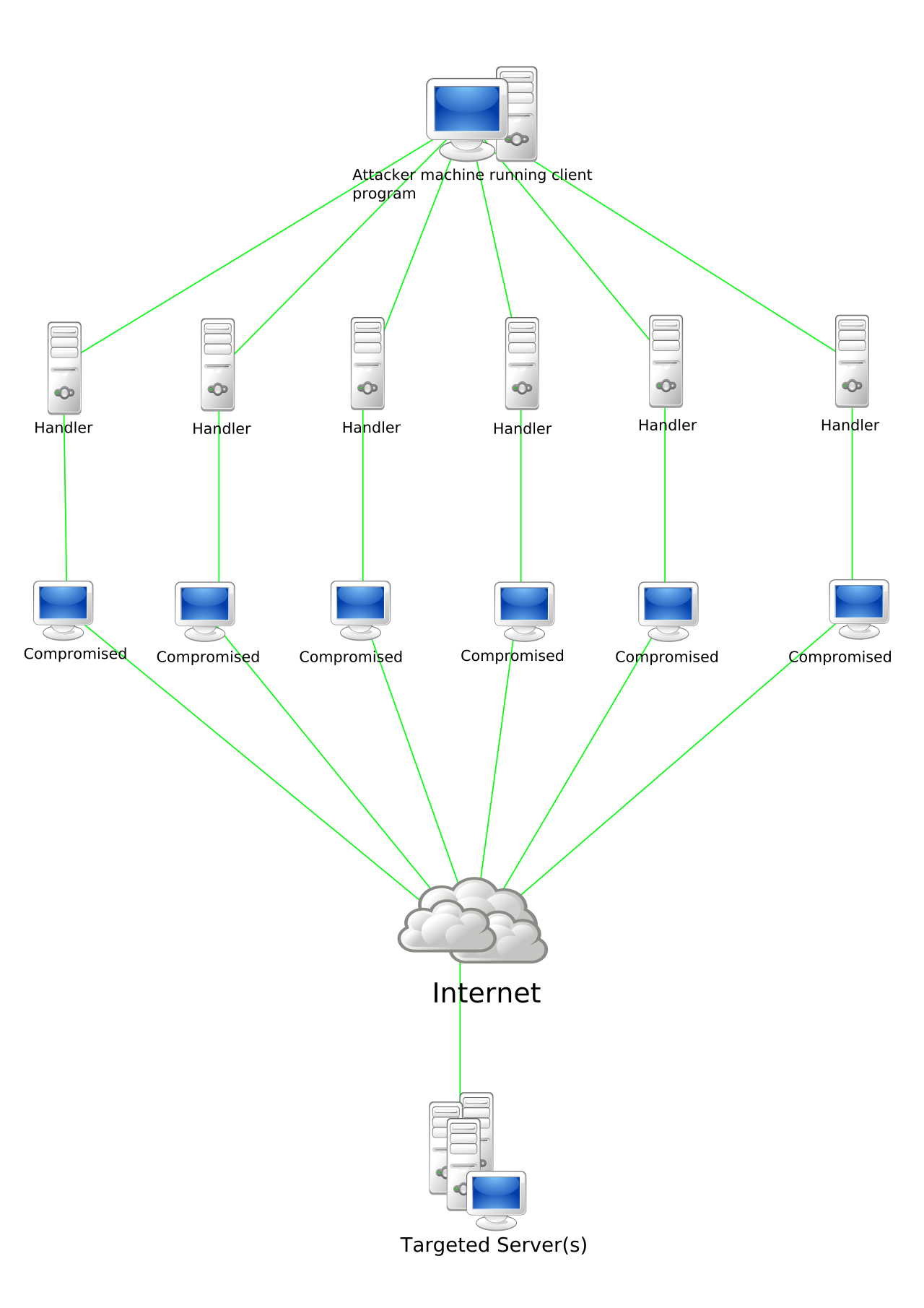
Sometimes, the goal is not to steal data, but to ensure no one else can access it. A Denial of Service attack overwhelms a target system with network traffic to disrupt legitimate access. Imagine a thousand people simultaneously calling a single pizza parlor; no legitimate customers can get through.
A single attacker, however, only has so much bandwidth. To amplify the damage, they distribute the workload. A Distributed Denial of Service attack utilizes multiple compromised devices to flood a single target system. The infrastructure powering this attack is a vast, hidden army of infected computers, smart TVs, and IoT cameras. A botnet is a collection of compromised devices used to launch Distributed Denial of Service attacks.
Breaking the Locks: Authentication and Application Attacks
When an attacker is faced with a login prompt, they have several methods to force their way in.
- A brute-force attack attempts to bypass authentication by systematically trying every possible password combination (e.g., AAAAA, AAAAB, AAAAC).
- Because pure brute-force takes too long, attackers streamline the process. A dictionary attack attempts to guess passwords using a precompiled list of common words and phrases, combining known patterns like "Spring2026!" or "Password123".
To protect your users, systems rely on strict enforcement rules. Account lockout policies disable an account after a specified number of failed login attempts. When a user calls the help desk complaining their account is locked, it means the system is working as designed: account lockout policies mitigate brute-force password attacks by removing the attacker's ability to guess infinitely.
Finally, we must understand how attackers manipulate the very applications users interact with. Imagine a web form that asks for a username. What if, instead of typing a name, an attacker types a raw database command? SQL injection attacks insert malicious database commands into application input fields. If the application blindly trusts the input, it executes the command. Consequently, SQL injection attacks manipulate backend databases to view or alter unauthorized data, allowing attackers to dump millions of customer records instantly.
The Developer's Defense: To stop this, systems must strictly sanitize what users type. Input validation ensures user data strictly adheres to expected formats (e.g., ensuring a phone number field only accepts digits, not text or symbols). By stripping away executable code, input validation defends against SQL injection attacks.
Not all breaches are the result of an active, brilliant attacker. Most are the result of organizational decay. As an IT professional, managing the lifecycle and configuration of enterprise devices is where you will spend the majority of your time. Security is won and lost in the maintenance phase.
The Patch Management Imperative
Software is written by humans, which means software contains flaws. When vendors discover these flaws, they release patches. However, if those patches aren't applied, the system becomes a liability.
Unpatched systems lack the latest vendor software updates. This is not merely a performance issue; unpatched systems expose devices to publicly known software vulnerabilities. Once a vulnerability is public, automated attack scripts scan the internet looking for systems that haven't applied the fix. To survive, organizations cannot rely on users to manually click "Update." Instead, patch management systems automate the distribution of security updates across an enterprise, ensuring thousands of endpoints are secured simultaneously without user intervention.
Configuration and Compliance
Even a fully patched system is a threat if it is configured poorly. Non-compliant systems fail to meet an organization's required baseline security configurations. This could mean a laptop with its local firewall disabled, or an endpoint missing its mandatory antivirus agent.
To protect the broader network from these weak links, infrastructure must be able to defend itself autonomously. Network Access Control systems automatically isolate non-compliant devices. If a user connects a laptop that hasn't been scanned for viruses in 30 days, the NAC system detects this failure and drops the device into a restricted quarantine network until it is brought back into compliance.
The Danger of End-of-Life Software
Every piece of software eventually dies. When a vendor officially retires an operating system or application, it reaches "End-of-life" (EOL).
- End-of-life software no longer receives security patches from the original vendor.
- End-of-life software no longer receives technical support from the original vendor.
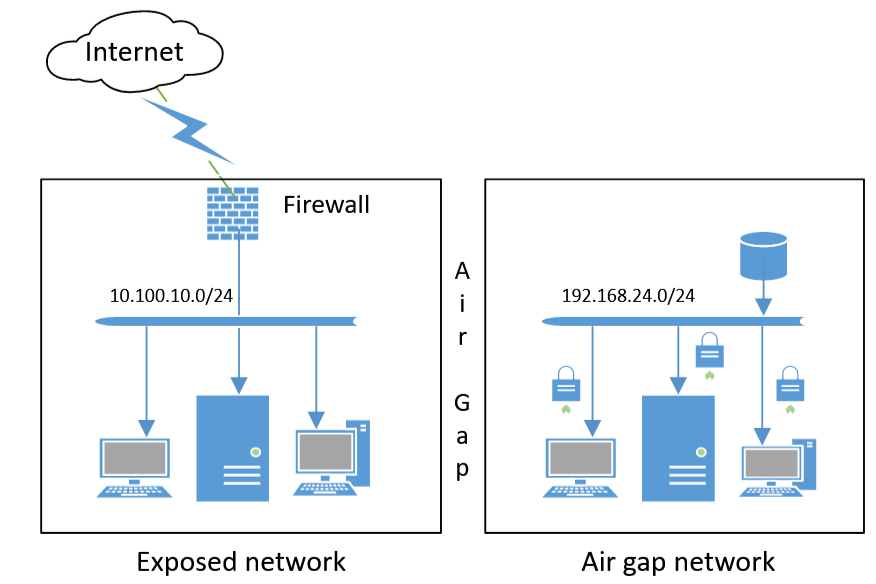
When a new zero-day exploit is discovered for an EOL system like Windows 7 or an old version of Windows Server, no fix is coming. Because they cannot be secured, network administrators must isolate End-of-life systems to prevent the exploitation of unpatchable vulnerabilities. If an EOL machine must remain active to run legacy manufacturing equipment, it must be "air-gapped" or heavily segmented so it cannot communicate with the internet or the rest of the corporate network.
The Blurring of Boundaries: BYOD
The perimeter of the modern enterprise no longer stops at the office walls. Bring Your Own Device policies allow employees to connect personal smartphones and laptops to a corporate network. While highly convenient and cost-effective, mixing personal and corporate computing creates severe architectural friction.
Fundamentally, Bring Your Own Device environments introduce corporate data leakage risks on unmanaged personal hardware. If an employee downloads a malicious app on their personal phone, and that phone is synchronizing corporate email, company data is compromised.
To bridge the gap between personal ownership and corporate security, organizations deploy specialized oversight. Mobile Device Management software enforces corporate security policies on employee-owned devices. MDM allows IT administrators to require biometric locks, encrypt storage, and remotely wipe only the corporate data section of a personal phone if the device is lost, leaving the employee's personal photos untouched.
Summary for the IT Professional
As you prepare for the A+ Core 2 exam and your day-to-day work on the help desk, remember that security is a tapestry. Social engineering pulls at the psychological threads. Network attacks try to cut the lines of communication. Systemic vulnerabilities are the slow unravelling of the fabric over time. Your mastery of these concepts ensures that when a user clicks the wrong link, connects to the wrong network, or ignores their updates, the enterprise infrastructure is prepared to catch the mistake before it becomes a disaster.