Windows Local Security Settings
Not sure you’re ready?
Take the ~3-minute readiness diagnostic and see where you stand.
An operating system is a modern fortress. Its security does not rely on a single, impenetrable wall, but rather on a layered defense architecture: perimeter guards inspecting incoming traffic, an internal immune system hunting for deeply embedded threats, tightly controlled identity badges dictating who can modify the architecture, and hardware-backed vaults protecting the very keys to the gates. To master Windows local security is to understand how these discrete mechanisms—firewalls, anti-malware, privilege separation, and biometric cryptography—interact to protect user data from both external exploitation and internal user error.
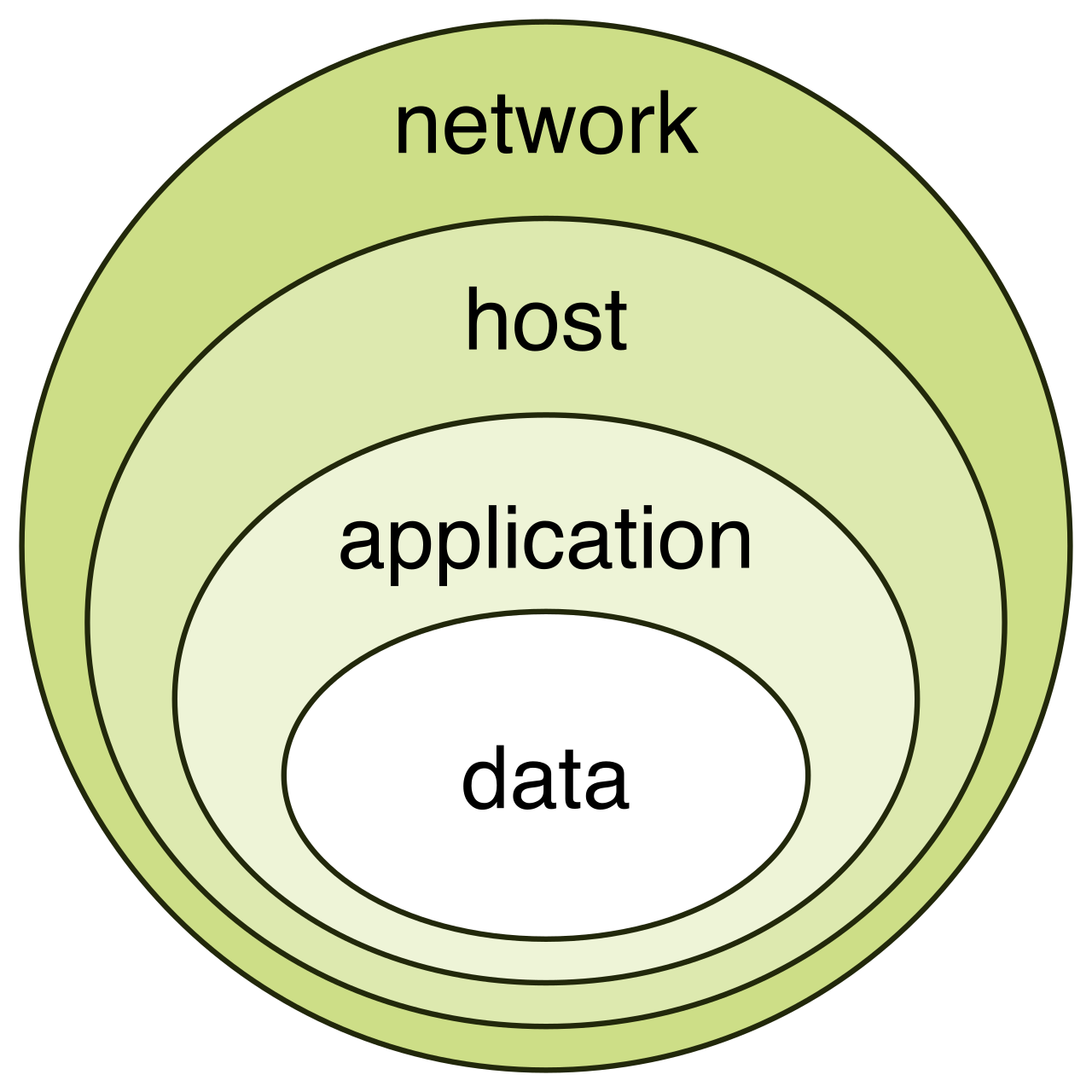
In the field of IT support, you are the architect and the guardian of this fortress. When a user cannot access a critical application, or when a device is compromised by a malicious payload, your ability to quickly diagnose the failure depends entirely on your fundamental understanding of these local security settings.
Every time a computer connects to a network, it subjects itself to a cacophony of incoming data. Windows Defender Firewall is a host-based firewall that filters inbound and outbound network traffic. It sits squarely at the network interface, inspecting packets of data and deciding what may pass and what must be dropped.
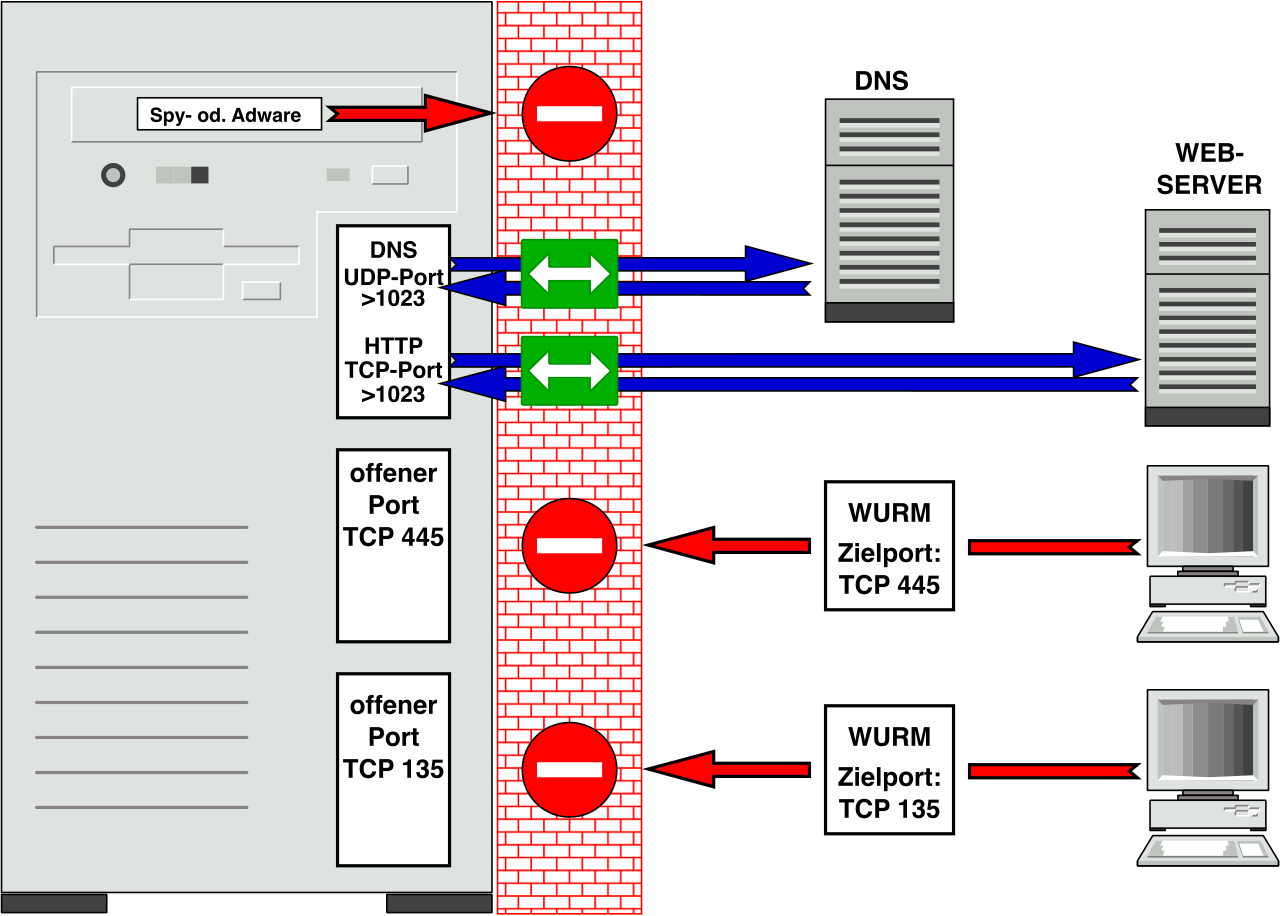
Crucially, the firewall is context-aware. Windows Defender Firewall applies different security rules based on the active network connection profile. A laptop securely wired into a corporate office requires vastly different filtering than that same laptop connected to a public coffee shop's Wi-Fi network. The three Windows Defender Firewall network profiles are Domain, Private, and Public.
| Network Profile | Use Case & Security Posture |
|---|---|
| Domain | Applied automatically when the device is authenticated to a corporate Active Directory domain. Highly trusted; typically allows extensive communication with internal servers. |
| Private | Designed for trusted home or small office networks. Allows local discovery features like file sharing and network printers. |
| Public | Designed for untrusted networks (airports, cafes). Strictly locks down inbound traffic to hide the machine from other potentially malicious devices on the same network. |
When a legitimate application is blocked by the firewall, a technician has two primary methods to punch a hole through the perimeter:
- Application Exceptions: A Windows Firewall application exception allows a specific program to completely bypass firewall blocking rules. Think of this as giving a specific VIP guest an all-access pass, regardless of which door they use.
- Port Rules: Conversely, Windows Firewall port security involves creating specific inbound or outbound traffic rules. Rather than trusting an entire application, Windows Firewall port rules selectively allow or block network traffic based on specific TCP or UDP port numbers.
To achieve granular control—such as allowing inbound TCP traffic purely on port 3389 for Remote Desktop Protocol—you must use specialized administrative tools. The Windows Defender Firewall with Advanced Security console allows administrators to create custom port rules, giving you surgical precision over the device's network perimeter.
If the firewall is the perimeter guard, the antivirus is the internal immune system hunting down threats that managed to slip past the gates. Microsoft Defender Antivirus is the built-in anti-malware solution for modern Windows operating systems.
By default, Microsoft Defender Antivirus operates in active mode to continually scan files for malware. In this state, it intercepts file executions in real-time; Microsoft Defender Antivirus active mode proactively blocks malicious system activity before a payload can execute. However, Windows is designed to play nicely with enterprise security tools. Microsoft Defender Antivirus switches to passive mode when a supported third-party antivirus is installed, stepping aside to prevent system conflicts while remaining available for periodic scanning.
Why Definitions Matter: An immune system is only as good as its memory of past diseases. Windows Update automatically downloads new security intelligence definitions for Microsoft Defender. If a machine has been offline for weeks, these definitions are stale. A user can manually trigger a Defender virus definition update through the Windows Security application to ensure the system recognizes the latest zero-day signatures.
When investigating a suspected infection, technicians can initiate several types of system sweeps. Malware scan options in Windows Defender include quick scans, full scans, custom scans, and offline scans.
The offline scan is a particularly elegant weapon against deeply embedded threats like rootkits. A sophisticated rootkit can actively hide itself from the operating system while Windows is fully loaded. To counter this, a Microsoft Defender Offline scan restarts the computer to detect malware that is difficult to remove while the operating system is running. By scanning the hard drive from a lightweight, pre-installation environment, the malware is dormant and entirely defenseless.
Security policies mean nothing without strict identity management. Who is sitting at the keyboard, and what are they allowed to break?
Windows categorizes user identities into two fundamental account types:
- Windows Local Account: This account is tied exclusively to a single physical device. It relies on the local Security Accounts Manager (SAM) database, meaning a Windows Local Account requires no internet connection for user authentication.
- Microsoft Account: This is a cloud-based authentication method for Windows operating systems. Because the identity is hosted on Microsoft's servers, a Microsoft Account synchronizes user settings across multiple internet-connected Windows devices, ensuring wallpapers, browser favorites, and accessibility settings follow the user seamlessly.
Beyond where the account lives, security dictates what the account can do. Privilege separation is the cornerstone of modern endpoint security.
Standard Users vs. Administrators
A Standard User account in Windows can run installed applications and a Standard User account in Windows can change personal desktop settings (like their desktop background or taskbar layout). However, a Standard User account in Windows lacks permission to alter system-wide configurations. This is intentional; if a standard user accidentally executes malware, the malware operates with those same restricted privileges.
Conversely, the Administrator role in Windows grants complete access to modify system-wide security settings. To maintain the integrity of the machine, an Administrator account is required to install system-level software on a Windows machine, and an Administrator account is required to manage other user accounts on a Windows machine.
The Bridge: User Account Control (UAC)
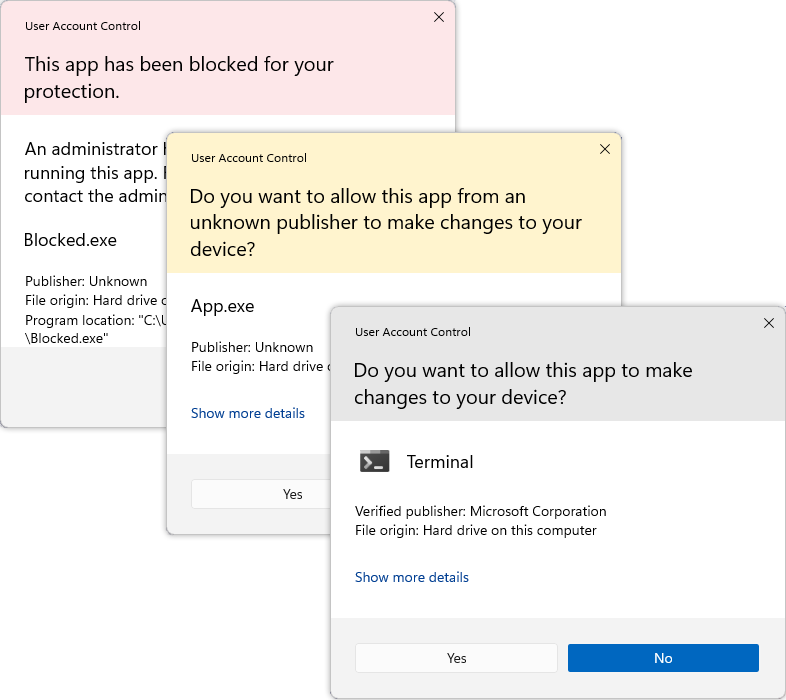
If standard users cannot install software, how do they get anything done? Enter UAC. The User Account Control feature protects Windows by requiring explicit confirmation before executing system-level changes.
When a standard user attempts an action that requires elevated privileges, the screen dims (a secure desktop state) and a prompt appears. The User Account Control feature requires a standard user to enter administrative credentials to perform system-wide changes. This mechanism prevents background processes from silently elevating their privileges and forces a conscious, authenticated decision.
Account Management Tools
When tasked with provisioning or modifying user access, you will rely on specific built-in utilities:
- The netplwiz utility provides a graphical interface to manage Windows user accounts, offering a streamlined way to change group memberships or configure auto-logon options.
- For granular, enterprise-level control, Local Users and Groups is a Microsoft Management Console snap-in for managing local user accounts (accessed via
lusrmgr.msc). However, be aware of OS version limits: the Local Users and Groups snap-in is unavailable on Windows Home editions.
Historically, users authenticated with complex passwords. Passwords, however, can be guessed, phished, or intercepted over the network. Modern Windows environments heavily favor hardware-backed, biometric authentication.
Windows Hello is a biometric authentication and secure PIN system built into modern Windows operating systems. It radically shifts the security paradigm: Windows Hello replaces traditional password authentication with credentials tied directly to a specific device.
Why a PIN is More Secure Than a Password
Users often ask IT support: "How is a 4-digit PIN more secure than my 16-character password?"
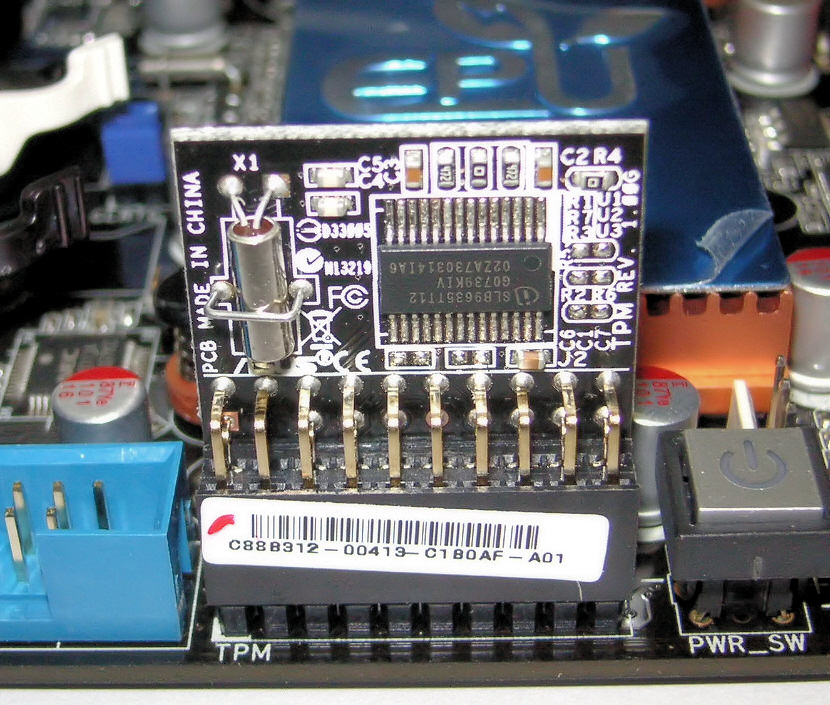
The answer lies in hardware cryptography. A password is a shared secret; it travels across the network to an authentication server. If someone intercepts your password, they can log in from anywhere on Earth. A Windows Hello PIN is a device-specific credential backed by a Trusted Platform Module chip. A Trusted Platform Module chip provides hardware-based security to protect Windows Hello PINs from theft. The PIN only unlocks the TPM chip on that specific laptop motherboard, which in turn releases the cryptographic token to log in. Even if a threat actor learns your PIN, it is useless to them unless they also physically steal your laptop.
Biometrics and Passwordless Realities
Windows Hello elevates this hardware security with biometrics, but requires specific hardware capabilities:
- Windows Hello facial recognition requires a specialized infrared camera to authenticate a user securely. A standard webcam will not work, as infrared ensures depth mapping and prevents attackers from spoofing the system with a printed photograph.
- Similarly, Windows Hello fingerprint recognition requires a compatible biometric fingerprint reader hardware device.
The ultimate evolution of this architecture is complete removal of the password. Passwordless sign-in eliminates the use of traditional passwords for logging into Windows, massively reducing the organization's attack surface. To achieve this, passwordless sign-in can utilize the Microsoft Authenticator app for Windows authentication, pushing a notification to the user's smartphone. Alternatively, passwordless sign-in can utilize physical security keys for Windows authentication. In highly secure environments, a physical security key like a FIDO2 USB token serves as a passwordless authentication method in Windows—the user inserts the token and touches a capacitive sensor to prove physical presence.
Finally, security extends to what happens when the user walks away from their desk. Rather than relying on users to manually lock their screens (Windows Key + L), the Dynamic Lock feature automatically locks a Windows device when a paired Bluetooth device moves out of range. By pairing their smartphone to their workstation, the user's physical departure instantly triggers the local security lockdown.