Wireless Security Protocols
Not sure you’re ready?
Take the ~3-minute readiness diagnostic and see where you stand.
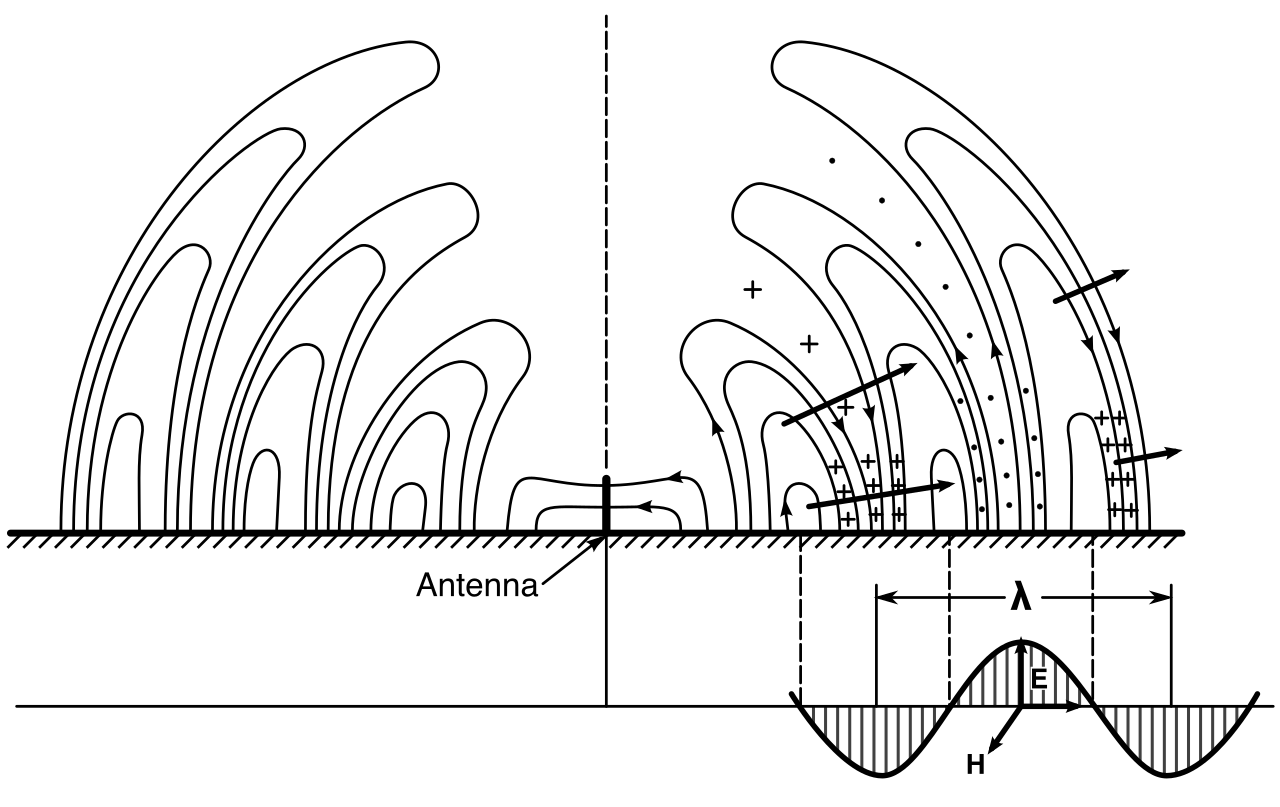
Transmitting enterprise data over Wi-Fi is physically indistinguishable from shouting sensitive information across a crowded public plaza. Because the transmission medium—radio waves—is inherently open and boundary-less, any device with a standard antenna can intercept the signal. The security of a wireless network relies entirely on applied mathematics. Cryptographic protocols and authentication frameworks act as an invisible armor, ensuring that even when data is inevitably intercepted, it remains mathematically indecipherable and organizationally inaccessible.
For an IT support professional, understanding this invisible armor is not merely an academic exercise. When a user’s laptop drops off the corporate network, or a remote worker cannot authenticate to a crucial server, the root cause is almost always found in the breakdown of these security handshakes. We must examine exactly how devices encrypt their data, how networks verify user identities, and how we layer defenses to protect against modern compromise.
To protect wireless traffic, we must scramble the data so that only the sender and the intended receiver can make sense of it. Historically, the networking industry has iteratively improved this scrambling process as adversaries have discovered flaws in our math.
The Legacy Gap: TKIP and RC4
In the early days of wireless, the original standard, WEP (Wired Equivalent Privacy), was fundamentally broken. To fix it quickly without forcing companies to buy entirely new hardware, engineers created a software-based stopgap.
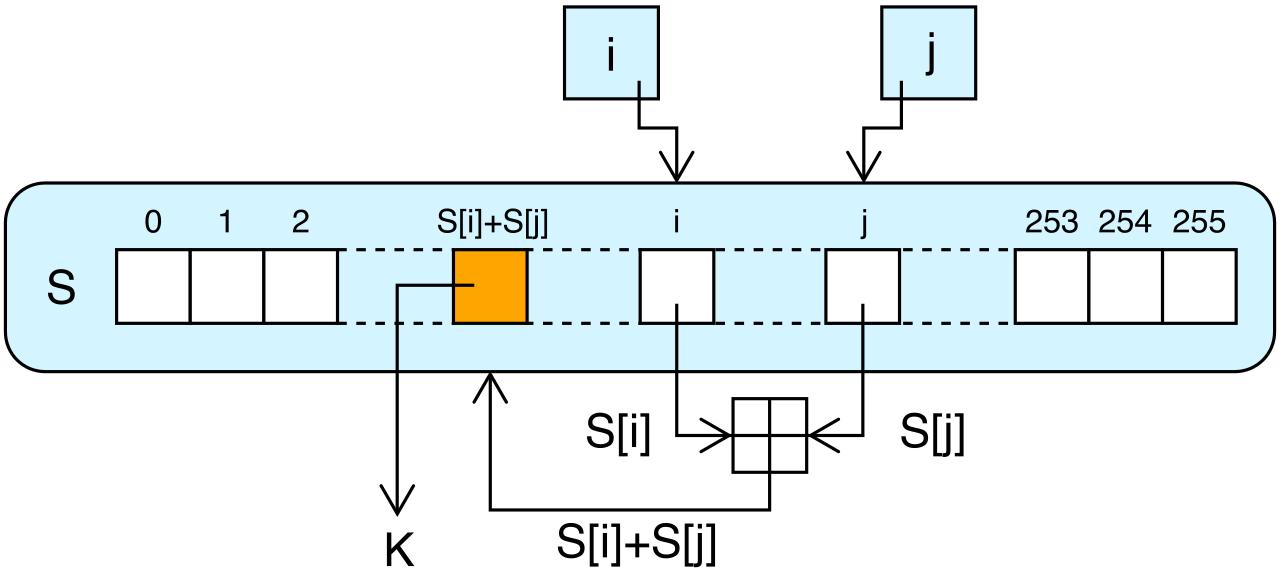
TKIP is a deprecated wireless encryption protocol originally created as a stopgap replacement for the insecure WEP standard. TKIP uses the RC4 stream cipher for encrypting wireless network traffic. A stream cipher encrypts data bit-by-bit as a continuous stream. However, computing power quickly caught up. Today, TKIP is considered insecure against modern cryptographic attacks. In a modern IT environment, you should actively hunt down and disable any routers still utilizing TKIP.
The Modern Standard: WPA2 and AES
When hardware could finally support heavier mathematical lifting, the industry introduced WPA2 (Wi-Fi Protected Access 2). WPA2 is a wireless security protocol that requires the use of the Advanced Encryption Standard (AES) for data encryption.
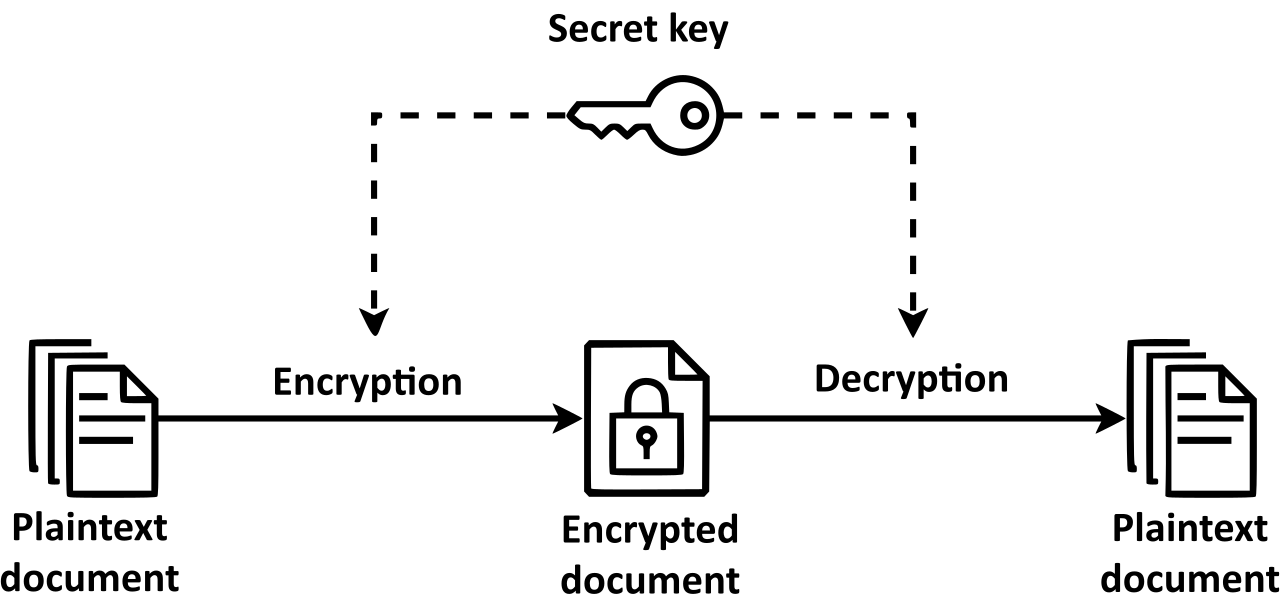
Unlike the RC4 stream cipher, the Advanced Encryption Standard is a symmetric block cipher. It chunks data into fixed-size blocks and scrambles them using a key shared by both the client and the access point. Because it is symmetric, the same key is used to lock and unlock the data.
To safely package this AES-encrypted data for the airwaves, WPA2 uses a highly specific encapsulation method:
CCMP: WPA2 uses the Counter Mode with Cipher Block Chaining Message Authentication Code Protocol for data encapsulation. This complex-sounding mechanism ensures two things: the data is encrypted (Counter Mode), and the data has not been tampered with in transit (Message Authentication Code).
WPA2 operates in two distinct modes, depending on the environment:
- WPA2 Personal mode uses a Pre-Shared Key (PSK) to authenticate clients joining the wireless network. This is the standard "Wi-Fi password" taped to the bottom of a home router. Every user shares the same key.
- WPA2 Enterprise mode uses the IEEE 802.1X standard and an authentication server to authenticate individual wireless users. Instead of one shared password, you log in with your specific corporate credentials, and the server dynamically generates a unique encryption key just for your session.
The New Frontier: WPA3
While WPA2 was revolutionary, adversaries eventually found ways to exploit the initial handshake where the Pre-Shared Key is verified. If a hacker records a WPA2 handshake from the air, they can take that recording home, load it into a supercomputer, and guess millions of passwords a second against it until they find a match.
WPA3 is the latest generation of Wi-Fi security designed to mitigate vulnerabilities found in WPA2. It achieves this through several massive architectural shifts:
- Simultaneous Authentication of Equals (SAE): WPA3 replaces the Pre-Shared Key authentication method with Simultaneous Authentication of Equals. SAE prevents offline dictionary attacks by requiring a live network interaction for every password guess. An attacker can no longer record a handshake and take it offline to crack; they must speak directly to the router for every single guess, turning an attack that would take minutes into one that takes millennia.
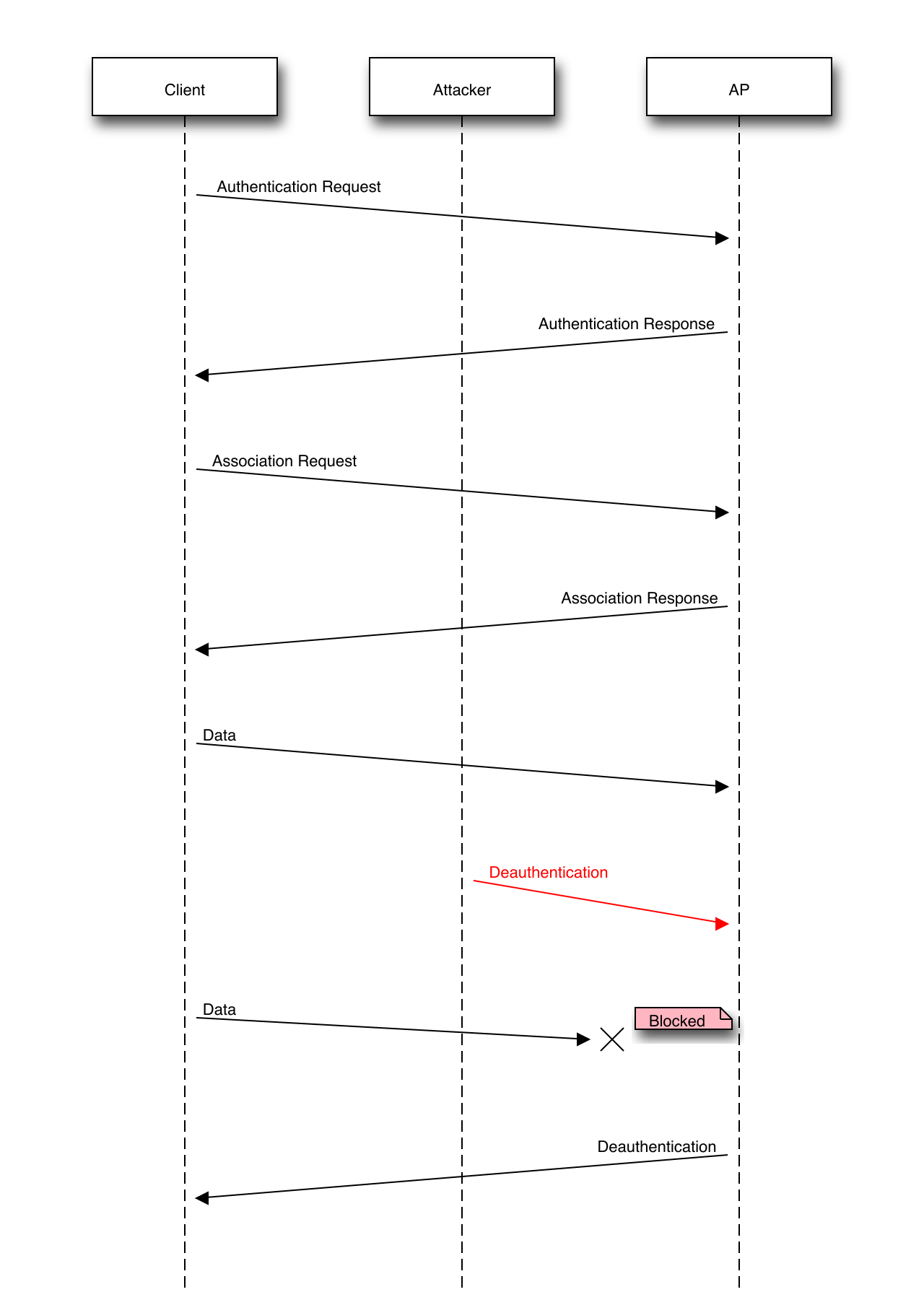
- Protected Management Frames (PMF): In older networks, an attacker could spoof the router and send a "deauthentication" frame to a laptop, violently kicking the user off the network. WPA3 mandates the use of Protected Management Frames to defend wireless networks against these deauthentication attacks.
- 192-bit Security: For government and financial sectors, WPA3 Enterprise mode offers an optional 192-bit cryptographic strength mode for highly sensitive network environments, expanding the size and complexity of the AES keys.
When a device attempts to connect to WPA2 Enterprise or WPA3 Enterprise, the wireless access point does not make the decision to let the user in. The access point is merely a bouncer; it forwards the user's credentials to a back-room authority—an authentication server.
To facilitate this conversation between the wireless access point and the authentication server, we use specialized framework and communication protocols.
EAP and PEAP
How does the laptop actually package its credentials before sending them to the bouncer?
The Extensible Authentication Protocol (EAP) provides a universal framework for deploying diverse authentication methods over wireless networks. Think of EAP as a standardized envelope. Whether you are using a password, a smart card, or a digital certificate, EAP provides the standard envelope to carry it.
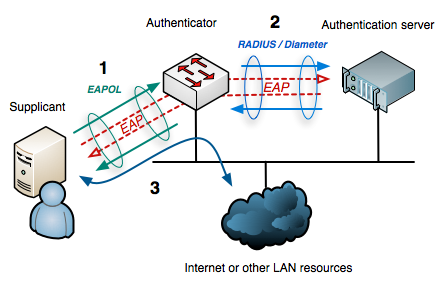
However, sending an envelope through the air is dangerous. To protect the payload, we use Protected Extensible Authentication Protocol (PEAP). PEAP establishes an encrypted TLS tunnel to securely transmit client authentication credentials. Before the user even sends their username and password, PEAP builds a secure, encrypted pipe between the laptop and the authentication server, ensuring eavesdroppers see nothing but static.
RADIUS vs. TACACS+
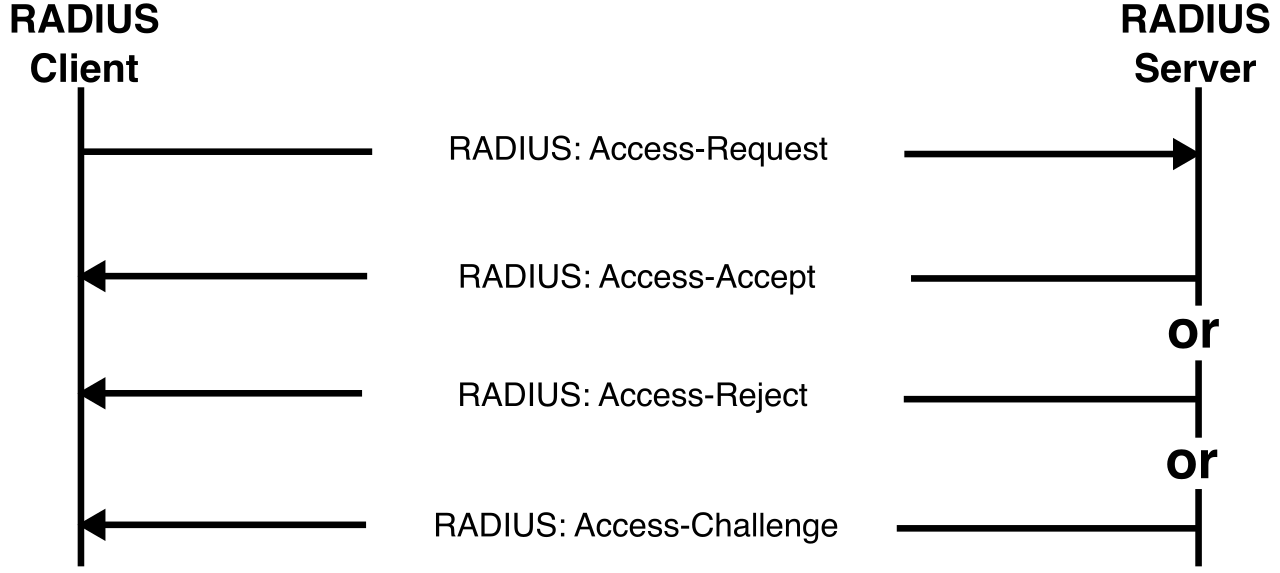
Once the access point receives the EAP envelope from the client, it must forward it to the authentication server over the wired network. It does this using either RADIUS or TACACS+. Understanding the difference between these two is critical for troubleshooting backend networking issues.
| Feature | RADIUS | TACACS+ |
|---|---|---|
| Origin | Open standard | Proprietary network authentication protocol developed by Cisco. |
| Transport Protocol | RADIUS is an authentication protocol that operates over the User Datagram Protocol (UDP), conventionally on UDP ports 1812 and 1813. | TACACS+ operates over the Transmission Control Protocol (TCP) to guarantee reliable packet delivery, specifically on TCP port 49. |
| Encryption | RADIUS encrypts only the user password field within the access-request packet. The username and other metadata are sent in cleartext. | TACACS+ encrypts the entire payload of the authentication packet, offering superior confidentiality. |
| Process Architecture | RADIUS combines the user authentication and user authorization processes into a single network operation. If you are verified, your permissions are assigned simultaneously. | TACACS+ separates the authentication, authorization, and accounting (AAA) functions into completely independent processes, allowing highly granular network administration. |
Kerberos: The Ticket Master
While RADIUS and TACACS+ often handle network access (like Wi-Fi or VPNs), a completely different protocol manages access to internal servers and file shares once you are inside the network.
Kerberos is a network authentication protocol that utilizes secure tickets to grant access to network services. It is the backbone of modern corporate networks; in fact, Microsoft Active Directory environments use Kerberos as the default authentication protocol.
Kerberos eliminates the need to send passwords across the network. Instead, it relies on a central authority:
Key Distribution Center (KDC): Kerberos relies on a centralized Key Distribution Center to verify identities and issue ticket-granting tickets (TGT).
When you log into your Windows laptop in the morning, you authenticate with the KDC. The KDC hands you a TGT—a master VIP badge. Whenever you try to access a printer, a file share, or an internal server, you simply show your TGT.
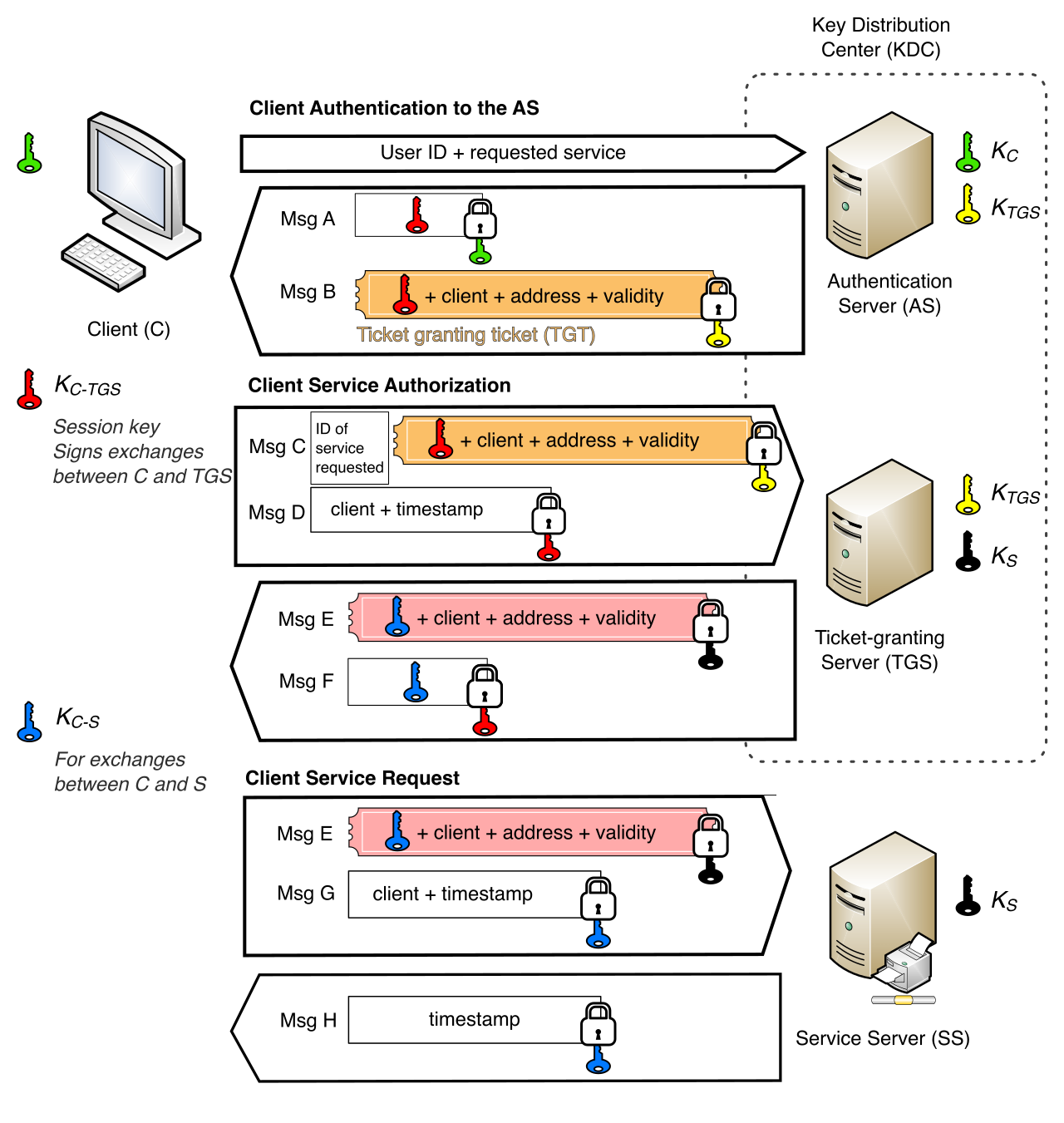
Crucial Troubleshooting Fact: Kerberos operates on TCP and UDP port 88. Furthermore, because tickets are stamped with timestamps, Kerberos requires strict time synchronization among all networked computers to prevent ticket replay attacks. If an attacker steals a ticket, they only have a brief window to use it. Consequently, if an IT support technician encounters a user who suddenly cannot access any domain resources, the first troubleshooting step is checking the system clock. If the user's laptop clock is more than five minutes out of sync with the domain controller, Kerberos will automatically reject their tickets.
Cryptographic algorithms like AES and protocols like Kerberos are mathematically impenetrable. Adversaries know this. Therefore, modern attackers rarely try to "hack" the math. Instead, they hack the human. They steal the password via phishing or buy compromised credentials on the dark web.
To combat this, the IT industry has shifted toward defense-in-depth strategies. Multifactor authentication mitigates the risk of enterprise network breaches resulting from compromised passwords. It does this by requiring proof that the person logging in is actually the authorized user, not just someone who found a password on a sticky note.
By definition, multifactor authentication requires a user to present at least two distinct categories of authentication credentials. Using two passwords is not MFA; that is simply two instances of the same factor. True MFA requires crossing categories:
- The Knowledge Factor ("Something you know"): A standard password or personal identification number (PIN) represents the knowledge factor in multifactor authentication. It exists only in the user's mind.
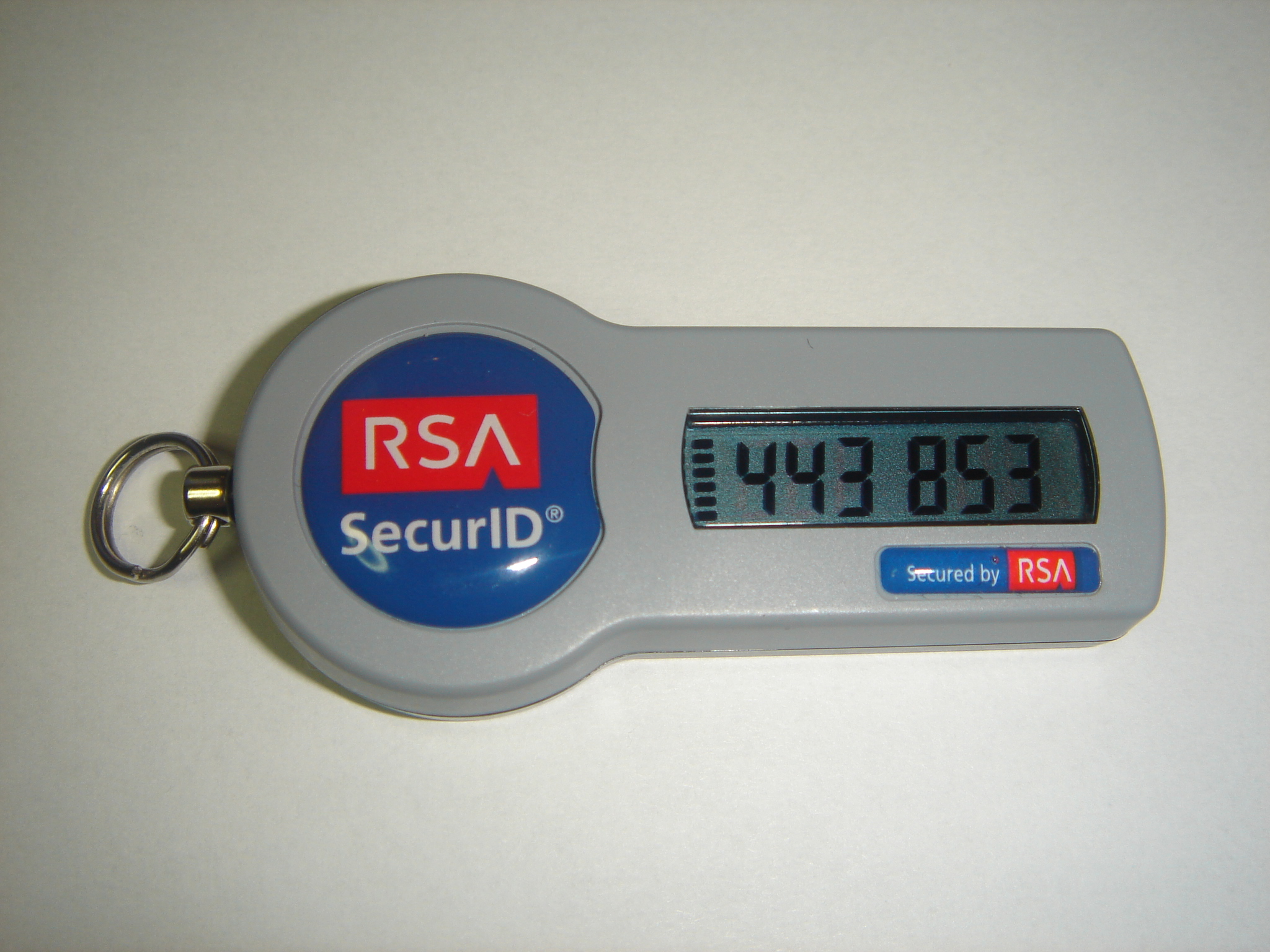
- The Possession Factor ("Something you have"): A hardware token or a mobile authenticator app represents the possession factor in multifactor authentication. Even if an attacker steals a user's password from halfway across the world, they cannot log in without physically possessing the user's smartphone to retrieve the timed code or approve the push notification.
- The Inherence Factor ("Something you are"): A fingerprint scan or facial recognition system represents the inherence factor in multifactor authentication. This relies on immutable biological traits.
When a help desk analyst configures a user's VPN access, they will often pair WPA2/WPA3 Enterprise networks with an EAP-based certificate (Possession) and a user PIN (Knowledge). By layering AES cryptography, secure 802.1X handshakes via RADIUS, and robust MFA requirements, IT professionals create an overlapping mesh of security. If one layer fails—if a user gives away their password—the remaining layers hold the line, keeping the enterprise network secure against the invisible threats of the open airwaves.