Workstation Backup and Recovery
Not sure you’re ready?
Take the ~3-minute readiness diagnostic and see where you stand.
Every hard drive platter will eventually stop spinning, and every solid-state drive will eventually exhaust its write cycles. In enterprise computing, data destruction is not an anomaly; it is a mathematical certainty dictated by entropy and hardware degradation. An IT professional's primary mandate is not preventing this inevitable failure, but ensuring it remains an invisible operational hiccup rather than an unrecoverable catastrophe. The architecture of a resilient network relies on a rigorously defined, mathematical approach to data redundancy. We do not merely copy files; we engineer intricate, overlapping systems of scheduled duplication—balancing the immense weight of storage costs against the agonizing friction of system downtime. By understanding how file metadata governs backup logic, how retention schemes mitigate geographic risk, and how rigorous testing exposes invisible corruption, a technician transforms from a mere bystander of system failure into an active architect of continuity.

To understand how modern backup software functions, we must first look at how an operating system observes change. A computer containing terabytes of data cannot afford to continuously scan every single byte to see if it has been altered since yesterday. It requires a trigger.
The Windows archive attribute is a file metadata flag indicating modification status. Think of this attribute like the physical red flag on a traditional mailbox. When a user creates a new file or modifies an existing one, the operating system raises the flag (sets the attribute to 'On'). When the backup software runs, it doesn't read the whole drive; it simply scans for raised flags. What the backup software does with that flag afterward is the foundational difference between our primary backup methodologies.
We manage data retention through four primary operational methods. The choice between them is a constant negotiation between three physical constraints: network bandwidth, storage capacity, and recovery speed.
1. The Full Backup
A full backup copies all selected data regardless of previous backup timestamps. The software gathers the entire payload, writes it to the backup media, and then lowers the flags—meaning a full backup clears the archive attribute of the selected files upon completion.
While conceptually simple, physics makes this approach difficult to execute daily. Moving colossal amounts of data over a wire takes hours. Consequently, a full backup takes the longest amount of time to complete and demands the highest amount of storage space among standard backup types.
2. The Incremental Backup
To bypass the agonizing slowness of daily full backups, we introduce the incremental approach. An incremental backup copies only files modified since the most recent backup operation.
When the incremental job finishes, it resets the board—an incremental backup clears the archive attribute of the selected files upon completion. Because it strictly isolates a single day's workflow, an incremental backup produces the smallest daily backup file size and executes faster than a differential backup.
The Recovery Penalty: The efficiency of an incremental backup is a deferred debt. When a catastrophic failure occurs, restoring an incremental backup requires the preceding full backup, plus a critical dependency: it requires every incremental backup created after the preceding full backup. Furthermore, incremental backup recovery requires applying the incremental files in exact chronological sequence. If the full backup is Monday, and the system dies on Friday, you must restore Monday, then Tuesday, then Wednesday, then Thursday. If Wednesday's file is corrupted, Thursday's data is orphaned and often useless.
3. The Differential Backup
The differential method offers a strategic compromise between backup speed and recovery resilience. A differential backup copies all files modified since the most recent full backup.
How does it accomplish this without forgetting the previous days' changes? It alters the metadata behavior: a differential backup leaves the archive attribute of the selected files intact. By never lowering the flag, Wednesday's backup copies everything from Monday, Tuesday, and Wednesday. Thursday's backup copies everything from Monday, Tuesday, Wednesday, and Thursday.
Inevitably, a differential backup increases in size each day until the next full backup occurs. The immense payoff for this daily storage cost occurs during a crisis. Restoring a differential backup requires the preceding full backup, but it only requires only the single most recent differential backup file. Because you are only stitching two files together rather than a fragile chronological chain, a differential backup restores faster than a lengthy chain of incremental backups.
4. The Synthetic Full Backup
What if we demand the fast, low-bandwidth daily execution of an incremental backup, alongside the instantaneous, single-file recovery speed of a full backup? We turn to computation.
A synthetic full backup combines a previous full backup with subsequent incremental backups. The brilliance of this method lies in its geography: the compilation of a synthetic full backup occurs entirely on the backup storage server. The production workstation simply sends its tiny daily incremental changes over the network. The backup server receives them, and using its own processors, quietly merges those changes into its existing full backup file.
By offloading the assembly, a synthetic full backup eliminates the need to transmit a complete full backup over the production network, protecting bandwidth for live business operations.
| Backup Type | Execution Time | Storage Required | Clears Archive Attribute? | Restoration Speed | Restoration Requirements |
|---|---|---|---|---|---|
| Full | Slowest | Highest | Yes | Fastest | The single Full backup file |
| Incremental | Fastest | Smallest | Yes | Slowest | Full + Every subsequent incremental in order |
| Differential | Moderate | Moderate/Growing | No | Fast | Full + The single latest differential |
| Synthetic Full | Fast (on network) | High (on server) | Yes | Fastest | The dynamically generated Synthetic Full file |
Creating backups is only the mechanical layer. As an administrator, you must arrange these backups into a strategic timeline that protects against both immediate user errors and sweeping environmental disasters.
The Grandfather-Father-Son (GFS) Scheme
If we kept daily full backups forever, we would bankrupt the organization through storage costs. Instead, we use temporal thinning. The Grandfather-Father-Son scheme uses three hierarchical tiers of retention frequency.
- The Son Tier: The Grandfather-Father-Son scheme designates daily backups as the Son tier. These are typically incremental or differential backups, retained for a short window (e.g., 14 days) to allow quick recovery from immediate mistakes.
- The Father Tier: The Grandfather-Father-Son scheme designates weekly full backups as the Father tier. These provide a broader safety net and are typically held for a few months.
- The Grandfather Tier: The Grandfather-Father-Son scheme designates monthly or yearly full backups as the Grandfather tier. These are the historical bedrock of the organization. Because these represent total systemic snapshots, Grandfather tier backups are typically archived in a secure offsite location to protect against site-wide destruction.
The 3-2-1 Backup Rule
Data does not truly exist unless it exists in multiple places. The industry standard for geographical and physical resilience is a strict mathematical doctrine.
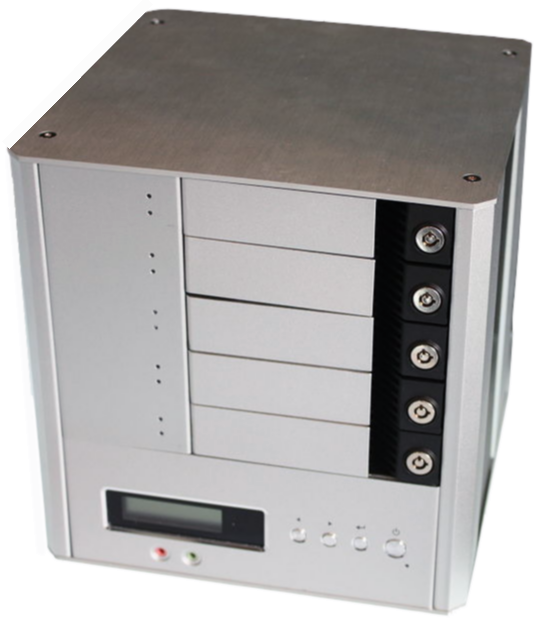
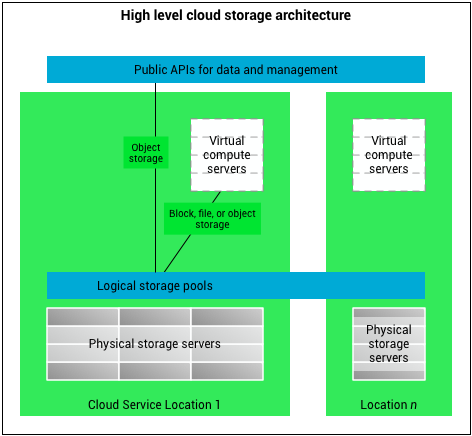
The 3-2-1 backup rule requires maintaining a total of three copies of the organizational data. (This consists of the primary production data, plus two backups). Next, it requires utilizing at least two distinct types of storage media. This prevents a single vendor's firmware bug or a specific environmental vulnerability from destroying all copies simultaneously (e.g., keeping one copy on an enterprise NAS array, and another on magnetic tape). Finally, it requires storing at least one data copy in an offsite location. If the building burns down, the local NAS burns with it. In modern infrastructures, cloud storage satisfies the offsite location requirement of the 3-2-1 backup rule, providing immense geographic separation with highly automated ingestion.
When a user submits a frantic ticket stating a critical spreadsheet was just corrupted, the backup has successfully done its job. Now, you must do yours. Depending on the scenario, you will choose one of two distinct recovery paths.

In-Place Overwrite Recovery
An in-place overwrite recovery restores data directly to the original file directory. If a user accidentally encrypted a folder full of PDFs, an in-place overwrite will march down the original path (e.g., C:\Finance\Q3_Reports) and push the data down.
By doing this, an in-place overwrite recovery replaces existing corrupted files with the backup version. This is fast and immediately puts the user back to work without remapping shortcuts. However, it is fundamentally destructive. If the user had added three new, uncorrupted files to that folder this morning, an aggressive overwrite might accidentally destroy them.
Alternative Location Recovery
To avoid making a bad situation worse, we use sandboxing. An alternative location recovery restores data to a separate folder or secondary drive. (e.g., restoring the files to D:\Restored_Finance_Data).
This approach creates a quarantine zone. Crucially, an alternative location recovery prevents the accidental deletion of newer files on the source drive. Furthermore, an alternative location recovery enables an administrator to verify file integrity before migrating the data to production. You can open the spreadsheet, confirm the formulas are intact, and then manually copy exactly what is needed back to the live environment.
There is a saying in computer science: An untested backup is merely a theoretical concept. You must actively prove your data is recoverable before a disaster forces you to.
Administrators must verify operations daily. At a baseline, backup verification requires checking automated system logs to confirm successful job completion. However, logs are dangerously optimistic. A log merely states that data was written to a disk; it does not guarantee the data makes sense.
Under the surface, logical rot can occur. For instance, a corrupted backup index prevents the restoration software from locating specific files within the backup archive. The data might physically reside on the disk, but without an intact index acting as a map, the restoration software is blind.
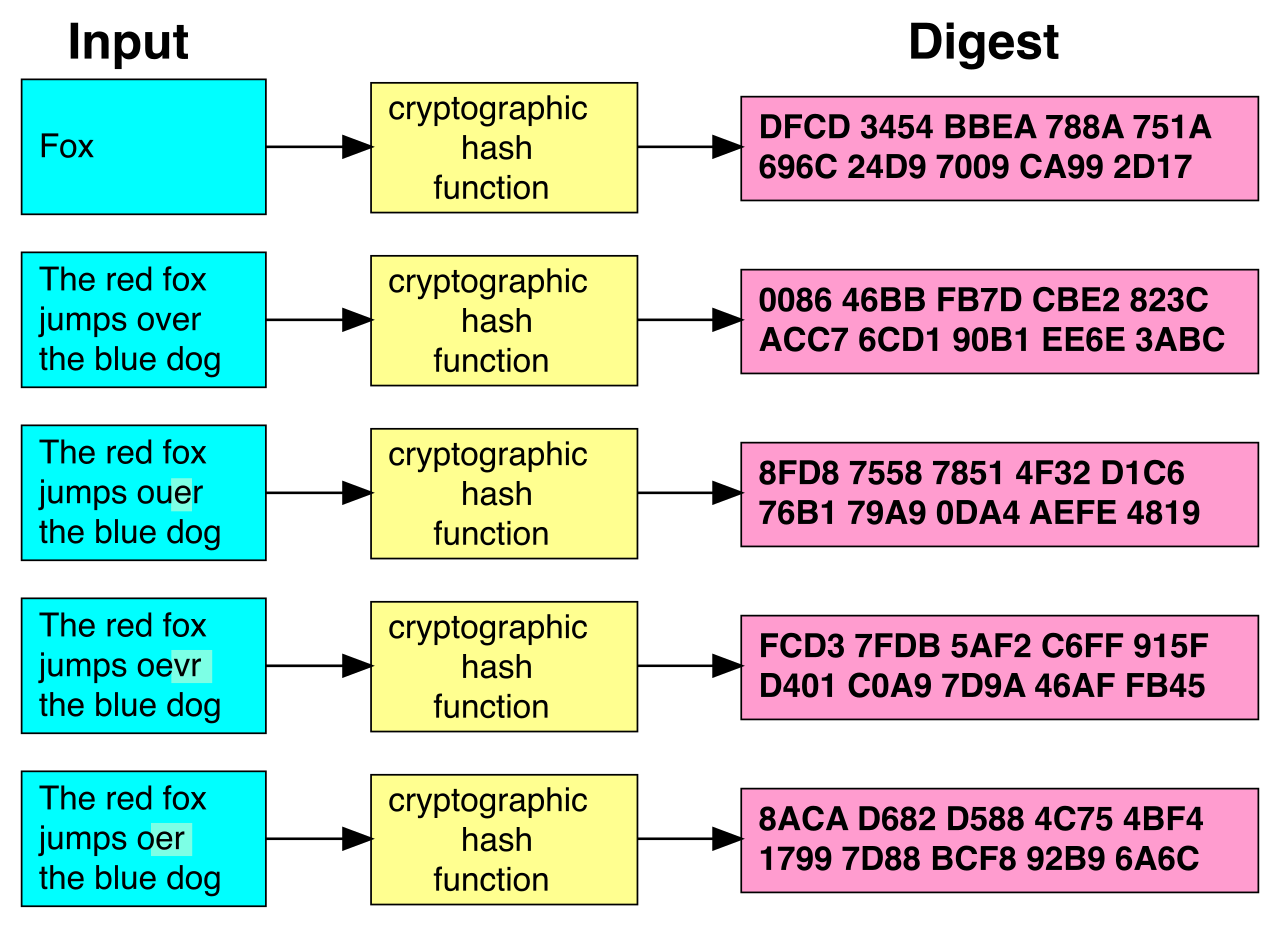
To expose these invisible failures, routine trial restorations verify the actual recoverability of backup data. You must periodically restore random data sets to alternative locations just to prove it works. Once restored, you apply mathematics to prove authenticity. Cryptographic file hashing confirms that a restored file matches the original backed-up file exactly. If the hash of the restored file matches the hash taken when the file was originally backed up, you have mathematical certainty that not a single bit has been flipped or corrupted.
Finally, verification is not just about data integrity; it is about time. When performing trial restorations, administrators record test restoration times to confirm alignment with organizational recovery time objectives (RTO). If a business dictates an RTO of 4 hours, but your trial restoration from the cloud takes 14 hours due to bandwidth limits, your backup strategy—despite functioning perfectly on a technical level—has catastrophically failed the organization.