Change Management Procedures
Not sure you’re ready?
Take the ~3-minute readiness diagnostic and see where you stand.
A running production environment is an intricate, highly sensitive ecosystem. Just as a cardiovascular surgeon does not begin an operation by haphazardly cutting into a patient without imaging, a team of specialists, and a contingency plan, an IT professional does not alter a live network without a rigorous framework. IT change management provides a structured methodology to minimize service disruptions when altering production environments. When an organization depends on its servers, databases, and network pathways to generate revenue and serve users, any unmanaged modification—even one intended as an improvement—is a profound operational threat.
In the discipline of enterprise IT support, configuring a system perfectly in isolation is only half the job. The other half is implementing that configuration safely.
Before any code is pushed or hardware is racked, an idea must be formalized. This begins with a Request for Change (RFC), which is a formal document submitted to initiate a proposed alteration to an IT system.
The RFC is not merely a bureaucratic hurdle; it is the blueprint of intent. To be valid, a Request for Change must include a clear description of the purpose of the proposed system alteration—explaining why the change is necessary. Furthermore, a Request for Change must detail the technical scope of the proposed system alteration, delineating exactly what components, servers, or user groups will be touched.
Once the RFC is drafted, the proposed change undergoes risk analysis. Think of risk analysis as an organizational stress test on paper. Risk analysis assesses the potential negative impact a proposed IT change might have on continuous business operations. If we take this server offline for twenty minutes, do we interrupt the supply chain? If this software update contains a bug, does the finance department lose access to payroll systems?
No physicist trusts an equation until the variables are checked, and no systems administrator should trust a change plan without an escape route. The change process requires strict technical safety nets to protect the enterprise environment.
1. Peer Review and Sandbox Testing
Before a change touches production, it must be validated.
- Peer review involves having a secondary technical professional evaluate a proposed change configuration to identify potential errors. A second set of eyes catches the missing semicolon in a script or the misconfigured firewall rule that the original author overlooked.
- Sandbox testing involves applying a proposed IT change in an isolated environment that mirrors the production network. Sandbox testing allows technicians to identify potential configuration failures without affecting actual business operations. If an update is going to crash a server, you want it to crash the dummy server in the sandbox, not the system hosting live client data.
2. Backup and Rollback Plans
Hope is not an IT strategy. Even beautifully tested changes can fail upon deployment. You must have mechanisms to undo your work.
Backup Plan: A backup plan guarantees that existing production data can be restored if an IT change causes unexpected data corruption. This protects the information.
Rollback Plan: A rollback plan is a step-by-step procedure designed to revert an IT system to its previous functional state if a change fails. This protects the infrastructure. Rollback plans are often referred to as back-out plans within official IT change management frameworks.
If you update a database schema and the new software suddenly begins corrupting customer records, your rollback plan restores the old schema software, and your backup plan restores the uncorrupted data.
Not all IT changes carry the same weight. Replacing a core router requires monumental planning; resetting a password requires almost none. IT change management categorizes modifications into three distinct types to dictate how much scrutiny is required.
| Change Type | Characteristics | Approval Required | Example Scenario |
|---|---|---|---|
| Standard Change | Low-risk, frequently occurring, well-documented. | Pre-approved; does not require per-instance authorization. | Resetting a user password is an example of a standard IT change. |
| Normal Change | Moderate to high operational risk. | Requires complete evaluation and authorization process before execution. | Upgrading an organization's primary database server is an example of a normal IT change. |
| Emergency Change | Highly urgent; bypasses standard scheduling. | Requires expedited approval (ECAB) to resolve a critical incident. | Applying a security patch for an actively exploited zero-day vulnerability is an example of an emergency IT change. |
Standard changes do not require additional authorization before execution due to their pre-approved nature. Because technicians execute these tasks hundreds of times using a rigid, verified procedure, the risk is virtually nonexistent.
Normal changes carry moderate to high operational risk and require a complete evaluation and authorization process before the implementation phase. They represent a fundamental shift in the environment.
Emergency changes are implemented immediately to resolve a critical IT incident. They bypass the standard scheduling process to restore vital business services quickly. The house is on fire; you do not file a permit to use the fire hose.
For normal changes, the decision to proceed is not made by a single technician. It is made by the Change Advisory Board (CAB).
The Change Advisory Board is a designated committee composed of technical and business stakeholders. Why business stakeholders? Because IT exists to serve the business. An engineer might see a server upgrade as a technical necessity, but a sales director might see that same upgrade as a catastrophic disruption to the end-of-quarter revenue push.
The Change Advisory Board reviews the risk level and business impact of proposed normal changes, and crucially, holds the formal authority to approve or reject proposed normal changes. They are the ultimate judge of whether the operational benefit outweighs the potential disruption.
In the event of a critical failure—such as a ransomware outbreak or a failing core switch—waiting for a scheduled CAB meeting is impossible. In these scenarios, emergency changes are typically evaluated and approved by an expedited group called the Emergency Change Advisory Board (ECAB), a smaller subset of leaders empowered to authorize immediate action.
Approval is only permission; timing is the strategy. When a change occurs is often as critical as how it occurs.
To prevent workday disruptions, IT departments utilize a maintenance window, which is a pre-approved, scheduled timeframe designated specifically for implementing IT changes. Maintenance windows are typically scheduled during off-peak business hours to mitigate disruption to affected system users—such as pushing updates at 2:00 AM on a Sunday. However, a silent execution is a dangerous execution: affected system users must receive prior notification of the scheduled maintenance window downtime before an IT change begins, so they can save their work and plan accordingly.
Conversely, there are times when stability is paramount, and the business absolutely cannot risk a self-inflicted outage. During these times, an organization enacts a change freeze. A change freeze is a designated time period during which normal and standard IT changes are strictly prohibited. Organizations implement change freezes during critical business periods to guarantee maximum system stability.
An e-commerce company banning non-critical server updates during the week of Black Friday is an example of a change freeze. When every minute of uptime represents millions of dollars in revenue, IT actively chooses not to touch the systems.
A change is not complete simply because the progress bar hit 100%. The technician's job ends only when the business verifies the system works and the institutional knowledge is preserved.
Once the system is live, technicians must secure end-user acceptance, which involves gathering confirmation from affected personnel that a completed IT change functions correctly. If the IT department upgrades a proprietary accounting software, the database administrator might see green lights on the server, but the project is a failure if the accountants cannot actually generate their ledgers. The users define the success of the system.
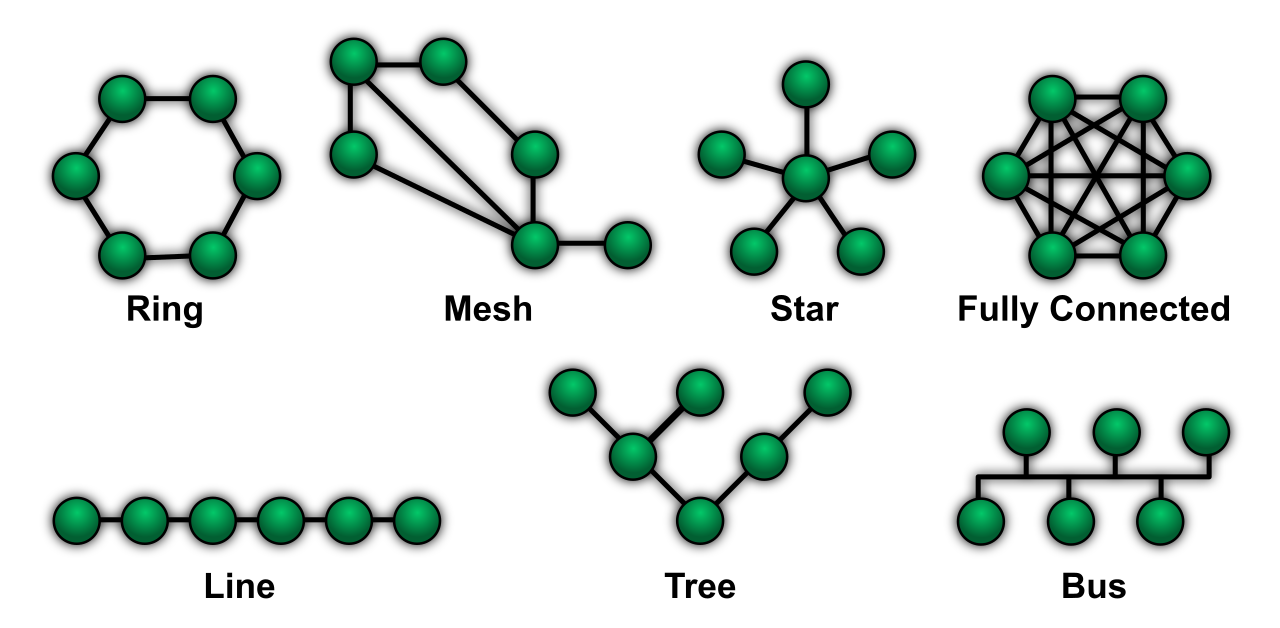
Finally, you must leave the campsite cleaner than you found it. The final phase of the change management workflow requires updating institutional documentation to reflect the new IT environment state. If a future technician tries to troubleshoot the network using outdated blueprints, they will cause further damage. Consequently, post-change documentation updates must include revising network topology diagrams if physical infrastructure routing was altered.
By adhering to this framework—from the initial RFC to the final documentation update—IT professionals transform the chaos of continuous technological shifts into a predictable, highly orchestrated science.