Cloud Concepts and Connectivity Options
Not sure you’re ready?
Take the ~3-minute readiness diagnostic and see where you stand.
Imagine having to build a coal-fired power plant in your backyard simply because you wanted to read a book by lamplight. For decades, this was the exact paradigm of enterprise IT. If an organization needed to host an application, network administrators and systems engineers had to provision physical data center space, install cooling systems, rack servers, pull miles of copper cable, and manually configure hardware routers—only to watch that expensive infrastructure sit idle during off-peak hours. Cloud computing fundamentally changes this model by providing the on-demand delivery of IT resources over the internet with pay-as-you-go pricing. Rather than building the power plant, you simply plug into the grid, tapping into vast pools of computational power and network bandwidth exactly when you need them.
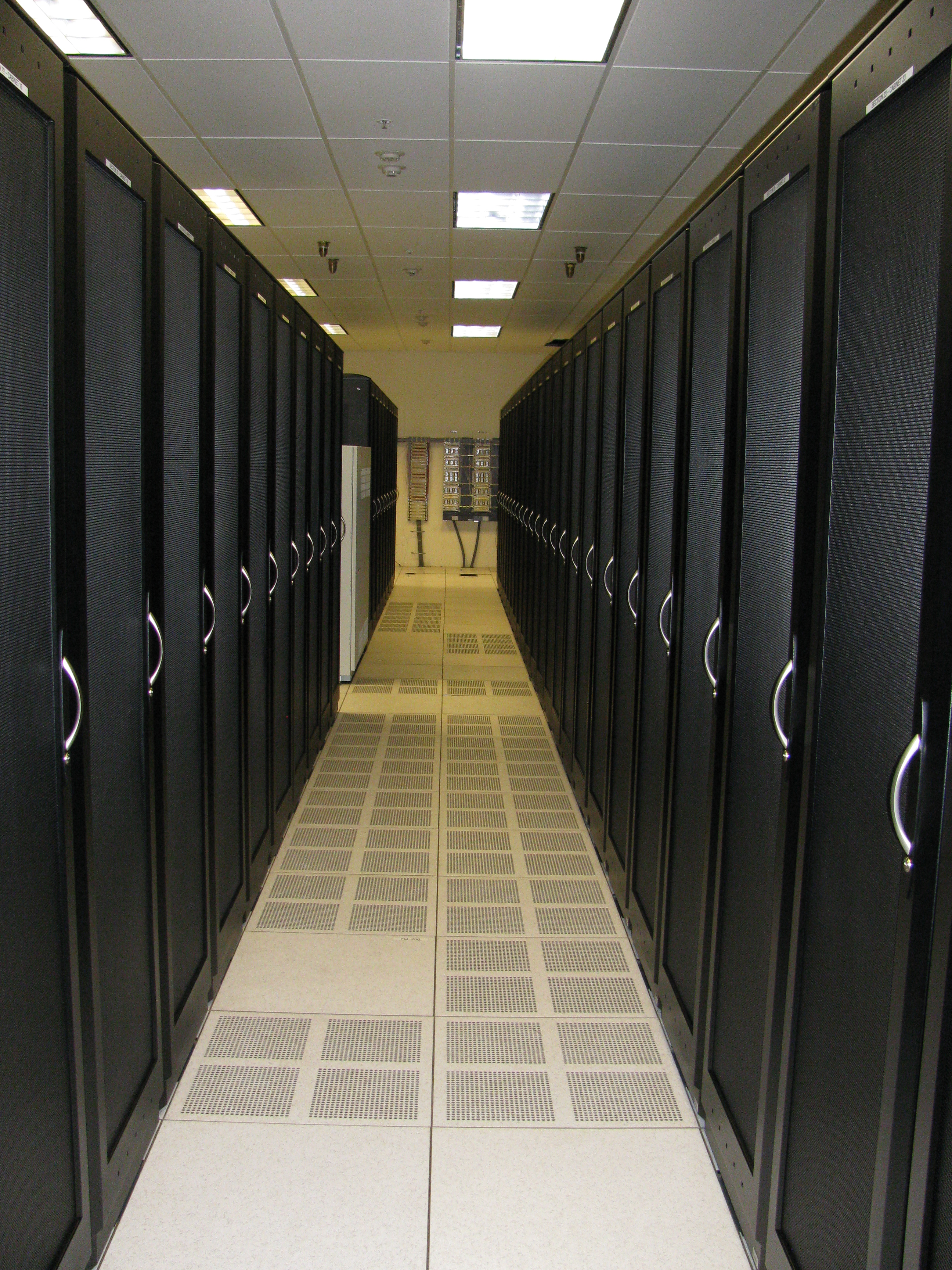
For a modern network support technician or system administrator, understanding the cloud is no longer optional; it is the physical and logical foundation of the networks you will build, monitor, and troubleshoot daily.
To establish a universal language for cloud technologies, the industry relies on a foundational framework. The National Institute of Standards and Technology (NIST) definition of cloud computing outlines five essential characteristics, three service models, and four deployment models. Before we can connect to a cloud network, we must understand the mechanics of how it operates underneath the hood.
Essential Cloud Characteristics
When you log into a management console to troubleshoot why an application is running slowly, you are interacting with a massive, abstracted infrastructure governed by several core concepts:
Resource pooling allows a cloud provider to serve multiple consumers using a provisional and scalable set of physical and virtual resources.
Behind the scenes, the provider has vast warehouses of RAM, CPU, and storage. These resources are dynamically assigned and reassigned according to consumer demand. Because resources are pooled, the system relies on multitenancy—a software architecture where a single instance of software or computing hardware serves multiple distinct user groups or customers. Think of an apartment building: all tenants share the same underlying foundation, plumbing, and electrical grid, but each tenant has an isolated, secure unit.
Because resources are pooled, the system can adapt to load. Scalability is the ability of a cloud system to handle increased load by adding more computing resources. As a system administrator, you have two primary ways to scale your network infrastructure:
- Vertical scaling, also known as scaling up, involves adding more processing power or memory to an existing cloud server. (Imagine swapping out a V6 engine for a V8 engine in your car to go faster).
- Horizontal scaling, also known as scaling out, involves adding additional cloud servers to distribute a computing workload. (Imagine keeping your V6 engine, but buying three more identical cars and dividing the cargo among them).
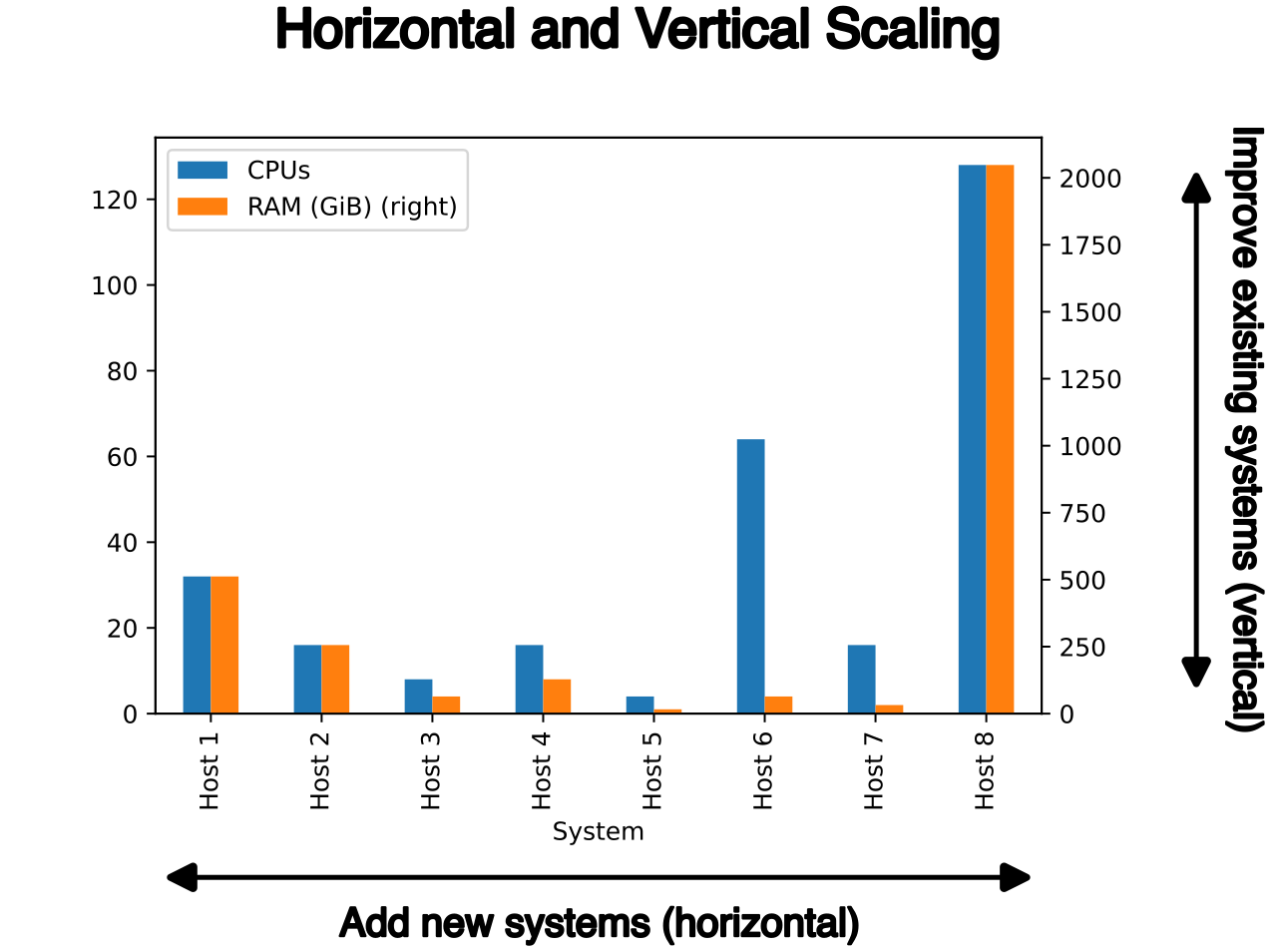
Scaling often requires human intervention or predictive planning. However, rapid elasticity is the ability of a cloud system to automatically provision and de-provision computing resources in real-time in response to fluctuating workloads. If your company's e-commerce site gets featured on national television, the network can instantly detect the traffic spike, automatically spin up twenty new web servers to handle the load, and then shut them down an hour later when traffic subsides. You only pay for the hour you used them.
Ultimately, these dynamic mechanisms exist to ensure high availability, which ensures that cloud services remain accessible and operational despite hardware failures or routine maintenance. If a physical switch dies in a cloud provider's data center, the workload is instantly shifted to redundant hardware without the end-user ever noticing a drop in service.
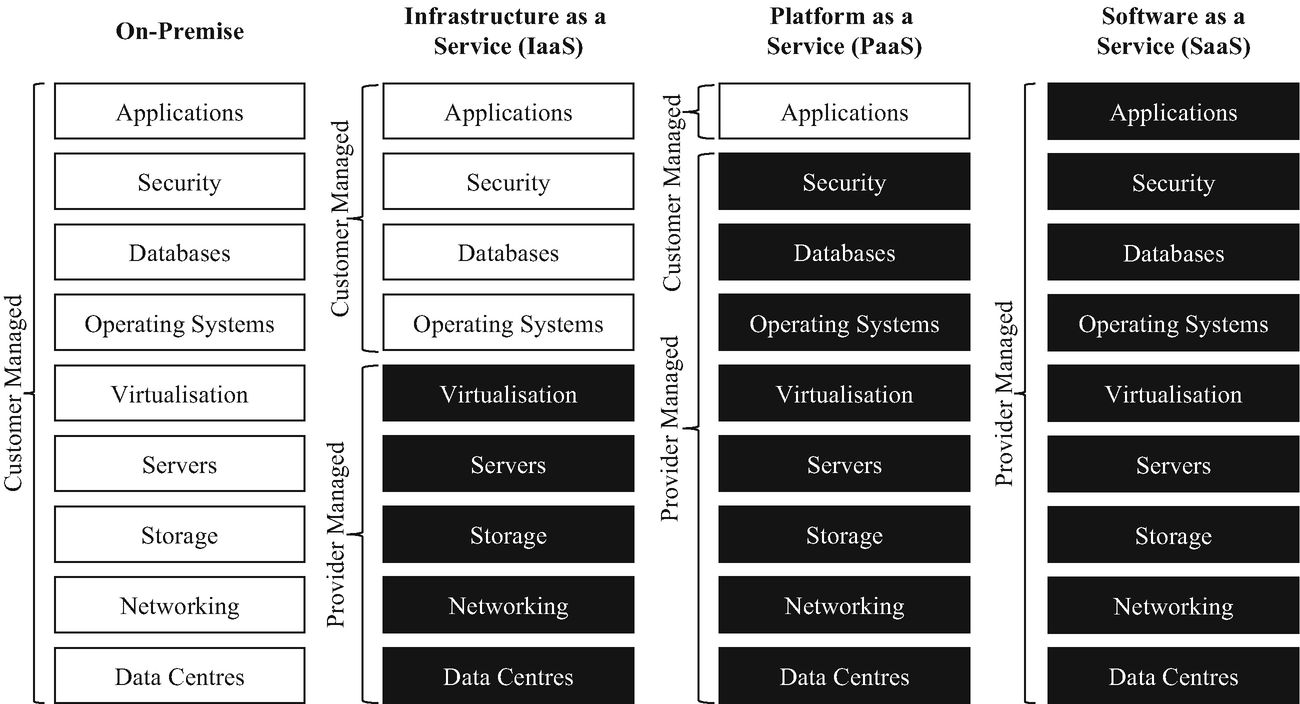
Understanding cloud service models is about understanding the "Shared Responsibility Model." When a server goes offline, who gets paged at 3:00 AM? You, or the cloud provider?
| Service Model | What is it? | Division of Responsibility |
|---|---|---|
| IaaS | Infrastructure as a Service (IaaS) provides virtualized computing resources, storage, and networking hardware over the internet. | The cloud provider manages the physical hardware while the customer manages the operating systems, data, and applications. If the physical hypervisor dies, the provider fixes it. If the Linux OS crashes due to a bad patch, you fix it. |
| PaaS | Platform as a Service (PaaS) provides hardware and software tools over the internet typically needed for application development. | The cloud provider manages the underlying infrastructure and operating systems while the customer focuses solely on application code and data. This allows developers to push code directly to a web server without ever needing to patch the underlying Windows or Linux OS. |
| SaaS | Software as a Service (SaaS) delivers fully functional software applications over the internet on a subscription basis. Examples include Microsoft 365 or Salesforce. | The cloud provider manages all aspects of the application, including infrastructure, operating systems, software patching, and data storage. The customer simply logs in and uses the software. |
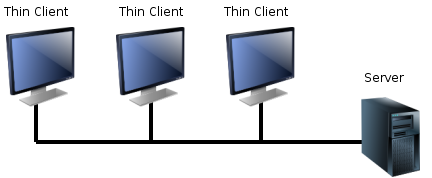
In addition to the standard NIST models, IT teams frequently deploy Desktop as a Service (DaaS), which provides secure delivery of virtual desktop environments from the cloud to end-user devices. When a remote worker logs into a thin client at home, DaaS renders a secure corporate Windows desktop stream directly to their screen, keeping all sensitive data secured within the cloud data center rather than sitting on a vulnerable local hard drive.
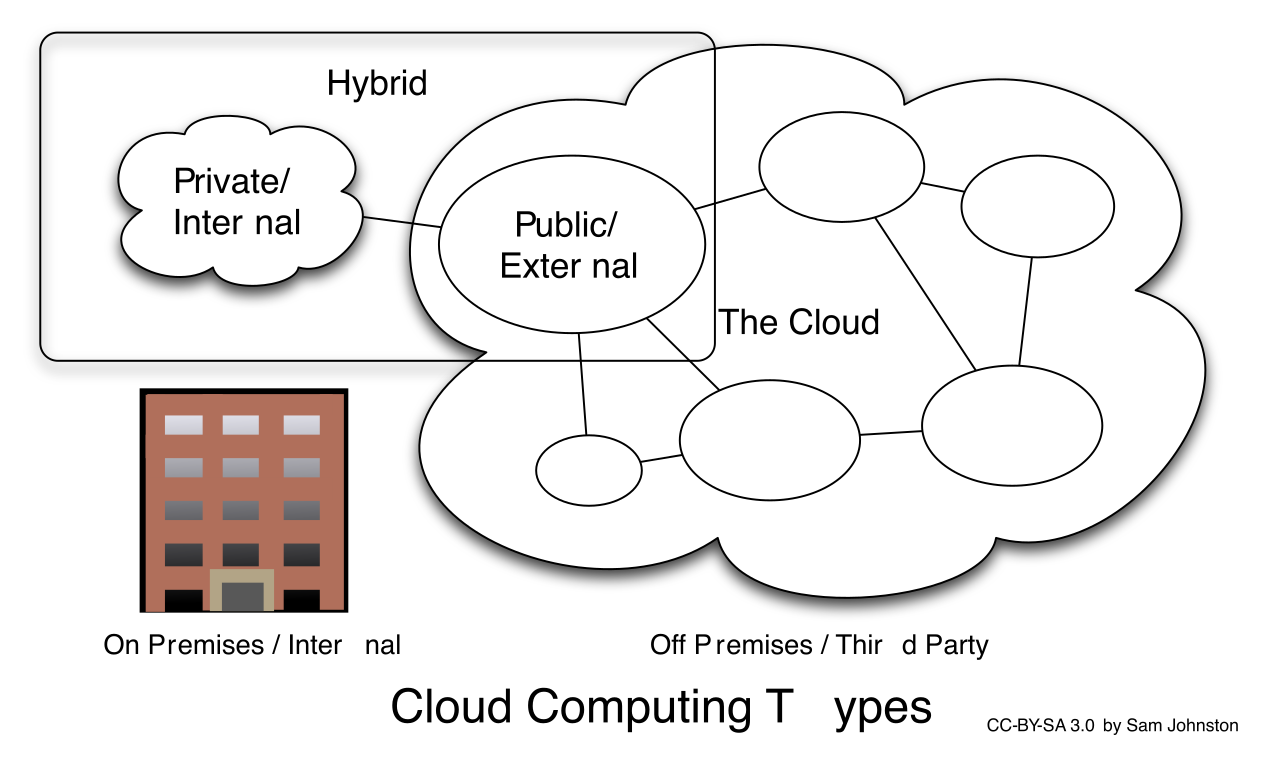
Where does the physical hardware actually live, and who is allowed to use it?
- A public cloud is a cloud environment owned and operated by a third-party service provider and shared among multiple unaffiliated customers. (Think AWS, Google Cloud, or Microsoft Azure).
- A private cloud is a cloud infrastructure dedicated exclusively to a single organization. This can be hosted on-premises in your own data center or managed by a third party, but the hardware and network are never shared with anyone else.
- A hybrid cloud is a computing environment that combines a public cloud and a private cloud by allowing data and applications to be shared between them. A hospital might keep highly sensitive patient records in their on-premises private cloud, while using a public cloud to host their public-facing web servers.
- A community cloud is a collaborative cloud infrastructure shared by several organizations with common concerns, such as shared regulatory compliance requirements. For example, several regional banks might share a community cloud designed specifically to meet strict financial data security laws, distributing the high costs of compliance auditing among themselves.
If you are a NOC analyst, you won't be running physical CAT6 cables in an AWS data center. Instead, you will manage virtualized network constructs.
VPC and vSwitches
When a company moves to a public cloud, they don't just throw their servers onto the open internet. They establish a Virtual Private Cloud (VPC), which is a secure, isolated private cloud hosted within a public cloud environment. A VPC allows you to define your own IP address space, create subnets, and configure route tables exactly as you would in a physical building.
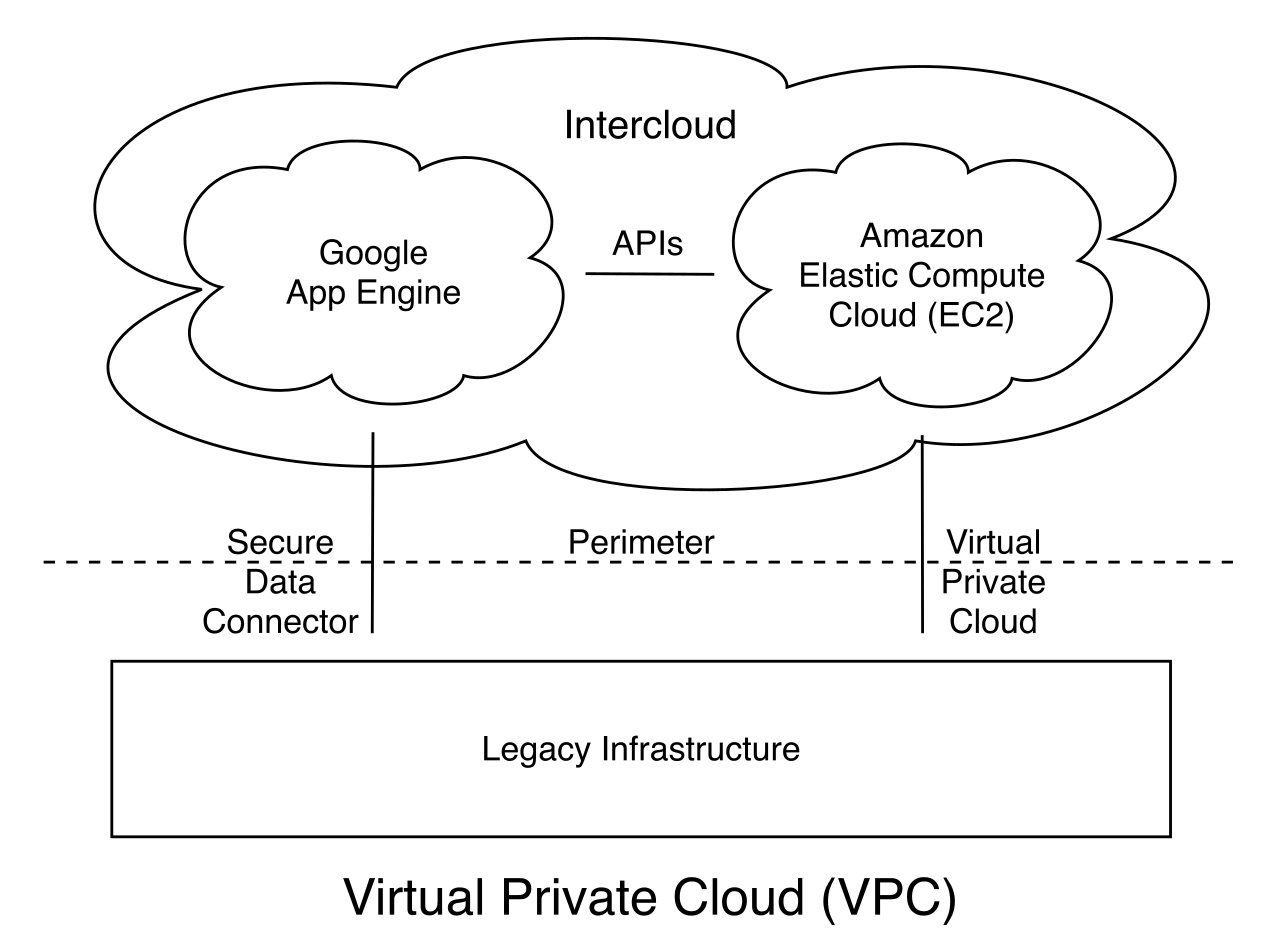
Within this virtual environment, virtual machines (VMs) need a way to pass frames to one another. This is handled by a virtual switch (vSwitch), a software application that allows virtual machines to communicate with each other and bridge traffic to the physical network.
NFV and SDN
Historically, if a network needed a firewall, an engineer bought a $10,000 physical appliance, bolted it to a rack, and plugged cables into it. Today, Network Function Virtualization (NFV) replaces dedicated physical network hardware devices with software instances running on standard commercial servers. Virtual routers, virtual firewalls, and virtual load balancers are common practical applications of Network Function Virtualization (NFV). By utilizing NFV, if your network needs a heavier firewall to inspect higher traffic volumes, you simply allocate more CPU and RAM to the software firewall instance instead of buying a larger physical appliance.
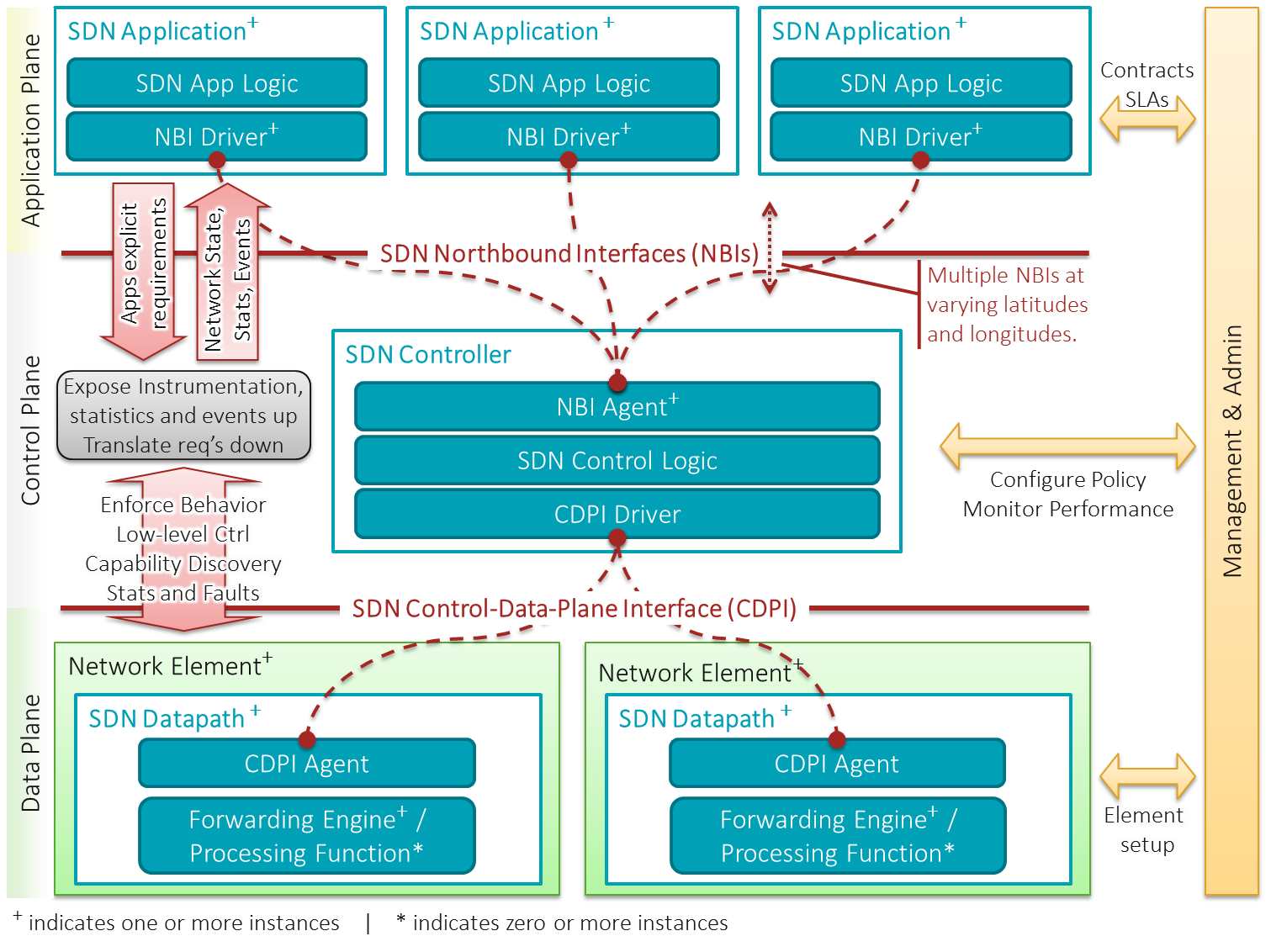
While NFV virtualizes the devices, Software-Defined Networking (SDN) virtualizes the routing intelligence. SDN separates the network control plane (the "brains" making routing decisions) from the data forwarding plane (the "muscle" actually moving the packets) to enable centralized, programmable network management. Instead of logging into fifty individual routers to update a routing protocol, an administrator updates a centralized SDN controller, which then pushes the new forwarding instructions out to all the dumb switches on the network simultaneously.
Infrastructure as Code (IaC)
Because every element of cloud networking—from subnets to firewalls to routers—is now virtualized, we can automate their creation. Infrastructure as Code (IaC) is the process of managing and provisioning cloud computing environments through machine-readable definition files rather than physical hardware configuration.
Instead of spending weeks manually building a network, a systems engineer writes a script. When executed, that script interacts with the cloud provider's API to instantly build a VPC, configure subnets, spin up load balancers, and deploy servers. If the environment becomes corrupted, the administrator can simply delete the entire network and run the IaC script to rebuild an exact replica in minutes.
You have built a pristine, highly available, dynamically scaling architecture in the cloud. Now, how do your employees sitting in the corporate headquarters securely connect to it? You have two primary architectural choices.
Site-to-Site VPN
The most common approach for small to medium businesses is an IPsec VPN. A site-to-site Virtual Private Network (VPN) establishes a secure, encrypted connection over the public internet between an on-premises enterprise network and a cloud provider.
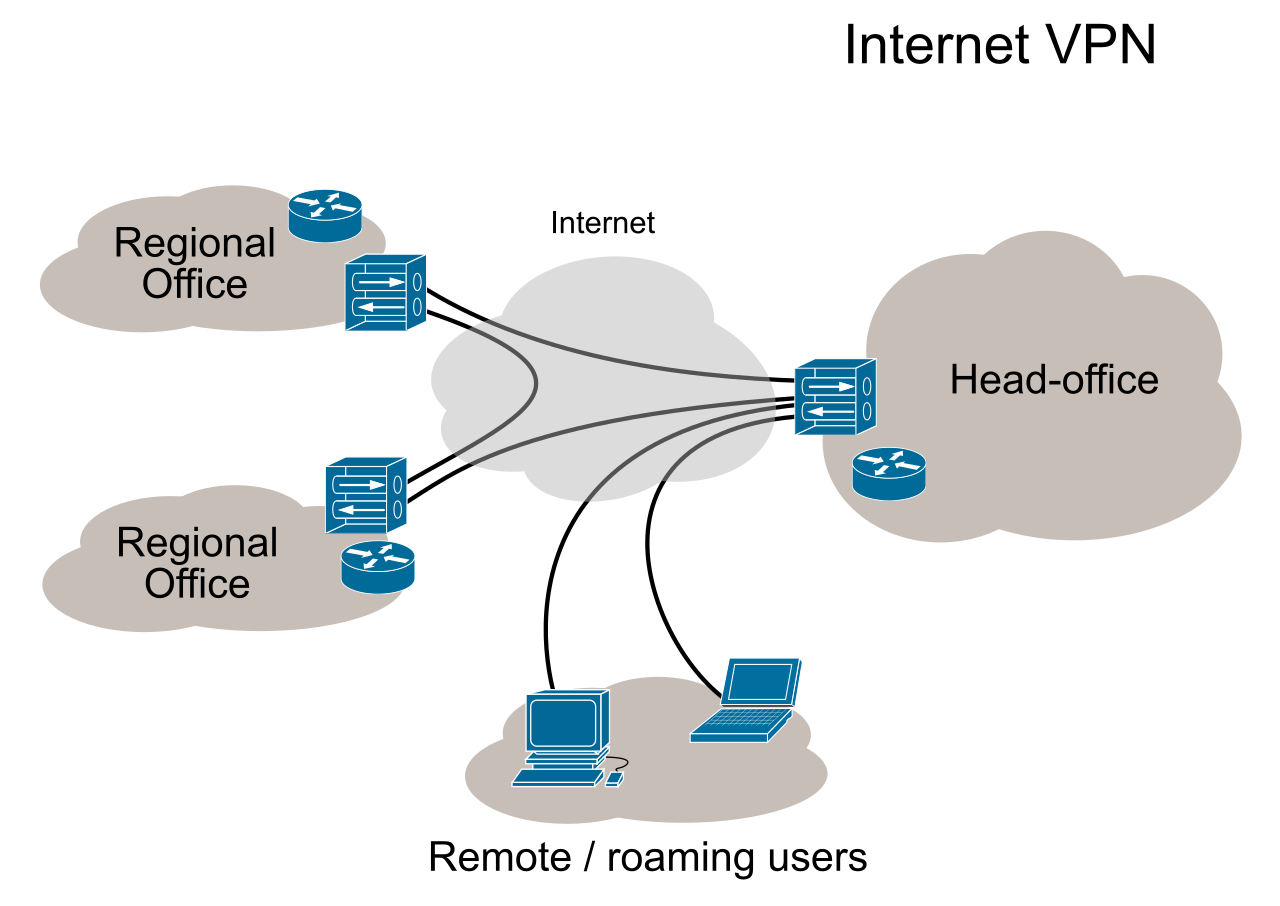
- The Advantage: It is cost-effective and relatively fast to deploy. You use your existing internet connection.
- The Drawback: You are at the mercy of the public internet. If an ISP three states away has a routing issue, your VPN traffic might experience sudden latency or packet loss. As a network technician, troubleshooting VPN latency over the public internet is notoriously difficult because you do not control the intermediate hops.
Cloud Direct Connections
For enterprise environments where latency is strictly prohibited—such as financial trading firms or hospitals transferring massive imaging files—the internet is not reliable enough. Instead, they use direct connections.
A cloud direct connection provides a dedicated, private, physical network link between a customer's on-premises facility and a cloud provider.
Cloud direct connections bypass the public internet to offer lower latency, higher bandwidth, and increased network consistency compared to traditional VPNs. The enterprise pays a telecommunications provider to run a dedicated fiber-optic line directly from their corporate data center straight into the physical data center of the cloud provider. AWS Direct Connect and Microsoft Azure ExpressRoute are commercial examples of dedicated direct cloud connectivity services.

When troubleshooting a cloud direct connection, you are no longer dealing with unpredictable internet routing; you are dealing with a dedicated circuit with guaranteed Service Level Agreements (SLAs).
As you step into roles ranging from helpdesk support to network engineering, the lines between "networking" and "cloud computing" have permanently blurred. When a user submits a ticket complaining that "the application is down," your troubleshooting workflow will depend entirely on these concepts. You will need to determine if the issue is a saturated site-to-site VPN tunnel, an under-provisioned virtual firewall (NFV) dropping packets, or a failure of the cloud infrastructure to rapidly scale out web servers to handle an unexpected traffic spike. By mastering these cloud concepts and connectivity methods, you transition from simply plugging in cables to architecting the resilient, dynamic digital grids of the modern enterprise.