Networking Ports and Protocols
Not sure you’re ready?
Take the ~3-minute readiness diagnostic and see where you stand.
Imagine a towering corporate skyscraper with a single street address, receiving millions of packages, letters, and freight deliveries every hour. If every delivery were simply dumped into the front lobby, the building would instantly paralyze. Instead, the skyscraper has 65,535 highly specialized receiving doors. Door 80 only accepts public bulletins. Door 22 requires a cryptographic key and speaks only in administrative commands. Door 25 handles outgoing mail.
In computer networking, an IP address gets data to the correct machine, but ports and protocols ensure that data reaches the specific application waiting for it. To administer, secure, or troubleshoot a network—the daily reality of a Network Operations Center (NOC) analyst—you must intuitively understand this massive sorting mechanism.
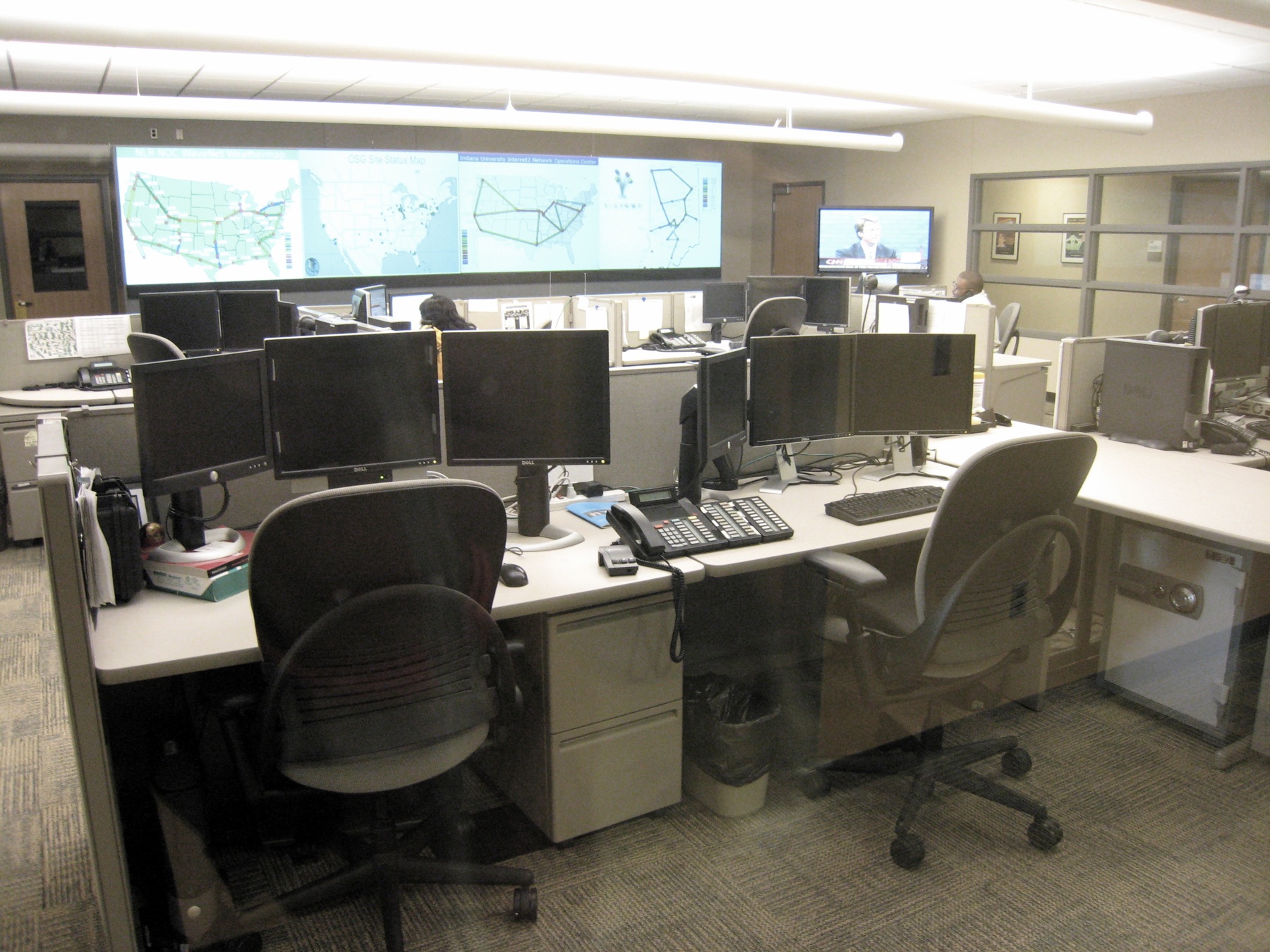
When a user complains that "the network is down," the network is rarely entirely down. Usually, a specific port is blocked by a firewall, or a specific protocol service has crashed. To isolate the fault, you must know exactly which protocol handles which service, and through which port it operates.
Here is the fundamental architecture of networking ports and protocols you will rely on every day.
Before a user can browse the web or send an email, their device must understand how to navigate the local environment. These three protocols are the lifeblood of network usability.
Dynamic Host Configuration Protocol (DHCP)
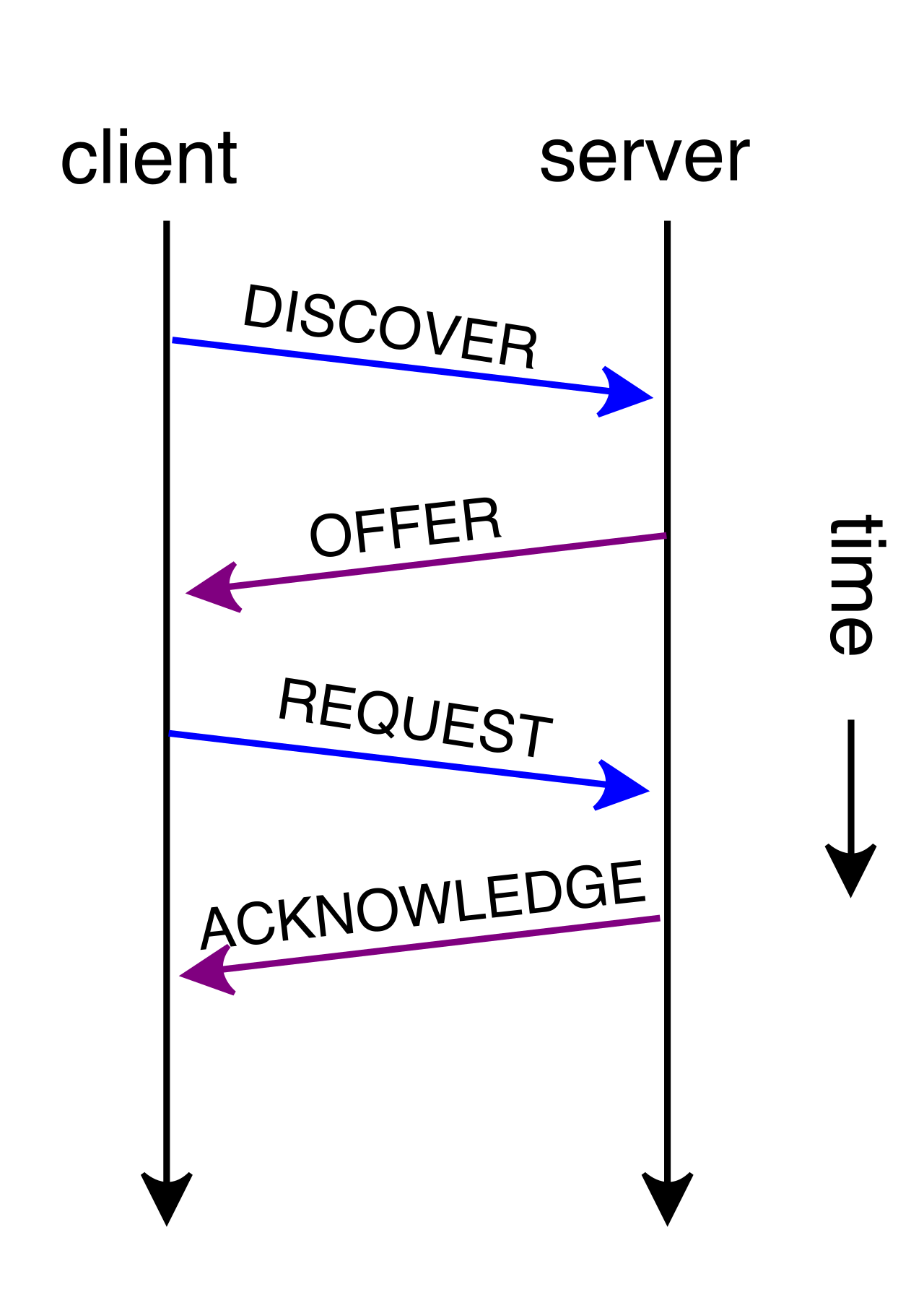
When you connect a new laptop to a network, it knows nothing about its surroundings. The Dynamic Host Configuration Protocol (DHCP) automatically assigns IP addresses and network configuration parameters to client endpoints. Instead of a system administrator manually typing IP addresses into hundreds of machines, DHCP acts as the network's automated HR department, handing out badges and desk assignments the moment a device connects.
- DHCP relies on UDP port 67 for server traffic (the DHCP server listening for requests).
- It uses UDP port 68 for client traffic (the endpoint receiving its configuration).
Domain Name System (DNS)
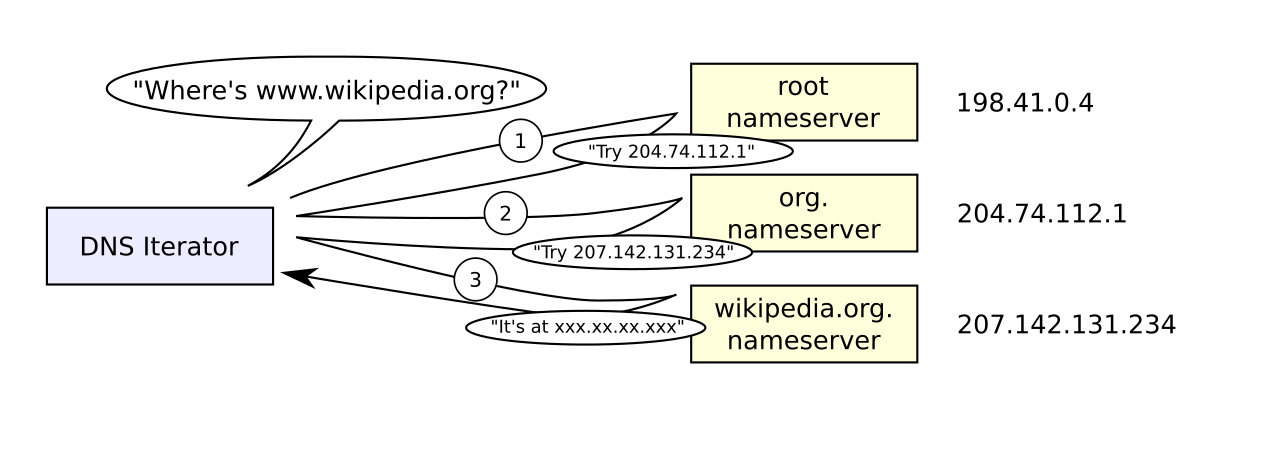
Computers route traffic using numbers (IP addresses), but humans think in names (like comptia.org). The Domain Name System (DNS) resolves human-readable domain names into IP addresses. When DNS fails, users often assume their internet connection has dropped, because their browser can no longer find web servers by name.
- DNS uses both TCP and UDP port 53. It typically uses UDP for rapid, standard queries, and TCP for larger data transfers like zone transfers between servers.
Network Time Protocol (NTP)
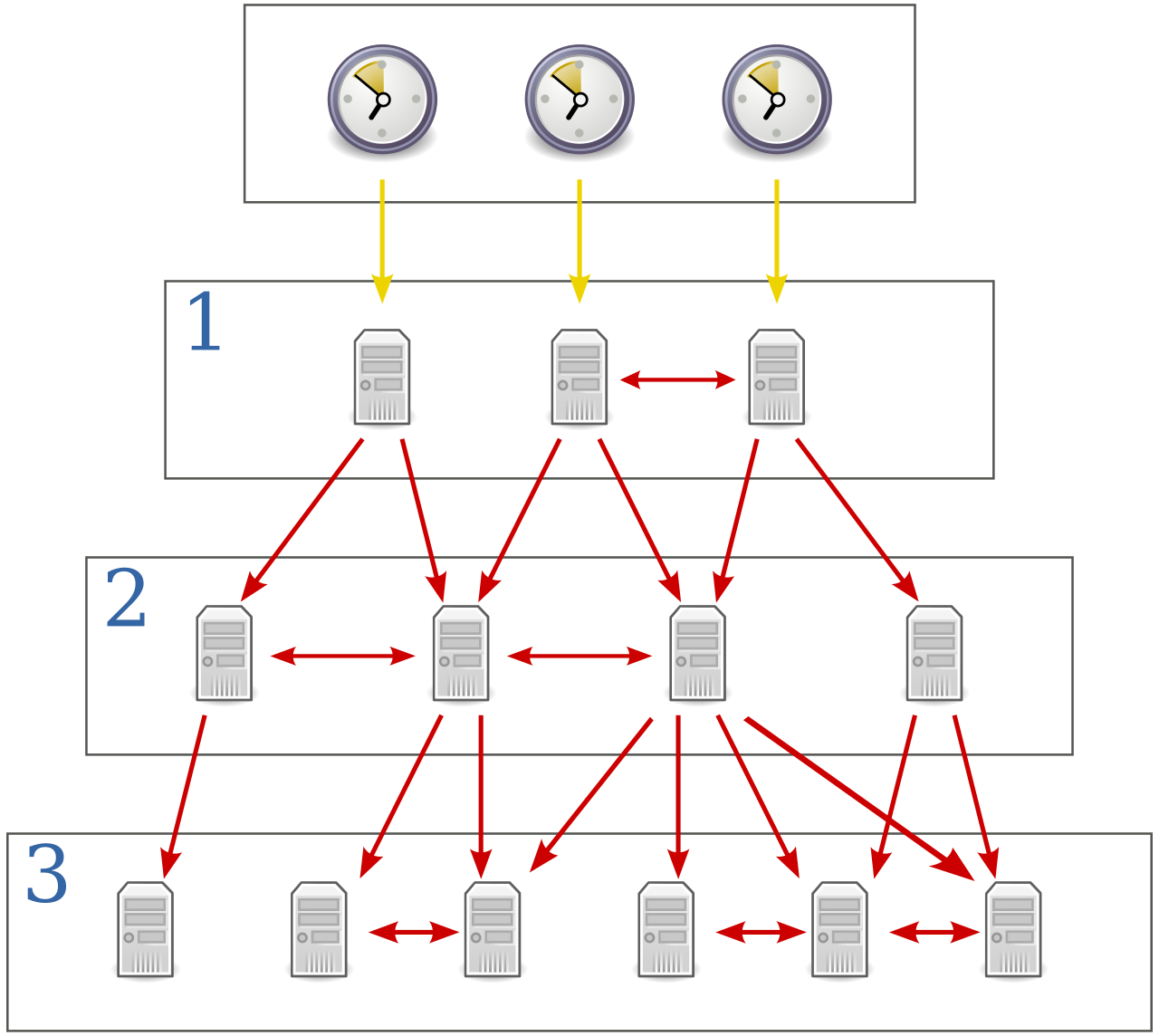
In networking, time is not merely a convenience; it is a critical security parameter. Cryptographic certificates, authentication tickets, and event logs all rely on strict timestamping. The Network Time Protocol (NTP) synchronizes computer clock times across a network, ensuring that every switch, router, and server agrees on the exact millisecond.
- NTP operates on UDP port 123.
The Troubleshooting Reality: If a user cannot access the internet, first check DHCP (do they have an IP?). If they have an IP but cannot load a website by name, check DNS. If they cannot authenticate to the secure network at all, check NTP (are their clocks drastically out of sync with the authentication server?).
Network infrastructure sits in cold, noisy server rooms. Administrators manage these devices remotely. However, the protocol you choose determines whether your administrative credentials are safe from eavesdroppers.
Telnet vs. Secure Shell (SSH)
Telnet provides unencrypted remote terminal access to network devices and servers. When it was created, the internet was a high-trust environment. Today, using Telnet is considered an egregious security violation because it transmits all data—including passwords—in plain text.
- Telnet uses TCP port 23.
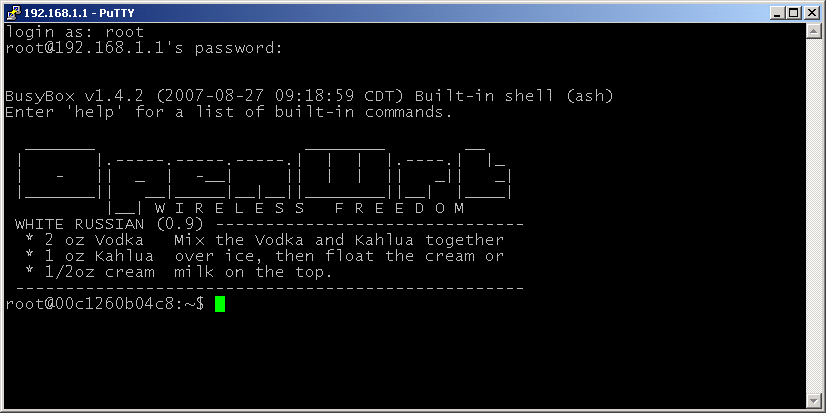
To solve Telnet's vulnerabilities, engineers created SSH. Secure Shell (SSH) provides an encrypted command-line interface for managing network devices and servers securely over an unsecured network. When you configure a modern Cisco switch or Linux server, you will use SSH.
- SSH operates on TCP port 22.
Remote Desktop Protocol (RDP)
While SSH and Telnet provide command-line access, many modern systems require a visual interface. The Remote Desktop Protocol (RDP) provides a graphical user interface for a user to connect to another computer over a network connection. It is heavily utilized by helpdesk technicians to take over a user's screen for troubleshooting.
- RDP operates on TCP port 3389.
Moving files across a network requires different protocols depending on whether you need speed, security, or native operating system integration.
File Transfer Protocol (FTP)
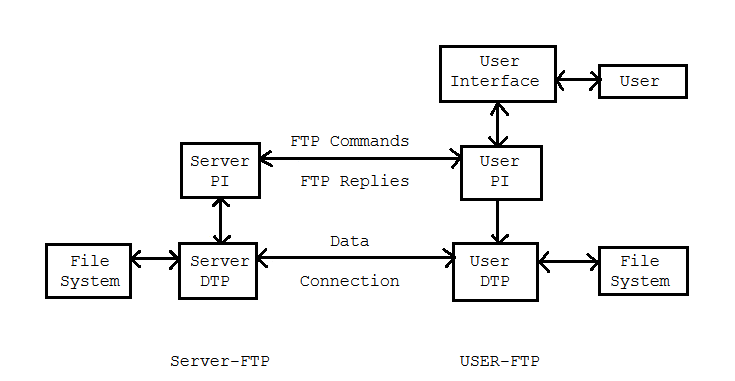
FTP is an older mechanism for moving bulk data. Unlike most protocols that use a single port, FTP uses two distinct TCP ports. The File Transfer Protocol (FTP) uses TCP port 21 for network control signaling (setting up the connection and negotiating commands) and TCP port 20 for network data transfer (moving the actual file). Crucially, FTP transmits files and user credentials in unencrypted cleartext over a network, making it unsuitable for secure environments without secondary encryption layers.
Trivial File Transfer Protocol (TFTP)
Sometimes you do not need authentication, directories, or complex control channels; you just need to pull a small file as fast as possible. The Trivial File Transfer Protocol (TFTP) provides basic, connectionless file transfer capabilities often used for booting network devices. When a VoIP phone or an empty server boots up and requests its operating system image over the network (PXE boot), it uses TFTP.
- TFTP operates on UDP port 69.
Server Message Block (SMB)
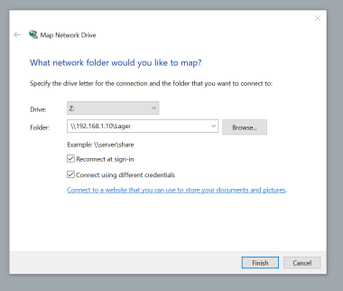
When you map a network drive in an office (like the "S: Drive" or "Z: Drive"), you are not using FTP; you are using SMB. The Server Message Block (SMB) protocol provides shared network access to files, printers, and serial ports primarily in Windows environments.
- Modern SMB operates on TCP port 445.
The protocols that render the internet visible to browsers are HTTP and HTTPS.
HTTP and HTTPS
The Hypertext Transfer Protocol (HTTP) transmits unencrypted web page data between a web server and a web browser. Because it is unencrypted, anyone intercepting the traffic can see the exact web pages being requested and any data submitted in forms.
- HTTP operates on TCP port 80.
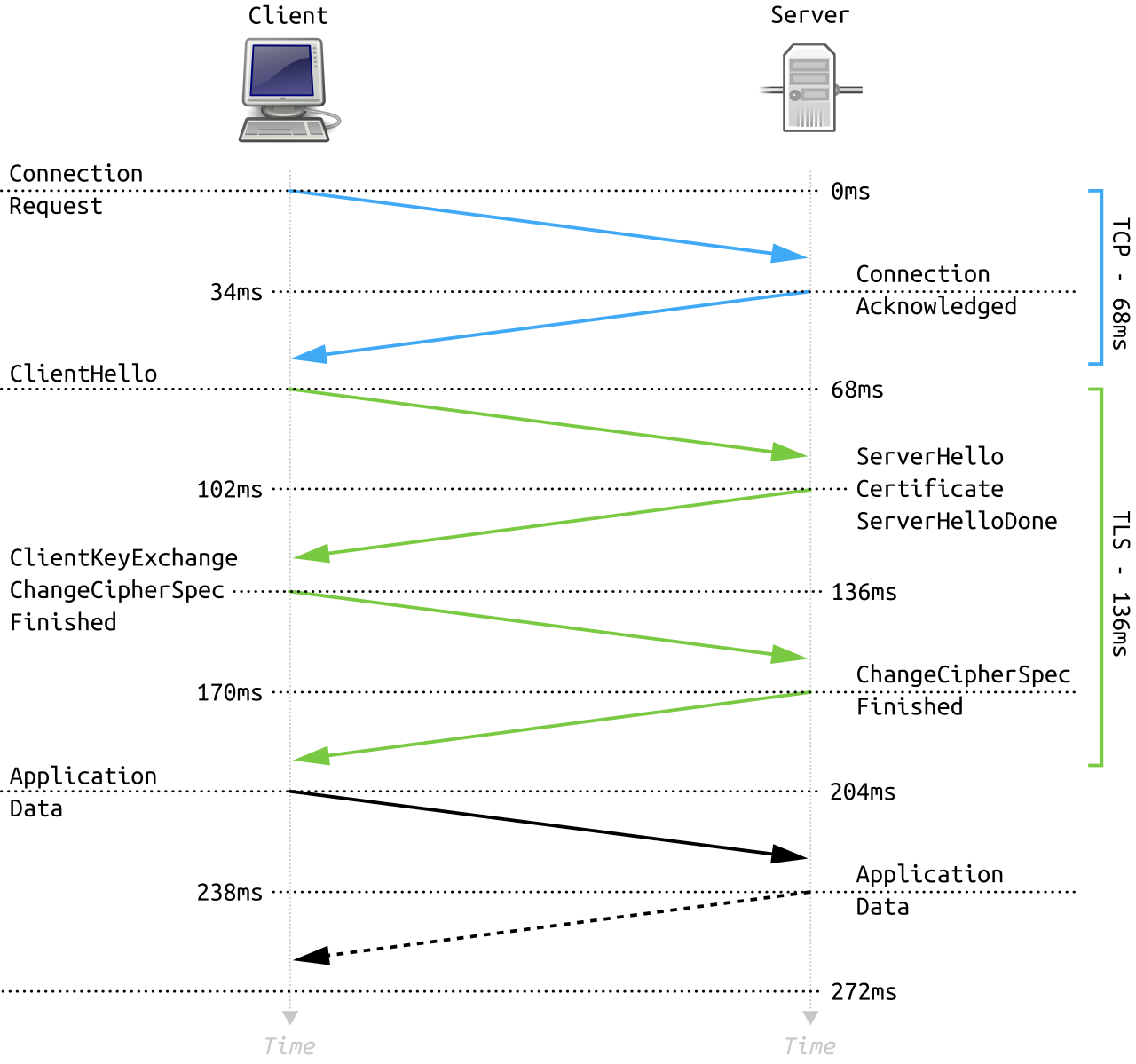
To protect privacy and commerce, we rely on its secure counterpart. The Hypertext Transfer Protocol Secure (HTTPS) encrypts web traffic using Transport Layer Security (TLS). This ensures that data passing between your browser and your bank remains strictly confidential.
- HTTPS operates on TCP port 443.
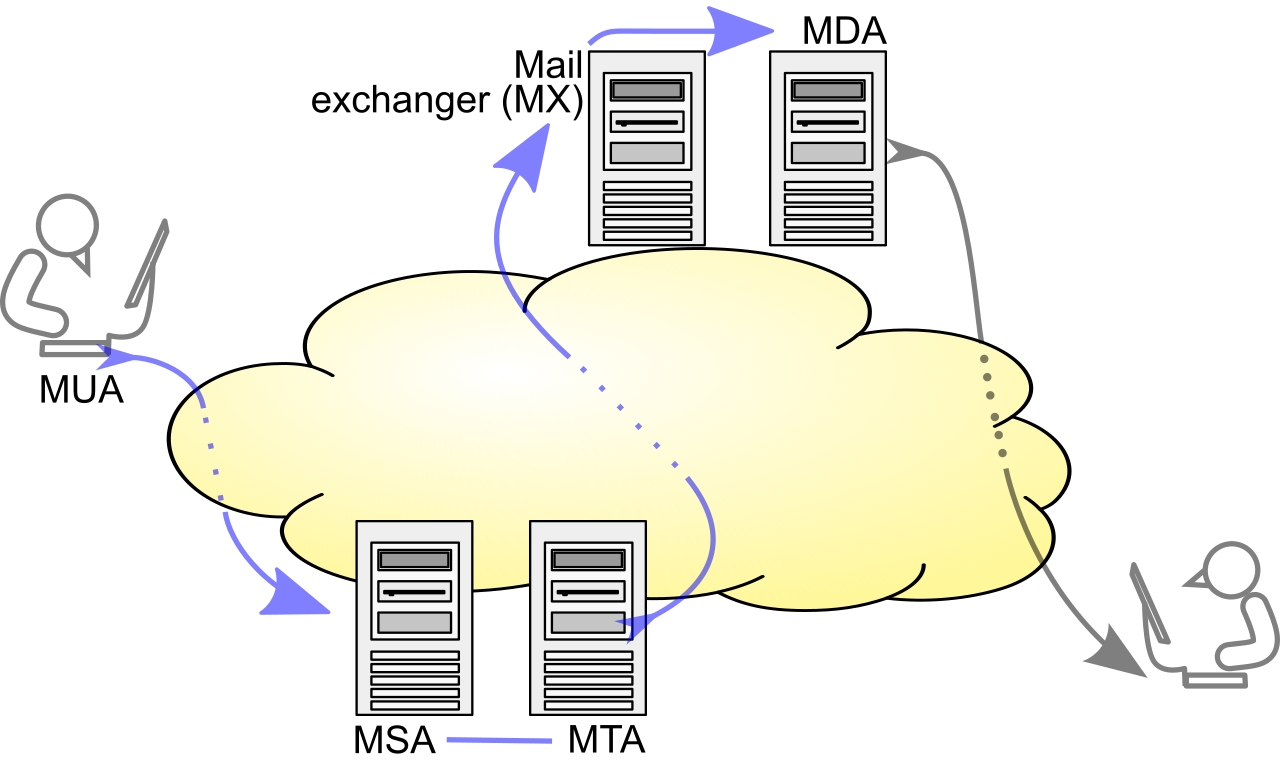
Email is not a single transaction; it is a relay system. To understand email protocols, you must separate the act of sending mail from the act of retrieving mail.
Sending Mail: SMTP
The Simple Mail Transfer Protocol (SMTP) sends outgoing email messages from a client application to an email server. Furthermore, once your local server receives your message, SMTP routes email messages between different email servers across the globe. It is the network equivalent of dropping a letter into a mailbox.
- SMTP uses TCP port 25.
Retrieving Mail: POP3 vs. IMAP
Once a message arrives at the destination server, the recipient must collect it. They have two choices:
- The Post Office Protocol version 3 (POP3) retrieves email from a server and typically deletes the original message from the server. It was designed for an era when server storage was highly expensive. If you download a POP3 email to your laptop, it will no longer appear on your phone.
- POP3 uses TCP port 110.
- The Internet Message Access Protocol (IMAP) retrieves email from a server while maintaining synchronization with the server mailbox state. If you mark a message as "read" on your phone, it appears as "read" on your desktop. This is the modern standard for email clients.
- IMAP uses TCP port 143.
Networks require constant surveillance and centralized administration. We use specialized protocols to query device health, aggregate logs, and manage user identities.
Simple Network Management Protocol (SNMP)
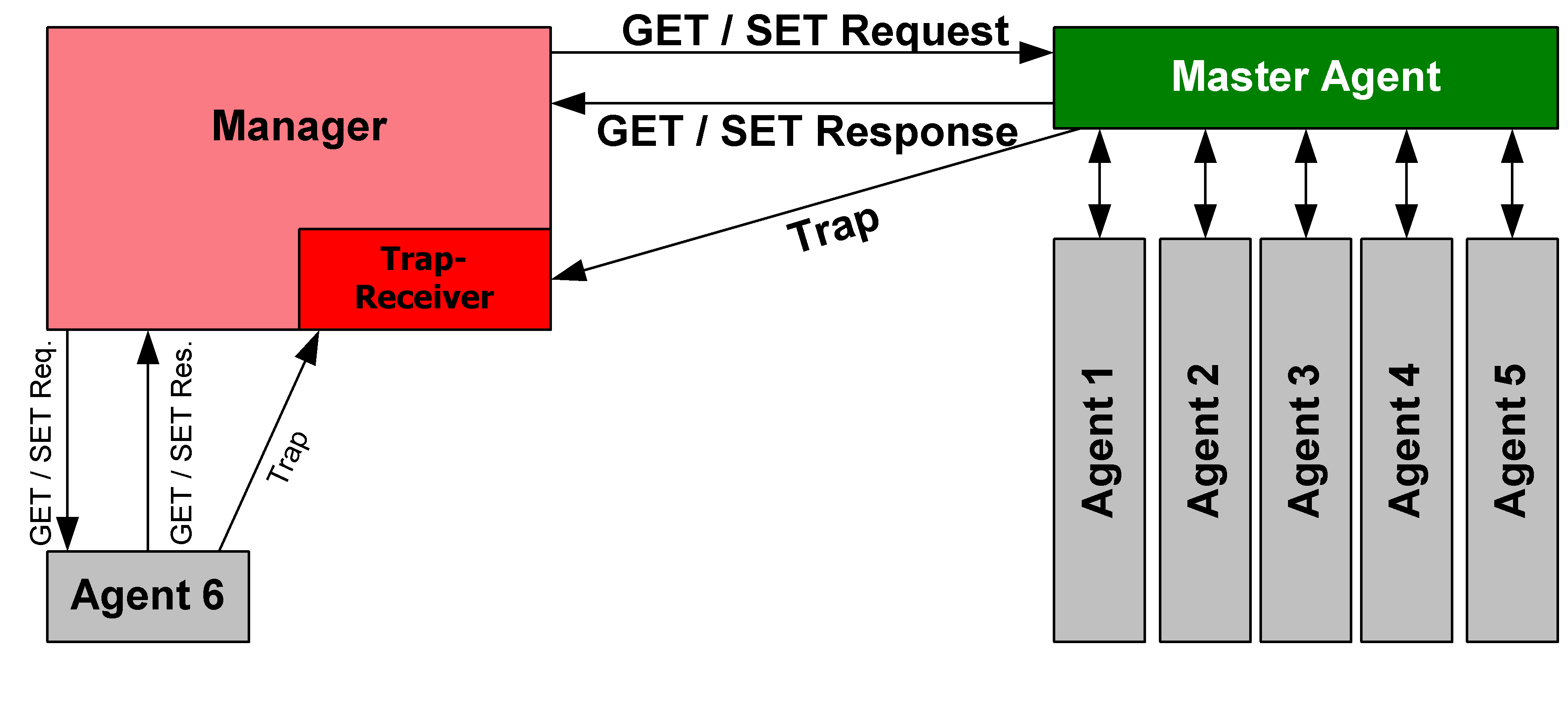
How does a NOC analyst know that a router in a branch office is experiencing 90% CPU utilization? The Simple Network Management Protocol (SNMP) monitors and manages the configuration and performance of network-attached devices.
- SNMP uses UDP port 161 for querying devices (e.g., the management server asking the router, "What is your CPU usage?").
- SNMP uses UDP port 162 for receiving unsolicited alerts called traps (e.g., the router panicking and shouting, "My cooling fan just failed!").
Syslog
Network devices generate thousands of event messages. Reviewing them individually is impossible. Syslog standardizes the generation and transmission of event messages from network devices to a centralized logging server. This allows administrators to parse and analyze network-wide events from a single dashboard.
- Syslog primarily uses UDP port 514.
LDAP and Secure LDAP (LDAPS)
When a user logs into their workstation, the computer must verify their password against a central database (like Microsoft Active Directory). The Lightweight Directory Access Protocol (LDAP) accesses and maintains distributed directory information services.
- Standard LDAP uses TCP port 389. Because standard LDAP transmits directory queries in the clear, modern security standards require encryption. Secure LDAP (LDAPS) encrypts directory access queries using Transport Layer Security (TLS).
- LDAPS uses TCP port 636.
Finally, we must facilitate complex applications—specifically databases and live multimedia streams.
Structured Query Language (SQL) Protocols
Web applications rarely hold their own data; they query backend databases. Structured Query Language (SQL) networking protocols facilitate remote application connections to relational database management systems. Depending on the vendor, SQL traffic utilizes specific standard ports:
- Microsoft SQL Server uses TCP port 1433 by default.
- MySQL uses TCP port 3306 by default.
Session Initiation Protocol (SIP)
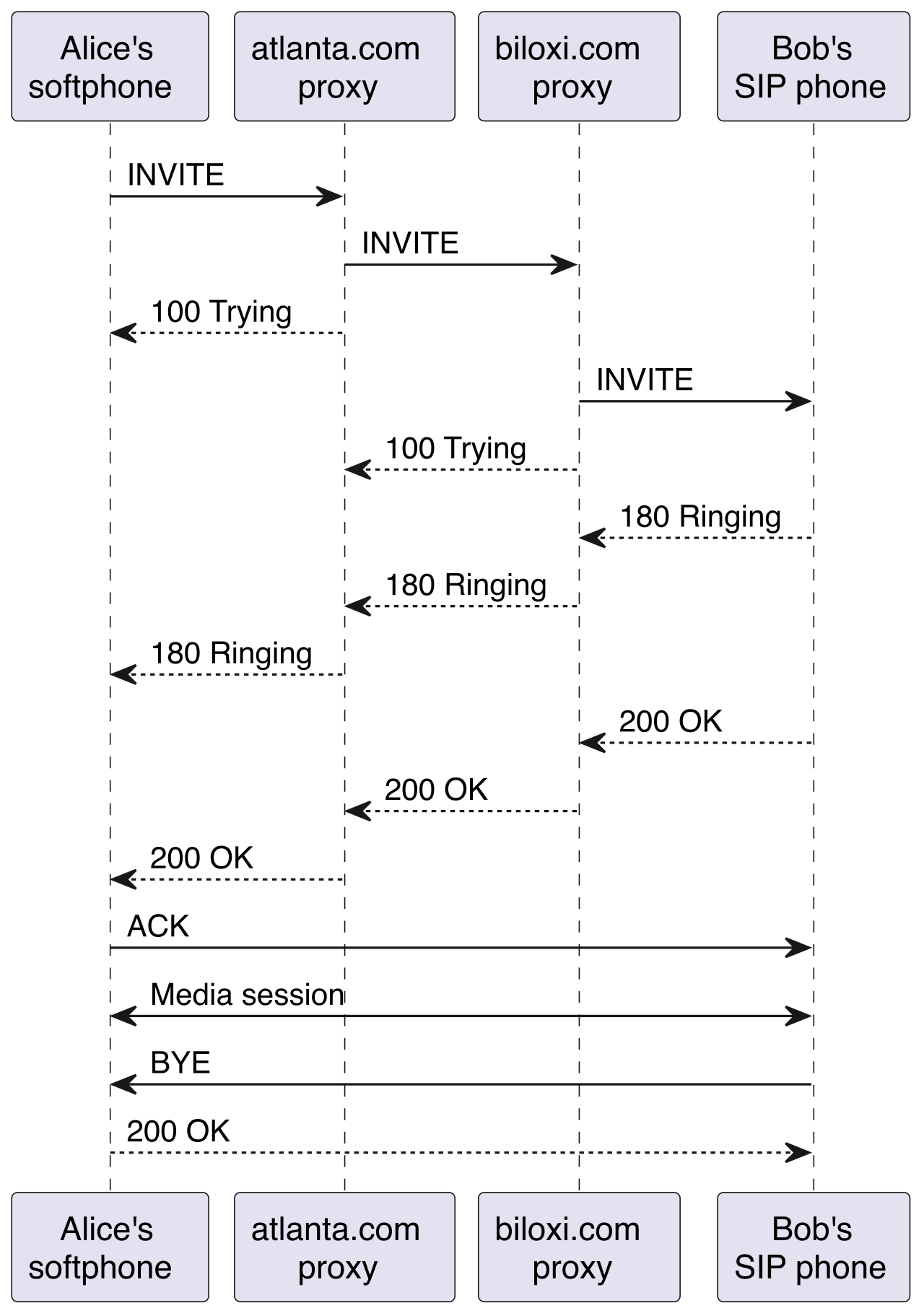
When you dial into a virtual meeting or make a call from a modern office desk phone, you are bypassing the traditional telephone network. The Session Initiation Protocol (SIP) establishes real-time communication sessions like Voice over IP (VoIP) and video calls. SIP acts as the switchboard operator, setting up, managing, and tearing down the call.
- SIP uses TCP and UDP port 5060 for unencrypted traffic.
- SIP uses TCP and UDP port 5061 for encrypted traffic.
Master Reference: CompTIA Network+ (N10-009) Ports and Protocols
To pass the CompTIA Network+ (N10-009) exam, and to succeed in a live IT environment, commit the following matrix to memory.
| Protocol | Port / Protocol Type | Primary Function |
|---|---|---|
| FTP | TCP 20 (Data) <br> TCP 21 (Control) | Unencrypted file transfer and control signaling. |
| SSH | TCP 22 | Encrypted command-line interface for remote management. |
| Telnet | TCP 23 | Unencrypted remote terminal access. |
| SMTP | TCP 25 | Sends/routes outgoing email. |
| DNS | TCP/UDP 53 | Resolves domain names to IP addresses. |
| DHCP | UDP 67 (Server) <br> UDP 68 (Client) | Automatically assigns IPs and network configs. |
| TFTP | UDP 69 | Basic connectionless file transfer; often for booting. |
| HTTP | TCP 80 | Unencrypted web page data transfer. |
| POP3 | TCP 110 | Retrieves email; deletes original from server. |
| NTP | UDP 123 | Synchronizes computer clock times across the network. |
| IMAP | TCP 143 | Retrieves email; synchronizes with server state. |
| SNMP | UDP 161 (Queries) <br> UDP 162 (Traps) | Monitors/manages device configuration and performance. |
| LDAP | TCP 389 | Accesses distributed directory information (cleartext). |
| HTTPS | TCP 443 | Encrypts web traffic using TLS. |
| SMB | TCP 445 | Shared network access to files/printers (Windows). |
| Syslog | UDP 514 | Centralized generation/transmission of event logs. |
| LDAPS | TCP 636 | Accesses directory queries securely via TLS. |
| MS SQL | TCP 1433 | Remote connections to Microsoft SQL databases. |
| MySQL | TCP 3306 | Remote connections to MySQL databases. |
| RDP | TCP 3389 | Graphical interface remote computer connection. |
| SIP | TCP/UDP 5060 (Clear) <br> TCP/UDP 5061 (Secure) | Establishes VoIP/video communication sessions. |