Logical Security and IAM
Not sure you’re ready?
Take the ~3-minute readiness diagnostic and see where you stand.
Imagine a sprawling international airport. Millions of passengers move through busy corridors, luggage sits in holding areas, and security checkpoints rigorously verify passports before allowing entry to restricted terminals. A computer network operates on the exact same physical and logical realities. The packets flowing through fiber-optic cables and the magnetic states resting on server hard drives are the passengers and luggage; logical security controls dictate who is allowed into the environment, where they can go, and how their privacy is maintained. For a network administrator or security analyst, mastering these controls is not simply about memorizing acronyms for an exam. It is about understanding the architecture of digital trust. We must systematically control how data is protected in all its states, how identities are mathematically proven, and how permissions are meticulously enforced across an enterprise infrastructure.

Before we can manage who accesses our network, we have to understand how we protect the data itself. Data in an IT environment exists in two primary states, and each requires a radically different defensive strategy.
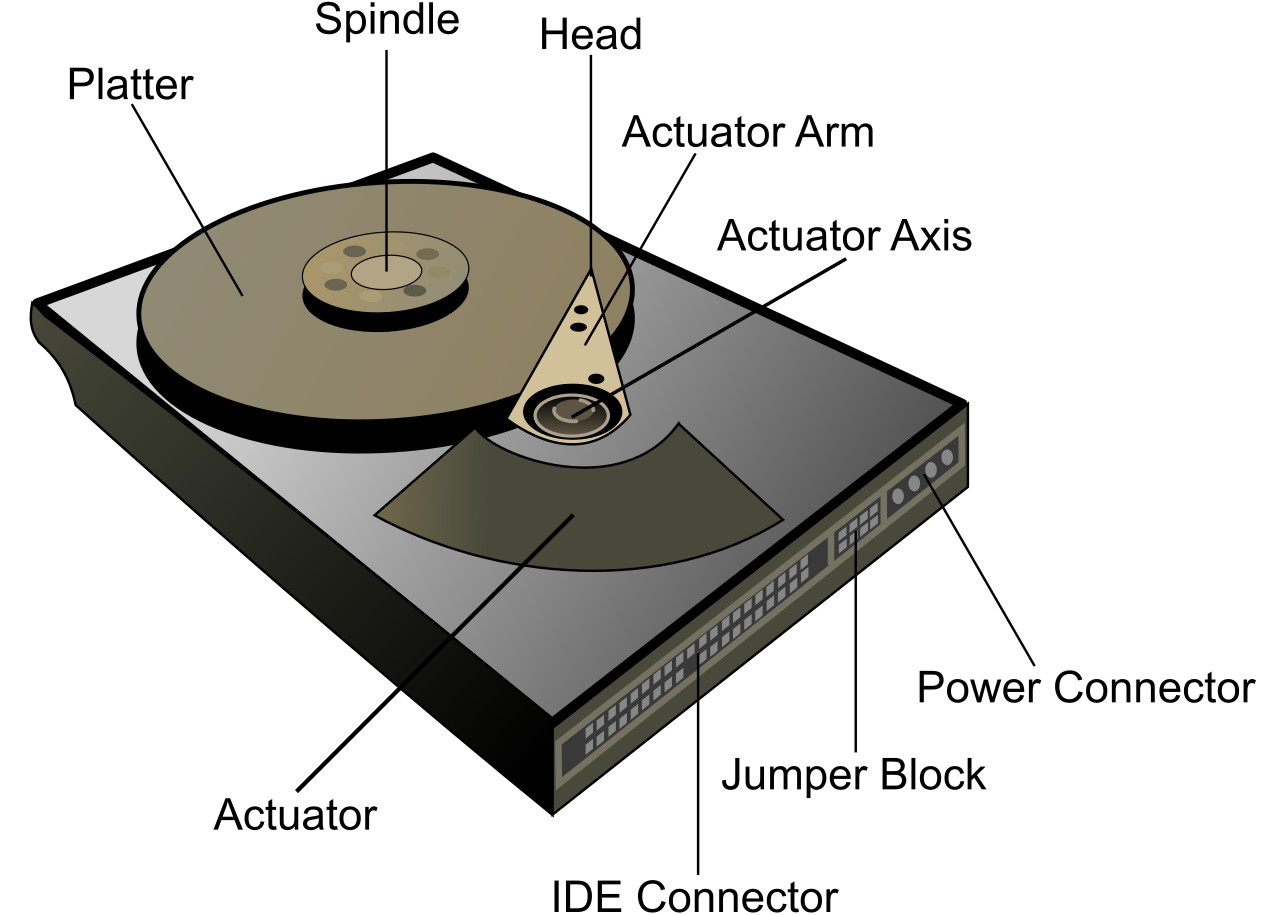
Data at rest refers to inactive data stored physically on storage media like hard drives or flash drives. This is the gold inside the bank vault. If a malicious actor breaks into your data center and physically walks out with a drive array, your network firewalls are useless. To prevent this, we use storage encryption, which protects data at rest from unauthorized access if the physical storage device is stolen.
Conversely, data in transit refers to data actively moving across a network or between different computer systems. This is the gold moving in an armored transport vehicle. An attacker doesn't need to steal your server; they just need to tap the wire or capture the Wi-Fi traffic. Therefore, we deploy network encryption, which protects data in transit from eavesdropping during transmission over untrusted links.

But encryption creates a profound logistical problem: how do you securely hand the mathematical "keys" to the correct recipient without someone else intercepting them?
Public Key Infrastructure (PKI)
To solve the key distribution problem, the internet relies on Public Key Infrastructure (PKI). PKI relies on asymmetric encryption to manage digital keys and identities. Instead of a single shared password, every entity gets two keys: a public key (shared with the world) and a private key (kept strictly secret).
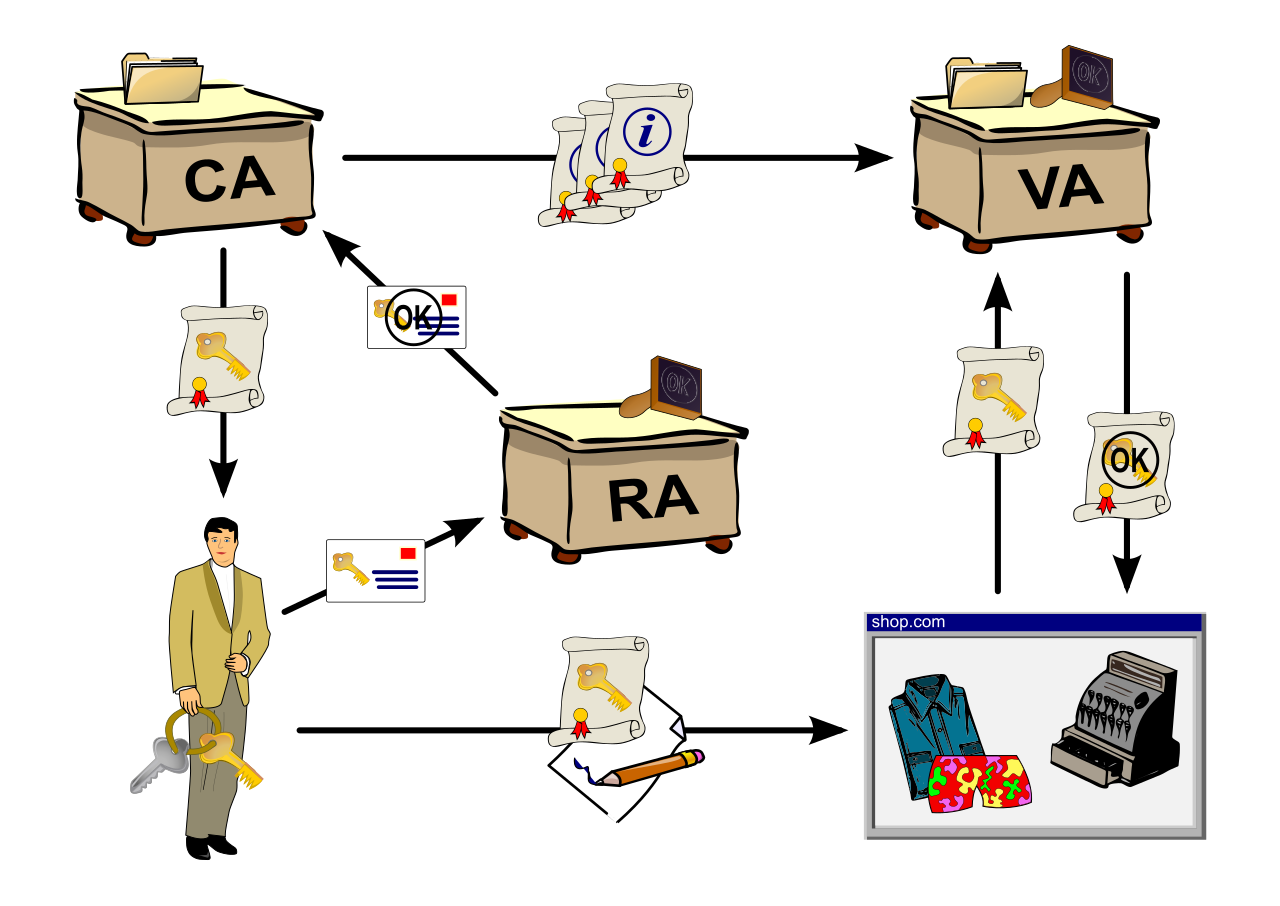
To prove that a public key actually belongs to your bank—and not a hacker intercepting your traffic—PKI introduces a trusted third party.
A Certificate Authority (CA) issues digital certificates to verify the identity of network entities.
When you navigate to a secure website, the server presents a digital certificate, a file that electronically binds a public key to the identity of a specific user or device. This entire system relies on a universal language. X.509 is the standard format used worldwide for defining public key certificates. Whenever you configure secure web services, VPNs, or Wi-Fi authentication in your daily administrative tasks, you are working with X.509 certificates.
Once our cryptographic foundation is laid, we need a formalized way to handle users who want to access our routers, switches, and servers. In enterprise networking, we govern this through the AAA security framework, which stands for Authentication, Authorization, and Accounting.
It is crucial to understand the distinct role of each "A":
- Authentication verifies the identity of a user or device requesting network access. (Are you who you say you are?)
- Authorization determines the specific network resources a verified user is permitted to access. (What are you allowed to do now that you are inside?)
- Accounting tracks user network activity and resource consumption for auditing purposes. (What did you do while you were here?)
When you type your administrative credentials into a Cisco switch, the switch usually doesn't verify your password itself. It passes your request to a centralized AAA server. Two primary protocols dominate this space: RADIUS and TACACS+.
RADIUS vs. TACACS+
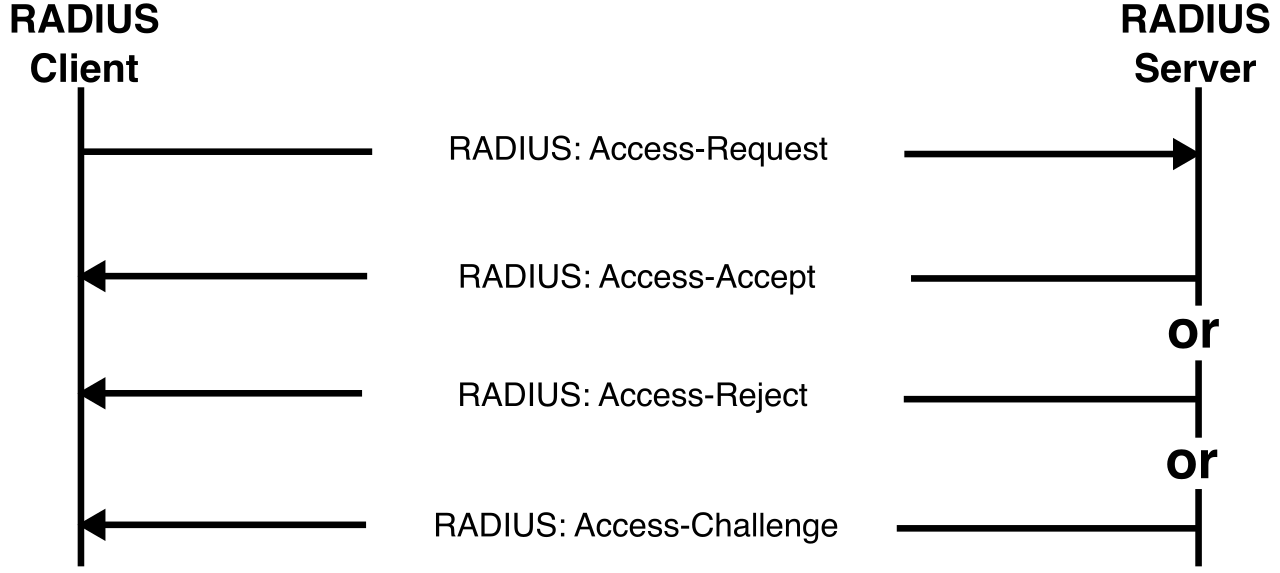
RADIUS stands for Remote Authentication Dial-In User Service. Despite the archaic "dial-in" name, it is heavily used today for Wi-Fi and VPN authentication. RADIUS is a client-server AAA protocol that operates over the User Datagram Protocol (UDP). From a security perspective, RADIUS has a notable limitation: it encrypts only the password field within the access-request network packet. The rest of the packet—including the username—travels in cleartext. Furthermore, RADIUS combines the authentication and authorization processes into a single unified step. If you prove who you are, you are simultaneously granted your permissions.
TACACS+, which stands for Terminal Access Controller Access-Control System Plus, is a Cisco-developed AAA protocol that operates over the Transmission Control Protocol (TCP). Network administrators overwhelmingly prefer TACACS+ for managing device access (like logging into routers and firewalls) because of its enhanced security and granular control. Unlike RADIUS, TACACS+ encrypts the entire payload of the access-request network packet, keeping usernames and configurations invisible to eavesdroppers. Crucially, TACACS+ separates the authentication, authorization, and accounting processes into distinct steps. This allows an administrator to authenticate a user via one server, but authorize their specific command-line privileges via another.
| Feature | RADIUS | TACACS+ |
|---|---|---|
| Transport Protocol | UDP | TCP |
| Encryption Scope | Encrypts only the password field | Encrypts the entire payload |
| Process Flow | Combines Authentication & Authorization | Separates Authentication, Authorization, Accounting |
| Primary Use Case | Network access (VPNs, 802.1X Wi-Fi) | Device administration (Router/Switch logins) |
How does the RADIUS or TACACS+ server know if your password is correct? It usually queries a centralized corporate directory.
LDAP stands for Lightweight Directory Access Protocol. It is a standard application protocol used to query and modify directory services over an IP network. If you have ever managed Microsoft Active Directory, you have been utilizing LDAP under the hood.
However, security matters here just as much as in AAA. Standard LDAP transmits data and user credentials in cleartext over TCP port 389. If a NOC analyst attempts an LDAP bind over an untrusted network, an attacker with a packet sniffer can easily steal their administrative credentials. Therefore, modern enterprises enforce LDAP over SSL (LDAPS), which transmits encrypted directory data and credentials over TCP port 636, safeguarding the data in transit.
Federation and SAML
Modern businesses don't just use internal servers; they use dozens of cloud applications (Salesforce, Microsoft 365, internal HR portals). Asking users to remember 30 different passwords is a recipe for security disaster.
The solution is Single Sign-On (SSO), which allows a user to authenticate once and gain seamless access to multiple independent software systems.
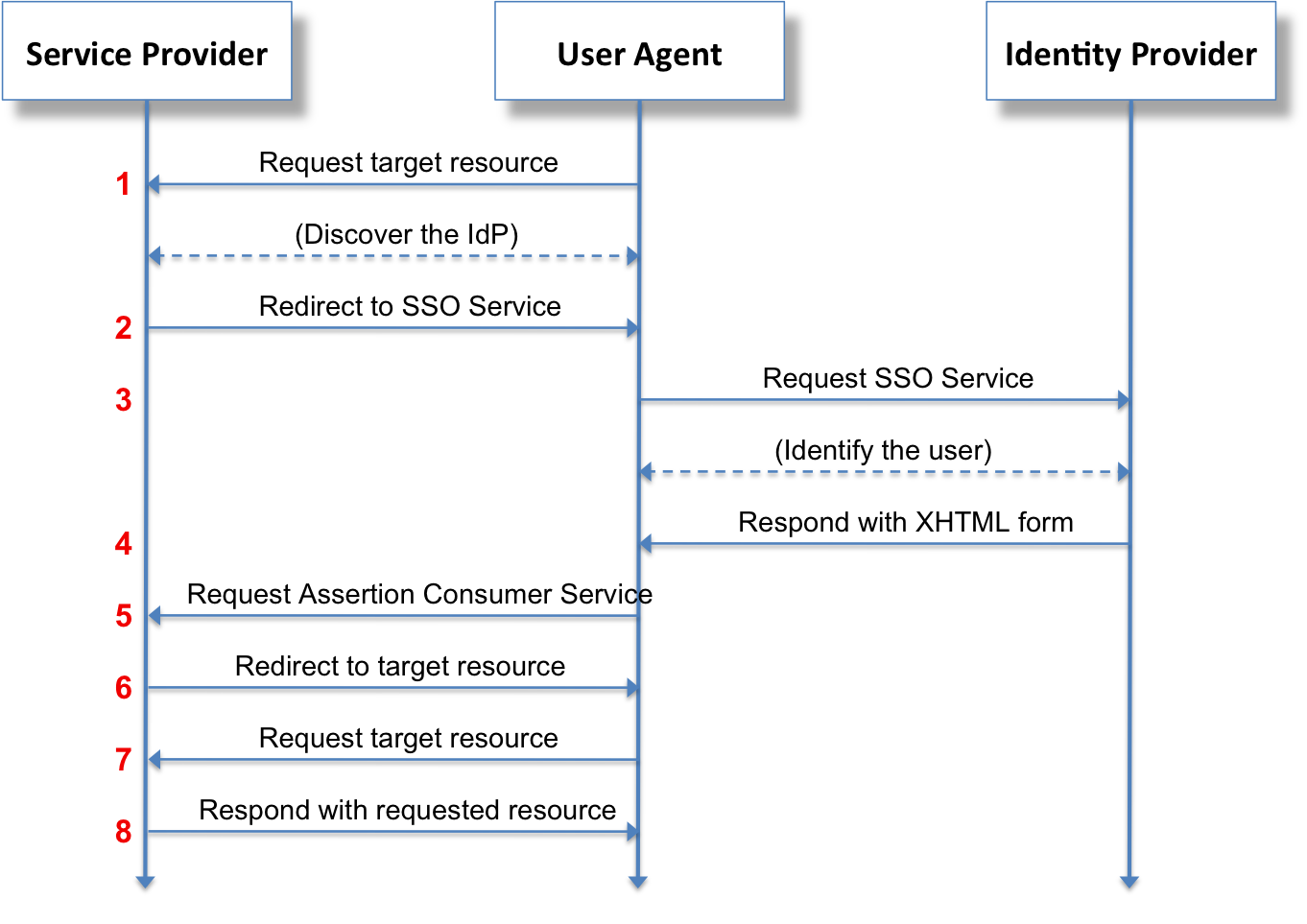
To make SSO work across entirely different companies and web domains, we use protocols like SAML. SAML stands for Security Assertion Markup Language. It is an XML-based framework used to exchange authentication and authorization data between identity providers (IdP) and service providers (SP). SAML is widely used to enable web-based Single Sign-On across different security domains.
Think of SAML like a digital passport system. Your corporate Identity Provider acts as the government issuing the passport. The cloud application (the Service Provider) acts as border control. Border control doesn't need to know your password; they just need to cryptographically verify the XML "passport" (the SAML assertion) handed to them by the Identity Provider.
Even with encrypted transit and centralized directories, passwords remain a vulnerable single point of failure. To achieve true identity assurance, we must implement Multifactor Authentication (MFA), which requires users to present at least two different categories of credentials to gain access.
Providing two passwords is not MFA—that is simply two instances of the same factor. To be multifactor, you must cross categorical boundaries:
- Something you know: This authentication factor relies on secret knowledge like passwords or personal identification numbers (PINs).
- Something you have: This authentication factor relies on possession of physical items like hardware tokens or smart cards.
- Something you are: This authentication factor relies on physical biometrics like fingerprints or retinal scans.
- Somewhere you are: This authentication factor relies on geographic location tracking or specific network IP addresses.
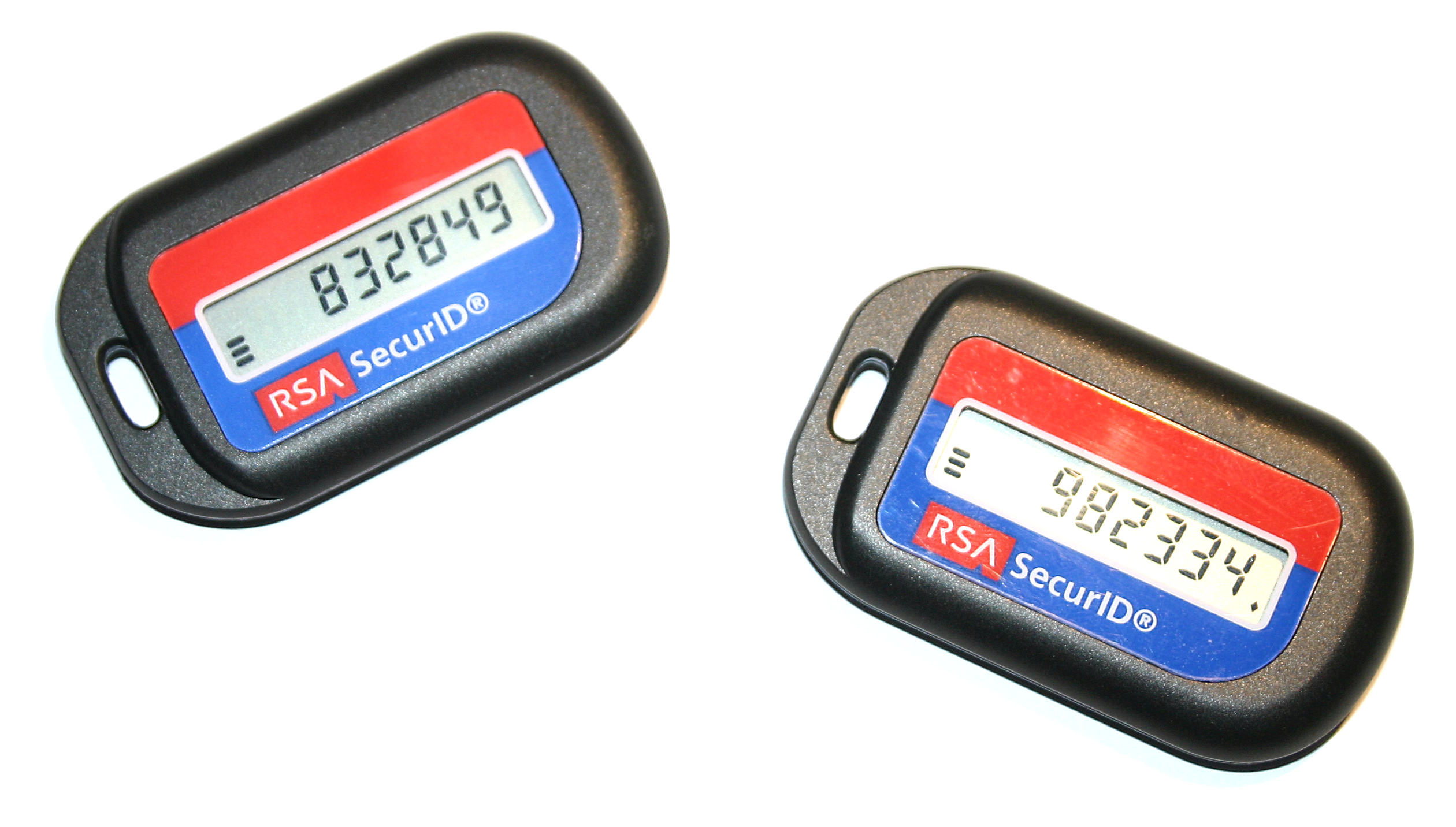
By combining a PIN (something you know) with a hardware token generating a one-time passcode (something you have), you ensure that an attacker on the other side of the world cannot breach your system simply by guessing a password.
Once we have perfectly verified an identity through MFA and routed them securely through TACACS+ or SAML, what are they actually allowed to do?
Everything in logical security orbits the principle of least privilege, which dictates that users receive only the absolute minimum access rights necessary to perform specific job duties. If a junior network technician only needs to view routing tables, they should explicitly be denied the ability to alter them.
We enforce least privilege using structured access control models:
Role-Based vs. Rule-Based Access Control
It is vital to distinguish between these two frequently confused concepts.
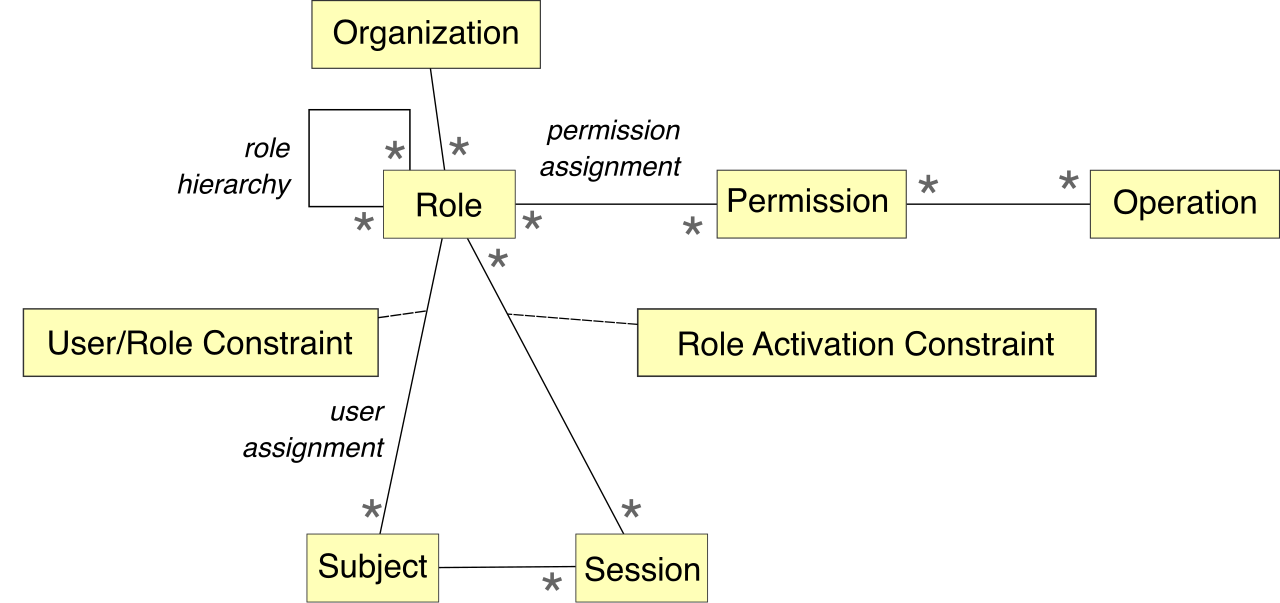
Role-Based Access Control (RBAC) grants network permissions to users based entirely on organizational job titles or departmental functions. Instead of assigning permissions to "Jane Doe," you assign permissions to the role of "Level 2 Support." When Jane is hired, she is placed in the Level 2 Support group and instantly inherits all the appropriate rights. When she is promoted, her role changes, and her permissions automatically shift. This is the bedrock of scalable IT administration.
Rule-Based Access Control (RuBAC), by contrast, grants network permissions dynamically based on predefined administrative conditions like time of day or source IP address. Rule-based systems care less about who you are, and more about what the current conditions are.
A classic example of Rule-Based Access Control is time-based login restrictions, which automatically prevent user accounts from accessing the network outside of specified operational hours. Even if Jane is an authorized Level 2 Support engineer (Role-Based), the firewall might deny her SSH access to the core routers if she tries to log in at 3:00 AM from a foreign IP address (Rule-Based).
The Big Picture
As an IT professional, you are the architect of this entire flow. When a user requests a file, their traffic is shielded by network encryption. Their identity is verified by an IdP via SAML, using a hardware token for MFA. Their request reaches an access point managed by RADIUS. Once authenticated, Role-Based Access Control checks if their job title permits them to view the file, while Rule-Based Access Control checks if they are attempting access during authorized hours. Finally, the file itself is unlocked from storage encryption.
By applying these logical security principles cohesively, you transform a fragile, open network into a resilient, highly secure infrastructure.