Physical Security and Deception Technologies
Not sure you’re ready?
Take the ~3-minute readiness diagnostic and see where you stand.
An attacker with physical access to a network device can often bypass logical access controls entirely. It does not matter if a network is fortified by next-generation firewalls, rigorous intrusion prevention systems, and mathematically unbreakable encryption if an adversary can simply walk into the server room, unplug a core router, or extract a hard drive. Physical security controls represent the outermost layer of a defense-in-depth strategy, an architectural paradigm that relies on multiple overlapping security controls to protect network assets. In this design, physical security barriers are not merely static obstacles; they intentionally slow down attackers to give security personnel time to respond.
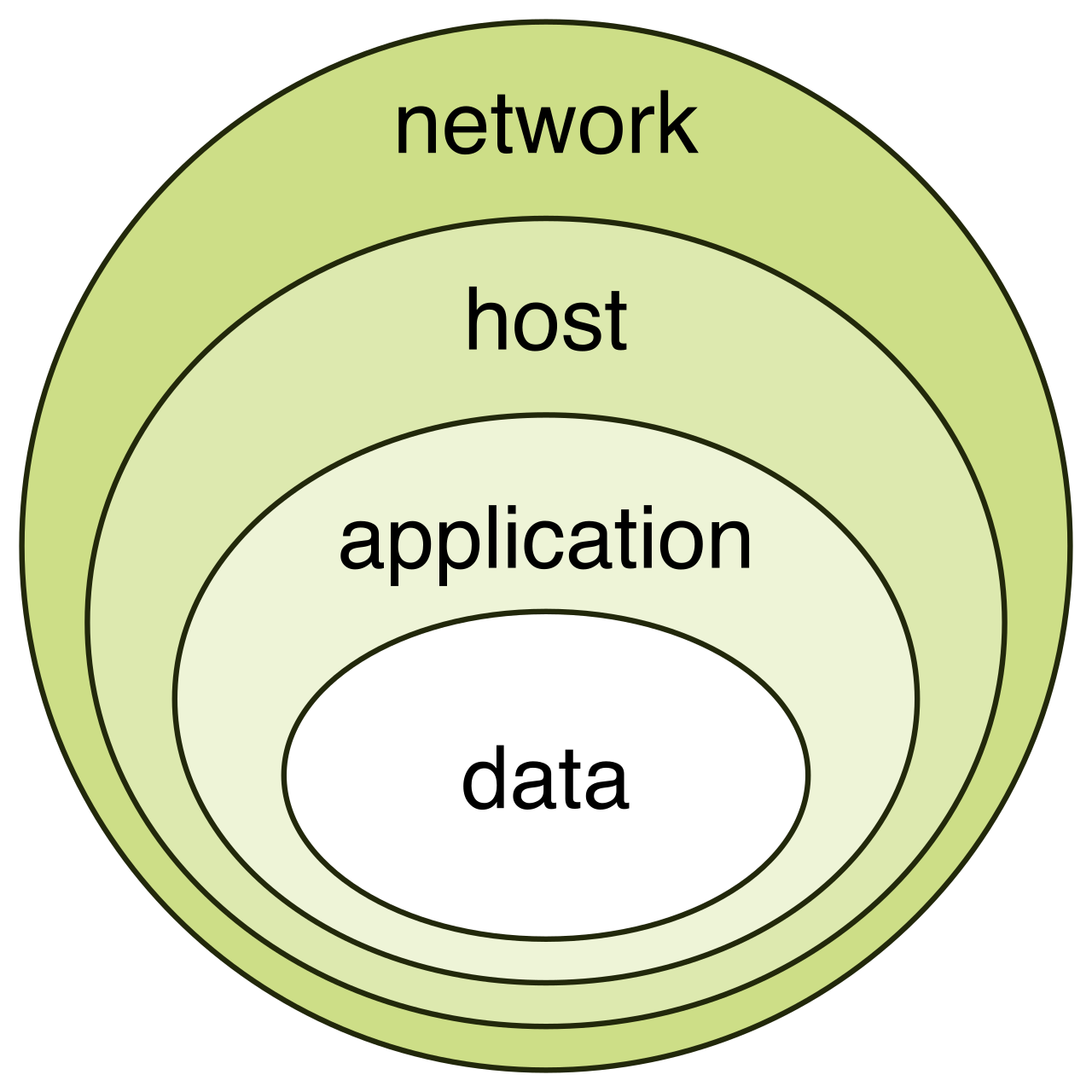
If we want to protect the data flowing through our cables, we must first protect the building housing them. The facility’s physical defenses dictate the initial friction an intruder experiences.
The outermost physical security boundary of a facility is defined by perimeter fencing. It explicitly declares where public space ends and restricted space begins. However, fencing alone does not stop a determined adversary in a vehicle. To prevent vehicles from ramming into secure facilities, architects install bollards—sturdy vertical physical barriers strategically anchored into the concrete outside buildings.
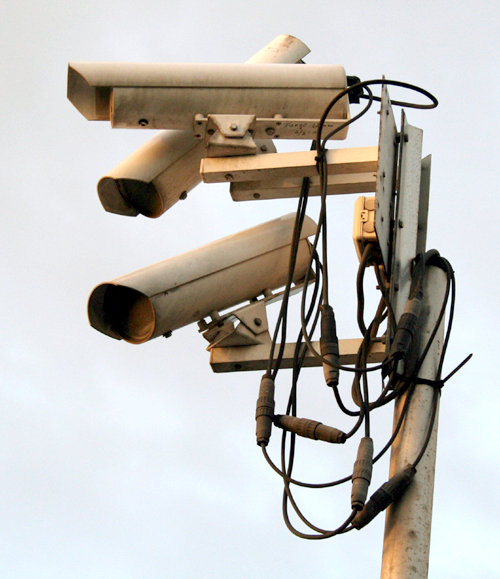
Once the perimeter is established, we need visibility. Closed-circuit television (CCTV) systems record visual footage of physical areas, creating a historical record of who was where, and when. Beyond their forensic value, visible video surveillance cameras act as a psychological deterrent against physical intrusion. People behave differently when they know they are being watched.
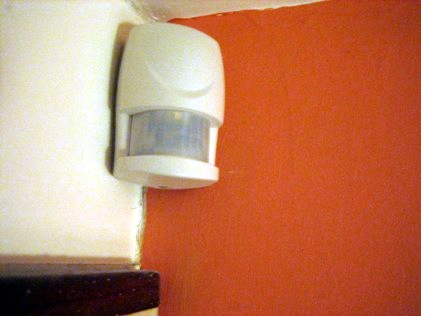
But cameras only record; they do not inherently alert us to a presence in an empty room. To solve this, we pair them with motion sensors, which detect physical movement within a secured area. When placed in restricted spaces—like a network distribution frame at 2:00 AM—motion sensors trigger alerts when unauthorized movement occurs, turning passive surveillance into an active alarm system.
As we move from the building perimeter to the interior doors, the primary challenge shifts to managing the flow of human beings.
Security personnel must differentiate between legitimate employees and imposters. At physical entry points, security guards use employee badges—which visibly display a user's photo and identification details—to visually verify credentials.
However, humans are polite, and politeness is a massive vulnerability in network security. Imagine an employee scanning their badge to enter a secure data center, and someone carrying a heavy box hurries up behind them.
- If the unauthorized person closely follows the authorized person into a secured area before the door closes, this is tailgating.
- If the authorized person intentionally holds the door and allows the unauthorized person to follow them inside, this is piggybacking.
How do we engineer away this polite vulnerability? We implement turnstiles—physical barriers designed to control the flow of pedestrian traffic. Turnstiles enforce one-way movement to prevent unauthorized individuals from entering an exit path, forcing a one-to-one ratio of credentials to entries.

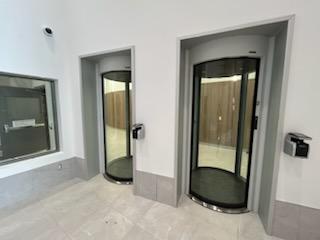
For the most sensitive environments, like the core server room, we use a mantrap.
Mantrap A physical access control vestibule with two interlocking doors. The first door must close and lock before the second door will open. Mantraps prevent tailgating by allowing only one person to pass through a secured area at a time.
Physical Authentication: Keys to the Kingdom
Controlling interior doors requires reliable authentication mechanisms. Moving from lowest to highest security, we encounter several standard locks:
| Lock Type | Mechanism & Characteristics |
|---|---|
| Cipher Locks | Require a user to enter a correct numerical PIN on a keypad to gain entry. Simple, but vulnerable to PIN-sharing and shoulder surfing. |
| Proximity Cards | Use radio frequency identification (RFID) to transmit credentials to a badge reader. Fast and frictionless. |
| Smart Cards | Contain integrated microchips to store cryptographic authentication certificates. Much harder to clone than standard proximity cards. |
| Biometric Locks | Authenticate users based on physical characteristics like fingerprints or retina scans. |
Biometric locks are particularly powerful because they solve a unique problem: proving exactly who was at the door. If a proximity card is used, we only know the card was present. Biometric authentication systems provide non-repudiation for physical facility access, meaning a user cannot mathematically or logically deny that they were the one who unlocked the door.

Now we are inside the building, past the guards, and inside the server room or office space. We must secure the physical hardware itself.
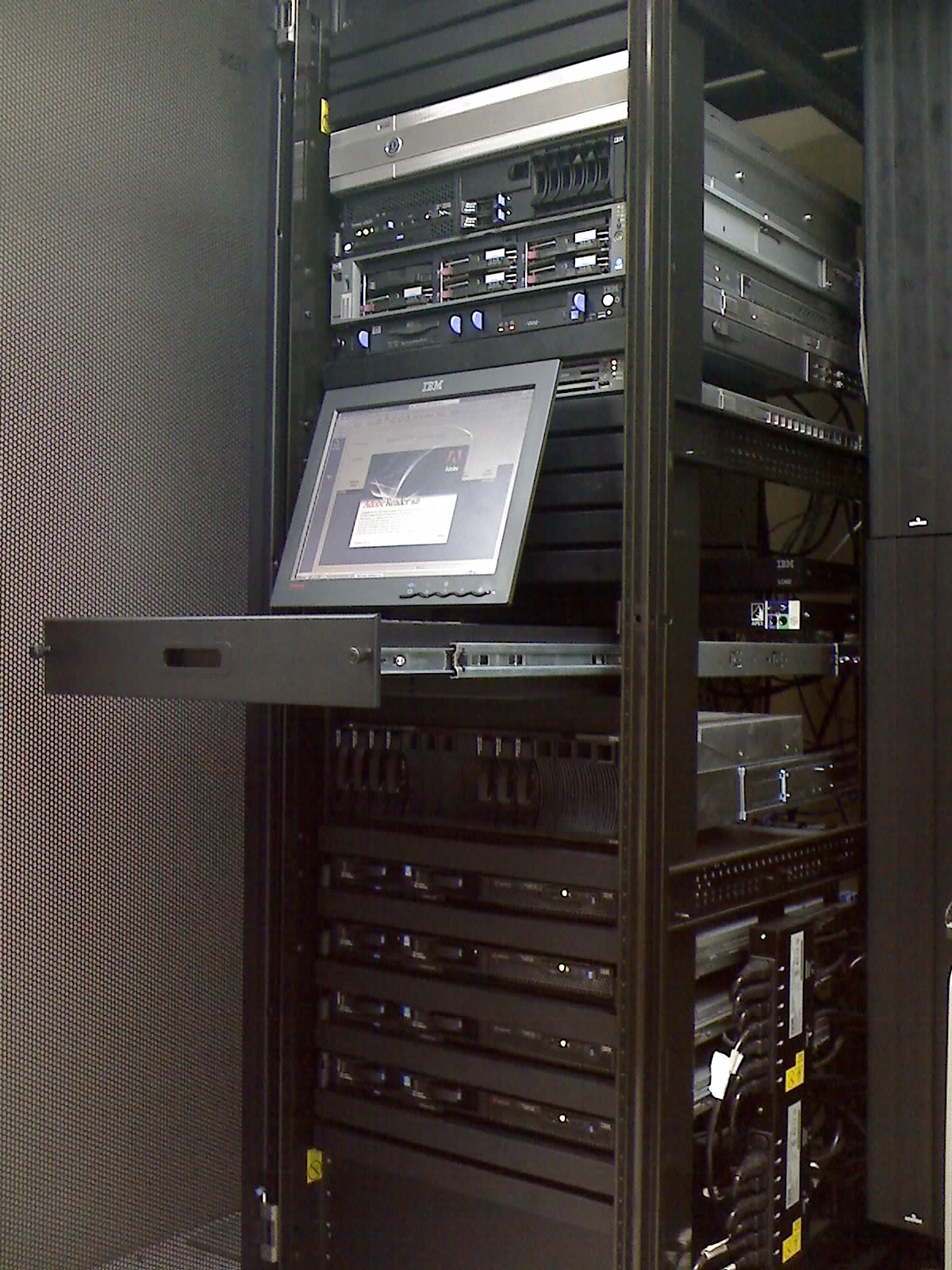
Network equipment lives in server racks. Unsecured racks are an invitation for sabotage. Therefore, server racks often feature physical locks on the front and rear doors. These physical rack locks prevent unauthorized individuals from tampering with networking equipment, such as moving a patch cable to mirror traffic to a rogue device.
To maintain visibility over these assets, administrators use asset tags—physical labels affixed to hardware—to track network hardware inventory. But these tags serve a dual purpose: highly visible asset tags can deter the theft of physical network devices by signaling that the item is strictly monitored and will be missed if removed.
We also need to know if someone has been tampering with the internal components of our switches or servers. We apply tamper-evident seals to the chassis. These seals indicate when a device enclosure has been opened without authorization because they show visible physical damage after unauthorized removal attempts.

Out in the open office space, laptops and workstations face different threats. To stop a thief from walking away with an unattended laptop, cable locks physically secure portable devices to heavy furniture.
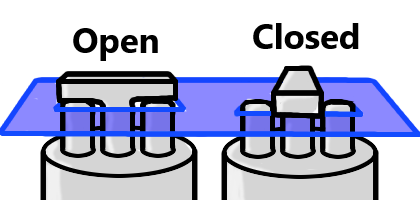
Furthermore, we must protect the data displayed on the screen. Shoulder surfing occurs when an unauthorized person secretly observes a user entering sensitive data—such as typing an administrator password or viewing a confidential network diagram. To combat this, IT deploys privacy screens, which are specialized physical overlays that limit the viewing angle of a monitor to prevent shoulder surfing.
Let’s shift our perspective. What if, despite our physical barriers and firewalls, an attacker manages to access the local network? At this stage, traditional defenses have failed. We must rely on deception.
Network deception tools divert an attacker's focus away from valuable production assets. Instead of letting an intruder map out our real databases and routers, we feed them illusions. Deception technologies act as an early warning system for network intrusions, allowing us to catch the attacker while they are still trying to figure out where they are.
Honeypots and Honeynets
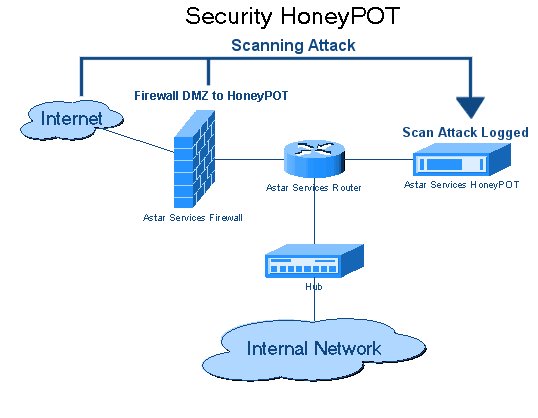
The cornerstone of deception is the honeypot—a decoy network system designed to attract malicious activity. Network administrators configure honeypots with weak security controls to entice threat actors. By making the honeypot look like a vulnerable, highly valuable target (like an unpatched legacy server), attackers will naturally gravitate toward it.
The Golden Rule of Honeypots A honeypot does not contain legitimate production data. Because no real users or systems should ever need to communicate with a decoy, any connection attempt to a honeypot is generally considered unauthorized or malicious.
Once the attacker takes the bait, security teams analyze honeypot logs to study attacker techniques, gathering intelligence on the tools and methods the adversary is using without risking real data.
Honeypots come in two distinct flavors:
- Low-interaction honeypots: These simulate basic network services and open port states. They are safe and easy to deploy. An attacker might scan the port, get a fake response, and move on.
- High-interaction honeypots: These provide a fully functional operating system environment to attackers. They are much richer in the intelligence they gather, but they carry immense risk. Because it is a real OS, attackers can potentially compromise high-interaction honeypots to launch further network attacks, using your own decoy as a beachhead!
If one honeypot is good, an entire fake network is better. A honeynet is a simulated network containing multiple interconnected honeypots. Honeynets allow security teams to monitor an attacker's lateral movement—watching exactly how an adversary pivots from a web server, to a simulated database, to a simulated domain controller.
Micro-Deceptions: Files, Tokens, and Telemetry
Deception doesn't require an entire fake server. We can plant microscopic traps throughout our real, production environment.
A honeyfile is a decoy document placed on a network server. It might be named Q3_Financial_Passwords.xlsx. Honeyfiles generate administrative alerts when accessed or modified by unauthorized users. More importantly, honeyfiles can detect the early stages of ransomware encryption attempts. If a ransomware strain begins encrypting a file share, the moment it touches the honeyfile, the network can instantly sever that compromised host's connection.
Similarly, a honeytoken is a fake database record or credential used to detect unauthorized access attempts. If you place a fake administrative username and password in a script, and an attacker steals that script, they will eventually try to log in with those credentials. An alert is immediately triggered when an attacker attempts to authenticate using a honeytoken.
To confuse the attacker's network scanners (like Nmap), we can employ fake telemetry. Fake telemetry involves sending false network data to confuse attackers mapping the network, making a small subnet look like a sprawling labyrinth of thousands of active IP addresses.
Exhausting the Adversary: Sinkholes and Tarpits
Finally, we can use deception not just to watch the attacker, but to actively waste their time and disrupt their tools.
When malware infects a host, it usually attempts to reach out to a Command and Control (C2) server by resolving a domain name (e.g., evil-hacker-domain.com). A DNS sinkhole intercepts DNS requests for known malicious domains. Instead of resolving the actual IP address of the attacker's server, DNS sinkholes return false IP addresses to prevent hosts from connecting to malicious servers. The malware tries to phone home, but it connects to a dead end.
If an attacker is attempting to brute-force a service or flood the network, we can route them into a tarpit. A tarpit is a network defense mechanism designed to intentionally slow down incoming connections. At the TCP protocol level, a tarpit might accept a connection but then drop the window size to near zero, holding the connection open but forcing data to transfer at an agonizingly slow rate. Tarpits exhaust an attacker's resources by delaying network responses, turning an automated, high-speed attack into a useless, crawling crawl.
By layering physical barriers at the perimeter with sophisticated deceptions on the wire, a network technician transforms a static network into an active, hostile environment for any adversary attempting to breach it.