Security Rules and Network Zones
Not sure you’re ready?
Take the ~3-minute readiness diagnostic and see where you stand.
A modern network is not a flat, open plain where data roams freely; it is a meticulously compartmentalized facility where trust is mathematically proven, traffic is relentlessly scrutinized, and environments are physically and logically segregated to contain breaches. When a data packet arrives at a firewall interface, it is an absolute stranger demanding entry. The mechanisms that decide its fate—cryptographic keys validating its identity, access control lists enforcing strict entry rules, and architectural zones designed to absorb attacks—form the operational foundation of network security. To protect an organization's digital assets, a network technician must understand how to construct and manage these cryptographic and architectural barriers.
Before a firewall can decide whether a user or device is allowed to access a resource, it must mathematically verify their identity. We achieve this through encryption algorithms and digital certificates.
At the core of secure communications are two foundational approaches to cryptography:
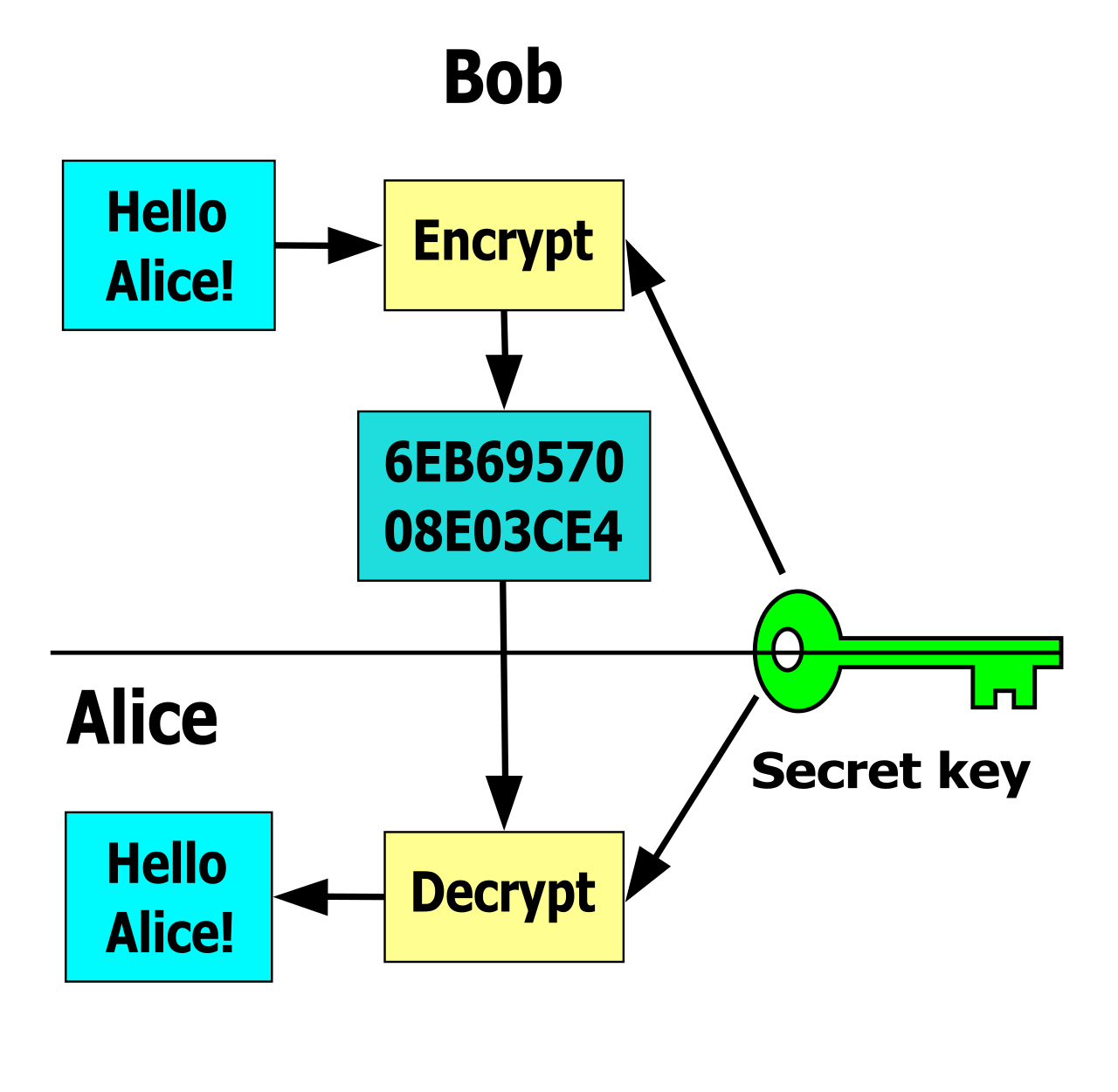
- Symmetric encryption algorithms use a single identical key for both data encryption and data decryption. Because the mathematics involved are highly efficient, symmetric encryption is extremely fast and ideal for encrypting large volumes of payload data. The Advanced Encryption Standard (AES) is a standard symmetric encryption algorithm. Specifically, Advanced Encryption Standard with a 256-bit key is a widely accepted standard for strong symmetric encryption.
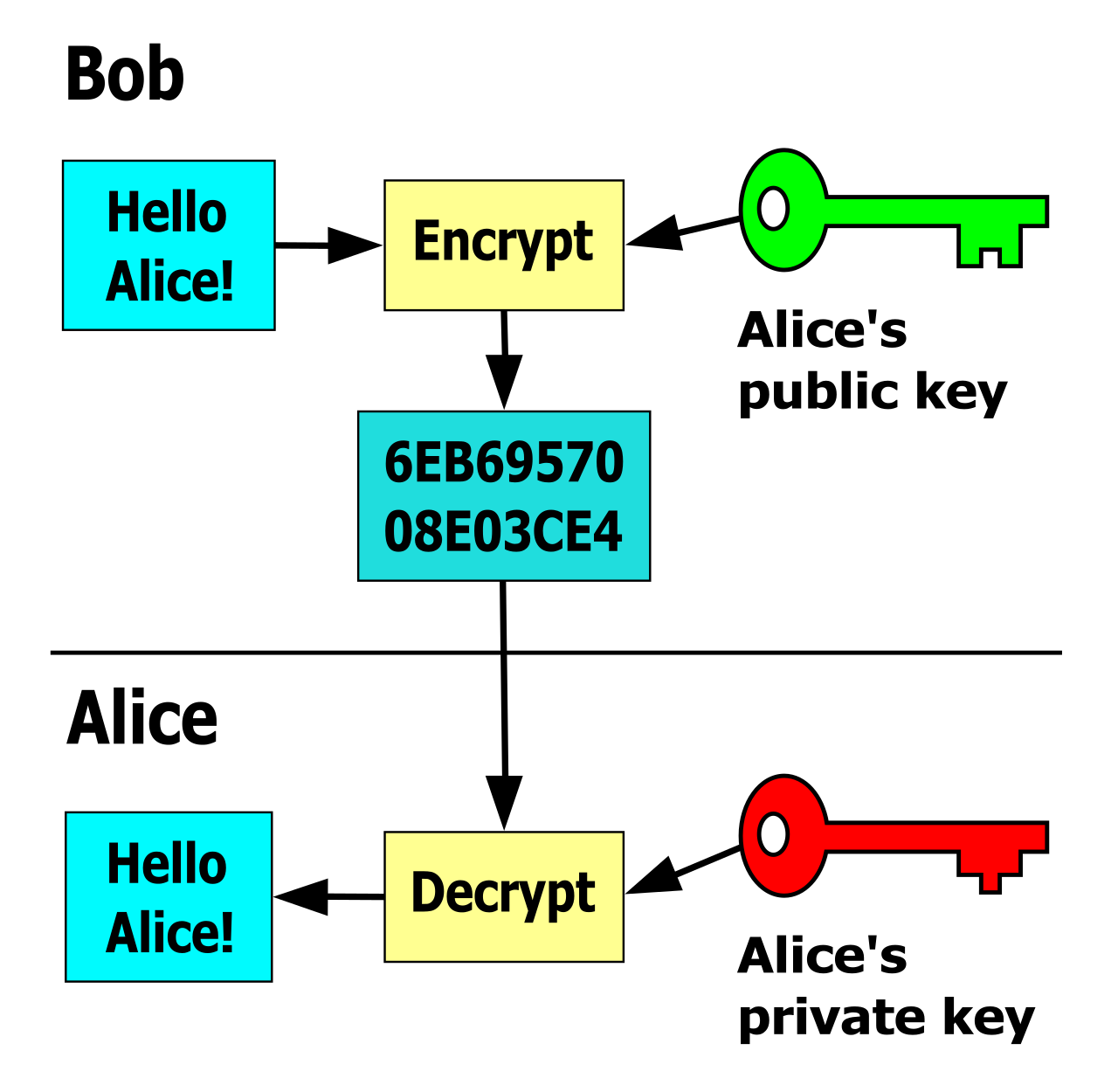
- Asymmetric encryption algorithms use a mathematically linked key pair consisting of a public key and a private key. Data encrypted with the public key can only be decrypted by the corresponding private key. This solves the problem of securely exchanging keys over an untrusted network like the internet. RSA is a standard asymmetric encryption algorithm.
Key Length Discrepancy: Why do we use AES-256 but RSA-2048? Symmetric encryption keys require significantly shorter bit lengths than asymmetric keys to achieve equivalent cryptographic strength. Because asymmetric math relies on complex prime number factoring rather than rapid bit-substitution, RSA with a 2048-bit key is a common minimum standard for asymmetric encryption security.
The Digital Certificate Lifecycle
To trust an asymmetric public key, a network device must know exactly who owns it. A digital certificate cryptographically binds a public key to a specific entity identity (like a web server or a user). A Certificate Authority (CA) issues these digital certificates to validate the identity of network entities.
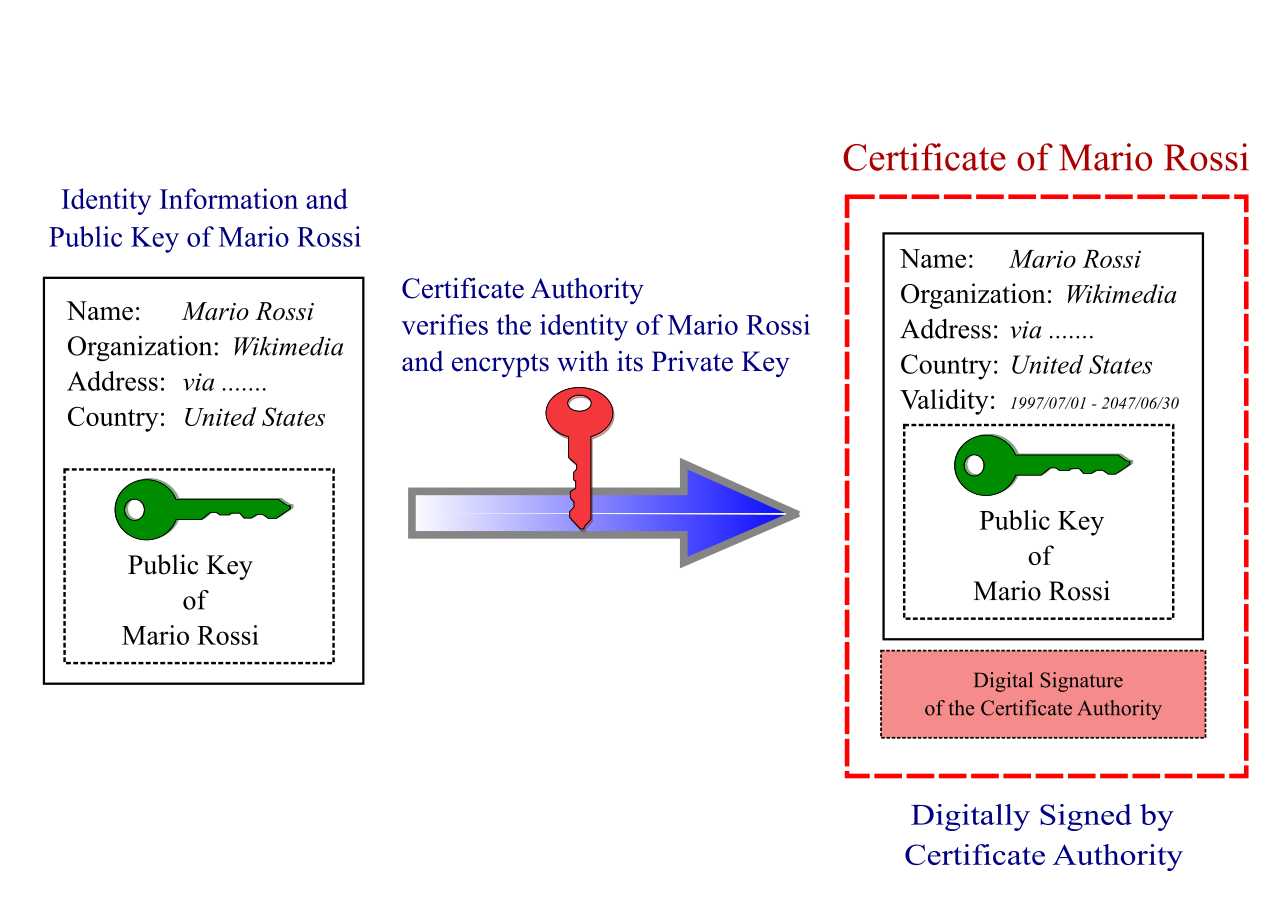
Certificates are not valid forever. Managing their lifecycle is a critical operational duty:
- Certificate renewal extends the validity period of an existing digital certificate prior to its expiration. Allowing a certificate to expire will cause immediate outages as browsers and firewalls reject the unverified connections.
- If a private key is stolen, we must perform certificate revocation, which invalidates a compromised digital certificate before the original expiration date.
- How do devices know a certificate was revoked? They check a Certificate Revocation List (CRL), which is a published ledger of digital certificates invalidated by a Certificate Authority. Because downloading large ledgers is inefficient, modern networks heavily rely on the Online Certificate Status Protocol (OCSP), which provides real-time revocation status checks for digital certificates.
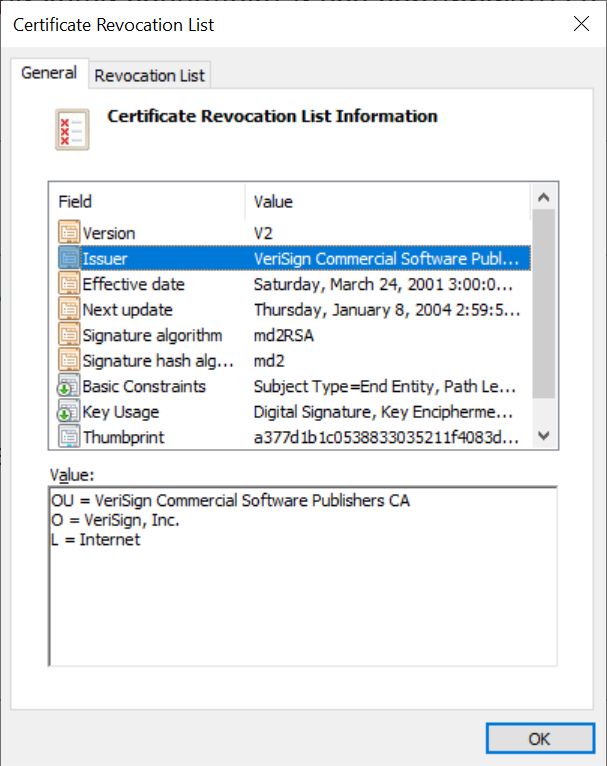
Key Management
Beyond certificates, the underlying keys themselves must be fiercely protected. Cryptographic key rotation mitigates the impact of a compromised key by regularly generating replacement keys. If an attacker manages to quietly steal a key today, rotating it next week limits the window of time they have to decrypt stolen traffic. Finally, when a system is decommissioned, secure cryptographic key destruction prevents unauthorized recovery of deprecated encryption keys, ensuring old ciphertexts cannot be retroactively cracked.
Once identity is established, the network must enforce policy. This is achieved through an Access Control List (ACL), which is a sequential set of rules applied to a network interface to permit or deny specific traffic.
Understanding how network devices process ACLs is the single most important troubleshooting skill for a NOC analyst. Network devices evaluate Access Control List rules in sequential order from the top rule down to the bottom rule.
Crucially, network devices immediately stop evaluating an Access Control List as soon as a packet matches an existing rule. If Rule 2 denies traffic from a specific subnet, and Rule 5 permits a specific workstation within that subnet, that workstation will be denied. The router stopped reading at Rule 2. Therefore, specific rules must always be placed above general rules.
Furthermore, every Access Control List concludes with an invisible implicit deny rule. You will not see it in the configuration terminal, but it is always there. The implicit deny rule automatically drops any network packet failing to match an explicit permit rule in an Access Control List. This behavior enforces the core security concept: firewall rule design follows the principle of least privilege by strictly allowing only required network traffic.
Standard vs. Extended ACLs
In IPv4 networks, ACLs are categorized by their granular capabilities:
| ACL Type | Evaluation Criteria | Use Case Example |
|---|---|---|
| Standard IPv4 ACL | Filters network traffic based exclusively on the source IP address of the packet. | Blocking a rogue internal subnet from routing to another department. |
| Extended IPv4 ACL | Evaluates source IP addresses alongside destination IP addresses and port numbers. | Permitting HTTP (Port 80) from Subnet A to Server B, while blocking all other traffic. |
Deep Inspection: Filtering Beyond IP Addresses
Modern firewalls operate far beyond simple IP and port evaluation.
- URL filtering restricts user access to specific websites based on a predefined list of approved or forbidden web addresses. If a user attempts to navigate to a known gambling site, the firewall terminates the connection by reading the web request itself.
- Content filtering digs even deeper; it analyzes the actual payload of web traffic to block specific data types or malicious file signatures. Even if a user visits a perfectly trusted URL, if the website is compromised and attempts to download a known ransomware executable, content filtering intercepts the payload mid-transit.
- At Layer 2 of the OSI model, MAC address filtering restricts physical or wireless network access based on the unique hardware address of the client device. While easily spoofed by advanced attackers, it remains a common baseline control for preventing unauthorized laptops from casually joining an office Wi-Fi network.
Applying security rules arbitrarily across a flat network is chaotic and impossible to scale. Instead, architects divide infrastructure into logical segments. A network trust zone is a logical or physical segment of a network operating under a unified security policy.
Fundamentally, zones are defined by who is permitted within them:
- An internal corporate network operates as a highly trusted network zone.
- An intranet is a fully trusted network zone strictly limited to internal organizational employees and systems.
- An extranet is a semi-trusted network zone granting specific external partners (like vendors or supply-chain systems) controlled access to dedicated internal resources.
- Conversely, the public internet operates as an untrusted network zone.
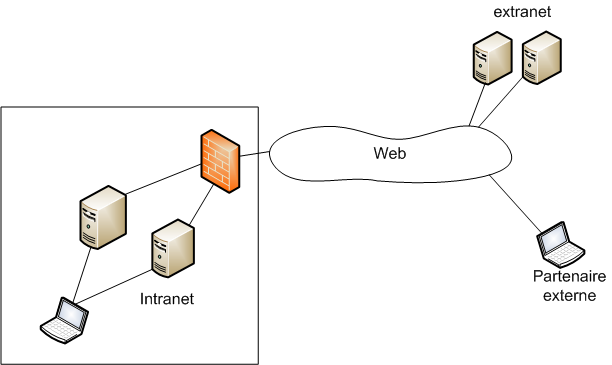
The Screened Subnet Architecture
If the internal network is highly trusted, and the internet is completely untrusted, how do we safely host a corporate web server that the entire planet needs to access? We cannot put it on the internal network—if a hacker finds a vulnerability in the web server code, they would instantly have access to our internal databases and employee workstations.
The solution is the screened subnet, an isolated network architecture placed between a trusted internal network and an untrusted external network. (Note: Modern network security frameworks use the term screened subnet to replace the legacy term Demilitarized Zone, or DMZ).
A screened subnet hosts public-facing servers to isolate potential external compromises from the trusted internal network. Because these servers must communicate with the untrusted internet, web servers and external DNS servers are standard examples of devices deployed within a screened subnet.
Topologies for Screened Subnets
There are two primary ways to physically cable and configure a screened subnet:
- A single-firewall screened subnet architecture dedicates an isolated firewall interface specifically for the public-facing servers. Imagine a firewall with three ports: Port 1 goes to the internet, Port 2 goes to the internal switches, and Port 3 goes directly to the web servers.
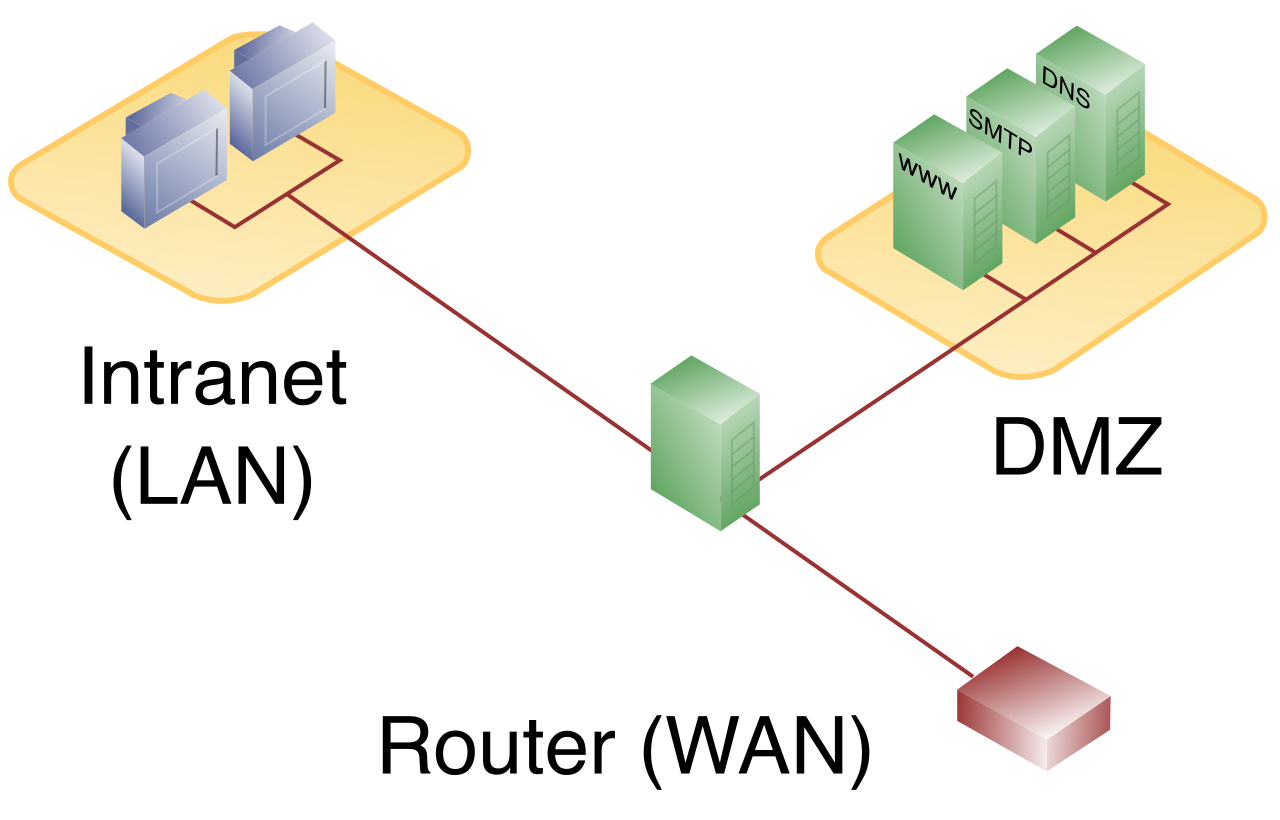
- A dual-firewall screened subnet architecture places the public-facing servers entirely between an external perimeter firewall and an internal firewall. This "sandwich" approach provides superior security, as an attacker must defeat two entirely separate hardware firewalls (ideally from different vendors) to reach the internal network.
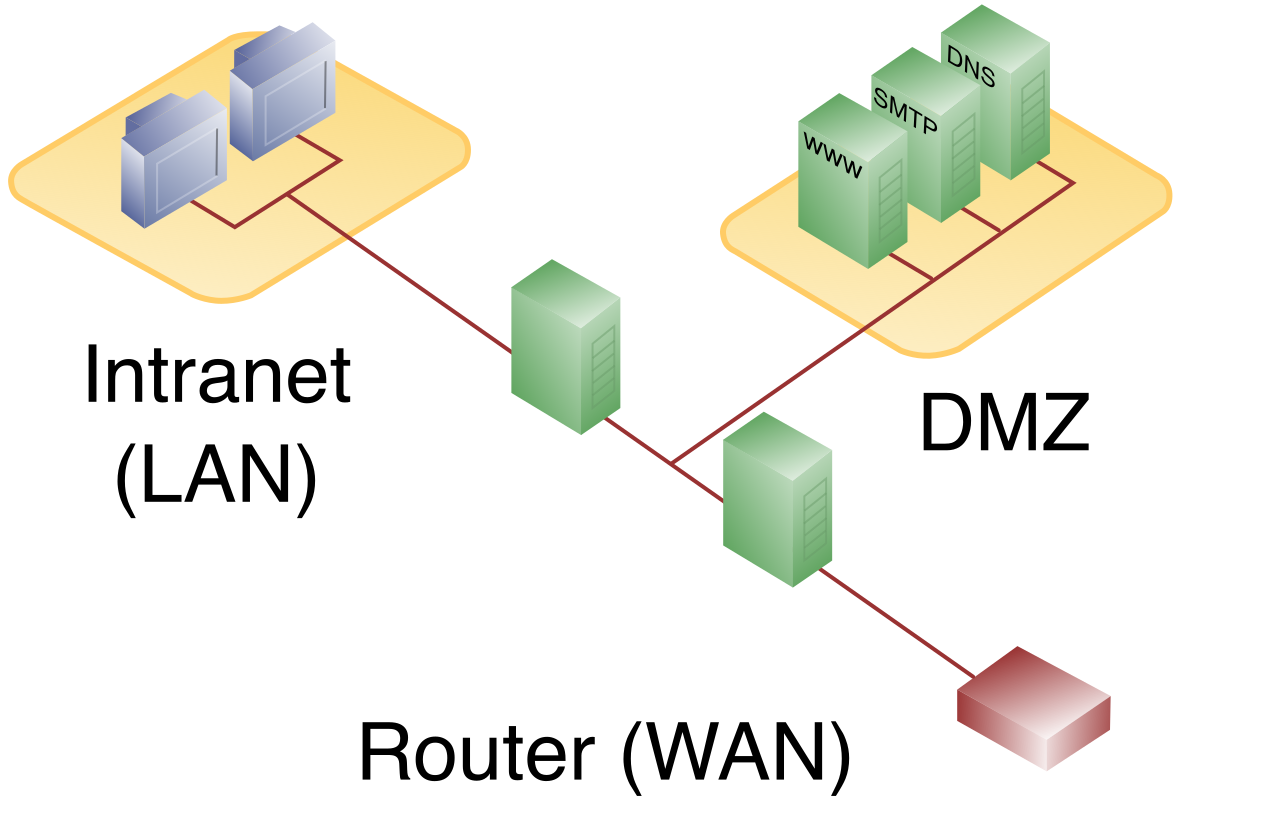
Traffic Flow Rules in the Screened Subnet
To maintain the integrity of these zones, we apply strict, generalized ACL policies dictating how traffic is allowed to move:
- Security policies generally permit traffic initiated from the untrusted internet to enter the screened subnet. (Customers must be able to load your website).
- Security policies explicitly deny traffic initiated from the untrusted internet from reaching the internal trusted network. (No one on the internet should ever be able to directly ping your HR database).
- Most crucially: Security policies generally deny traffic initiated by compromised servers within the screened subnet from accessing the internal trusted network. If an attacker overtakes your web server, the firewall will block that web server from attempting to initiate a new connection inward.
Traffic Directions and Management Access
When observing these packet flows, network engineers use specific terminology to describe directionality:
- North-South network traffic describes data flowing across security boundaries into or out of a specific network trust zone (e.g., a user downloading a file from the internet).
- East-West network traffic describes data flowing laterally between devices within the exact same network trust zone (e.g., a database backing up to an internal storage server). Firewalls traditionally inspect North-South traffic, while internal switches handle East-West traffic, though modern micro-segmentation brings firewall inspection to East-West flows as well.
Because we strictly lock down North-South traffic, system administrators face a challenge: how do they manage the web servers in the screened subnet if traffic from the internal network is highly restricted?
They use a jump server. A jump server is a hardened administration host placed in a specific network zone to act as the sole access point for managing devices in another security zone. Rather than allowing every IT laptop to SSH directly into the web servers, the firewall is configured with an ACL that allows SSH only from the jump server's specific IP address. The administrator connects to the jump server, and from there, "jumps" into the more restrictive zone, ensuring that highly privileged access originates from a single, intensely monitored, and tightly controlled chokepoint.