Network Troubleshooting Methodology
Not sure you’re ready?
Take the ~3-minute readiness diagnostic and see where you stand.
Imagine a core distribution switch goes offline at 10:00 AM on a Tuesday, instantly severing connectivity for three hundred employees. The natural instinct of an untrained technician is to start furiously typing commands, resetting interfaces, and guessing at solutions in a desperate bid to restore service. The professional, however, relies on a rigid, scientific process. The CompTIA Network+ (N10-009) troubleshooting methodology consists of seven sequential steps used to systematically diagnose and resolve network faults. This framework prevents chaotic, destructive guessing and replaces it with a deliberate progression from symptom to resolution, ensuring that an engineer acts surgically rather than randomly.
Understanding this methodology is not simply about passing an exam; it is about learning how to isolate complex technological variables in high-stakes, time-sensitive environments.
Before you can cure a disease, you must understand the exact nature of the illness. The first step of the CompTIA Network+ (N10-009) troubleshooting methodology is to identify the problem.
Identifying a network problem requires gathering information from users, error messages, and system logs before making any configuration changes. Touching the system too early pollutes the crime scene. You need raw, unfiltered data first. To get this, a technician should question the user to determine the exact symptoms. "The internet is broken" is not a symptom; "I cannot reach the internal accounting portal via my web browser" is.
During this problem identification phase, a technician should ask users if any recent system or environmental changes occurred. Networks rarely fail spontaneously. Usually, a patch was applied, a server was rebooted, or an office desk was moved.
Sometimes, the network will throw a cascade of warnings at you. When facing multiple system errors simultaneously, a technician must approach each problem individually to isolate specific root causes. If you try to fix three interconnected problems at once, you will inevitably obfuscate the data. Whenever possible, duplicating a reported problem allows a technician to observe the exact error conditions firsthand to verify a user's report. Users often misinterpret what they are seeing; seeing the error with your own eyes provides objective ground truth.
Crucial Warning: Backing up system configurations and data must be performed before making any system changes to prevent accidental data loss. If your eventual troubleshooting steps corrupt a routing table or wipe a device, a recent backup is the only difference between a minor delay and a resume-generating event.
Once you have gathered the data, you must formulate a hypothesis. The second step of the CompTIA Network+ (N10-009) troubleshooting methodology is to establish a theory of probable cause.
In the pursuit of complex technical solutions, we often overlook the mundane. When establishing a theory of probable cause, a technician should always question the obvious first. Questioning the obvious includes checking for simple physical failures like unplugged network cables or powered-off devices. Do not spend two hours analyzing packet captures if the user's PC is simply unplugged from the wall.
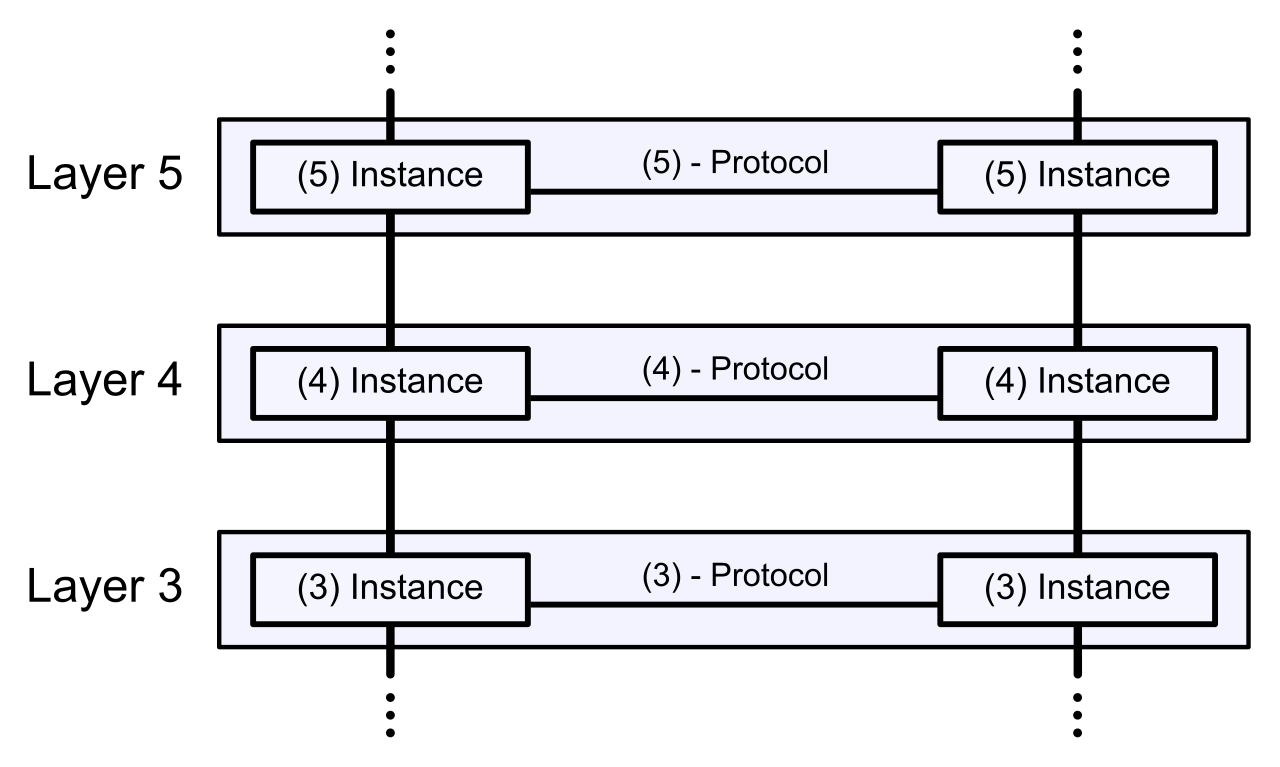
If the obvious checks out, we need a mental map to organize our hypotheses. The Open Systems Interconnection (OSI) model provides a structured framework for generating troubleshooting theories. By applying the OSI model, we can systematically isolate variables using three primary approaches:
| Troubleshooting Approach | How It Works | Ideal Use Case |
|---|---|---|
| Top-Down | A top-down OSI model troubleshooting approach starts at the Application layer and works sequentially down to the Physical layer. | A top-down OSI troubleshooting approach is ideal for situations where software or application misconfigurations are the most likely cause of a network fault. (e.g., DNS errors, bad proxy settings). |
| Bottom-Up | A bottom-up OSI model troubleshooting approach starts at the Physical layer and works sequentially up to the Application layer. | A bottom-up OSI troubleshooting approach is ideal for situations where hardware failures or cabling issues are suspected. (e.g., cut fiber, dead switch ports). |
| Divide-and-Conquer | A divide-and-conquer OSI troubleshooting approach starts in the middle layers to cut the testing scope in half. | A divide-and-conquer OSI approach typically starts at the Network layer using tools like ping or traceroute to immediately test routing and connectivity. |
Think of divide-and-conquer like finding a word in a physical dictionary. You do not read from page one (bottom-up), nor do you start at Z and read backward (top-down). You open the book to the middle. If a ping (Layer 3) succeeds, you instantly know Layers 1, 2, and 3 are perfectly fine, and you must look higher up the stack. If the ping fails, you know the problem is at Layer 3 or below.
A hypothesis is useless until it is proven. The third step of the CompTIA Network+ (N10-009) troubleshooting methodology is to test the theory to determine the cause.
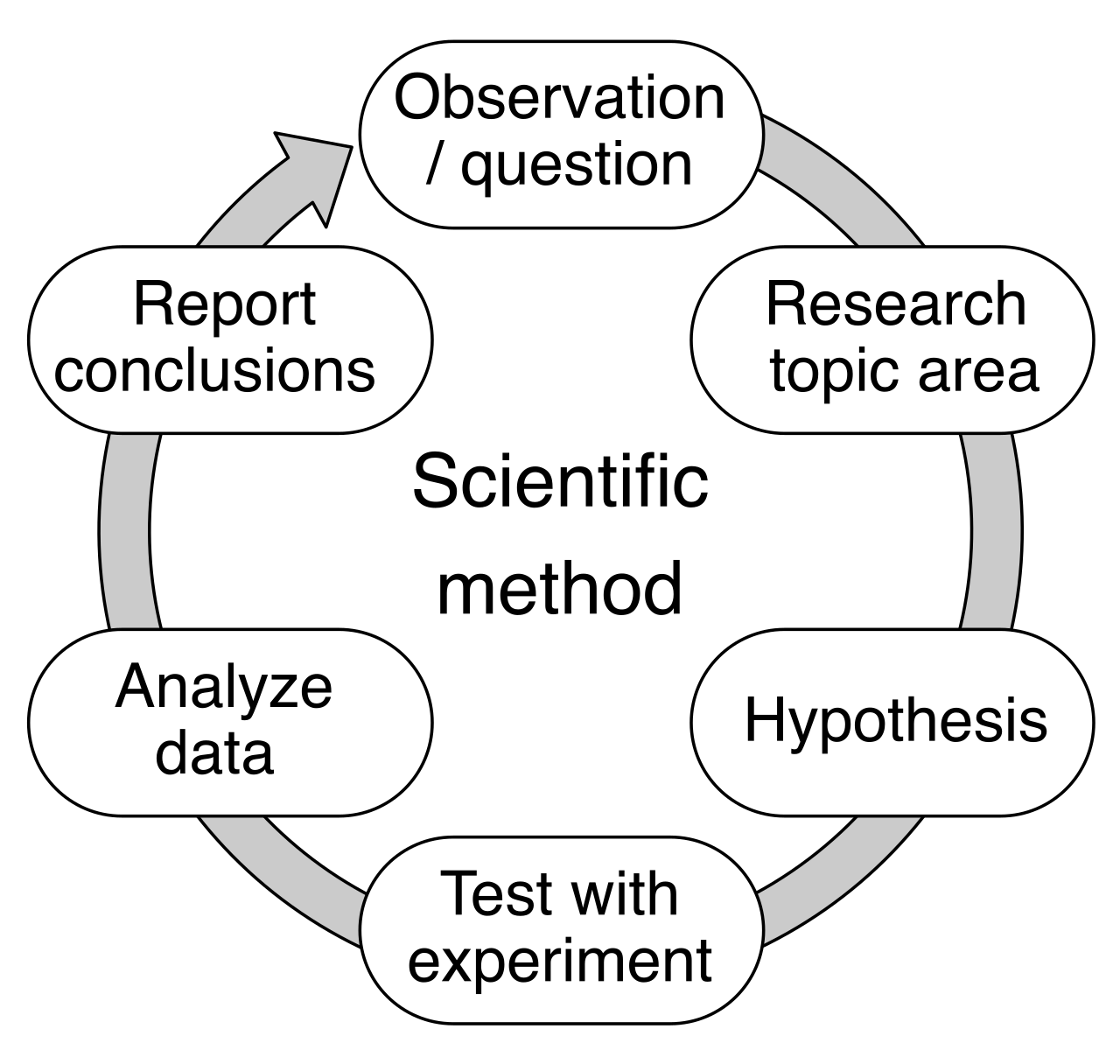
Testing a troubleshooting theory involves verifying if the hypothesized root cause is actually creating the network fault. This is the experimental phase of the scientific method. You isolate the suspected component and test it. At the end of this test, you will arrive at a fork in the road:
- The Theory is Correct: If a troubleshooting theory is confirmed during testing, the next logical step is to determine the specific actions required to resolve the problem.
- The Theory is Incorrect: If a troubleshooting theory is proven incorrect after testing, a technician must establish a new theory of probable cause or escalate the issue.
Do not allow pride to stall network recovery. Escalation involves passing a troubleshooting ticket to a higher-tier support team or external vendor. In professional IT environments, escalation is necessary when a network problem exceeds a technician's expertise, access level, or authorized troubleshooting time limit. If your Service Level Agreement (SLA) dictates that an outage must be resolved in 60 minutes, and you have spent 45 minutes making no progress, you escalate.
Knowing what is broken and actually fixing it are two different phases of engineering. The fourth step of the CompTIA Network+ (N10-009) troubleshooting methodology is to establish a plan of action to resolve the problem and identify potential effects.
You do not simply type a command and hope for the best. A proper troubleshooting plan of action must account for potential negative impacts. In interconnected networks, pulling a thread in one area can unravel a system entirely somewhere else. Potential negative impacts during troubleshooting include unplanned network downtime or secondary service disruptions. Restarting a core router might fix your immediate routing problem, but it will abruptly drop active VoIP calls and sever database transactions.
Because every action carries risk, a troubleshooting plan of action should include a rollback strategy to restore the system to a previous working state if the proposed solution fails. Never make a change you cannot easily undo.
With a documented, safe plan in hand, you execute. The fifth step of the CompTIA Network+ (N10-009) troubleshooting methodology is to implement the solution or escalate as necessary.
Implementing a troubleshooting solution requires executing planned actions during an approved maintenance window to minimize user disruption. Unless the network is already completely down (a critical outage), changes should be scheduled during off-hours. If your proposed solution turns out to be more complex than anticipated during this step, this is your secondary opportunity to pause and escalate to a specialist.
The job is not complete just because the error light turned green. The sixth step of the CompTIA Network+ (N10-009) troubleshooting methodology is to verify full system functionality and implement preventive measures.
Verifying full system functionality ensures that an applied solution completely resolved the original problem without introducing new network issues. You must look at the holistic health of the network. Furthermore, you cannot be the only one to declare victory. System verification should include having the original reporting user test the application or network service to confirm normal operations. If the user still cannot do their job, the ticket stays open.
Once verified, you must look to the future. Implementing preventive measures aims to stop the exact same network problem from recurring in the future. If the issue was a loose cable, the preventive measure is physically securing the cable bundle. If the issue was an exhausted DHCP scope, the preventive measure is expanding the subnet or reducing lease durations.
The final step is often the most neglected by junior technicians, yet it is the most highly valued by senior engineers. The seventh step of the CompTIA Network+ (N10-009) troubleshooting methodology is to document findings, actions, and outcomes.
Your localized knowledge does the organization no good if it remains trapped in your head. Documenting a troubleshooting outcome provides a historical record that helps other technicians quickly solve similar issues in the future. To be useful, network documentation updates should include the initial problem symptoms, the confirmed root cause, the applied steps, and the final resolution.
By comprehensively recording the incident, you transform a singular network failure into institutional knowledge, ensuring that the team grows stronger, faster, and more resilient with every ticket closed.