Options for Assistive Technology
Not sure you’re ready?
Take the ~3-minute readiness diagnostic and see where you stand.
Imagine attempting to observe the rings of Saturn using only the naked eye. The rings are physically present, and the light reflects toward Earth, yet the biological limitations of the human retina prevent the image from resolving into distinct bands. A telescope does not alter Saturn, nor does it fix the eye; rather, it serves as a necessary interface that bridges the gap between the object and the observer, translating the inaccessible into the accessible. In the special education classroom, assistive technology performs this exact, vital function. The Individuals with Disabilities Education Act defines assistive technology as any item or product system used to increase, maintain, or improve the functional capabilities of a child with a disability. It is the telescope for the student navigating a curriculum built for a differently wired mind.

As a special educator, mastering the tools at your disposal is not about memorizing catalogs of software; it is about understanding human capability, cognitive bottlenecks, and environmental design. When a student cannot access the curriculum, we must engineer a bridge.
Before examining the tools themselves, we must establish the legal parameters governing their use. The Individuals with Disabilities Education Act (IDEA) casts a wide net over what constitutes Assistive Technology (AT), but it draws one firm, anatomical boundary.
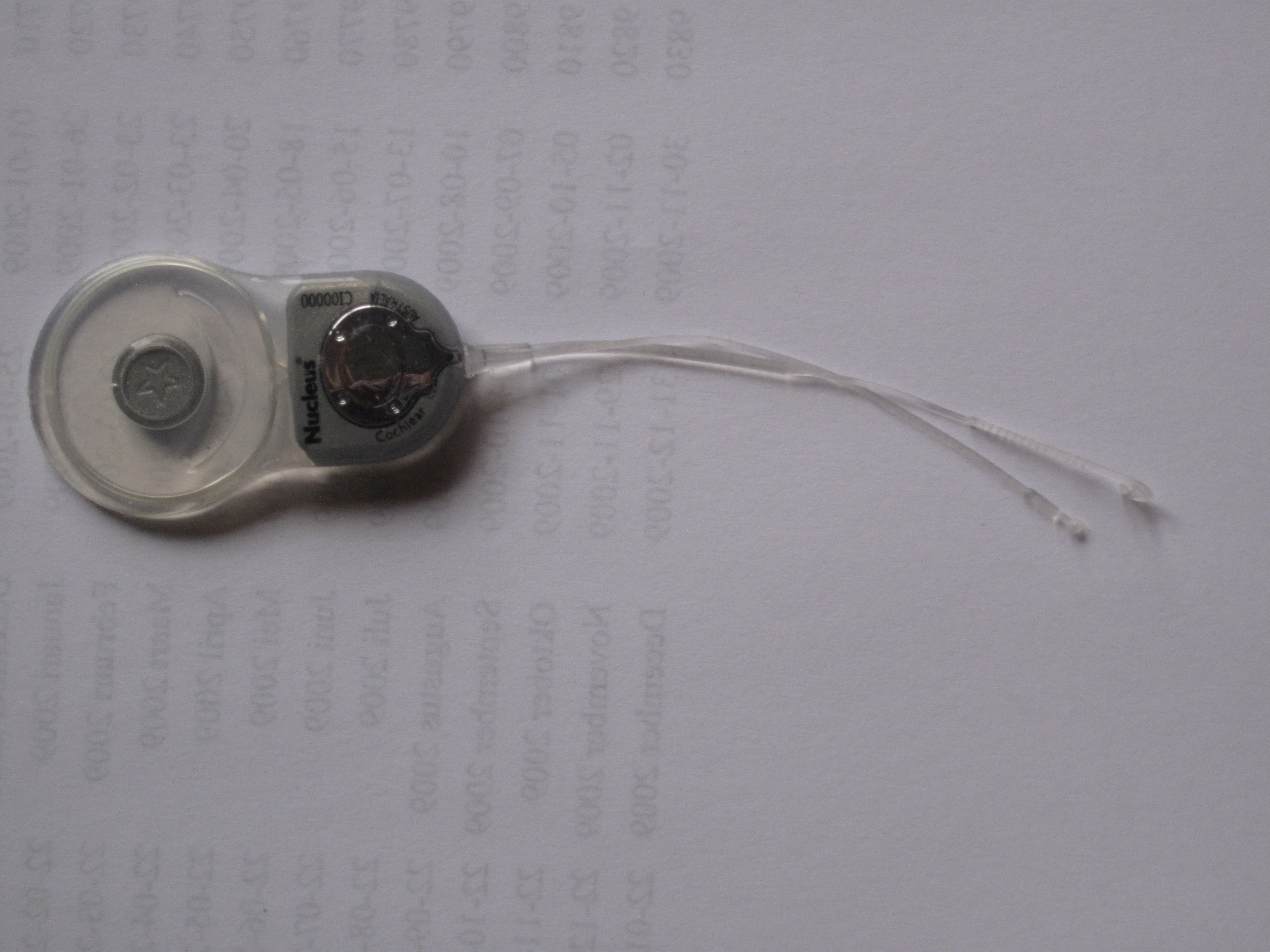
The Individuals with Disabilities Education Act explicitly excludes surgically implanted medical devices from its definition of assistive technology.
A cochlear implant, for instance, is an internal medical intervention, not an educational AT accommodation provided by a school district. However, within the realm of educational devices and services, the mandate is absolute: the need for assistive technology evaluation must be considered for every single student possessing an Individualized Education Program. It is never an afterthought.
When a tool is deemed necessary to provide a Free Appropriate Public Education (FAPE), casual verbal agreements are insufficient. Individualized Education Program teams must document the specific assistive technology devices and services required for a student directly within the IEP document. This transforms the technology from a classroom favor into a legally protected civil right.
A classic error in education is purchasing an expensive piece of software and wandering the halls looking for a student whose problems it might solve. Technology should be the final answer to a carefully formulated question.
The SETT framework guides Individualized Education Program teams in selecting assistive technology by analyzing the Student, Environment, Tasks, and Tools.
- Student: What are the specific barriers, strengths, and physical capabilities of this individual?
- Environment: Does the classroom have the physical space, noise level, or electrical infrastructure to support the device? Will the student feel socially isolated using it?
- Tasks: What exactly is the student required to do? (e.g., compose a three-paragraph essay, parse a quadratic equation).
- Tools: Only now do we evaluate the technology.
Ignoring this sequence leads directly to unused equipment. A student's abandonment of an assistive technology device often indicates a lack of adequate user training or a mismatch with the student's needs. A tool gathering dust in a locker is not a failure of the student; it is a failure of the SETT analysis.
Assistive technology is not synonymous with "screens." It exists on a continuum of complexity, cost, and required training. As educators, our goal is to find the most elegant, least intrusive solution that achieves the desired functional outcome.
| AT Category | Definition | Real-World Examples |
|---|---|---|
| Low-Tech | Low-tech assistive technology refers to simple, non-electronic devices that are typically low-cost and require little to no training for the user. | Pencil grips, highlighter tape, slant boards, and graphic organizers are examples of low-tech assistive technology. |
| Mid-Tech | Mid-tech assistive technology includes relatively uncomplicated, battery-operated devices with simple electronic features. | Audiobooks, simple voice output devices, and talking calculators are examples of mid-tech assistive technology. |
| High-Tech | High-tech assistive technology involves complex, computer-based systems that require specialized training and involve digital processing. | Tablets, text-to-speech software, and eye-tracking systems are examples of high-tech assistive technology. |
Never underestimate the power of a low-tech solution. A slant board changes the biomechanics of writing for a student with poor wrist extension, instantly increasing their functional capability without a single microchip.
To truly serve your students, you must become fluent in matching specific neurological and physical barriers with the exact technology required to bypass them.
Bypassing Reading and Dyslexia Barriers
When a student has a specific reading disability like dyslexia, their core deficit is often phonological processing—translating symbols into sounds. Their listening comprehension, however, may be at or above grade level.
Text-to-speech software assists students with reading disabilities by converting digital text into spoken audio. This allows the student to consume high-level literature and complex word problems through their intact auditory pathways. But what happens when you hand out a printed worksheet? The bridge breaks. To repair it, optical character recognition software scans printed text and converts the image into accessible digital text for text-to-speech programs.
Not all reading barriers are decoding deficits. For students with executive functioning challenges, the sheer visual density of a textbook page is overwhelming. Here, a low-tech intervention shines: line readers are low-tech tools used to isolate a single line of text to help students with tracking difficulties or ADHD maintain their place while reading.
Overcoming Writing, Motor, and Expressive Constraints
Writing is one of the most cognitively demanding tasks we ask of students, requiring the simultaneous orchestration of working memory, ideation, spelling, grammar, and fine motor execution. When this load becomes too great, the system crashes.
Word prediction software reduces the physical and cognitive load of writing by suggesting words on a screen as the user types. Think of it as a cognitive co-pilot, allowing a student with spelling deficits to focus on what they want to say rather than how to spell it.
When the mechanical act of handwriting itself is the barrier—whether due to dysgraphia or physical impairment—we must circumvent the hands entirely.
- Speech-to-text software assists students with specific learning disabilities in writing by converting spoken words into digital text.
- Simultaneously, speech-to-text software provides an alternative writing method for students with fine motor impairments.
If we are assessing a student's knowledge of the Civil War, we shouldn't accidentally assess their handwriting stamina. To this end, audio recordings of lectures provide an auditory alternative for students with dysgraphia who struggle to take written notes during class.
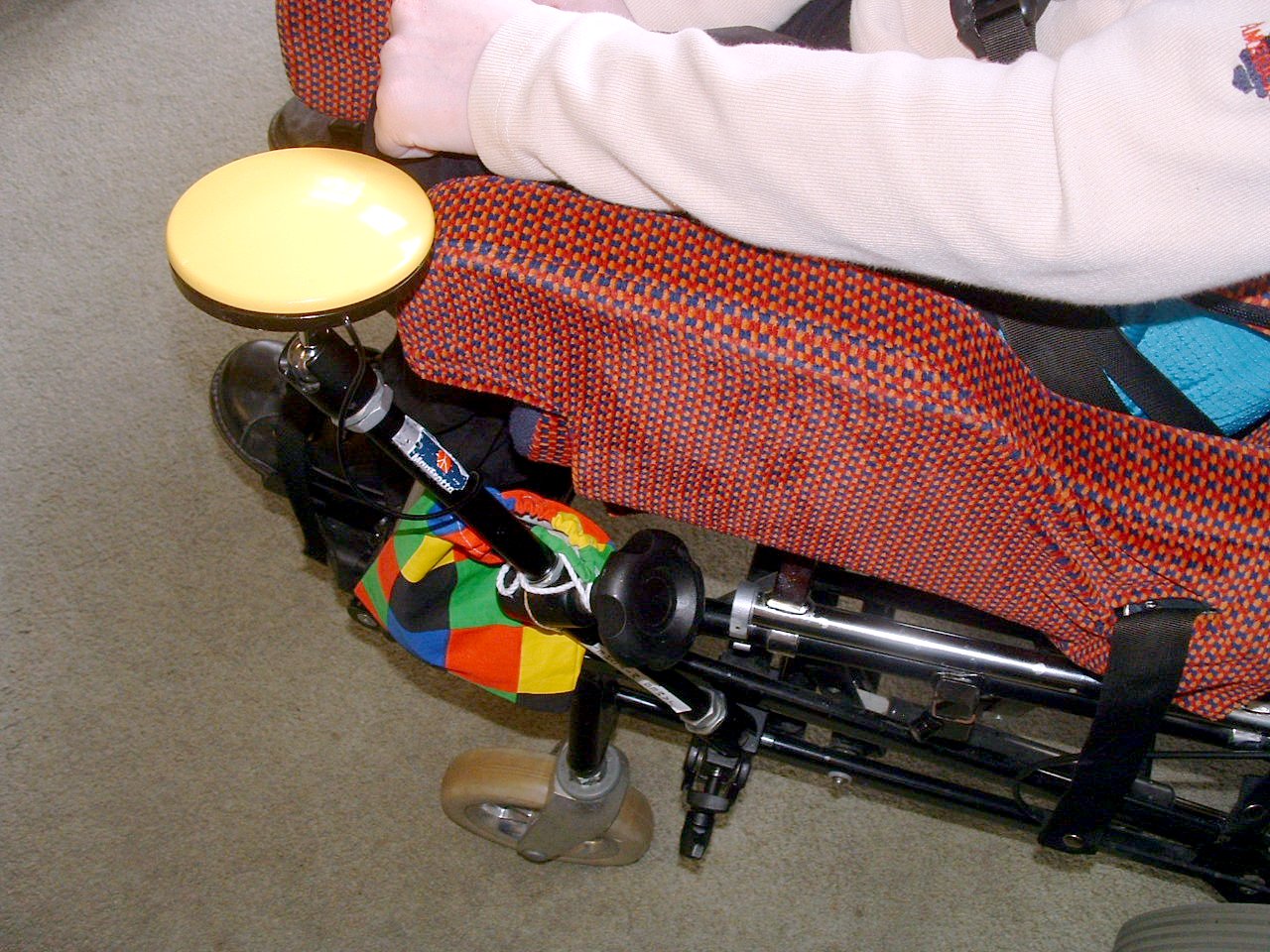
For students who have the cognitive desire to type but lack fine motor precision, adaptive keyboards feature larger keys or alternative physical layouts to accommodate students with fine motor deficits. And at the furthest edge of physical adaptation, switch devices allow students with severe physical disabilities to operate computers or communication tools using a single voluntary muscle movement—such as an eye blink or a slight head turn.
Bridging the Abstract in Mathematics
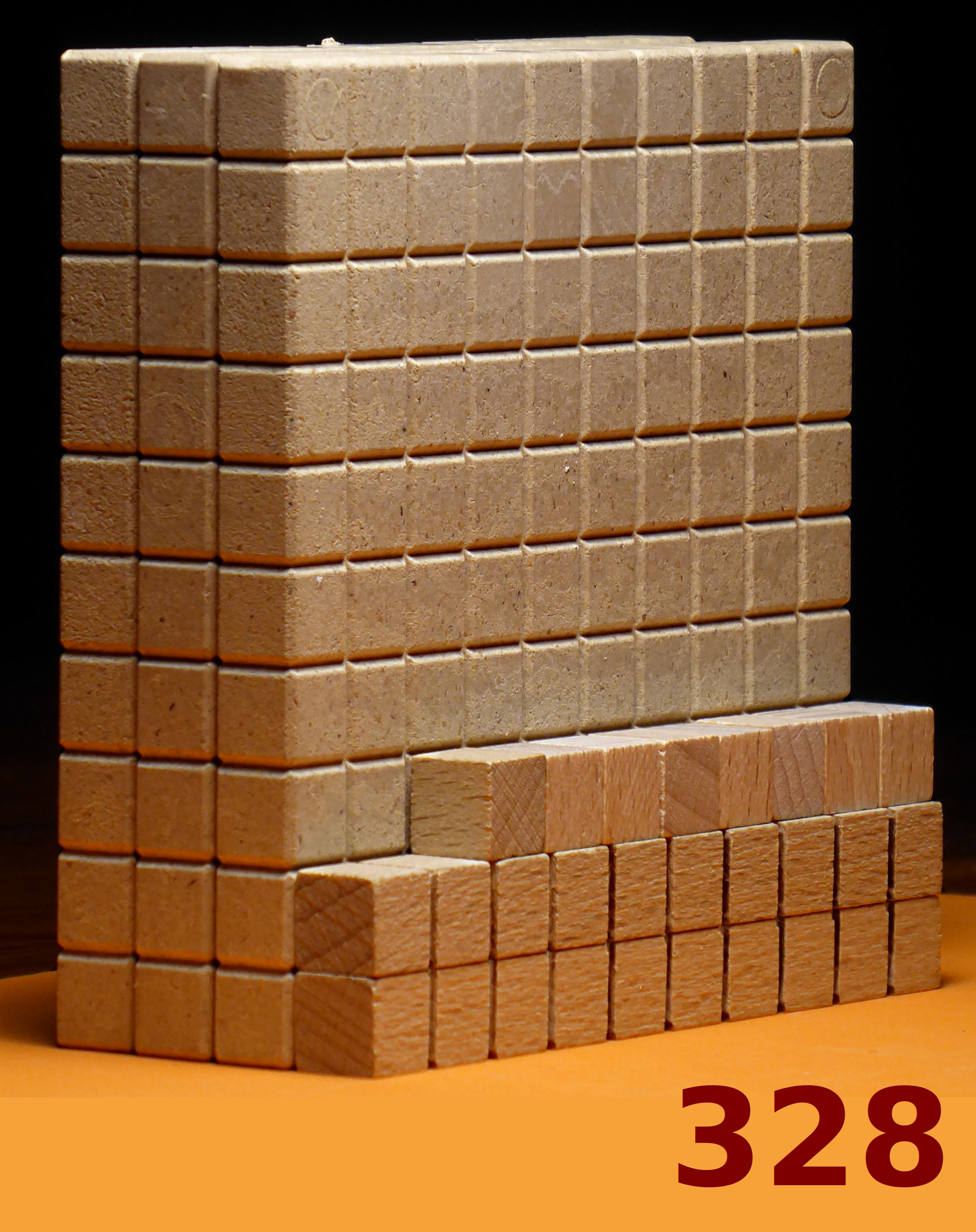
Math requires moving from concrete reality to abstract representation. Physical manipulatives like base-ten blocks function as low-tech tools helping students conceptualize abstract mathematical operations. By holding "ten" in their hands, students build the neural scaffolding required to eventually manipulate those numbers solely in their minds.
Facilitating Communication
When a student lacks verbal speech, we must provide an alternative voice. Augmentative and Alternative Communication systems support individuals with severe speech and language impairments in expressing their needs. These systems span the entire tech continuum.
- Low-Tech: The Picture Exchange Communication System is a low-tech Augmentative and Alternative Communication tool utilizing physical image cards to facilitate communication. A student hands a picture of an apple to an educator to request an apple, establishing the fundamental exchange of communication.
- High-Tech: Speech-generating devices are high-tech Augmentative and Alternative Communication tools that produce digitized speech based on user input. These empower students to formulate complex, spontaneous sentences and participate dynamically in classroom discussions.
Sensory Accommodations: Hearing and Vision
Finally, we must ensure the sensory environment is accessible.
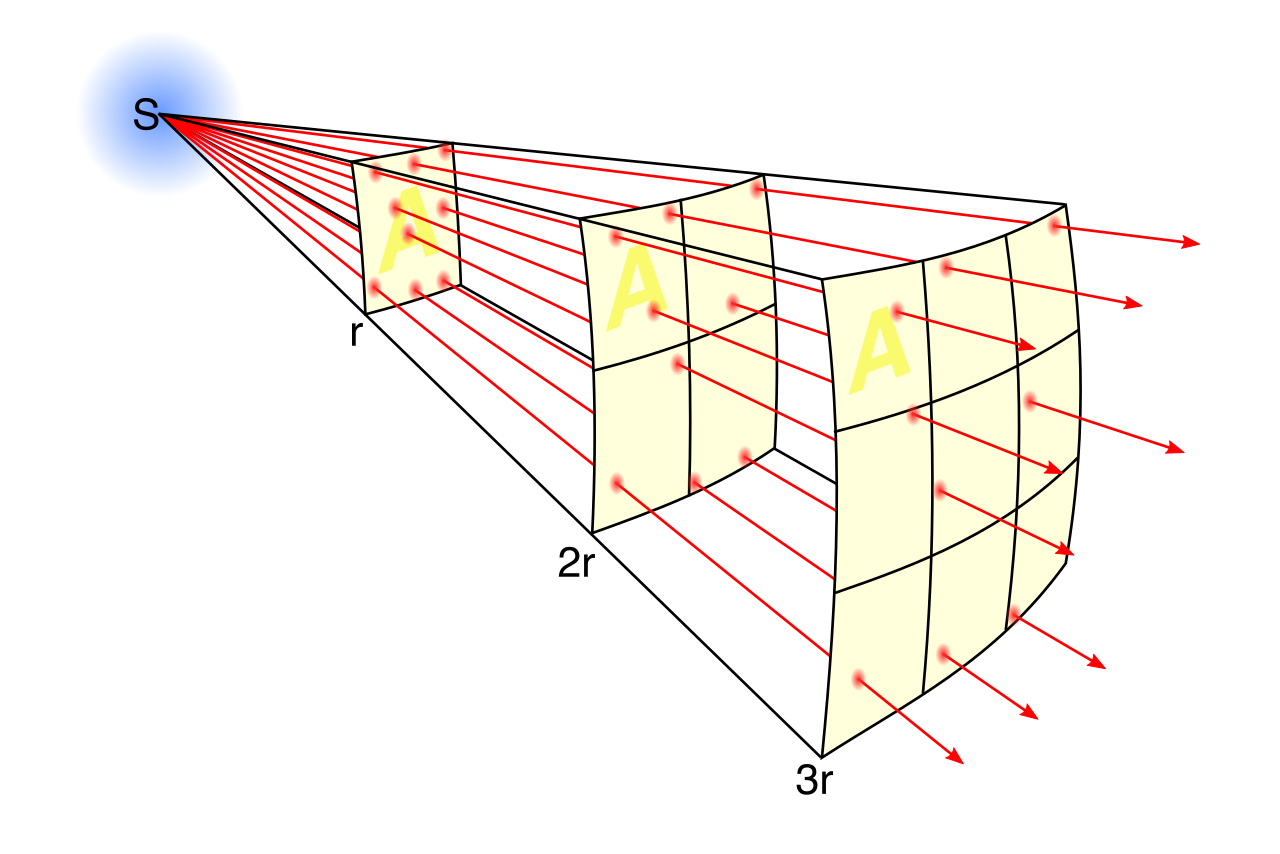
For the auditory channel, a noisy classroom is a chaotic wall of sound for a student using a hearing aid. The inverse square law tells us that sound intensity drops dramatically as it travels from the teacher to the student. Frequency Modulation systems amplify a teacher's voice directly into a student's hearing aid to reduce background noise interference. Furthermore, closed captioning provides a visual text display of spoken words in videos to assist students with hearing impairments, ensuring universal access to multimedia content.
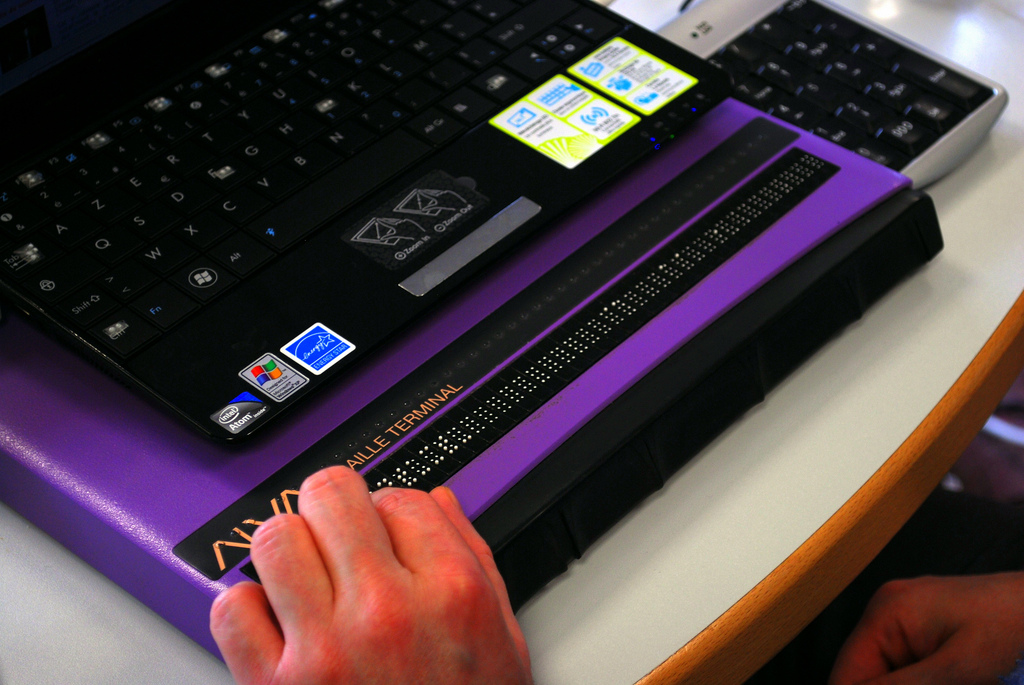
For the visual channel, we manipulate the digital environment. Screen reading software assists students with visual impairments by reading aloud the text displayed on a computer screen. If a student possesses partial sight, screen magnification software enlarges digital text and images to accommodate learners with low vision. When a student requires physical interaction with text rather than auditory input, refreshable Braille displays are high-tech devices translating on-screen digital text into tactile Braille characters, physically raising and lowering pins in real-time as the student navigates a document.
Summary for the Aspiring Educator
Assistive technology is not a mechanism for "making things easier" for a student. It is the application of physics, software, and human ingenuity to remove arbitrary barriers. Whether it is a two-cent piece of highlighter tape or a sophisticated eye-tracking computer, your goal is to select the exact tool that unlocks the student's latent potential, allowing their true intellect and personality to engage with the world.