Options for Assistive Technology
Not sure you’re ready?
Take the ~3-minute readiness diagnostic and see where you stand.
Imagine trying to read a novel through a keyhole, or attempting to write a complex analytical essay while wearing thick winter mittens. In both scenarios, your underlying cognitive ability is entirely intact, but the mechanical interface between your brain and the task is fundamentally broken. Assistive technology serves as the bridge over that specific physical, sensory, or cognitive gap. It does not lower the bar of the curriculum; it simply builds a customized ladder so the student can reach it.
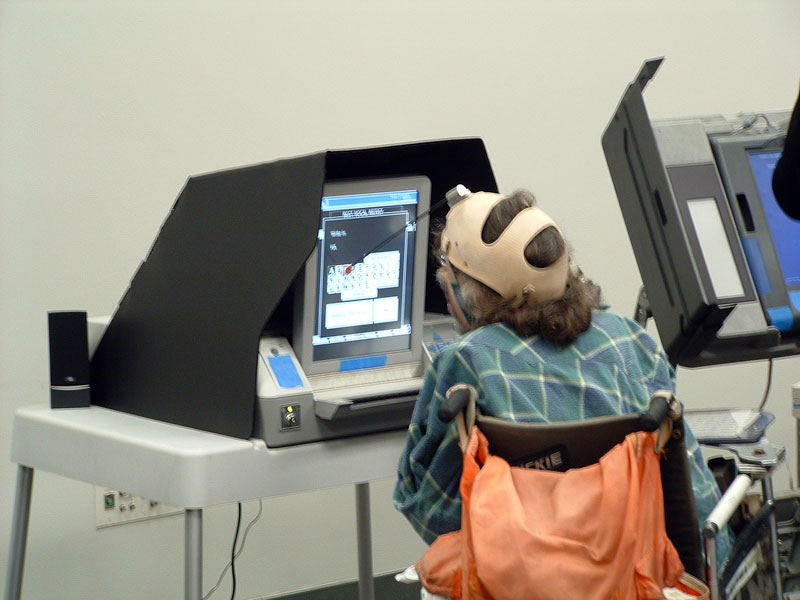
As a special educator, you will not just be teaching content; you will be analyzing the precise friction points where a student’s disability meets the environment, and you will be deploying tools to eliminate that friction. Understanding the spectrum of assistive technology, the legal mandates backing it, and the frameworks used to select it is what separates a well-intentioned teacher from a highly effective, transformative one.
The legal scaffolding for your daily work comes from the Individuals with Disabilities Education Act (IDEA). IDEA dictates that an Individualized Education Program (IEP) team must consider assistive technology for every student receiving special education services. It is not a luxury reserved for severe disabilities; it is a mandatory consideration for every child on your caseload.
By legal and practical definition, assistive technology devices are tools used to increase, maintain, or improve the functional capabilities of a student with a disability.
However, IDEA places specific boundaries on this definition.
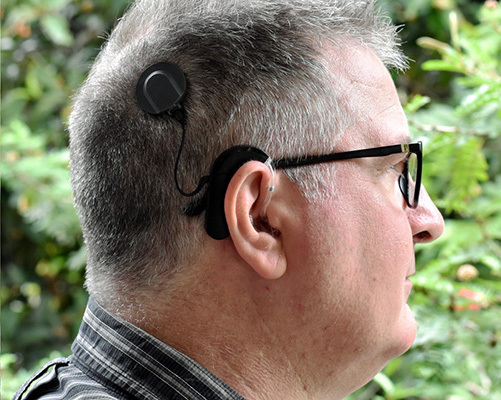
Crucial Exclusion: The Individuals with Disabilities Education Act (IDEA) explicitly excludes surgically implanted medical devices from its legal definition of assistive technology. Therefore, devices like cochlear implants are classified as surgically implanted medical devices and fall outside the scope of what the school is legally obligated to maintain or provide under the AT umbrella.
It Is Not Just the Device; It Is the Service
If you hand a non-verbal child an iPad with communication software but never teach them how to navigate the menus, you have not provided assistive technology; you have provided a very expensive paperweight.
For this reason, IDEA mandates that assistive technology services must accompany the devices. These services encompass three critical actions:
- Evaluation: The formal evaluation of a student's needs for assistive technology in the student's customary environment (the actual classroom, not just an isolated clinic).
- Acquisition: Purchasing, leasing, or otherwise providing for the acquisition of assistive technology devices. If an IEP team determines a student needs a specific technology, the school district must provide the technology at no cost to the parents (i.e., $0 out-of-pocket).
- Training: Comprehensive training for the student, their family, and the educational professionals on how to effectively operate a specific device.
Assistive technology is typically categorized along a continuum of complexity: low-tech, mid-tech, and high-tech. Your goal is never to jump to the most expensive, complex tool. Your goal is to find the simplest tool that effectively bridges the gap.
Low-Tech Tools
Low-tech assistive technology tools do not require batteries or electronic components. Because of their simplicity, they are generally inexpensive and require minimal user training.
- Pencil grip: A physical mold placed on a writing utensil to help a student with fine motor challenges hold the tool correctly.
- Slant board: An angled surface used to improve the ergonomic positioning of writing or reading materials, often utilized by students with visual tracking or fine motor difficulties.
- Graphic organizers: Paper-based tools that help students visually structure their thoughts and writing before they begin drafting.
- Highlighter tape: Colored, transparent tape used to draw visual attention to specific text in a book without permanently marking the pages—ideal for students who easily lose their place or need help identifying main ideas in borrowed textbooks.
Mid-Tech Devices
Mid-tech assistive technology devices typically require batteries or simple electronic components. They offer a step up in interactivity but generally require moderate user training to operate effectively.
- Digital visual timer: A device (like a Time Timer) that visually displays time passing, used to help students manage time and anticipate task transitions, lowering anxiety for students with autism or ADHD.
- Talking calculator: A device that provides auditory feedback for mathematical operations, allowing students with visual impairments or severe dyscalculia to verify their inputs.
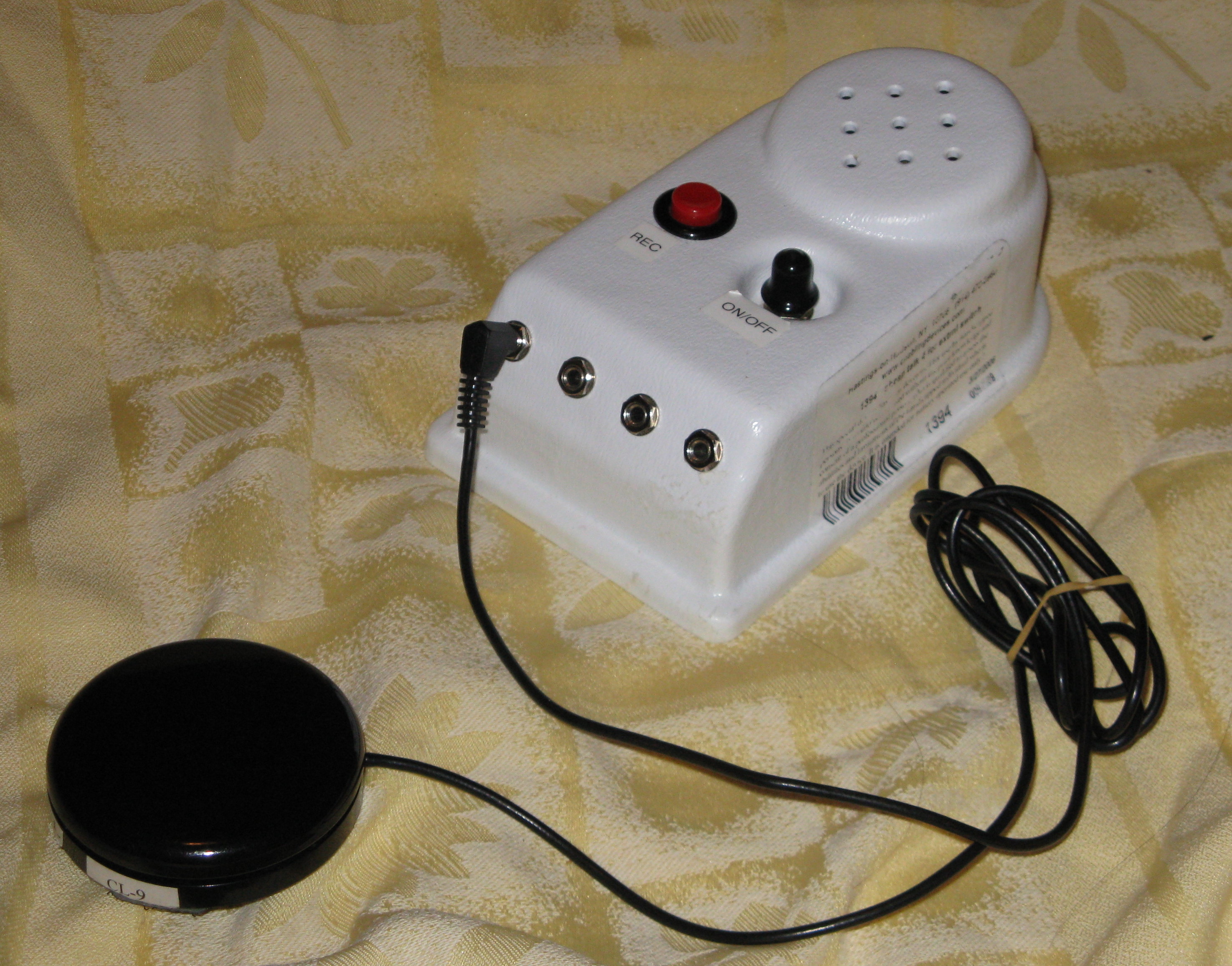
- Single-message voice output devices: A simple button (like a BIGmack switch) used for basic augmentative communication. A teacher can record a single phrase ("Turn the page," or "Good morning"), allowing a non-verbal student to participate in a specific routine.
- Switch-adapted toy: A tool that allows a student with severe motor impairments to activate a battery-operated toy using a single, large button, teaching cause-and-effect and promoting independent play.
High-Tech Devices
High-tech assistive technology devices involve complex software, computer systems, or advanced digital electronics. These require significant user training and ongoing technical support.
- Text-to-speech software: Converts digital text into spoken audio, bypassing decoding barriers for students with severe dyslexia or visual impairments.
- Speech-to-text software: Transcribes spoken language into written digital text, bypassing written expression or fine motor barriers.
- Dynamic display augmentative and alternative communication (AAC) devices: Sophisticated tablets that allow non-verbal students to navigate complex, layered menus of digital vocabulary to construct full sentences.
- Eye-tracking computer navigation systems: Highly advanced devices used by individuals with severe physical disabilities (such as ALS or severe cerebral palsy) to control a computer mouse and keyboard using only the movement of their pupils.
- Word prediction software: Software that suggests words as a student types. This reduces keystrokes and spelling errors, preserving cognitive energy for students with fine motor fatigue or specific learning disabilities.
- Frequency Modulation (FM) systems: Devices used to amplify a teacher's voice directly to a hearing aid or earpiece, cutting through background classroom noise for students with auditory processing or hearing deficits.
The AT Continuum at a Glance
| Technology Level | Power Source | Cost & Training | Example Applications |
|---|---|---|---|
| Low-Tech | None | Low cost, minimal training | Slant boards, graphic organizers, highlighter tape |
| Mid-Tech | Batteries/Simple Electronics | Moderate cost & training | Digital visual timers, switch-adapted toys |
| High-Tech | Computers/Advanced Software | High cost, significant training & support | Eye-tracking navigation, dynamic display AAC |
You cannot select an assistive technology device based on a hunch or a glossy catalog. The selection must be systematic.
The SETT Framework
The SETT framework is a structured model used by IEP teams to evaluate and select assistive technology. The acronym SETT dictates a specific order of operations: Student, Environments, Tasks, and Tools.
- Student: The team first identifies the individual's specific physical, cognitive, and sensory strengths and barriers. What can they do? What is hindering them?
- Environments: The team analyzes the physical spaces and instructional settings where the student will use the technology. (A dynamic AAC device with a quiet speaker might work in a resource room, but fail in a noisy cafeteria).
- Tasks: The team identifies the specific academic or functional activities the student needs to accomplish (e.g., writing a five-sentence paragraph, communicating a bathroom need).
- Tools: Only after analyzing the S, E, and T does the team finally select the most appropriate assistive technology devices and services.
Note on Formal Evaluation: For teams looking to formalize this process, the Wisconsin Assistive Technology Initiative (WATI) provides a highly respected, standardized assessment framework to help special educators formally evaluate student assistive technology needs across various domains like seating, communication, and reading.
Assistive Technology does not exist in a vacuum; it operates within broader educational design philosophies, most notably Universal Design for Learning (UDL), an educational framework developed by the Center for Applied Special Technology (CAST).
UDL focuses on optimizing instructional design to proactively accommodate the diverse needs of all learners before they even enter the classroom. Assistive technology aligns beautifully with the core principles of UDL:
- It aligns directly with the UDL principle of providing multiple means of representation (e.g., text-to-speech giving auditory representation to visual text).
- It aligns directly with the UDL principle of providing multiple means of action and expression (e.g., eye-tracking systems or speech-to-text allowing alternative ways to demonstrate knowledge).
Furthermore, it is critical to understand the legal and academic function of these tools. An assistive technology tool functions as an accommodation when it changes how a student accesses information without fundamentally altering the academic standard being taught. If the standard is "compose a narrative," speech-to-text is an accommodation. The student is still composing the narrative; they are just bypassing the mechanical barrier of typing.
Providing the technology is only half the battle. The other half is ensuring it is actually used.
Assistive technology abandonment occurs when a student refuses or ceases to use an assigned assistive technology device. Why does a student toss an expensive tool in their locker to gather dust?
First, a lack of adequate operational training for the student or educational staff is a leading cause of assistive technology abandonment. If the general education teacher does not know how to troubleshoot the FM system, it simply won't get used.
Second, the IEP team must consider the human element: a student's personal preference and willingness to use a device must be evaluated to prevent assistive technology abandonment. A middle schooler might desperately need a dynamic AAC device, but if it is housed in a bulky, brightly colored, "childish" case that draws unwanted peer attention, they will refuse to use it out of social preservation.
Finally, our legal and moral obligations do not end at graduation. For high school students with disabilities, transition planning must include provisions detailing how the student's assistive technology needs will be met in post-secondary environments. A student utilizing word prediction software or an FM system needs to know how to acquire and advocate for those exact tools in a college lecture hall or a workplace.
By mastering the spectrum of tools, relying on frameworks like SETT and WATI, and anticipating issues like abandonment, you ensure that the technology you provide truly acts as a bridge to your students' autonomy and success.