AWS Pricing Models
Not sure you’re ready?
Take the ~3-minute readiness diagnostic and see where you stand.
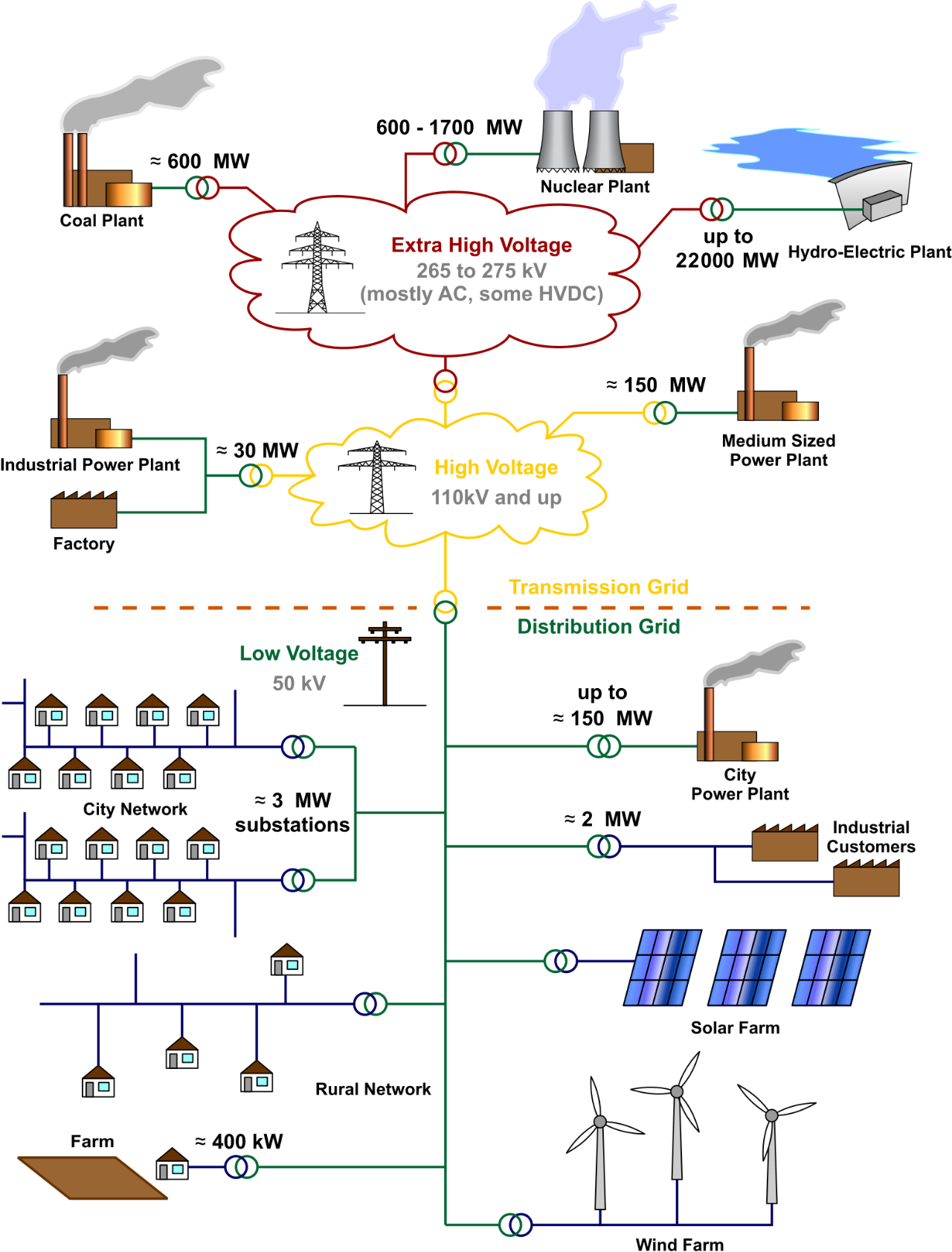
In traditional IT infrastructure, acquiring computing power required forecasting demand years in advance, purchasing physical servers, and enduring the financial burden of idle hardware. The cloud operates on an entirely different economic physics: utility computing. Just as a factory draws electricity from a grid—paying only for the kilowatts it consumes and immediately stopping payments when the machines power down—AWS allows organizations to consume compute, storage, and networking resources as programmable utilities. Understanding the precise mechanics of how AWS meters and prices these utilities is not an accounting exercise; it is a fundamental architectural discipline. The way you provision your systems directly dictates their cost, and mastering these pricing models is the key to achieving the true economic advantage of the cloud.
Before we examine specific services, we must establish the universal laws governing AWS pricing.
First, the AWS pay-as-you-go pricing model allows customers to pay only for the individual services they consume without requiring long-term contracts. You provision a server, run it for an hour, shut it down, and pay strictly for that hour. There are no termination fees or sunk capital costs.
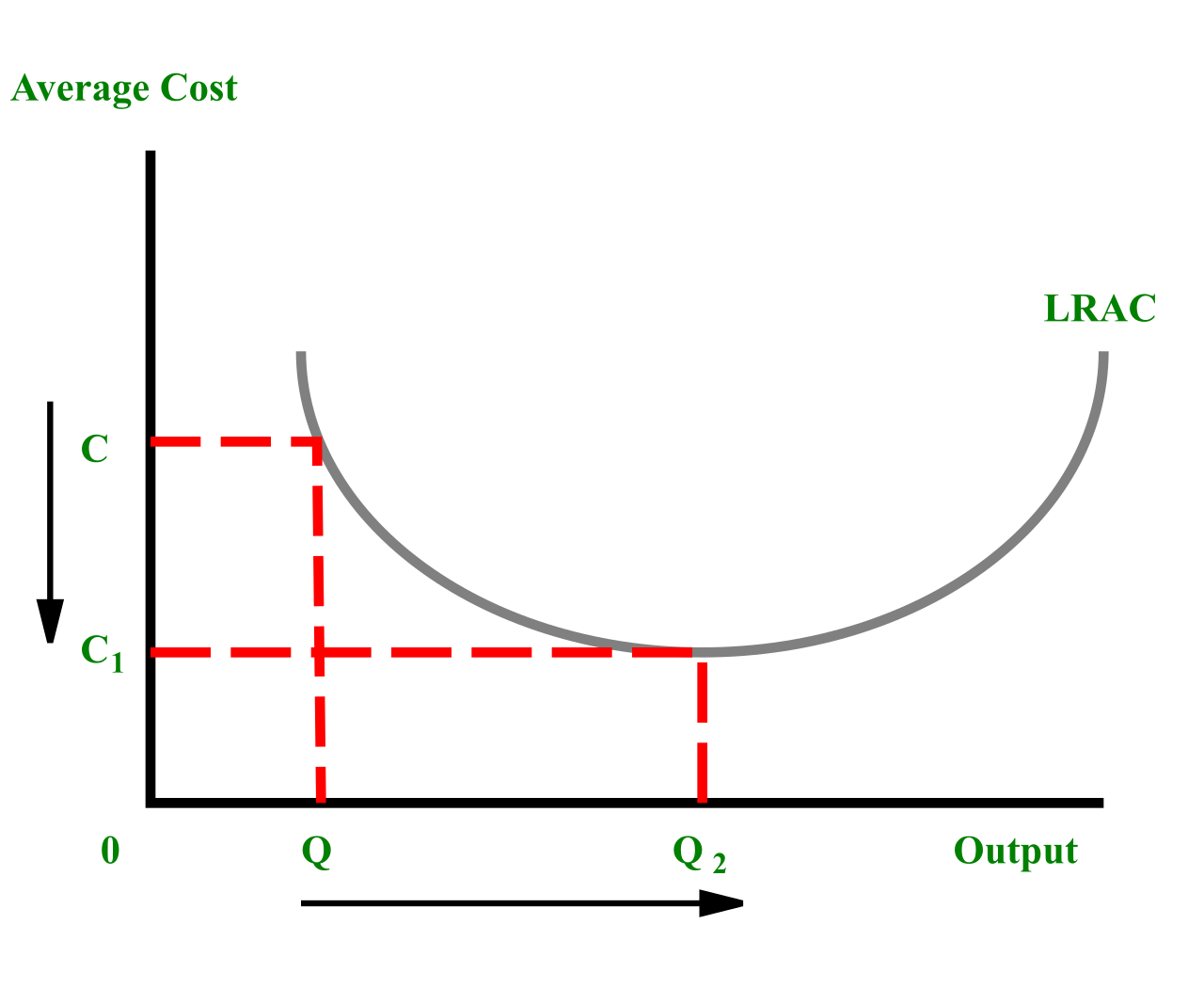
Second, the system benefits from economies of scale at the consumer level. AWS offers volume-based discounts where the unit price of a specific service decreases as total usage increases. As your organization stores more data or transfers larger volumes of traffic, you automatically cross into pricing tiers that charge less per gigabyte.
Third, predictability is financially rewarded. While pay-as-you-go is excellent for dynamic workloads, stable workloads benefit heavily from commitments. AWS offers pricing discounts on compute and storage services in exchange for a customer making a one-year or three-year commitment.
Note on Experimentation: To allow builders to test these models without financial risk, the AWS Free Tier offers short-term trials, twelve-month free usage tiers, and always-free usage tiers for specific services. This enables a risk-free environment for initial architecture design.
Compute is the engine of the cloud, and Amazon Elastic Compute Cloud (Amazon EC2) provides various purchasing options that function much like the real estate or hospitality markets. You can rent by the hour, sign a long-term lease, wait for a standby cancellation, or buy out the entire building.
1. On-Demand Instances
Amazon EC2 On-Demand Instances allow customers to pay for compute capacity by the hour or second with no long-term commitments. Think of this as the "walk-in rate" at a hotel. It carries the highest hourly price, but it offers absolute freedom.
Because they cannot be unexpectedly terminated by AWS, Amazon EC2 On-Demand Instances are ideal for short-term, spiky, or unpredictable workloads that cannot be interrupted.
2. Reserved Instances (RIs)
If you know you will run a database 24/7 for the next three years, paying the On-Demand walk-in rate is economically irrational. Amazon EC2 Reserved Instances require a one-year or three-year capacity commitment, but in exchange, they provide up to a 72 percent discount compared to Amazon EC2 On-Demand Instance pricing.
RIs come in two primary behavioral categories:
- Standard Reserved Instances: These provide the highest discount level among all Reserved Instance types. However, they are rigid; Standard Reserved Instances do not allow customers to change the instance family or operating system during the commitment term.
- Convertible Reserved Instances: Technology needs change. If you anticipate needing different server types in the future, Convertible Reserved Instances allow customers to change the instance family, operating system, or tenancy during the commitment period. The tradeoff is a slightly lower discount than Standard RIs.
When purchasing RIs, your cash flow dictates your final discount. Customers can pay for Reserved Instances using All Upfront, Partial Upfront, or No Upfront payment options. Unsurprisingly, the All Upfront payment option for Reserved Instances provides the highest overall discount compared to other payment options, as you are essentially giving AWS capital in advance.
3. Savings Plans
Where RIs are a commitment to specific capacity, Savings Plans are a commitment to a monetary spend. AWS Savings Plans offer lower prices for compute usage in exchange for a commitment to a specific dollar amount of usage per hour (e.g., $10/hour) for a one-year or three-year period. Any usage up to your committed amount is charged at the discounted rate; usage beyond it reverts to On-Demand rates.
There are two main types:
- Compute Savings Plans: This is the most flexible option. Compute Savings Plan discounts apply automatically regardless of the selected instance family, size, or AWS Region. Furthermore, Compute Savings Plans automatically apply pricing discounts to Amazon EC2, AWS Fargate, and AWS Lambda usage. You can shift architectures entirely (e.g., migrating from servers to serverless) without abandoning your discount.
- Amazon EC2 Instance Savings Plans: If you can commit to a narrower scope, Amazon EC2 Instance Savings Plans provide the lowest prices in exchange for a commitment to usage of individual instance families in a specific AWS Region (e.g., M5 instances in US-East-1).
4. Spot Instances
AWS operates massive physical data centers with fluctuating aggregate demand. To monetize idle hardware, AWS created the Spot market. Amazon EC2 Spot Instances allow customers to request spare Amazon EC2 computing capacity for up to a 90 percent discount compared to On-Demand prices.
The catch? Amazon EC2 Spot Instances can be interrupted by AWS with a two-minute warning when AWS needs the computing capacity back for On-Demand customers. Because of this inherent volatility, Amazon EC2 Spot Instances are best suited for flexible, fault-tolerant, or stateless workloads like batch processing or background rendering.
5. Dedicated Capacity
For stringent compliance, regulatory, or licensing requirements, you must sometimes isolate your workloads at the physical hardware layer.
- Dedicated Instances: These are Amazon EC2 instances that run in a virtual private cloud on hardware dedicated to a single customer.
- Dedicated Hosts: Going a step further, a Dedicated Host is a physical Amazon EC2 server fully dedicated to a single customer. The primary economic advantage here is licensing: Dedicated Hosts allow customers to use existing per-socket, per-core, or per-VM software licenses to reduce licensing costs (e.g., bringing your own legacy Windows Server or Oracle licenses).
In an enterprise environment, cloud usage is scattered across dozens or hundreds of isolated AWS accounts. AWS Organizations allows you to centrally manage these accounts, bringing a profound economic benefit known as consolidated billing.
When consolidated billing is active, AWS treats all member accounts as a single giant account for pricing purposes. This means the pricing benefits of Reserved Instances are automatically shared across all member accounts.
Consider a scenario where Account A purchases a Reserved Instance but shuts down the underlying server. Rather than wasting that purchased capacity, if one account in an AWS Organization does not fully use its purchased Reserved Instance capacity, the unused discount automatically applies to matching usage in another member account.
Financial Governance: Sometimes, a subsidiary or business unit must be strictly isolated for accounting purposes. To handle this, an AWS Organization management account can disable Reserved Instance discount sharing for specific member accounts, ensuring cost allocations remain siloed where necessary.
To understand AWS network pricing, imagine data as physical goods moving through a border checkpoint. The direction and distance the data travels dictate the toll.
- Inbound is Free: AWS wants your data. Data transfer into an AWS Region from the internet is generally free of charge.
- Outbound Costs Money: When your applications serve data to users, it leaves the AWS infrastructure. Data transfer out of an AWS Region to the internet incurs a cost based on the volume of data transferred.
- Internal Regional Traffic: If your web server talks to your database within the exact same environment, data transfer between different AWS services within the same AWS Region is generally free of charge.
- Crossing Internal Borders: Availability Zones (AZs) are physically separated data centers within a Region. Data transfer between different Availability Zones within the same AWS Region incurs a per-gigabyte cost. This small fee reflects the physical fiber-optic transit costs between data centers.
- Crossing Global Borders: Moving data over long distances is expensive. Data transfer between different AWS Regions incurs a per-gigabyte cost.
AWS offers two primary types of storage—Object storage (Amazon S3) and Block storage (Amazon EBS). They are billed using entirely different economic logic.
Amazon S3 Pricing Mechanics
Amazon S3 behaves like a highly dynamic commercial warehouse. Amazon S3 pricing is determined primarily by the total volume of data stored in gigabytes per month. But simply storing data isn't the whole picture. Amazon S3 charges a fee for storage management operations such as PUT, COPY, POST, LIST, and GET requests. If your application constantly reads and writes millions of tiny files, your request costs may rival your storage volume costs.
You optimize this by choosing the right "warehouse floor" (Storage Class):
| Storage Class | Use Case & Economic Profile |
|---|---|
| S3 Standard | High-performance, active data. Amazon S3 Standard provides the highest monthly storage cost among the primary Amazon S3 storage classes, but critically, Amazon S3 Standard does not charge any data retrieval fees. |
| S3 Glacier | Archival data. Amazon S3 Glacier storage classes provide lower monthly storage costs than Amazon S3 Standard. However, there is a penalty for changing your mind: Amazon S3 Glacier storage classes charge per-gigabyte fees whenever data is retrieved from the archive. |
| S3 Intelligent-Tiering | For data with unknown or unpredictable access patterns. Amazon S3 Intelligent-Tiering automatically moves data between access tiers based on changing access patterns to optimize costs. For acting as your automated warehouse manager, Amazon S3 Intelligent-Tiering charges a small monthly monitoring and automation fee per object. |
Amazon EBS Pricing Mechanics
If S3 is a dynamic warehouse, Amazon Elastic Block Store (EBS) is a personal, locked storage unit you attach to an EC2 instance.
When you rent a 100 GB storage unit in the physical world, the landlord charges you for the 100 GB space, even if you only put one small box inside. EBS works the exact same way: Amazon EBS volumes are billed according to the amount of storage provisioned in gigabytes per month. Consequently, Amazon EBS volume billing is based entirely on provisioned capacity regardless of how much storage is actually consumed by data.
Furthermore, performance is commoditized. Certain Amazon EBS volume types charge additional fees for provisioned input/output operations per second (IOPS), allowing you to pay extra to guarantee the speed at which your disk reads and writes data.

As you move up the abstraction stack from raw servers to managed services, the pricing models align even closer to direct business value.
AWS Lambda is the pioneer of serverless compute. Instead of paying for an underlying server by the hour, AWS Lambda pricing is based on the total number of requests for a function and the duration the function takes to execute. You are billed in milliseconds. The speed of execution, however, is linked to the power you give it: AWS Lambda duration pricing depends on the amount of memory allocated to the serverless function. Double the memory, and you double the cost per millisecond—though your code will likely execute much faster, often creating a net-neutral cost.
Amazon Relational Database Service (Amazon RDS) manages complex database setups. Amazon RDS pricing depends on the database engine (e.g., commercial engines like Oracle cost more than open-source engines like PostgreSQL), the instance class (the size of the underlying server), and the amount of active storage provisioned. Just as with EC2, if you have predictable database workloads, Amazon RDS allows customers to purchase Reserved DB Instances for a one-year or three-year term to reduce database compute costs.
The financial mechanics of AWS require a paradigm shift. You are no longer managing capital expenditures and physical depreciation. Instead, you manage architecture. By expertly aligning workload patterns with On-Demand elasticity, Commitment-based discounts (Savings Plans and RIs), Spot market economics, and exact-fit storage classes, you effectively write your own price tag for your cloud infrastructure.