Cost-Optimized Databases
Not sure you’re ready?
Take the ~3-minute readiness diagnostic and see where you stand.
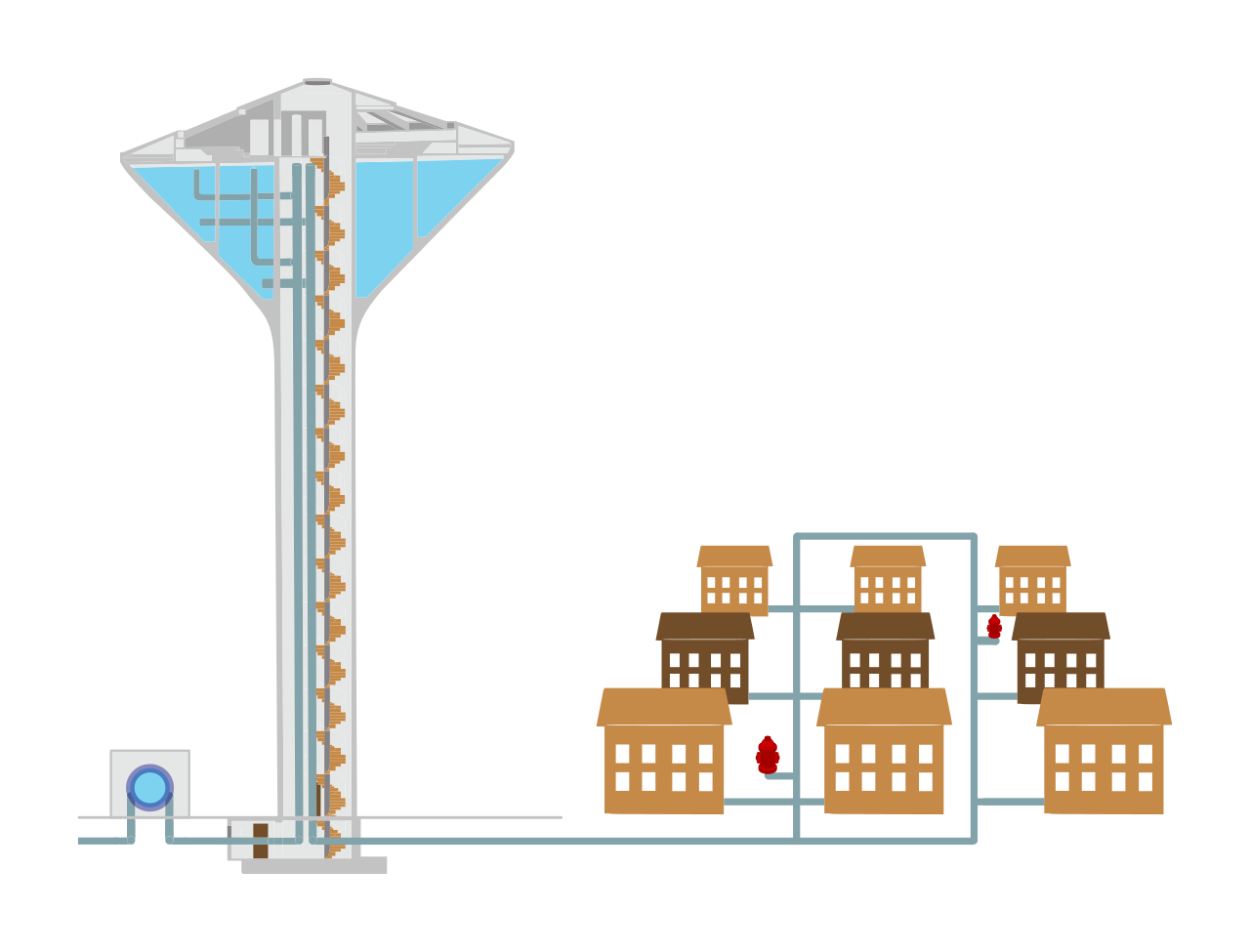
Consider a city’s municipal water system. The engineers must design a network capable of handling the morning rush when half the city opens their taps simultaneously. However, they cannot afford to lay massive, high-pressure mains to every single home just to accommodate an hour of peak usage. Instead, they use water towers to buffer demand, intelligent pumps that activate only when line pressure drops, and differential pricing for industrial consumers.
Database cost optimization in AWS follows the exact same principles. You are not simply storing data; you are paying for the capacity to query it, the memory to cache it, and the input/output operations to mutate it. In traditional on-premises architectures, database servers are sized for peak theoretical loads, resulting in expensive hardware sitting idle twenty hours a day. The cloud inverts this model. By leveraging serverless scaling, decoupling storage from compute, and selecting capacity modes mathematically aligned to your application's traffic patterns, you transform a rigid capital expense into a highly efficient, fluid utility.
The fundamental rule of cloud economics is paying only for what you consume. However, how we define "consumption" depends entirely on the predictability of the workload. We must categorize our database compute into steady-state, bursty, or dormant usage.
Predictable and Steady-State Workloads
If a database serves a continuous, predictable baseline of traffic, provisioning capacity on-demand is financially inefficient. For these environments, Amazon RDS Reserved Instances provide a significant discount over On-Demand pricing for steady-state relational database workloads. By committing to AWS that you will utilize a specific instance family in a specific region, you dramatically lower your hourly compute rate.
Architectural Constraint: Amazon RDS Reserved Instances require a one-year or three-year term commitment. You are exchanging flexibility for raw cost reduction.
Erractic and Bursty Workloads
Conversely, if an application experiences sudden spikes in traffic followed by long periods of low usage, a provisioned instance wastes capital. For these scenarios, Amazon Aurora Serverless automatically scales database compute capacity based on workload demand to optimize costs.
Rather than picking an instance size (like a db.r6g.large), you configure a minimum and maximum capacity. The system handles the rest. Specifically, Amazon Aurora Serverless v2 scales compute capacity in fractions of an Aurora Capacity Unit to closely match workload requirements, scaling up and down virtually instantaneously.
To model the cost of this architecture, you must understand the underlying unit of scale. One Aurora Capacity Unit provides approximately 2 gigabytes of memory and associated CPU and networking resources.
Dormant Workloads
During development and testing, databases often sit unused overnight or over the weekend. Stopping an Amazon RDS instance temporarily halts hourly compute charges, saving substantial budget in non-production environments.
However, stopping an instance is a temporary state, not an archival strategy. An Amazon RDS instance can be stopped for a maximum of seven consecutive days before the instance is automatically restarted to apply necessary maintenance and security patches. Furthermore, the meter on the underlying data does not stop. A stopped Amazon RDS instance continues to incur charges for provisioned storage and manual snapshots. You are no longer paying for the CPU, but you are still consuming space on the disk.
In database physics, storage capacity (gigabytes) and performance (Input/Output Operations Per Second, or IOPS) are traditionally inextricably linked. Breaking this link is one of the most effective ways to optimize costs.
Amazon RDS Storage Optimization
In previous generations of AWS storage, Amazon RDS gp2 storage automatically scales baseline IOPS performance directly based on the provisioned storage volume size. This meant that if a database needed high throughput but only contained 10 gigabytes of data, engineers were forced to over-provision a massive, mostly empty disk just to unlock the required IOPS.
AWS solved this by decoupling the two dimensions. Amazon RDS gp3 storage allows provisioning IOPS and storage throughput independently of storage volume capacity. You can buy exactly the disk space you need and precisely the speed you require. Additionally, Amazon RDS gp3 storage provides a lower baseline cost per gigabyte compared to Amazon RDS gp2 storage. For modern deployments, gp3 is the default, cost-optimized choice.
For extreme tier-one databases, AWS offers io1 and io2 volumes. Provisioned IOPS storage volumes are the most expensive Amazon RDS storage option. Because of their premium pricing, Provisioned IOPS storage volumes should only be used for database workloads requiring sustained high input and output performance that exceed the limits of gp3.
Amazon Aurora I/O Economics
Amazon Aurora inherently decouples storage and compute, but it traditionally charges you a micro-fee for every single read and write request. If you run a high-frequency trading platform or an IoT ingestion engine, those microscopic I/O charges compound rapidly into massive monthly bills.
To counter this, AWS introduced a specialized configuration. Amazon Aurora I/O-Optimized configuration provides predictable pricing by eliminating per-request input and output charges. Instead of paying per transaction, you pay a slightly higher premium for the compute and storage.
The Cost Crossover Formula: Amazon Aurora I/O-Optimized is the most cost-effective configuration when input and output spend exceeds twenty-five percent of the total Aurora database spend. If your I/O charges are lower than this threshold, stick with the Standard configuration.
Amazon DynamoDB introduces an entirely different pricing paradigm. Because it is a fully managed NoSQL database, there are no instances to size. You pay for read and write throughput, and choosing the right capacity mode is the absolute foundation of DynamoDB cost optimization.
On-Demand Capacity
For new applications, volatile traffic, or workloads that sit idle and suddenly spike, capacity planning is impossible. Amazon DynamoDB On-Demand capacity mode charges per read and write request without requiring capacity provisioning. Because you never pay for idle capacity, Amazon DynamoDB On-Demand capacity mode is the most cost-effective choice for unpredictable or bursty database workloads.
Provisioned Capacity
While On-Demand is highly flexible, the per-request cost is higher than a provisioned baseline. If your workload establishes a predictable pattern, you should switch modes. Amazon DynamoDB Provisioned capacity mode is more cost-effective than On-Demand mode for predictable database workloads.
Predictable does not mean perfectly flat. Traffic often follows a daily curve (e.g., high usage during business hours, low at night). To prevent paying for peak capacity 24/7, Amazon DynamoDB Auto Scaling automatically adjusts provisioned read and write capacity units to accommodate changing traffic patterns while minimizing costs.
Just as with RDS, if you know you will be running this DynamoDB workload long-term, you can commit financially. Purchasing Amazon DynamoDB Reserved Capacity provides a significant billing discount compared to standard Provisioned capacity pricing. And mirroring the relational database world, Amazon DynamoDB Reserved Capacity requires a one-year or three-year commitment.
Operational databases (OLTP) require different cost strategies than analytical data warehouses (OLAP) or in-memory caches.
Amazon Redshift
Data warehouses store massive historical datasets. Historically, compute nodes and storage were coupled, forcing you to overpay for compute just to get enough disk space to store historical archives. Amazon Redshift RA3 instances separate compute and storage costs to optimize data warehouse spending. You can scale the compute for querying independently of the managed storage layer.
Furthermore, many business intelligence teams only run heavy analytical queries during end-of-month reporting. Amazon Redshift Serverless automatically provisions and scales data warehouse capacity based on query volume to minimize idle compute costs. When nobody is running reports, the compute spins down to zero. When queries arrive, Amazon Redshift Serverless bills compute capacity in Redshift Processing Units on a per-second basis.
Amazon ElastiCache
At the absolute fastest tier of cloud architecture, we place data in RAM using Amazon ElastiCache. But RAM is fundamentally the most expensive storage medium on Earth.
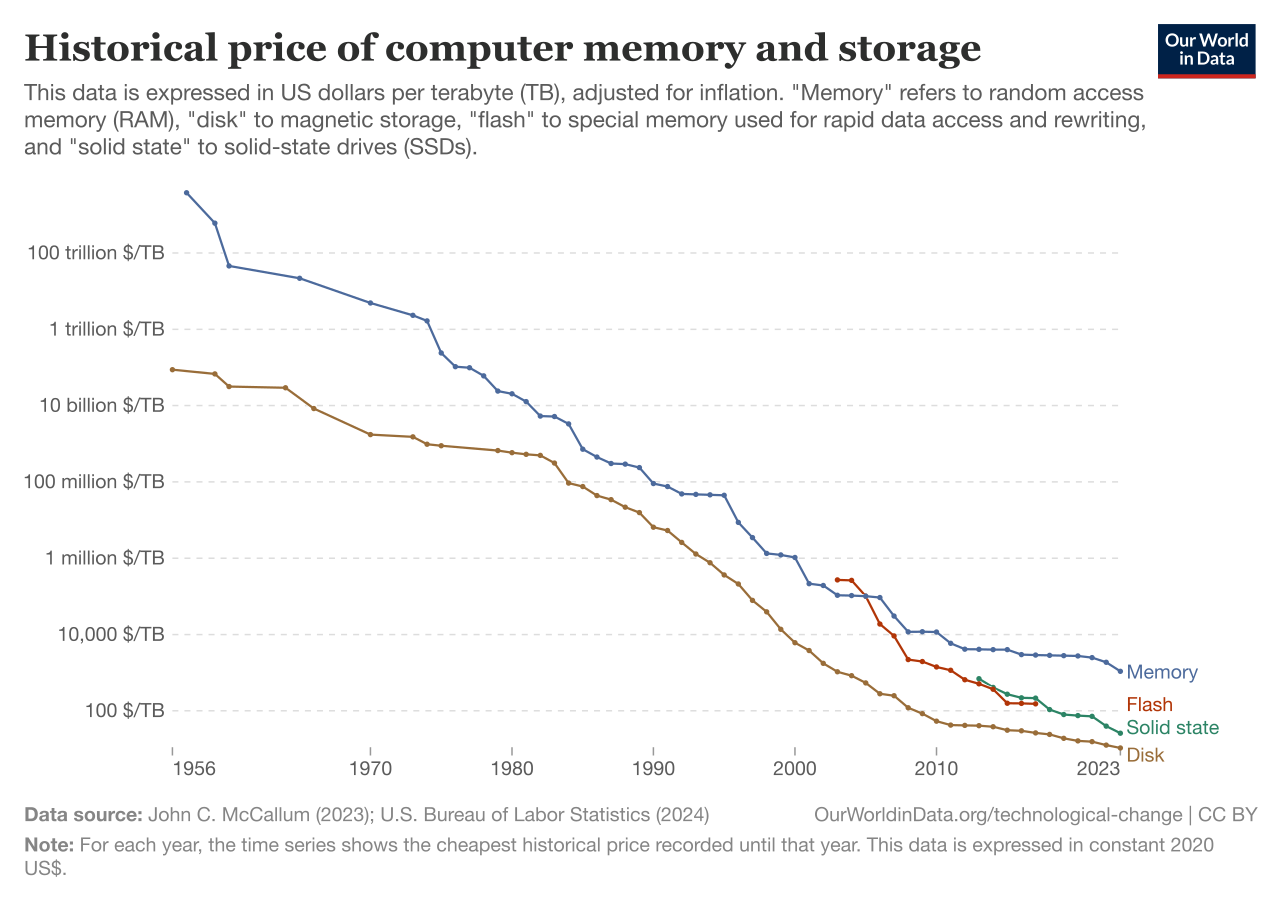
If you have massive caches, you likely have "hot" data (read constantly) and "warm" data (read occasionally). Amazon ElastiCache data tiering provides a lower-cost memory option by storing less frequently accessed data on solid state drives. The service automatically moves active items to RAM and inactive items to local NVMe SSDs, drastically reducing the total cost per gigabyte. Be aware of the architectural limitation: Amazon ElastiCache data tiering is only available for specific Redis cluster node types, specifically the r6gd family.
High availability requires redundancy, and redundancy requires duplicating infrastructure. Resilient architecture fundamentally requires a budget tradeoff.
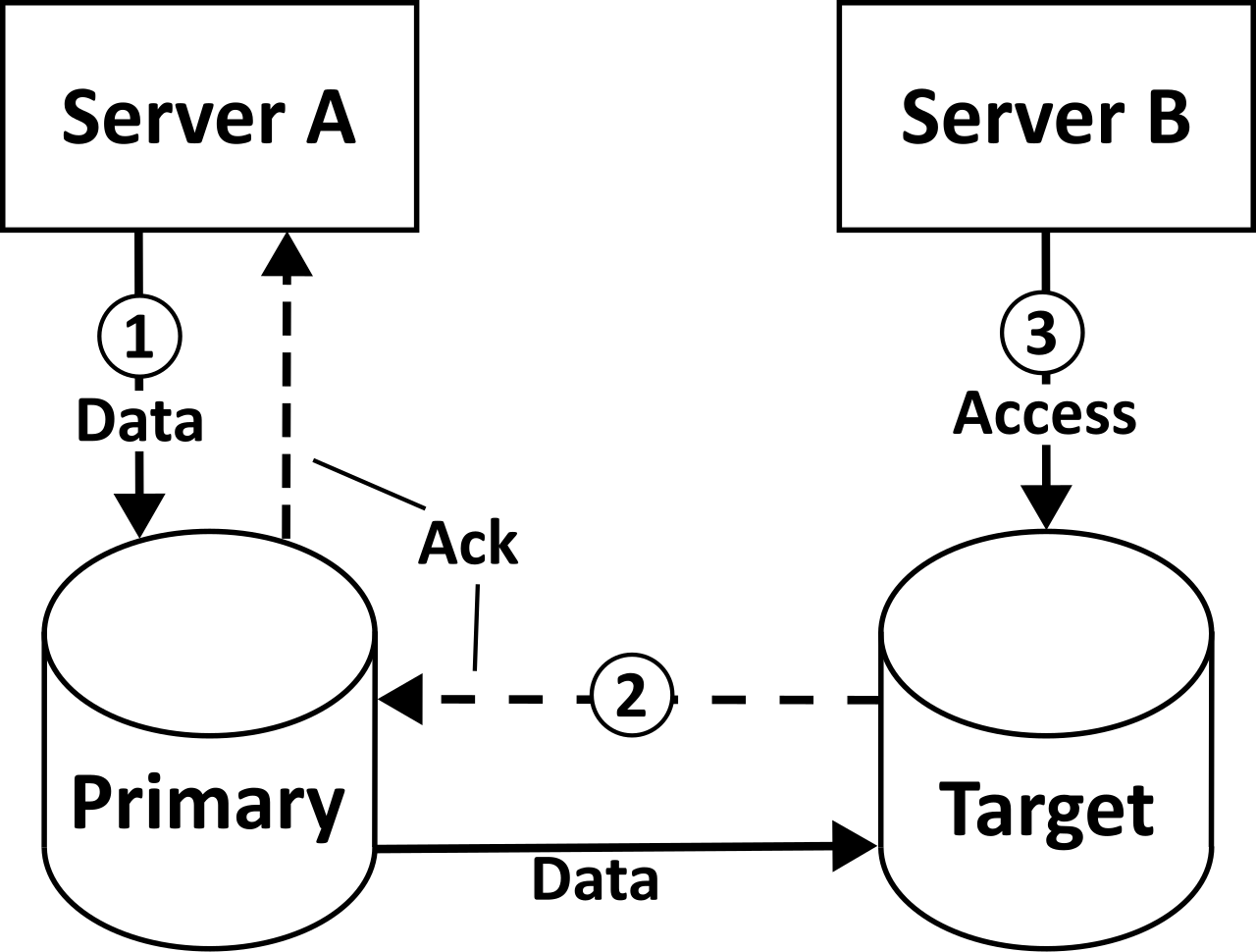
To survive a data center outage, we utilize Multi-AZ deployments. Because AWS spins up a synchronous standby replica in a secondary Availability Zone, Amazon RDS Multi-AZ deployments double the compute and storage costs compared to Single-AZ deployments.
However, AWS recognizes that keeping this synchronous replica updated requires constant network traffic across the availability zones. Normally, AWS charges for cross-AZ data transfer. But as an architectural exception, data transfer between the primary and standby instances in an Amazon RDS Multi-AZ deployment is free of charge.
The exact opposite is true for geographic replication. If you provision an asynchronous replica in another region (perhaps to serve European users with low latency while the primary database remains in the United States), you must pay the regional transit toll. Amazon RDS Cross-Region Read Replicas incur outbound data transfer charges for replication across AWS Regions.
Storage does not just grow horizontally as you add new records; it grows chronologically through backups. Managing data retention is critical to avoiding "invisible" invoice bloat.
Automated Backups
By default, AWS protects your relational databases with automated snapshots. Amazon RDS automated backups are retained for a user-specified period between one and thirty-five days.
You are heavily incentivized to rely on these automated systems because AWS provides a massive cost buffer. Amazon RDS does not charge for backup storage up to one hundred percent of the total provisioned database storage for an active database instance. For example, if you provision a 500 GB database, the first 500 GB of automated backup storage is completely free.
Amazon Aurora calculates this slightly differently due to its distributed storage volume. Amazon Aurora charges for backup storage exceeding the total size of the Aurora database cluster data volume.
Manual Snapshots and Deletions
The single most common budgeting mistake made by engineers occurs during the decommissioning of a database. A developer takes a final, manual snapshot of an RDS instance "just in case," and then deletes the database.
Deleting an Amazon RDS instance does not automatically delete manual database snapshots. Once the database is gone, you lose the "free backup storage" allowance. Amazon RDS manual database snapshots incur storage costs until the snapshots are explicitly deleted. They will sit in your AWS account for years, steadily consuming budget, unless governed by lifecycle policies.
NoSQL Backups
Continuous protection in DynamoDB works through a different mechanism but carries a similar recurring cost. Amazon DynamoDB Point-in-Time Recovery incurs continuous backup storage charges based on the size of the DynamoDB table. If your table is constantly growing, your backup storage bill will grow proportionally right alongside it. Cost optimization requires regularly assessing if non-critical tables truly require to-the-second recovery, or if standard daily on-demand backups suffice.