Highly Available AWS Global Infrastructure
Not sure you’re ready?
Take the ~3-minute readiness diagnostic and see where you stand.
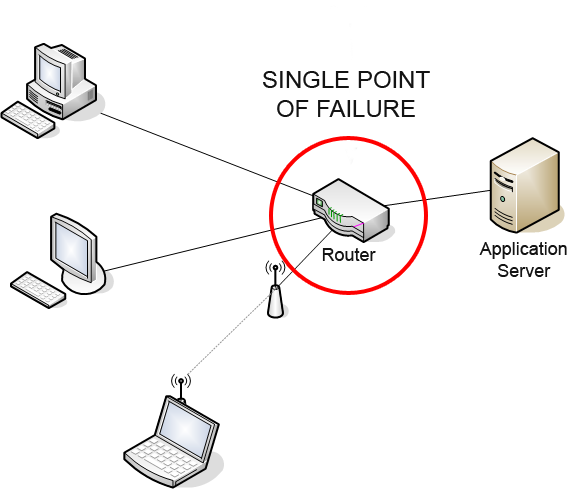
When engineers design the flight control systems for a modern commercial airliner, they do not assume the primary hydraulic line will operate flawlessly for the life of the aircraft. Instead, they design a topology where multiple independent systems, routed through physically separate compartments, stand ready to take over in milliseconds. In cloud architecture, we face the exact same fundamental physics of failure: hardware degrades, power grids experience anomalies, and physical connections are occasionally severed. To architect a resilient system is to acknowledge that failure is not an anomaly to be avoided, but a mathematical certainty to be absorbed. A single point of failure is a system component that stops the entire system from working upon its failure. Architecting for high availability requires eliminating single points of failure through deliberate, systematic resource redundancy.
If we want to build systems that survive localized disasters, we must first understand the physical geography of the AWS cloud. Many engineers treat the cloud as an abstract, formless entity. It is not. It is intensely physical, and understanding its physical layout is the bedrock of high availability.
An AWS Region consists of multiple isolated and physically separate Availability Zones within a geographic area. Think of a Region not as a single building, but as a vast metropolitan cluster of infrastructure. Crucially, every AWS Region contains a minimum of three Availability Zones.
Why three? Because true fault tolerance requires consensus and distributed voting mechanisms (like Quorum), which are significantly more robust with three nodes rather than two. But more importantly, what exactly is an Availability Zone?
An Availability Zone is a discrete logical data center—often comprising multiple physical buildings. To guarantee that a failure in one zone does not cascade to another, AWS strictly enforces physical and operational boundaries:
- Each Availability Zone has independent power infrastructure.
- Each Availability Zone has independent cooling infrastructure.
- Each Availability Zone has independent physical security.
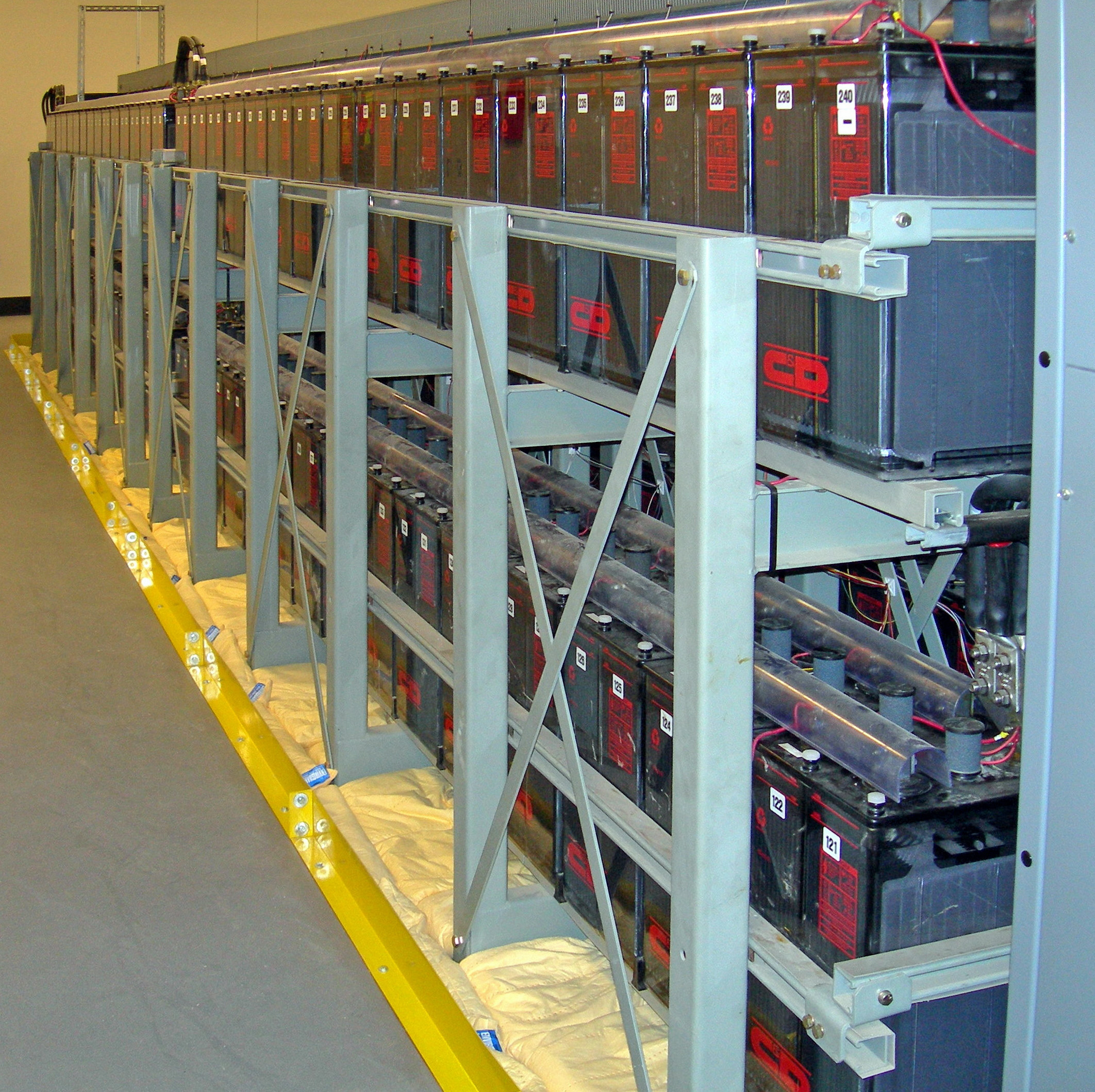
Despite this aggressive isolation, these zones must act as a cohesive unit. Availability Zones within a single AWS Region are connected through high-bandwidth and low-latency network connections. This fiber-optic mesh is fully redundant, allowing data to traverse between zones in a fraction of a millisecond.

For the Solutions Architect, the design imperative is clear: deploying resources across multiple Availability Zones protects applications from the failure of a single data center. If lightning strikes a substation feeding Zone A, your application running simultaneously in Zone B doesn't even blink.
Pushing to the Edge: Local and Wavelength Zones
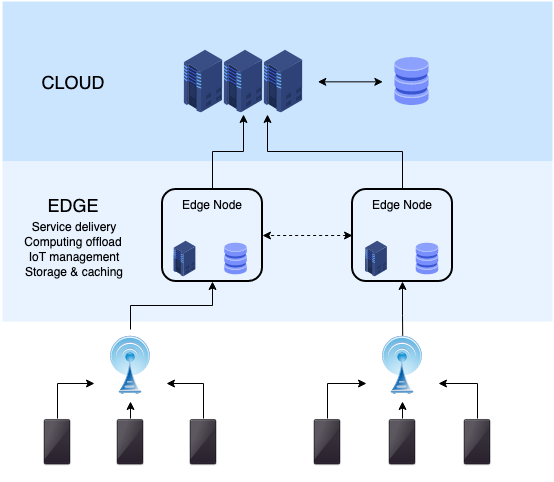
Sometimes, standard Regions are still too far from the end user to meet strict latency requirements. For use cases like real-time gaming or automated financial trading, AWS extends its infrastructure closer to the edge.
AWS Local Zones place compute and storage services closer to end users in specific metropolitan areas to provide single-digit millisecond latency. If you have an application serving users in Los Angeles, but the nearest Region is in Oregon, deploying to an LA Local Zone cuts the geographic distance and the resulting latency.
Taking this a step further into the mobile revolution, AWS Wavelength Zones embed AWS compute and storage services within telecommunications providers' 5G networks. This means a mobile device can process data at the edge of the 5G network without ever traversing the public internet, practically eliminating network hops.
Once you have distributed your infrastructure across the globe, you must direct your users to the right place. Amazon Route 53 is a highly available and scalable cloud Domain Name System (DNS) web service. It translates human-readable names (like www.example.com) into the numeric IP addresses that computers use to connect.
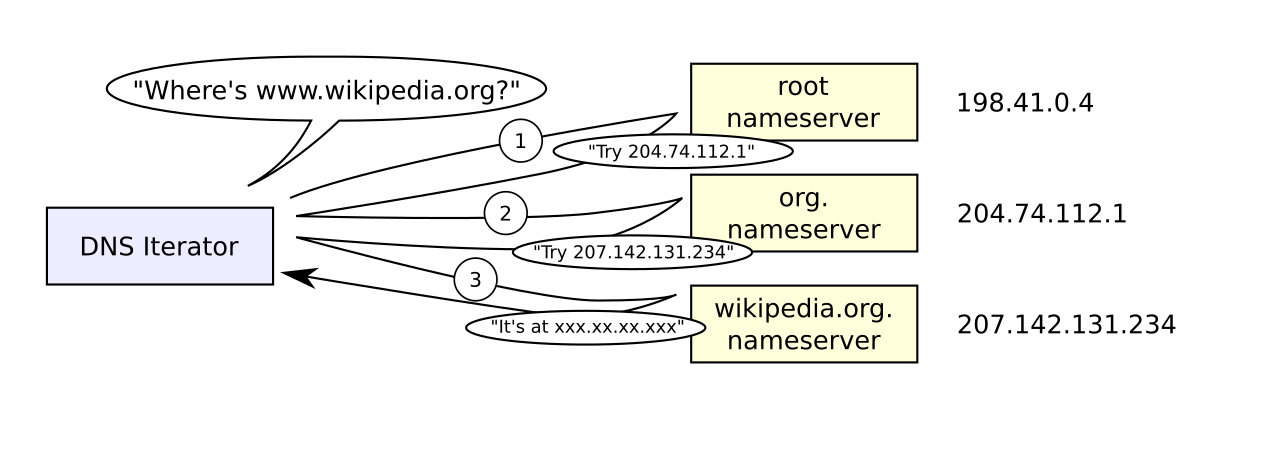
Because DNS is the absolute "front door" to your application, any failure here is catastrophic. Recognizing this, Amazon Route 53 offers a one hundred percent availability Service Level Agreement (SLA) for its authoritative Domain Name System service. It is one of the few AWS services that guarantees absolute uptime.
Route 53 is not just a static directory; it acts as an intelligent traffic router. Amazon Route 53 health checks monitor the operational status and performance of web applications. By constantly pinging your endpoints, Route 53 knows exactly which parts of your infrastructure are healthy and which are failing.
Armed with this telemetry, you can configure powerful routing behaviors:
- Failover Routing: Amazon Route 53 failover routing policies direct traffic to a secondary resource when the primary resource fails a health check. This is your classic disaster recovery mechanism.
- Active-Active Failover: Amazon Route 53 active-active failover configurations use multiple primary resources to process traffic simultaneously. Both resources are live, and Route 53 balances traffic between them based on health.
- Active-Passive Failover: Conversely, Amazon Route 53 active-passive failover directs traffic to a standby resource only when the primary resource fails a health check. The passive site costs money to maintain but sits idle until disaster strikes.
- Latency Routing: To optimize global user experience, Amazon Route 53 latency routing policies send user traffic to the AWS Region that provides the lowest network latency. A user in Tokyo gets routed to the
ap-northeast-1region, while a user in Berlin hitseu-central-1. - Multi-Value Answer: Sometimes you simply want to provide the client with options. Amazon Route 53 multi-value answer routing returns multiple healthy IP addresses in response to Domain Name System queries, allowing the client-side browser or application to pick an address and retry if one happens to stall.
Traffic has successfully navigated Route 53 and reached your Availability Zones. Now, how do we distribute it among individual servers without creating new single points of failure?
An Elastic Load Balancer (ELB) automatically distributes incoming application traffic across multiple targets in multiple Availability Zones. The ELB acts as a shield, preventing any single server from being overwhelmed. However, if traffic spikes unexpectedly in a specific zone, an imbalance can occur. Cross-zone load balancing solves this; it allows an Elastic Load Balancer to distribute traffic evenly across all registered instances in all enabled Availability Zones, ignoring zone boundaries to ensure optimal utilization of all backend servers.
Architect's Rule of Thumb: Always pair an ELB with an Auto Scaling group.
While the ELB manages the flow of traffic, Amazon EC2 Auto Scaling manages the fleet of servers. EC2 Auto Scaling automatically replaces unhealthy instances to maintain a fixed minimum number of healthy instances. If a server's operating system crashes, the ELB stops sending it traffic, and Auto Scaling immediately terminates the broken instance and spins up a brand new one to replace it.
Stateful High Availability: The Database Tier
Stateless web servers are easy to replace, but what about databases? If a database server burns down, you cannot simply spin up a blank instance—you lose the data.
To solve this, deploying a Multi-AZ Amazon RDS database creates a synchronous standby replica in a different Availability Zone. The key word here is synchronous. Every time your application writes data to the primary database in Zone A, the database ensures the data is strictly committed to the standby instance in Zone B before acknowledging the write. If Zone A goes completely dark, AWS automatically flips the DNS record of your database to point to Zone B, ensuring zero data loss and minimal downtime.
Even with a perfectly redundant hardware architecture, human error and software bugs can act as a massive single point of failure. If you've ever spent three hours at 2:00 AM hunting down a production bug only to realize someone manually SSH'd into a single server and tweaked an NGINX configuration file, you have experienced the pain of configuration drift.
The solution to this is a paradigm shift. Immutable infrastructure is a paradigm where servers are never modified after initial deployment. Think of a server not as a pet that you nurse back to health with patches and updates, but as a lightbulb. When a lightbulb burns out or flickers, you don't take it apart and solder the filament; you throw it away and screw in a new one.

Updating an immutable infrastructure involves replacing existing servers with entirely new servers containing the updated configurations.
How Do We Build It?
Immutable infrastructure prevents configuration drift by ensuring all running instances perfectly match a defined baseline image. In AWS, this is achieved through a combination of several services:
- Amazon Machine Images (AMIs): AMIs capture the exact state of a server to facilitate the rapid launch of identical replacement instances. Your operating system, security patches, application code, and dependencies are all baked into a single, static snapshot.
- AWS CloudFormation: To ensure the infrastructure itself is reproducible, AWS CloudFormation enables the automated and repeatable deployment of immutable infrastructure through declarative code templates. You define your load balancers, security groups, and routing rules in text files (JSON or YAML), and CloudFormation builds it exactly the same way every time.
- ASG Immutable Deployments: When it is time to release version 2.0 of your application, you don't push the code to running servers. Instead, an Auto Scaling group using an immutable deployment strategy launches a completely new set of instances before terminating the old instances. Once the new instances (booted from your new v2.0 AMI) pass their health checks, traffic shifts over seamlessly, and the old fleet is destroyed.
When you step back and look at a well-architected AWS environment, the elegance of the design reveals itself. It operates on layers of nested redundancy:
- Physical isolation at the Availability Zone level.
- Global intelligence and routing at the Route 53 level.
- Traffic distribution via Elastic Load Balancing paired with EC2 Auto Scaling.
- Synchronous data replication via Multi-AZ RDS.
- Absolute consistency in software deployments via Immutable Infrastructure.
As a Solutions Architect, your role is not merely to build systems that work when everything is fine. Your job is to engineer systems that possess the physical and logical architecture necessary to survive, adapt, and self-heal when the inevitable failures occur.