High-Performing Storage Solutions
Not sure you’re ready?
Take the ~3-minute readiness diagnostic and see where you stand.
Imagine a high-performance manufacturing plant. The compute units—your servers and functions—are the assembly line workers. They are incredibly fast, but they are absolutely useless if the raw materials (your data) do not arrive precisely when needed. In cloud architecture, performance is rarely bottlenecked by how fast a CPU can calculate; it is bottlenecked by the physics of moving data across a network. When we evaluate storage solutions in AWS, we are not simply choosing where to put files. We are designing the supply chain for our applications.

To master the AWS Certified Solutions Architect exam and—more importantly—to design systems that survive real-world scale, you must intimately understand the mechanical differences between block, file, and object storage. You must know when to provision a dedicated conveyor belt, when to build a shared warehouse, and when to leverage an infinite shipping yard.
Block storage treats data as raw, unformatted volumes of fixed-size blocks. When you format a block device with a file system, the operating system interacts with it precisely like a physical hard drive. In AWS, this domain is governed by Amazon EBS (EBS) and Amazon EC2 Instance Store.
Amazon EBS: Persistent, Replicated Block Storage
Amazon EBS provides persistent block-level storage volumes for use with Amazon EC2 instances. When you attach an EBS volume to an EC2 instance, you are connecting a highly reliable network drive. Because network transmission can introduce latency, we rely on EBS-optimized Amazon EC2 instances, which deliver dedicated bandwidth between the Amazon EC2 instance and Amazon EBS volumes, ensuring storage traffic does not compete with your web or application traffic.
Unlike a physical hard drive that could suffer a catastrophic mechanical failure, Amazon EBS volumes are automatically replicated within a single Availability Zone to prevent data loss. However, they are fundamentally locked to that single AZ.
How do we choose the right volume? We look at the interplay of IOPS (Input/Output Operations Per Second) and throughput.
The SSD Tier: Transactional Performance
Solid State Drives (SSDs) are built for highly transactional workloads with small, frequent read/write operations—think relational databases and boot volumes.
- General Purpose SSDs (gp2 and gp3): Historically, Amazon EBS gp2 volume IOPS performance scales linearly based on the provisioned storage capacity. If you wanted more speed, you had to buy a bigger volume, even if you didn't need the space. They are capped at a maximum throughput of 250 MB per second. Modern architectures should almost always default to the newer generation: Amazon EBS gp3 volumes allow administrators to provision IOPS and throughput independently of storage capacity. This is a profound architectural advantage. You can dial up a 10 GB volume to support up to 16,000 IOPS and a maximum throughput of 1,000 MB per second without paying for dead space.
- Provisioned IOPS SSDs (io1 and io2 Block Express):
When your database requires extreme, sustained performance, you move to the
iofamily. Amazon EBS io1 volumes deliver a maximum of 64,000 IOPS per volume. The pinnacle of EBS performance, however, is Amazon EBS io2 Block Express volumes, which deliver a maximum of 256,000 IOPS per volume—effectively giving you Storage Area Network (SAN) performance in the cloud.
Crucial Capability: Amazon EBS Multi-Attach Standard EBS volumes map 1:1 with an EC2 instance. However, clustered applications (like Oracle RAC) demand shared block access. Amazon EBS Multi-Attach enables a single EBS volume to be attached to multiple EC2 instances simultaneously. But beware of the constraints: Amazon EBS Multi-Attach is only supported on Provisioned IOPS SSD io1 and io2 volumes.
The HDD Tier: Sequential Throughput
Hard Disk Drives (HDDs) are physically constrained by spinning platters. They are terrible at random transactions (low IOPS) but excellent at streaming large contiguous blocks of data (high throughput).
- Amazon EBS Throughput Optimized HDD st1 volumes are designed for frequently accessed workloads requiring sequential read and write operations, such as Big Data clusters, log processing, and data warehousing.
- Amazon EBS Cold HDD sc1 volumes are designed for less frequently accessed workloads requiring low storage costs.
Architectural Warning: By AWS design constraints, Amazon EBS HDD volume types cannot be used as boot volumes for Amazon EC2 instances. An EC2 instance must boot from an SSD (gp2/gp3, io1/io2) or a magnetic standard volume.

Amazon EC2 Instance Store: The Ephemeral Speed Demon
Even with io2 Block Express, EBS is still a network-attached drive. The laws of physics dictate that traveling over a network takes time. What if you need sub-millisecond latency for temporary caches, scratch space, or NoSQL databases that handle their own replication?
You use the local workbench. Amazon EC2 instance store provides temporary block-level storage physically attached to the host computer. Because the storage is physically inside the server rack, Amazon EC2 instance store provides the lowest latency and highest IOPS compared to all Amazon EBS volume types.

There is a severe trade-off for this speed: volatility. Stopping or terminating an Amazon EC2 instance permanently deletes all data on the associated instance store. (Note: simply rebooting the instance via the OS retains the data, but if the hypervisor migrates the instance to a new physical host—which happens on a stop/start—the data is gone).
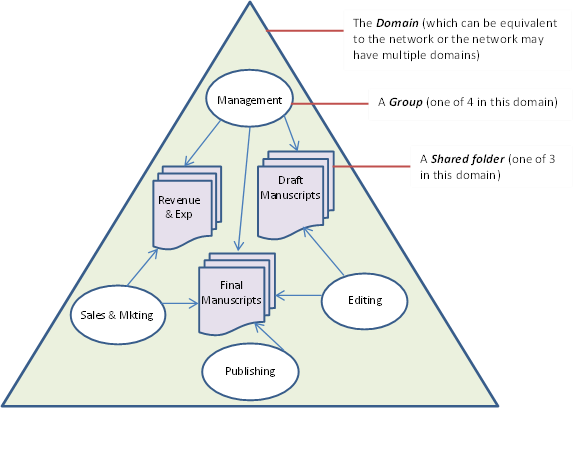
If block storage is a dedicated conveyor belt, file storage is a shared warehouse. Multiple servers need concurrent access to a central hierarchy of files.
Amazon EFS: Elastic NFS
Amazon EFS provides a fully managed NFS file system. It eliminates the need to provision capacity upfront; Amazon EFS automatically scales storage capacity up or down based on file addition or removal. Furthermore, because it acts as a centralized repository, Amazon EFS file systems can be concurrently accessed by thousands of Amazon EC2 instances.
To optimize EFS for your specific workload, you must tune two distinct dimensions: Performance Mode and Throughput Mode.
Dimension 1: Performance Modes
| Mode | Characteristics | Ideal Workload |
|---|---|---|
| General Purpose | Provides the lowest per-operation latency for latency-sensitive use cases. This is the default. | Web serving, CMS, home directories. |
| Max I/O | Scales to higher levels of aggregate throughput and operations per second compared to General Purpose mode. The trade-off? It incurs slightly higher latencies for file operations. | Big data analysis, media processing, genomic sequencing. |
Dimension 2: Throughput Modes
| Mode | Characteristics |
|---|---|
| Elastic Throughput | Automatically adjusts throughput performance based on workload activity without manual provisioning. Perfect for spiky, unpredictable workloads. |
| Provisioned Throughput | Allows administrators to specify a fixed level of throughput independent of the file system size. Ideal when you have a small file system but need massive data transfer rates. |
Storage Classes and Cost
Resiliency directly impacts cost. By default, Amazon EFS Standard storage classes replicate data across multiple Availability Zones. If your application handles non-critical, reproducible data (like developer test environments), you can opt for Amazon EFS One Zone storage classes, which store data within a single Availability Zone to reduce costs.
Amazon FSx: Purpose-Built File Systems
While EFS is strictly for Linux-based NFS workloads, AWS offers the FSx family for specialized architectures:
- Amazon FSx for Windows File Server provides fully managed shared storage accessible via the Server Message Block (SMB) protocol. It integrates natively with Active Directory.
- Amazon FSx for NetApp ONTAP provides fully managed shared storage supporting multi-protocol access including NFS, SMB, and iSCSI. This allows you to migrate legacy NetApp appliances directly to the cloud without rewriting application access patterns.
- Amazon FSx for Lustre is a high-performance file system designed for fast processing of compute-intensive workloads (like machine learning, financial modeling, and video rendering). Lustre provides staggering throughput. Crucially, Amazon FSx for Lustre can be seamlessly linked to an Amazon S3 bucket for bidirectional data synchronization. Your compute cluster processes the files at lightning speed in Lustre, and the results are automatically saved back to durable, cheap S3 storage.
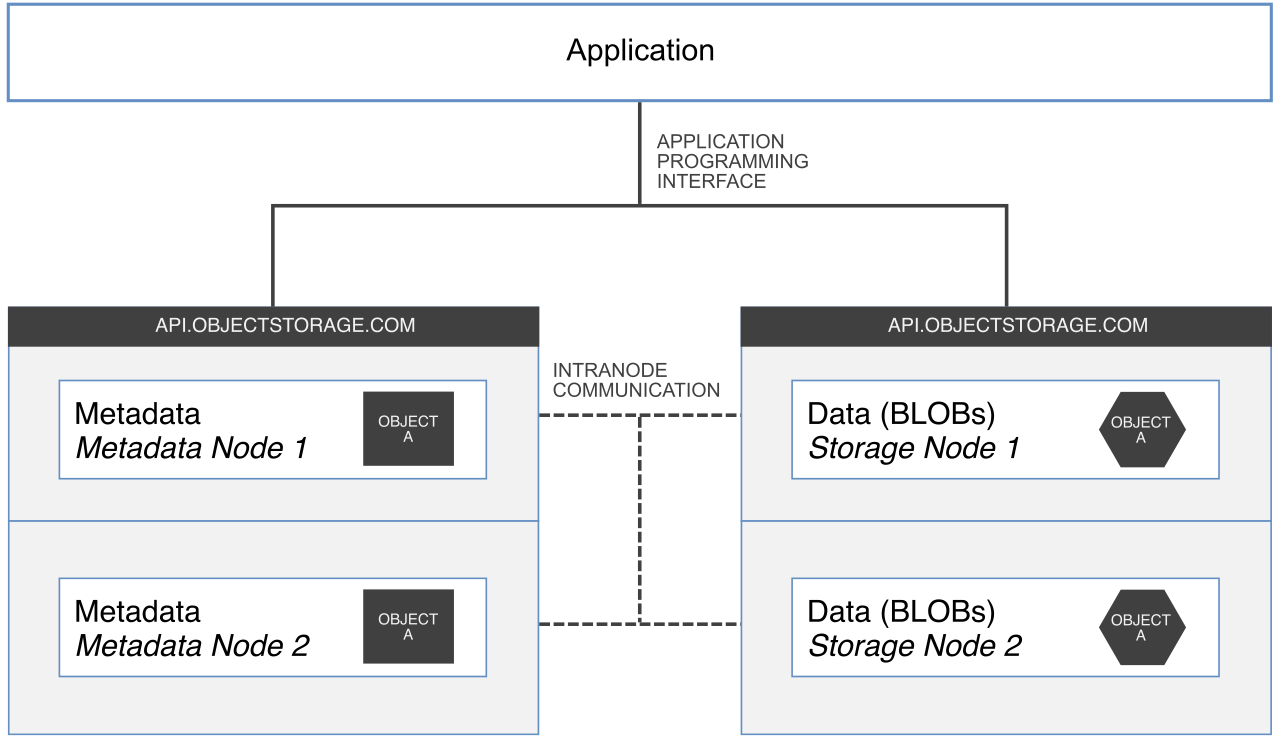
Amazon S3 is fundamentally different from block and file storage. There are no hierarchies, no directories, and no blocks. Data is stored as objects in a flat namespace. S3 is designed to hold virtually infinite amounts of data, but extracting maximum performance requires understanding how AWS routes traffic under the hood.
Overcoming the S3 Prefix Bottleneck
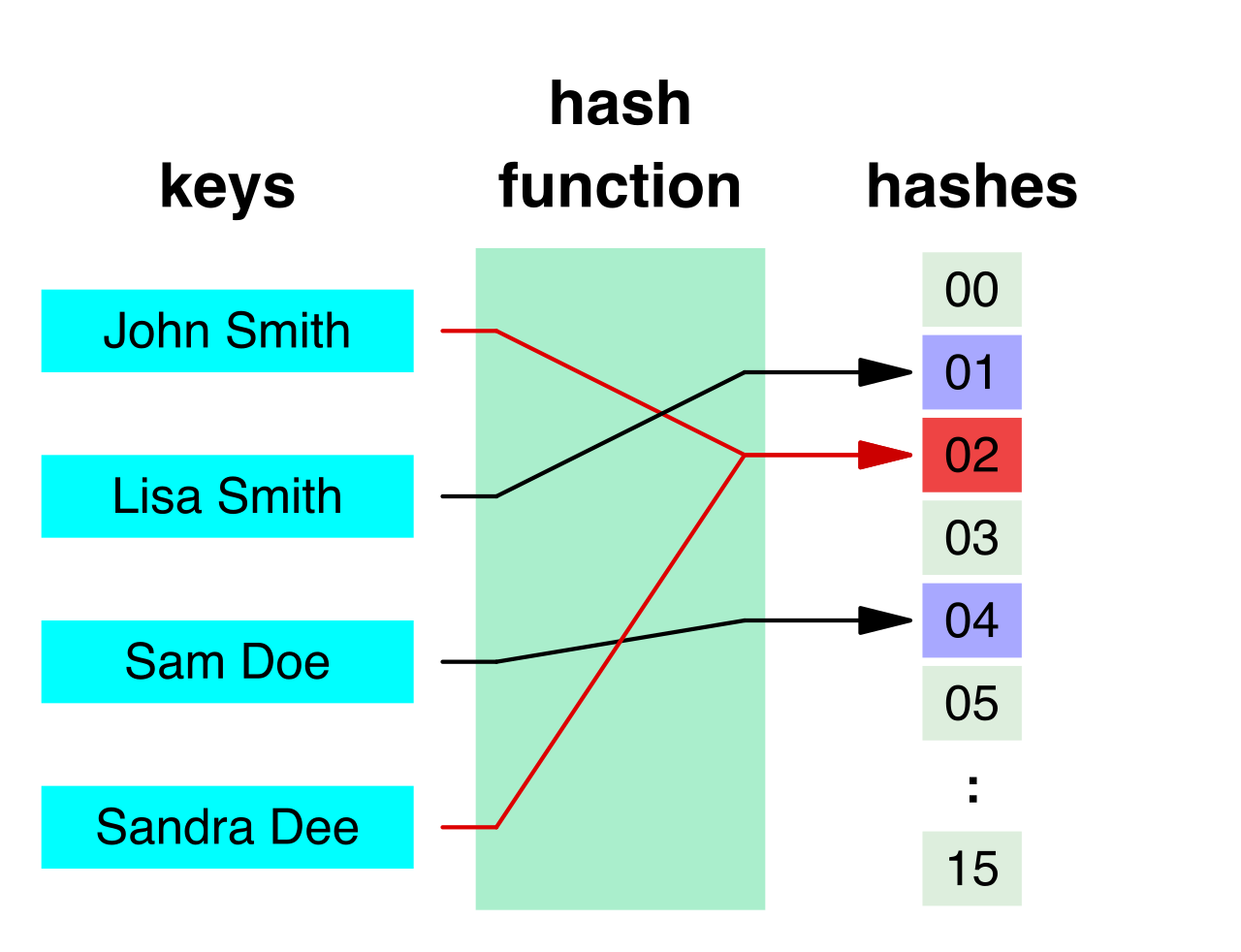
In S3, an object's "key" is its full name (e.g., logs/2026/system.log). S3 partitions its internal storage infrastructure based on these keys. Amazon S3 supports at least 3,500 PUT requests per second per prefix and at least 5,500 GET requests per second per prefix.
If your application writes thousands of files a second to the exact same prefix (e.g., images/), you will hit an internal S3 bottleneck. How do you break this limit? Amazon S3 performance automatically scales by adding multiple random prefixes to the S3 bucket object keys. By introducing randomness into the prefix (e.g., using a hashed string like a3f2/images/ and b9e7/images/), you force S3 to distribute the load across multiple physical partitions, multiplying your 3,500/5,500 limits by the number of prefixes you use.
Mastering S3 Data Transfer
Moving massive objects across the internet is prone to latency and packet loss. AWS provides specific mechanisms to ensure speed and reliability:
- Uploads: Amazon S3 Multipart Upload Instead of sending a massive 10 GB video file as a single fragile stream, Amazon S3 multipart upload allows uploading a single large object as a set of parts in parallel. If one part fails over the network, you only retry that specific megabyte, not the whole gigabyte. Architectural Rule: Amazon S3 multipart upload is strictly required for uploading objects larger than 5 GB. However, it is recommended for objects larger than 100 MB to improve overall upload speed and reliability.
- Downloads: Amazon S3 Byte-Range Fetches Just as we parallelize uploads, we can parallelize downloads. Amazon S3 byte-range fetches allow downloading specific portions of a single object concurrently to improve download speeds. You can command your application to grab bytes 0-10MB while simultaneously fetching bytes 10-20MB.
- Distance: Amazon S3 Transfer Acceleration If your bucket is in Virginia, but your users are uploading from Tokyo, internet routing will introduce severe latency. Amazon S3 Transfer Acceleration utilizes Amazon CloudFront edge locations to route data over an optimized AWS global network path. The user uploads to the closest edge location in Tokyo, and the data rides AWS's private, high-speed fiber optic backbone to Virginia.

Many organizations cannot move all their data to the cloud overnight. They require high-performance local access on-premises while leveraging the infinite scale and durability of S3. Enter AWS Storage Gateway, which acts as a bridge between your local data center and AWS storage services.

By implementing caching patterns, Storage Gateway hides internet latency from your local applications.
Volume Gateways (Block Storage to S3)
Volume Gateways present your on-premises servers with standard iSCSI block storage devices, but the data is backed by S3. You have two distinct performance strategies here:
- AWS Storage Gateway Volume Gateway Cached Volumes In this design, you treat the cloud as your primary hard drive. They store primary data securely in Amazon S3. To ensure your local applications don't suffer internet latency on every read, they retain a copy of frequently accessed data locally for low-latency access.
- AWS Storage Gateway Volume Gateway Stored Volumes In this design, you treat the local data center as the primary hard drive. They store the entire dataset locally on-premises for immediate, zero-latency access to everything. Meanwhile, they asynchronously back up point-in-time snapshots to Amazon S3.
File Gateways (File Storage to S3)
If your legacy applications speak NFS or SMB, and you want to point them directly into S3 object storage without rewriting the application code, you use a File Gateway. AWS Storage Gateway File Gateway provides an on-premises file interface to Amazon S3 using standard NFS and SMB protocols. You drop a file into a local Windows shared drive, and it transparently appears as an object in your S3 bucket.
As a Solutions Architect, your role is to align the physics of storage with the demands of the application.
- Need absolute lowest latency for temporary data? Instance Store.
- Need independent control of IOPS and throughput for a database? EBS gp3.
- Need a shared drive for 10,000 web servers? EFS.
- Need to process massive scientific models with S3 sync? FSx for Lustre.
Storage is not just where data goes to sleep; it is the engine block of application performance. Choose the right mechanism, and your architecture will operate seamlessly at any scale.