Scaling and Load Balancing
Not sure you’re ready?
Take the ~3-minute readiness diagnostic and see where you stand.
When an immense, continuous stream of incoming traffic hits an application, the underlying compute infrastructure faces a structural choice: grow a thicker pipe or branch into a network of smaller, parallel conduits. In cloud architecture, this reflects the fundamental physics of capacity planning. To prevent an application from buckling under pressure, a solutions architect must master the interplay between scaling—adjusting the sheer volume of compute resources—and load balancing—intelligently routing requests across those resources. Understanding these mechanisms is not just about keeping a website online; it is about engineering systems that are precisely as large as they need to be at any given millisecond, optimizing both availability and financial cost.
Before we can distribute traffic, we must understand how to provision the compute power that will receive it. Every application has a breaking point where the CPU, memory, or network bandwidth of a single server is exhausted. When you hit this threshold, you have two distinct geometric paths for expansion.
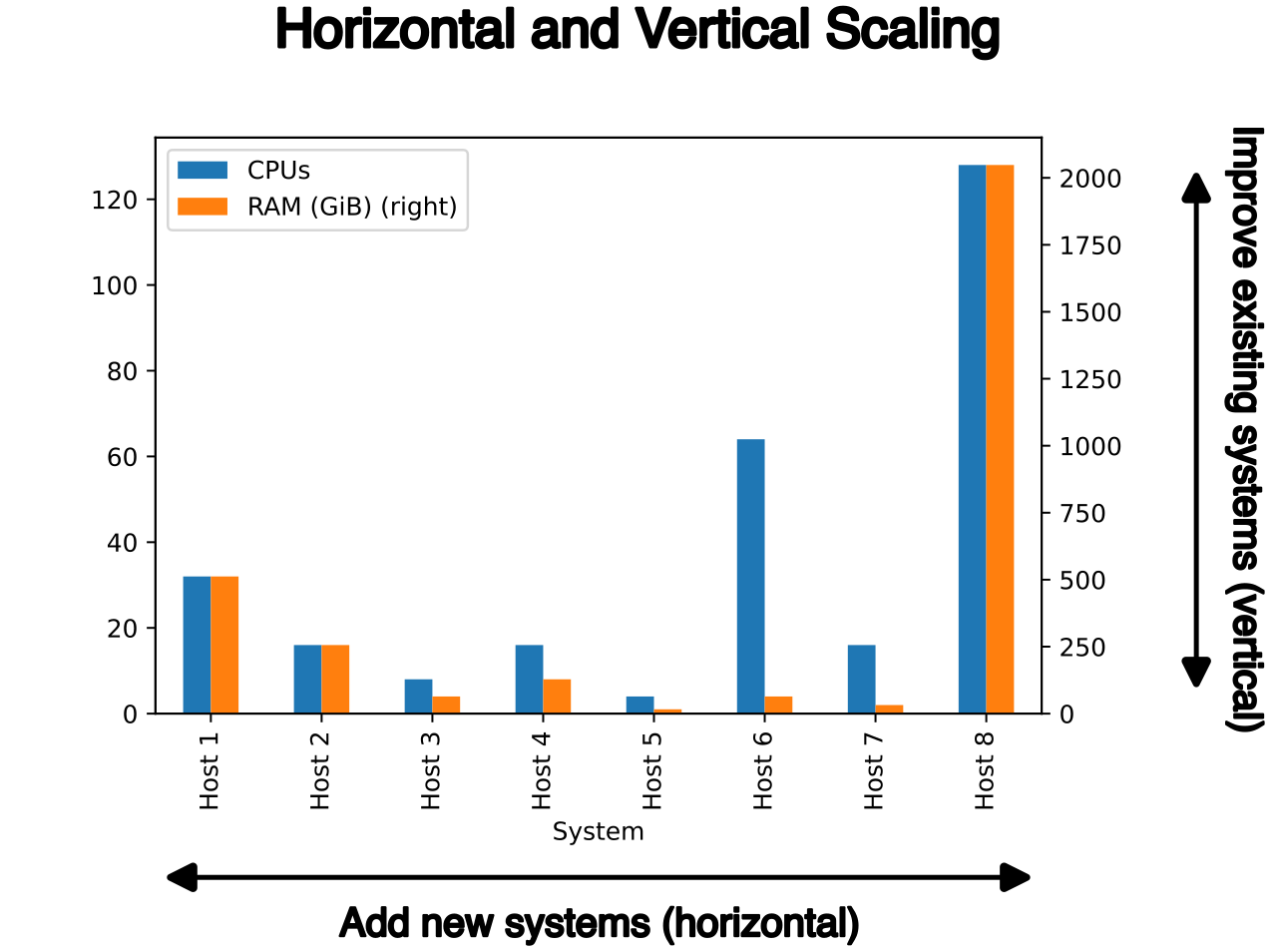
Vertical Scaling (Scaling Up and Down)
Vertical scaling involves increasing the compute power or memory of an existing instance. In the AWS ecosystem, this means changing your Amazon EC2 instance type from, say, a t3.medium to an m5.large. When we increase the instance size, it is known as scaling up.
While vertical scaling provides a simpler scaling path for legacy monolithic applications—because the application architecture itself does not need to change to support a larger server—it carries severe physical and operational constraints:
- Downtime is unavoidable: Vertical scaling requires application downtime to change the Amazon EC2 instance type. The server must be stopped, modified, and rebooted.
- Absolute physical limits: Vertical scaling presents a hard limit on capacity based on the maximum instance size available in AWS. You cannot purchase a server with infinite RAM.
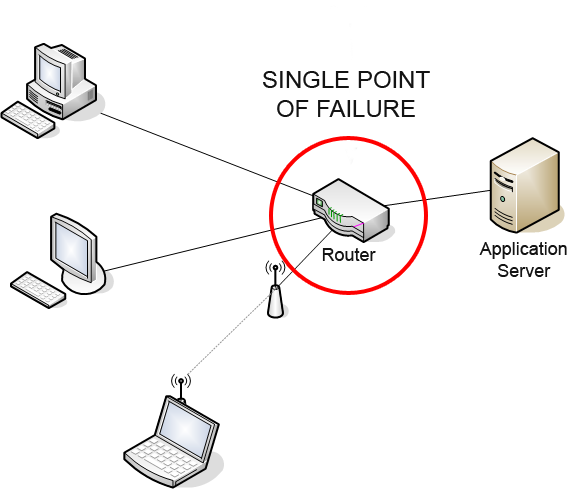
- Zero fault tolerance: A single massive instance remains a single point of failure.
Horizontal Scaling (Scaling Out and In)
Horizontal scaling distributes application load across multiple compute instances. Instead of buying one massive server, you provision dozens or hundreds of smaller ones. Adding instances is known as scaling out, while removing instances to save costs is known as scaling in.
Horizontal scaling is the preferred scaling method for stateless applications. If an application does not store local session state, any instance in the fleet can process any user's request interchangeably.
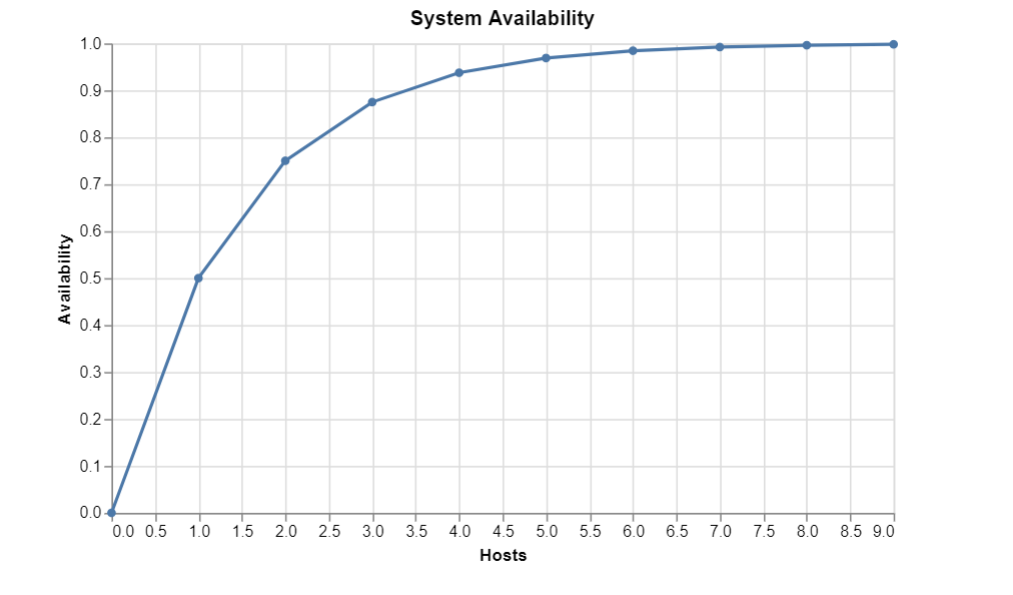
Horizontal scaling fundamentally alters the resilience of your architecture. By spreading the load, horizontal scaling improves the high availability and fault tolerance of an application. If one server suffers hardware failure, the system as a whole barely flinches; the remaining instances simply absorb the traffic.
If horizontal scaling provides the raw compute capacity, we need an intelligent mechanism to distribute the incoming traffic across that sprawling fleet. This is the domain of the Application Load Balancer (ALB).
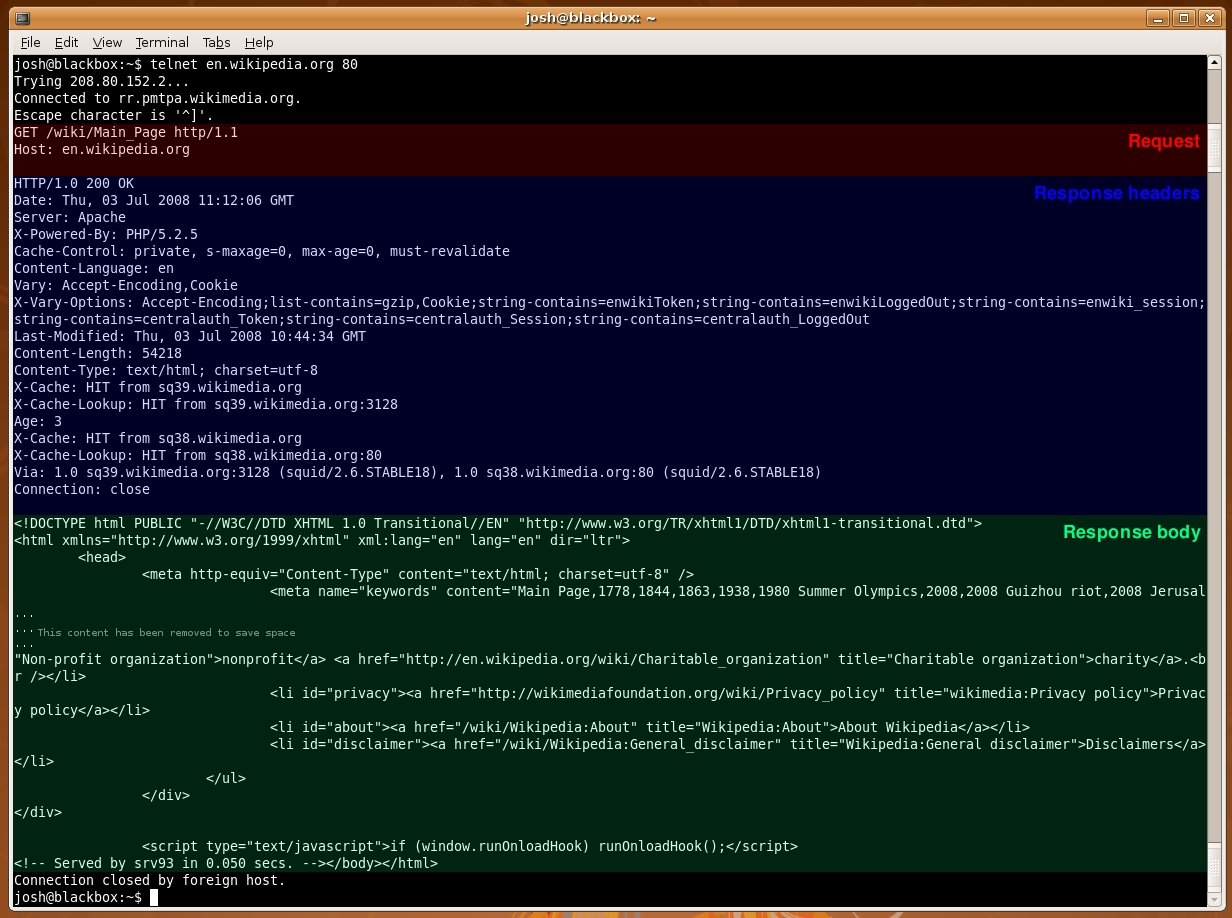
Unlike a simple network router that only looks at IP addresses, the Application Load Balancer operates at Layer 7 of the Open Systems Interconnection (OSI) model. Because it functions at the application layer, it truly understands the content of the traffic it manages. Application Load Balancers distribute incoming HTTP and HTTPS traffic across multiple targets.
Listeners and Routing Rules
Traffic arrives at the ALB through a listener. An Application Load Balancer listener checks for connection requests using a configured protocol and port (for example, HTTPS on port 443).
Once a request is detected, the listener does not simply forward traffic blindly. An Application Load Balancer listener uses rules to determine how to route requests to registered targets. Because it operates at Layer 7, Application Load Balancers evaluate routing rules based on deep inspection of the HTTP request:
- The Uniform Resource Locator (URL) path: Routing
/api/*to a microservice fleet, and/images/*to a static file handler. - The host header: Routing
app.example.comto one system andadmin.example.comto another. - Custom HTTP headers: Routing requests with
X-Premium-User: trueto a high-performance backend. - Query string parameters: Routing requests ending in
?version=v2to newly deployed instances.
Target Groups and Target Diversity
When a rule evaluates to true, Application Load Balancers route traffic to one or more Target Groups. A Target Group is simply a logical collection of backend resources.
AWS has designed ALBs to be agnostic to the underlying compute. An Application Load Balancer Target Group can contain:
- Amazon EC2 instances (the traditional compute fleet)
- Amazon Elastic Container Service (ECS) containers (for microservices)
- AWS Lambda functions (for serverless architectures)
- IP addresses (which allows routing to on-premises servers over a VPN or Direct Connect)
Target Health and Traffic Distribution
The ALB acts as a vigilant traffic cop. An Application Load Balancer performs health checks at the Target Group level. It constantly pings its registered targets using a defined protocol and path (like a simple HTTP GET to /health). Consequently, an Application Load Balancer only routes traffic to healthy targets. If a target fails to respond properly, the ALB immediately stops sending user requests to it.
Furthermore, Cross-zone load balancing is enabled by default on an Application Load Balancer. Cross-zone load balancing distributes traffic evenly across registered targets in all enabled Availability Zones. Without this feature, if Availability Zone A had 2 instances and Zone B had 8, the instances in Zone A would be overwhelmed with 50% of the total traffic. With cross-zone enabled, the ALB treats all 10 instances as a single global pool, distributing exactly 10% of the traffic to each instance regardless of its physical location.
Security at the Edge: Decryption, WAF, and State
Because the ALB sits at the public boundary of your network, it is perfectly positioned to handle security and session state overhead.
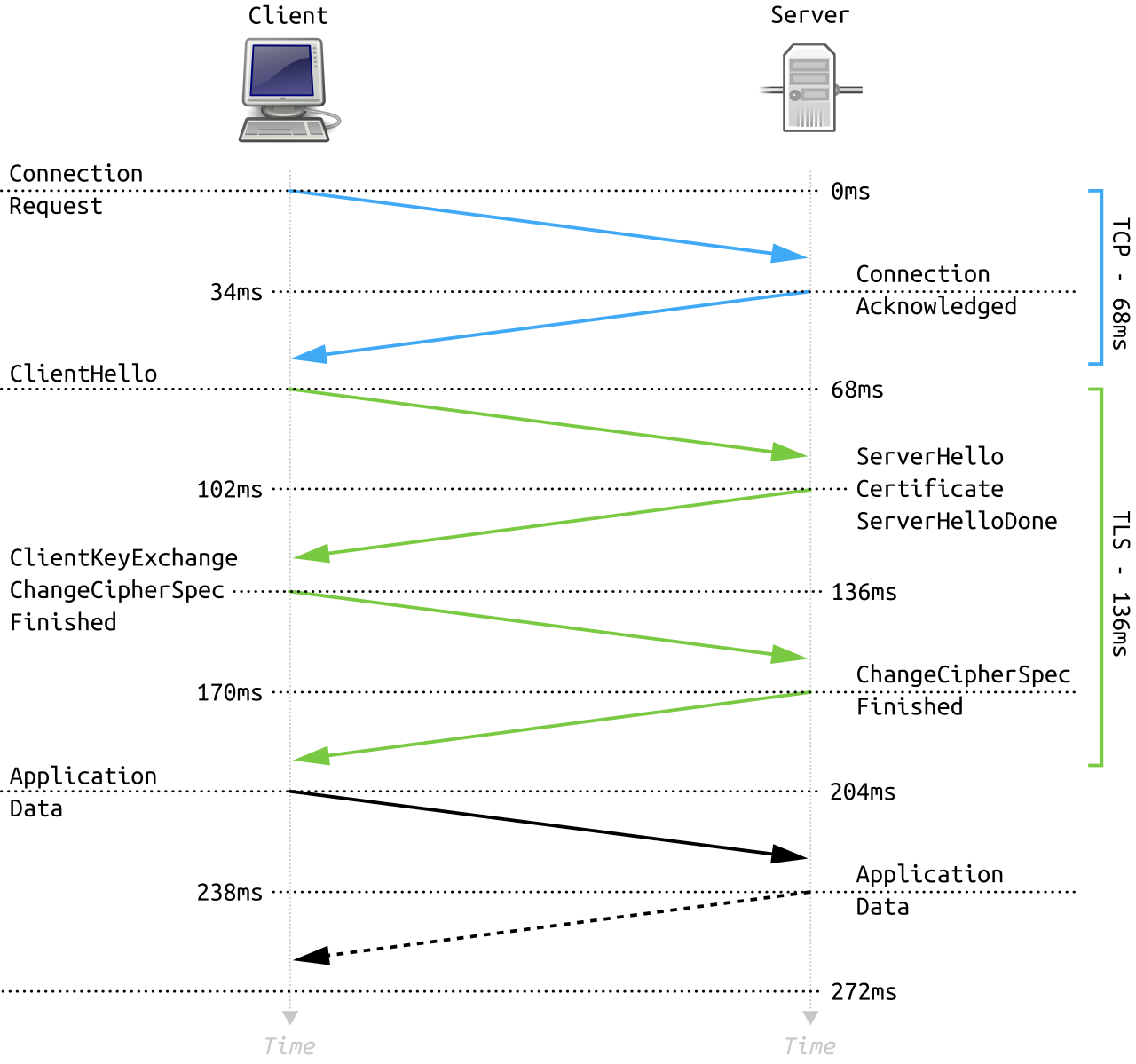
Transport Layer Security (TLS) and SNI: Cryptographic operations are CPU-intensive. An Application Load Balancer terminates Transport Layer Security (TLS) connections to offload decryption from backend targets. By decrypting traffic at the ALB, your EC2 instances save precious CPU cycles for actual application logic, receiving unencrypted HTTP traffic from the ALB over the secure private network. Furthermore, Server Name Indication (SNI) allows an Application Load Balancer to host multiple Transport Layer Security certificates for different domains on the same listener. You do not need a separate load balancer for every domain you own.
Web Application Firewall: An Application Load Balancer natively integrates with AWS WAF to protect web applications from common web exploits, such as SQL injection or Cross-Site Scripting (XSS), blocking malicious traffic before it ever touches your compute fleet.
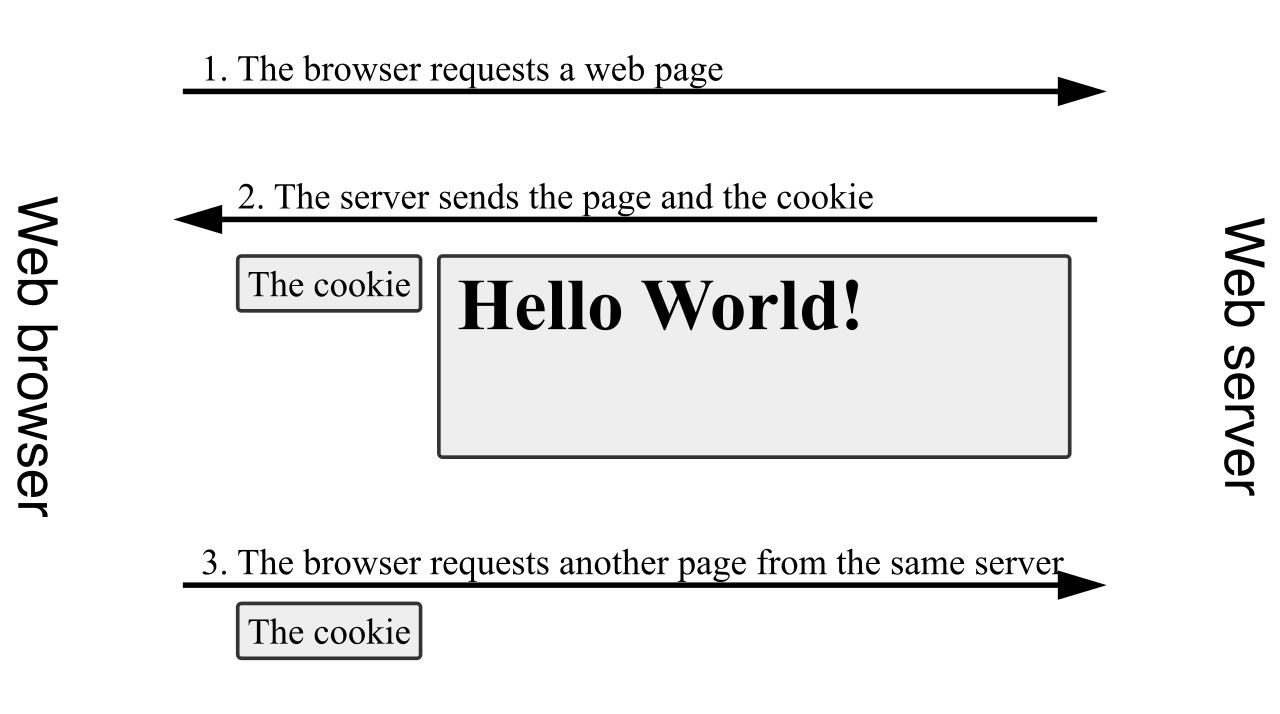
Statefulness and Sticky Sessions: While statelessness is the cloud ideal, reality often requires state. If you have a legacy application where a user's shopping cart is stored in the memory of a specific instance, you must use sticky sessions. Sticky sessions bind a user session to a specific backend target for the duration of the session. An Application Load Balancer supports sticky sessions using load balancer generated cookies, ensuring that once a user is routed to Server A, every subsequent request from that user is routed to Server A.
Graceful Terminations: When an instance needs to be removed from the load balancer—either due to scaling in or a deployment—abruptly severing the connection will cause errors for active users. Connection Draining allows existing requests to complete before an instance is deregistered from a load balancer. In the AWS console, note that Connection Draining is called Deregistration Delay on an Application Load Balancer.
If the ALB is the intelligent distributor of traffic, Amazon EC2 Auto Scaling manages the horizontal scaling of Amazon EC2 instances to guarantee the right amount of compute capacity is present to handle that traffic.
To create new instances automatically, an Auto Scaling Group (ASG) requires a Launch Template to provision new Amazon EC2 instances. The Launch Template acts as the exact blueprint: it defines the Amazon Machine Image (AMI), instance type, security groups, and IAM roles to apply to every newly birthed instance.
Health Checks and Fleet Maintenance
Beyond just scaling for load, Auto Scaling is your primary tool for fleet self-healing. Amazon EC2 Auto Scaling uses Amazon EC2 status checks by default to determine instance health. These verify if the hypervisor and basic networking are functioning.
However, EC2 status checks cannot detect if your web server software has crashed. Therefore, an Auto Scaling Group can use Elastic Load Balancing (ELB) health checks to determine instance health. If an instance fails the ELB health check, the ALB stops sending it traffic, and crucially, an Auto Scaling Group terminates any instance that fails the enabled health check. Immediately following termination, an Auto Scaling Group launches a new instance to replace any terminated unhealthy instance, guaranteeing your fleet remains at the desired capacity.
Lifecycle Hooks
Occasionally, starting or stopping an instance requires complex preparation, like downloading large datasets upon boot or uploading local log files to Amazon S3 before termination. Auto Scaling lifecycle hooks pause an instance during launch or termination to perform custom actions, holding the instance in a Pending:Wait or Terminating:Wait state until your external scripts signal completion.
How does the Auto Scaling Group know when to scale? Business requirements dictate different mathematical approaches to adding and removing capacity.
Target Tracking Scaling Policies
Think of Target tracking scaling policies like the cruise control or thermostat in your home. These policies increase or decrease capacity to maintain a specified metric at a predefined target value.
AWS supports several highly predictable metrics for this policy:
- Average CPU utilization (e.g., keep the fleet at exactly 50% CPU).
- Average Network In and Average Network Out (useful for bandwidth-bound applications).
- Application Load Balancer request count per target (crucial for web fleets).
Why "Request Count Per Target"? If you scaled based on total requests hitting the ALB, adding instances would never clear the alarm—the total requests remain high! By tracking requests per target, adding instances mathematically dilutes the ratio, bringing the metric back down to your predefined target value and stabilizing the system.

Step vs. Simple Scaling Policies
When you require absolute, granular control over scaling behavior, you utilize Step or Simple scaling based on CloudWatch Alarms.
| Feature | Step Scaling Policies | Simple Scaling Policies |
|---|---|---|
| Action Definition | Allow configuring multiple scaling actions based on the magnitude of the metric alarm breach. (e.g., +2 instances if CPU is 70%; +10 if CPU is 90%). | Execute a single scaling action in response to a metric alarm breach. (e.g., +2 instances if CPU > 70%). |
| Cooldown Behavior | Can execute subsequent scaling actions without waiting for a cooldown period. | Require a cooldown period before another scaling action can occur. |
The Cooldown Concept: An Auto Scaling Group cooldown period prevents the launch or termination of additional instances before a previous scaling activity completes. Imagine an instance takes 3 minutes to boot. Without a cooldown, Simple Scaling would see high CPU, add an instance, check a minute later, still see high CPU, and add another instance, ultimately over-provisioning massively. Step scaling bypasses this by calculating the exact required capacity based on the magnitude of the alarm, eliminating the need to wait and guess.
Predictive and Scheduled Scaling
Reactive scaling (waiting for an alarm to trigger) is mathematically flawed for instantaneous traffic surges. If your infrastructure takes 5 minutes to boot, but your traffic spikes in 10 seconds, your users will experience errors while the ASG plays catch-up.
To solve this, architects use proactive methods:
- Scheduled scaling adjusts Amazon EC2 capacity based on known date and time patterns. If you run an enterprise application and 10,000 employees log in exactly at 9:00 AM every Monday, you schedule a scale-out action for 8:45 AM.
- Predictive scaling uses machine learning to analyze historical traffic and forecast future capacity needs. Based on these daily and weekly rhythms, Predictive scaling provisions additional Amazon EC2 capacity ahead of anticipated traffic spikes without requiring manual human scheduling.
By marrying the predictive intelligence and elasticity of Auto Scaling with the granular, Layer 7 routing capabilities of an Application Load Balancer, a solutions architect engineers a system that expands gracefully under pressure, heals itself from failure, and efficiently contracts when the storm has passed.