Cloud Pricing and Consumption Models
Not sure you’re ready?
Take the ~3-minute readiness diagnostic and see where you stand.
Imagine a manufacturing firm that requires electricity. Historically, they might have built a dedicated power plant—a massive, upfront investment of capital and real estate, engineered to handle their maximum theoretical demand. If the factory shut down for the night or experienced a slow season, the power plant still depreciated, requiring constant maintenance and yielding zero return on the idle capacity. For decades, the information technology sector operated on this exact paradigm: organizations procured physical servers, networking gear, and climate-controlled real estate long before a single line of code was executed or a customer served. Today, that same firm simply wires its facility to the municipal grid, flipping a switch and paying the utility provider exclusively for the exact kilowatts consumed. This fundamental shift from owning infrastructure to consuming it as a utility lies at the heart of cloud computing.
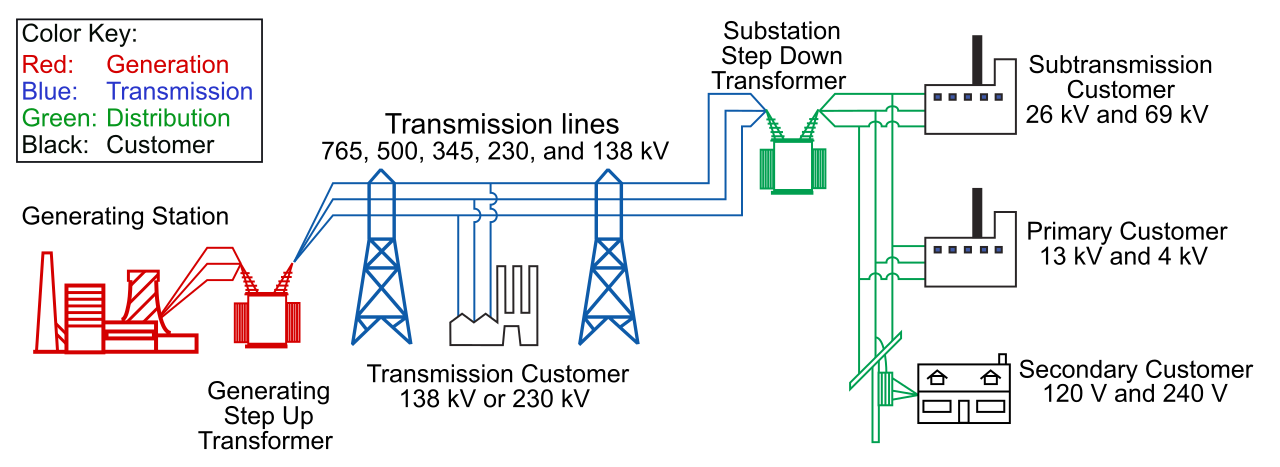
To understand cloud pricing, you must first understand the fundamental accounting shift that the cloud represents. In traditional IT, organizations operate under a Capital Expenditure (CapEx) model. CapEx involves spending money upfront on physical infrastructure. You buy the servers, you rack them, and you depreciate their value over time on a balance sheet. The risk is entirely on the business: if a new product launch fails and nobody visits your application, those expensive servers sit idle in a datacenter, gathering dust while eating into your profit margins.
The public cloud, by contrast, primarily operates on an Operational Expenditure (OpEx) model. OpEx involves spending money on services or products as they are used. You are no longer purchasing silicon and steel; you are renting capacity from Microsoft's massive datacenters.
For a financial stakeholder or project manager, this shift changes everything. It turns technology from a static, risky upfront cost into a dynamic, flexible operating expense. The consumption-based cloud model eliminates the need for upfront capital costs, democratizing innovation. A small startup can access the exact same supercomputing power as a Fortune 500 company without needing a multi-million dollar loan.
The engine of this OpEx approach is the consumption-based model. A consumption-based model dictates that users pay only for the computing resources they actually use.
Think of it like the water faucet at your kitchen sink. When you turn the handle, the meter spins. When you turn it off, the meter stops instantly.

Crucial Rule: In a consumption-based model, users stop paying for resources immediately after terminating those resources.
If your engineering team needs a high-powered virtual machine to compile software on a Friday afternoon, they can provision it, run their tests, and terminate it three hours later. The finance department will see a bill for precisely three hours of compute time. No idle waste. No sunk costs.
While the cloud is entirely OpEx, Microsoft Azure does not restrict you to a single way of paying. You have distinct levers to pull depending on the nature of your workload. Understanding these pricing models is critical for anyone managing an IT budget.
Pay-As-You-Go
Pay-as-you-go pricing bills users strictly based on the amount of time or capacity consumed. There are no minimum commitments and no long-term contracts.
- Why use it? Pay-as-you-go pricing is ideal for unpredictable or fluctuating cloud workloads.
- Real-world scenario: Imagine a retail website. Traffic is low most of the year but explodes unpredictably when a social media influencer mentions their product. Pay-as-you-go allows the infrastructure to scale up instantly to handle the traffic, and scale back down when the rush ends, ensuring the company only pays for the spike when it happens.
Azure Reservations
What if your workload isn't unpredictable? What if you are migrating an internal Human Resources database that you know will run 24 hours a day, 7 days a week, for the next five years? Paying the on-demand, pay-as-you-go rate for that virtual machine would be like paying the nightly rate at a hotel for three years straight.
For these scenarios, we use Azure Reservations, which offer discounted prices on cloud resources in exchange for a one-year or three-year commitment. By committing to Azure that you will use a specific amount of compute capacity, Microsoft gives you a steep discount (often up to 72% compared to pay-as-you-go).
- Why use it? Azure Reservations are optimized for predictable workloads with consistent resource requirements.
Azure Spot Instances
Microsoft's datacenters are vast, and they must maintain massive amounts of excess compute capacity to handle peak global demands. Much of the time, those excess servers sit empty. Rather than let them do nothing, Microsoft rents them out for pennies on the dollar.
Azure Spot instances utilize unused Azure computing capacity at heavily discounted rates (sometimes up to 90% off).
However, there is a catch: Azure Spot instances can be evicted at any time if Microsoft Azure needs the underlying compute capacity back. If a customer paying full price suddenly needs that capacity, your Spot instance receives a fleeting 30-second warning, and then it is abruptly shut down.
- Why use it? Azure Spot instances are ideal for workloads that can handle sudden interruptions.
- Real-world scenario: Batch processing jobs are common use cases for Azure Spot instances. If your company is rendering a 3D animated film or processing millions of historical financial records asynchronously, it doesn't matter if the server shuts down and the job resumes on another server an hour later. You trade reliability for massive cost savings.
Pricing Model Comparison
| Pricing Model | Payment Structure | Ideal Workload Profile |
|---|---|---|
| Pay-as-you-go | Strict usage-based billing per second/minute. | Unpredictable, fluctuating, short-term testing. |
| Reservations | 1-year or 3-year upfront or monthly commitment. | Highly predictable, consistent, long-term 24/7 workloads. |
| Spot Instances | Deeply discounted hourly rates. | Interruptible, flexible workloads (e.g., batch processing). |
Even with a consumption-based Virtual Machine, you are still responsible for managing an operating system. If you run a web server 24/7, you pay for that server 24/7—even at 3:00 AM when exactly zero customers are visiting your site. You are paying for the potential to serve, rather than the act of serving.
This brings us to the purest evolution of cloud consumption: Serverless Computing.
Definition: Serverless computing completely abstracts underlying infrastructure management from the developer.
Despite the name "serverless," there are still physical servers involved! The magic is that you never see them, provision them, patch them, or pay for their idle time. Microsoft handles all the plumbing. Serverless computing automatically provisions and scales compute resources based on workload demand.
Event-Driven Architecture
To make serverless work, the architecture must change. Serverless architectures are highly event-driven. This means your application code just sits there, dormant and costing you absolutely \$0.00, waiting for something to happen.
In a serverless model, compute resources are only allocated when a specific event triggers code execution. An event could be a user uploading a photo, an HTTP request hitting a web address, or a timer going off at midnight.
When the event occurs, Azure instantly injects your code into an available compute environment, runs it, and then instantly destroys the environment. Therefore, in a serverless model, users are billed exclusively for the exact compute time used while code is actively running—often measured down to the millisecond. If your code takes 112 milliseconds to execute, you pay for exactly 112 milliseconds.
Serverless Services in Azure
Microsoft provides a robust suite of serverless offerings, but two are foundational for the AZ-900 exam:
- Azure Functions: This is an event-driven serverless compute service offered by Microsoft. It allows developers to write single-purpose pieces of code (functions) in languages like Python, C#, or JavaScript.
- Scenario: A user uploads an image to your app. This event triggers an Azure Function that resizes the image into a thumbnail, saves it, and then instantly spins down.
- Azure Logic Apps: While Functions are about writing code, Logic Apps are about workflows. Azure Logic Apps is a serverless cloud service used to automate and orchestrate business workflows using a visual designer. You connect pre-built blocks without writing code.
- Scenario: A company sets up a Logic App connected to their customer support inbox. When an email arrives containing the word "Urgent" (the event), the Logic App automatically parses the email, creates a ticket in their database, and sends a text message to the manager on duty.
By mastering the differences between owning infrastructure (CapEx) and renting it (OpEx), and understanding the levers within OpEx—from pay-as-you-go VMs to deeply discounted Spot instances and event-driven Serverless architectures—you arm yourself with the knowledge to make technology not just a cost center, but an agile, highly optimized driver of business value.