Browser Security Settings
Not sure you’re ready?
Take the ~3-minute readiness diagnostic and see where you stand.
Imagine a modern operating system as a secure, heavily fortified, windowless vault. The web browser is the massive, heavily trafficked drawbridge connecting that vault to a chaotic, unpredictable outside world. Every piece of corporate data, every script, and every file must cross this exact bridge. For an IT support technician, configuring browser security settings is not just about checking boxes in a preferences menu; it is about architecting a rigorous customs checkpoint. You must ensure that the user can seamlessly retrieve the tools they need to do their job, while simultaneously isolating, inspecting, and filtering every incoming packet for hidden threats.
A modern web browser is no longer a simple document viewer. It is a highly complex application execution environment, compiling code on the fly and negotiating encrypted tunnels across the globe. Understanding how to secure this environment is arguably the most critical endpoint defense mechanism in a support technician's repertoire.
When a user clicks a link, the browser’s default impulse is to pull that file across the drawbridge. Left unchecked, this is a severe vulnerability.
Web browsers can restrict downloads from unverified or untrusted domains to prevent malware infections. A user rapidly clicking through a webpage might trigger a "drive-by download." Disabling automatic downloads in browser settings prevents malicious files from saving to a device without user consent. Instead of silently dropping an executable into the Downloads folder, the browser halts and forces the user to choose a save destination, providing a vital moment of friction.
In a corporate environment, technicians cannot rely on user friction alone. IT administrators configure trusted sites in enterprise web browsers to allow automatic downloads only from approved internal domains, such as an intranet SharePoint server or a dedicated internal file share, while strictly blocking automatic behavior from the public web.
Trust, but Verify: File Hashing
When a user deliberately downloads software, how do you mathematically prove the file crossing the drawbridge hasn't been intercepted and altered? We use cryptography.
File Hash: A file hash is a unique alphanumeric string generated from a file's contents using a cryptographic algorithm. Think of it as a digital fingerprint or a tamper-evident seal. If even a single byte of the file is altered, the resulting hash changes entirely.
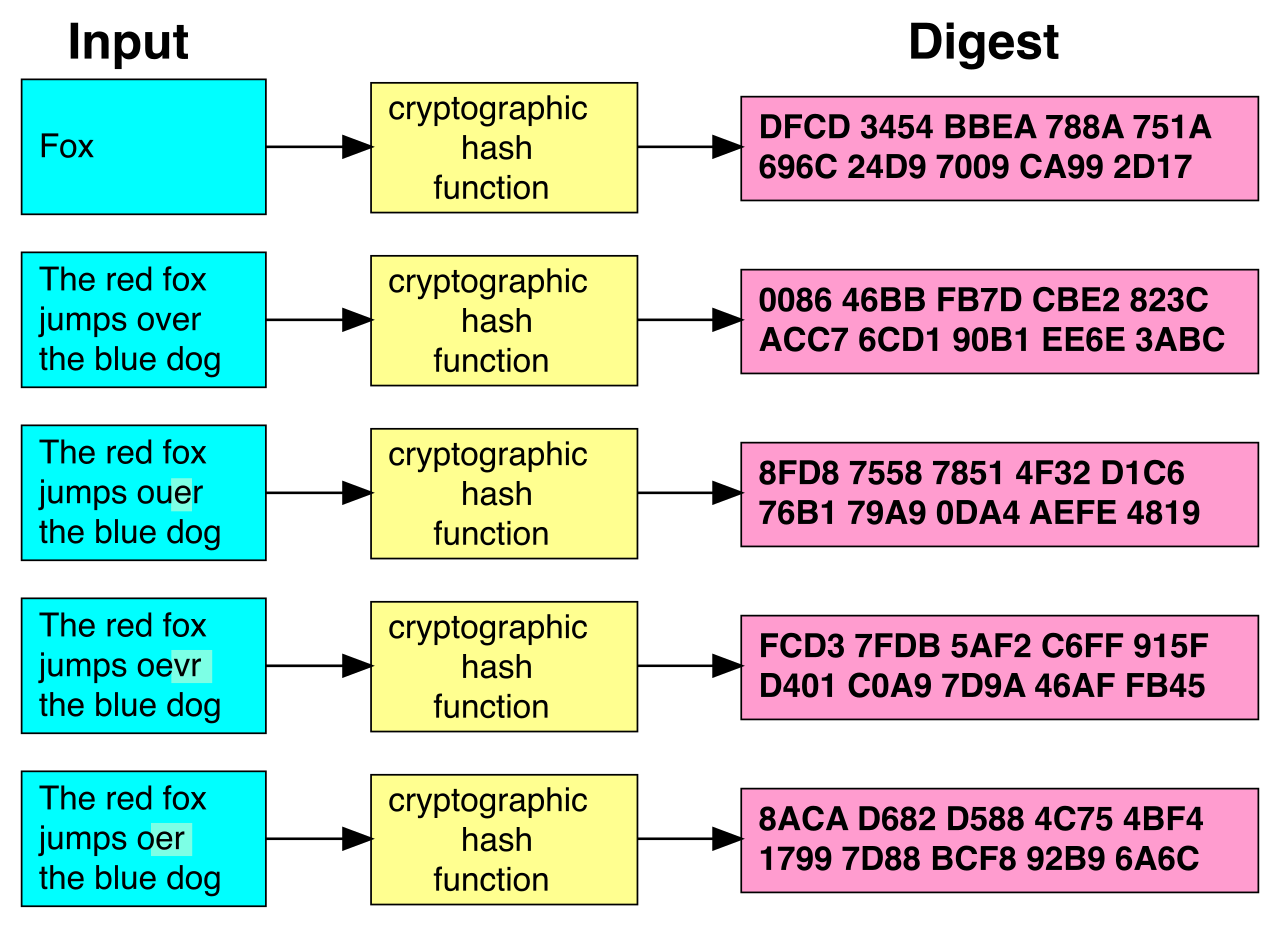
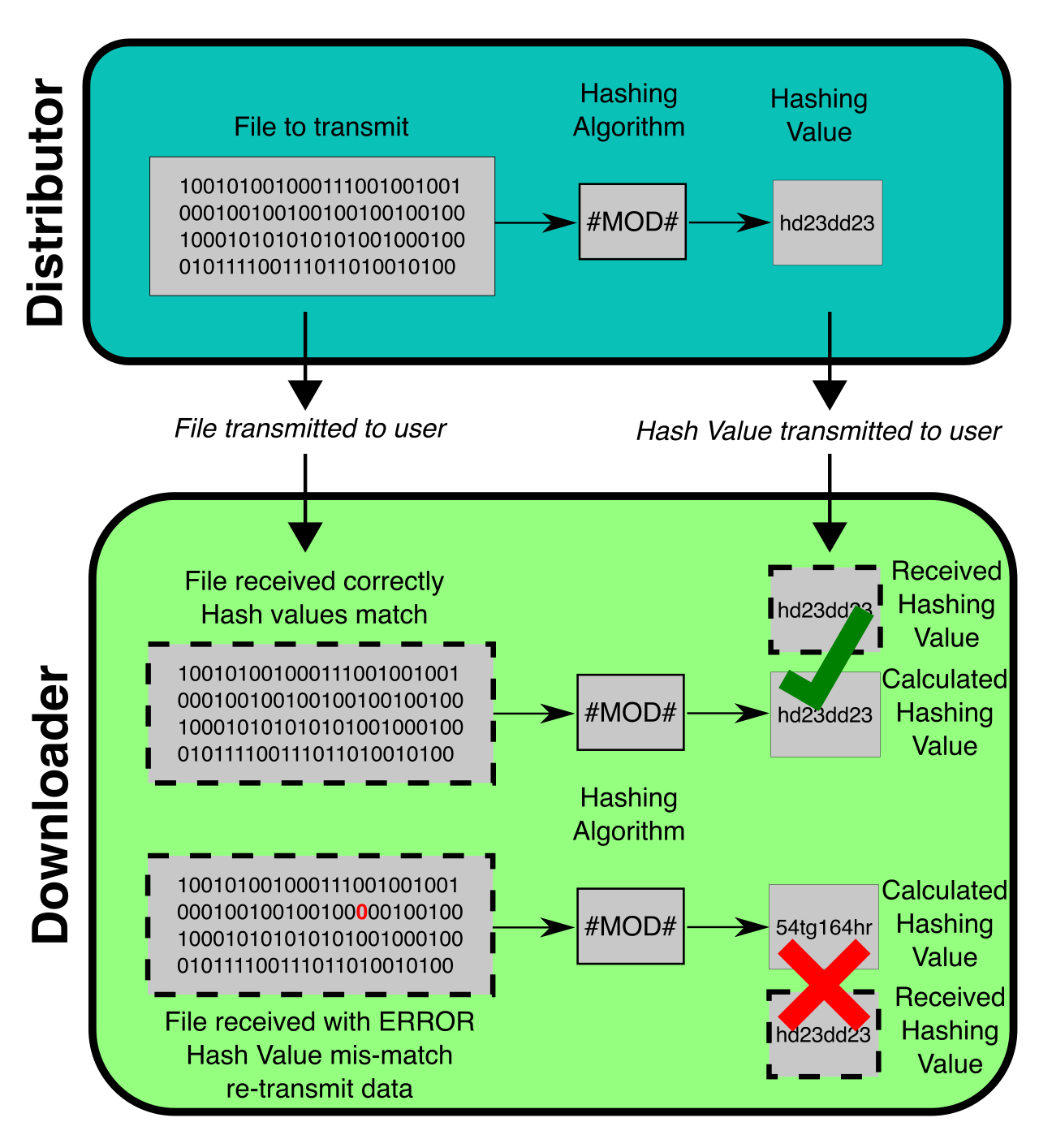
MD5, SHA-1, and SHA-256 are common cryptographic algorithms used to generate file hashes. When a user downloads a driver or an update package, comparing a downloaded file's computed hash against the software publisher's published hash verifies the downloaded file's integrity. If the hashes match exactly, the technician knows the file is pristine and safe to install.
The browser itself is a piece of software, meaning its structural integrity degrades over time as attackers discover new ways to break it. Updating a web browser to the latest version patches known security vulnerabilities. Because zero-day exploits move faster than IT ticketing systems, modern browser auto-update features ensure security patches are applied automatically without requiring manual user intervention.
Once a webpage loads, it begins executing code. To protect the underlying machine, browsers employ a brilliant containment strategy. Browser sandboxing restricts the execution environment of a web page to prevent malicious code from accessing the underlying operating system. If a tab loads a compromised script, the sandbox acts like a bomb disposal container—the script can detonate, but the damage is confined entirely to that single tab, keeping the operating system safe.
Traffic crossing the public internet is inherently visible to anyone sitting between the client and the destination. To prevent eavesdropping, secure web connections use HTTPS to encrypt data transmitted between the web browser and the web server.
Mechanically, HTTPS relies on Transport Layer Security (TLS) or Secure Sockets Layer (SSL) protocols to encrypt data. But encryption is only half the battle; the browser must also verify the identity of the server. A web browser verifies a website's digital certificate to confirm the website's identity before establishing a secure connection. When the cryptographic math checks out, web browsers display a padlock icon in the address bar to indicate a secure connection using a valid digital certificate.
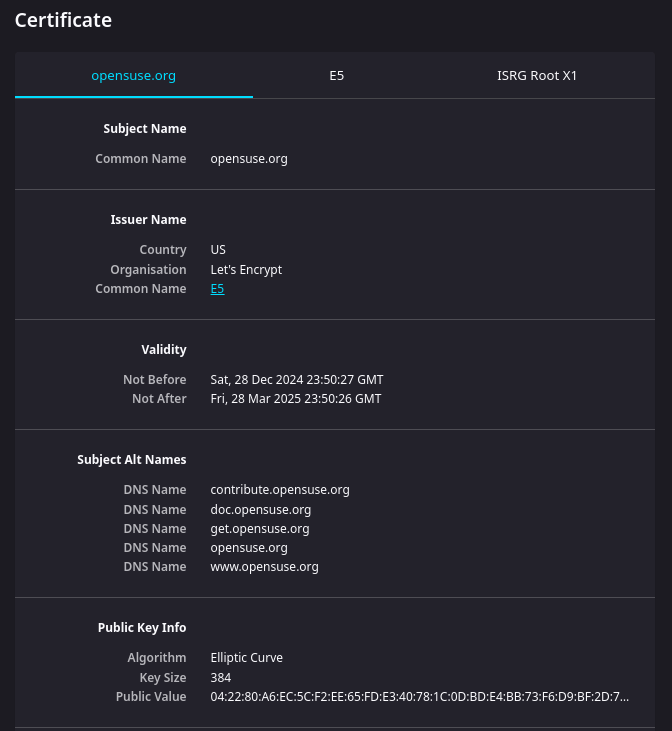
As a help desk analyst, you will frequently field panicked tickets from users staring at a massive, red "Your connection is not private" screen. This invalid digital certificate warning indicates the certificate is expired, self-signed, or issued by an untrusted certificate authority. It is the browser's way of screaming that the server's identity card is fake or expired.
To ensure connections cannot be maliciously downgraded to unencrypted HTTP, the HTTP Strict Transport Security (HSTS) policy forces web browsers to connect to websites exclusively over secure HTTPS connections.
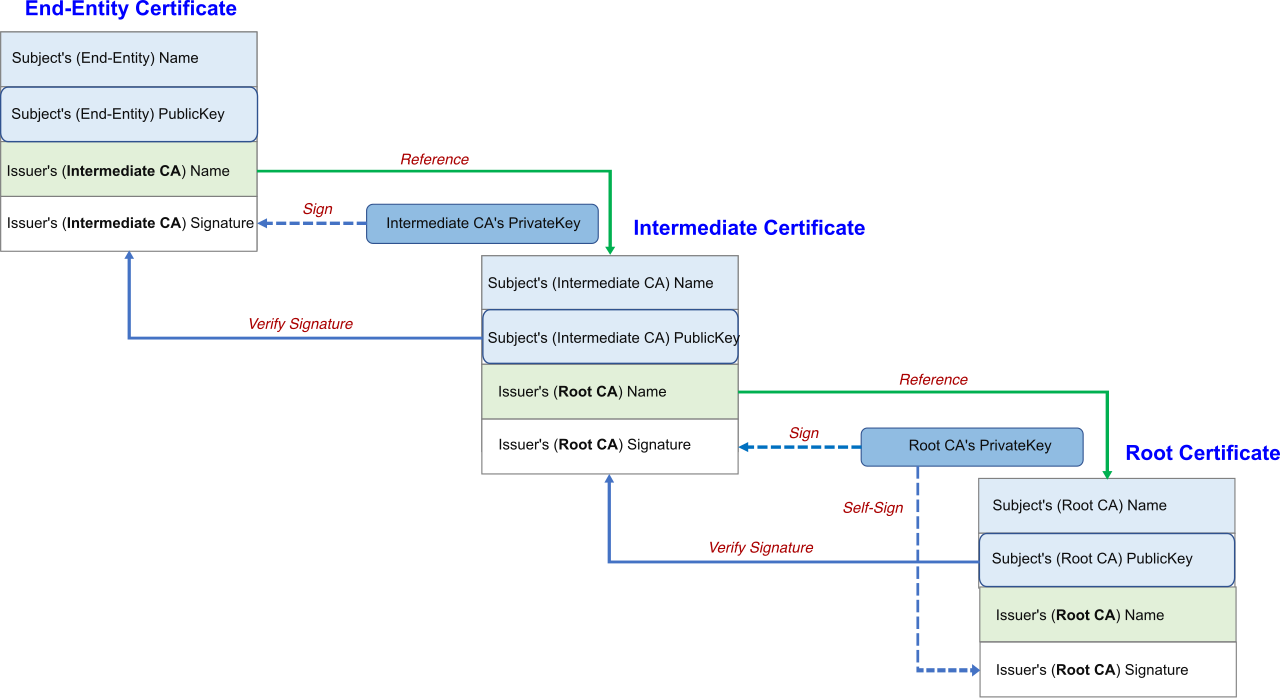
Finally, how does the browser know which Certificate Authorities (the entities issuing these ID cards) to trust? Browser updates frequently include new root certificates to ensure the browser can validate secure connections to modern websites. When a machine stops updating, its root certificates expire, and suddenly the user can no longer access standard websites without errors.
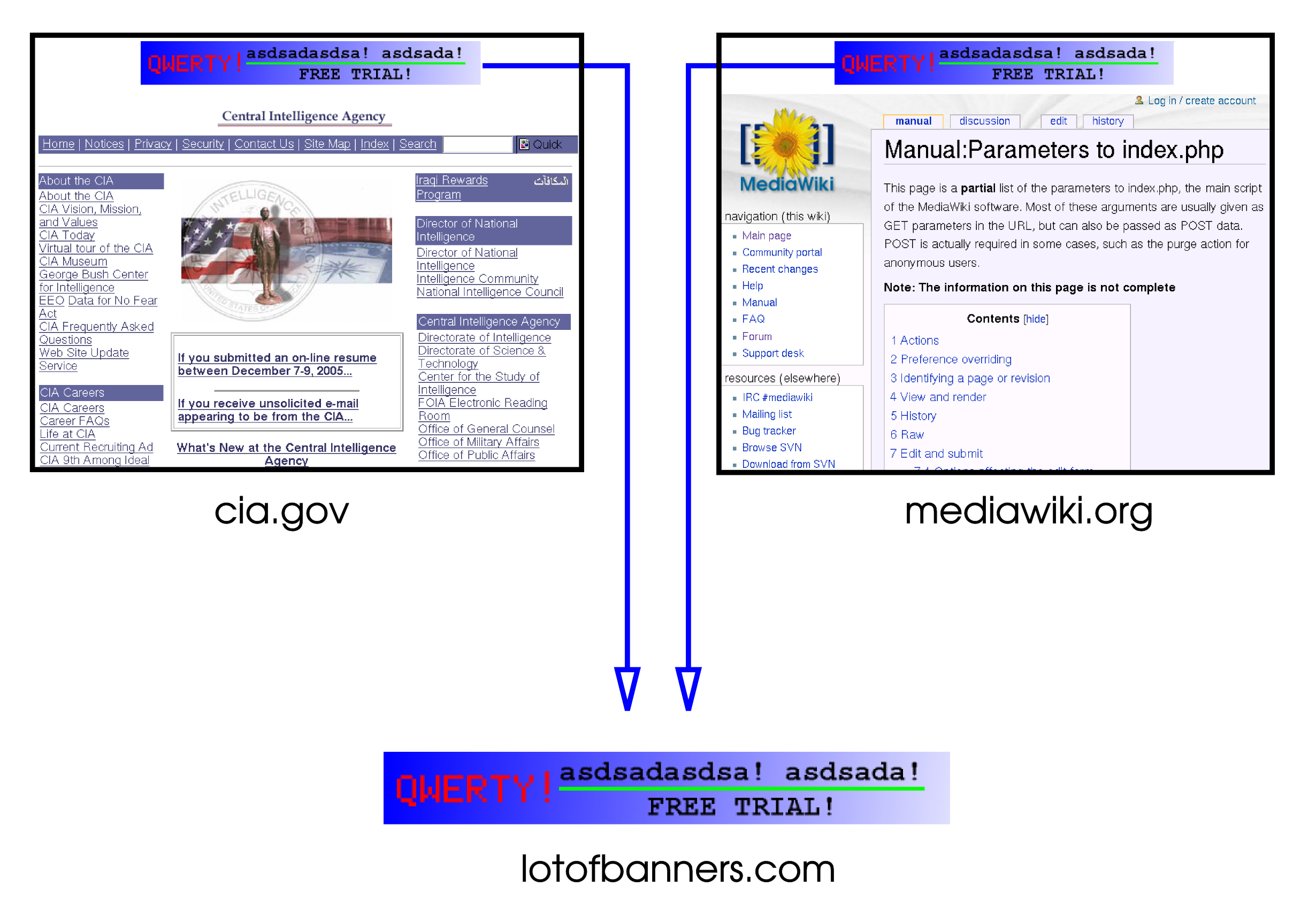
Websites are highly aggressive about opening new avenues of communication and leaving tracking data on the host machine. The first line of defense against aggressive web behavior is the pop-up blocker. Pop-up blockers prevent websites from opening new browser windows or tabs automatically. This is fundamentally a security feature, not just a convenience, because malicious pop-ups attempt to trick users into downloading malware or revealing sensitive personal information.
The State of the Browser: Cache, Cookies, and History
As a user browses, the computer locally hoards data. When troubleshooting, clearing this data is a standard operating procedure, but you must understand exactly what you are destroying:
| Data Type | Definition & Purpose | Why Clear It? |
|---|---|---|
| Cache | Local copies of images, scripts, and HTML files used to speed up load times. | Clearing a browser's cache removes temporary web files that might contain sensitive session data or corrupted scripts causing page errors. |
| Cookies | Tiny text files storing stateful information, like login tokens or shopping cart contents. | Clearing browser cookies removes tracking data used by websites to identify users across different browsing sessions. |
| History | The chronological log of URLs the user has visited. | Clearing browser history removes the local record of websites previously visited by the user, protecting endpoint privacy. |
Cookies require special attention. Third-party cookies track user activity across multiple websites to build targeted advertising profiles. If you look at shoes on Site A, a third-party cookie ensures an ad for those shoes follows you to Site B. Disabling third-party cookies in browser settings enhances user privacy by blocking cross-site tracking mechanisms.
Proxies and Private Browsing
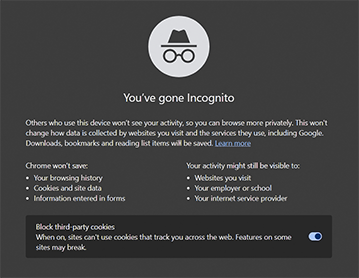
When a user needs to navigate without leaving a local trace, they utilize specialized modes. Private browsing modes include Google Chrome Incognito, Mozilla Firefox Private Browsing, and Microsoft Edge InPrivate.
Critical Distinction for IT Professionals: Private browsing mode prevents the browser from saving history, cookies, and temporary files locally after the session is closed. It acts as an automatic data shredder for the local endpoint. However, private browsing mode does not hide web traffic from network administrators or internet service providers. Users frequently misunderstand this; "Incognito" does not make you invisible to the corporate firewall.
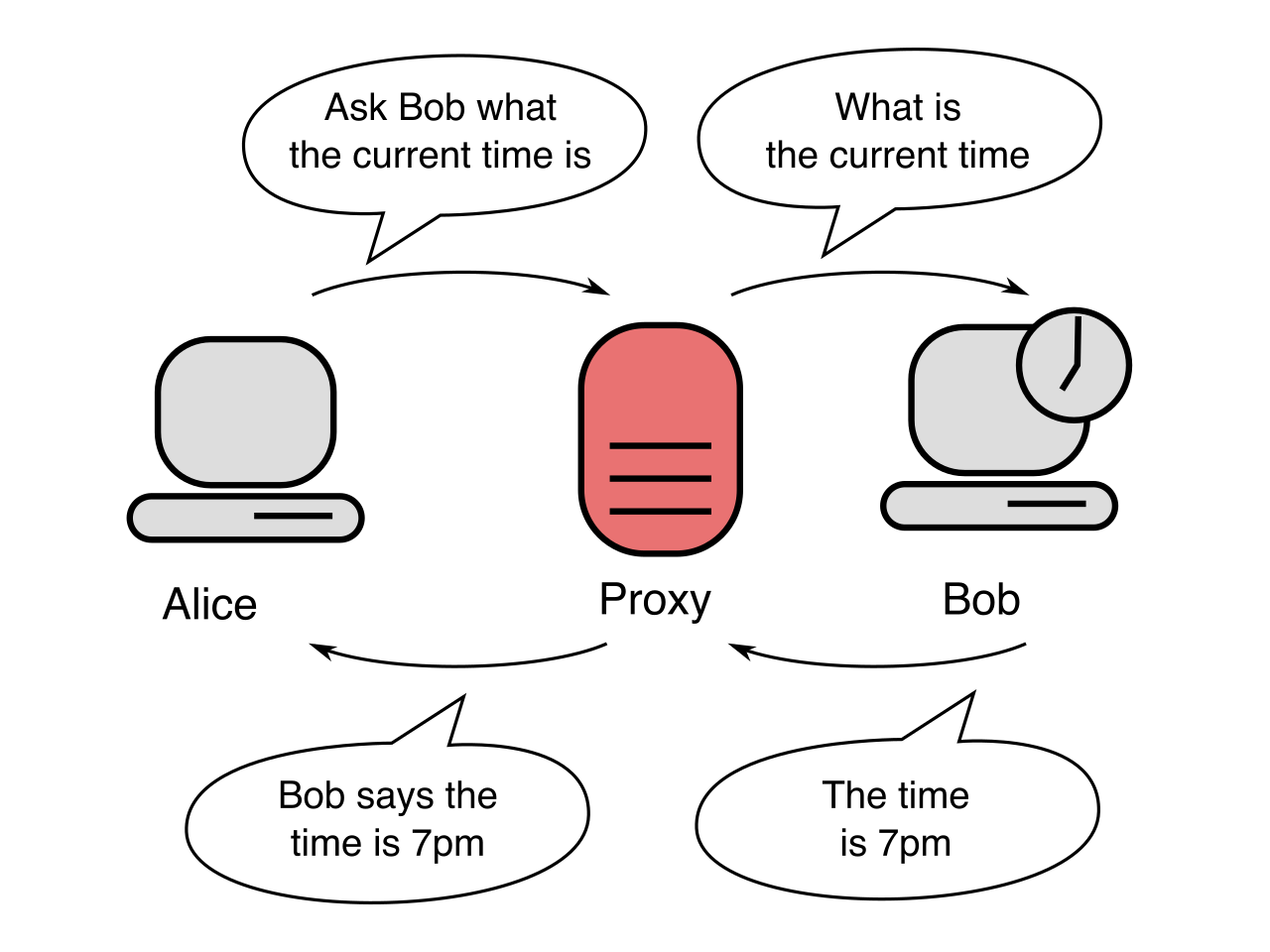
To actually alter how traffic traverses the network, we use a proxy. A proxy server acts as an intermediary between a web browser and the public internet. By configuring browser proxy settings, we route web traffic through a centralized server for content filtering or hiding the client IP address.
Modern browsers are modular. Users love to customize them, which introduces immense risk.
Browser extensions are add-on programs that expand the functionality of a web browser. Because they sit directly inside the browser, they have high-level access to the data passing through it. Malicious browser extensions can capture keystrokes, steal credentials, or inject unauthorized advertisements into web pages.
To prevent this shadow IT, IT administrators use domain group policies to restrict users from installing unauthorized browser extensions, creating rigid allow-lists. Even when extensions are benign, disabling unused browser extensions reduces the attack surface of a web browser. Every line of third-party code is a potential vulnerability.
Do not confuse extensions with plug-ins. Plug-ins are third-party software components that allow a web browser to display specific types of legacy multimedia content, such as Adobe Flash or Microsoft Silverlight. Because they historically required direct operating system access, they were a security nightmare. Today, modern web browsers have largely deprecated traditional plug-ins in favor of native HTML5 features to improve overall security.
The Defense Against Malvertising
One extension that is frequently encouraged (and sometimes deployed globally by IT) is the ad blocker. Ad blockers are browser extensions that prevent tracking scripts and unwanted advertisements from loading on web pages. From a security standpoint, ad blockers protect end users from malvertising by preventing malicious display ads from rendering in the web browser. Attackers often buy legitimate ad space on mainstream websites to serve infected payloads; an ad blocker cleanly severs this attack vector.

Secrets and Autofill
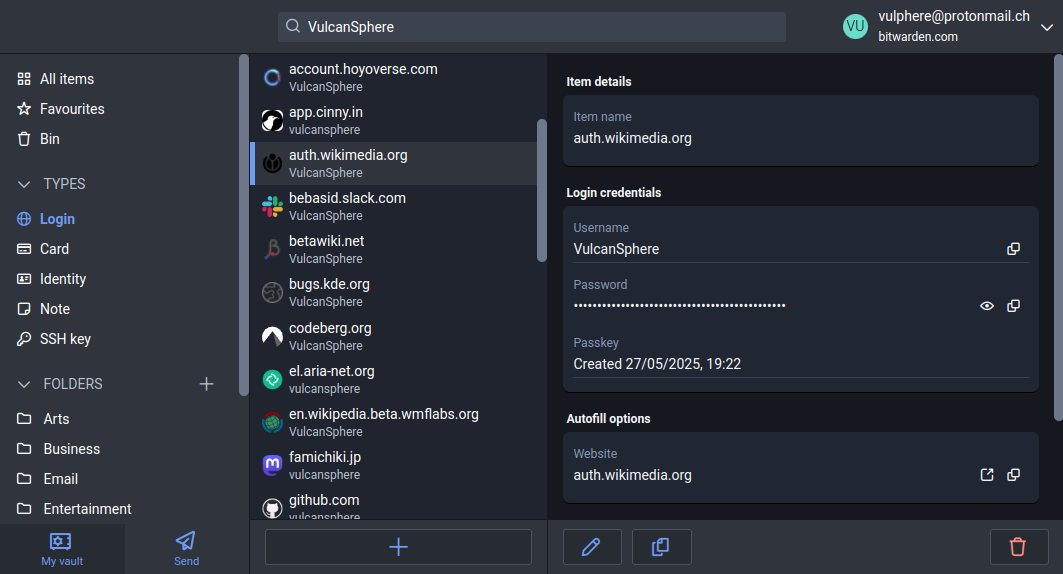
Browsers naturally want to make life easy for the user by saving their secrets. Browser-based password managers securely store user credentials and autofill login forms on recognized websites. If a user insists on utilizing this feature, securing a browser-based password manager requires a strong master password and multi-factor authentication.
However, in professional environments, relying on a browser to hold the keys to the kingdom is heavily frowned upon. Enterprise environments often disable built-in browser password managers to mandate the use of centralized password vault solutions (like Bitwarden, 1Password, or CyberArk). This allows IT to audit access, enforce password rotation, and revoke credentials instantly during offboarding.
It isn't just passwords that get saved. Browsers enthusiastically hoard addresses, phone numbers, and payment cards. Autofill settings in a web browser can inadvertently expose sensitive data like credit card numbers to malicious scripts. If a webpage has a hidden, invisible form, the browser might cheerfully inject the user's saved credit card into it without the user ever clicking "submit." Therefore, disabling browser autofill prevents unauthorized websites from silently extracting saved personal information.