Documentation and Information Management
Not sure you’re ready?
Take the ~3-minute readiness diagnostic and see where you stand.
In physical systems, entropy dictates that without the continuous application of energy, order inevitably degrades into chaos. An enterprise IT environment is no different. Every day, users forget passwords, hard drives fail, software updates break dependencies, and new employees arrive needing immediate access. Without a rigorous framework to capture, categorize, and control these events, an IT department quickly descends into reactive panic. Documentation and information management are not merely administrative chores; they are the governing laws that keep the IT universe organized, measurable, and functional. By structuring how we record problems, track physical and logical assets, and guarantee service delivery, we transform unpredictable technological chaos into a predictable, engineered science.
To understand how an IT department functions, you must understand its central nervous system. A ticketing system tracks the lifecycle of an IT support request from creation to resolution. It is the single source of truth for everything that happens on the help desk.

When a user calls to report that their screen is flickering, you do not simply walk over and fix it. You create a ticket. To prevent that ticket from becoming lost in the noise, ticketing systems assign a unique identifier to each user request or incident. This alphanumeric string allows multiple technicians to discuss and track the exact same problem without ambiguity.
For a ticket to be useful, it must contain specific, actionable data. Help desk technicians must record the user's contact information in every new ticket so that anyone stepping in can reach out for clarification. Furthermore, a ticket must include a detailed description of the problem reported by the user, alongside the specific error codes reported by the user in the ticketing system. Saying "the computer is broken" is useless; recording "Error 0x80070057 on boot" provides a specific diagnostic starting point. You must also ensure a ticket must document the specific device involved in the incident, tying the abstract problem to a physical reality.
Categorization and Workflow
Once the data is captured, the ticket must be routed. Ticket categorization allows IT departments to route requests to the appropriate support teams—for example, sending a broken keyboard ticket to Desktop Support and a database error to the Server Administration team. Simultaneously, the severity level of a ticket dictates the prioritization of the IT response. A single broken printer is a low severity; a total network outage is a critical severity that halts all other operations.
If you, as an entry-level technician, cannot solve the problem, you do not abandon it. Instead, escalating a ticket transfers the issue to a higher-tier support technician or specialized team.
Throughout this entire process, transparency is paramount. Technicians must log all troubleshooting steps taken within the ticketing system. These ticket progress notes provide a chronological record of actions taken to resolve an issue. If a tier-two technician receives an escalated ticket with no notes, they will waste time repeating the exact steps you already tried. Furthermore, time tracking within a ticketing system measures the labor hours spent resolving an issue, providing management with critical data on department efficiency.
The Status Lifecycle
Every ticket exists in a specific state, communicating exactly where it stands in its lifecycle:
- An Open ticket status indicates a new issue that has not yet been assigned to a technician.
- A Pending ticket status indicates the technician is waiting on a response from the user (e.g., waiting for them to test the fix).
- A Resolved ticket status signifies the technician has provided a solution to the user's issue.
- A Closed ticket status confirms the user accepts the provided solution, ending the ticket's active lifecycle.
A help desk cannot support hardware it does not know exists. IT asset inventory lists maintain records of all hardware owned by an organization, while simultaneously, parallel IT asset inventory lists maintain records of all software licenses owned by an organization.
The journey of an asset is governed by a strict timeline. The procurement lifecycle begins with the official request for new IT assets and eventually ends with the retirement and disposal of IT assets. To track hardware throughout this lifecycle, we use physical markers. An asset tag is a physical label with a unique barcode or serial number attached to hardware. Because they are bound to the hardware itself, asset tags enable organizations to track the physical location of IT hardware.
To streamline inventory audits, barcode scanners are used to quickly read physical asset tags into an inventory management system. For even greater automation, RFID tags transmit location data of physical IT assets over radio waves, allowing technicians to sweep a room and log every device instantly.

Why go through all this effort? Because hardware fails and degrades. Asset depreciation records track the loss of monetary value of hardware over time. Ultimately, precise asset tracking helps IT departments forecast budgets for hardware replacements, ensuring funds are available when four-year-old laptops need to be retired.

Software Assets and the CMDB
Software is invisible, making it inherently harder to track than a physical laptop. Software licensing documentation proves an organization has the legal right to use a specific program, and the specific End-User License Agreement (EULA) governs the terms of software usage. Organizations must take this seriously because software asset management tracks license usage to ensure compliance with vendor agreements. If a company buys 50 licenses but installs the software on 200 machines, they face massive financial liability in a vendor audit.
As an organization grows, a simple spreadsheet is no longer enough to track these assets. Enter the CMDB—which stands for Configuration Management Database.
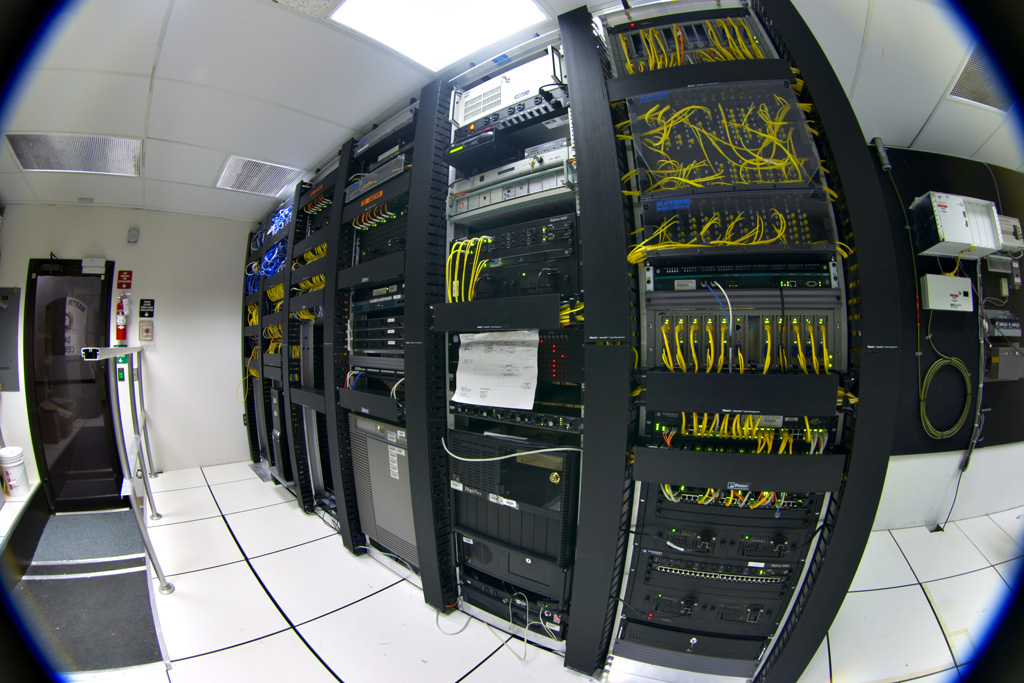
A CMDB is the master map of your IT infrastructure. A Configuration Management Database stores information about the hardware components of an IT environment, as well as the software components of an IT environment.
Crucially, it does not just list them; a Configuration Management Database tracks the relationships and dependencies between different IT assets. If you need to reboot a core router, the CMDB tells you exactly which servers, services, and departments will lose connectivity as a result.
In IT, if a task is done twice, it should be documented. Relying on human memory introduces errors.
SOP stands for Standard Operating Procedure. A Standard Operating Procedure provides step-by-step instructions for completing routine IT tasks consistently, ensuring that a server backup performed by an intern is executed exactly the same way as one performed by a senior engineer.
For troubleshooting, we turn to the Knowledge Base. KB stands for Knowledge Base. A Knowledge Base is a centralized repository of troubleshooting guides and contains technical documentation for known IT issues. The true power of a KB is empowerment: well-written Knowledge Base articles enable level-one technicians to resolve complex issues without escalation, solving the problem faster for the user and freeing up senior engineers for infrastructure projects.
The Revolving Door: Onboarding and Off-boarding
Employees are constantly joining and leaving a company, creating massive security and logistical vulnerabilities. We control this via checklists.
- An onboarding checklist ensures all necessary hardware is provided to a new employee and verifies that all required network access rights are granted to a new employee.
- Conversely, an off-boarding checklist ensures the secure revocation of network access when an employee leaves the company, preventing a disgruntled former worker from logging in from home. Furthermore, off-boarding procedures require the retrieval of all company-owned physical assets from the departing employee.
Mapping the Environment
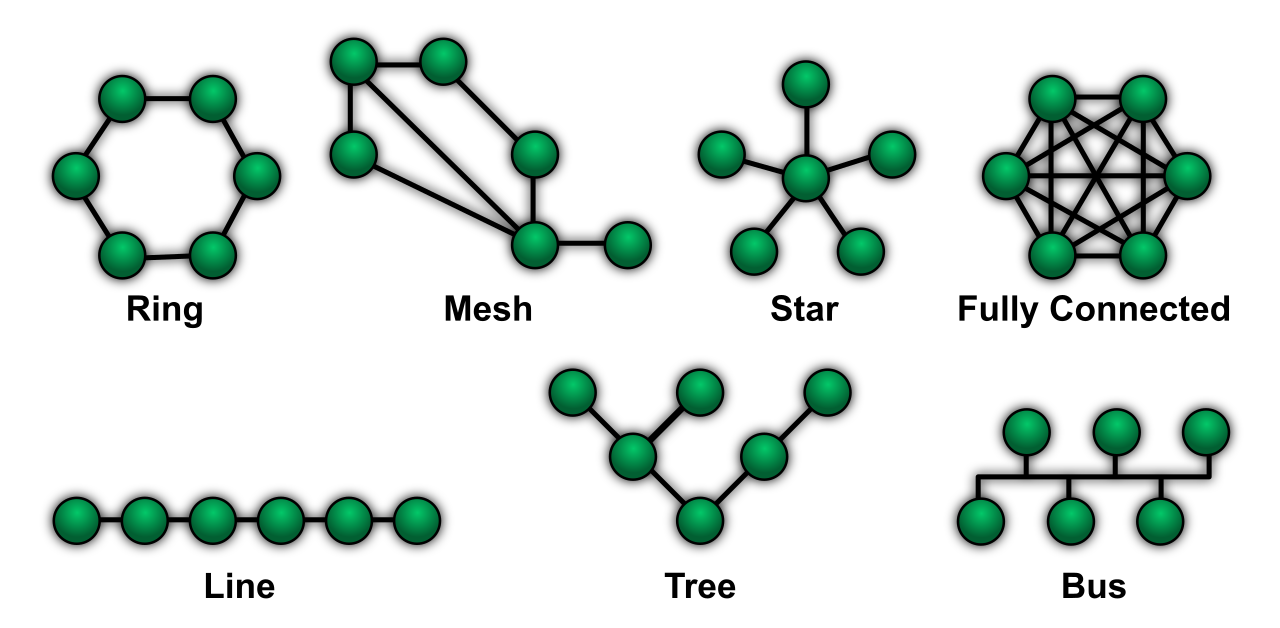
To navigate the network, technicians rely on diagrams. However, a network can be viewed from two distinct perspectives. Network topology diagrams map the physical connections between devices on a network (showing exact ports, cable runs, and switch locations), but separate network topology diagrams map the logical connections between devices on a network (showing IP subnets, VLANs, and traffic flow regardless of physical hardware location).
Every system needs rules of engagement. An Acceptable Use Policy dictates the permitted uses of company IT resources, while also explicitly outlining the restricted uses of company IT resources (e.g., no cryptomining on company servers).
To enforce security, a password policy defines the required complexity of user passwords (requiring symbols, numbers, and minimum lengths) and dictates the expiration frequency of user passwords (forcing a change every 90 days). Beyond daily security, companies must obey the law: regulatory compliance policies dictate data retention periods for company records, ensuring emails are kept for exactly as long as federal regulators demand.
When things go catastrophically wrong, survival depends on documentation. An incident response plan outlines the procedures for identifying and mitigating security breaches, effectively serving as a playbook for a cyberattack. If the building catches fire or a hurricane hits, disaster recovery documentation provides instructions for restoring IT services after a catastrophic event.
To prevent self-inflicted disasters, IT teams use change control. Change management documentation records all planned modifications to the IT infrastructure. This ensures no one patches a critical server on a Friday afternoon without approval and a rollback plan.
Ultimately, an IT department is a service provider. The yardstick by which we measure that service is the SLA.
SLA stands for Service-Level Agreement. Simply put, a Service-Level Agreement defines the guaranteed level of service performance expected from a provider. These agreements apply inside and outside the company:
- Internal Service-Level Agreements dictate the response and resolution times for an organization's internal IT help desk. (e.g., IT promises the Accounting department that major outages will be fixed in 4 hours).
- External Service-Level Agreements are contractual obligations between a business and a third-party service provider. (e.g., An ISP promises a business a dedicated fiber connection).
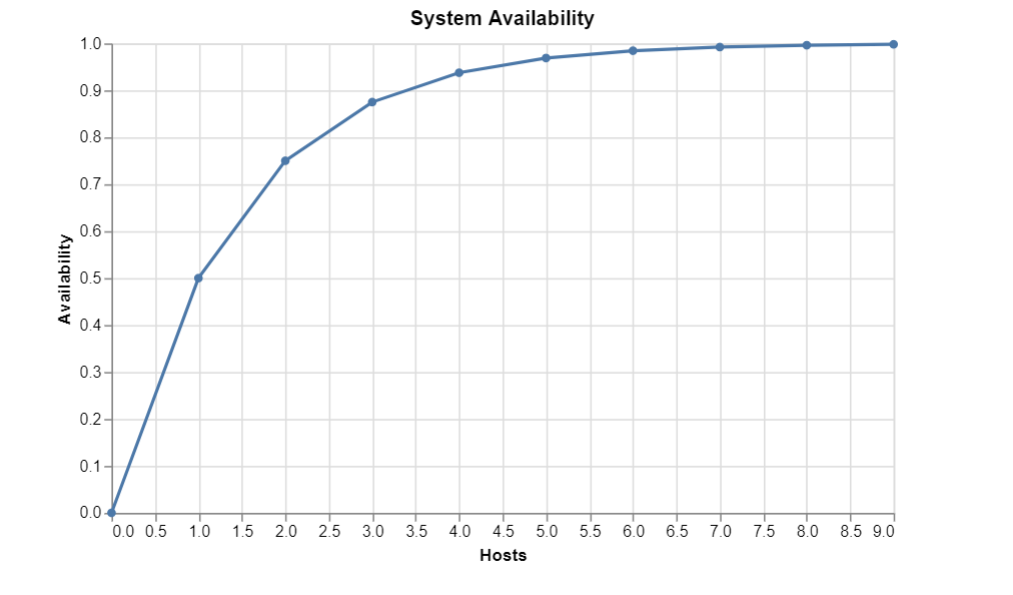
SLAs are not vague promises; they are mathematically precise. Service-Level Agreements specify measurable metrics like system uptime percentages (such as 99.999% availability). If it is an external agreement, Service-Level Agreements outline the financial penalties for failing to meet the agreed-upon service metrics, meaning an ISP might owe you $5,000 if they drop your connection for a day.
Metrics and Enforcement
Help desks track their internal SLAs using two primary chronometers:
- First Response Time is a metric measuring the duration between ticket creation and the initial technician reply. It answers the user's anxiety: Did anyone hear me?
- Mean Time to Resolution is a metric tracking the average time required to completely fix an IT issue. It measures overall department efficiency.
To ensure these agreements are honored, ticketing systems use automated timers to alert technicians before a ticket breaches a resolution deadline. If the technician ignores the warning, the system takes action: breach notifications automatically alert IT management when a ticket exceeds its permitted time limit.
This stringent framework is not designed to punish technicians, but to protect the business. The strict enforcement of Service-Level Agreements ensures consistent support quality for end users, ensuring that whether a user submits a ticket at 9:00 AM on a Monday or 4:00 PM on a Friday, they receive the exact same standard of excellence.