Environmental Impacts and Controls
Not sure you’re ready?
Take the ~3-minute readiness diagnostic and see where you stand.
A modern computer is essentially a highly organized arrangement of refined metals and volatile chemicals that performs calculations by manipulating raw electrical energy. Because we confine tremendous amounts of heat, voltage, and reactive materials within tight enclosures, the physical environment surrounding this equipment entirely dictates its safety, reliability, and lifespan. As an IT professional, deploying operating systems and troubleshooting software is only one half of the equation. The other half is mastering the physical laws that govern thermal dynamics, electrical stability, and chemical hazards. Ignoring these physical realities does not just result in premature hardware failure; it leads to irreversible data corruption, toxic human exposure, and catastrophic electrical fires.
Before you can safely manage or dispose of IT equipment, you must understand exactly what sits inside the plastic chassis on your desk. Tech support deals with heavy metals, combustible energy storage, and microscopic particulates on a daily basis.
When you encounter an unfamiliar substance—such as a leaking battery or a spilled chemical in a server room—your immediate reference is the Safety Data Sheet (SDS). The Safety Data Sheet (SDS) standard replaced the legacy Material Safety Data Sheet (MSDS) standard to align with global hazard communication standards, ensuring that warning labels and instructions are universally understood regardless of origin.
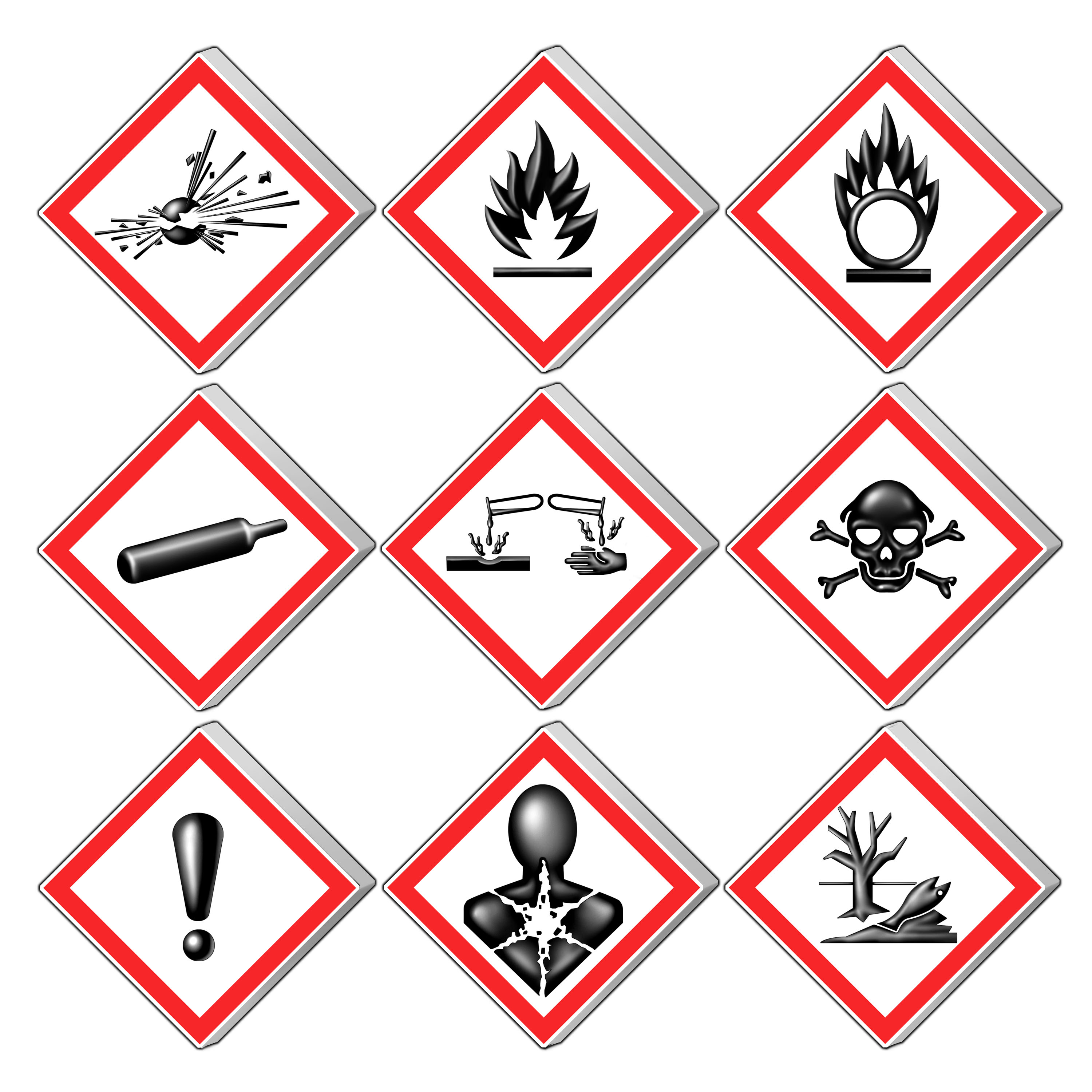
An SDS contains detailed safety information about the physical properties and health hazards of specific materials. More importantly for your daily operations, a Safety Data Sheet (SDS) dictates the proper emergency response procedures for handling chemical spills and exposure.
You will frequently encounter three highly specific environmental hazards in end-user support:
1. Lithium-Ion Batteries
Lithium-ion batteries pack an extraordinary amount of electrical energy into a very tight physical footprint. However, the internal chemistry is highly volatile. Lithium-ion batteries pose a severe fire risk if the battery is structurally compromised or punctured.
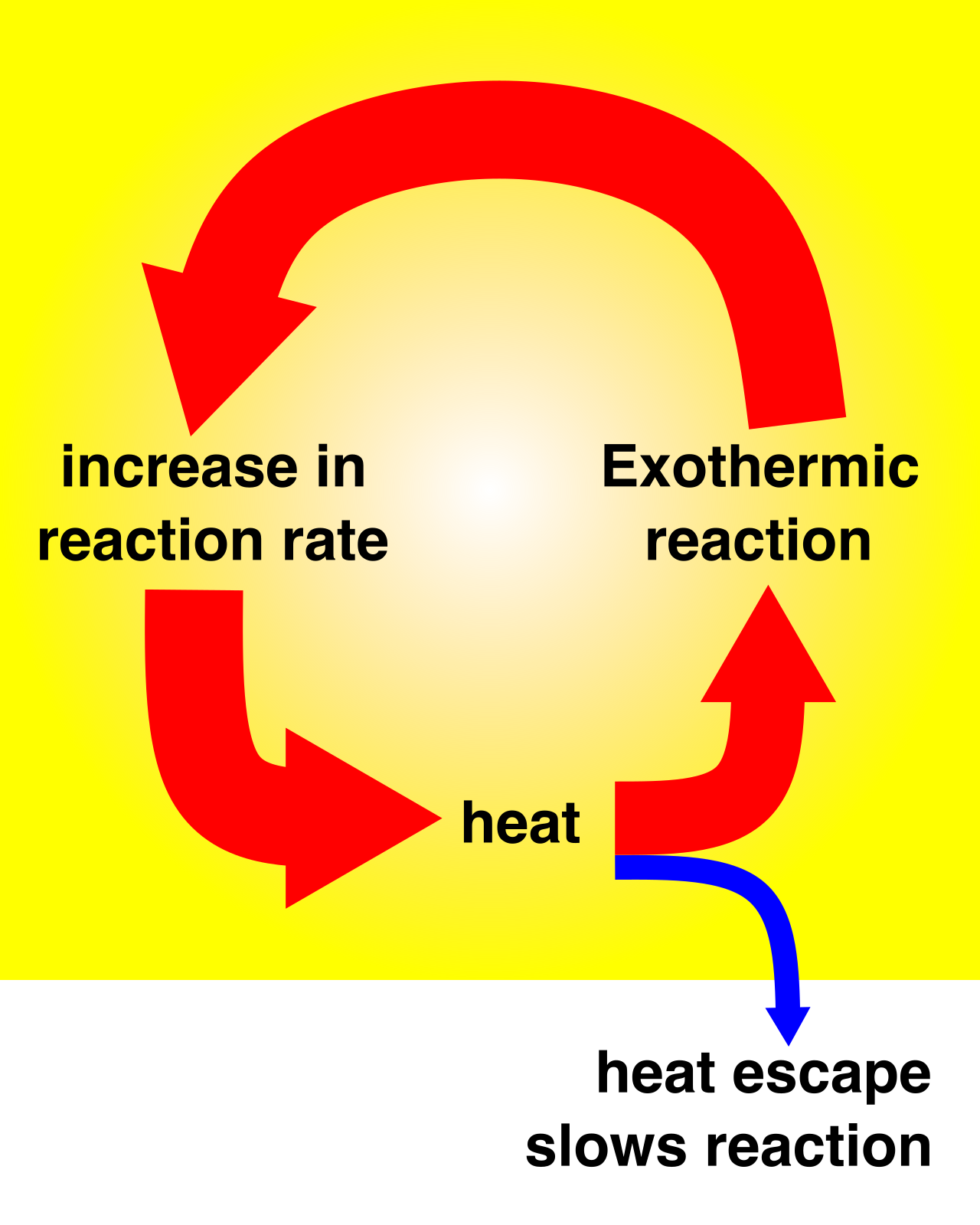
Because lithium reacts violently with moisture in the air, a physical puncture can cause thermal runaway—an unstoppable, self-feeding chemical fire. If you open a laptop and notice a swollen battery pushing up against the trackpad, you are looking at off-gassing trapped inside the battery cell. Swollen lithium-ion batteries must be immediately isolated in a fireproof container and transferred to a designated hazardous waste facility. Never throw these in a standard trash bin.
2. Laser Printer Toner
Replacing printer toner is a mundane task, but one that requires respect for physics. Laser printer toner is not liquid ink; it is an ultra-fine plastic powder that melts onto paper. Because the particles are microscopic, laser printer toner contains ultra-fine plastic powder that poses a severe inhalation risk if spilled. Empty laser printer toner cartridges should never be broken open or thrown in municipal trash; they should be returned to the manufacturer or deposited at an authorized recycling center.
3. Cathode Ray Tube (CRT) Monitors
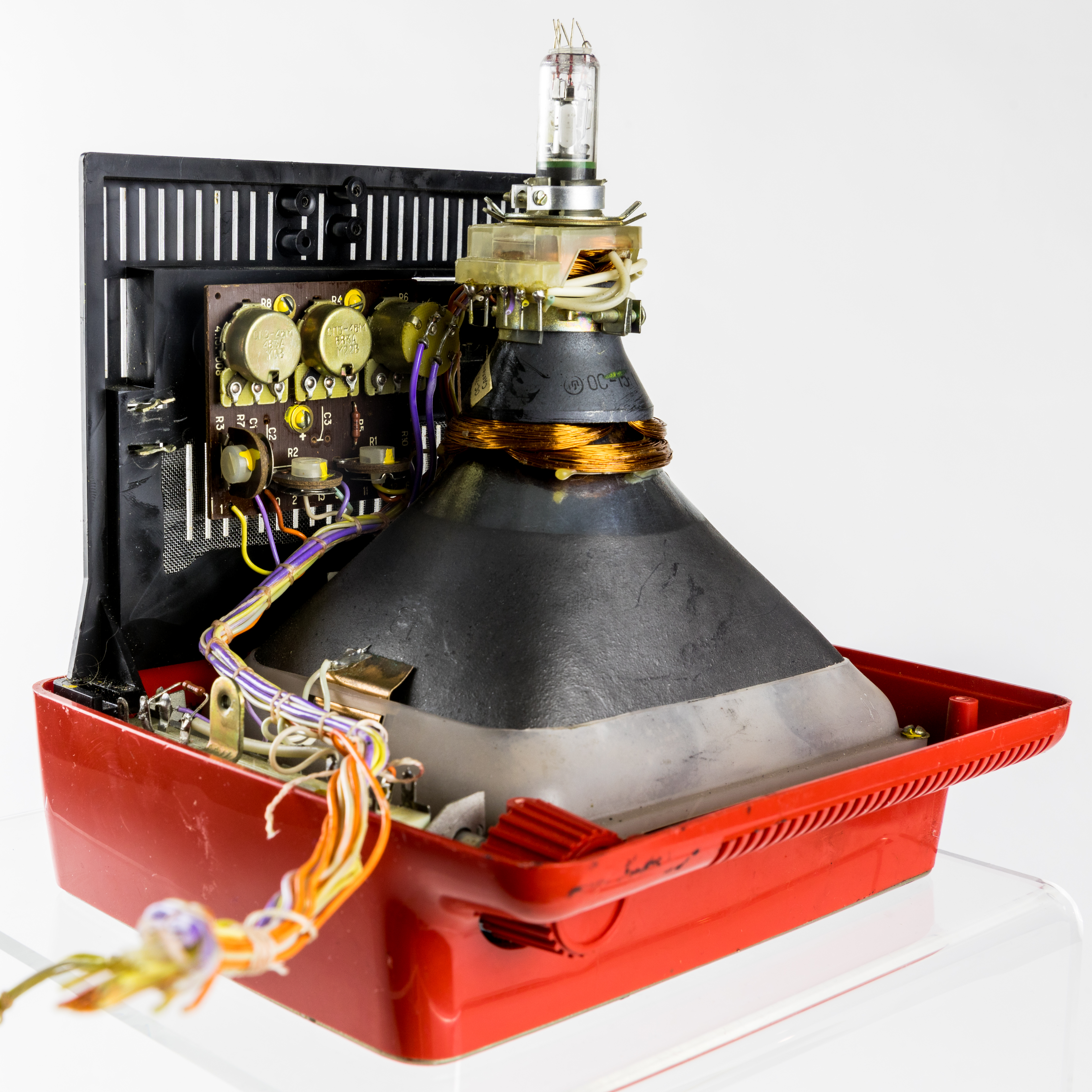
Though mostly phased out of modern enterprises, you may occasionally unearth legacy CRT monitors in older deployments or specialized industrial setups. Cathode Ray Tube (CRT) monitors contain toxic heavy metals including lead and barium. Because of this toxicity, Cathode Ray Tube (CRT) monitors require specialized disposal facilities to prevent heavy metal environmental contamination.
A server room is essentially a massive furnace that computes. Every watt of electrical energy pulled from the wall is eventually converted into heat. Managing this heat, along with the air that carries it away, is the foundation of hardware stability.
Temperature and Airflow Management
If a processor gets too hot, it makes mathematical errors; if it gets hotter still, it melts. The American Society of Heating, Refrigerating and Air-Conditioning Engineers recommends a server room temperature range of 64.4 to 80.6 degrees Fahrenheit.
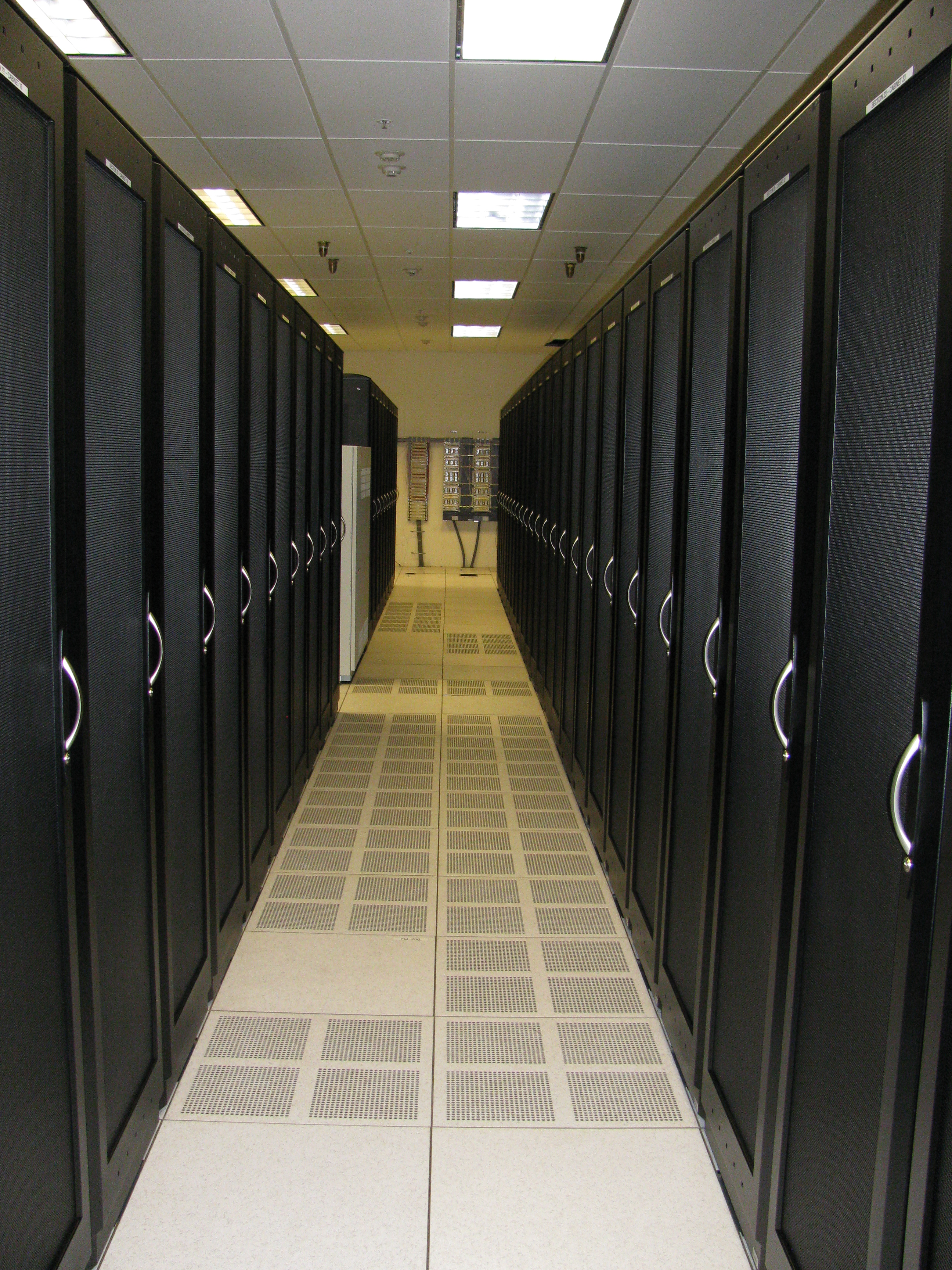
To maintain this temperature efficiently, data centers do not just blast cold air randomly into a room. They use a precise geometric layout. The hot aisle and cold aisle data center layout prevents cold equipment intake air from mixing with hot equipment exhaust air. Servers face each other to draw cold air from a shared "cold aisle," push it through their hot internal components, and exhaust it out the back into a shared "hot aisle." Mixing these airflows destroys cooling efficiency.
The Humidity "Goldilocks" Zone
Temperature is only half of the atmospheric equation; water vapor is the other. The recommended relative humidity level for server rooms and data centers is between 40 percent and 60 percent. Straying outside of this boundary in either direction carries severe physical consequences.
- When humidity drops too low: Ambient humidity levels below 40 percent drastically increase the likelihood of damaging Electrostatic Discharge (ESD) events. Dry air acts as an excellent insulator, allowing static electricity to build up rapidly on physical surfaces and technicians' bodies, waiting to discharge directly into sensitive microprocessors.
- When humidity climbs too high: Ambient humidity levels above 60 percent accelerate the corrosion of metallic computer components. If the environment shifts too rapidly, high ambient humidity levels can cause condensation to form directly on server motherboards and cause catastrophic short circuits.
We cool computers by blowing air across metal heat sinks. Over time, that airflow drags particulate matter into the chassis. Accumulated dust inside a computer chassis acts as a thermal insulator—it essentially wraps your high-performance CPU in a warm winter blanket.
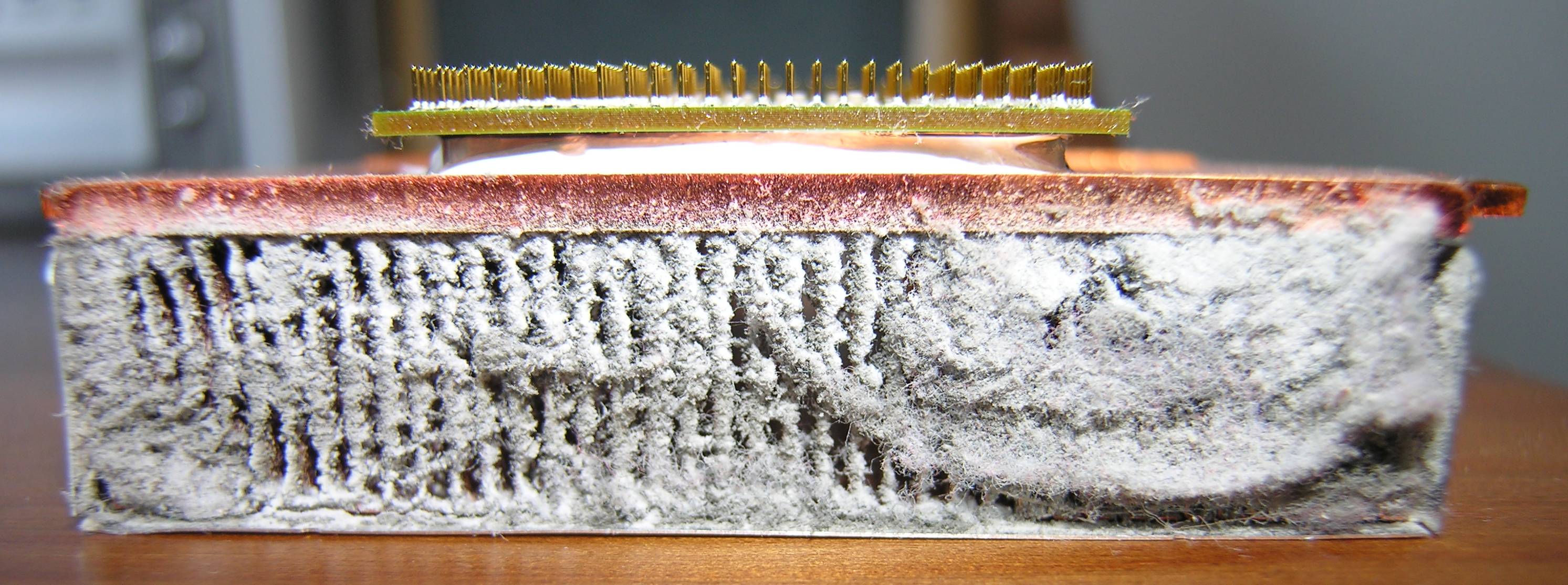
Insulating dust causes internal computer hardware temperatures to rise. Modern hardware attempts to save itself from this heat via a self-preservation mechanism: excessive hardware heat caused by dust accumulation can trigger thermal throttling of internal computer components. The CPU slows its own clock speed to a crawl to generate less heat, resulting in massive performance drops for the end user.
Removing this dust is a standard IT maintenance procedure, but doing it incorrectly will instantly destroy the machine.
Crucial Rule of Dust Removal: Standard household vacuum cleaners build up large amounts of static electricity during operation due to the rapid friction of dust moving through plastic hoses. Touching a motherboard with a household vacuum nozzle will instantly kill the board via ESD. IT technicians must exclusively use specially designed Electrostatic Discharge (ESD) safe vacuums when cleaning computer internals.
When a vacuum isn't enough, technicians turn to compressed air. Two distinct physical rules apply here:
- Inhalation Hazards: Technicians should use compressed air outside or in well-ventilated areas to avoid inhaling displaced dust.
- The Generator Effect: An electric motor run in reverse acts as a generator. Technicians must firmly hold computer cooling fan blades stationary when blowing the fan assembly with compressed air. Allowing compressed air to freely spin a cooling fan can generate a damaging electrical back-current to the connected motherboard, frying the fan headers.
Commercial electricity does not flow in a perfectly flat, clean stream. It ripples, surges, and occasionally vanishes entirely. If your infrastructure is not physically shielded from these anomalies, software safeguards are entirely useless.
Understanding Power Anomalies
| Power Anomaly | Definition |
|---|---|
| Power Surge | A sudden and brief increase in electrical voltage above the standard supplied level. |
| Brownout | A temporary drop in electrical voltage that falls below the standard commercial power level (often causing lights to dim). |
| Blackout | A complete and total loss of commercial electrical power to a facility. |
Surge Suppressors: The Overflow Valve
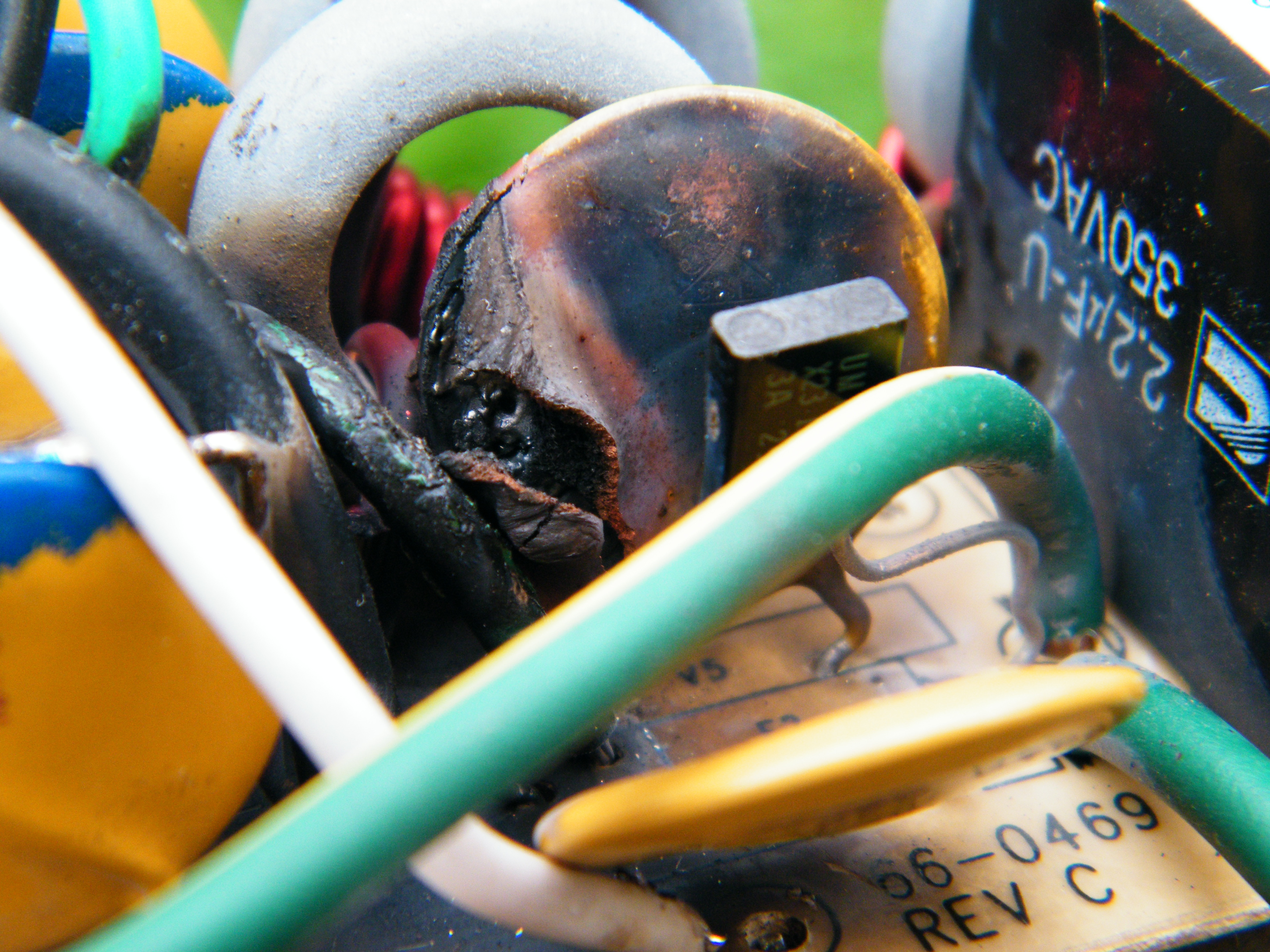
A power surge acts like a high-pressure wave in a water pipe. Surge suppressors protect electronic devices by routing excessive electrical voltage spikes into the electrical ground wire, safely shunting the dangerous energy away from the connected hardware.
These devices are rated by how much total destructive energy they can absorb before failing. The total protective capacity of a surge suppressor is measured in Joules. Once a surge protector has absorbed its maximum Joule rating over its lifespan, it quietly stops protecting your equipment, acting as nothing more than an unprotected power strip.
Uninterruptible Power Supplies (UPS): The Bridge
While a surge protector handles too much power, an Uninterruptible Power Supply (UPS) handles too little.
An Uninterruptible Power Supply (UPS) contains an internal battery to provide emergency operating power to connected devices. However, a UPS is not meant to run a server indefinitely. Its fundamental purpose is data integrity. An Uninterruptible Power Supply (UPS) prevents data corruption by providing enough time to perform a graceful system shutdown during a blackout, ensuring that hard drives finish writing their data and operating systems close their files properly.
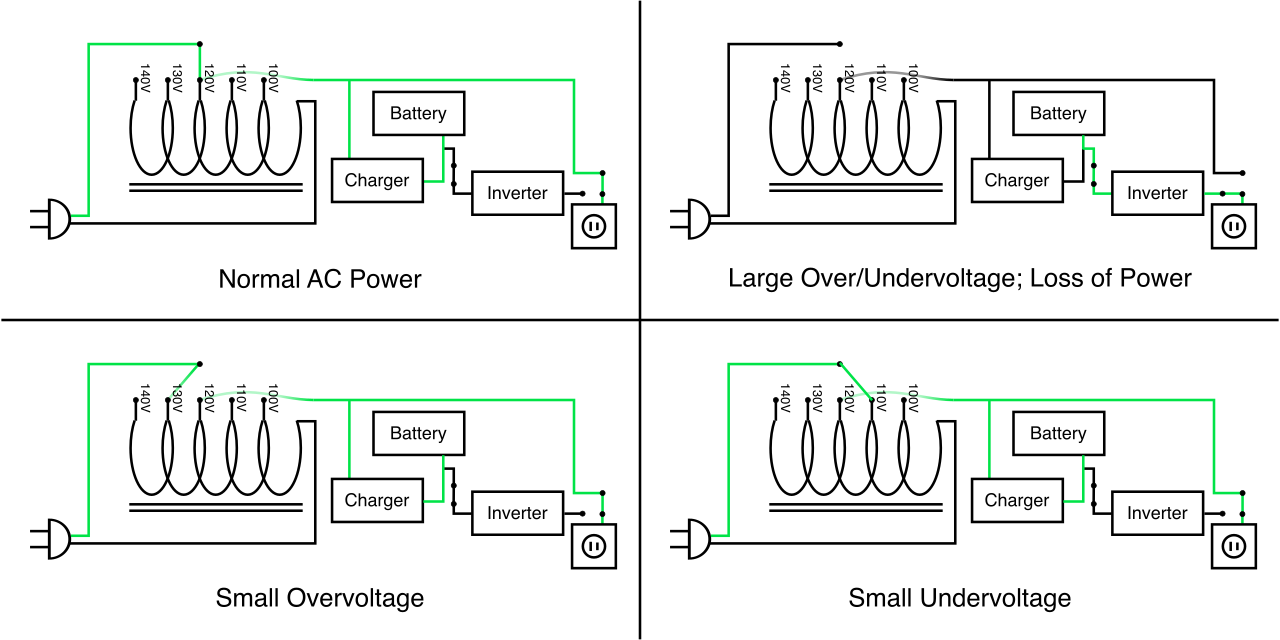
Not all UPS systems operate the same way. A highly preferred model in IT environments is the line-interactive UPS. A line-interactive Uninterruptible Power Supply (UPS) continuously conditions incoming power to safely compensate for brownouts without engaging the internal backup battery. By dynamically boosting low voltages back to standard levels in real-time, it saves the chemical lifespan of the internal battery for true blackout emergencies.