A 12-Week CompTIA Network+ (N10-009) Study Plan That Fits a Real Schedule
In short
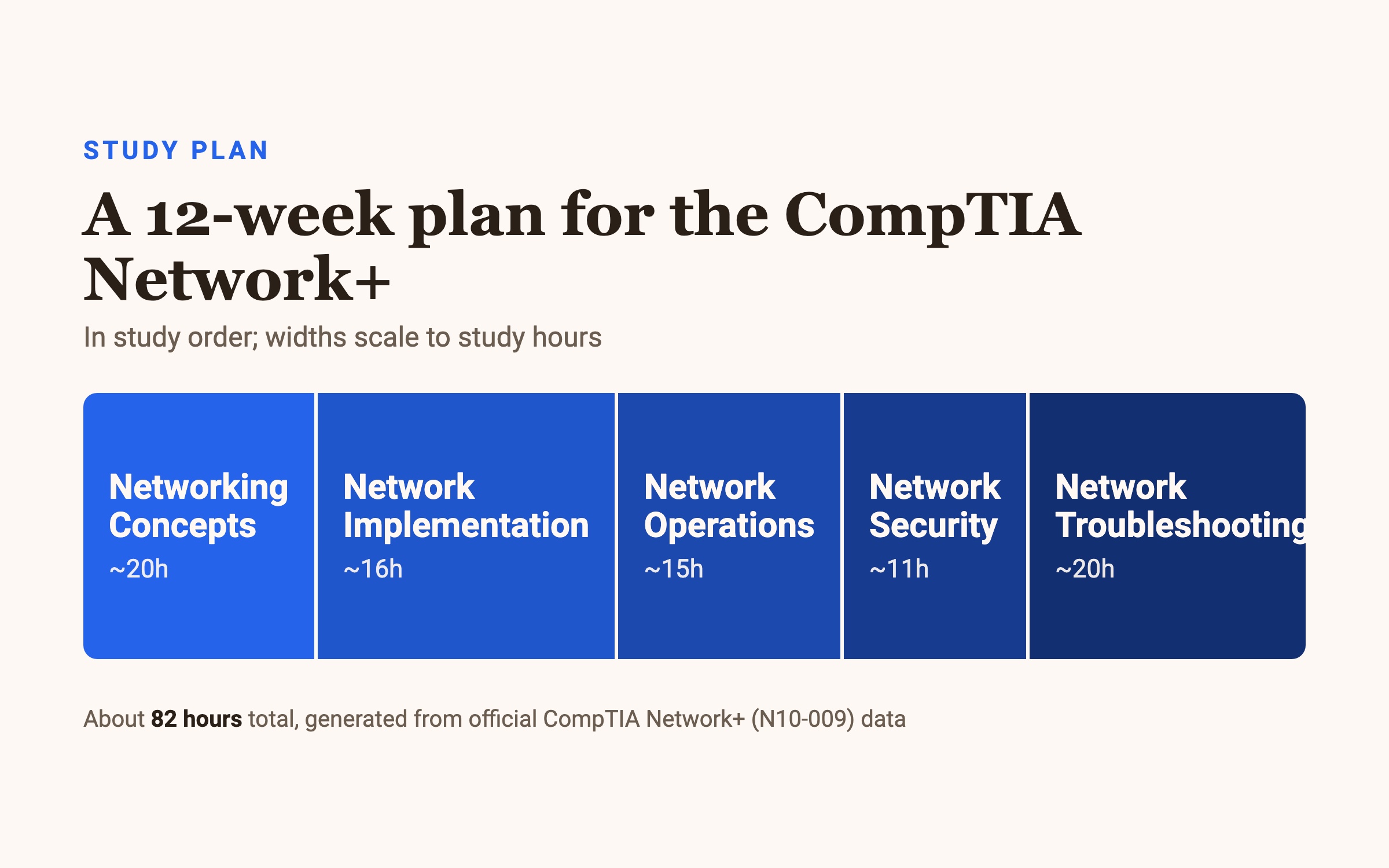
Plan on about 82 hours to pass the CompTIA Network+ (N10-009) exam. Over 12 weeks that's roughly 7 hours a week. The two heaviest-weighted domains — Network Troubleshooting (24%) and Networking Concepts (23%) — get the most time, and the final week is timed practice only.
How long you actually need
The N10-009 exam runs up to 90 questions in 90 minutes, and you need 720 on a 100–900 scale to pass — a fixed cutoff, the same for everyone. About 82 hours of study is realistic if you already have some IT exposure. CompTIA recommends holding your A+ and 9–12 months of hands-on networking experience first; without that, budget extra weeks.
Spend your hours in proportion to the domain weights:
- Network Troubleshooting — 24% · ~20 hours. The single biggest slice. This is where the CompTIA troubleshooting methodology and cable/connectivity diagnosis questions come from.
- Networking Concepts — 23% · ~20 hours. The OSI reference model, ports and protocols, and cloud connectivity.
- Network Implementation — 20% · ~16 hours. Routing, switching, wireless, and physical media.
- Network Operations — 19% · ~15 hours. Monitoring, documentation, and network availability.
- Network Security — 14% · ~11 hours. The smallest domain: hardening, access control, common attacks.
Week by week
The 12 weeks below follow the domains from foundation to diagnosis. Finish a block when you can pass a topic quiz on it, then move on.
Weeks 1–3 — Networking Concepts (20 hours).
Everything else sits on this. Learn the OSI model cold — which layer does what →
memorize the common ports and protocols →
finish with IP addressing and cloud connectivity. The exam references OSI layers constantly, so this pays off everywhere.
Weeks 4–5 — Network Implementation (16 hours). Now build networks. Study routing and switching technologies, wireless standards, and how physical media and connectors plug together. Hands-on time with a router config, even a simulated one, sticks better than reading.
Weeks 6–7 — Network Operations (15 hours). The day-to-day domain: monitoring tools, documentation, high availability, and disaster recovery. Learn what each network diagram and log tells you — it feeds directly into the troubleshooting domain next.
Week 8 — Network Security (11 hours). The smallest domain, one focused week. Cover hardening, access control, and the common network attacks and their defenses. Don't skip it because it's only 14% — those points still count.
Weeks 9–11 — Network Troubleshooting (24%, ~20 hours). Three weeks on the biggest domain. Learn the CompTIA seven-step troubleshooting methodology and drill it until it's automatic:
Identify the problem →
establish a theory of probable cause →
test the theory →
establish a plan of action →
implement the solution →
verify full system functionality →
document findings.
Then practice applying it to cable faults, wireless issues, and connectivity failures. Performance-based questions here ask you to diagnose, so reading isn't enough — work simulated problems.
Week 12 — Full review and timed practice. No new material. Sit full-length timed practice tests, trace every wrong answer back to its objective, and re-drill your weakest domain.
If you have less time (or more)
Compressing to ~7 weeks: raise your weekly hours to 12–14 and prioritize by weight. Networking Concepts and Troubleshooting alone are 47% of the exam — protect those hours first, then Implementation and Operations, and move quickly through Network Security.
Stretching to 18+ weeks: if networking is new to you, add a slow first month on the OSI model and addressing before building networks, and keep a lab or simulator running throughout. The extra weeks substitute for the hands-on experience CompTIA recommends.
Whatever the timeline, keep the last week for review only and keep your per-domain hours tracking the exam's percentages.
Common questions
How many questions are on the N10-009 exam? A maximum of 90, mixing multiple-choice with performance-based questions that ask you to configure or diagnose in a simulated environment.
How much time do I get? 90 minutes for the whole exam.
What is the passing score? 720 on a 100–900 scale — a fixed cutoff set by CompTIA, identical for every candidate.
Are there prerequisites? None required, but CompTIA recommends holding your A+ and having 9–12 months of hands-on networking experience.
How much does it cost? The standard registration fee is $399, though prices can vary slightly by region.
What are performance-based questions? Instead of picking from a list, you complete a task — configure a router interface, drag hardware into a diagram, or use simulated command-line tools to diagnose a connection.
Want to see where you stand before you start? Try the free practice questions for Network+ — every answer explained, no paywall.